





Feed Your Reef sells live, dry, and frozen fish food to marine hobbyists. They used our WooCommerce Lead Time plugin to give lead times on hatched to order fish food and general dry good dispatch times.

How our plugin solved their problem

Feed Your Reef needed an easy way to give lead times on certain fish food products. This way, they could let customers know when the product would be ready for dispatch before they place their order.

When a customer lands on the single product page, they can see the lead time for the product along with other product details and purchasing options. If a product is available, it shows the number of units available in stock and Lead Time: Ready for dispatch. However, if the product is available on back-order, then it says Available on back-order | Lead Time: Ready for dispatch in 2 days.

Customers can then use the quantity selector to enter the number of units they’d like to purchase and place their order.

According to Jason Smith, the WooCommerce Lead Time plugin has easy-to-follow documentation and good configuration options. They followed our lead time tutorial to set it up on their own online store.

(more…)

Old Farmhouse Takeaway is an online takeaway and delivery service. They sells traditional home-cooked food and beverages as well as restaurant gift vouchers. They used our WooCommerce Restaurant Ordering plugin to list food items and restaurant gift vouchers in a menu-like layout on their website.

How our plugin solved their problem

Old Farmhouse Takeaway needed a simple way to sell traditional home-cooked food and beverages with add-ons through their website. They were looking for a solution that would let customers place their orders as quickly as possible.

“At the end of the day, it’s all about reducing clicks, swipes, and taps when the service is designed to be quick and friendly.”

When a patron lands on the menu page, they can click the (+) icon next to the food items, beverages, or gift vouchers they’d like to purchase. If the item is a simple product, it’s automatically added to the customer’s cart. However, if the item has add-ons or variations, a lightbox appears prompting customers to choose their options such as burger toppings.

For example, when a customer adds the 'Battered Halloumi Burger' to their cart, they’re given the option to select add-ons. Customers can select as many options as they’d like. Since each add-on costs extra, the price of the food item is updated in real-time. Customers can also set the quantity selector from the lightbox.

The menu is split up into multiple categories including Roast Dinners, Sides, Burgers, Sunday Mains, Puddings, Beverages, Kids Meals, and Gift Vouchers.

The WooCommerce Restaurant Ordering plugin creates a menu-style layout of food items. Each food item displays the food’s title, price, and (+) icon that functions as the add to cart button. Restaurant gift vouchers are added in a similar way.

Once customers are done adding items to their menu, they can view their cart and place their order.

(more…)

The Indiana Broadcasters Association is an alliance of nearly 300 member radio and television broadcasters. They use our Posts Table Pro plugin to list station details and contact information in a table layout on their site’s front-end.

How our plugin solved their problem

Indiana Broadcasters Association needed a way to list their 300 member radio and television broadcasters on their site’s front-end to make it easy for visitors to find a station. They created a Find a Station page on their site listing all of the stations and station details.

When a visitor lands on the page, they can search for the station they’re looking for in a variety of different ways. The table lets them run a search query to search by call letters, city, or frequency (channel).

Visitors can also use the filter dropdown above the table to search by Station CategoryRadio or Television, and sort the columns in the table. For example, visitors can sort the City column to find stations in a particular city.

The Posts Table Pro plugin includes details about each station’s title, frequency (channel), city, and phone number. This makes it easy for visitors to quickly find the station they’re looking for and get their contact information. There’s no need to redirect to a separate page for contact information.

(more…)

Elite Teamsport

Elite Teamsport is an online retailer that sells teamwear kits, training wear, and equipment. Their range of teamwear products include shirts, jerseys, shorts, and socks. They used our WooCommerce Bulk Variations plugin to sell teamwear in bulk on their single product pages.

How our plugin solved their problem

Elite Teamsport sells a variety of teamwear products on their online store. They added an option to their single product pages that let customers buy variations in bulk.

"We added the shortcode and then a button to simply show or hide upon click, which seems to work well!"

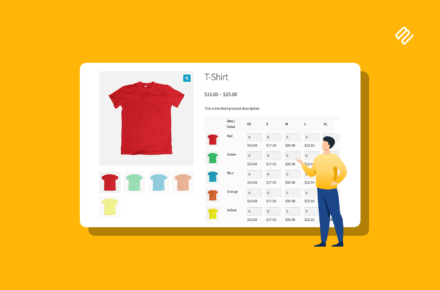
When a customer clicks the Buy in Bulk button on the single product page, the bulk variations grid opens up. This way, they can choose to either buy one variation at a time or select multiple options and add them all to the cart in one go.

The WooCommerce Bulk Variations plugin creates a grid layout listing the different sizes and colors available of each product. It also displays the name of each variation along with a variation image and the price.

Customers can use the quantity selectors next to each variation to add the number of units they’d like to purchase. Once that’s done, they simply click the Add to Basket button under the grid to add all of the selected variations to their cart in one go.

The WooCommerce Bulk Variations plugin also displays the total number of units selected and the total price directly under the variations grid.

(more…)

Universal Fans sell electrical fans, which are described using some fairly complex technical data.

They needed a way for customers to compare the various technical data in a structured WooCommerce comparison table.

After trialling some free plugins that weren't suitable, Universal Fans discovered our bestselling WooCommerce Product Table plugin. They used it to create a WooCommerce product comparison table with all the technical data they needed.

Since they sell a lot of products, they added a keyword search box and attribute filters to help customers find the products with the correct specification.

Customers can click on any product in the WooCommerce comparison table to access the single product page.

From there, they can select quantities and variations, and add products to the cart.

(more…)

The Agent Lounge is a virtual home for real estate agents. It’s a platform where people can meet online, get EAAB support, stay up to date with real estate news, get online training, and much more. They used our Posts Table Pro plugin to create a members-only library of real estate content.

The website uses Posts Table Pro on the Library page to make it easy for members to find news articles, training material, and other resources all in one place.

How our plugin solved their problem

The Agent Lounge displays essential information about each piece of content in the table layout on the members-only Library page including an image, title, brief description, categories, and file link. Some of the file links redirect to blog posts on the internet whereas others are download links. Members can find specific articles in the library in a variety of different ways.

They can use the filter dropdown above the table to view articles from a specific category. In addition to this, they can also use the search bar to find a specific article or keyword in the members-only library. It’s also possible to sort the content pieces in the table by title or category. This makes it easy for members to find what they’re looking for.

The content table is configured to display 6 content pieces on each page with pagination enabled. This way, members can use the pagination options below the table to jump to a specific page.

(more…)

Project Management Essentials

Project Management Essentials, founded by Alan Zucker, provides training and advisory services in project management, Agile transformation, and leadership. They used our Posts Table Pro plugin to make their large blog easy to search and navigate for readers.

The website uses Posts Table Pro to create an index of website content for their blog. This makes the large blog easy to search and navigate for readers, visitors, and potential clients.

How Our Plugin Solved Their Problem

Project Management Essentials displays a variety of information about each blog post in their blog post index including an image, title, content, categories, tags, and date. Visitors can sort the articles by title or by date published.

In addition to this, the blog post index also has options for filtering blog posts by category and tags as well as a search box. This allows visitors to quickly find the types of blog posts they're looking for or search for a specific blog post.

The blog post index is configured to display 25 blog post entries on each page. However, visitors have the option to use the Show XX entries option to display more or less blog post entries per page. Visitors can also use the pagination options below the blog post index to jump to a specific page.

Another Title

Alan Zucker, the founder of Project Management Essentials, was happy with how easy it was to set up Posts Table Pro to create a blog post index for his website. He followed our step-by-step tutorial to quickly set up the blog search page on his website.

(more…)

Ciao Italia Ristorante is an Italian restaurant based in New Hampshire, USA. They offer curbside pickup options to customers during the COVID-19 pandemic.

They used our WooCommerce Restaurant Ordering plugin to create a quick, one-page food order form for their website. Customers can use it to place their food orders online and use the restaurant’s curbside pickup option.

Ciao Italia Ristorante uses WooCommerce Restaurant Ordering to create a restaurant food order form that displays the restaurant’s entire menu including foods and beverages from different categories. This includes Sandwiches, Salads, Pasta, Kids, Beer and Wine, Dry Pasta, Chips, Meats, Pasta Sauce, Pantry Items, Cookies and Desserts, and Gift Cards.

For each food item, Ciao Italia Ristorante displays an image, food name, a brief description, price, and add to cart options.

When customers click the (+) icon to add a food item to their cart, a popup lightbox displays add to cart options. For example, customers can use the quantity selector to add multiple food items to their cart.

Once customers have added foods and beverages to their cart, they can view the shopping cart and proceed to the checkout page to finish placing their order.

Ciao Italia Ristorante followed our step-by-step tutorial to quickly create a one-page food order form for their website and start accepting curbside orders.

(more…)

ENinsider helps users navigate the expert (or knowledge) industry by providing a directory of expert networks that they can browse and request a quote from. They used our Posts Table Pro WordPress plugin to create a directory of expert networks that visitors could easily search through and find the expert networks they’d like to get in touch with.

The directory of expert network listings makes it easy for people to search for the knowledge networks they’re interested in contacting for a quote. Visitors can request a quote from up to five expert networks at a time.

Users can sort the expert networks listed in the table by their names, tags, and geography expertise. In addition, the table provides filters for tags and geography expertise, as well as a search box which makes it easy to narrow down your search.

For each expert network listing, ENinsider displays the logo, name, description, tags, geography expertise, and a Request a Quote column. The Request a Quote feature is bespoke. They built it as a custom feature using our instructions on how to add a custom column to the table. As well has having lots of built-in features, Posts Table Pro is developer-friendly and makes it easy to add bespoke functionality on top of it.

The table is configured to display all of the expert network listing on a single page. At the time of writing, ENinsider has a total of 37 entries in their database, all of which are displayed on the Expert Network Directory page.

(more…)