How to use Canva for nonprofits (and what to do with the designs)

Canva for Nonprofits gives qualifying organizations all the features of Canva Pro for free, including templates, collaboration tools and a brand kit. Here's what to design with it, how to apply, and what to do with the designs once you've made them.
Most small nonprofits don't have a graphic designer on staff. They have one person who's "good with PowerPoint" and a board that wants the next campaign to look professional anyway. Canva fills that gap by giving teams without design training a way to produce on-brand graphics in minutes, and the Canva for Nonprofits programme makes the paid tier free for qualifying organizations.
This guide covers what Canva is useful for in a nonprofit context, how the free programme works, and how to manage the design assets you produce so volunteers and partners can find them later.
The design tool only gets you halfway. The other half is keeping everything organized so people can find and use what you make, which is what the second half of this guide covers.
What is Canva for Nonprofits?
Canva for Nonprofits is a free version of Canva Pro for qualifying organizations. It unlocks the full library of templates, premium stock images, premium fonts, the Brand Kit feature, and team collaboration tools for up to 50 users per organization. The programme sits alongside Canva's wider free tier, which any organization (including nonprofits running on WordPress) can use without applying. Canva covers the cost; the nonprofit pays nothing.
The programme is well worth applying for if you do any visual communication at all. Canva Pro normally costs around £100/year per user, so a team of five gets £500 of software annually at no cost. For nonprofits without a budget for design software, that's a meaningful chunk of cash returned to the cause.
Eligibility is based on your country's regulatory definition of a charity or nonprofit. In the US it's 501(c)(3) status; in the UK it's HMRC charity registration; other countries have equivalent requirements. Some types of organization are excluded from the programme, including schools, universities, government entities, financial services, and political or lobbying groups. The full eligibility guidelines are on Canva's site.
What to design with Canva as a nonprofit
The point of Canva is template-based design that doesn't need a designer. The most common nonprofit use cases are:
- Social media graphics. Posts and stories sized for each platform's native aspect ratio (square for Instagram feed, vertical for Reels and Stories, landscape for Facebook and LinkedIn).
- Presentations and decks. Pitch decks for sponsors, board meeting slides, training presentations for new volunteers.
- Flyers and posters. Event promotion, campaign collateral, recruitment materials, awareness posters.
- Annual reports and impact reports. Multi-page booklets pulled together from a single Canva template, with custom branding applied throughout.
- Infographics. Visualizations of campaign data, donation breakdowns, impact statistics, donor surveys and donor demographics.
- Donation thermometer graphics. Updatable images for live campaigns showing progress toward a goal.
- Newsletter headers and email graphics. Branded visuals for the regular communications you send to supporters, especially around campaign launches.
- eCards and tribute cards. Personalised digital cards donors can send in someone's honour, often used in campaign-led fundraising or as digital donor gifts.
- Event invitations and tickets. Sized for digital sharing and for print if you're running an in-person event.
- Video content. Short campaign videos and animated social posts built from Canva's video templates.
The Brand Kit feature is the one to set up first. Upload your logo, colour palette, fonts and any approved imagery. Every new design then supports your nonprofit brand identity, which means a volunteer who's never touched the tool still produces output that looks consistent with everything else you ship.
Practical tips for nonprofits using Canva
A few things make the difference between "Canva is genuinely useful" and "we have 200 unfinished designs and nobody knows which is the latest version".
Set up your brand kit before doing anything else
Spend an hour at the start adding your logo (in multiple formats), brand colour codes (hex values minimum, plus CMYK if you print), brand fonts, and a folder of approved photography. Every team member then defaults to this brand when they create a new design, and the visual consistency across campaigns improves dramatically.
Build a small set of master templates
Don't ask volunteers to start from a blank canvas. Build five or six templates for your most common needs (Instagram post, Facebook event header, social story, donor thank-you graphic, campaign poster), each pre-branded and editable. Store the originals in a WordPress resource library so the team always pulls from the latest version. New designs become a 10-minute job of swapping the text and image, not a 2-hour design session.
Use the team collaboration features
Canva for Nonprofits gives you up to 50 team members and shared folders. Use this rather than emailing files back and forth. Comments live on the design itself, version history is built in, and the comms lead can give a final approval without anyone having to download and re-upload. The same approach works for membership associations running design work across regional chapters.
Keep designs focused on the message
Canva makes it easy to add lots of elements. Resist this. A clean design with one message converts and shares better than a busy one with multiple competing visuals. Stock images and stickers exist for a reason, but use them sparingly.
Combine Canva with the rest of your toolset
Canva for Nonprofits is one of several free or discounted services available to qualifying organizations. See the discounted software for nonprofits roundup for similar offers across email marketing and nonprofit advertising, CRM, analytics and project management tools.
How to apply for Canva for Nonprofits
The application is free and runs entirely online. You'll need:
- Proof of your nonprofit registration with your country's relevant authority (501(c)(3) determination letter in the US, charity registration number in the UK, etc.).
- Your organization's website URL and primary email domain. Canva uses these to confirm the application matches the registered entity.
- A short description of your mission and what you'll use Canva for.
Submit the application through the Canva for Nonprofits page. Canva verifies applications through a third-party service and typically takes 7-10 business days to confirm eligibility. Once approved, your existing Canva account is upgraded to the Pro tier at no cost. You can then invite up to 50 team members under the same nonprofit licence.
If your application is declined, the reasons are usually around documentation rather than mission fit. Check the eligibility guidelines for your country's specific requirements and reapply once you have the right paperwork.
How to manage the designs you create
The problem most nonprofits hit after a few months of Canva use is finding the design they made for last year's campaign launches. Three people have edited slightly different versions of the gala poster, the master folder structure has drifted, and the latest version of the logo lives in a board member's downloads folder.
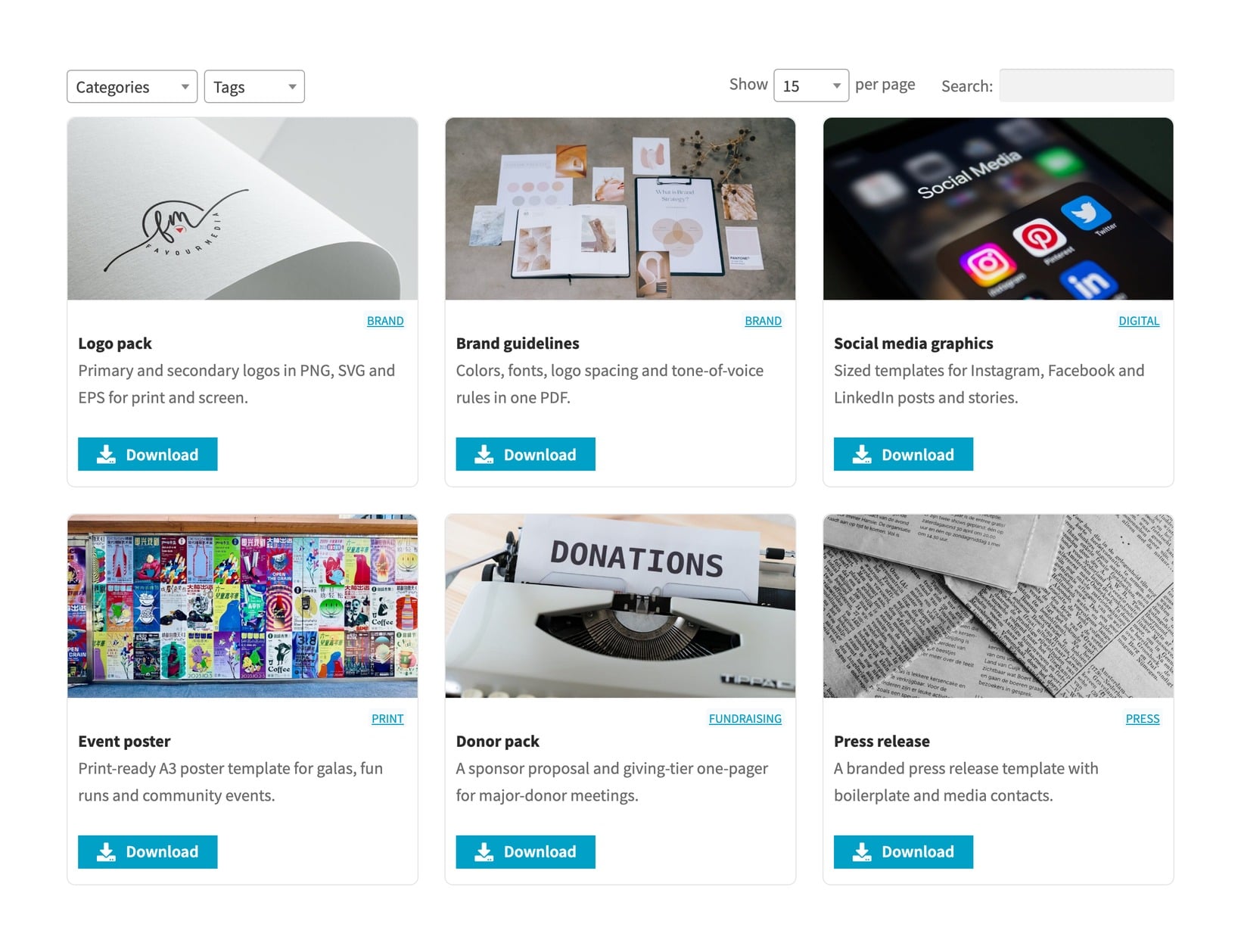
A dedicated design asset library handles this cleanly. Document Library Pro turns your designs into a filterable, searchable archive where volunteers, board members and partners can self-serve. Public-facing materials (logos, brand guidelines, supporter-facing graphics) stay open for anyone to download. Internal-only materials (donor packs, draft campaigns, financial graphics) sit behind gated content rules tied to user roles.
Where your site is built makes no difference. WordPress sites use the plugin. If yours is on Wix, Squarespace or a designer-built platform, Document Library Pro also works as a cloud-based document library. You embed the same asset archive on the pages you already have, or run it as a site of its own that we host.
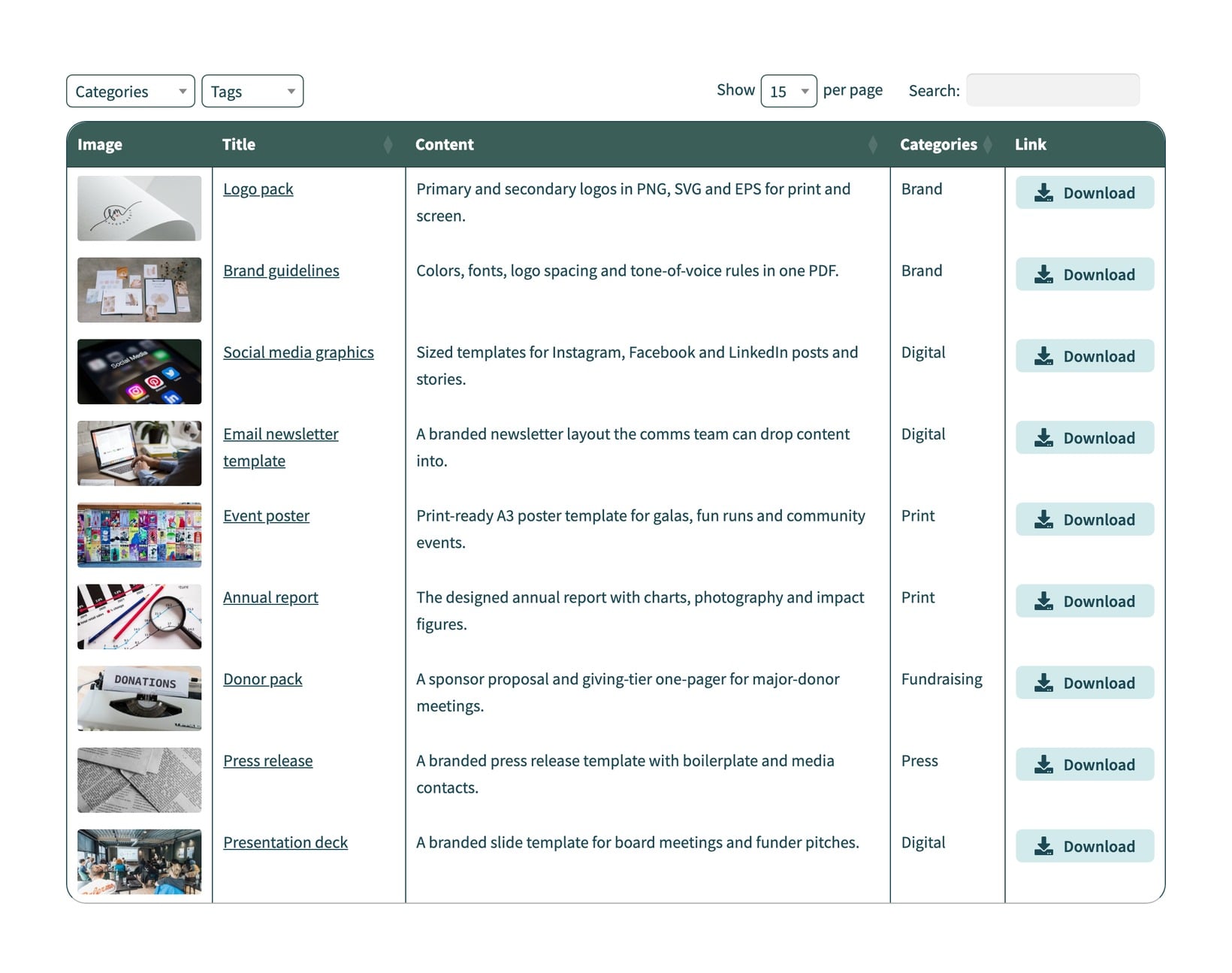
This works particularly well alongside a nonprofit social media toolkit, where the toolkit's branded assets are the most-shared subset of the broader library. Five real organizations show how they set up libraries like this in the WordPress nonprofit resource library examples roundup.
The recurring effort drops sharply once the library is in place. Volunteers stop emailing the comms lead for the latest poster. Board members stop sending out a logo from two rebrands ago. The comms team spends their time on the next campaign instead of file management.
How real nonprofits use Canva
Canva publishes detailed case studies from organizations using the programme, spanning everything from small local charities to global humanitarian agencies. Common themes across the case studies:
- Teams with no in-house design capacity producing professional collateral within days of joining.
- Brand consistency dramatically improving once a Brand Kit is set up and shared with all team members.
- Time-to-publish dropping from weeks (back-and-forth with an external designer) to hours (in-house using a master template).
- Cross-team collaboration replacing "send the file to me on email" with shared folders and live comments.
If you're considering the programme, the case studies are worth browsing before applying. They give a realistic picture of what nonprofits at different sizes use Canva for, and which features tend to deliver the most value.
Frequently asked questions about Canva for nonprofits
Is Canva for Nonprofits really free?
Yes. The programme gives qualifying nonprofits the same features as Canva Pro at no cost. There's no trial period and no automatic conversion to a paid plan. The licence stays free as long as your organization remains in good standing as a registered nonprofit.
What if my organization isn't a registered nonprofit but does charitable work?
Canva is strict about formal registration. If your organization isn't registered with the relevant authority (501(c)(3) in the US, charity number in the UK, equivalent elsewhere), you won't qualify for the free programme. You can still use the free version of Canva, which covers most basic design needs without the Pro features.
How long does Canva for Nonprofits approval take?
Canva says 7-10 business days for verification. In practice it varies by country and how clean your documentation is. Submitting all required paperwork in your initial application (rather than waiting to be asked for it) speeds things up.
Can my whole team use Canva for Nonprofits?
Yes, up to 50 users per organization. Invite team members through the Canva admin once your application is approved. Each team member gets full Pro access under your nonprofit's licence.
What's the best alternative if my nonprofit doesn't qualify?
The free version of Canva covers most design needs without the premium templates and stock images. Other free design tools include Figma (better for collaborative interface design), GIMP (Photoshop alternative for image editing), and Pixlr (simple browser-based editing). For nonprofits specifically, the discounted software for nonprofits roundup covers similar free or heavily-discounted tools.
How does Canva for Nonprofits compare to hiring a designer?
For volume work (regular social posts, internal materials, event collateral, WooCommerce store graphics) Canva is faster and far cheaper. For anything brand-defining (logo design, full identity work, complex illustration) a designer is still the right call. Most nonprofits end up using both: Canva for everyday production, a designer for the once-a-year brand-level pieces.
Final thoughts
Canva for Nonprofits is one of the higher-leverage free tools available to small nonprofit teams. The investment is a few hours setting up the Brand Kit and master templates. The payoff is professional design output from volunteers and staff who don't have design backgrounds, plus a meaningful chunk of saved budget every year.
Pair it with a proper design asset library and the design side of running a small nonprofit stops being the bottleneck. The comms team gets time back, the brand looks consistent across every supporter touchpoint, and the next campaign launches faster.