








CASA Architectural Hardware is a Belgrade-based company specializing in premium architectural hardware, glass partition systems and door automation. Architects, contractors and project managers all rely on their technical resources - from certificates and CAD drawings to installation manuals. To bring everything together, CASA turned to Document Library Pro.

Scattered documents that were hard to find and harder to manage

Before Document Library Pro, CASA stored technical documents across different pages with no central structure. As a result, users struggled to find what they needed. On top of that, the team spent too much time updating and managing files.

"We had certificates, manuals, and product documentation scattered across different pages," said Natasa Ilincic from CASA. "Updating and managing these resources was time-consuming and not scalable."

A structured, searchable library that works for everyone

After discovering Document Library Pro, the team built a centralized downloads page organized by product category. Now architects and contractors can browse and download brochures, certificates, CAD drawings and technical specs from one place.

Setup went smoothly too. "Even without advanced technical knowledge, our team was able to configure the library and start uploading documents quickly," said Natasa.

Document Library Pro offers a practical solution that improves both user experience and internal efficiency. It's a reliable tool that helps present your resources in a professional and accessible way.

Natasa Ilincic, CASA Architectural Hardware

(more…)

Rolf Research Foundation provides education, consultation, funding, and networking about Structural Integration research. They’ve used our Document Library Pro plugin to list articles published in peer-reviewed scientific journals on their website.

How our plugin solved their problem

Rolf Research Foundation were looking for a way to list articles from scientific journals on their website and make them accessible to researchers, practitioners, and the public. This involved creating a digital library that lets users search for articles and download them.

They used the Document Library Pro plugin to create a Structural Integration Library page on their site. The library lists articles published in peer-reviewed scientific journals.

The Structural Integration Library table contains multiple sortable columns including Title, Citation, Year, Type, Keywords, Full Text, Abstract, and Pubmed. Rolf Research Foundation has used custom fields to add multiple download buttons (different file types) for each article. Articles can be filtered by Content Type and Keywords, and a search bar above the digital library lets users search for specific queries.

Users can filter the digital library, run search queries, or sort columns in the table to find the articles they’re looking for. Once they find an article they’d like to read, they can click on the “+” to view the full text of the article, the abstract only, or view it in Pubmed.

The content type and keywords listed in the Type and Keywords columns are clickable links that allow users to filter the digital library quickly. Users can click the Reset link to reset the filter dropdowns.

(more…)

Audio Import Nederland sells a wide range of audio goods including speakers, amplifiers, subwoofers, connection material, and much more. They’ve used the WooCommerce Lead Time plugin to display a WooCommerce stock message on the shop and category pages.

How our plugin solved their problem

The Audio Import Nederland website was designed by MulderMedia who were looking for a plugin to display a WooCommerce stock message on their client’s audio import website.

They were able to use the WooCommerce Lead Time plugin to add a stock message to their shop page and category pages.

When a customer lands on the shop page or a category page on the Audio Import Nederland website, they can see the WooCommerce stock message clearly under the add to cart button. This lets them know straight away if the product is In stock or Available via backorder.

MulderMedia found the WooCommerce Lead Time plugin after searching for “best stock message WooCommerce” in Google. They found the WooCommerce Lead Time demo site particularly helpful in deciding that it was the right plugin for them. Additionally, they were impressed by the price and functionality which they couldn’t find elsewhere.

(more…)

IGBC Online is the online presence of the Interagency Grizzly Bear Committee (IGBC), an organization that supports recovery and delisting, and ongoing conservation of grizzly bear populations.

They’ve used the Document Library Pro plugin to create a document library for around 800 meeting minutes, policies, and reports.

How our plugin solved their problem

The IGBC website is designed by SnowGhost Design who were looking for a way to build a searchable document library in WordPress. More specifically, they needed a way to list around 800 company documents (like meeting minutes, policies, and reports) in an organized and searchable way.

They used the Document Library Pro plugin to create a document library with folders and subfolders containing all of the organization’s documents. To do this, they simply uploaded the documents to their WordPress site along with information about each document and categorized them.

The Document Library page contains multiple folders (some with sub-folders) based on the document categories. Each table contains a list of all the documents organized under that category or sub-category). This makes it easy for users to find the documents they’re looking for.

The tables are divided into six sortable columns – Title, Date, Tags, Type, Size, and Link. In addition to this, the table has filter dropdowns that make it easy for users to narrow down their search further. Once a user finds a document they’d like to access, they can click the download icon to download it to their device or click the Preview link to view the document in a lightbox.

There’s also a search box above the document library that lets users search for documents by keyword.

(more…)

4th Wave Solutions is a web development agency that builds WordPress sites for organizations across Latin America. Their client ASIES, a Guatemalan research institution, needed a better way to manage hundreds of policy documents. To solve this, they turned to Barn2's Document Library Pro.

The challenge - organizing hundreds of publications

ASIES produces a huge volume of research, including policy papers, institutional reports, and academic studies. However, the previous website structure made it hard for visitors to find specific resources. There was no way to filter or search within the archive. As a result, 4th Wave Solutions needed a tool that could handle structured browsing across a large repository. Importantly, it had to work without complex custom development.

The solution - a structured digital library

With Document Library Pro, 4th Wave Solutions transformed the ASIES publications section into a fully searchable digital library. Visitors can now filter documents by categories and keywords, making it much easier to navigate hundreds of resources. In addition, the organized library structure creates cleaner content pages that perform better in search engines.

On the management side, the editorial team at ASIES can now upload and categorize new publications directly within WordPress. No developer involvement is needed.

Document Library Pro provides a practical way to build a structured digital library without building a complex system from scratch, making it a very useful tool for institutions that need to manage and present a large collection of publications online.

William Maas, 4th Wave Solutions

(more…)

The Max De Pree Center for Leadership aims to equip leaders to respond faithfully to God’s callings using a variety of resources including books, podcasts, video series, journal articles, and more. They’ve used the Posts Table Pro plugin to create an index of resources for site visitors.

How our plugin solved their problem

De Pree Center were looking for a way to create an index of resources for leaders on their website in a user-friendly way. This involved creating and displaying an index of their entire collection of 2,800+ posts with information about each post. An index was necessary to help people find the information they’re looking for and keep it evergreen.

They used the Posts Table Pro plugin to create an index of all posts and displayed it on the Life for Leaders Index page. To do this, they followed our step-by-step tutorial to select the posts they wanted to include in the index and add the posts table to a page on their website.

The posts table features a total of seven columns – to show each post’s publishing date, title, content description, author, book, series, and theme. In addition to this, there are filter dropdowns above the posts table that let users filter by Book, Series, and Theme. Users can also click on the taxonomies in the posts table to filter by that item.

In addition to this, users can search for specific keywords using the search bar above the posts table and sort the columns in ascending or descending order.

When a user visits the Life for Leaders Index page, they can see the complete collection of posts, filter them to narrow down their search, or search for a specific keyword using the search bar. This makes it easy to find the posts they’re looking for. Users can click on the title of the post to visit the post page.

(more…)

Starborn Creations is a unique gemstone jewelry online store that sells jewelry, home decor, and loose stones. They use two Barn2 plugins to help make their store more successful:

How our plugins solved their problem

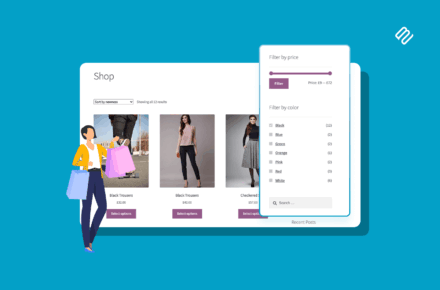
Starborn Creations needed a way to show product filters not only on their shop page, but also on category pages (see example).

Since the company sells products made from a variety of gemstones, fossils, crystals, and minerals, they were looking for a way to let customers narrow down their search by price range, stone name, birthstone directly on the shop page.

Starborn's customers spend a lot of time on category pages because many wholesalers like to focus on certain stones. The category page filters allow customers to tailor their selections based on product data such as stone, color, ring size, and so on.

When a customer lands on the main shop page or one of the category pages, they can use the various product filters to narrow down their search. For example, if someone is looking for jewelry with a Blue Topaz stone and Sterling Silver base material that’s under $150, they can set the filter options accordingly to only see products that fit that criteria. Customers can also clear specific filters or all filters using the clear filter options.

(more…)

CE Dojo is an online learning website that provides compulsory compliance-based continuing education for doctors. They’ve used our Document Library Pro plugin to list resources in their online courses.

How our plugin solved their problem

CE Dojo were looking for a way to list resources for each online course on their website. They used the LearnDash plugin to create the online courses, and needed a way to share a list of resources for each course with their learners.

Check out our tutorial on how to list LearnDash courses and lessons for full instructions and ideas.

They’ve used the Folder layout option in Document Library Pro to display 1 folder of resources for each online course. In terms of the user interface, a yellow folder appears closed on the online course page when a student accesses the page. They can then click on it to view the resources inside.

This implementation saves space while making everything easily accessible for the student. Students can view the course description, video lesson, assessments, and resources on a single page. The information is deliberately presented in a compact way to improve the user experience and ensure learners can manage what’s available.

The Course Reference Library contains a single folder for each online course which contains a list of resources relevant to the course. The document library contains four columns including Title, Summary, Categories, and Link. Learners can click on the titles of the resources in the document library to view them or click the Download button to download the resource.

Users can also sort the resources in the document library alphabetically (in ascending or descending order) by clicking on the columns. Additionally, they can click the Reset link to reset the sortable columns.

(more…)

Omnifoto.nl / Masters of Light is a Dutch top-rated and highly specialized supplier, in filters for Landscape Photography of the excellent HAIDA Filter- and the handmade LEE Filter series.

Omnifoto required a plugin that would immediately indicate on the shop and category pages whether an item is in stock. Previously, customers had to visit each individual product page to see whether an item was available. To save them time, Omnifoto wanted to display this information directly on the main shop pages.

WooCommerce Lead Time turned out to be a fantastic solution to their problem. It is the only plugin that offers a simple way to include stock and lead time information on the shop and category pages.

Omnifoto.nl now use WooCommerce Lead Time to:

  • Show the stock status of every product directly on product category pages.
  • Display the approximate number of days when specific out-of-stock goods will become available in the inventory.

As a result, customers can easily determine whether they should place an order right away or wait. Each product has text such as such as "5 in stock (can be backordered)" or "On backorder | Waiting time: X months or days".

(more…)