Introducing Wholesale Essentials for WooCommerce: our new free wholesale plugin

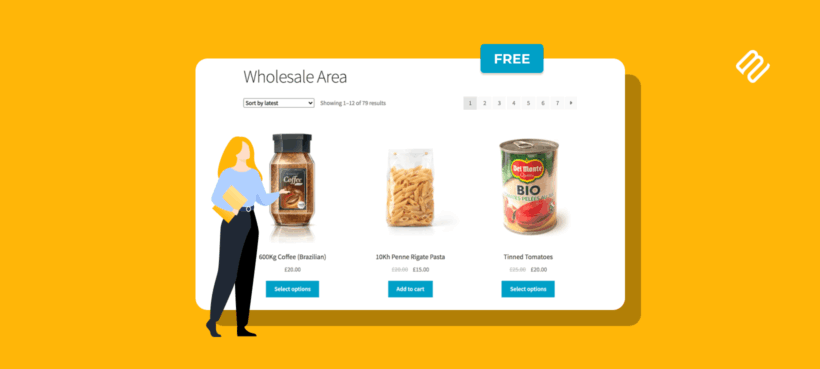
We've just launched Wholesale Essentials for WooCommerce, a free wholesale plugin on WordPress.org. Get unlimited wholesale roles, percentage discounts and wholesale registration without paying anything.
Wholesale Essentials is the free version of our WooCommerce Wholesale Pro plugin. It's live on the WordPress.org plugin directory today, so it installs with one click from your WordPress admin. There's no card, no signup wall and no time-limited trial.
I'll cover:
- What the plugin does and who it's for.
- The features in the free version.
- How to set up wholesale pricing in a few minutes.
- When it makes sense to upgrade to Wholesale Pro.
Here's a quick look at Wholesale Essentials in action:
A free WooCommerce wholesale plugin with unlimited roles
Most free wholesale plugins for WooCommerce give you one wholesale role and a per-product pricing field. That's fine for the simplest setups, but it falls apart quickly when you have multiple buyer types or a large catalog.
Wholesale Essentials takes a different approach. You set a percentage discount on each wholesale role, and the plugin applies it automatically to every product in your store. No editing individual products. No maintenance when you add new SKUs.
You also get unlimited roles. Create "Retailer", "Distributor", "VIP" and "Trade", each with its own percentage discount, and assign customers to whichever role fits. No artificial cap on how many you can run at once.
Features in the free version
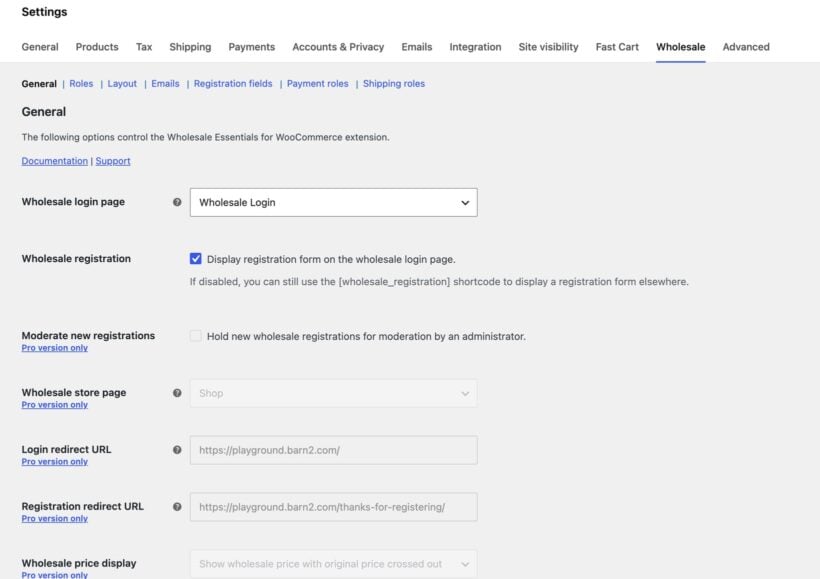
Wholesale Essentials covers the core wholesale workflow:
- Unlimited wholesale roles with global percentage discounts applied across your whole catalog.
- Wholesale registration on the front end, with an automatic welcome email when a customer registers.
- A
[wholesale_login]shortcode that drops the login and registration forms onto any page. - Hide prices and add-to-cart buttons from logged-out guests, with optional replacement content.
- Disable coupon codes for wholesale users so they don't stack with the wholesale discount.
- Show or hide menu items based on whether a user is wholesale.
- Add wholesale users manually from Users → Add New.
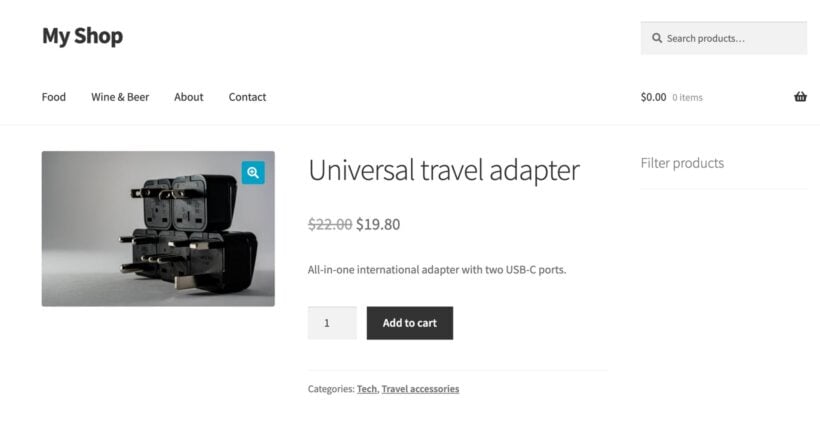
The price display follows your theme's standard WooCommerce styling. The original price is crossed out and the wholesale price shows next to it, so customers can see the discount they're getting.
Key differences from other free wholesale plugins
The leading free wholesale plugin on WordPress.org gives you a single wholesale role and a per-product price field you fill in by hand. That works for a tiny store with one buyer type and a handful of products. The moment you have multiple buyer types, or more than a few dozen SKUs, you outgrow it.
Wholesale Essentials includes the following on top of the basics, free, with no upgrade required:
- Unlimited wholesale roles instead of one. Run Retailer, Distributor, VIP and Trade in parallel, each with its own discount.
- Global percentage discounts instead of per-product manual prices. Set one percentage on the role and it applies automatically across the whole catalog, with no edits to individual products.
- Built-in wholesale registration form with auto-approval and a welcome email. Other free wholesale plugins make you stack a separate registration plugin to do this.
- Conditional menu visibility so you can show or hide menu items based on whether a user is wholesale.
Both Wholesale Essentials and the leading alternative include hiding prices from guests and disabling coupons for wholesale customers, so those are common ground rather than a differentiator.
Setting up wholesale pricing in WooCommerce
Once you've installed Wholesale Essentials from WordPress.org, the setup takes around five minutes.
Step 1: Create a wholesale role
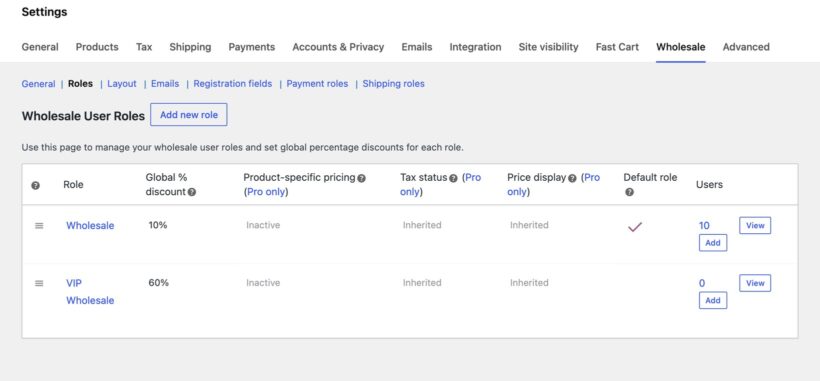
Go to WooCommerce → Settings → Wholesale → Roles. Click 'Add Role' and give it a name like 'Retailer'. Set the percentage discount you want to apply, then save.
That percentage now applies automatically to every product in your store for anyone with that role. If you want a second tier, add another role with a different discount.
Step 2: Add the wholesale registration page
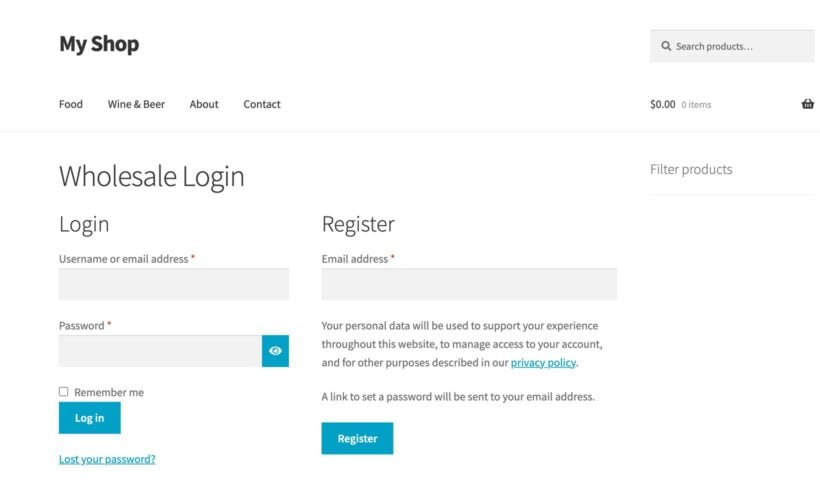
Create a new WordPress page called something like 'Wholesale Account'. Drop in the [wholesale_login] shortcode and publish. That gives you a combined login and registration form on the front end.
New wholesale customers fill in the form, get auto-approved and receive a welcome email. They land back on your store logged in with their wholesale role applied.
Step 3: Decide what guests can see
If you want only logged-in customers to see prices, go to the visibility settings and hide prices and the add-to-cart button from guests. You can add custom replacement content so guests still know they can register for a wholesale account.
This is useful when you don't want retail shoppers seeing wholesale rates, or when your prices are commercially sensitive.
Upgrading to Wholesale Pro
Wholesale Essentials covers a real B2B store on its own. Once you outgrow it, WooCommerce Wholesale Pro adds the controls bigger wholesale operations need:
- Moderate new registrations with a pending role - new wholesale accounts wait for admin approval before they can buy.
- Product-specific wholesale pricing - override the role's global percentage with an exact wholesale price on individual products.
- Category-specific discounts - set a different percentage for one product category.
- Wholesale sale prices - run sale pricing specifically for wholesale customers.
- Disable tax for wholesale roles as a global setting.
- Public, wholesale or both - mark each product or category as visible to retail customers only, wholesale users only, or both groups.
- Custom registration fields - capture company name, VAT number or anything else you need at signup.
- A dedicated wholesale store page, login and registration redirect URLs, customizable emails and a guided setup wizard.
If you'd like to see what the upgrade adds in practice, watch our Wholesale Pro 2.0 release post for a tour of the bigger feature set.
Download Wholesale Essentials for WooCommerce
The plugin is live on the WordPress.org directory now. You can install it in two ways:
- In your WordPress admin, go to Plugins → Add New, search for 'Wholesale Essentials for WooCommerce', and click Install Now.
- Or download the ZIP from WordPress.org and upload it via Plugins → Add New → Upload Plugin.
After activating, head to WooCommerce → Settings → Wholesale to create your first wholesale role.
If you run into anything that doesn't behave the way the docs suggest, post in the WordPress.org support forum for the plugin. We're watching it actively.
Frequently asked questions
Is Wholesale Essentials really free?
Yes. The plugin is free on WordPress.org under the GPL license. There's no card, no signup wall and no time-limited trial. You can install it, configure your wholesale roles and run a B2B store without paying anything.
What's the difference between Wholesale Essentials and Wholesale Pro?
The free Wholesale Essentials plugin covers core wholesale setup: registration, unlimited roles with global percentage discounts, price visibility and coupon control. WooCommerce Wholesale Pro adds moderation, product-level and category-level pricing, sale prices, tax exemption, custom registration fields, role-based payment and shipping visibility, customizable emails and a setup wizard.
Can I add tiered pricing based on quantity?
Not in Wholesale Essentials directly, but you can combine it with our WooCommerce Discount Manager to add bulk quantity discounts per role. For example, 10% off for orders of 10+ units and 20% off for 50+ units, on top of the wholesale role's base discount.
Will it work alongside another wholesale plugin?
Run only one wholesale plugin at a time. Wholesale Essentials uses standard WordPress user roles, so if you're moving from another plugin you can usually re-assign existing users to a new wholesale role without losing their accounts. Test on a staging copy first.
Does it work with my theme?
Yes, as long as your theme is WooCommerce-compatible. The wholesale price display follows your theme's standard WooCommerce price styling, so it inherits whatever your theme does for sale prices.