














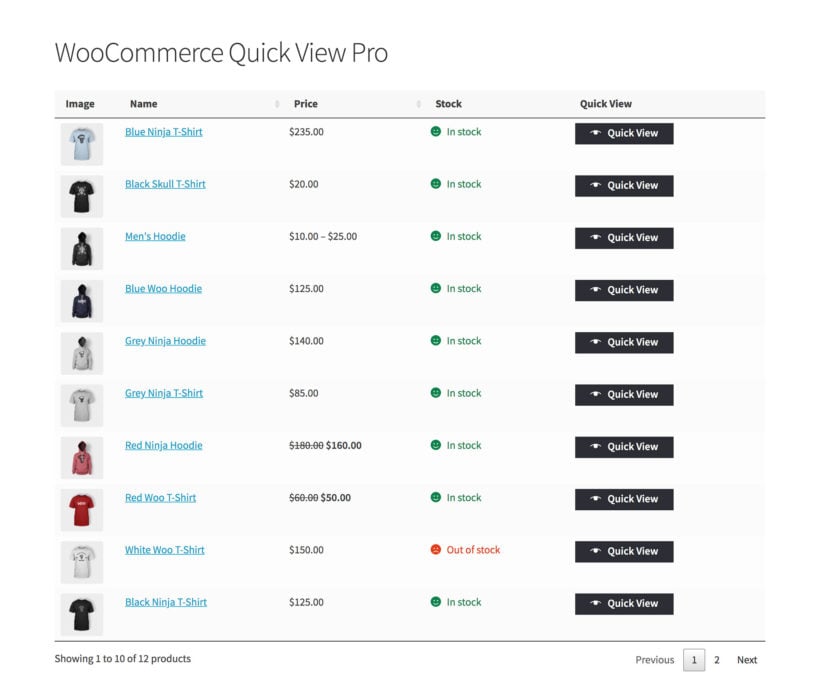
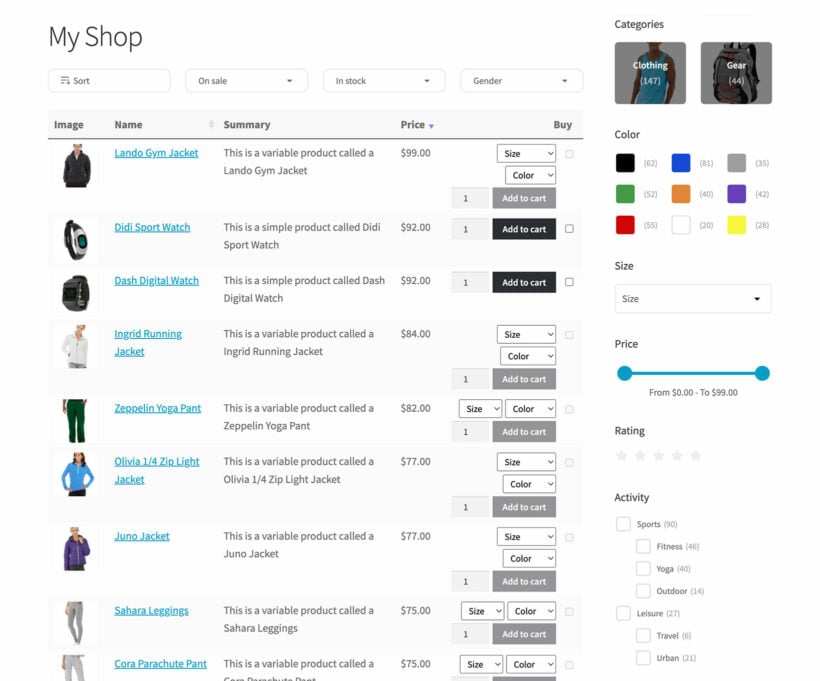




How does WooCommerce Product Table work?
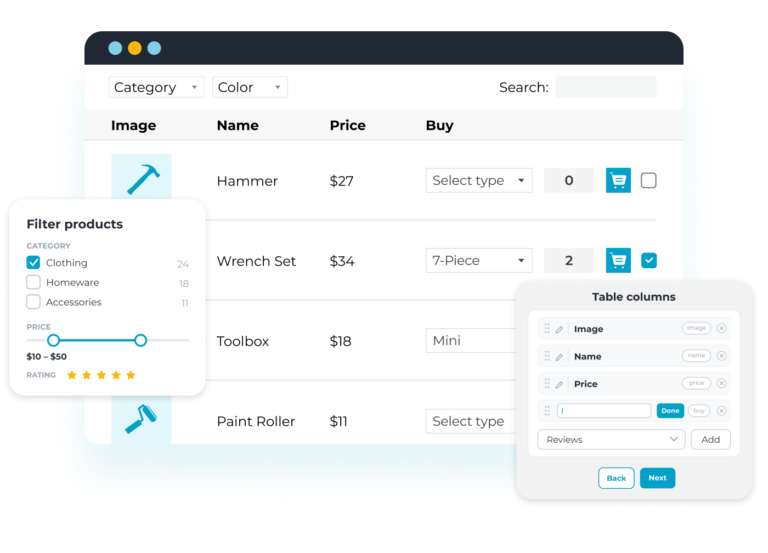
The WooCommerce product listing plugin lets you create as many tables as you like using the easy table builder. This takes you through all the most popular options step-by-step.
You can choose where to display each product table on your WordPress site:
- Select which WooCommerce shop pages the table will appear on. (E.g. the main shop page, category archives, tag archives, product search results, and so on.)
- Insert the WooCommerce product table to any other pages on your site using either a Gutenberg block or simple shortcode. With this option, you can either list all products in the table or select specific products based on ID, category, tags, date, status, type, and more.
There are over 50 options to customize your product tables. Get in touch for expert advice on getting the best out of WooCommerce Product Table.
Is WooCommerce Product Table suitable for my exact use case?
WooCommerce Product Table is an incredibly flexible plugin and people use it in many different ways. Here are our suggestions to help you figure out whether the product listings will work for your specific use case:
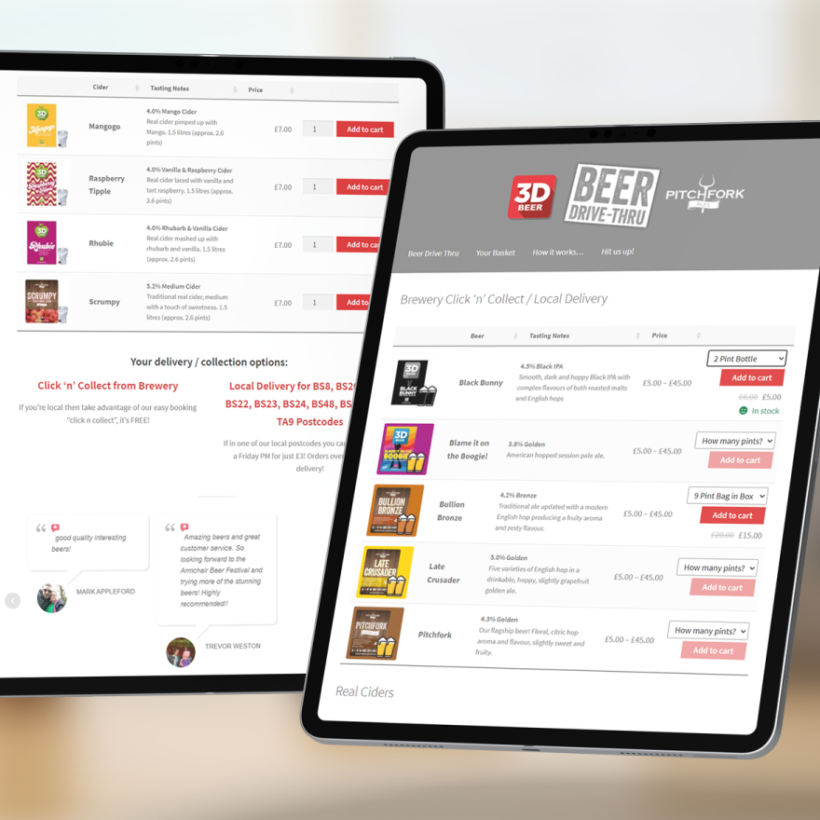
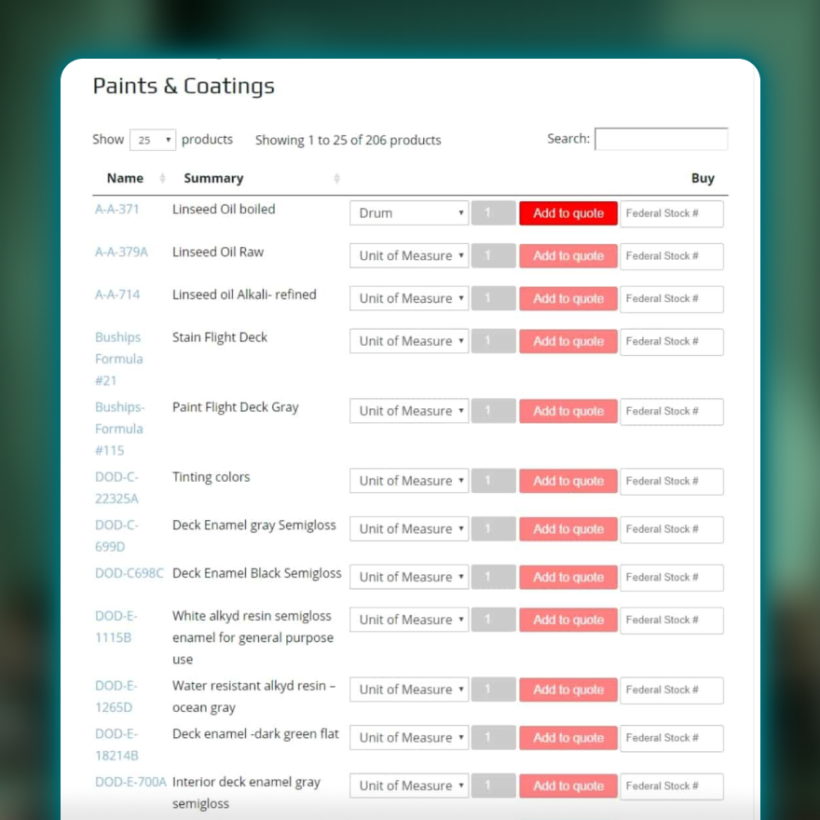
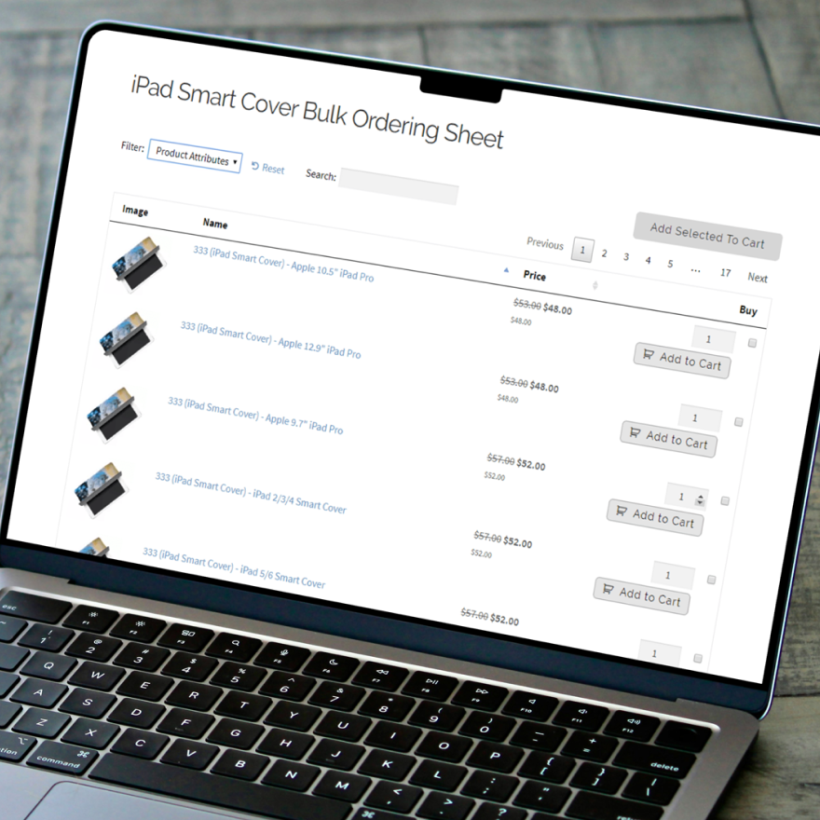
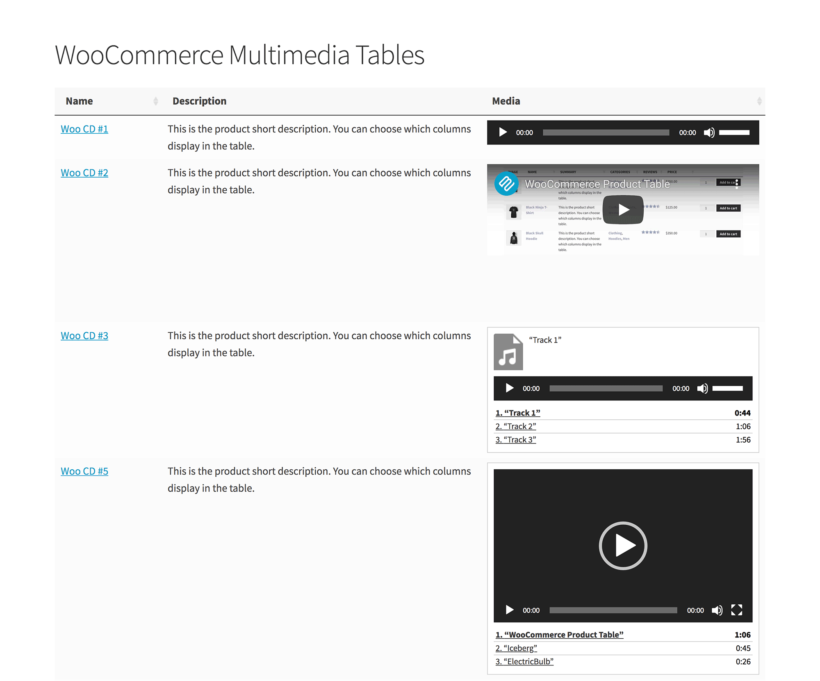
- View the different types of content displayed on the demo site. There are lots of examples, including quick order forms, product directories, tables with embedded audio and video players, product variation tables, and more.
- Create your own private WooCommerce Product Table admin demo and see how it works for your exact use case.
- Browse the WooCommerce Product Table blog. We've published tutorials about how to use it for a wide range of use cases.
- If you're still unsure, the best way forward is to test WooCommerce Product Table out on your own site. We offer a full 30-day money back guarantee so you can get a refund if it doesn't work in the way you are hoping.
- We're also happy to provide personalized advice - just get in touch via the Support Center with details of what sort of information you'd like to display in a WooCommerce table.
Tip: WooCommerce Product Table is best at displaying multiple products and their variations at once. If you want to display a table of variations on the product page, then you might prefer our other plugin - WooCommerce Bulk Variations.
What can I display in the product table?
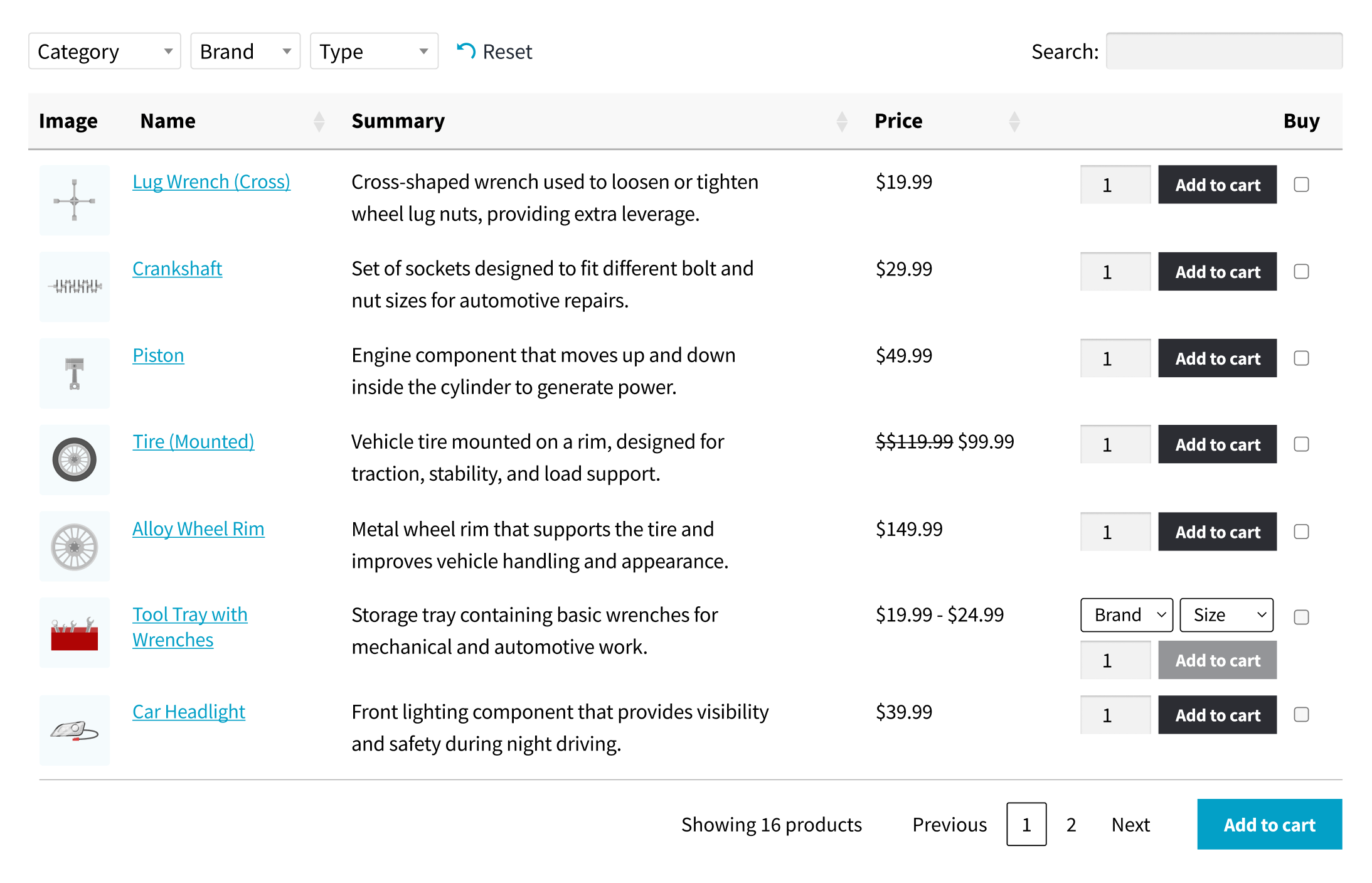
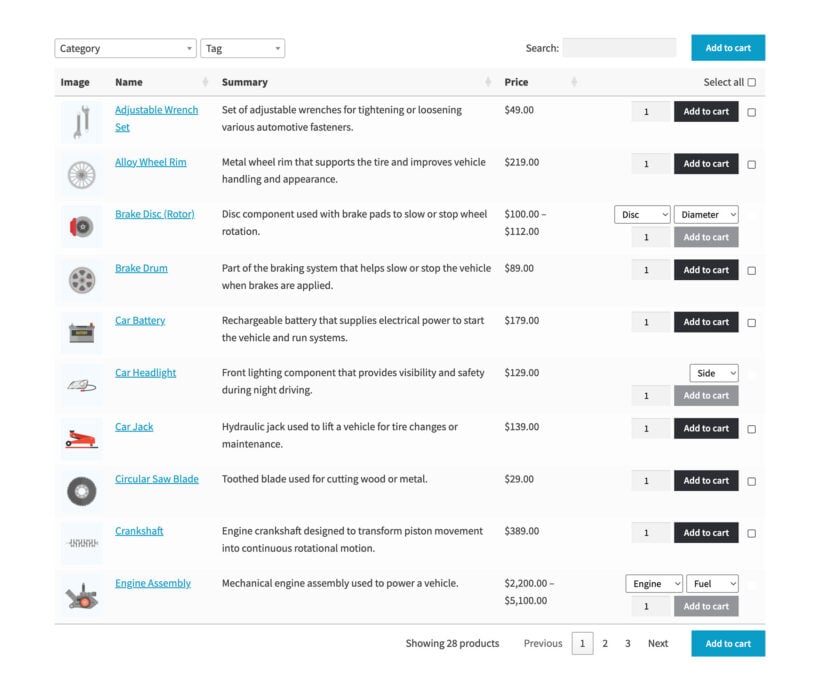
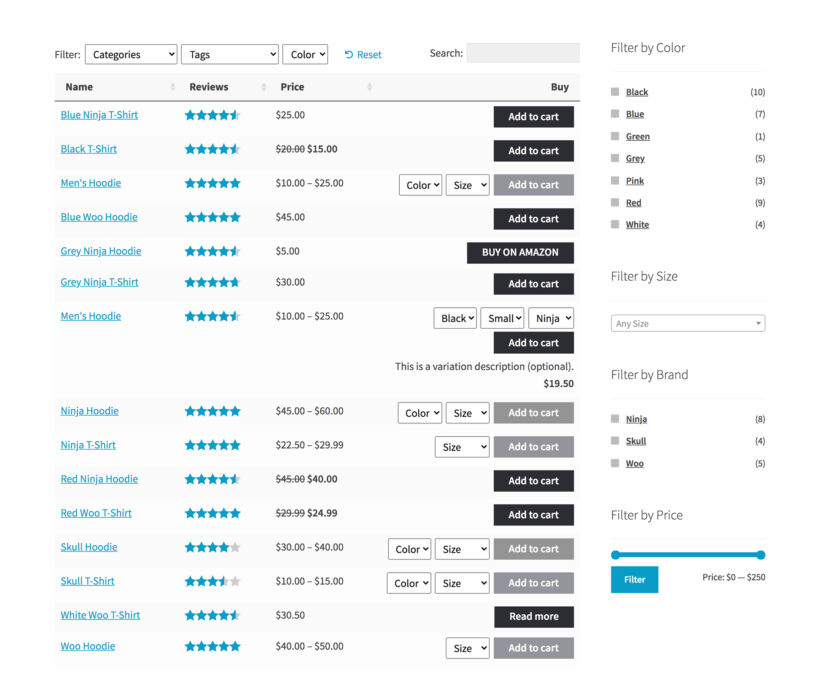
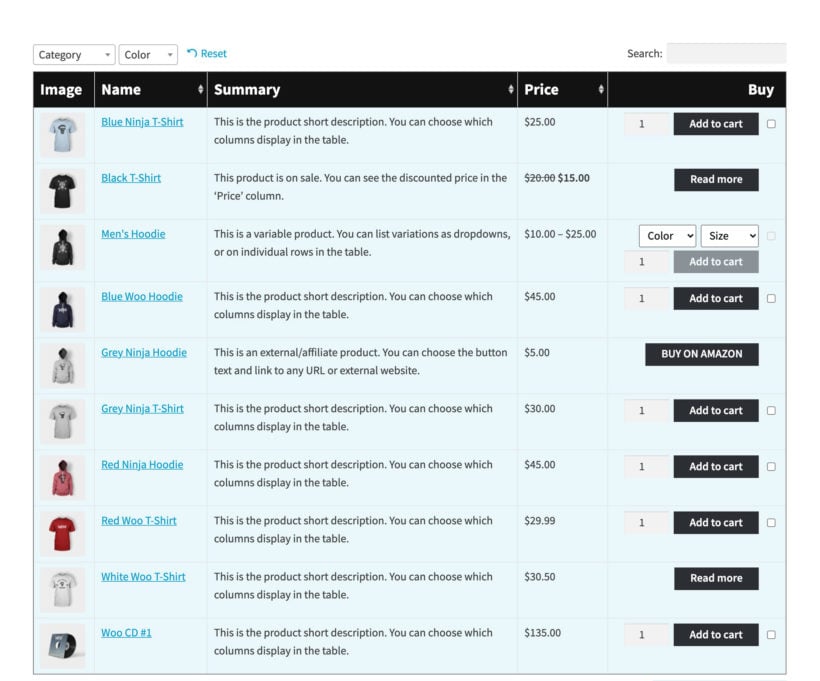
Your WooCommerce product listing can include any of the following columns: ID, SKU, product name, description, short description, date, last modified date, product image, reviews, stock level, product categories, product tags, product attributes, custom fields, custom taxonomies, weight, dimensions, author, price, sub-total, variations, and add to cart buttons and/or checkboxes (with or without quantity selector).
You can also choose which products to list in each WooCommerce table. There are lots of options to choose which products are included (or excluded) in the WooCommerce table. Select products by category, tag, custom field, taxonomy term, date, and more.
WooCommerce Product Table uses the product data already stored by WooCommerce itself. This means that you can add products to WooCommerce manually or import them using a CSV/XML import plugin, and they will display in the product table.
Can I customize the product table column headings?
Yes, you can change or remove the heading for any column in the WooCommerce product table.
Can I change the design of the table?
By default, the design of the product table will adapt to match your theme. For full control, you can select from a choice of 7 eye-catching pre-designed template tables. You can then use the built-in design settings to further customize your chosen template to match your exact brand.
For example, you can customize elements such as the product table colors, dividers, borders, background colors, and much more.
Will WooCommerce Product Table work if I have thousands of products?
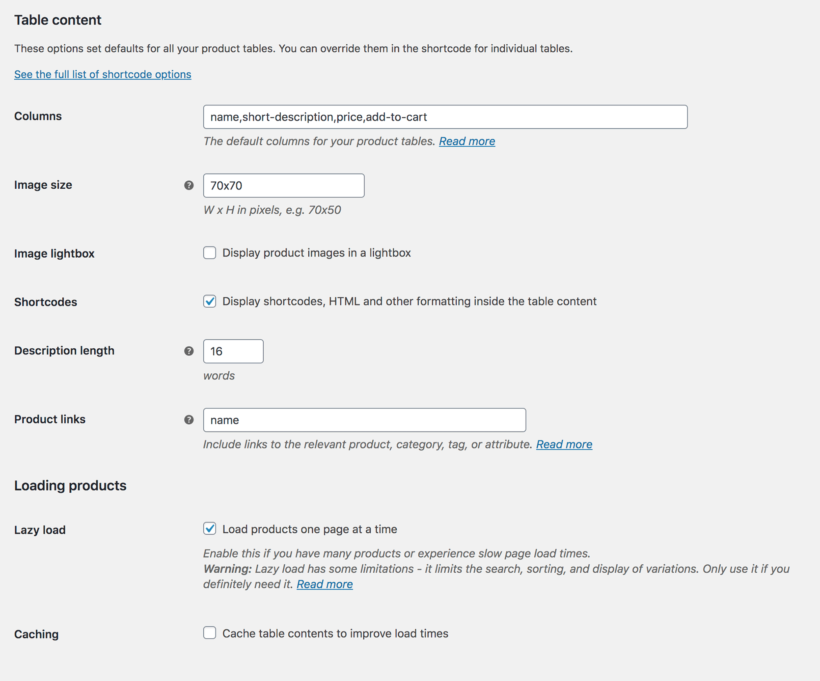
Yes. If you have a large number of products then you can use the lazy load option. This loads the products one page of the table at a time, preventing any performance issues - regardless of how many products you have.
The WooCommerce Product Table plugin also has a built-in caching option. This speeds up the table even further.
Can I create a product table of variations?
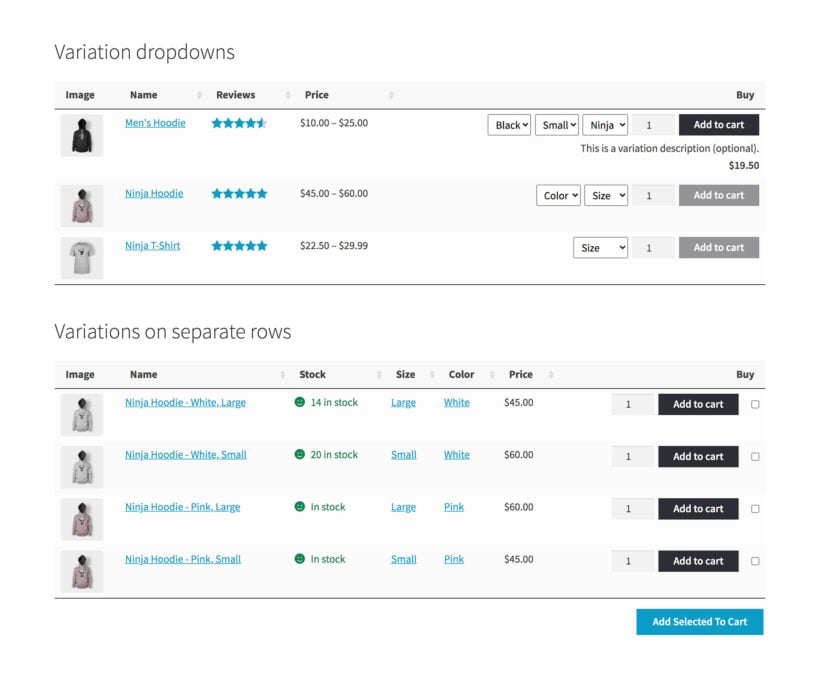
There are 3 ways to create a WooCommerce variations product table:
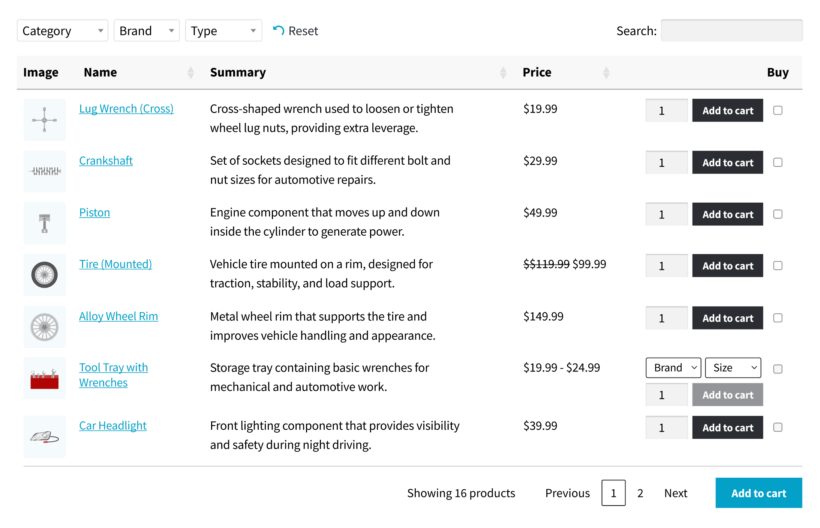
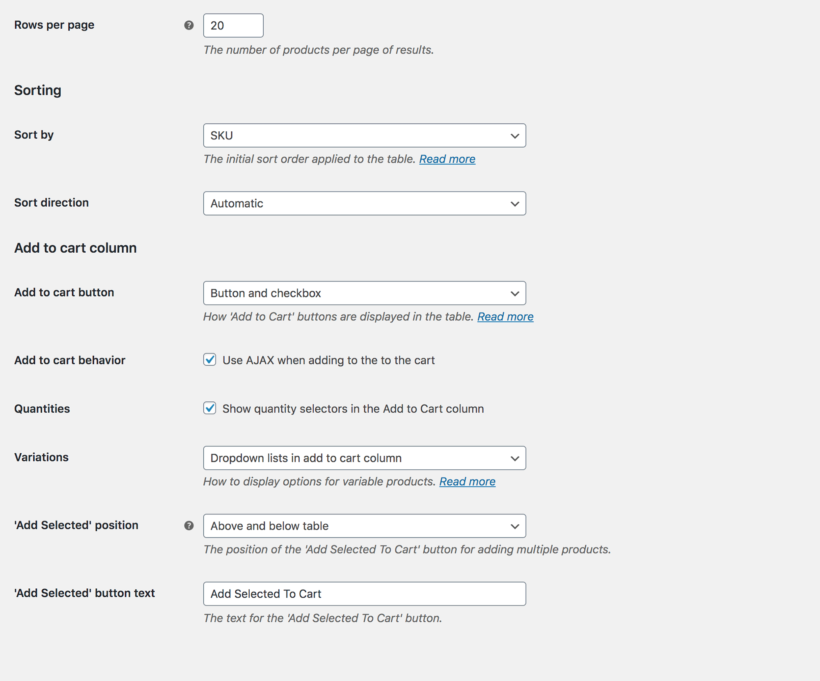
- List each product on its own row of the table with variation dropdowns in the 'Buy' column.
- Display each variation on a separate row of the table with its own quantity picker and add to cart button.
- Display a 'Select options' button so that customers must select variations on the single product page.
WooCommerce Product Table is designed to display multiple products (and their variations) at once. If you want to display the variations for one product at a time then you might prefer our other plugin - WooCommerce Bulk Variations. This adds a variations grid to the product page.
What are the options to search, sort and filter the product table?
WooCommerce Product Table is designed for listing large numbers of products in a table or order form. This makes it essential for customers to be able to find products quickly and easily. As a result, there are lots of ways to search, sort and filter the list of products:
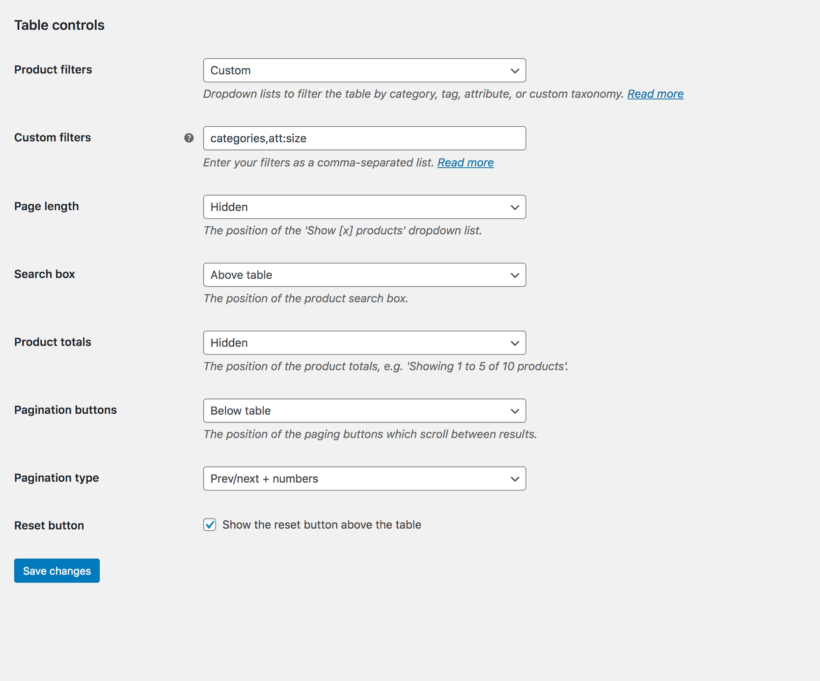
- Click on any column heading to sort the products in either direction. (You can set each column to sort alphabetically, by date, or numerically.)
- Use the instant AJAX-powered search box above the table.
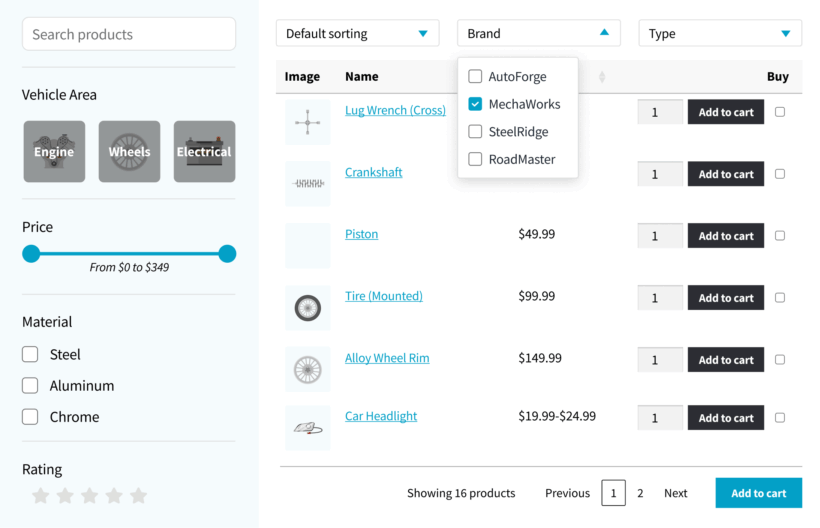
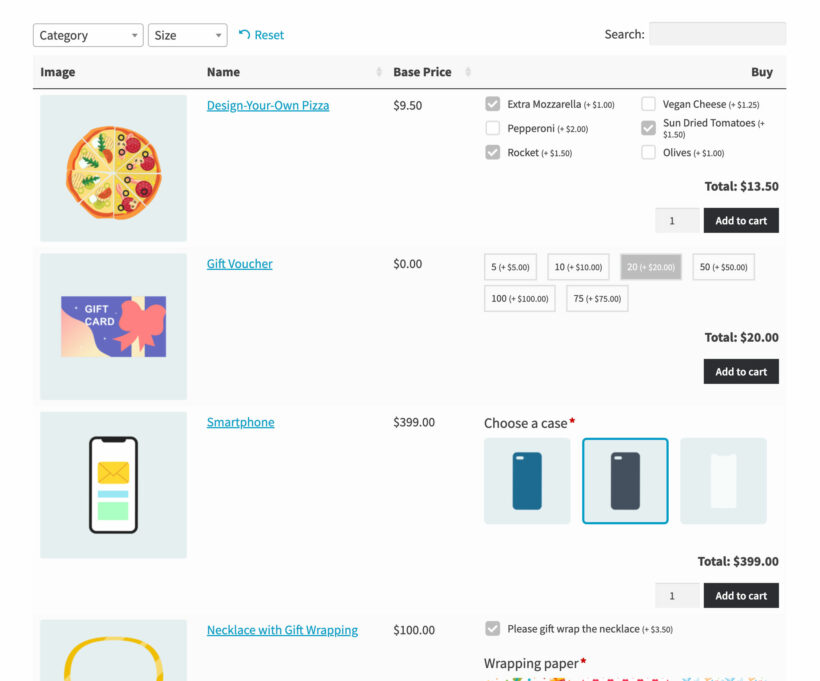
- Display filter dropdowns above the table.
- Add filter widgets to the page sidebar.
All of these elements are optional and you can disable them as required - for example, in smaller WooCommerce product tables.
For more advanced filtering, we have designed WooCommerce Product Table to work alongside our other plugin - WooCommerce Product Filters. This lets you add an even wider range of filter styles, such as clickable images, price sliders, tag clouds, and more. It also provides advanced filtering options, such as the ability to hide the filters on certain screen sizes and devices.
Can I create a product listing of items that the customer has previously ordered?
Most of people use WooCommerce Product Table to display the same products to all customers. However, it can do much more than that!
The product listing plugin also has a shortcode option which allows you to list products which have been previously ordered by the current user. Each logged in customer will see a product table containing only products that they have previously ordered. It's an excellent way to list their favorite items for quick re-ordering, either in their Account or elsewhere on your WordPress site.
Does WooCommerce Product Table work with wholesale plugins?
If you're building a wholesale area then we recommend using WooCommerce Product Table with WooCommerce Wholesale Pro, our purpose-built B2B solution. Product tables provide a quick order form layout which is perfect for wholesale buyers, who need a quick way to add products to the cart in bulk.
WooCommerce Product Table is available at a special bundled price when you buy it together with WooCommerce Wholesale Pro. To get the deal, choose the 2-plugin bundle on the WooCommerce Wholesale Pro page.
You can also use it with most other wholesale plugins, such as Wholesale Suite's pricing plugin.
Will the product tables work with my theme and other plugins?
WooCommerce Product Table is designed to work with any WordPress theme and a wide range of other plugins. This includes Barn2 plugins like WooCommerce Product Options, WooCommerce Discount Manager and WooCommerce Wholesale Pro, plus dozens of third party plugins.
By default, the product tables inherit styling from your theme such as the font size and color. There are built-in design templates for you to choose from, plus customization options which you can use to personalize the tables to your heart's content. If you notice any styling or compatibility issues, our support team will be happy to help.
Does WooCommerce Product Table work in my language?
The WooCommerce Product Table plugin currently comes with translations for English, French, Spanish, Portuguese, German, Italian, Dutch, Greek, Polish, Swedish, Norwegian, Finnish and Hebrew.
You can use it with most multilingual plugins including WeGlot, TranslatePress and WPML. They make it easy to translate your product tables into any language.
WooCommerce Product Table also supports right-to-left (RTL) languages.
What are the minimum requirements for running WooCommerce Product Table?
WooCommerce Product Table is fully tested with the latest versions of WordPress and WooCommerce. We always recommend running the most up-to-date version, but we also support older installations:
- WooCommerce 7.2 or greater (tested to 11.0.1)
- WordPress 6.1 or greater (tested to 7.0.4)
- PHP 7.4 or greater (tested to 8.5)
- MySQL 5.7.8 or greater / MariaDB 10.3 or greater
Can I have a discount?
We offer the following discounts to help with the cost of WooCommerce Product Table:
- 2-plugin bundle - Get WooCommerce Product Table together with WooCommerce Product Filters at a reduced fixed price. Select the bundle in the pricing table above.
- Multi-buy discount - Add any two or more Barn2 plugins to your cart and get 40% off automatically at checkout. The most expensive plugin stays at full price, and every other plugin is reduced by 40%. No coupon needed.
- All Access Pass - For the best possible value, get our All Access Pass which gives you VIP access to our entire plugin suite including WooCommerce Product Table.
- Charity discount - Registered nonprofits get 15% discount off.




Flawless Plugin, Exceptional Support
By Todor Saslekov on
The Product Table plugin is easy to set up, works flawlessly, and is backed by an outstanding support team.
We faced several complex issues from using it alongside other plugins, and the Barn2 team not only responded quickly, but understood the problems right away and provided effective solutions. They even wrote custom code as a temporary fix until a future plugin update.
Having worked with dozens—if not hundreds—of software providers, I can confidently say these guys know their stuff, cut through the fluff, and genuinely go the extra mile. This isn’t just great support—it’s a reflection of strong work ethic, excellent management, and a culture of accountability.
Big Thank you!