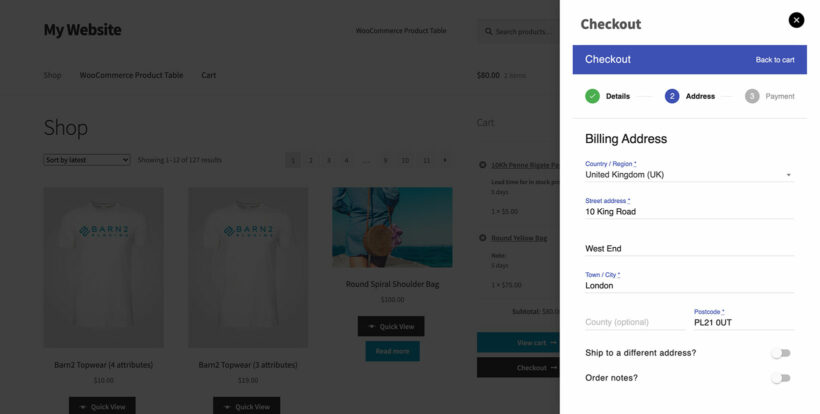
Adding multi-step checkout to the Fast Cart
WooCommerce Fast Cart is designed to speed up shopping by displaying the standard WooCommerce cart and checkout in a popup, keeping customers on the current page.
For most types of store, we recommend keeping the checkout as simple as possible - for example, by removing unnecessary fields. However, some stores can benefit from a multi-stage checkout process that breaks the form into clear steps.
You can achieve multi-step checkout without losing the benefits of the fast cart. The solution is to use WooCommerce Fast Cart with CheckoutWC. CheckoutWC replaces the default WooCommerce checkout with a beautiful, multi-step flow that guides customers through the checkout step-by-step. When Fast Cart opens the checkout in the popup, it displays CheckoutWC's multi-step interface, so customers complete the checkout without leaving the page.