












+20,000 websites

Let customers ORDER EVERYTHING from one page

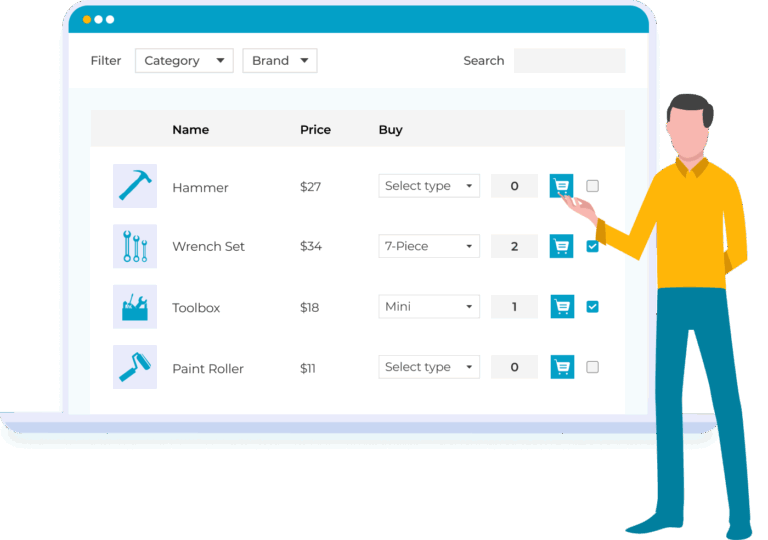
The ultimate order form plugin for stores whose customers buy several products at a time

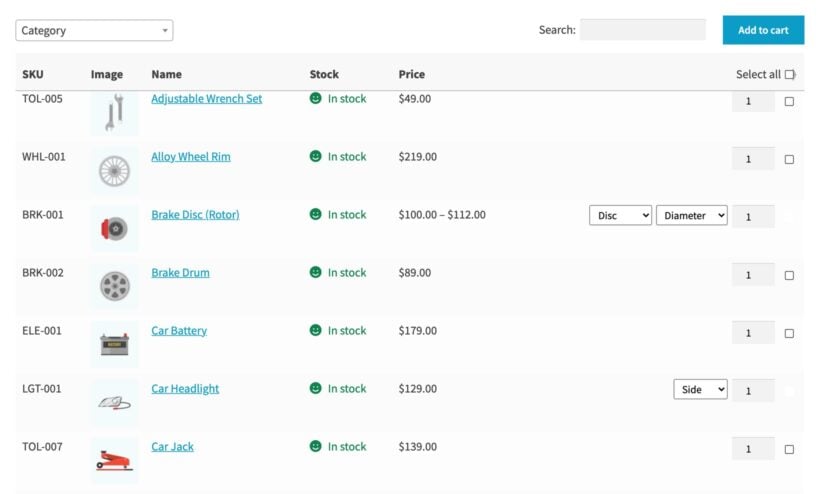
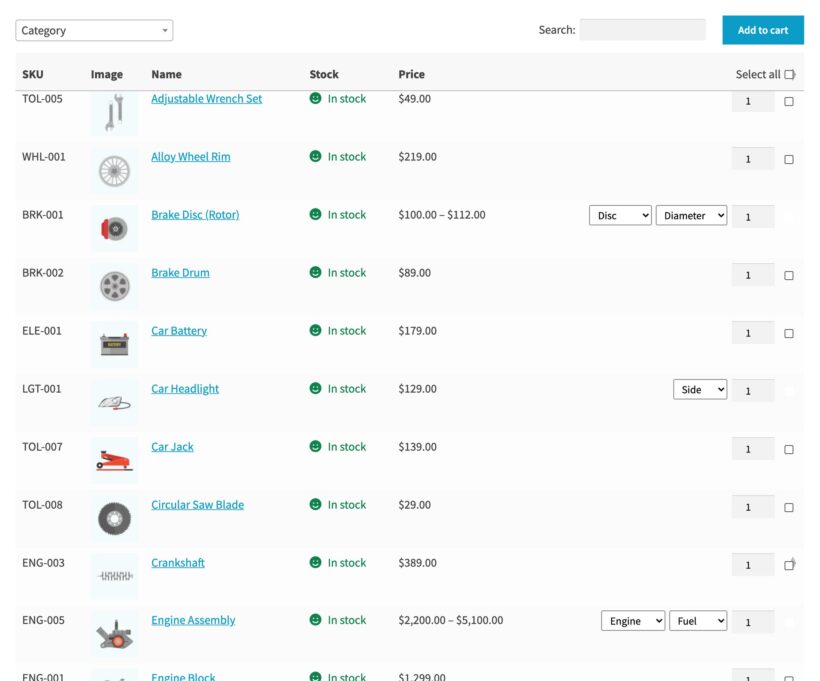
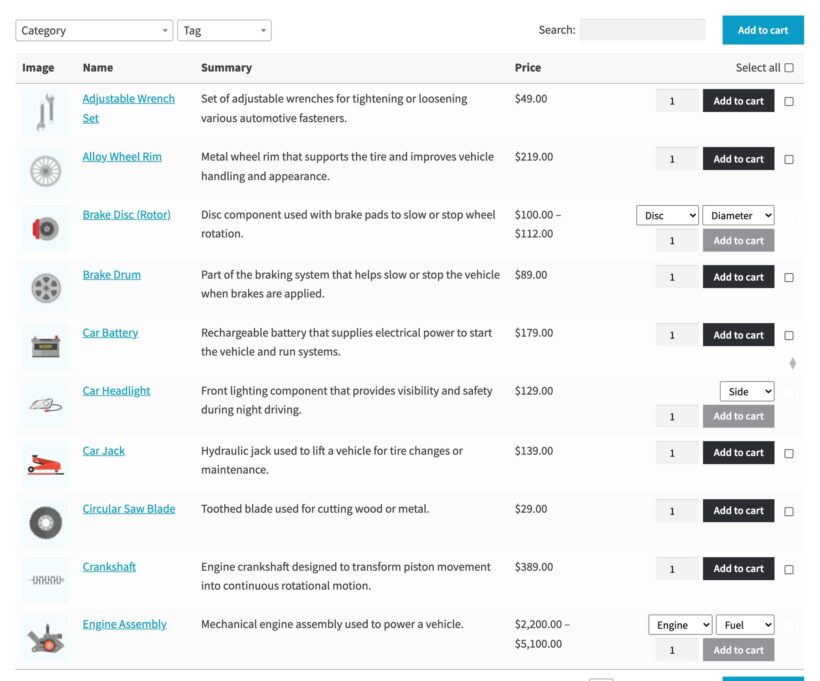
WooCommerce order form listing car parts with SKU, stock, price, a quantity picker and a checkbox on every row
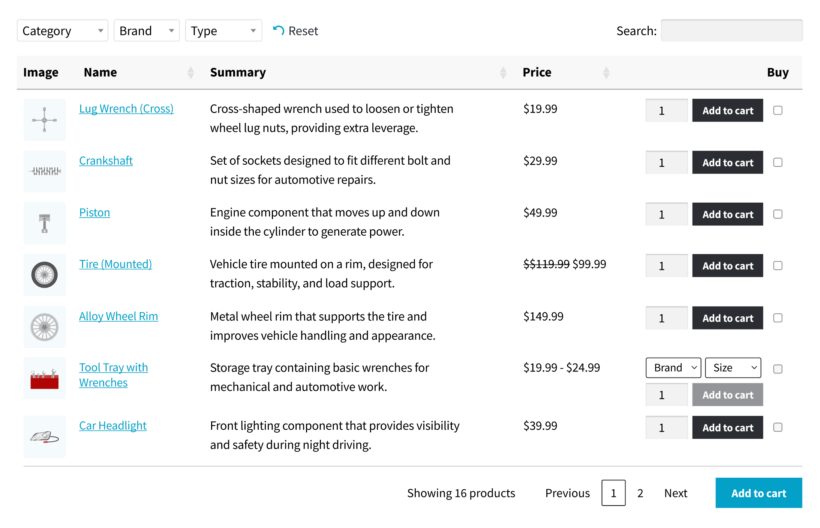
  • WooCommerce Product Table replaces the standard product grid with a searchable list
  • Display the product data customers actually need, such as the SKU, attributes and stock level
  • Either use it on your shop and category pages, or build a separate quick order form page
  • The table builder walks you through the products, the columns and the ordering options
  • Start from one of the seven table designs, then change the colors, sizes and borders to match your store
  • Build as many order forms as you like, each with its own products and settings
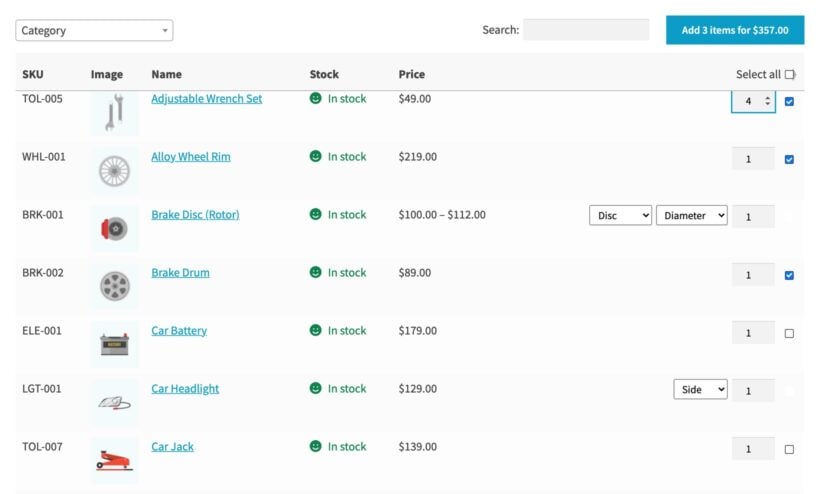
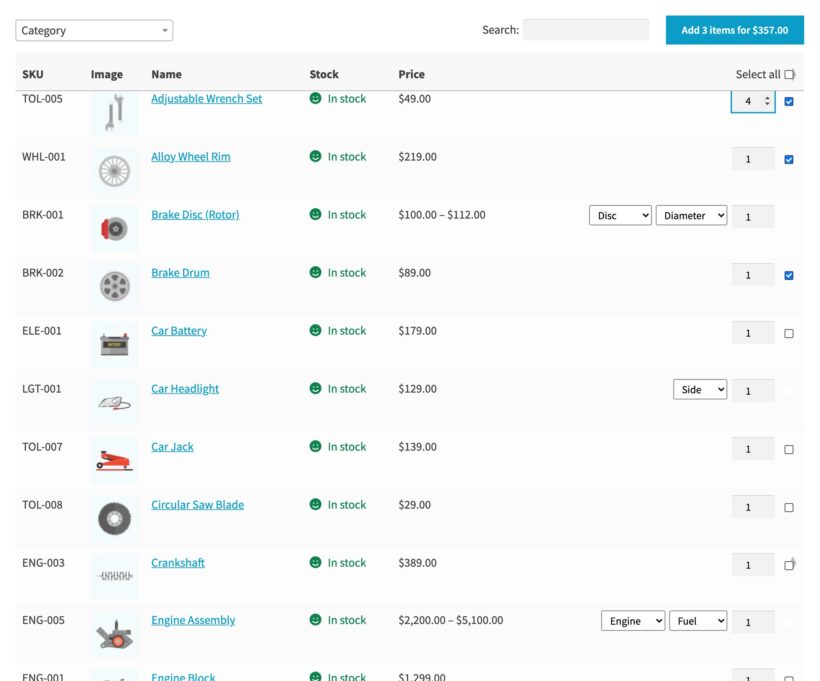
WooCommerce order form with three products ticked and the button reading Add 3 items for $357.00
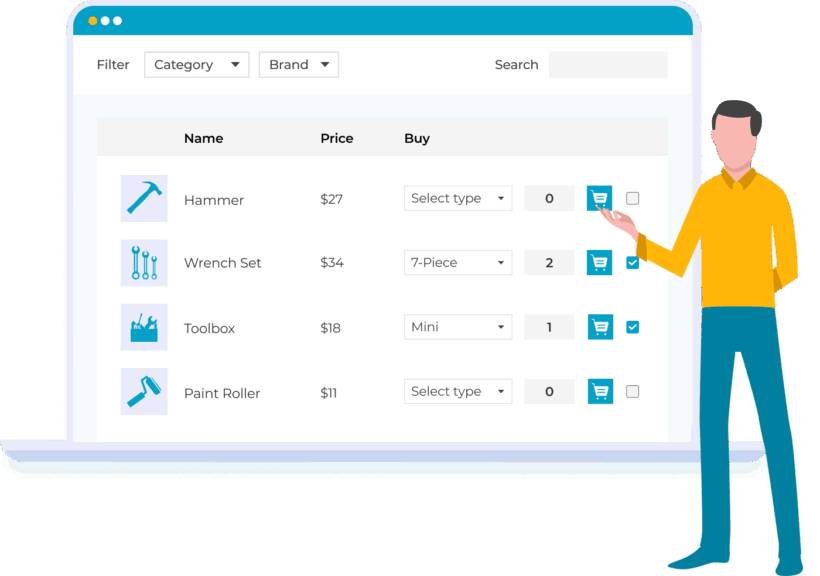
  • Every row carries a quantity picker and a checkbox next to the price and the stock level
  • As customers tick each product, the 'Add to cart' button shows how many they have selected and the total price
  • One click adds the whole order, or they use 'Select all' to take everything in the table

EVERYTHING YOU NEED FOR A WOOCOMMERCE ORDER FORM

The order form has search, filters, quantities, variations and one-click ordering on a single page

Quantity picker on each row
Multi-select checkboxes
Running order total
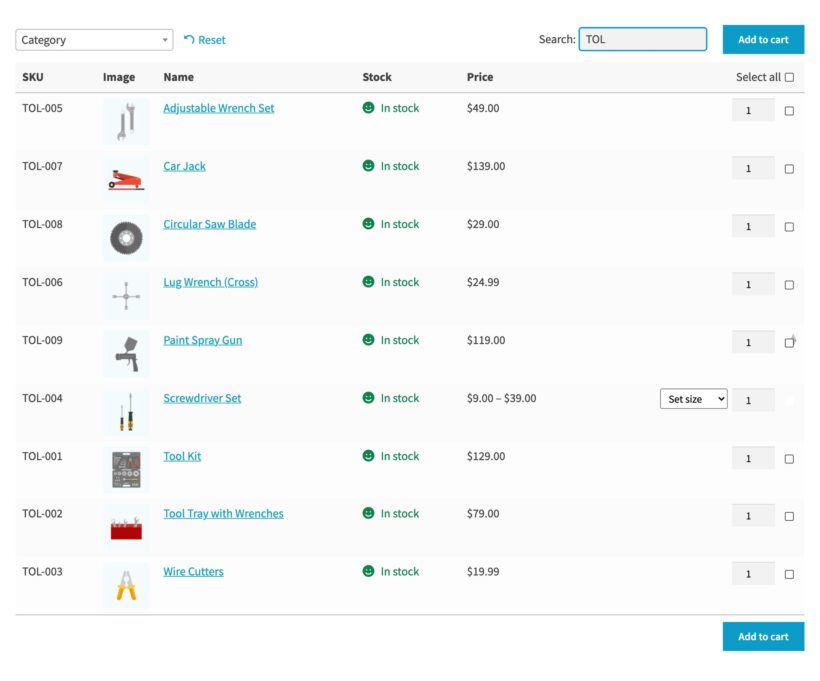
Instant product search
WooCommerce quick order form plugin
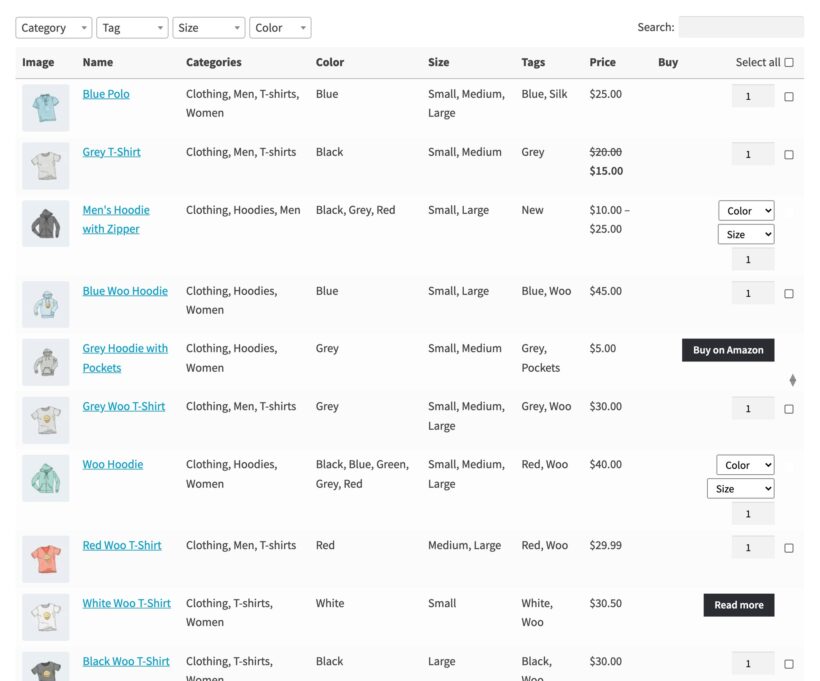
Category and tag filters
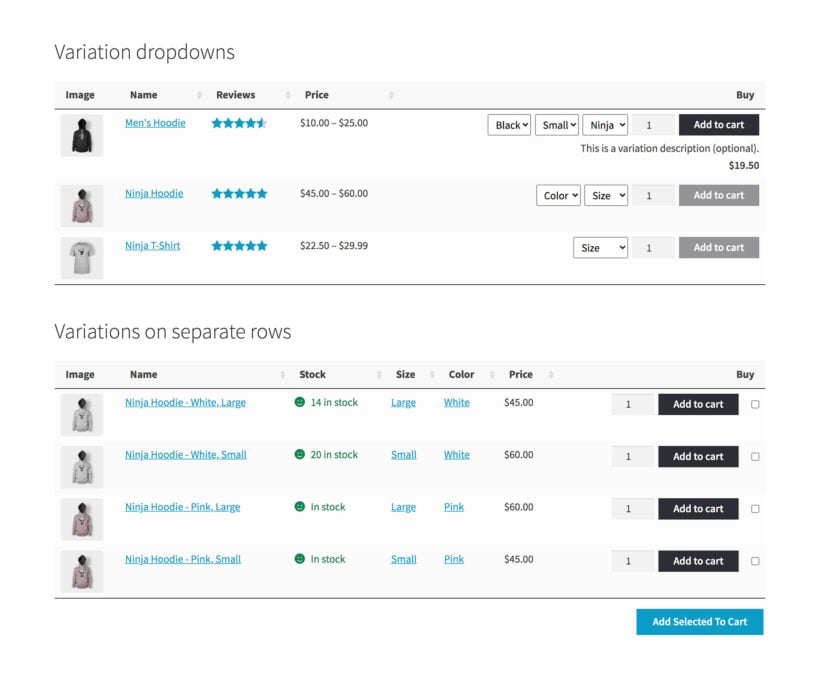
Variations as rows or dropdowns
Any product data as a column
Unlimited products per table

WHAT OUR CUSTOMERS SAY

Getting started

Set up a WooCommerce order form

Install Product Table

Install WooCommerce Product Table on your store, then add your license key in the setup wizard.

Create your table

Open the table builder and choose which products belong on the order form.

Choose your columns

Drag in the SKU, name, price, stock and buy columns, then rename any heading.

Turn on quantities

Switch on the quantity picker and the multi-select checkboxes in the add to cart column.

Put it on a page

Show the order form on your shop pages, or add it anywhere with the block or the shortcode.

Choosing a WooCommerce Order Form

Three ways to take orders in WooCommerce

The default WooCommerce shopA form pluginWooCommerce Product Table
Best forStores whose customers browse and buy one product at a timeTaking a written order or an enquiry that you turn into a sale yourselfStores whose customers buy several products in one go
What the customer seesA grid of large images, with a separate page for each productA form of dropdowns and text fields that you built by handA searchable table of your real products, showing the data they buy on
Ordering several productsThe customer opens a product page, adds it to the cart, then goes back to the shopUsually one product at a time, with no cartA quantity picker and a checkbox on every row, then one click
Live prices and stockYesNo, you retype the prices whenever they changeYes, straight from your WooCommerce products
What you get at the endA normal WooCommerce orderAn email or a form entry to turn into an orderA normal WooCommerce order
Our verdictStay with the default shop if your customers browse, compare on looks and buy one thing at a time. It's built for exactly that, and an order form will never be as visual as a grid of big images. For fashion or florists, keep the pictures front and center.A form plugin suits a custom quote or a made-to-order enquiry, where there's no fixed price to charge. It doesn't read your products. You keep the list and the prices up to date by hand.Choose a product table when your customers buy several products at a time and already know what they want. They search, set quantities and order from one page, and everything arrives as a normal WooCommerce order.

A message from the founder

“We launched our generic Posts Table Pro plugin in early 2016 and were amazed how many people used it to create a quick WooCommerce order form.

They kept asking us for add to cart buttons, quantities and variations. Nobody else was selling a product table or order form plugin for WooCommerce, so we built WooCommerce Product Table.

We have carried on building what customers ask for ever since. More than 120 of the features in Product Table today started as a customer request.

Our customers use the WooCommerce order form plugin in all sorts of ways. A fastener supplier lists every size and sorts them numerically. A seafood wholesaler publishes a daily price sheet. A lab chemicals store lets buyers search by CAS number. One event sold staggered bus departure times as rows in a single order form and took about 800 bookings.”

Katie Keith
Founder and CEO, Barn2

Choose Your Plan

Free setup included. Got questions? Book a demo.


GO ALL ACCESS

Get the best offer on our full suite of WordPress and WooCommerce plugins.

Two Plugin Bundle

WooCommerce Product Table + Product Filters

Choose this option to add advanced filters above or alongside your order form.

WooCommerce Product Table plugin with advanced filtering
A WooCommerce order form with advanced filters

$158 $158 $ 109 Save$49
  • WooCommerce Product Table
    Turn your products into a searchable order form, on your shop pages or on a page of its own
  • Search, sort and filter dropdowns
    Customers find products by name or SKU, sort any column and narrow the list with dropdowns
  • One-page ordering
    Customers set quantities, pick variations and add everything to the cart from the order form
  • Advanced filters
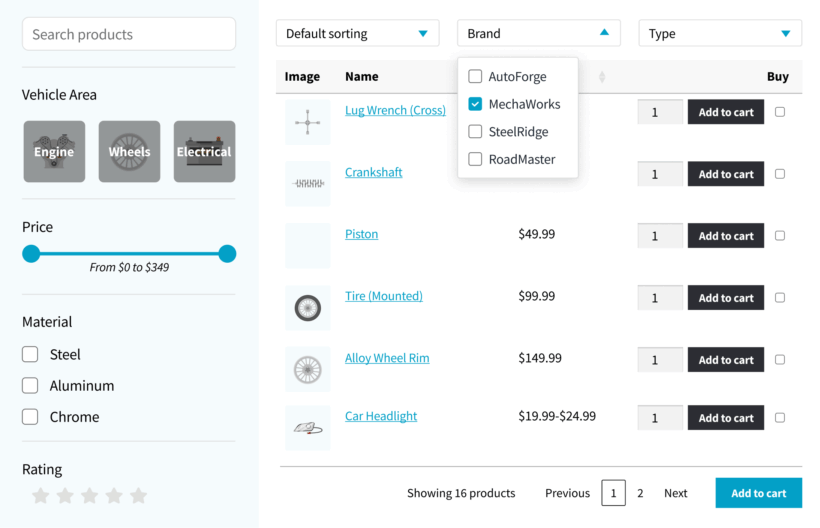
    Add sliders, multi-select and stock filters above the order form or in the sidebar

One Plugin

WooCommerce Product Table
Plugin

This plugin includes everything you need to build a WooCommerce order form, but not the advanced filters.

WooCommerce Product Table plugin with filter dropdowns
A WooCommerce order form without advanced filters

$ 79
  • WooCommerce Product Table
    Turn your products into a searchable order form, on your shop pages or on a page of its own
  • Search, sort and filter dropdowns
    Customers find products by name or SKU, sort any column and narrow the list with dropdowns
  • One-page ordering
    Customers set quantities, pick variations and add everything to the cart from the order form
  • Advanced filters
    Add sliders, multi-select and stock filters above the order form or in the sidebar

All plans include free setup, updates and support. You can upgrade at any time and just pay the difference. If your annual license expires, the plugin will continue working on your site but you must renew to change settings or receive updates, new features or support.

Order form screenshots

Try it yourself on the live order form demo

Got a question? We're here to help

WooCommerce order form FAQs

Answers from the team that builds the plugin

What is a WooCommerce order form?

A WooCommerce order form lists your products in a table instead of a grid, with a quantity picker on every row. Customers pick what they want from one page and add it all to the cart together, rather than opening a product page for each item. Stores also call it a quick order form, a bulk order form or a wholesale order form.

How do I create an order form in WooCommerce?

Install WooCommerce Product Table, then open the table builder. Choose the products for the order form and drag in the columns you need. Switch on the quantity picker and the checkboxes in the add to cart column. Our guide to creating product tables covers each screen of the builder.

Can customers add several products to the cart at once?

Yes. Turn on the multi-select checkboxes and customers tick each product, set the quantities, then add the lot in one click. 'Select all' takes everything in the table, which suits a kit or a recommended set.

Can customers order product variations from the order form?

Yes, in two ways. Variation dropdowns keep each product on a single row, which works when customers see the options as versions of the same item. Giving each variation its own row works when they treat it as a separate product. That way they can also buy several variations in one go.

Will the order form handle thousands of products?

Yes. Product tables load efficiently by default, so there's no limit on the number of products in one. Our support team regularly sets up stores with thousands of products. The search covers all of them, including the SKU and any custom fields.

Can I show wholesale prices on the order form?

Yes, with WooCommerce Wholesale Pro. Each logged-in trade customer sees their own wholesale price in the order form, while retail customers carry on seeing your normal shop.

Can I keep the order form private for trade customers?

Yes. WooCommerce Protected Categories puts a category behind a password or a login, and WooCommerce Private Store hides the whole shop from anyone who isn't logged in. You can also hide an order page using WordPress's own visibility settings, which is how shops set up a form for staff taking orders over the phone.

Can customers search the order form by SKU or part number?

Yes. The search box looks at every column in the order form, so a customer who knows the part number types it in and gets the row they're after.

Can I use the order form as a price list without the buy column?

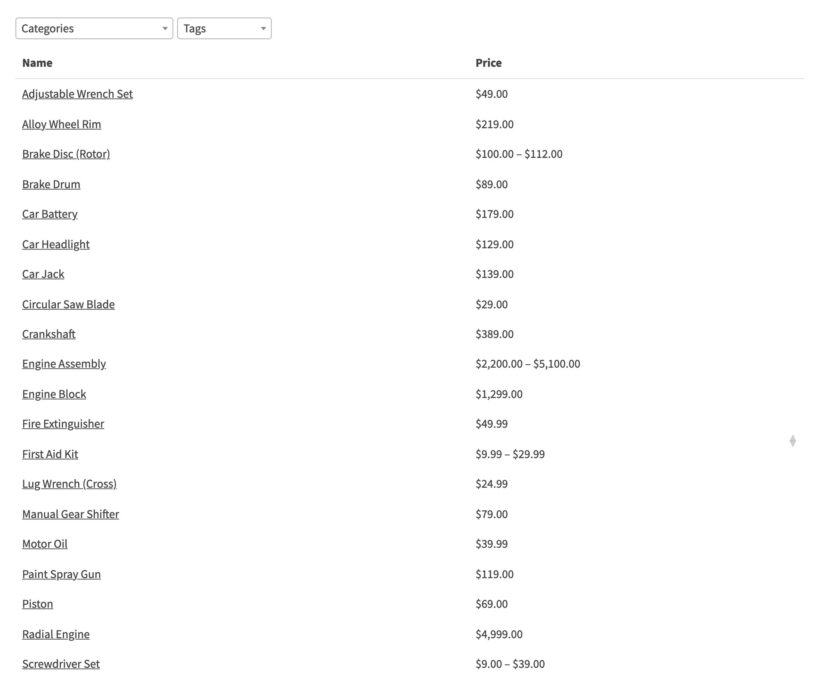
Yes. Leave out the add to cart column and you have a WooCommerce price list or catalog. Brands that sell through distributors use it this way, and customers can print it with the PrintFriendly integration. For a list of posts, pages or any other content rather than products, use our Posts Table Pro plugin instead.

Can customers reorder what they bought before?

Yes. A buy again table lists the products the logged-in customer has already bought, so a repeat order takes one page. Our guide to the WooCommerce reorder plugin shows the setup.

Does the order form work on mobile?

Yes. Columns that don't fit move into a hidden row, which the customer opens with a plus icon. You can also choose which columns appear on which device.

Will you set up my order form for me?

Yes, free of charge, and you can ask at any time. Our support team will build one product table with the columns, filters, sorting and layout you need, then add it to a page or switch on the table layout across your shop pages. Request it on our free setup page after buying.

Can I try it before I buy?

Use the demo linked on this page, which is a live WooCommerce store running the plugin. Every license also comes with a 30 day money back guarantee. Install Product Table on your own store, and ask for a refund if an order form turns out not to suit you.

Will the order form work with my theme and other plugins?

WooCommerce Product Table works with any well-coded WordPress theme and inherits your fonts, colors and buttons.

The theme compatibility page lists the themes we test with, and there's a separate list of the plugins we have tested with Product Table.

Does the order form work in my language?

Yes. Product Table is translated into many languages, including right-to-left ones. It also works with WPML and TranslatePress. Our translation guide covers changing any of the wording yourself.

What are the minimum requirements for running the plugin?

WooCommerce Product Table is fully tested with the latest versions of WordPress and WooCommerce. We always recommend running the most up-to-date version, but we also support older installations:

  • WooCommerce 7.2 or greater (tested to 11.0.1)
  • WordPress 6.1 or greater (tested to 7.0.4)
  • PHP 7.4 or greater (tested to 8.5)
  • MySQL 5.7.8 or greater / MariaDB 10.3 or greater
Current version

Version:5.0.0
Last updated:15 Oct 2026
Changelog:View

START TAKING ORDERS FROM ONE PAGE

Install WooCommerce Product Table and turn your shop into an order form.

WooCommerce Product Table plugin