Can I link the documents to a WooCommerce product?
Yes! You can link documents to a WooCommerce product using the File URL option.
This is useful if you're using Document Library Pro to display documents and want to connect them with purchasable products. For example, you might want users to view a document and then quickly navigate to the related product, or even add it to their cart directly.
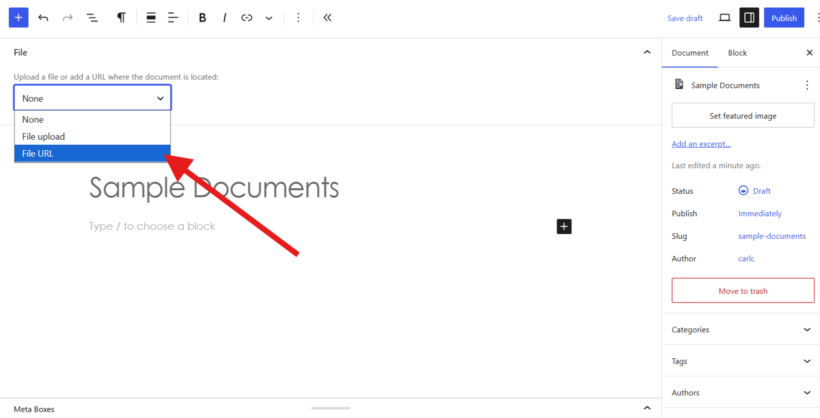 Document Library Pro File URL option
How to link a document to a product
When adding or editing a document:
- Select File URL as the file type.
- Enter a WooCommerce product URL.
- Save your changes.
When users click the document, they will be taken to that product page.
This works for:
- Products on your own site.
- Products on another WooCommerce site.
Link directly to add to cart
You can also use a WooCommerce add-to-cart URL instead of a product page.
This allows users to add the product to their cart immediately when they click the document.
If you need help creating add-to-cart links, please see this guide:
https://woocommerce.com/document/quick-guide-to-woocommerce-add-to-cart-urls
Summary
Use the File URL option to link documents to WooCommerce products or add-to-cart links, depending on how you want customers to interact.