How to add 'Request a quote' buttons to the bulk variations grid
Normally, the WooCommerce Bulk Variations plugin displays a standard add to cart button under the bulk variations grid. You can allow customers to select variations and then request a quote by using it with the YITH WooCommerce Request a Quote plugin, which we have integrated with and fully support.
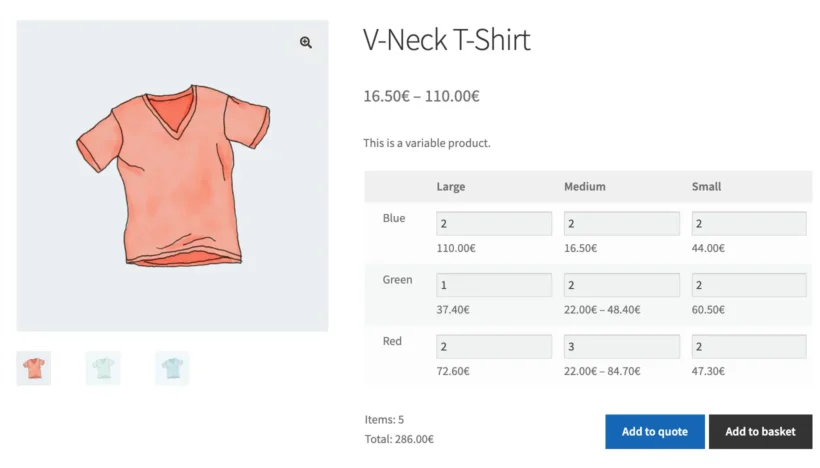
YITH's plugin is very flexible and lets you add 'Request a Quote' buttons to your site - either replacing the add to cart button completely, or appearing alongside the add to cart button.
When you use the two plugins together, it works like this:
- Customers can select the quantity of each variation they require from the bulk variations grid.
- They click the 'Add to Quote' button.
- They are then directed to the 'Quote' page, where they can review the details of their quote request before sending it to the store owner.
In the YITH WooCommerce Request a Quote plugin settings, you must enable the option to show the 'Add to Quote' button on single product pages. This will then automatically display below the variations grid.