The best dynamic pricing plugins for WooCommerce in 2026


Do you want to automatically offer different prices to different customers in your online store? WooCommerce dynamic pricing plugins offer an ideal opportunity to increase your profit margin and retain old customers.
WooCommerce has established its place as the go-to ecommerce platform for millions of businesses worldwide. By default, the platform allows you to offer different prices to different customers using discounts or coupons. But in certain cases, you may want to change product prices automatically based on custom pricing rules. This is where WooCommerce dynamic pricing comes in.
This pricing strategy involves changing the price of a product based on multiple factors. These factors could be shopping cart quantity, customer browser or purchase history, and location. With dynamic pricing, your customers no longer have to enter a discount code manually.
If you're looking for the best WooCommerce dynamic pricing plugins, this article is all you need. It'll cover the most powerful options out there. I'll also share the key benefits of using this pricing strategy.
Quick verdict: the best dynamic pricing plugins
Short on time? Here's the quick verdict on the best WooCommerce dynamic pricing plugins:
- Best overallWooCommerce Discount Manager covers the widest range of rule types and shows the discounts on the front end.
- Best for complex pricingWooCommerce Dynamic Pricing & Discounts by RightPress has the deepest rule engine, with 22,000+ sales.
- Best free engineAdvanced Dynamic Pricing packs powerful conditional rules into a capable free version.
- Best for beginnersDisco uses a visual drag-and-drop builder that's easy to pick up.
- Best for marketing campaignsYITH Dynamic Pricing has the strongest scheduling for recurring and seasonal sales.
Evaluating these dynamic pricing plugins
I compared each plugin on the range of pricing rules it supports (tiered, role-based, cart-level, BOGO, scheduled), how clearly it shows discounts to shoppers, how easy it is to set up, and its price. I also checked recent reviews and how actively each one is maintained, and I've listed clear pros and cons for every option.
What is WooCommerce dynamic pricing?
WooCommerce dynamic pricing automatically adjusts product prices based on predefined rules and conditions. These rules consider factors like quantity purchased, customer role, and cart value. Dynamic pricing enables personalized shopping experiences for different customer groups. Unlike standard coupons, dynamic pricing applies automatically without coupon codes.
This advanced pricing strategy is often very effective in attracting new customers. It also triggers the Fear of Missing Out (FOMO) in your store visitors. Dynamic pricing can help you increase sales and improve customer loyalty. It's also a good way to optimize revenue by creating a more tailored shopping experience for different customer groups.
Setting up dynamic pricing in WooCommerce
The process of implementing dynamic pricing follows these seven essential steps:
- Install a dynamic pricing plugin, either a free option from the WordPress repository or a premium one.
- Navigate to the plugin dashboard (e.g. Marketing → Discounts).
- Create pricing rules with specific conditions.
- Select target products, categories, or customer roles.
- Configure discount amounts or percentage adjustments.
- Set display options for product and cart pages.
- Activate rules for automatic checkout application.
Benefits of using dynamic pricing
Dynamic pricing transforms your store's ability to respond to different customer needs. Here are the key advantages:
- Increased sales through targeted pricing strategies that speak directly to customer segments.
- Improved customer loyalty with personalized offers that recognize purchase history.
- Optimized revenue via tailored shopping experiences for different buyer types.
- Better inventory management with bulk discounts that move products faster.
- Automated promotions without manual updates, saving countless hours.
Types of dynamic pricing strategies
Common dynamic pricing examples
Here are typical implementations:
- Tiered: Product costs $20, drops to $18 after 20 units, $17 after 100.
- Cart threshold: $20 off automatically on orders over $500.
- Role pricing: 25% wholesale discount for registered dealers.
- BOGO: Buy 2 shirts, get 1 free.
- Time-limited: 10% weekend flash sale.
I'll discuss each one in more detail below:
Tiered pricing for bulk purchases

Tiered pricing offers lower prices for larger quantities purchased. Use this strategy when you want to encourage bulk buying. For example, charge $20 for 1-19 units, $18 for 20-99 units, $17 for 100+ units.
With this type of WooCommerce dynamic pricing, you offer customers discounts based on the number of cart items or the cart total. This is a good strategy for wholesale stores with a large inventory. The idea is to encourage shoppers to purchase more in one transaction and boost the average order value.
In most cases, the higher the number of items purchased, the higher the discount percentage. WooCommerce quantity-based pricing is a perfect way to move inventory faster. And all you need to apply this type of cart discount is to add a simple formula in the back end.
Role-based pricing for customer segments
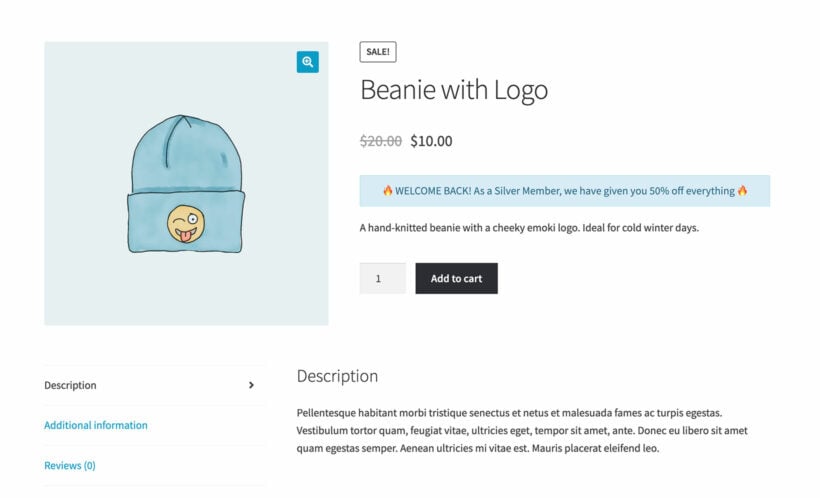
Role-based pricing displays different prices to specific user groups. Apply this when serving both retail and wholesale customers. Wholesale buyers might receive 25% wholesale discount for registered dealers.
WooCommerce role-based pricing displays specific offers to different customers based on their assigned roles. For example, you may offer a larger discount to wholesale buyers who purchase in bulk and a smaller discount to regular customers. In this case, it makes sense to apply a specific pricing discount to site users assigned the "Wholesaler" role.
Additionally, you can offer special discounts to VIP customers who have a history of high-value purchases. User-specific pricing for WooCommerce provides a personalized shopping experience for each customer. It also creates a sense of exclusivity and appreciation for their most loyal customers.
Cart-level strategies for AOV optimization
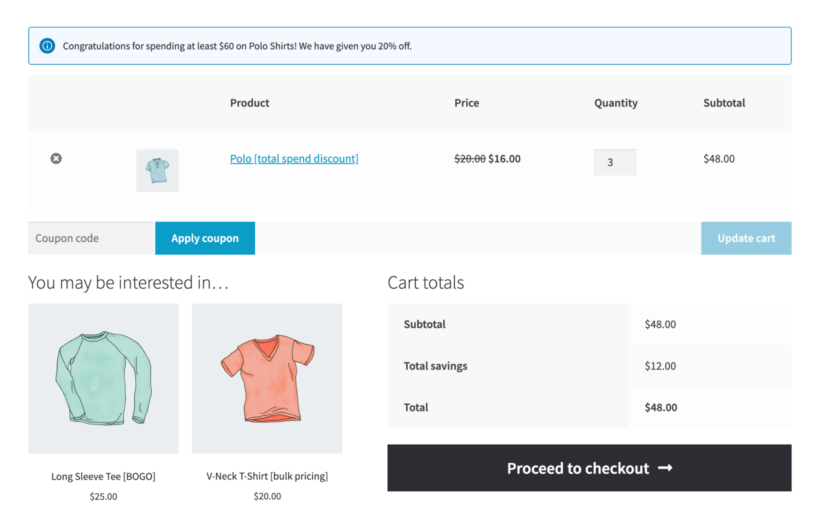
Cart-level discounts trigger when customers reach spending thresholds. Implement these to increase average order value. For example, you could offer $20 off automatically on orders over $500.
Volume discounts involve offering a discount to customers who purchase a certain amount of products, typically in bulk. You can either apply it to the entire order or to individual products. These strategies tap into psychological triggers around perceived value.

Time-based promotions and flash sales
Schedule discounts for specific dates or times to create urgency. This is perfect for holiday sales and weekend promotions. For example, you can set a 10% weekend flash sale automatically.
Another type of WooCommerce dynamic pricing is to offer reduced prices or special deals that are only valid for a specific period of time. This often applies to holiday seasons, weekend sales, or a limited-time promotion. Date-based discounts create a sense of urgency and exclusivity. This encourages customers to make a purchase and helps businesses reach their sales goals.
BOGO and product bundles
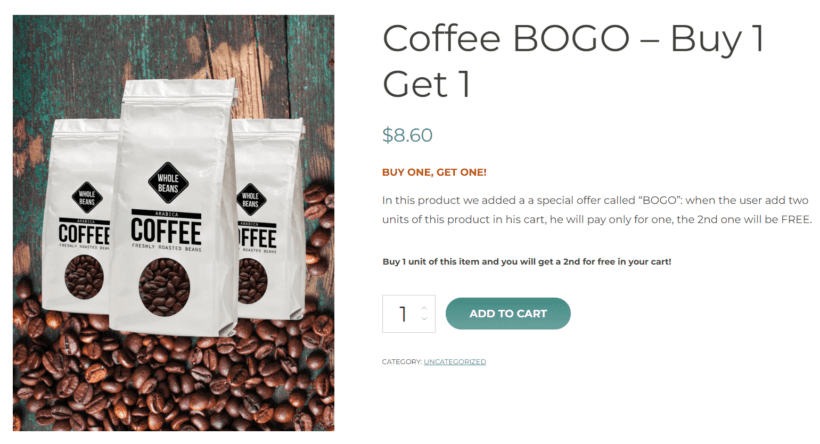
Buy-one-get-one offers and bundled products boost sales effectively. Mix and match different products for compelling deals. Create "Buy 2 shirts, get 1 free" promotions easily.
Another alternative is to offer discounts on specific combinations of products. This way, you incentivize customers to buy additional items and boost sales. This is particularly useful for upselling.
Category and product-specific discounts
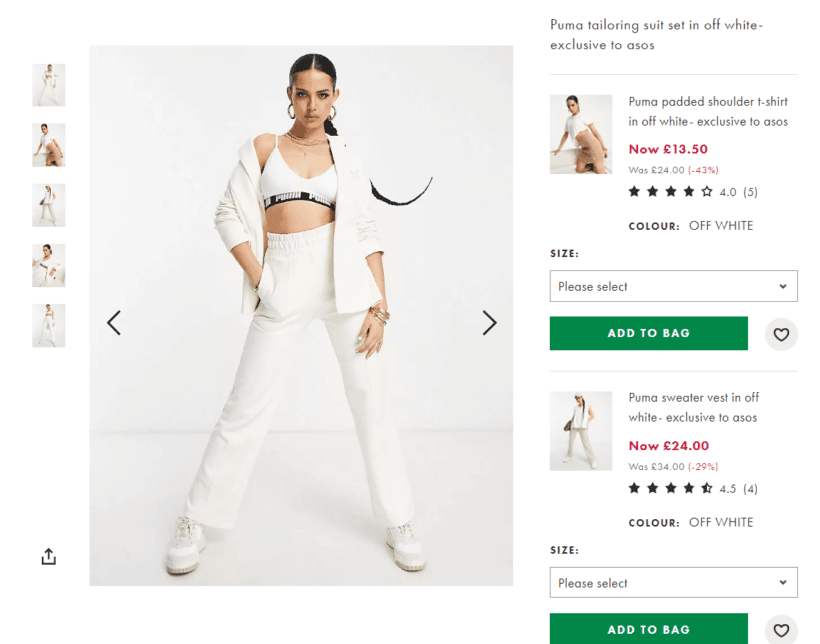
Target individual products or entire categories with special pricing. This is a good way to clear seasonal inventory or promote new arrivals. For example, you could apply 30% off to all electronics during clearance events.
By creating discounts for specific products, you get to strategically promote those products and increase sales. This helps you tailor your marketing efforts to specific product offerings and individual customer bases.

Dynamic pricing vs. traditional WooCommerce coupons
Understanding the difference helps you choose the right approach for each situation:
- Trigger method: Automatic activation vs. manual code entry. Dynamic pricing activates automatically based on rules. Coupons require customers to enter codes manually.
- Display location: Product pages vs. checkout only. Dynamic prices appear on product pages immediately. Coupons only show discounts at checkout.
- Management scale: Rule-based vs. individual codes. Dynamic pricing uses rule-based systems for multiple scenarios. Coupons need individual creation and management.
- Customer experience: Transparent pricing vs. surprise discounts. Dynamic pricing provides transparent, instant discounts. Coupons create surprise savings at checkout.
Use dynamic pricing for ongoing strategies, and coupons for one-off promotions.
Complete plugin comparison: top 12 dynamic pricing plugins
| Plugin | Discount Types | Display Options | Best For | Starting Price |
|---|---|---|---|---|
| WooCommerce Discount Manager | 7 types including BOGO | Full front-end display | Flexible rules + display | $79 |
| WooCommerce Dynamic Pricing & Discounts (RightPress) | All rule types | Front-end display | Complex pricing logic | $59 |
| Advanced Dynamic Pricing (AlgolPlus) | Bulk, role, BOGO | Limited display | Complex wholesale | Free/$59 |
| Discount Rules & Dynamic Pricing (AsanaPlugins) | Tiered, BOGO, category | Discount tables | Best free engine | Free |
| ELEX Dynamic Pricing | BOGO, bulk, category | Basic tables | Budget-conscious | Free/$69 |
| YITH Dynamic Pricing | Scheduled, BOGO, tiered | Custom messages | Marketing campaigns | $89 |
| Disco | Product, cart, bulk | Product pages | Simple setup | Free/$49 |
| Flycart Discount Rules | Tiered, location-based | Customizable tables | Easy interface | $49 |
| Official WooCommerce | Bulk, role-based | No front-end | Basic needs | $99 |
| YayPricing | Bundle, checkout rules | Checkout display | Checkout optimization | Free/$59 |
| Addify Dynamic Pricing | BOGO, personalized | Tables | Customer-specific | $49 |
| Aco Dynamic Pricing | Role, taxonomy | Basic | Targeted rules | $39 |
Here's a closer look at each one.
1. WooCommerce Discount Manager
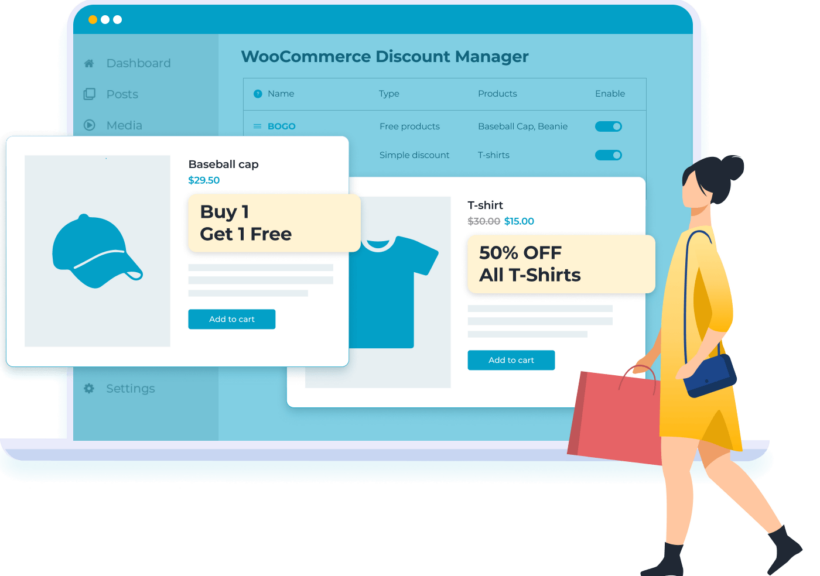
WooCommerce Discount Manager is one of our own plugins here at Barn2, and it tops the list because it covers the widest range of pricing rules and shows them clearly on the front end. It's both flexible and easy to use. It lets you create a surprisingly comprehensive list of discounts and deals, set up advanced logic for when each one will be used, and display them prominently on your site as a powerful sales incentive.
We built Discount Manager because most dynamic pricing plugins let you set discounts up in the back end but do almost nothing to show them on the front end. We wanted one that displays your discounts where shoppers actually see them, with a promotional content block or a tiered pricing table on the product page. We also kept hearing from customers of our other plugins, especially Product Table and Wholesale Pro, who wanted a discount tool that works reliably alongside them, and owning ours is how we guarantee that.
Key features:
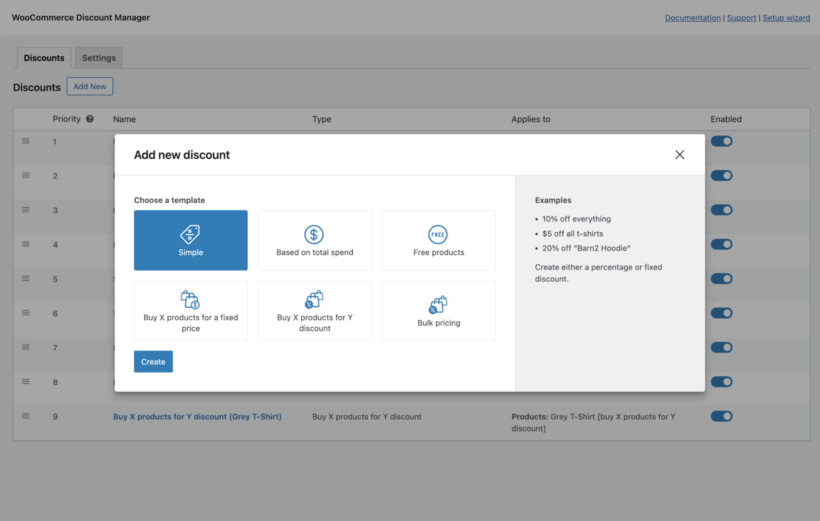
- Six discount types: Simple percentage or fixed value discounts, spend-based discounts triggered by cart totals, free product promotions including BOGOF deals, fixed price bundles, quantity-based discounts with flexible application rules, and bulk pricing with cart or product-level application.
- Front-end display options: Professional tiered pricing tables on product pages, customizable discount messages that match your theme, cart notifications confirming applied savings, and flexible placement options for maximum visibility.
- Advanced targeting: Create customer-specific discounts for individual users, role-based pricing for wholesale or VIP customers, product and category-specific rules, and combine multiple conditions for precise targeting.
- Scheduling capabilities: Schedule start and end dates for any discount, create recurring promotions for weekends or specific days, set up seasonal sales in advance, and activate flash sales instantly.
- Flexible application: Create storewide sales or targeted promotions, exclude sale items or specific products, set minimum and maximum quantities, and control whether discounts stack or override each other.
Best for: Stores needing flexible pricing rules with professional front-end display capabilities.
Pricing: Starts at $79 with one year of support and updates, including a 30-day money-back guarantee.
Unique differentiator: Unlike competitors, it provides multiple display formats including conversion-optimized pricing tables that significantly increase sales.
Once you've set up the basic discount, there are lots of ways to customize how it works. The plugin excels at showing discounts exactly where customers need to see them, which is essential because visible deals inspire customers to buy more, raising your average order value.
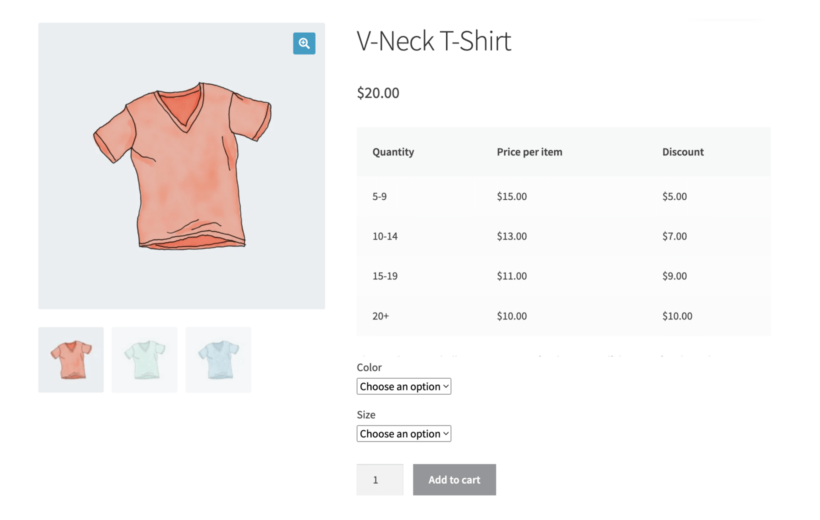
For bulk discounts, you can display professional pricing tables that clearly communicate value:
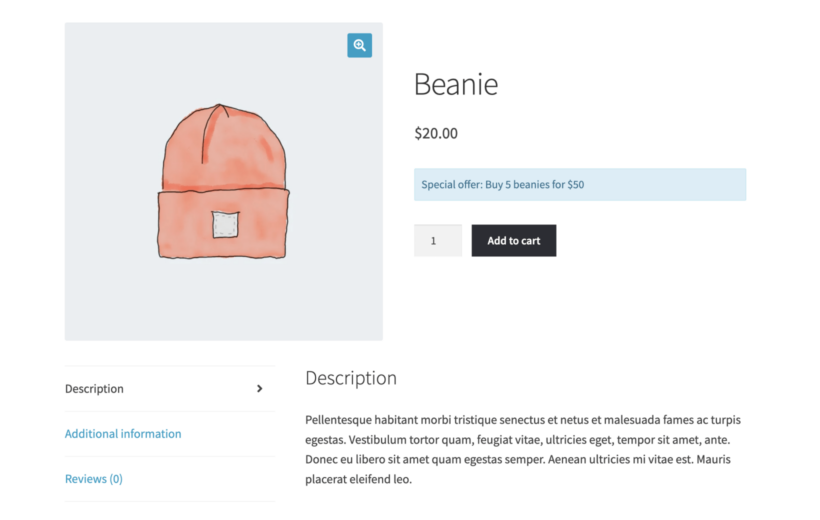
For other discount types, you can display prominent information in any format you choose:
And once on the cart page, you can add a notice to reassure customers that the discount has been applied:
You can see the plugin in action in this walkthrough video:
Cons: It doesn't do purchase-history or behavioral pricing (customer-specific pricing means assigning a rule to chosen accounts, not auto-discounting by lifetime spend), there's no bulk or CSV import of rules, and scheduling is date-range only rather than time-of-day. It's premium-only, with no free version to trial. Bulk, tiered and spend-based discounts are calculated in the cart, so for those rule types the product page will show the base price rather than the final discounted one. You can still promote the deal on the product page itself: tiered discounts can show a pricing table, and the other discount types have a product page content field for displaying eye-catching information about the offer to encourage shoppers to qualify for it.
2. WooCommerce Dynamic Pricing & Discounts (RightPress)
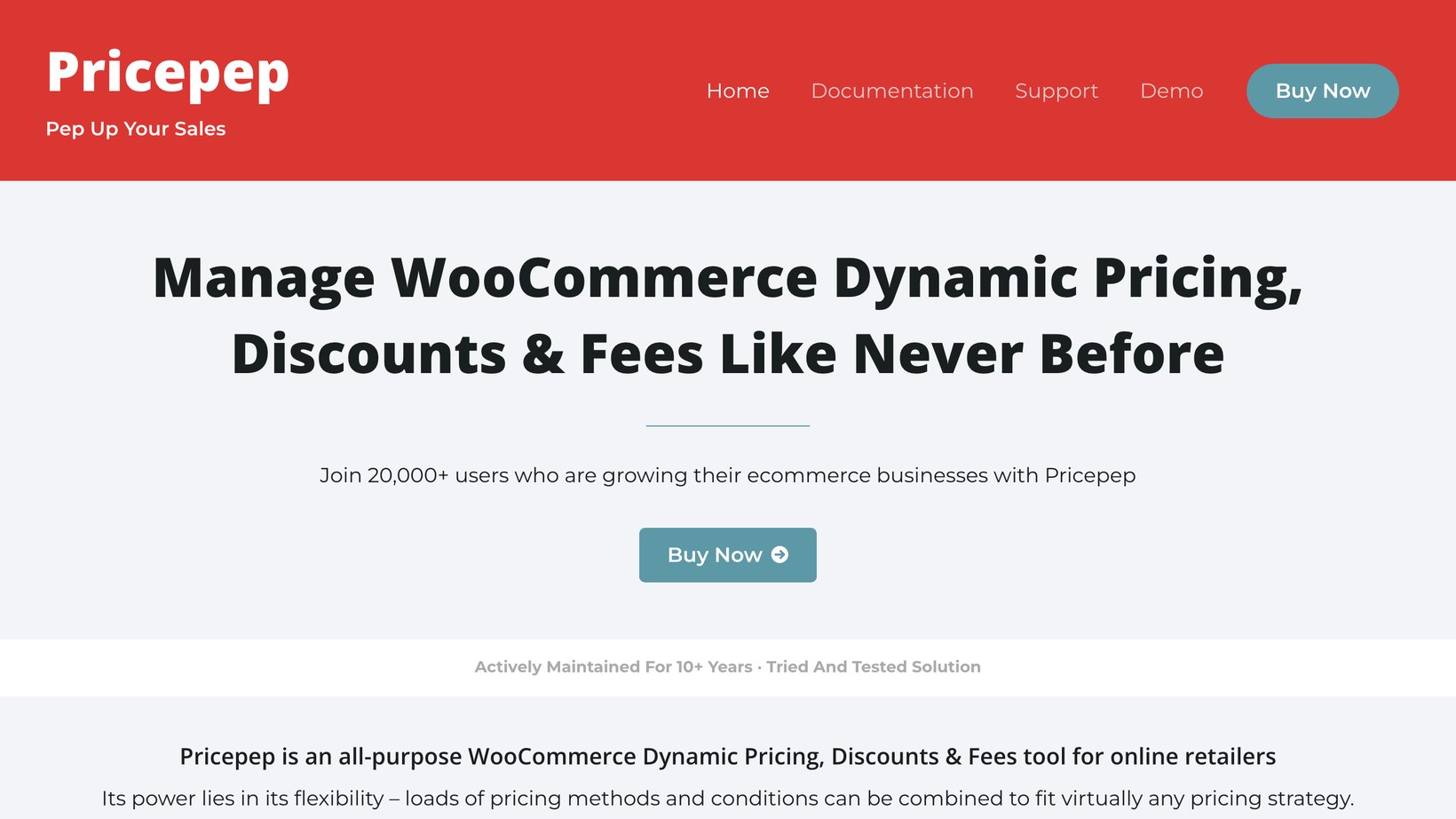
WooCommerce Dynamic Pricing & Discounts by RightPress, sold as Pricepep, is the most-bought standalone pricing plugin on the market, with over 22,000 sales and a 4.5-star rating from more than 570 reviews. It's also the deepest rule engine in this list, combining tiered and bulk pricing, role-based and individual rules, cart-condition discounts, BOGO, bundles and scheduled sales in one plugin.
If your pricing logic is genuinely complex, this is the most capable single tool here.
Cons: The admin interface feels dated next to newer plugins, and as a CodeCanyon product the support follows Envato's terms rather than a dedicated team.
3. Advanced Dynamic Pricing for WooCommerce
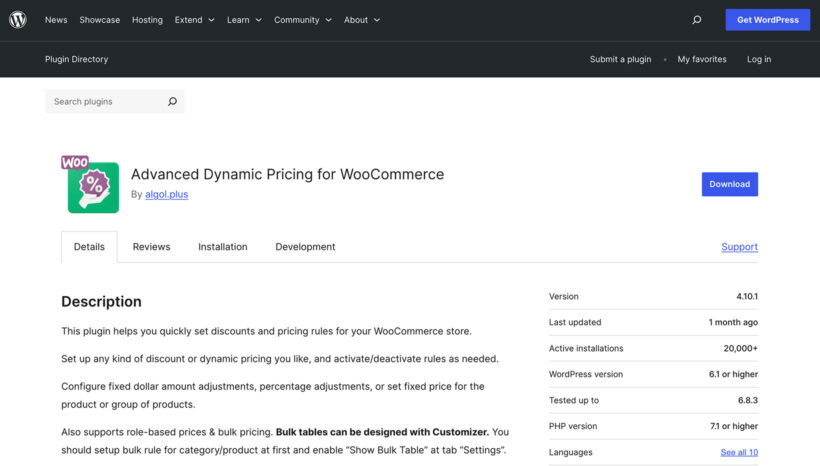
Advanced Dynamic Pricing for WooCommerce enables bulk discounts and role-based pricing rules. It provides complex wholesale pricing matrices for B2B stores.
This plugin stands out for its deep integration capabilities. You can create pricing rules based on previous purchase history and combine multiple conditions with AND/OR logic. The granularity makes it ideal for stores with complex requirements.
Key features:
- Bulk pricing: Create quantity-based discount tiers with percentage or fixed adjustments.
- Role-based rules: Different prices for customer groups with inheritance options.
- BOGO capabilities: Buy X get Y promotions with category and product mixing.
- Product filters: Target by attributes, tags, and custom taxonomies.
- WPML compatibility: Works with multilingual stores.
Best for: Stores with complex wholesale pricing matrices.
Pricing: Free version available, premium starts at $59.
Unique differentiator: Offers an extensive conditional logic system with AND/OR operators for complex rule combinations.
Cons: The rule interface gets complex quickly once you stack conditions, the front-end display is limited compared with Discount Manager, and it has a documented security-fix history, so keep it updated.
4. Discount Rules and Dynamic Pricing (AsanaPlugins)
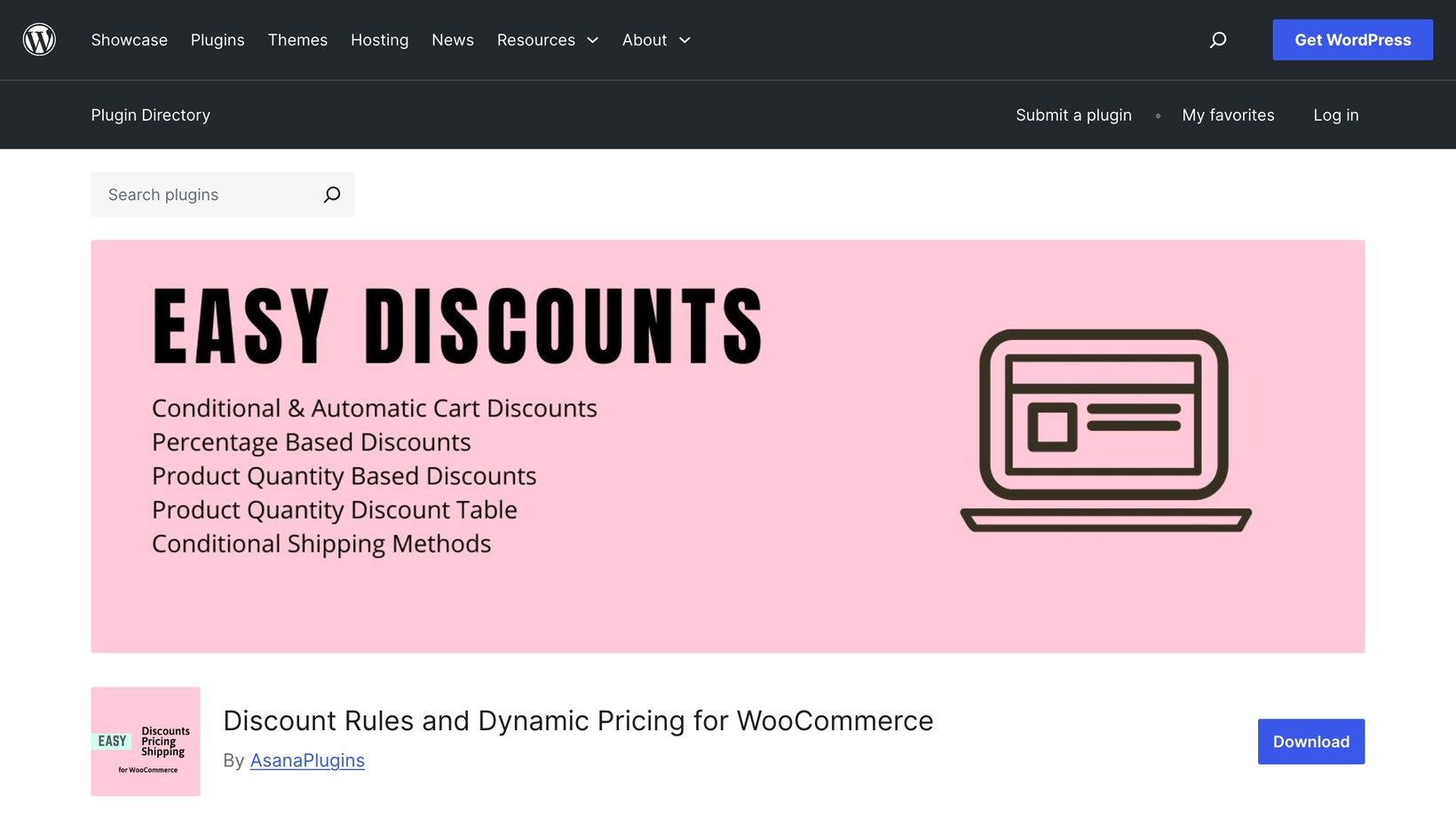
Discount Rules and Dynamic Pricing for WooCommerce by AsanaPlugins is one of the best-rated free dynamic pricing engines, at 4.7 stars from 240+ reviews and over 10,000 active installs. It applies discounts automatically with no coupon codes, covering tiered and quantity-based pricing, percentage category discounts, BOGO offers, storewide sales and scheduling.
It's actively maintained and a strong free starting point. Its name is close to Flycart's Discount Rules below, so check the vendor (AsanaPlugins) when searching.
Cons: The free version covers the basics well, but the more advanced rules and display options need the pro upgrade.
5. ELEX Dynamic Pricing
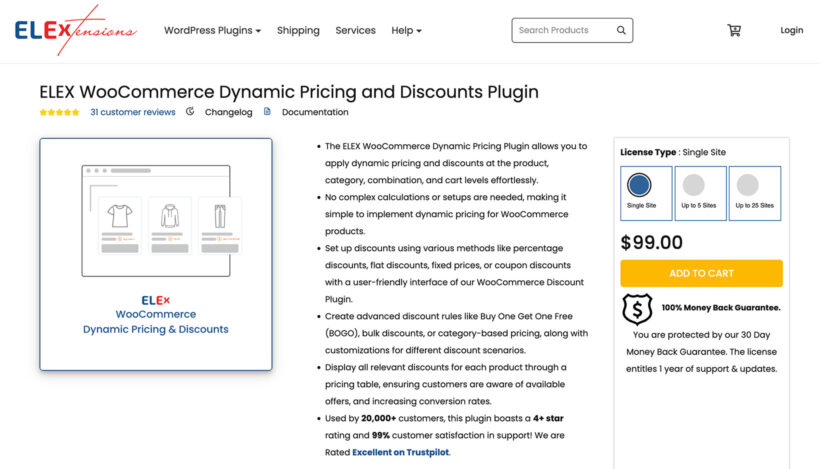
ELEX Dynamic Pricing offers essential pricing rules with a generous free version. It covers BOGO deals and category-based discounts effectively.
The free version includes robust features, making it perfect for testing dynamic pricing. The interface focuses on simplicity - set up basic bulk discounts in minutes. While it lacks advanced display options, it handles core pricing reliably.
Key features:
- BOGO promotions: Buy one get one free deals with product selection.
- Bulk discounts: Quantity-based pricing tiers with limits.
- Category rules: Apply discounts to product groups efficiently.
- Basic tables: Simple pricing display options.
- Free version: Core features without cost.
Best for: Budget-conscious stores testing dynamic pricing.
Pricing: Free version available, premium starts at $99.
Unique differentiator: Good starting point before upgrading to paid solutions.
Cons: The free version is fairly basic, front-end display options are limited, and it covers fewer rule types than the leading engines.
6. YITH WooCommerce Dynamic Pricing and Discounts
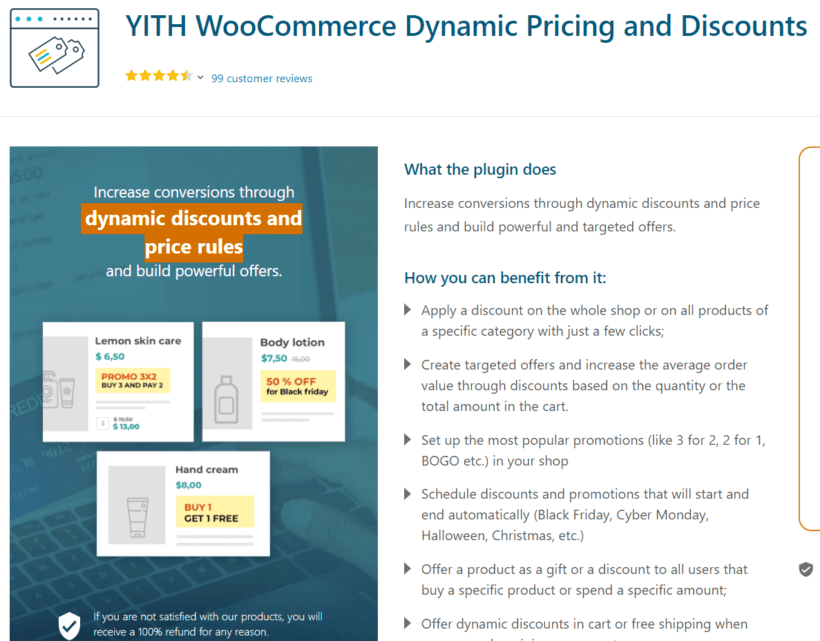
Our next best plugin pick is YITH Dynamic Pricing and Discounts. It's a powerful plugin for creating advanced pricing rules and discounts. These rules rely on various criteria such as product quantity, user role, product category, and tag.
The tool focuses on creating flexible pricing discounts and powerful and targeted offers. For example, you can easily create buy-one-get-one-free (BOGO) offers. You can also apply these rules to products globally or to specific products, product categories, or product variations/variable products.
Key features
- Highly customizable pricing rulesStore owners can customize the dynamic pricing rules to meet their specific needs. There are also targeting rules that help you to reach unique customer segments. And for better results, you can schedule discounts and promotions with specific start and end dates or times.
- Display discounts elegantly on the product pageAnother standout feature of the plugin is the ability to display discounts on the product page. This highlights the savings they can make if they purchase a certain quantity of the product. You can also customize the discount message to suit their needs and make the deal more appealing.
- User role-based and quantity-based discountsThere are certain scenarios when it makes sense to set and apply discounts for specific user roles. The tool allows you to create pricing rules targeted at specific customer groups, such as wholesalers or VIP customers. You can also set discounts based on the number of items on the cart page. Quantity-based WooCommerce discounts often boost sales. On the other hand, role-based discounts encourage repeat purchases and customer loyalty.
- Easy-to-use interfaceEven WordPress newbies can easily find their way around in the back end. This makes it possible to set up pricing rules and discounts without shortcodes or any technical knowledge.
Best for: Stores needing advanced scheduling and marketing-focused discount campaigns.
Pricing: $89 annually with 30-day money-back guarantee.
Unique differentiator: Excellent scheduling system with recurring schedules like "every weekend" or "first Monday of each month."
Cons: There's no longer a maintained free version, so it's premium-only, and the front-end display is less flexible than Discount Manager's.
7. Disco

Disco simplifies dynamic pricing with a visual builder interface. It makes creating discounts intuitive for beginners.
The visual approach sets Disco apart with drag-and-drop rule creation. This eliminates the learning curve of traditional builders. While lacking some advanced features, it covers essentials elegantly. The free version works well for small stores.
Key features:
- Visual builder: Drag-and-drop rule creation with preview.
- Product discounts: Item-specific pricing with variants.
- Cart rules: Total-based discounts with conditions.
- Bulk pricing: Quantity tiers with visual setup.
- Free version: Basic features included.
Best for: User-friendly setup for beginners.
Pricing: Free version available, premium from $49.
Unique differentiator: One of the few plugins with a true visual drag-and-drop builder for creating pricing rules without any coding.
Cons: It's a newer, smaller plugin that covers fewer advanced rule types, so it suits simple setups rather than complex pricing matrices.
8. Flycart Discount Rules

Flycart Discount Rules provides location-based pricing options alongside standard features. It creates region-specific discounts effectively.
The plugin excels with geographic price discrimination. Set different prices for countries, states, or zip codes. Combine location with other conditions for sophisticated targeting. The interface remains clean despite complexity.
Key features:
- Location-based rules: Geographic pricing variations.
- Tiered discounts: Multiple quantity levels.
- Customizable tables: Flexible display options.
Best for: Stores needing geographic pricing differences.
Pricing: Starts at $49.
Unique differentiator: Granular location-based pricing down to zip code level with shipping method integration.
Cons: The most useful rules sit behind the Pro version, and the interface can feel busy once you've built a lot of rules.
9. Official WooCommerce Dynamic Pricing
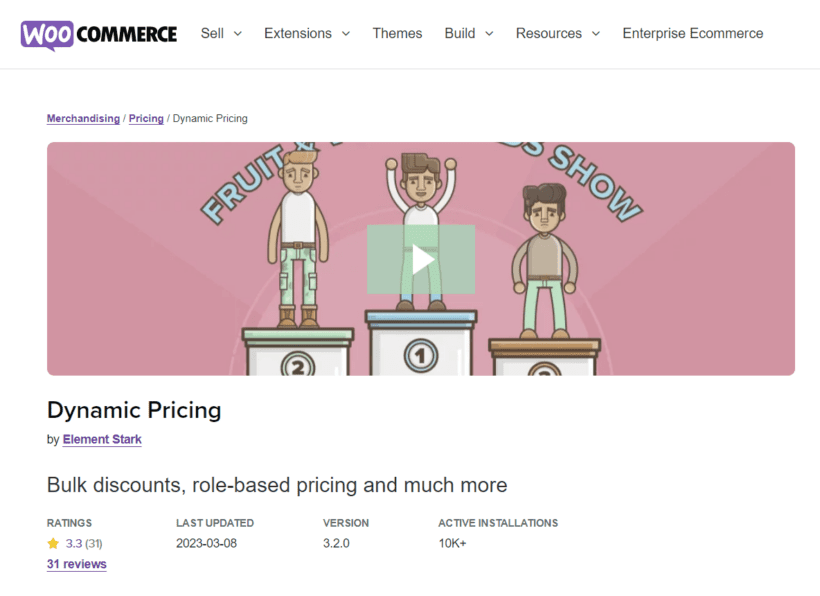
WooCommerce Dynamic Pricing is the official dynamic discounts extension from WooCommerce. Dynamic Pricing is also an advanced product pricing tool. This plugin focuses on configuring bulk discounts for your online store's products.
The plugin approaches flexible product pricing in three different ways. You can either configure pricing rules based on products, categories, and user roles. Unlike our #1 pick WooCommerce Discount Manager, you can't display discounts on the product page.
Key features:
- Quantity-based product pricing: Create multiple discounts for individual products with pricing tables of quantities and discount amounts.
- Role-based pricing: Display promos to logged-on customers based on assigned user roles.
- Easy-to-use interface: Beginner-friendly setup for pricing rules without technical knowledge.
Best for: Stores needing basic bulk discounts with official WooCommerce support.
Pricing: $99 annually with official support guarantee.
Unique differentiator: Only plugin with official WooCommerce support team backing and guaranteed compatibility with all WooCommerce updates.
WooCommerce Dynamic Pricing is a solid pricing strategy plugin to consider. The tool covers virtually all the key discount types most ecommerce stores use. But its major limitation is the restricted customization and front-end display options.
Cons: It's dated, with little feature development in recent years, no front-end discount display, and a polarized rating, so check current reviews before relying on it.
10. YayPricing
YayPricing optimizes checkout with bundle pricing and last-minute offers. It focuses on the final purchase decision point.
Key features:
- Bundle rules: Product combination discounts.
- Checkout optimization: Last-step pricing adjustments.
Best for: Checkout conversion optimization.
Pricing: Free version available, premium from $59.
Unique differentiator: Specializes in checkout-stage pricing with exit-intent popups and last-minute bundle offers.
Cons: It's more narrowly focused on checkout-stage and bundle offers than the broad rule engines, so it's less suited to full tiered or role-based pricing.
11. Addify Dynamic Pricing
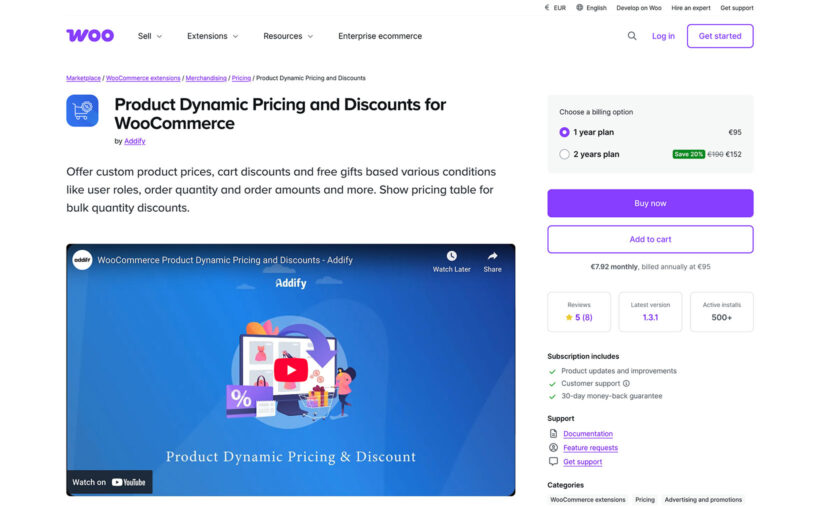
Addify focuses on personalized customer pricing with individual targeting capabilities.
Key features:
- BOGO deals: Buy-get promotions.
- Personalized pricing: Customer-specific rules.
Best for: Customer-specific pricing needs.
Pricing: $49 annually.
Unique differentiator: Allows individual product pricing per customer with CSV import for bulk user pricing.
Cons: The feature set is thinner than the leading engines and documentation is lighter, so it suits straightforward customer-specific pricing rather than complex rules.
12. Aco Dynamic Pricing

Aco's dynamic pricing plugin for WooCommerce provides targeted pricing rules at an affordable price point.
Key features:
- Role-based pricing: User group discounts.
- Taxonomy rules: Category and tag targeting.
Best for: Simple targeted pricing rules.
Pricing: $39 per year.
Unique differentiator: Most affordable premium option with lifetime updates included in single purchase.
Cons: It covers a fairly basic rule set with limited front-end display, so it's best for simple targeted pricing rather than advanced campaigns.
Factors to consider when choosing a plugin
Selecting the ideal plugin requires evaluating your specific needs. Follow these tips to get started:
Budget considerations:
- $0-50: ELEX, Disco (free versions) for testing.
- $50-100: WooCommerce Discount Manager for comprehensive features.
- $100+: YITH for marketing-focused scheduling.
Use case matching:
- Tiered pricing → Discount Manager, Advanced Dynamic Pricing.
- Role-based → Discount Manager, Advanced Dynamic Pricing.
- Marketing campaigns → YITH, Discount Manager (scheduled sales).
Technical requirements: Check theme compatibility.
Support needs: Free vs. premium support channels.
Choosing the best WooCommerce dynamic pricing plugin for your store
Dynamic pricing transforms how WooCommerce stores manage discounts and promotions. The right plugin automates price adjustments based on quantity, user roles, and cart conditions.
We've compared the best dynamic pricing plugins, from free solutions like ELEX and Disco to comprehensive tools like WooCommerce Discount Manager. Each plugin serves different needs - from simple bulk discounts to complex wholesale operations.
For most stores, WooCommerce Discount Manager offers the best combination of features. It provides 7 discount types, front-end display options, and requires no coding knowledge.
Stores with specific needs might consider:
- Advanced Dynamic Pricing for complex wholesale rules
- YITH for marketing campaign focus
- Free options like ELEX to test dynamic pricing
Whichever you choose, a dynamic pricing plugin automates your discounts so you're not editing products by hand. Start with the rule type you need most.
Let me know if you have any questions about implementing dynamic pricing in your store - I'll be in the comments section below.