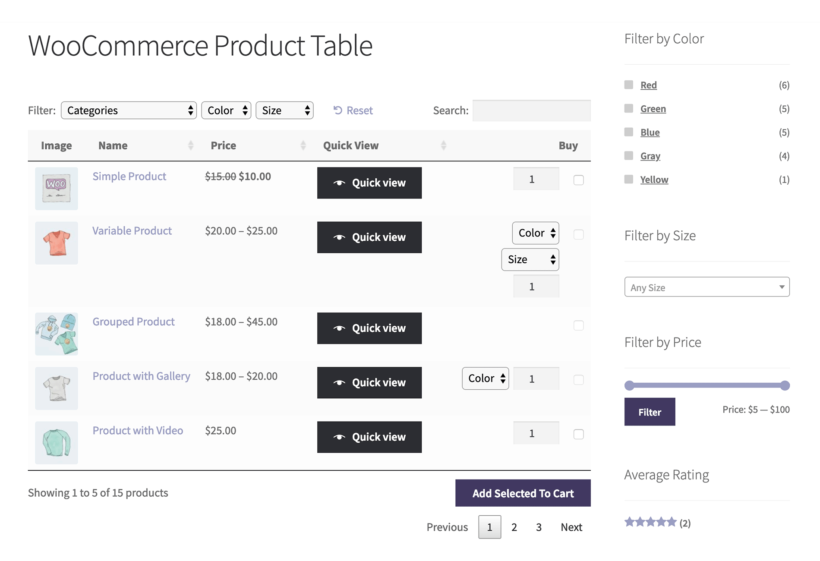
Use Quick View Pro with WooCommerce Product Table, WooCommerce Add-Ons, Bundles, Subscriptions, WPML, and more. See the full list of compatible plugins.
Multilingual ready
Multilingual compatibility with Weglot, WPML and TranslatePress. The plugin also supports right-to-left (RTL) languages.
2-minute setup
No code required
Built for ease of use and setup, no code required. Choose a few settings, hit save, and you're done!
Works with your theme
Works with any well-coded WordPress theme. The quick view lightbox inherits styling from your theme, so its contents look just like the single product page.
The most powerful – & best supported – Quick View plugin
★★★★★
“This plugin can be used with or without WooCommerce Product Table and works just flawless. Keep up the good work and thumbs up for your fast and excellent support!”
Ravi Van Leeuwen - Netherlands
★★★★★
“The plugin was just what I needed to display a lot of add-ons to my products in a nice and easy way. At some point I needed some support and I got a comprehensive answer!”
Karin Van Genegen - Belgium
★★★★★
“This WooCommerce quick view plugin was a great addition to Barn2's Product Table plugin. It works very well and the support was super useful.”
If you want customers to quickly review and complete their order on the same page, then choose this option.
$138$138$
99
Save$39
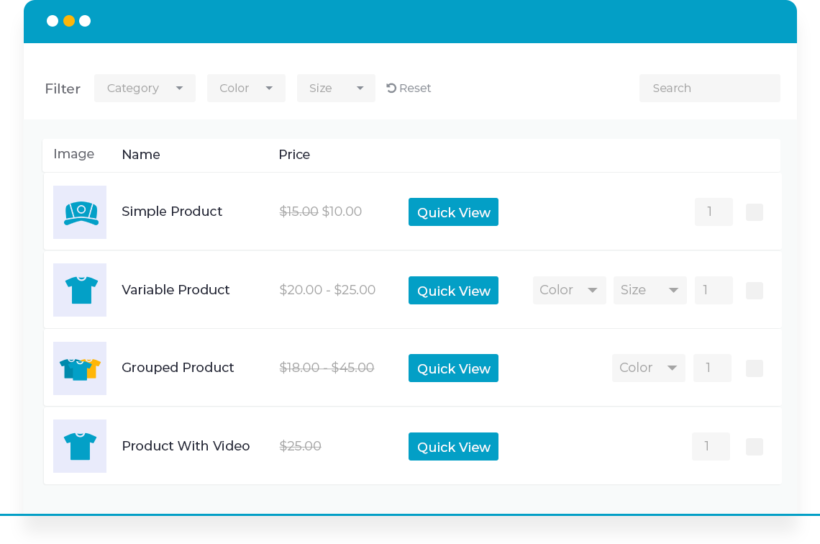
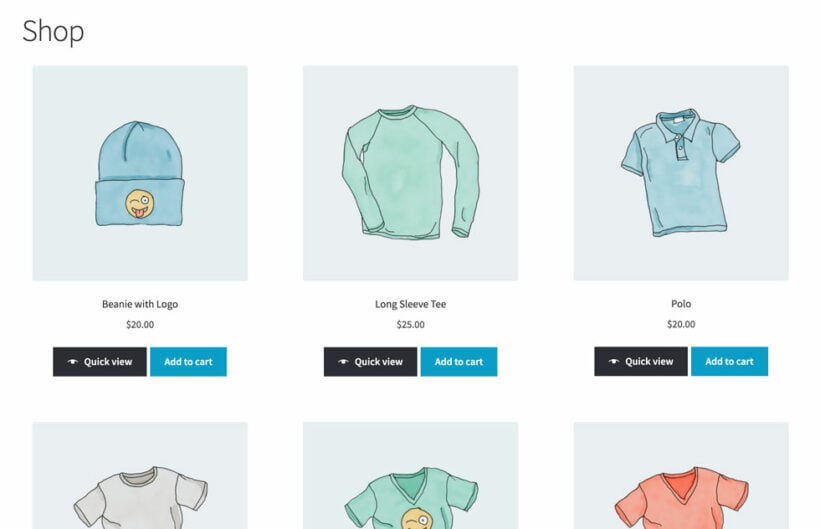
Quick view buttons Preview products and add to the cart from a quick view lightbox
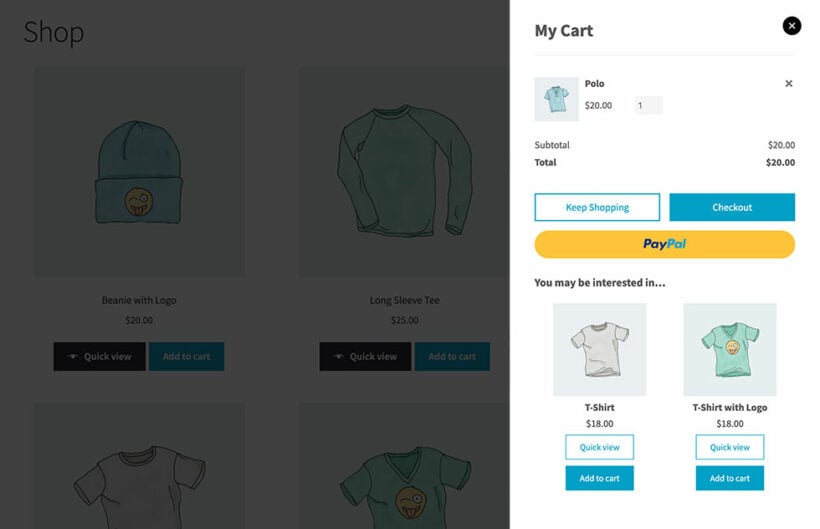
On-page cart & checkout Customers can review their order, enter their details and pay directly in a conversion-optimized popup cart
Related products upsell Display recommended products in the popup cart, complete with quick view buttons
One Plugin
WooCommerce Quick View Pro
If you just want quick view without the instant cart and checkout, then choose this option.
$
59
Quick view buttons Preview products and add to the cart from a quick view lightbox
On-page cart & checkout Customers can review their order, enter their details and pay directly in a conversion-optimized popup cart
Related products upsell Display recommended products in the popup cart, complete with quick view buttons
$1641$1641$
399
Save 75%
GO ALL ACCESS
Unlock all plugins for one price
19 current + future plugins
Free setup, priority support
80+ exclusive discounts
All plans include free setup, updates and support. You can upgrade at any time and just pay the difference. If your annual license expires, the plugin will continue working on your site but you must renew to change settings or receive updates, new features or support.
There are several ways for customers to trigger the lightbox, which you can mix and match as needed:
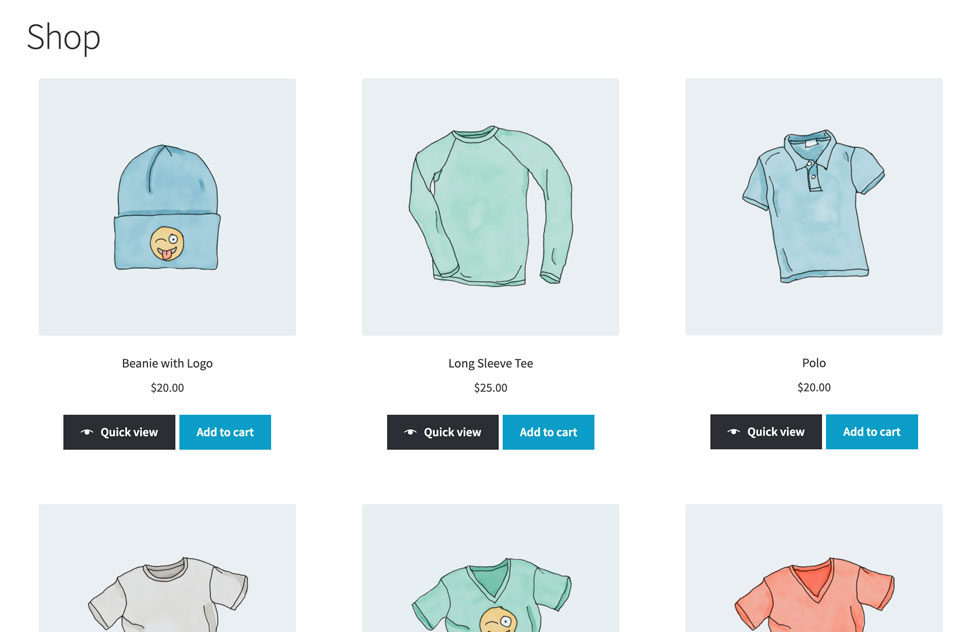
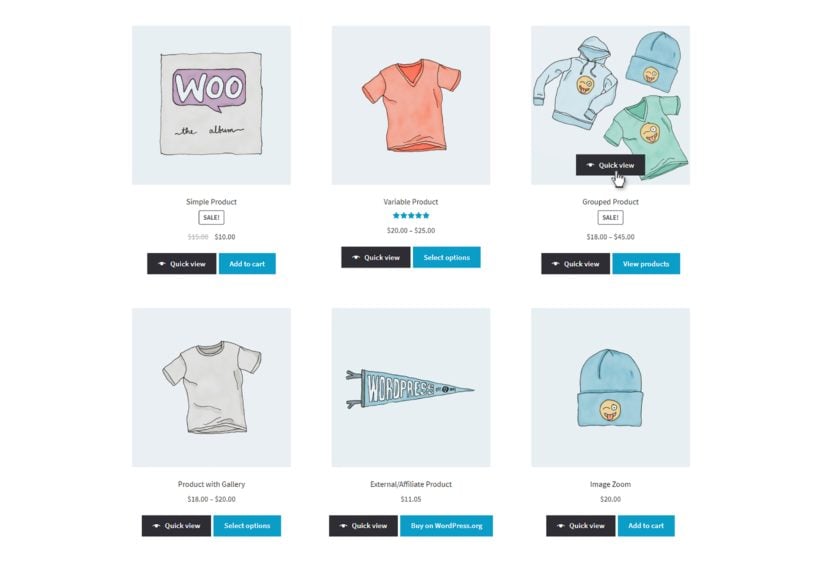
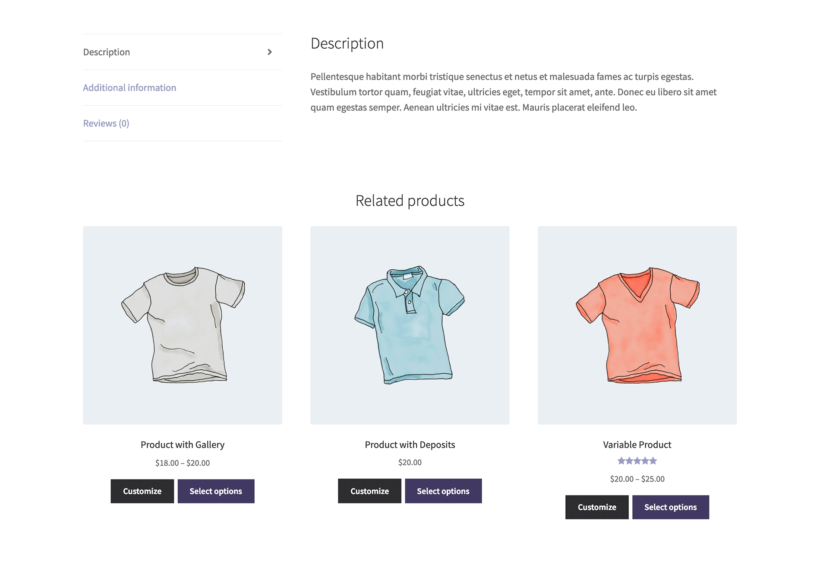
Display a quick view button next to each add to cart button wherever products are listed in your store (e.g. shop and category pages, or related products).
Show a quick view button when customers hover over the product image.
Disable links to the single product page and open the lightbox when a customer clicks on a product name or image.
You can also choose whether the lightbox stays open or closed after customers add a product to their cart.
Which product details can I display in the Quick View lightbox?
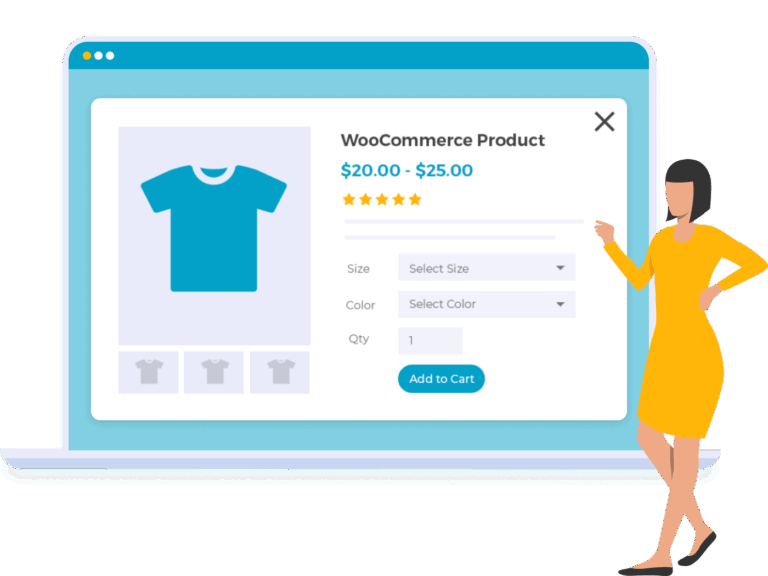
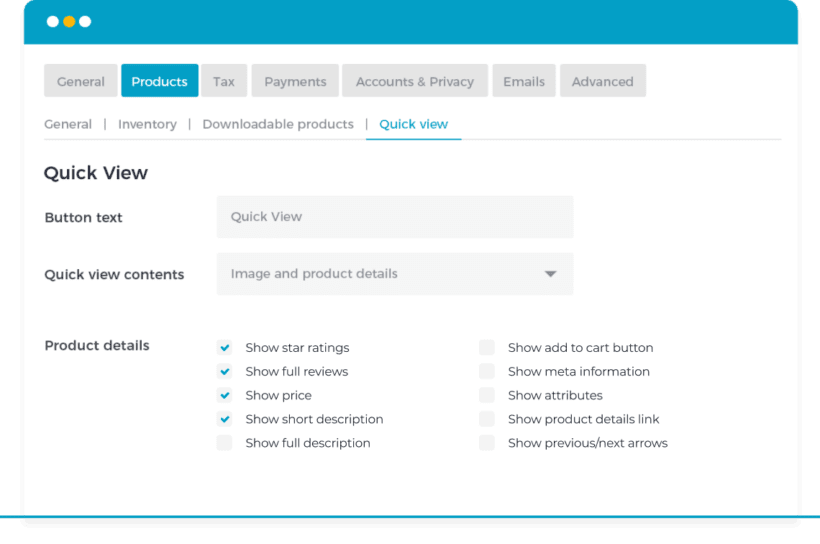
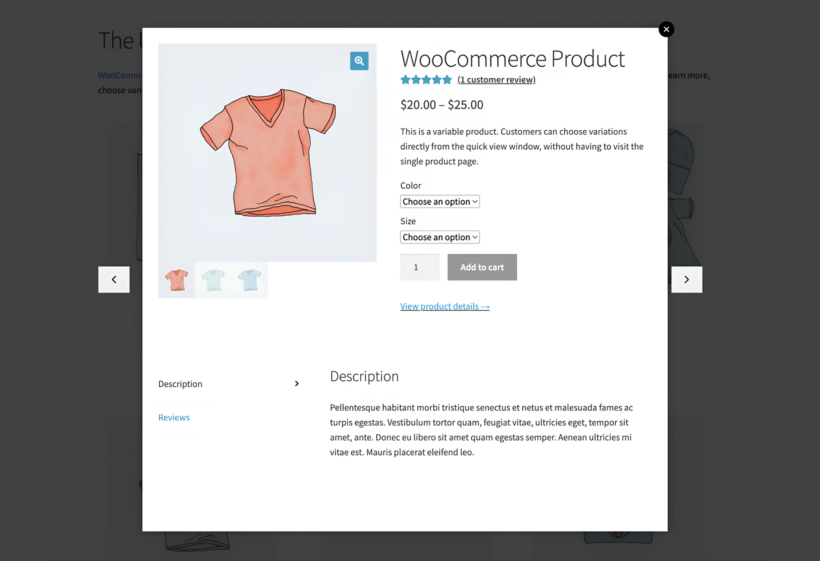
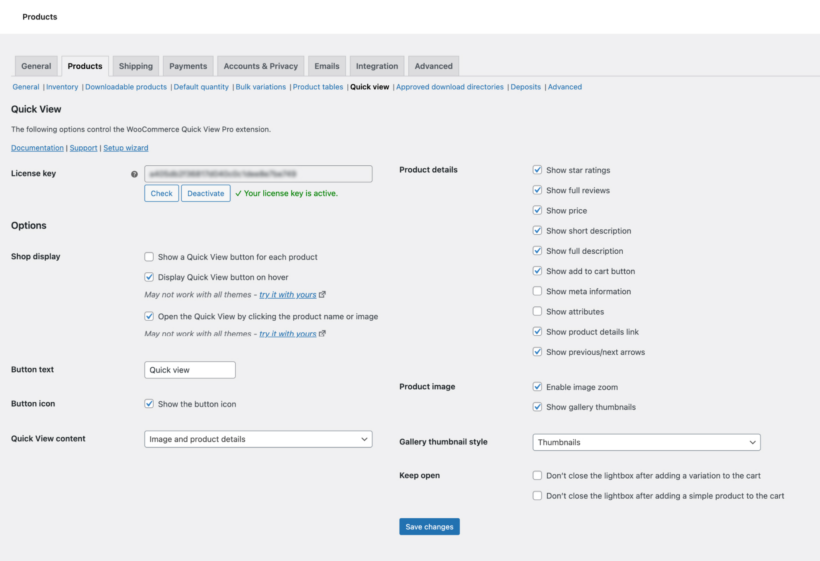
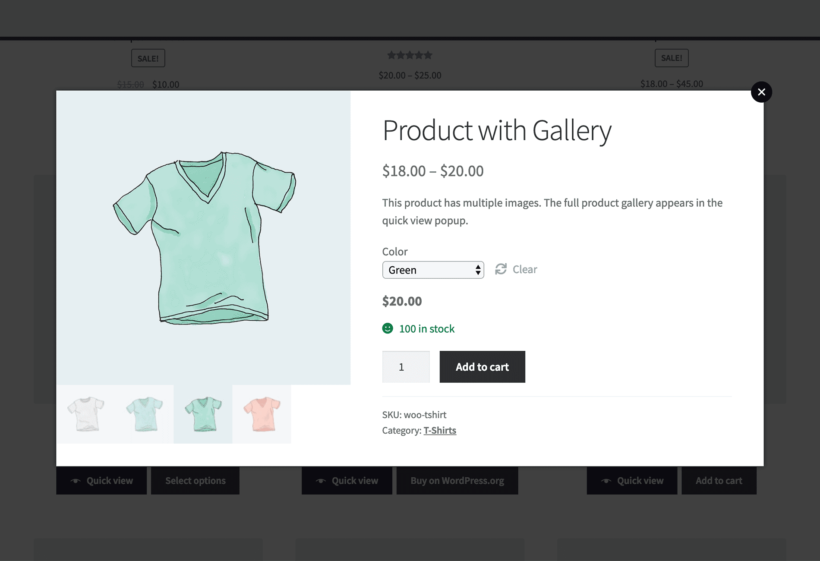
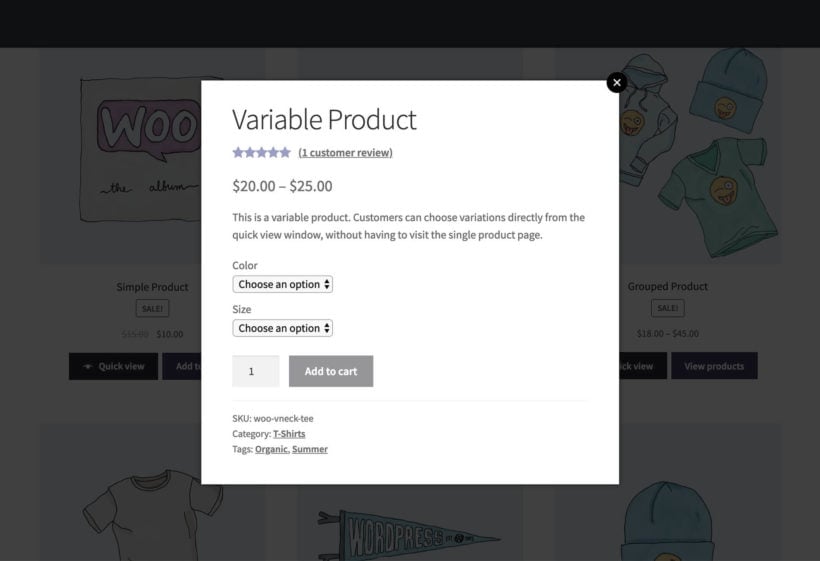
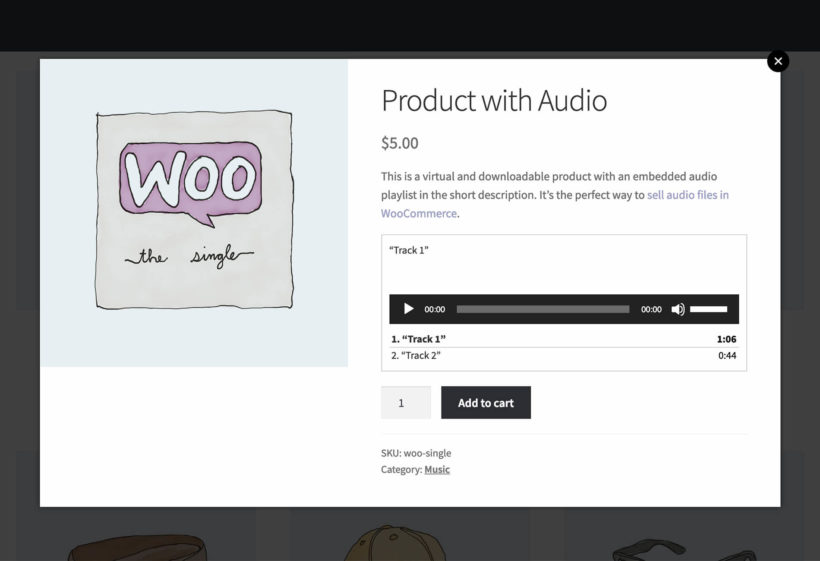
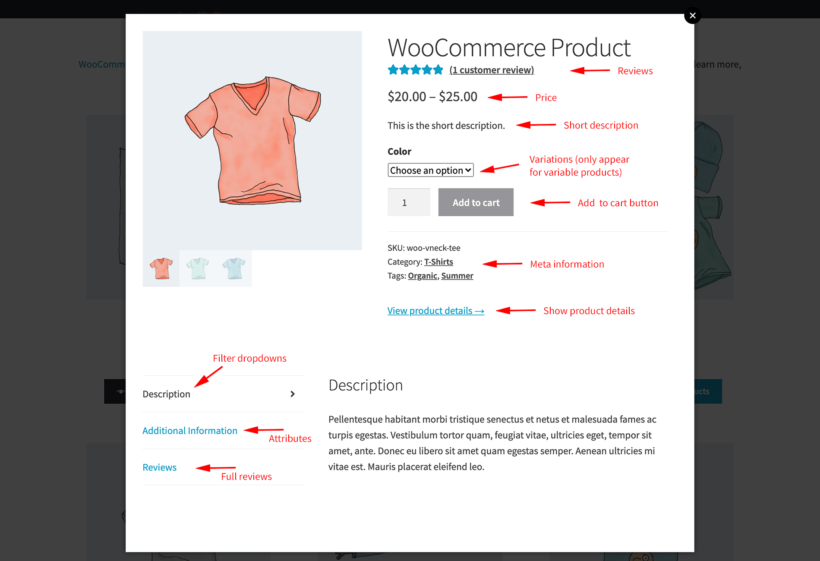
The quick view lightbox can include just about everything that normally appears on the single product page:
Star ratings and/or full product reviews
Price
Short description
Full description
Add to cart button
Meta information (e.g. SKU, categories and tags)
Attributes
Link to single product page
Previous and next arrows
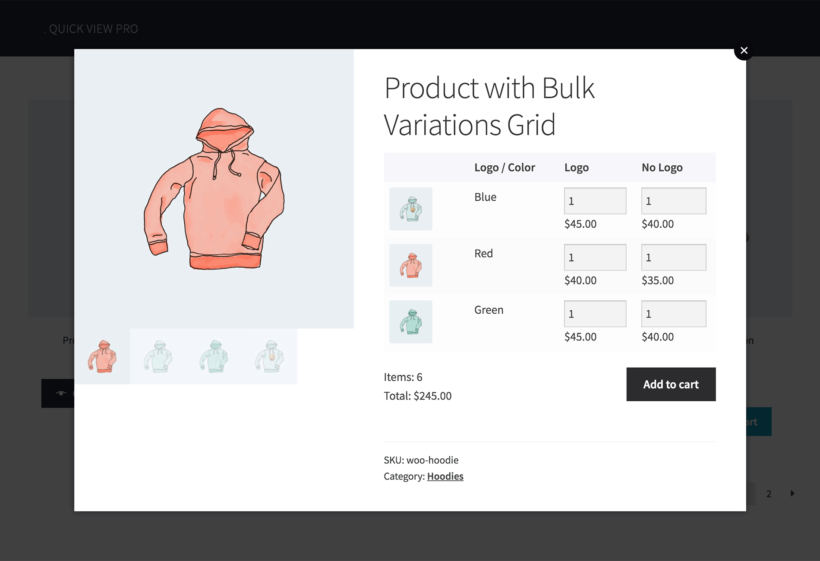
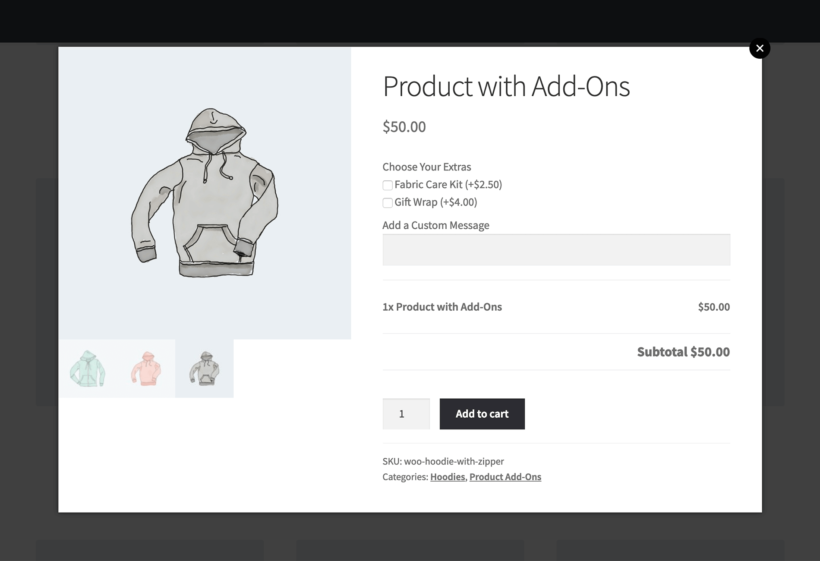
If you have product variations or add-ons then these will appear above the add to cart button.
To fine-tune the lightbox content, show or hide each piece of information on the plugin settings page.
What are the 3 lightbox layout options?
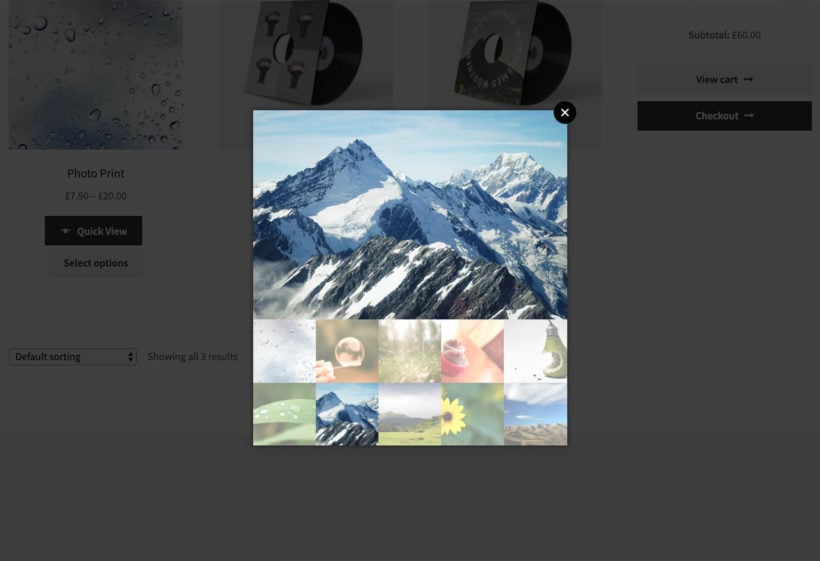
You can choose from image only, product details only, or both.
'Image only' is equivalent to the top left side of the single product page and shows the product image and gallery. 'Product details only' is equivalent to the top right side of the single product page. 'Both' displays a column layout (which stacks vertically on mobiles).
How can I customize the Quick View button?
You can customize the text and replace the default 'Quick View' wording with custom text. You can also choose whether the Quick View opens when you click the product name or image, or whether a button shows alongside your Add to Cart button. There's also an option to show or hide an eye icon in the button.
Can I enable quick view for specific products only?
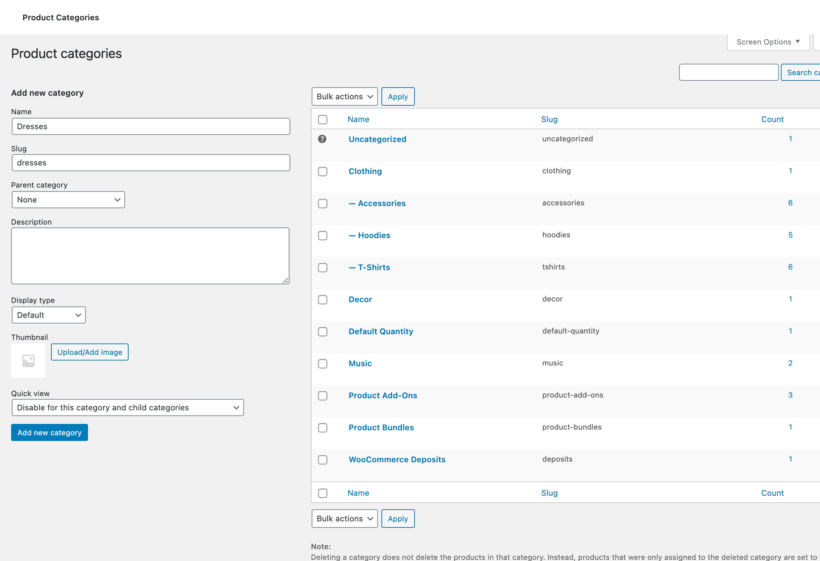
Yes, you can do this by enabling quick view globally and disabling it for specific categories and/or sub-categories.
Can I show a product gallery in the Quick View lightbox?
Yes! You can show one product image, or if your product has several images then the full product gallery is displayed. Choose between clickable thumbnails under the main image, or bullet navigation links. You can also choose whether to have zoom enabled when you hover over the product image in the Quick View lightbox.
Which WooCommerce product types are supported?
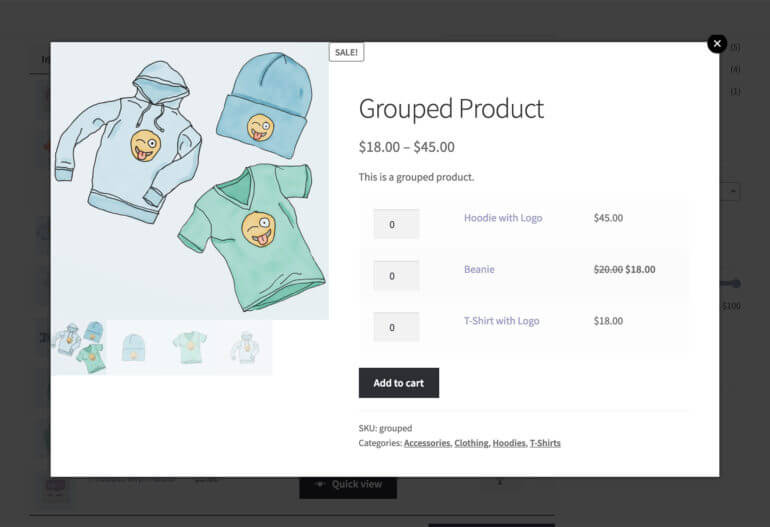
WooCommerce Quick View Pro supports all built-in product types: simple products, variable products, grouped products, external/affiliate products, virtual and downloadable.
Will it work with my theme and other plugins?
WooCommerce Quick View Pro works with any well-coded WordPress theme. The quick view lightbox inherits styling from your theme, so its contents look just like the single product page. You do not need a developer, custom code, or theme template edits.
The theme compatibility page shows the themes we test with. If you do hit a styling issue, our support team will help.
Which other WooCommerce plugins can I use it with?
WooCommerce Quick View Pro has official integrations with WooCommerce Product Table, the official Product Add-Ons, WooCommerce Product Bundles, Composite Products, WooCommerce Deposits, WooCommerce Subscriptions, and many more. You can read the full list on our compatibility page.
Which languages are supported?
You can use our WooCommerce quick view lightbox plugin with most multilingual plugins including WeGlot, TranslatePress and WPML. They make it easy to translate the lightbox into any language.
The plugin also supports right-to-left (RTL) languages.
What are the minimum requirements for running the plugin?
WooCommerce Quick View Pro is fully tested with the latest versions of WordPress and WooCommerce. We always recommend running the most up-to-date version, but we also support older installations:
WooCommerce 7.2 or greater (tested to 11.0.1)
WordPress 6.1 or greater (tested to 7.0.4)
PHP 7.4 or greater (tested to 8.5)
MySQL 5.7.8 or greater / MariaDB 10.3 or greater
What offers are available for WooCommerce Quick View Pro?
Several offers are available if you are a nonprofit or wish to buy multiple plugins:
2-plugin bundle - Get WooCommerce Quick View Pro together with WooCommerce Fast Cart at a reduced fixed price. Select the bundle in the pricing table above.
Multi-buy discount - Add any two or more Barn2 plugins to your cart and get 40% off automatically at checkout. The most expensive plugin stays at full price, and every other plugin is reduced by 40%. No coupon needed.
All Access Pass - For the best possible value, get our All Access Pass which gives you VIP access to our entire plugin suite including WooCommerce Quick View Pro.
Charity discount - Registered nonprofits get 15% discount off.
The plugin had a bug but it was fixed by the dev team quickly, in under 24 hours. The team you can rely on. Thank you!
Richard
Top-Quality Plugin with Unmatched Support
Rated 5 stars
By Richard on
Just loving the WooCommerce Quick View Pro from Barn2! Had a little hiccup but their team was on it like lightning and fixed it super quick. If you need top-notch e-commerce solutions with ace support, these are your guys. Easily a five-star experience!
Sharat Dhakad
Plugin Works as described, Support is great
Rated 5 stars
By Sharat Dhakad on
The team really helps.
Rob Wilkinson
Great Plugin + Support
Rated 5 stars
By Rob Wilkinson on
Very quick to respond and solve our client requests.
Andrew
Great plugin, amazing team
Rated 5 stars
By Andrew on
The plugin is great. What is amazing is the team behind it! 5 stars!
Nancy Hildebrandt
My favorite plugin provider
Rated 5 stars
By Nancy Hildebrandt on
Quick View Pro is the third plugin from Barn2 that I've used, and I've never seen a company with such an outstanding combination of thoughtful UI design, thorough documentation, responsive support, and blog posts that show how to solve a real world problem with one of their plugins. In fact, I found each plugin by searching for an implementation solution to something I needed to do.
Quick View Pro had an easy and flexible setup that worked out of the box in a Divi environment. I can only wish all my plugins worked this well.
Javier
Great support and plugin
Rated 5 stars
By Javier on
This is the best plugin available and I say this because I tested absolutely all the options available on the market. This is the only one that supports other types of products as well (from official WooCommerce extensions). The support is very fast and with great service.
Terence Lewis
Very handy plug-in and top-quality support
Rated 5 stars
By Terence Lewis on
I write Python code for AI applications, but am a pretty terrible web developer! Barn2's plugin support engineer Nikki took a lot of time and patience to help me get the Product Table and Quick View plugins working in the way I wanted. Thanks again!
Mikel
Great plugin and better support
Rated 5 stars
By Mikel on
The plugin works fine as shown in the demo. The support is amazing, they added all the requests I made and solved all my questions in no time.
Jaimi
Great Support
Rated 5 stars
By Jaimi on
Works great and any issues that I've had to overcome were handled quickly by support. Thanks!!
















Great support
By Michael on
The plugin had a bug but it was fixed by the dev team quickly, in under 24 hours. The team you can rely on. Thank you!