Create private wholesale areas, customer-specific products, and members-only sections.
Create a Private Area For Each CLient
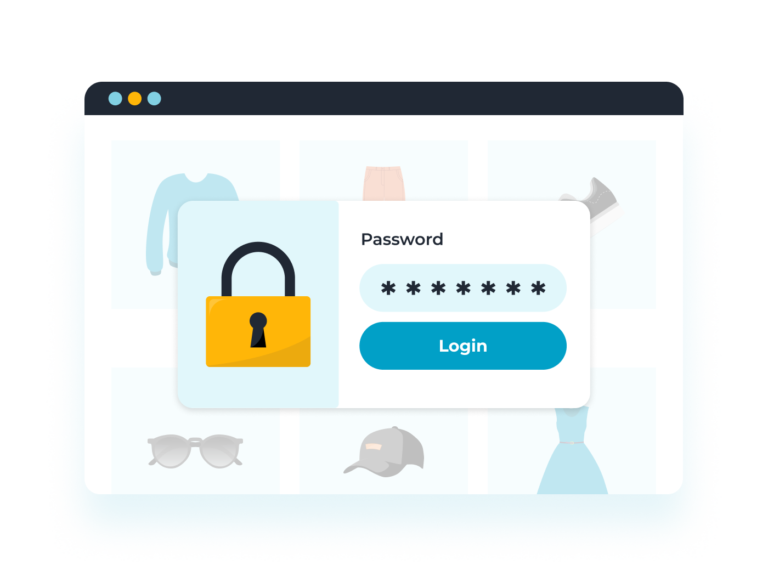
Sell private products to each client using password protection or account-based access
Ideal for photographers, schools, sports clubs and businesses needing customer-specific products
Each customer uses the login page and gets automatically directed to their own hidden products
Wholesale or Members-Only Shop
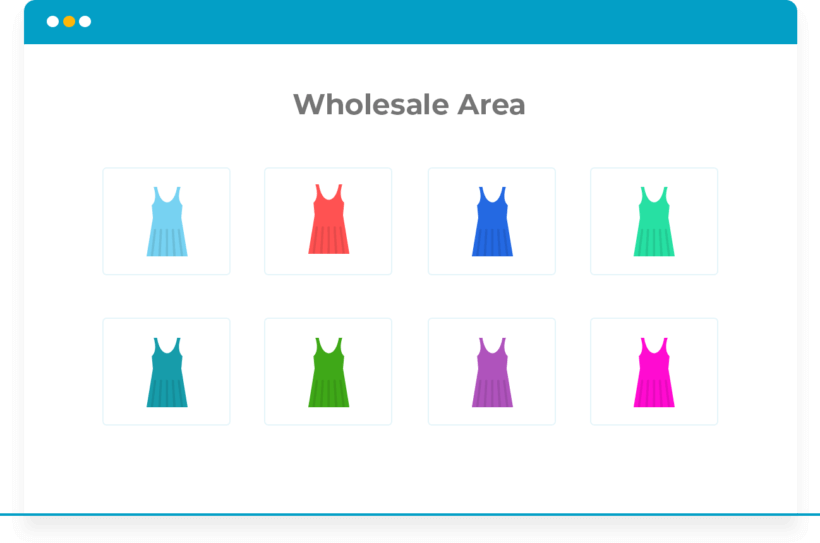
Create hidden wholesale areas for B2B clients or members within your existing store
Pre-approve customers by giving them passwords or assigning specific user roles
Run wholesale and retail from the same site - no need for a separate wholesale store
FINE GRAINED PROTECTION
Simple for customers - they just log into their account or enter a password to access products
Choose whether to hide protected categories from your menus and widgets
Protect entire categories (including sub-categories) by password, user role, or individual user account
PACKED WITH FEATURES
The most comprehensive protection plugin for WooCommerce 🚀
Password protection
User and role protection
Protects subcategories
Hide from your public store
Customer-specific categories
Hide from menus and sidebars
Multiple passwords per category
Quick setup in minutes
Simple password protection
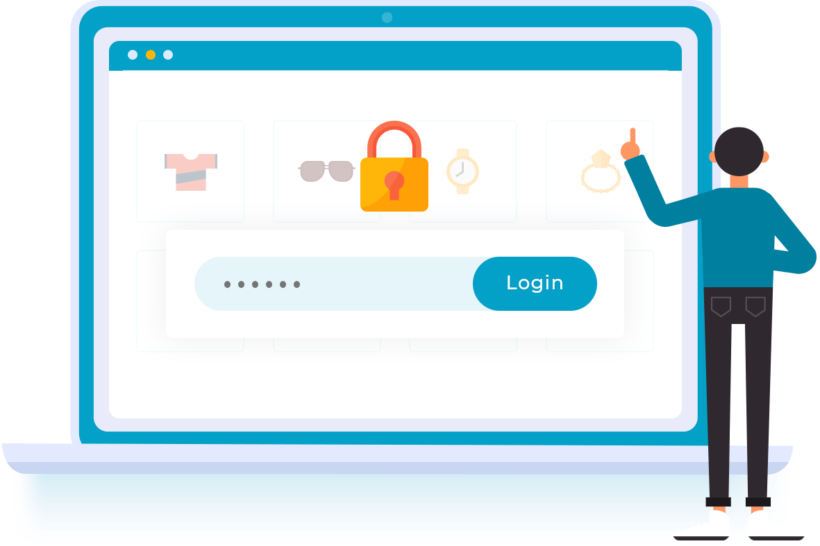
Unlock hidden categories with a password
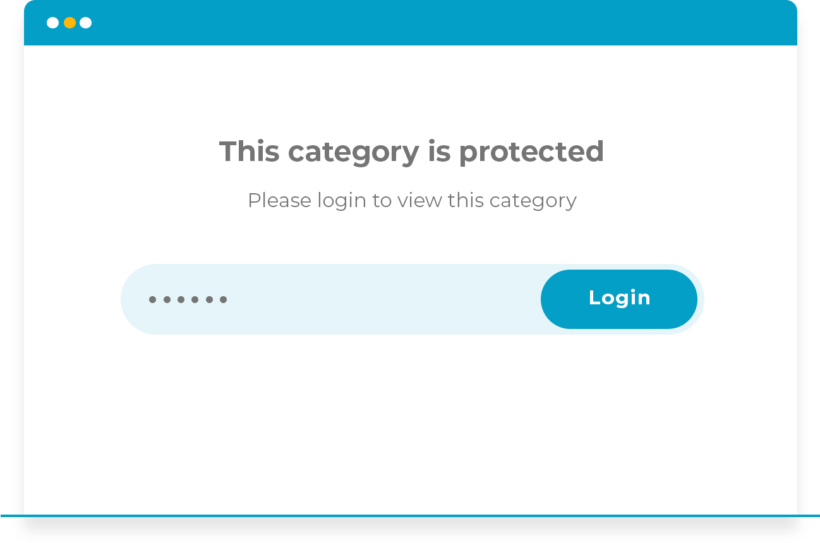
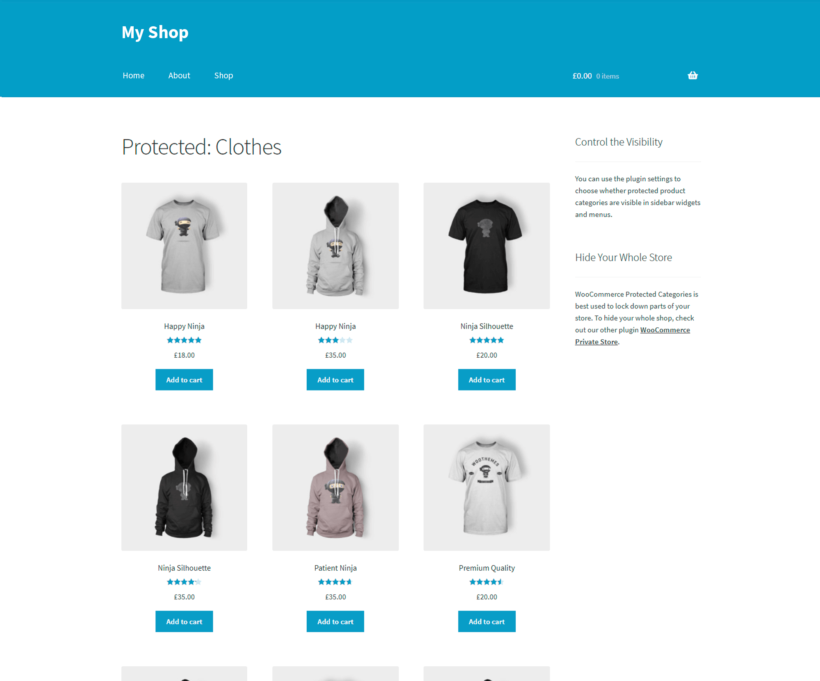
Customers enter a password to unlock hidden categories. Once the correct password has been entered, the category page and any products within it are visible and can be purchased.
Multiple passwords per category
Each category can have one or more unique passwords, and the same password can unlock multiple categories. Protect as many categories as you like.
One login form for everyone
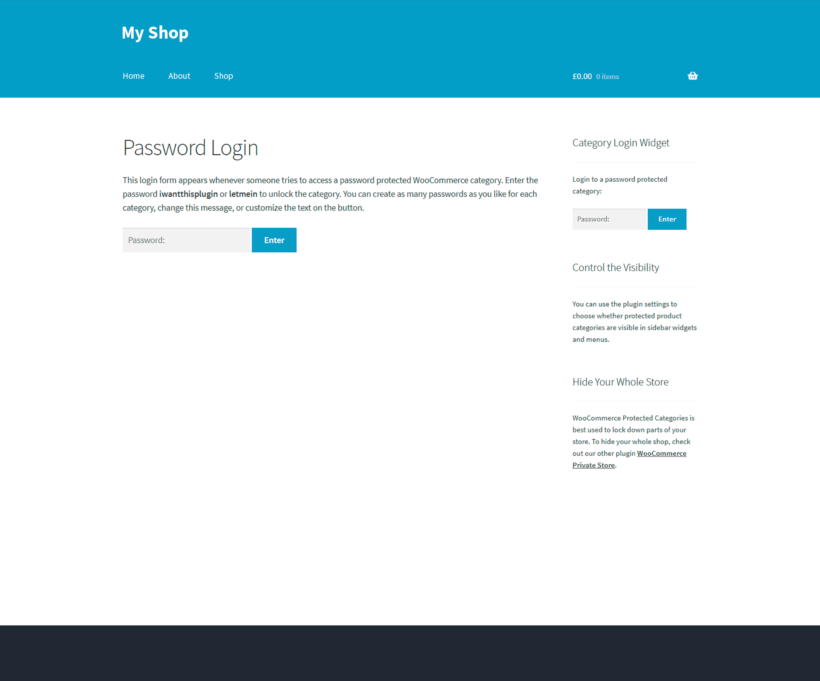
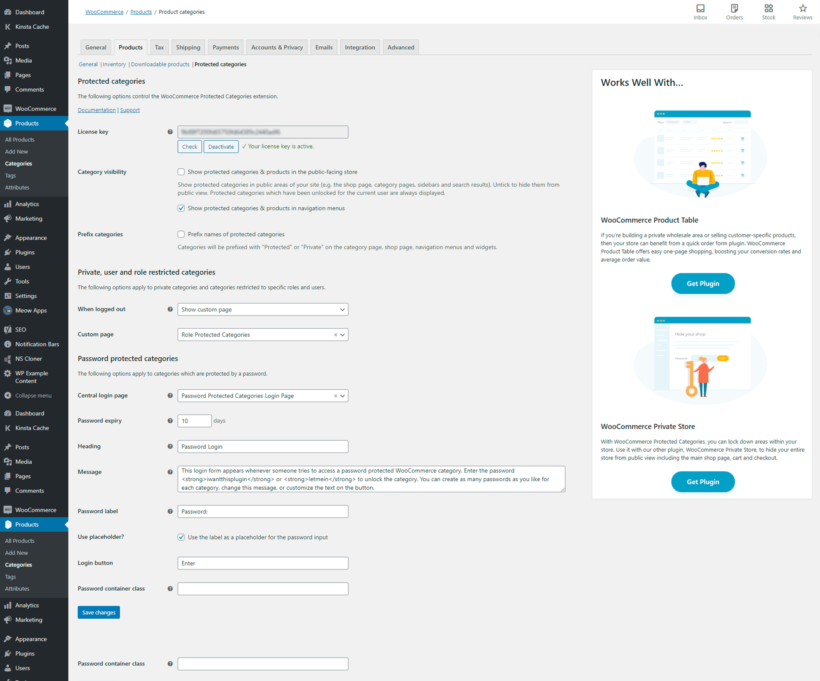
The login form redirects customers to the right products. Customize the form to suit your store, and choose whether to prefix protected category names with 'Protected'.
Role and user restriction
Restrict categories to roles or individual customers
Restrict categories to specific user roles (such as wholesale_customer or vip_member) or to individual customers. Protected categories appear automatically to the right users when they log into their account.
Password protection works well for temporary access or shared credentials, user protection suits customer-specific products, and role protection is ideal for membership tiers or wholesale customers.
Protects subcategories
Lock down entire areas with one setting
Protecting a parent category automatically secures its sub-categories and products. You don't have to protect each sub-category individually.
Products in more than one category
If a product is in both a public and a protected category, it stays protected, even if accessed from the public category. Each product can only be in one password protected category, but you can add a single product to multiple user or role protected categories.
Hide from your public store
Show or hide protected categories
By default, protected categories and products are listed in the public store, but customers must enter a correct password to access them. If you prefer, untick the box on the plugin settings page to hide them completely.
Invisible from public areas
Hidden categories and their products disappear from your main store and other locations such as related products and sidebar widgets. Public visitors will never know they exist!
Hide from menus and sidebars
Control your navigation menus
Choose whether links to protected categories appear in your navigation menus and widgets.
Links appear once customers gain access
Menu links and widgets appear automatically once customers log in or enter the correct password.
User-friendly
Quick setup in minutes
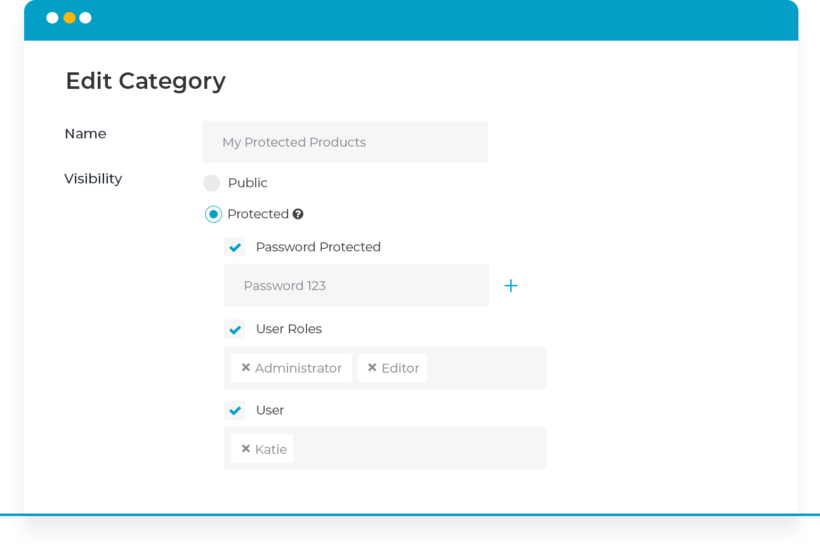
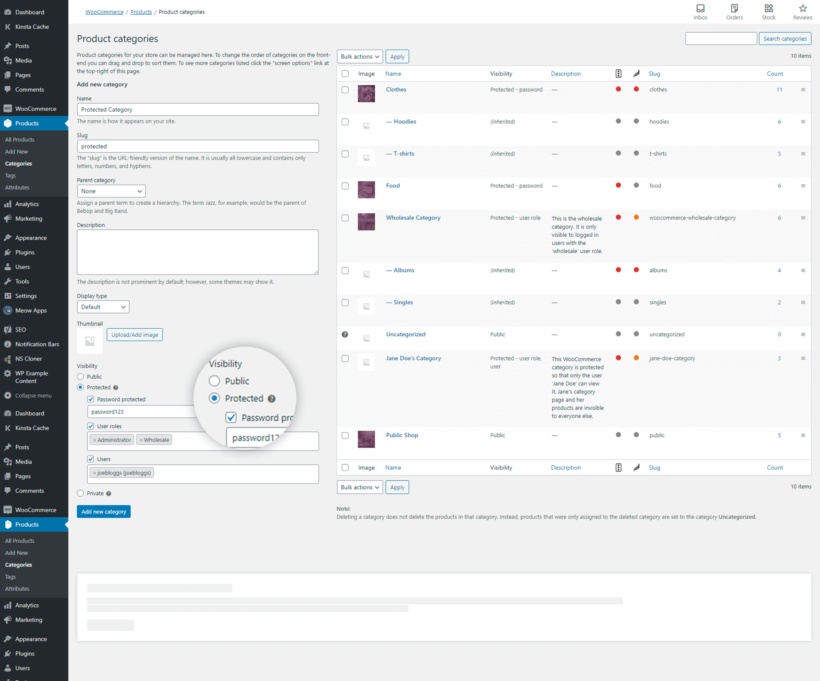
Edit a product category, choose “Protected” from the Visibility dropdown, and select password, user or role protection. The protection automatically applies to every product within the category and any sub-categories.
Simple for customers
Customers log in or enter a password once to unlock an entire category with all its sub-categories and products.
No developer needed
Protect categories without hiring a developer, writing code, or editing theme templates.
Works with other plugins
Product tables and wholesale
Combine it with WooCommerce Product Table to list hidden products in a searchable order form. For a dedicated wholesale solution, see WooCommerce Wholesale Pro.
“Wanted to hide WooCommerce categories - which to my dismay is not offered as standard - and stumbled upon this plugin. It does exactly what it promises. Installation and setup took just a few minutes!”
Dave Mansoor - Netherlands
★★★★★
“Great plugin. The install and configuration is very easy and has a good concise set of options. Barn2 are very helpful and clearly work hard to maintain a high standard of work and client support.”
Darrell Martin - UK
★★★★★
“We use Barn2's WooCommerce Protected Categories plugin to sell custom products to an expanding list of over 120 clients. The plugin has performed flawlessly for the past 18 months. I couldn't be happier and the service Barn2 provided was outstanding.”
David ReidMatch Up Badges - Australia
★★★★★
“I came across this plugin on YouTube and it appeared to do everything I wanted it to do in a sleek intuitive way. There are some learning curves since I'm new to WooCommerce but their support team have (and continue) to help where appropriate.”
All plans include free setup, updates and support. You can upgrade at any time and just pay the difference. If your annual license expires, the plugin will continue working on your site but you must renew to change settings or receive updates, new features or support.
EXPLORE SUCCESS STORIES
Explore real-world examples of how others are using this plugin to enhance their websites. Get inspired by innovative uses and discover new ways to make the most of its features.
WooCommerce Protected Categories is a WordPress plugin that adds access control features to WooCommerce product categories. It enables store owners to password-protect categories, restrict them to specific users or roles, and hide products from unauthorized visitors.
This plugin improves on the basic options built into WordPress by allowing you to protect entire categories and all their products in one go. It also adds extra protection options so that you can restrict categories and their products to specific logged in users or roles. Not only does this save time, it's a more complete solution than having to password protect every product individually.
What are the different types of category protection?
WooCommerce Protected Categories offers three types of protection:
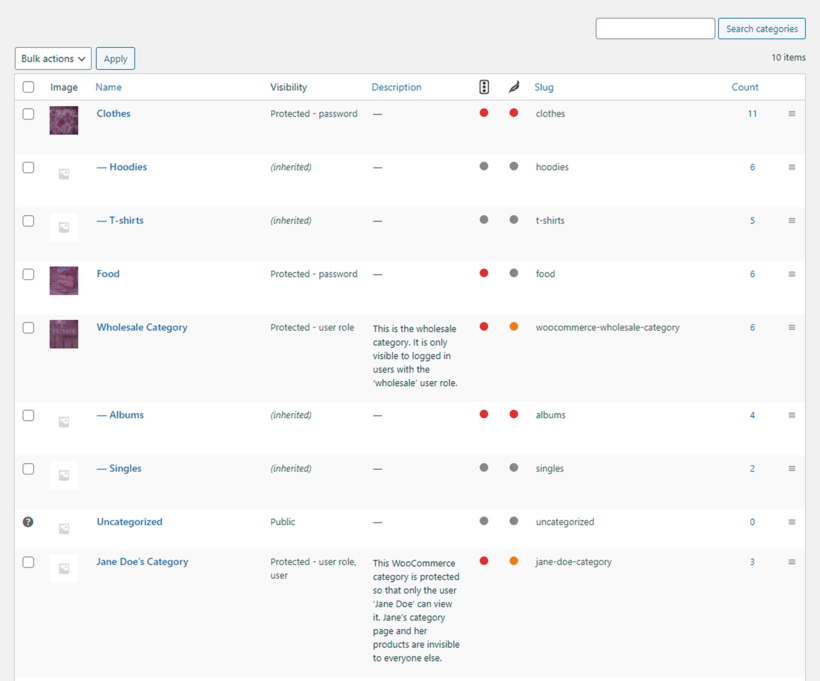
Password Protection: Password protection requires visitors to enter a specific password to access the category. Each category can have multiple passwords, and the same password can unlock multiple categories.
User Protection: User protection restricts categories to specific individual WordPress users. Only the selected users can view the category when logged into their accounts.
Role Protection: Role protection limits access to users with specific WordPress roles (such as wholesale_customer or vip_member). All users with the designated role automatically gain access when logged in.
Each protection type serves different use cases: password protection works well for temporary access or shared credentials, user protection suits customer-specific products, and role protection is ideal for membership tiers or wholesale customers.
How do WooCommerce password protected categories work?
If you password protect a WooCommerce category, it will lock down the whole category and any products within that category. Users must enter a correct password in order to view the category page, or any individual products within that category or its sub-categories. Each category can have one or more unique passwords and you can protect as many categories as you like.
Once a correct password has been entered for a category, it will 'unlock' that category so that the category page itself and any products within the category are visible and can be purchased.
How do WooCommerce user and role protected categories work?
You can set any of your product categories to only be available to specific logged in users or entire user roles. Simply choose this option for the category, and select one or more roles/users.
Customers with the correct role or user will automatically be able to access the category when they log into their user account.
How to set up password-protected categories in WooCommerce?
Setting up password-protected categories involves these steps:
Install and activate the WooCommerce Protected Categories plugin.
Navigate to Products → Categories in your WordPress admin.
Edit the category you want to protect.
Select "Protected" from the Visibility dropdown and choose either password protection, or user or role protection.
Go to WooCommerce → Settings → Products → Protected Categories and choose whether to hide the category from public areas. You can also edit the password login form which is used for your password protected categories.
The protection automatically applies to all products within the category and any sub-categories. Customers must enter the correct password on the login form to access the protected content, or log into their account.cific products, and role protection is ideal for membership tiers or wholesale customers.
Can I hide protected product categories from my public shop?
By default, protected WooCommerce categories and products are listed in the public store, but customers must enter a correct password to access them.
If you prefer, you can completely hide protected categories (and their products) from the shop. Simply untick the box on the plugin settings page. This will hide them from your main store and other locations such as related products and sidebar widgets.
You can also control whether links to protected categories appear in navigation menus. Public visitors will never know that your hidden categories and their products exist!
Can I have a public and wholesale store on the same website?
WooCommerce Protected Categories is popular for building a private wholesale store that runs alongside your public-facing shop. However, it wasn't built specifically for wholesale and you might prefer our dedicated wholesale plugin - WooCommerce Wholesale Pro.
WooCommerce Wholesale Pro has lots of extra features for wholesale, including:
Wholesale registration form (with or without moderation).
Dedicated wholesale login page.
Unlimited wholesale roles.
Sell the same products to public and wholesale customers, while showing each person the correct price for their role.
Works with our WooCommerce Product Table plugin for creating quick one-page wholesale order forms.
Can I create customer-specific WooCommerce categories?
Lots of people use WooCommerce Protected Categories to sell hidden products that are only available to one customer. For example, photographers use it to sell photos that are personal to each client.
Create one or more hidden categories for each customer and either password protect it or lock it down to a specific user account.
For WooCommerce password protected categories, the customer uses the central login form and is automatically directed to their own hidden category. For user protected categories, we have provided instructions on how to direct each individual customer to their private category after logging into their account.
Does it work with sub-categories?
Yes, the plugin is fully compatible with WooCommerce sub-categories. Protect a parent category, and all its sub-categories (and their products) are automatically protected in the same way.
The benefit is that if you have hierarchical categories, you don't have to protect each sub-category individually - just protect the parent category and you're good to go.
What if my product is in more than one category?
WooCommerce Protected Categories takes a secure approach where possible. If a product is in two categories - one public and one protected - the product will still be protected, even if accessed from the public category. If you want to sell the same product in a public and protected category, then we recommend using the free Duplicate Post plugin to quickly clone your products.
Each product can only be in one password protected category. You can add a single product to multiple user or role protected categories.
Can I make my entire WooCommerce store private?
Yes! Simply protect all your categories. However, you might be better off with our dedicated WooCommerce Private Store plugin instead.
Will it work with my theme and other plugins?
WooCommerce Protected Categories works with any well-coded WordPress theme and sits alongside the rest of your store's plugins. It works through WooCommerce's own category and visibility handling. You can protect categories without hiring a developer, writing code, or editing theme templates.
The Barn2 theme compatibility guide lists the themes we test with. If you do find a styling or compatibility issue, our support team will help.
Does it work in my language?
You can use our WordPress Protected Categories plugin with most multilingual plugins including WeGlot, TranslatePress and WPML. This makes it easy to translate your login page and protected categories into any language.
What are the minimum requirements for running the plugin?
WooCommerce Protected Categories is fully tested with the latest versions of WordPress and WooCommerce. We always recommend running the most up-to-date version, but we also support older installations:
WooCommerce 7.2 or greater (tested to 11.0.1)
WordPress 6.1 or greater (tested to 7.0.4)
PHP 7.4 or greater (tested to 8.5)
MySQL 5.7.8 or greater / MariaDB 10.3 or greater
What offers are available for WooCommerce Protected Categories?
Several offers are available if you are a nonprofit or wish to buy multiple plugins:
2-plugin bundle - Get WooCommerce Protected Categories together with WooCommerce Product Table at a reduced fixed price. Select the bundle in the pricing table above.
Multi-buy discount - Add any two or more Barn2 plugins to your cart and get 40% off automatically at checkout. The most expensive plugin stays at full price, and every other plugin is reduced by 40%. No coupon needed.
All Access Pass - For the best possible value, get our All Access Pass which gives you VIP access to our entire plugin suite including WooCommerce Protected Categories.
Charity discount - Registered nonprofits get 15% discount off.
It works perfectly - does exactly what it is advertised to do. Installed flawlessly, simple to use and password protects categories.
Stephen Starr
WooCommerce Protected Categories is a life saver
Rated 5 stars
By Stephen Starr on
I wanted to restrict purchase of some of the workbooks in my client's WooCommerce store to professionals who hold a credentials license. Protected Categories was the perfect solution. I can still show the products, but can easily make it know you can buy them with the password available from the administrator. This plugin saved hours of programming.
Carl Perry
Just what we needed!
Rated 5 stars
By Carl Perry on
We have a store offering bulk sales to different organizations. We needed the ability for the orgs to login and ONLY see their products. I couldn't believe how difficult this was to accomplish using WooCommerce out of the box due to the category/breadcrumb issues. As far as I know, this is the only plugin that accomplishes what we need for product separation, and it works perfectly. Support has also been quick and helpful.
Brendan Higgins
Super plugin and support
Rated 5 stars
By Brendan Higgins on
I have been using the WooCommerce Protected Categories plugin for a number of years after a recommendation from my web developer. As a photographer I can only say it's flawless, simple, and much more. The support from the Barn2 team is quick, efficient, and sorted in a very simple manner. Their website is a great place to inform you of everything you need to know. Keep up the great work and thank you for always being there for our company. From all the team at ladybirdstudios.
Donny
Perfect...
Rated 4 stars
By Donny on
The perfect plugin for my needs.
Inventive D
Support is very helpful
Rated 5 stars
By Inventive D on
Thanks a bunch to Edge and Abie for their support on an issue we had. Plugin works fantastic and we recommend it for customers who want similar functionality.
Sabine Ansoud
Fabulous customer service
Rated 5 stars
By Sabine Ansoud on
I can only praise the wonderful customer service you offer, fast and efficient. Thank you!
Marian Hull
Exactly what we needed
Rated 5 stars
By Marian Hull on
This plugin does exactly what we need. The installation was easy and the support staff responded quickly when needed.
Jade Morgan
Great Support
Rated 5 stars
By Jade Morgan on
Super efficient with support, and a great product. Good work, team!
Bruno
Cool Support
Rated 5 stars
By Bruno on
Thanks for the timely support! It is a very nice plugin, with a cool support team.
















Awesome Plug-In
By Beth on
It works perfectly - does exactly what it is advertised to do. Installed flawlessly, simple to use and password protects categories.