Increase your profits by adding advanced quantity rules to your WooCommerce store. Set minimum and maximum quantities, spending rules, defaults, step values and more.
With everything you need to manage your product quantities, look no further than WooCommerce Quantity Manager! 🚀
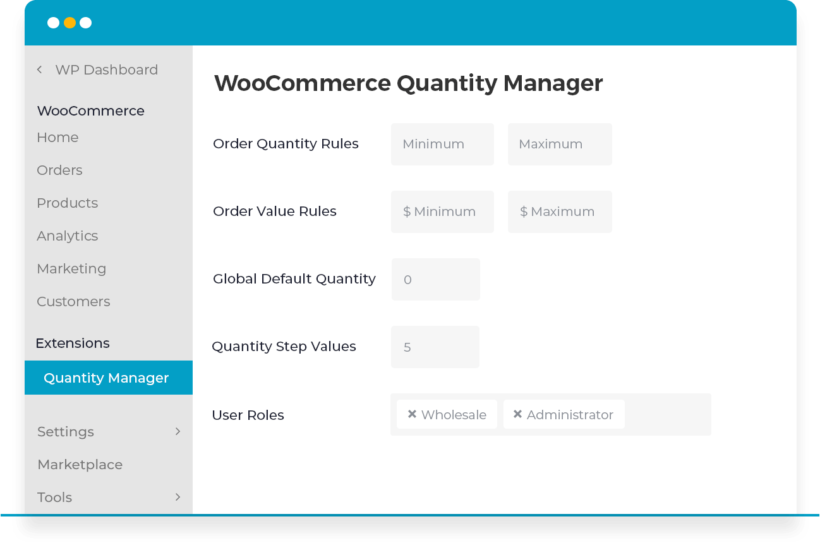
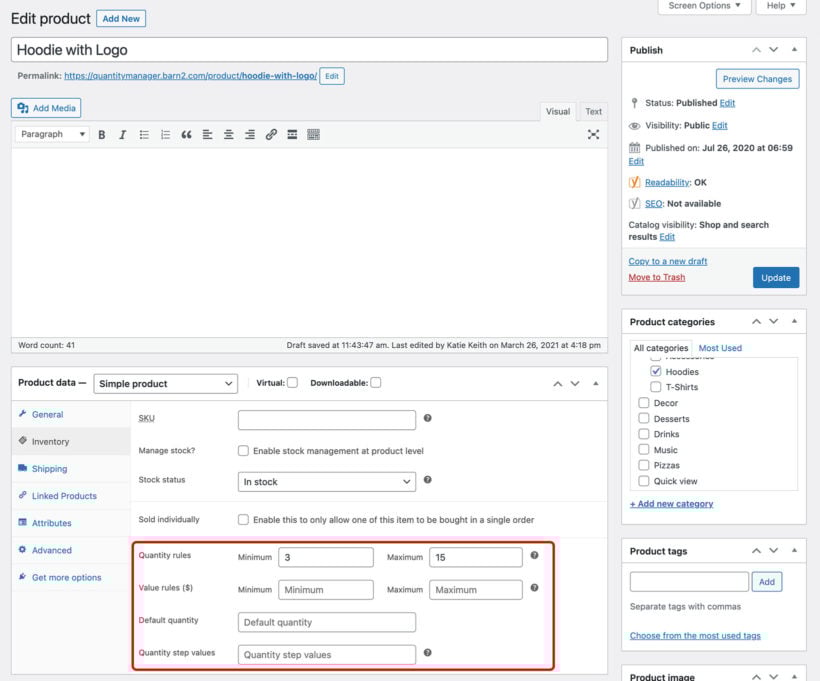
Minimum and maximum quantities
Minimum and maximum order values
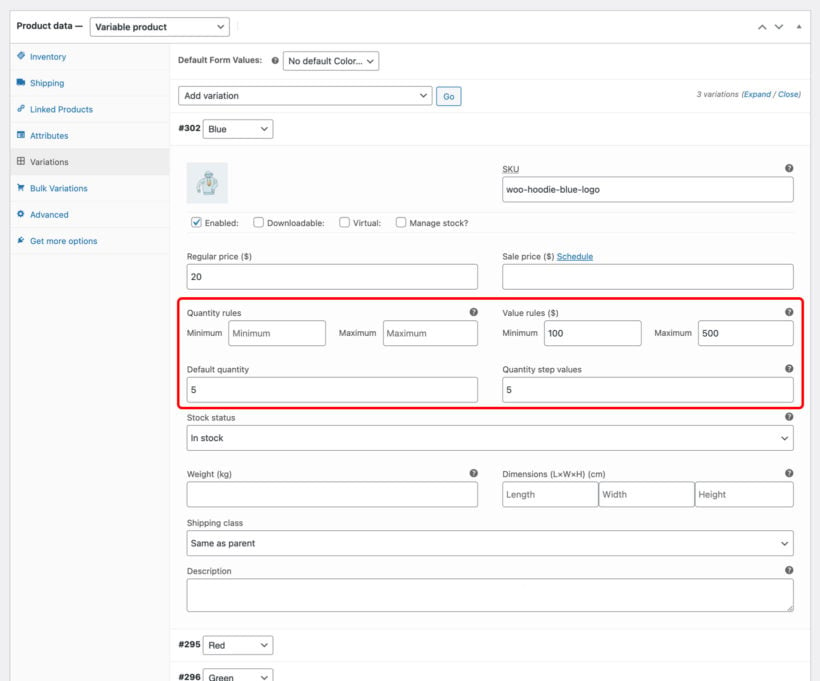
Quantity step values
Change the default quantity
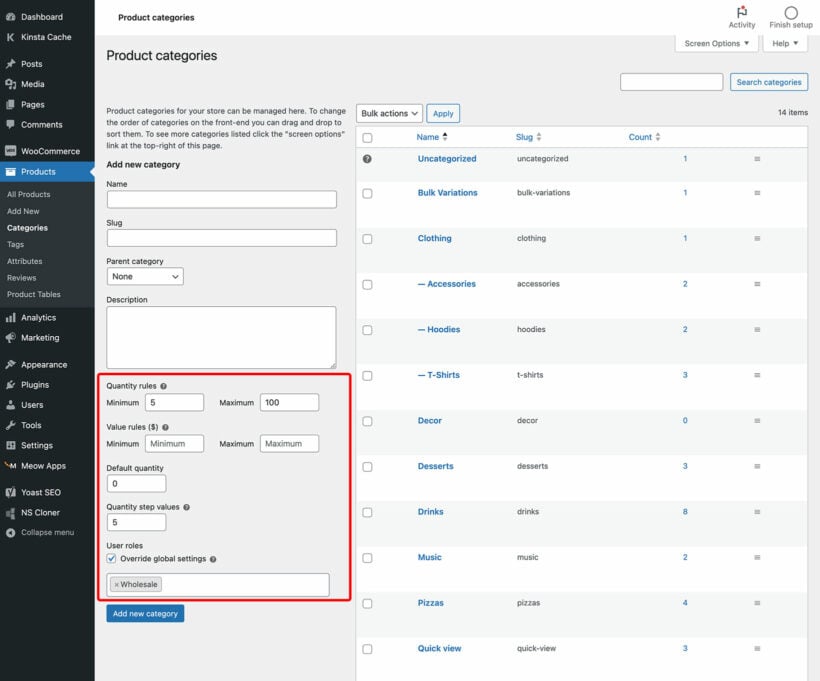
Rules per category or product
Rules per user role
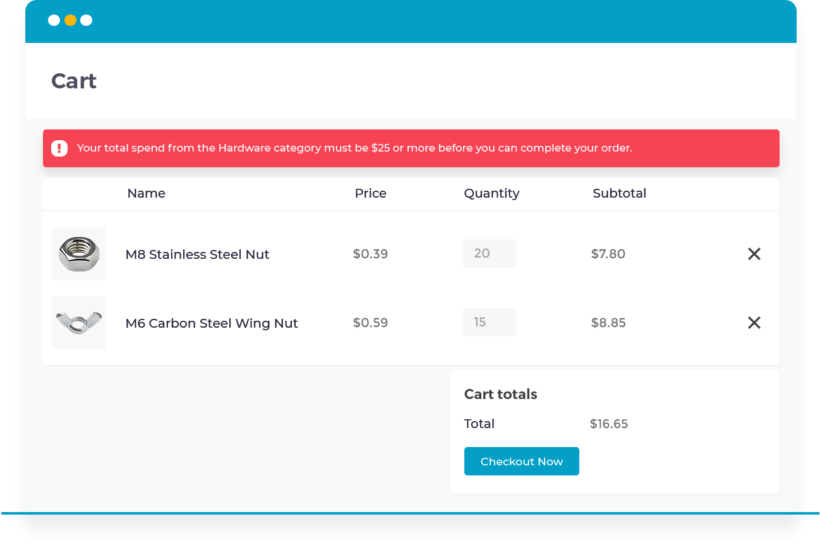
Helpful error messages
Works with Barn2 plugins
Min and max quantity and value
Minimum and maximum quantity and value
Set minimum and maximum quantities and spend amounts before the customer can checkout and complete their order.
Per product, variation, category or store
You can set a minimum and maximum quantity on individual products, on variations, on whole categories, or across the entire store, and you can mix those levels so a product rule overrides a category one.
Mix and match rules
You can mix and match rules, for example by combining quantity and value rules to ensure that customers buy the correct quantity and spend the correct amount.
Quantity step values
Interval-based quantities
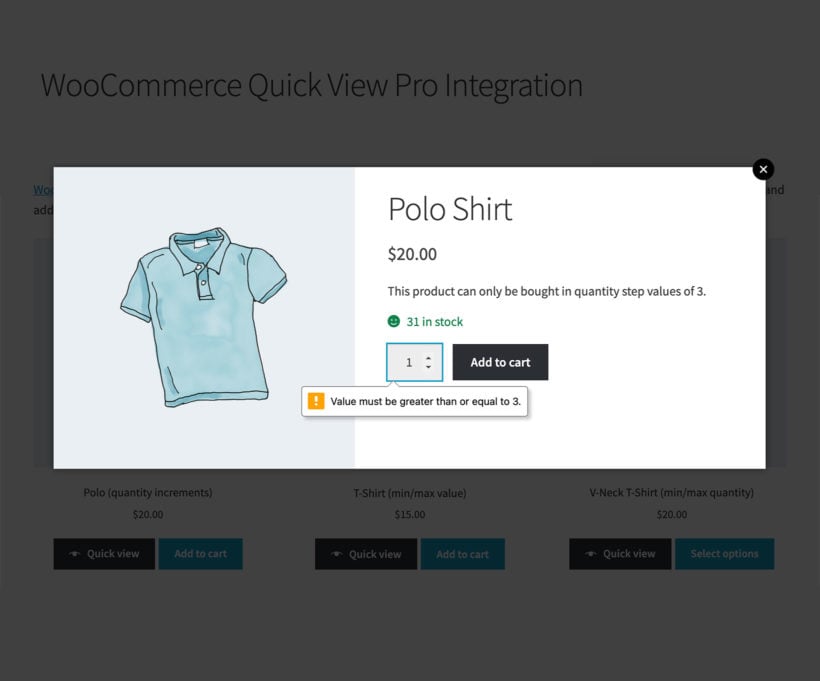
Add interval-based quantities and multiples. Customers must purchase in the required quantity groupings.
Force quantity groupings
If you set the quantity increment to 5 then customers must buy 5, 10, 15, 20, and so on. For example, customers can order in multiples such as 6, 12 or 24.
At every level
As with all the quantity rules, you can set the step values across your whole store or per category, product or variation.
Change the default quantity
Encourage customers to buy more
Subtly encourage customers to buy more by changing the initial starting value in the quantity field for each product.
Any number, including zero
You can change the default quantity value to any number, including zero.
Sensible fallbacks
If you set a default quantity that isn't possible due to your quantity rules, then the lowest possible quantity will appear as the starting value instead.
Fine-grained control
Rules at every level
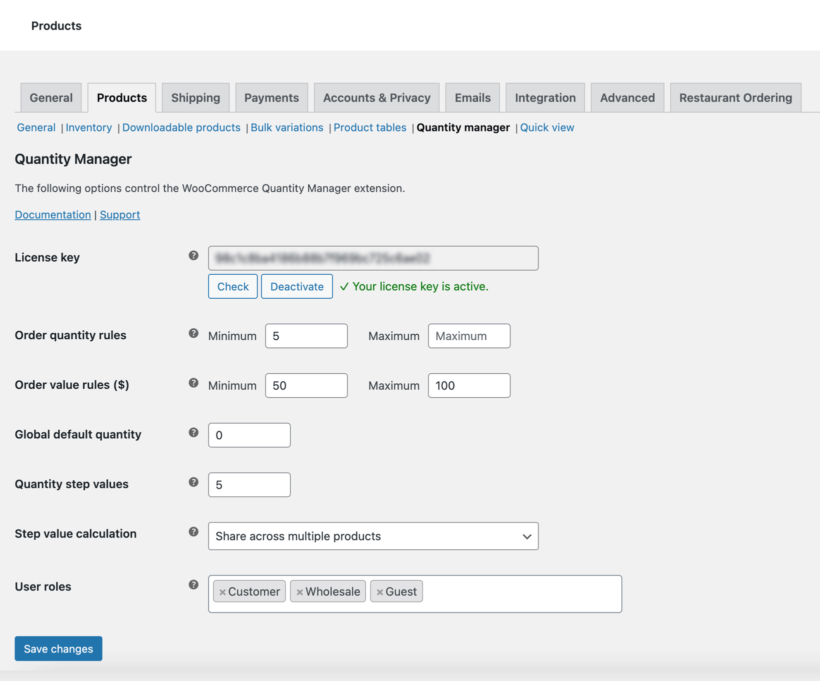
Set quantity rules globally for the entire order, or per category, product or even individual product variations.
Hierarchical logic
The global quantity rules can be overridden by category rules, which can be overridden by product-level rules, and so on.
Choose your user roles
You can also select which user roles your quantity rules apply to.
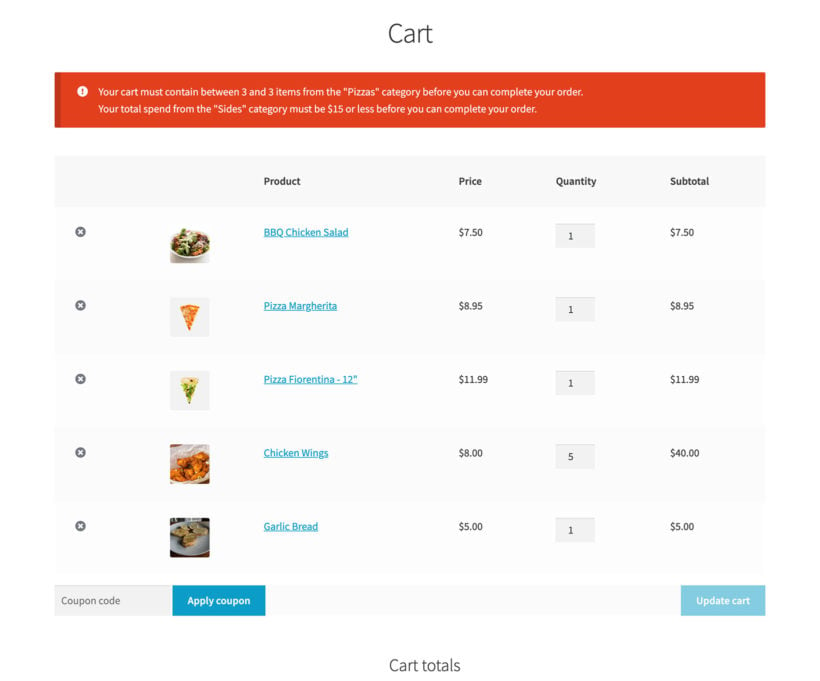
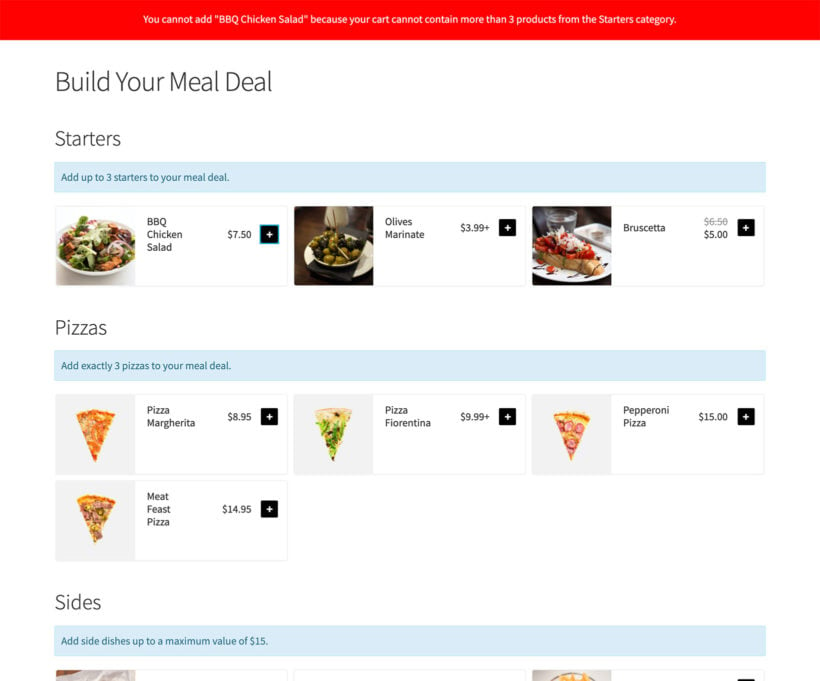
Helpful errors and prompts
Gentle guidance
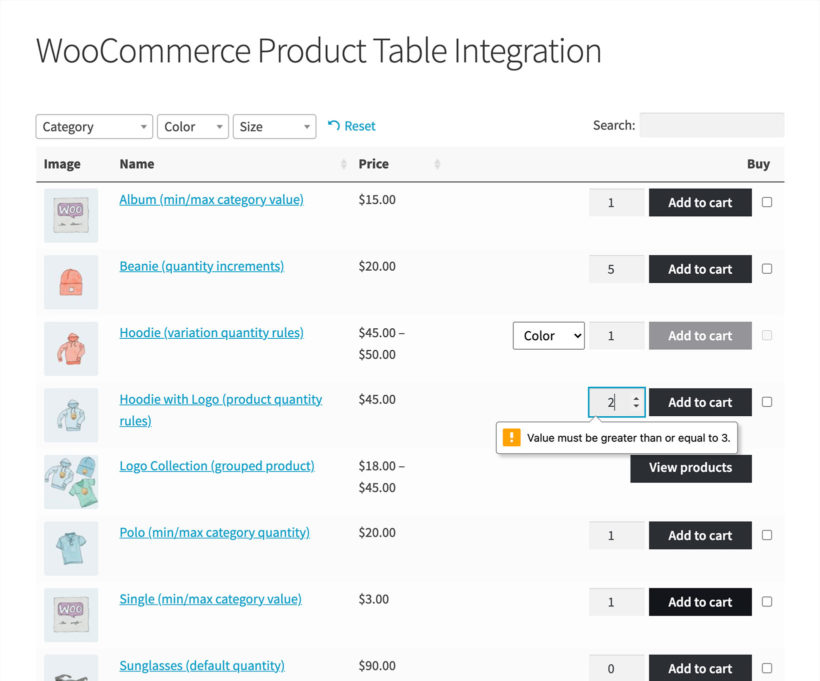
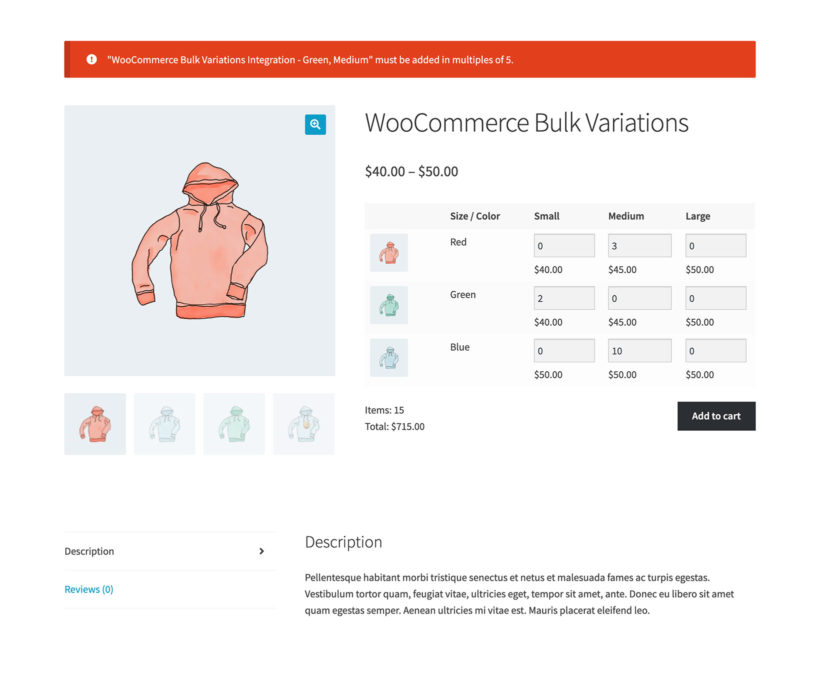
The plugin validates and gently guides customers to add the correct quantity so that they can proceed to the checkout.
Uses WooCommerce styles
It uses WooCommerce's built-in styles for error messages, so there is nothing in it that depends on your theme.
Super-fast setup
Easy and intuitive
WooCommerce Quantity Manager is easy and intuitive to use - ideal for both beginners and developers.
Works with your theme
It works with any well-coded WordPress theme and does not restyle the WooCommerce quantity field. You can use it without a developer, new code, or theme template edits.
Multilingual ready
Designed to work with any WordPress translation plugin such as WPML, WeGlot and TranslatePress, so you can translate the quantity error messages into any language.
Works with your other plugins
Tested with other plugins
We have tested WooCommerce Quantity Manager with lots of other plugins and published a list of compatible plugins.
WooCommerce Quantity Manager is about controlling the quantities which customers can purchase. If you want to change prices based on quantity, you can do this with WooCommerce Discount Manager.
“You can set the minimum quantity per product, or per category to make things easier. You can also set a rule so that this requirement is only for certain user roles (like wholesaler). Pretty nifty and powerful!
”
Michael Aulia - Australia
★★★★★
“Super simple addition. But boy removes the massive headache around min. order value with free shipping and wholesale bulk buying with price breaks at various volumes. Absolutely love it!”
John Garrett - USA
★★★★★
“A great plugin that does exactly what you would expect. It was easier to setup than other plugins, from looking at the documentation on the site. Great support from the Barn2 team too.”
Mark Wilkinson - Highrise Digital
★★★★★
“Barn2 is a rare company in this space - I have been building websites for many years and no other company has addressed issues as fast and diligently. They quickly move into action to add any features you suggest. Keep up the great work!”
All plans include free setup, updates and support. You can upgrade at any time and just pay the difference. If your annual license expires, the plugin will continue working on your site but you must renew to change settings or receive updates, new features or support.
Yes. You can set a minimum and maximum quantity on individual products, on variations, on whole categories, or across the entire store, and you can mix those levels so a product rule overrides a category one. You can also set a step value, so customers order in multiples such as 6, 12 or 24.
What type of quantity rules can I create?
Our WooCommerce quantity plugin lets you create 3 main types of quantity rules:
Minimum and maximum quantities and values.
Quantity increments or step values.
Change the default quantity.
All of the quantity rules can be set globally, per category, or per individual product or variation. You can also select which user roles your quantity rules apply to.
Can I force customers to buy in certain quantity groupings?
Yes - you can set quantity step values, in which customers can only buy in certain multiples. For example, if you set the quantity increment to 5 then customers must buy 5, 10, 15, 20, and so on.
As with all the quantity rules, you can set the step values across your whole store or per category, product or variation.
Can I set multiple quantity rules for the same WooCommerce product?
WooCommerce Quantity Manager has advanced logic to ensure that the correct quantity rule is always used. For example:
You can mix and match rules, for example by combining quantity and value rules to ensure that customers buy the correct quantity and spend the correct amount.
If you set a default quantity that isn't possible due to your quantity rules, then the lowest possible quantity will appear as the starting value instead.
The WooCommerce quantity plugin has advanced hierarchical logic built-in. The global quantity rules can be overridden by category rules, which can be overridden by product-level rules, and so on.
Can I change the default quantity to zero?
Absolutely - WooCommerce Default Quantity allows you to change the default quantity value to any number, including zero.
Does it have quantity-based pricing?
WooCommerce Quantity Manager is about controlling the quantities which customers can purchase. It does not affect pricing.
If you want to change prices based on quantity, then you can do this with our other plugin - WooCommerce Discount Manager. This lets you set a range of quantity-based pricing rules, all of which work nicely with WooCommerce Quantity Manager.
Will the WooCommerce quantity plugin work with my other plugins?
We have tested WooCommerce Quantity Manager with lots of other plugins and published a list of compatible plugins.
More widely, it works with the built-in WooCommerce quantity field and does not do anything that is likely to conflict with other plugins. The main exception is if you are using plugins that directly affect the quantity field, for example by setting their own quantity rules. As a result, we recommend using WooCommerce Quantity Manager to control all your quantity rules, instead of combining it with similar plugins.
The WooCommerce quantity plugin is also fully compatible with all Barn2 plugins.
Will it work with my theme and other plugins?
WooCommerce Quantity Manager works with any well-coded WordPress theme and the plugins we have tested with WooCommerce Quantity Manager. It does not restyle the WooCommerce quantity field. You can use it without a developer, new code, or theme template edits.
The plugin only controls which quantities a customer can pick. It uses WooCommerce's built-in styles for error messages, so there is nothing in it that depends on your theme.
The Barn2 theme compatibility guide shows which themes work with Barn2's plugins. If you do find a styling or compatibility issue, our support team will help.
Does it work in my language?
WooCommerce Quantity Manager is designed to work with any WordPress translation plugin such as WPML, WeGlot and TranslatePress. This makes it easy for you to translate the quantity error messages into any language and use the plugin on multilingual websites.
What are the minimum requirements for running the plugin?
WooCommerce Quantity Manager is fully tested with the latest versions of WordPress and WooCommerce. We always recommend running the most up-to-date version, but we also support older installations:
WooCommerce 7.2 or greater (tested to 11.0.1)
WordPress 6.1 or greater (tested to 7.0.4)
PHP 7.4 or greater (tested to 8.5)
MySQL 5.7.8 or greater / MariaDB 10.3 or greater
What offers are available for WooCommerce Quantity Manager?
Several offers are available if you are a nonprofit or wish to buy multiple plugins:
2-plugin bundle - Get WooCommerce Quantity Manager together with WooCommerce Product Table at a reduced fixed price. Select the bundle in the pricing table above.
Multi-buy discount - Add any two or more Barn2 plugins to your cart and get 40% off automatically at checkout. The most expensive plugin stays at full price, and every other plugin is reduced by 40%. No coupon needed.
All Access Pass - For the best possible value, get our All Access Pass which gives you VIP access to our entire plugin suite including WooCommerce Quantity Manager.
Charity discount - Registered nonprofits get 15% discount off.
High-quality plugin, both from the user's (or WordPress admin's) perspective and in code.
The authors were very responsive and helpful with any feedback provided.
Quinton
Stable
Rated 5 stars
By Quinton on
A solid, stable plugin from what I'd expect from you. Nice to be able to get stable plugins. Thanks!
Neil Forrester
WooCommerce Quantity Manager
Rated 5 stars
By Neil Forrester on
I bought this plugin for a wholesale WooCommerce site. We wanted to control the min and max quantities a wholesale customer could buy from specified categories to match flat rate shipping rules. In addition to min-max rules, it would be great to add min-max quantity breakpoints to match flat rate shipping rules for quantities sold to wholesalers. Hopefully, this plugin will have this feature one day. :) That said, the product has done a great job for me and customer support is great.
Michael Aulia
Flexible and works great
Rated 5 stars
By Michael Aulia on
You can set the minimum quantity requirement per product, or per category to make things easier. You can also set a rule so that this requirement is only for certain user roles (like wholesaler). Pretty nifty and powerful!
Predrag Gasic
A plugin for WooCommerce? Barn2 the first address.
Rated 5 stars
By Predrag Gasic on
Big thanks to the team at Barn2. Very good WooCommerce plugin, easy to use without any problems. For us, Barn2 is one of the first addresses to go to in this environment.
John Garrett
It's from Barn2. What else would you expect?
Rated 5 stars
By John Garrett on
Super simple addition. But boy removes the massive headache around min. order value with free shipping and wholesale bulk buying with price breaks at various volumes. Absolutely love it!
Rob
Very easy to use
Rated 5 stars
By Rob on
Very easy to use with no problems. It was the first time that I bought a plugin and it went very easy.
Sancar Saran
Good Plugin, Good Support
Rated 5 stars
By Sancar Saran on
The plugin does what it is advertised as. Also it has API support (that's why we choose it). And it works for 10k+ products without any problems.
Plus support is very good. They even send required documents before the purchase.
Best money we've spent on WordPress.
Bruno
Good support
Rated 5 stars
By Bruno on
Nice plugin. We found a bug and notified the team. They fixed the issue within few days. Good job!



















Does what it promised
By Eva Caramello on
A perfect ratio performance vs price.