Show customers when orders will ship, reducing cart abandonment and support queries
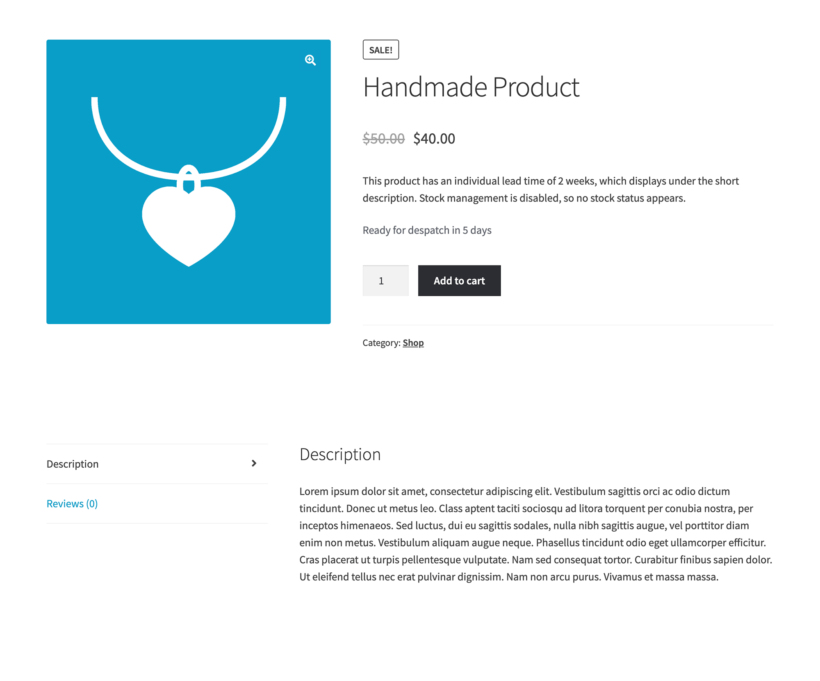
Custom & Hand-Made Products
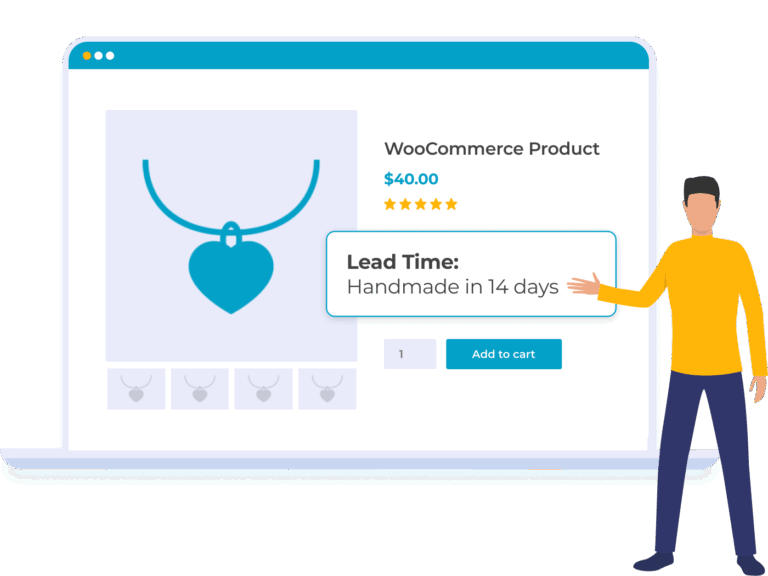
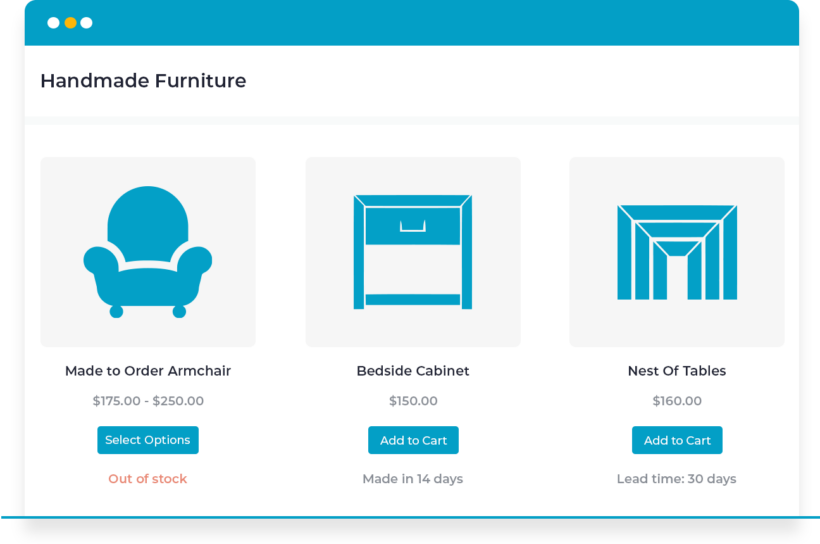
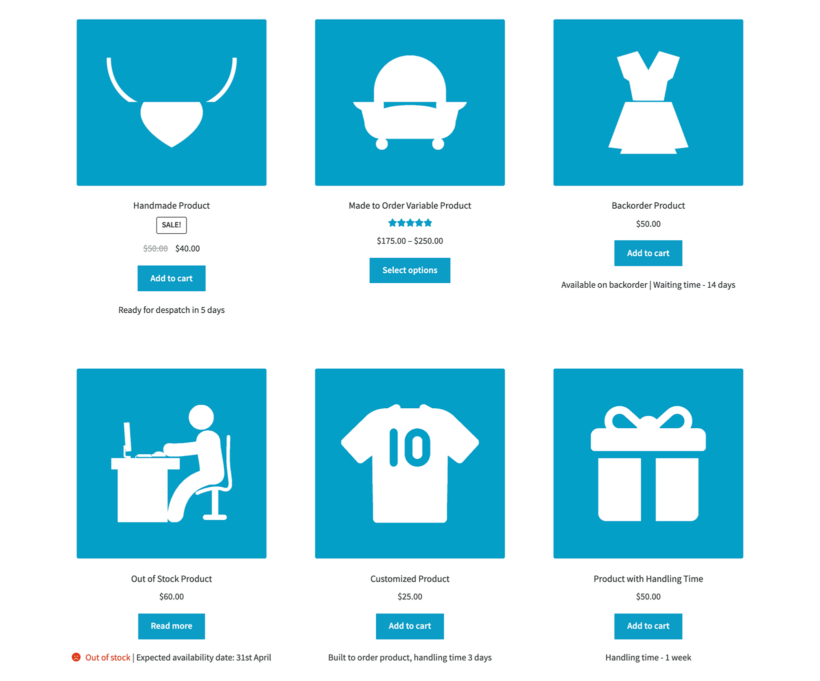
Show WooCommerce lead times on shop page, categories, products, cart, checkout, and emails
Set the product lead time globally or per category, product or variation
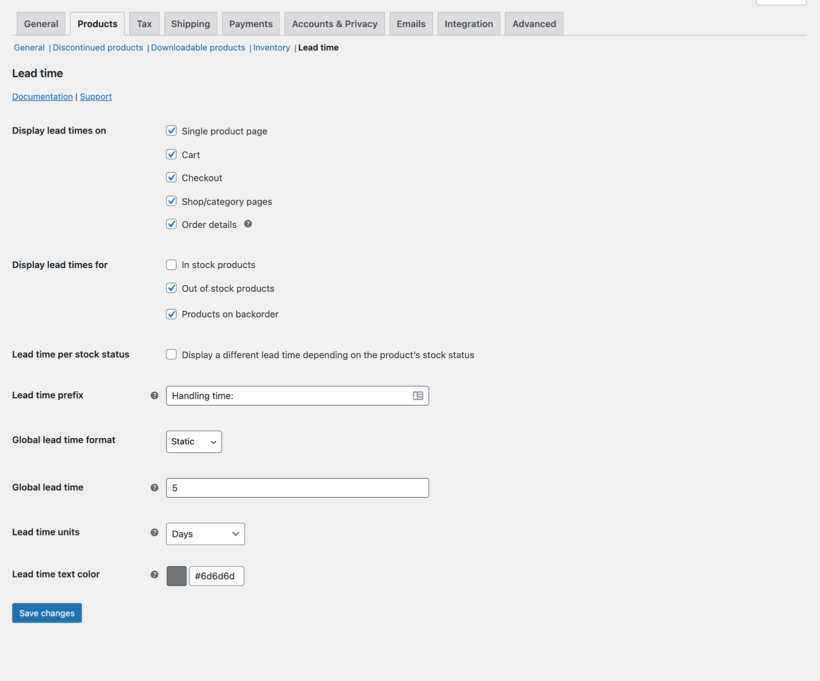
Customize the lead time wording & text color
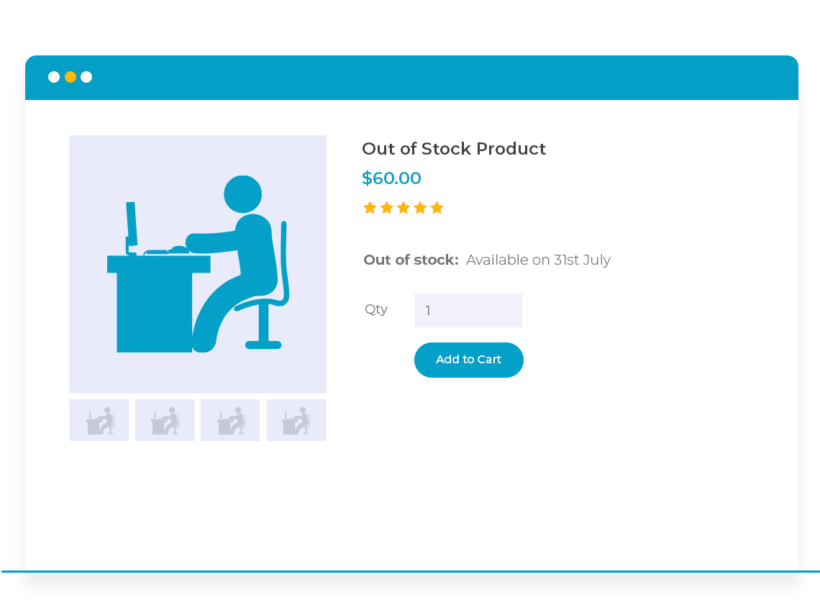
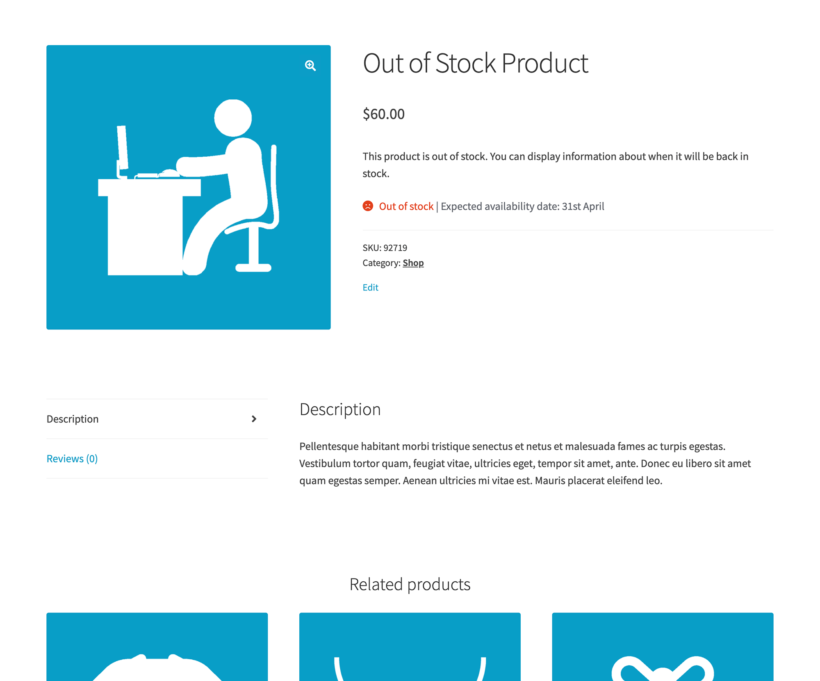
Show Lead Times for Out of Stock Products
Display a message as soon as products sell out
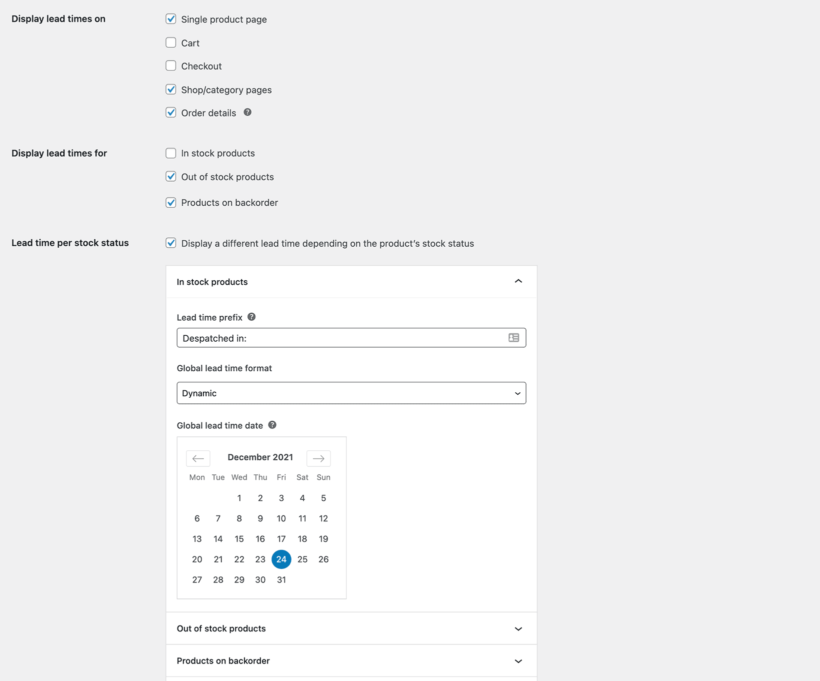
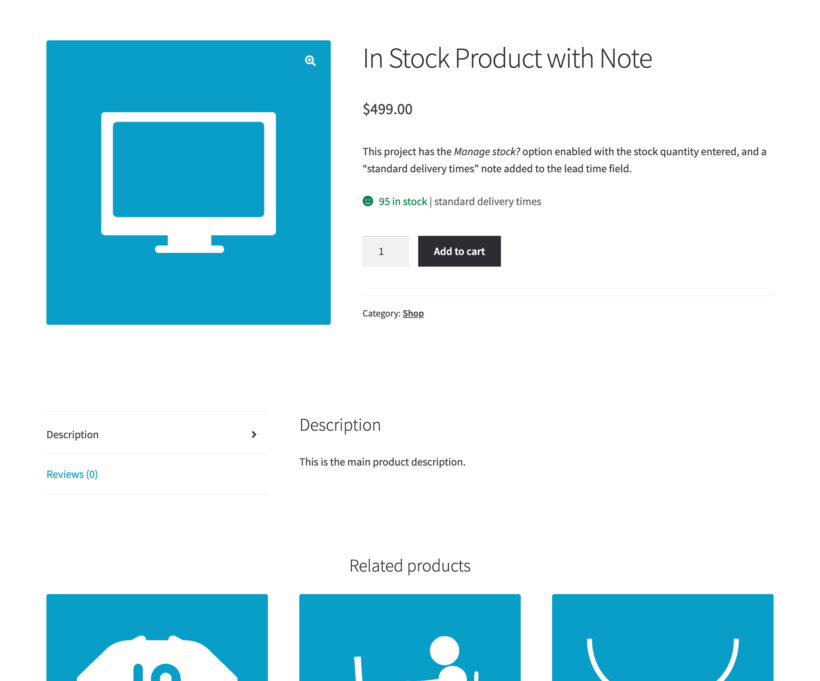
Set separate lead times for In Stock, Out of Stock and Backorder products
Perfect for artisans, manufacturers, dropshippers, and anyone who doesn't ship from stock
Automatic Lead Time Calculations
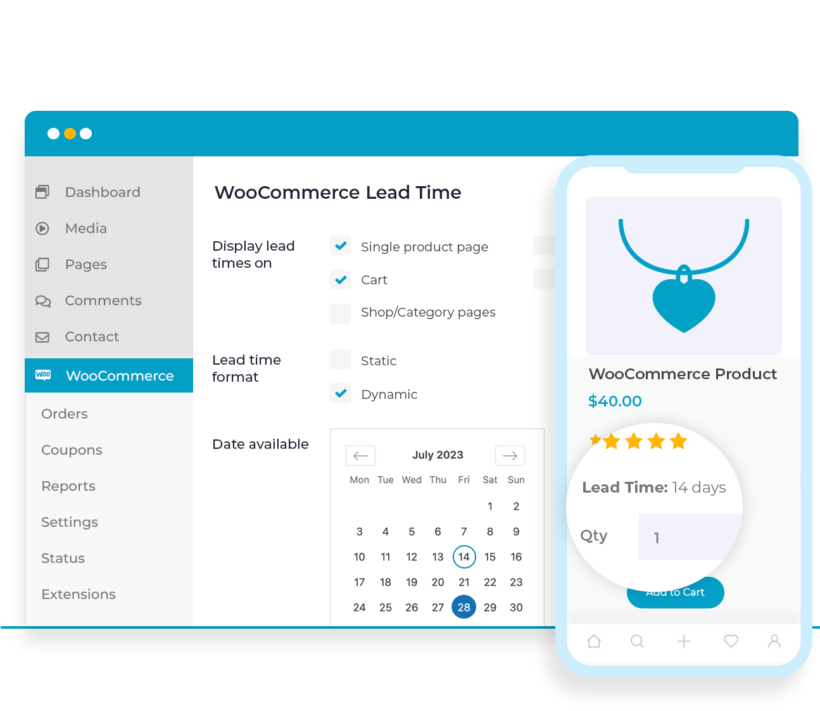
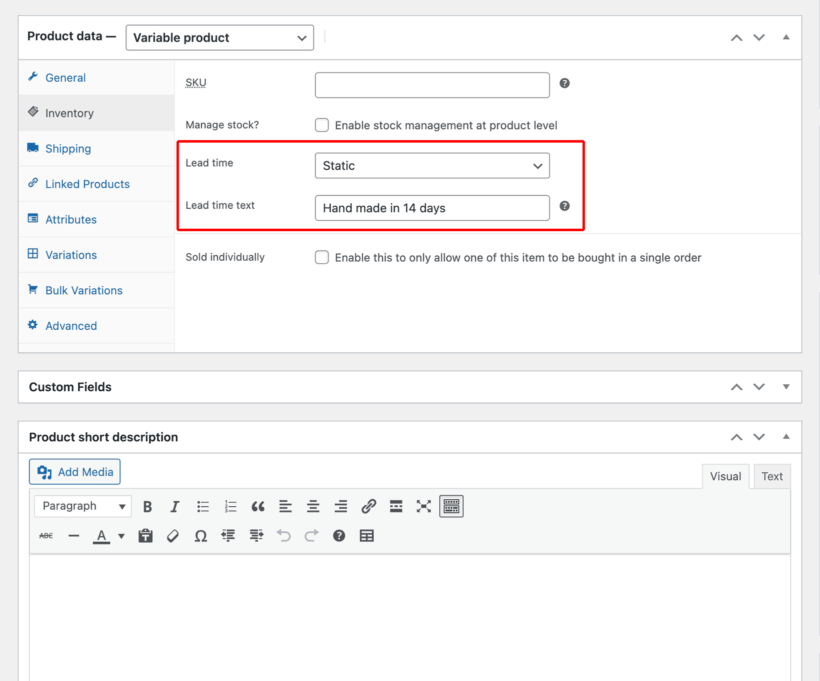
Add a static lead time message or calculate the waiting time dynamically
Select a date and the plugin will automatically display the number of days remaining
PACKED WITH FEATURES
With everything you need to show product waiting times, look no further than WooCommerce Lead Time! 🚀
Show product waiting times
Cart, checkout and emails
Global, category or product
Static or dynamic lead times
Custom wording and color
Lead times per stock status
Works with Barn2 plugins
Translation ready
Keep customers informed
No need to call for availability
Customers see the expected waiting time and decide whether to order.
Fewer abandoned carts and support emails
Customers hate uncertainty. When they can't find out how long they'll wait for their order, they often abandon their cart or flood your inbox with "Where's my order?" emails.
Set the right expectations
By displaying lead times clearly, you set the right expectations upfront. A customer who knows their custom furniture takes 3 weeks to build won't email you after 3 days asking where it is.
Display product lead times
Show lead times where customers need them
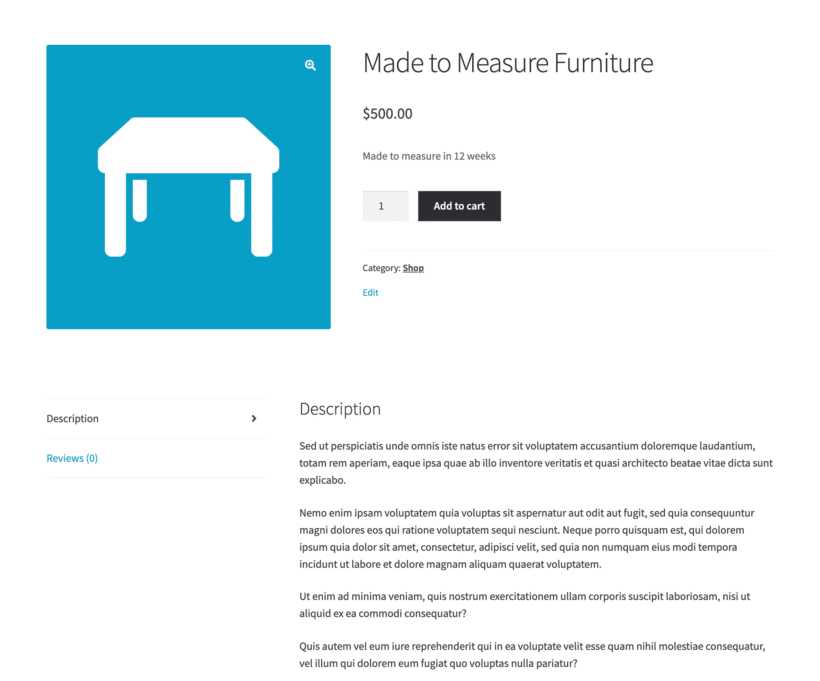
Display product lead times on product pages or even on the main shop page - exactly where customers need it.
Choose the locations
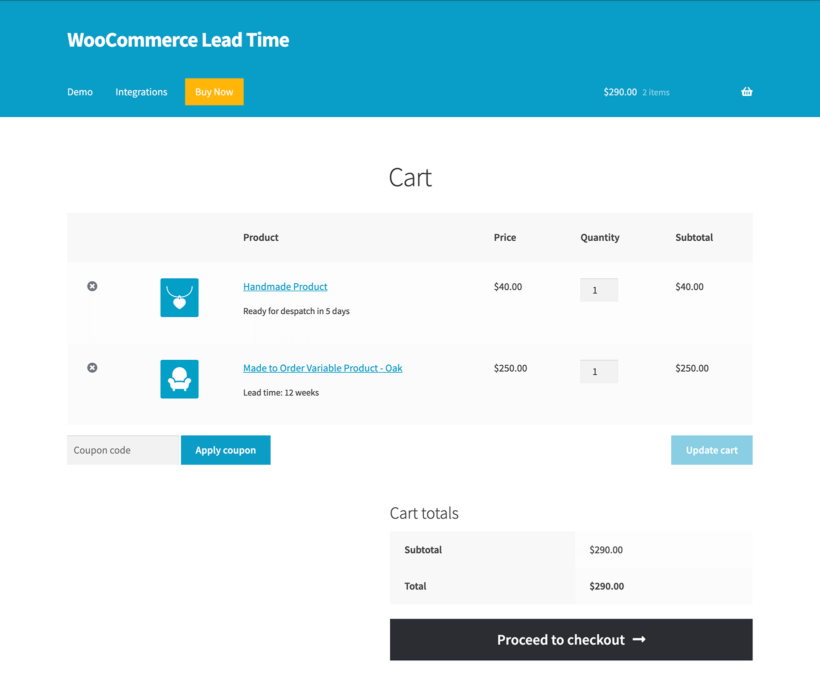
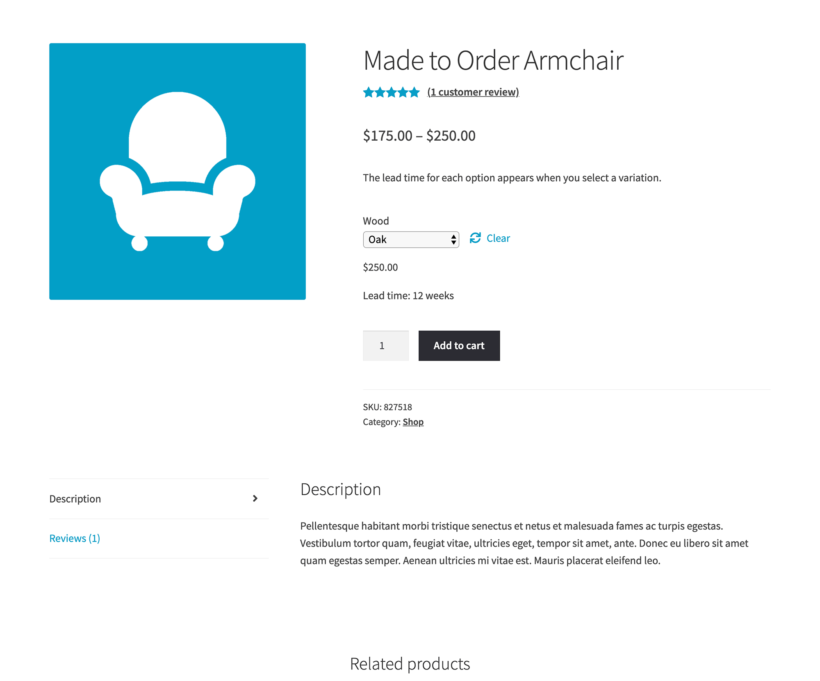
WooCommerce Lead Time can show lead times on the single product page, shop page, products categories, cart, checkout, order details page, and order confirmation emails. You can easily show or hide the product lead time for each of these locations.
Lead time block
It also comes with a lead time block. Use this if you're using blocks to create product lists and want to include the lead time on these pages.
Fine-grained control
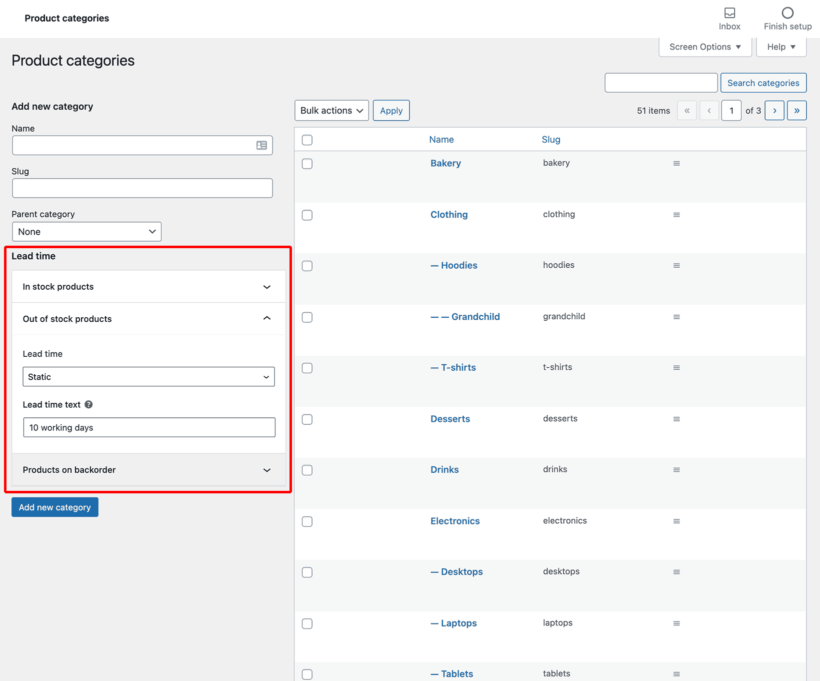
Set lead times at every level
Quickly set static or dynamic lead times per stock status, category, product, variation, or storewide.
Lead times per stock status
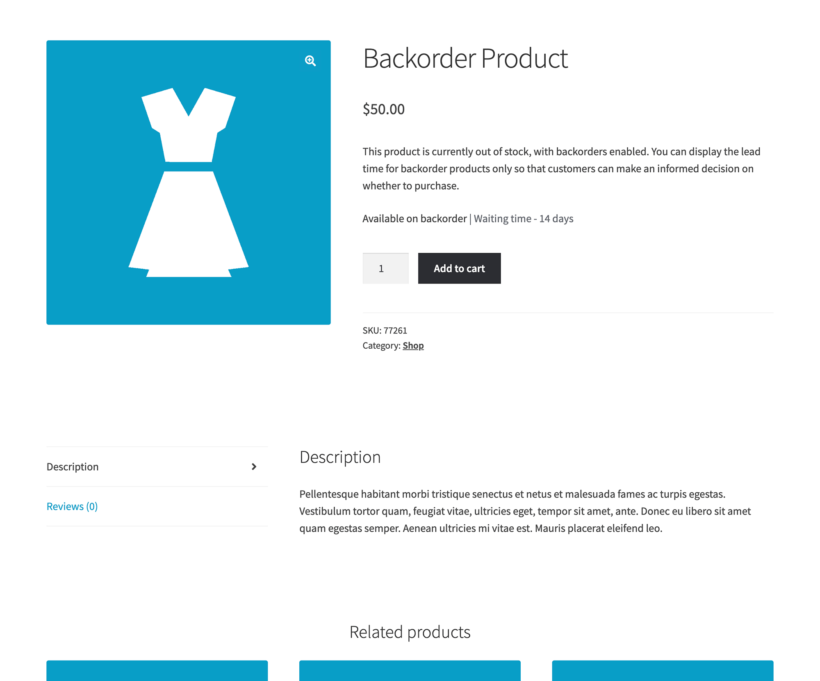
Stock-based lead times automatically display different WooCommerce lead times when products are in stock, out of stock, or on backorder.
The most appropriate lead time always wins
You can use all the different lead time options together. A variation lead time overrides a product lead time, which overrides a category lead time, which overrides the global lead time.
Static and dynamic lead times
Static lead times
You add some fixed text to display on the page. For example, if you add a static lead time of "5 days" then "5 days" will always appear. This is the best option if your products always have consistent lead times.
Dynamic lead times
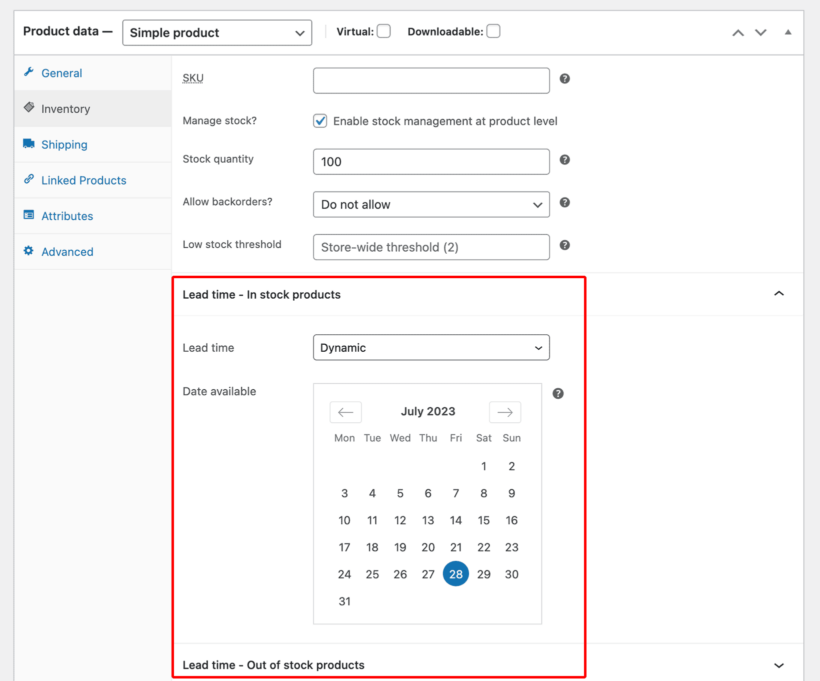
You set a date when the product will become available, and the plugin automatically calculates the WooCommerce lead time based on this date. The dynamic lead time counts down to a fixed date you set in advance - it does not calculate a date relative to when the customer places their order.
Mix and match
You can use a combination of static and dynamic lead times for different products and stock statuses.
Customizable lead time text
Use any wording
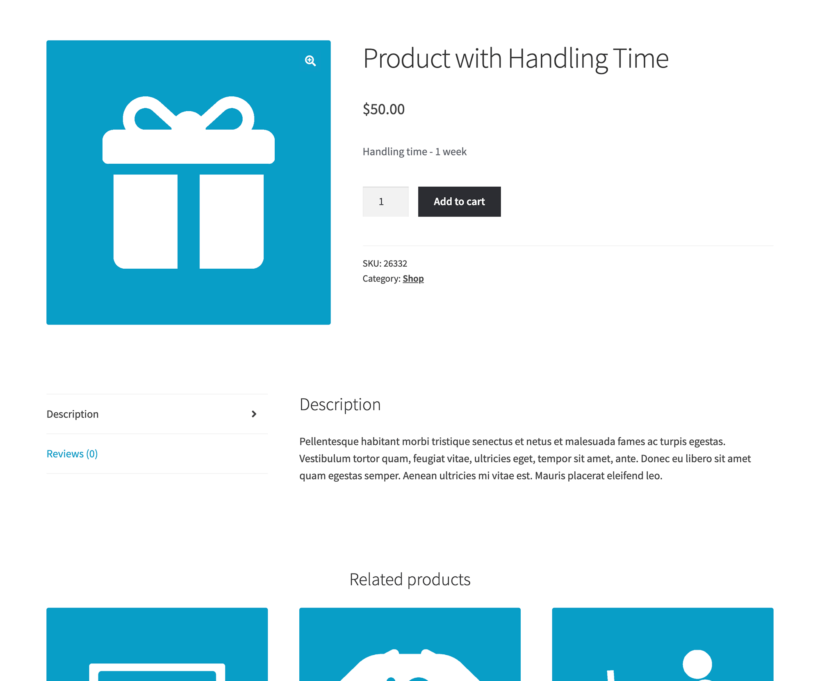
Use any wording - '2-day handling time', 'processing time: 4 hours', 'estimated delivery on 1 July'...
Change the text color
The lead time shows in a generic dark grey by default. You can change that with the color picker on the plugin settings page.
Works with your theme and plugins
Works with your theme
The WooCommerce lead time message styling is inherited from your theme, ensuring a perfect match. It works with any well-coded WordPress theme, with no developer, custom code, or theme file edits needed.
Use WooCommerce Lead Time with the WooCommerce Opening Hours & Chosen Times plugin. Customers can only select delivery slots after the longest lead time for the products in their cart.
Multilingual ready
Designed to work with any WordPress translation plugin such as WPML, WeGlot and TranslatePress.
“A great little plugin that’s easy to configure and comes with a good price point. It gives you the option to either set lead times globally or individually. I set mine globally then tweaked a few individually.”
Jake Smith - UK
★★★★★
“We were looking for a plugin that would add the backorder lead time to different products. WooCommerce Lead Time did just that, and the customer support is awesome - just what I needed!”
Amy DeLardi, US
★★★★★
“WooCommerce Lead Time is lightweight, works beautifully and any questions that I've had have been answered instantly and comprehensively the support team. I'll definitely be recommending Barn2 plugins to my other clients.”
Dave Laslett
★★★★★
“I came across this plugin on YouTube and it appeared to do everything I wanted it to do in a sleek intuitive way. There are some learning curves since I'm new to WooCommerce but their support team have (and continue) to help where appropriate.”
All plans include free setup, updates and support. You can upgrade at any time and just pay the difference. If your annual license expires, the plugin will continue working on your site but you must renew to change settings or receive updates, new features or support.
What exactly is a WooCommerce lead time, and why do customers care?
Lead time is the processing period between when a customer orders and when you ship their product - it doesn't normally include delivery time.
Customers hate uncertainty. When they can't find out how long they'll wait for their order, they often abandon their cart or flood your inbox with "Where's my order?" emails.
By displaying lead times clearly, you set the right expectations upfront. A customer who knows their custom furniture takes 3 weeks to build won't email you after 3 days asking where it is. They'll happily wait because they knew what to expect when they ordered.
The WooCommerce Lead Time WordPress plugin automatically displays these waiting times throughout your store. They appear on product pages, in the cart, at checkout, and in order emails. No more guessing games for your customers.
Can I show the lead time depending on the stock status?
Stock-based lead times automatically display different WooCommerce lead times when products are in stock, out of stock, or on backorder.
Just add a WooCommerce lead time for the product, and choose whether you want it to appear for In Stock, Out of Stock or On Backorder products. If you choose Out of Stock and/or Backorder, then no lead time will appear for In Stock items. When they go out of stock, the lead time message will appear automatically.
WooCommerce Lead Time also has an option to set a different lead time for each stock status. For example, you might want to set a lead time of "1 working day" for In Stock products, and a lead time of "2 weeks" for On Backorder products. When stock runs out, the lead time message will automatically change so that customers always know what to expect.
Can I set global, category, product, AND variation lead times?
Yes - you can use all the different lead time options together. The plugin contains advanced logic to ensure that if more than one lead time applies, then it will always show the most appropriate lead time. For example:
If a global lead time is set, then this will only be used for categories and products that do not have their own lead times.
The category lead time will override the global lead time, and will only appear on products that do not have individual lead times.
A product lead time overrides the global and category lead times.
An individual variation lead time will override all the above.
Can the plugin calculate the lead time dynamically?
The WooCommerce Lead Time plugin comes with two types of product lead time:
Static lead times - You add some fixed text to display on the page. For example, if you add a static lead time of "5 days" then "5 days" will always appear. This is the best option if your products always have consistent lead times.
Dynamic lead times - You set a date when the product will become available, and the plugin automatically calculates the WooCommerce lead time based on this date. For example, if you have ordered stock to arrive on 30th November and it is currently 10th November then the lead time will be displayed as "10 days". This is the best option if a product is due to arrive on a particular date, after which it will become available. The dynamic lead time counts down to a fixed date you set in advance - it does not calculate a date relative to when the customer places their order.
You can use a combination of static and dynamic lead times for different products and stock statuses.
Can I combine the lead time with the delivery timescale?
Yes, you can combine lead times with delivery dates using by using WooCommerce Lead Time with the WooCommerce Opening Hours & Chosen Times plugin. The two plugins work together automatically:
WooCommerce Lead Time displays the processing time on product pages.
Opening Hours & Chosen Times adds this lead time to calculate available delivery dates.
Customers can only select delivery slots after the longest lead time for the products in their cart.
For example, if a cart contains products with 7-day and 14-day lead times, then customers can only choose delivery slots 14+ days in the future. This ensures all products are ready before the delivery date.
This combination is perfect for stores that want to show both lead times and delivery dates. It gives customers complete visibility of when they'll receive their order.
Can I show the lead time outside of the single product page?
WooCommerce Lead Time can show lead times on the single product page, shop page, products categories, cart, checkout, order details page, and order confirmation emails. You can easily show or hide the product lead time for each of these locations.
It also comes with a lead time block. Use this if you're using blocks to create product lists and want to include the lead time on these pages.
For even more ways to display lead times, you can use WooCommerce Lead Time alongside our other plugins:
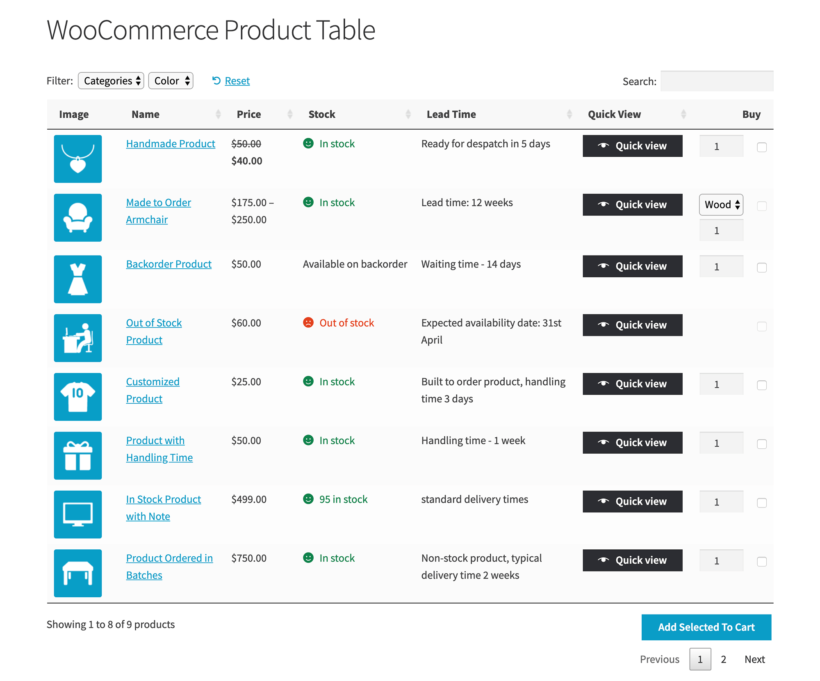
Combine WooCommerce Lead Time with our WooCommerce Product Table plugin to list products anywhere on your site, complete with lead time column. You can use product tables to list products on any page or post, or on shop and product category pages.
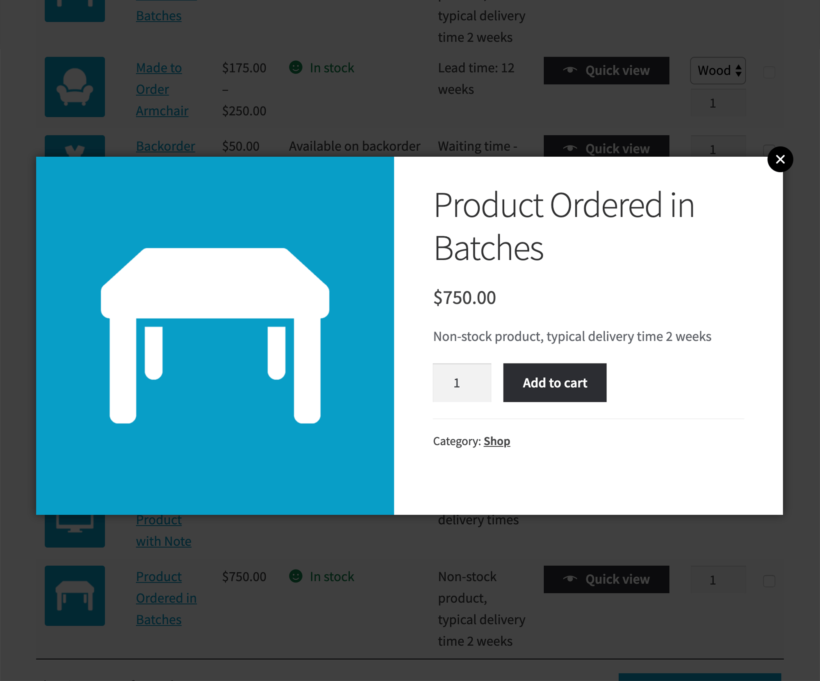
Use WooCommerce Lead Time with WooCommerce Quick View Pro to show lead times within a product lightbox, which can be accessed from the shop page, category archive pages, or related products.
Install WooCommerce Fast Cart to allow customers to quickly complete their order in a popup cart and checkout, complete with lead time information.
WooCommerce Lead Time works with any well-coded WordPress theme and most plugins. It uses your existing fonts and is styled to look good with most themes. You can add lead times without a developer, custom code, or theme file edits.
The lead time shows in a generic dark grey by default. You can change that with the color picker on the plugin settings page.
WooCommerce Lead Time shows inside the stock element on the single product page. It uses the same position even when you are not managing stock, which keeps the spacing right in every theme. Because it only writes into the stock part of the product page, it works with most plugins. It is fully compatible with all Barn2 plugins and most plugins from other companies.
WooCommerce Lead Time is designed to work with any WordPress translation plugin such as WPML, WeGlot and TranslatePress. This makes it easy for you to translate the lead time text into any language and use it on multilingual websites.
What are the minimum requirements for running the plugin?
WooCommerce Lead Time is fully tested with the latest versions of WordPress and WooCommerce. We always recommend running the most up-to-date version, but we also support older installations:
WooCommerce 7.2 or greater (tested to 11.0.1)
WordPress 6.1 or greater (tested to 7.0.4)
PHP 7.4 or greater (tested to 8.5)
MySQL 5.7.8 or greater / MariaDB 10.3 or greater
What offers are available for WooCommerce Lead Time?
Several offers are available if you are a nonprofit or wish to buy multiple plugins:
Multi-buy discount - Add any two or more Barn2 plugins to your cart and get 40% off automatically at checkout. The most expensive plugin stays at full price, and every other plugin is reduced by 40%. No coupon needed.
All Access Pass - For the best possible value, get our All Access Pass which gives you VIP access to our entire plugin suite including WooCommerce Lead Time.
Charity discount - Registered nonprofits get 15% discount off.
Support actually responded in a timely manner (hours not days) and solved our issue after some back and forth troubleshooting with our developer. We have multiple Barn2 plugins and have had the same experience. Thanks Carl D.!
GEORGIOS OUGIAROGLOU
Very polite, distinctive & professional support team
Rated 5 stars
By GEORGIOS OUGIAROGLOU on
I was asked to leave a review for the WooCommerce Lead Time plugin and instead of doing nothing as I usually do, I am sitting down to review it.
I am doing it not so much for the plugin that helped me to improve my business further, but because of the way this company and Katie work. Very polite, distinctive, and professional. The plugin gives what it is designed for: INFORMATION - a powerful keyword to modern business world. The plugin allows me to easily pass on information regarding availability and other info we want to a WooCommerce product. We also extended this information to be fed by our trading ERP program so magically everything is done in a fraction of time.
These people are pros and most importantly: THEY LISTEN.
Thank you Katie and your team.
Regards,
Georgios Ougiaroglou
ango.gr
David Hinton
Quick Support
Rated 5 stars
By David Hinton on
Very good support to resolve a small issue, well done.
René Mulder
Nice and clean plugin that does the job!
Rated 5 stars
By René Mulder on
I was searching for a lead time text management tool. This one is affordable with many options.
Hilmi Al-Kindy
Only plugin I found that does this critical function
Rated 4 stars
By Hilmi Al-Kindy on
Really good plug-in, only reason I gave it 4 stars not 5 is because there is room for slight improvement. The improvement I forsee is the ability to bulk apply expected back in stock date to a batch of products. For example, let's say you have an order of 20 different product types arriving on a specific date, you would be able to apply expected back in stock date to all of them at once.
Other than that, it's a great plug-in, simple to use does the job
Nigel
Exactly What My Client Wanted
Rated 5 stars
By Nigel on
Ideal plugin for lead times for different products. Global or fine tune for individual products. Impressed by the excellent documentation - always helps. Was up and running in no time.
Dave Laslett
Great Plugin, Fantastic Support
Rated 5 stars
By Dave Laslett on
I'm currently trialing this plugin for a client, and have already told them we need to buy the lifetime business package. It is lightweight, works beautifully and any questions that I've had have been answered instantly and comprehensively by Jae on the support team. I'll definitely be recommending Barn2 plugins to my other clients. Thanks guys. Dave
Yoana
Just what we need!
Rated 5 stars
By Yoana on
We were looking for a plugin that would add the backorder lead time to different products, this plugin did just that, and the customer support is awesome - thank you!
Seva
Nice SAV
Rated 5 stars
By Seva on
A very fast and efficient SAV! I had some problems with my activation key, within 2 hours, everything was fixed. Thanks to them for their reactivity. Besides, the plugin is great. It also works on a woocommerce marketplace without any plugin interference problem.
Jason Smith
Does what it says on the tin.
Rated 5 stars
By Jason Smith on
Was looking for a plug-in that worked a little like something I saw on a site powered by Shopify and after searching I came across this little gem. It was easy to configure and it gives you the option to either set lead times globally or individually. I set mine globally then tweaked a few individually and as my site progresses I can see myself setting more individually.
All in all a great little plugin that’s easy to configure and comes with a good price point.
















Great support and plugin
By Nat on
Support actually responded in a timely manner (hours not days) and solved our issue after some back and forth troubleshooting with our developer. We have multiple Barn2 plugins and have had the same experience. Thanks Carl D.!