
















Is this a separate WooCommerce t‑shirt designer plugin?
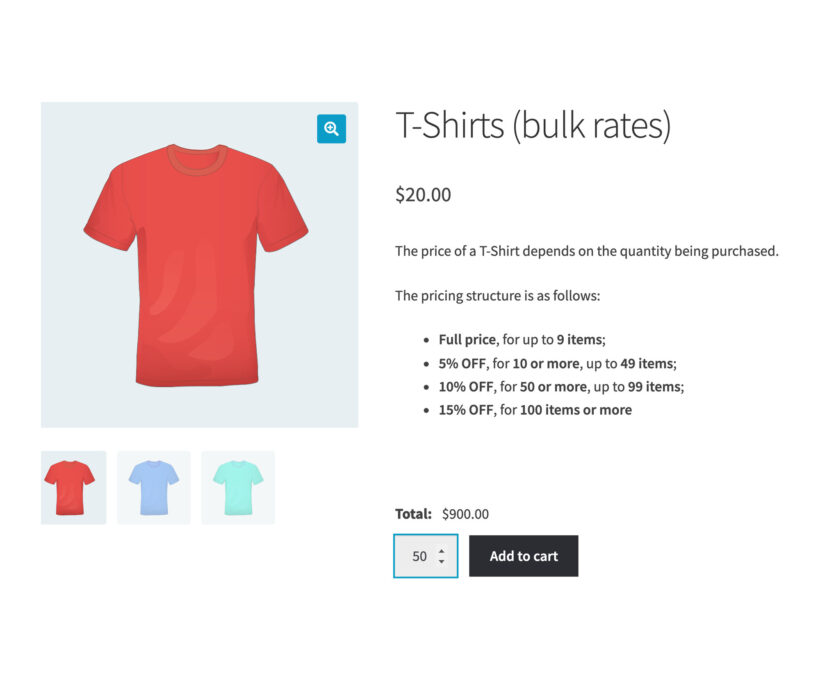
The t‑shirt designer is built from three of our plugins, and you can start with one. WooCommerce Product Options adds the design fields: The name, the number, the font, the thread color, the print position and the artwork upload. Live Preview puts the design on the product so the customer sees it before they buy. Bulk Variations lets a club order every size in one go. The pricing table on this page sells them singly, as a pair, or all three together. If you sell made-to-order products besides clothing, our WooCommerce product add-ons page shows the same fields on any product.
How do customers design their own clothing?
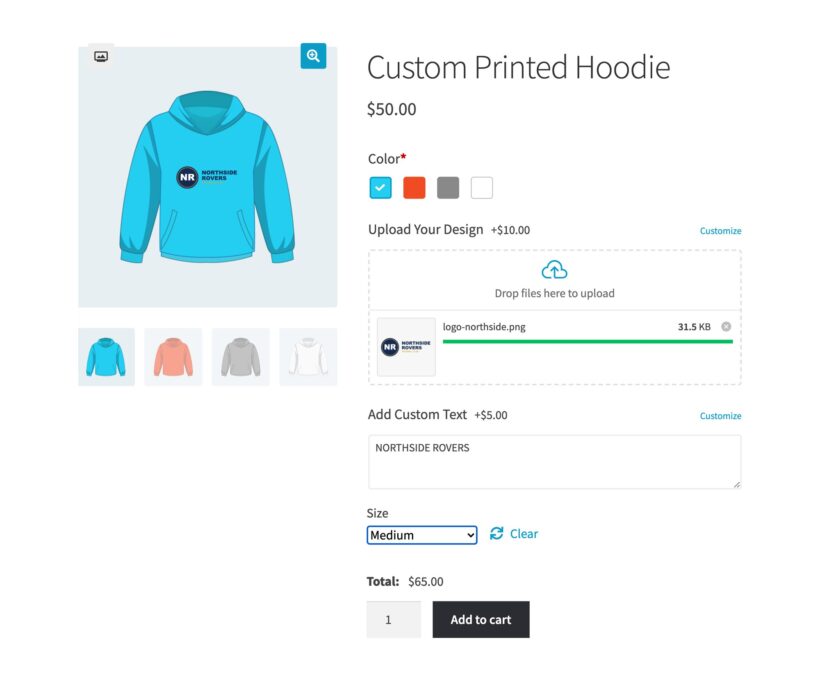
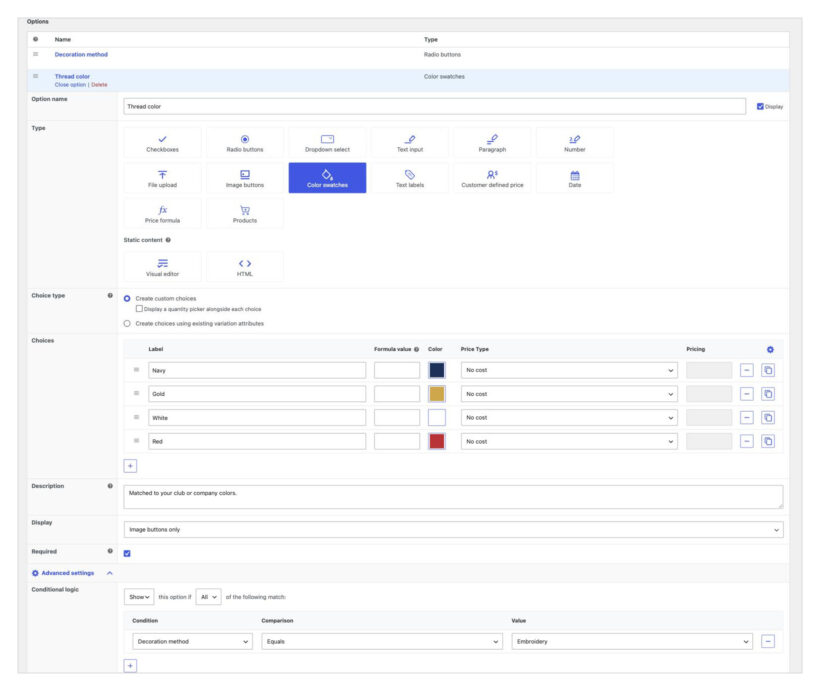
They fill in the fields you set up on the product page. You choose what those are: A name, a squad number, a font, a thread color, a print position or an artwork upload. Live Preview then shows their design on the product. It works the same way on a variable product, so the customer picks a size and color first, then designs.
What clothing can I sell this way?
Any clothing you decorate to order. Printers and embroiderers use this setup for t‑shirts, hoodies, polo shirts, sweatshirts, caps, workwear, hi-vis vests, aprons, club kit, team jerseys, school uniforms and tote bags. You choose the decoration methods the customer picks from, whether that’s screen printing, embroidery, DTG, DTF or vinyl transfer. Conditional logic then asks for a thread color on an embroidery order and a print-ready file on a printed one.
Can customers add a name, a number and their own artwork?
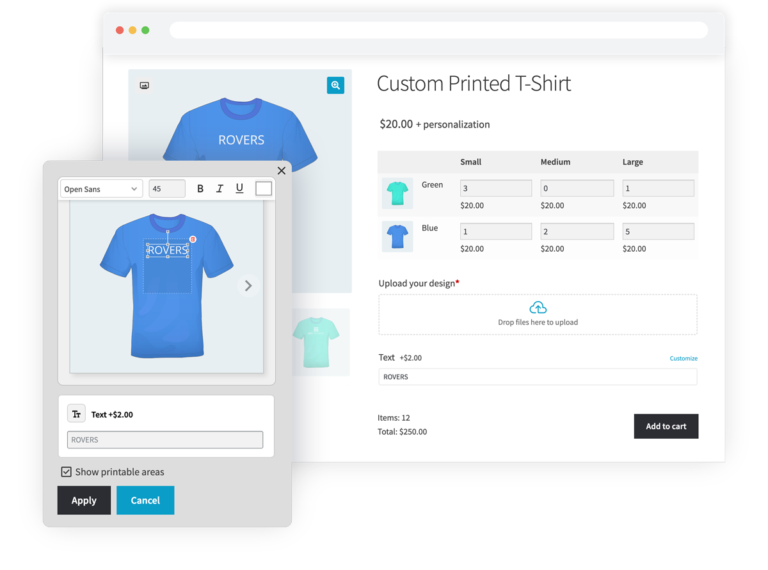
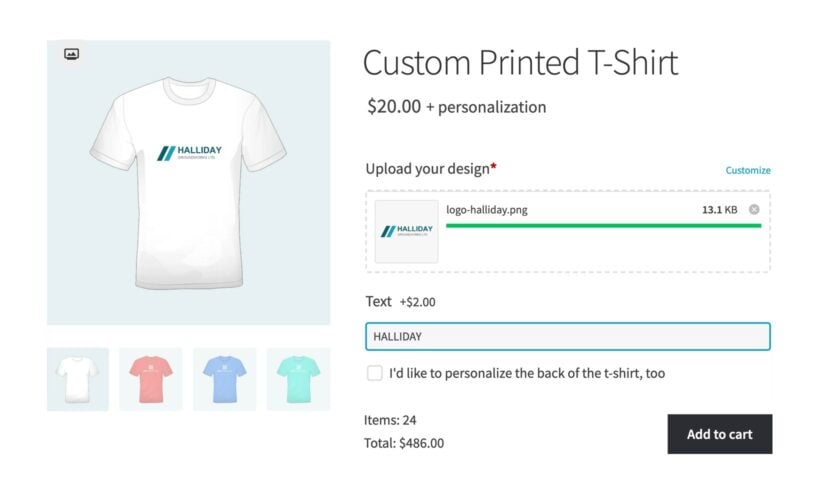
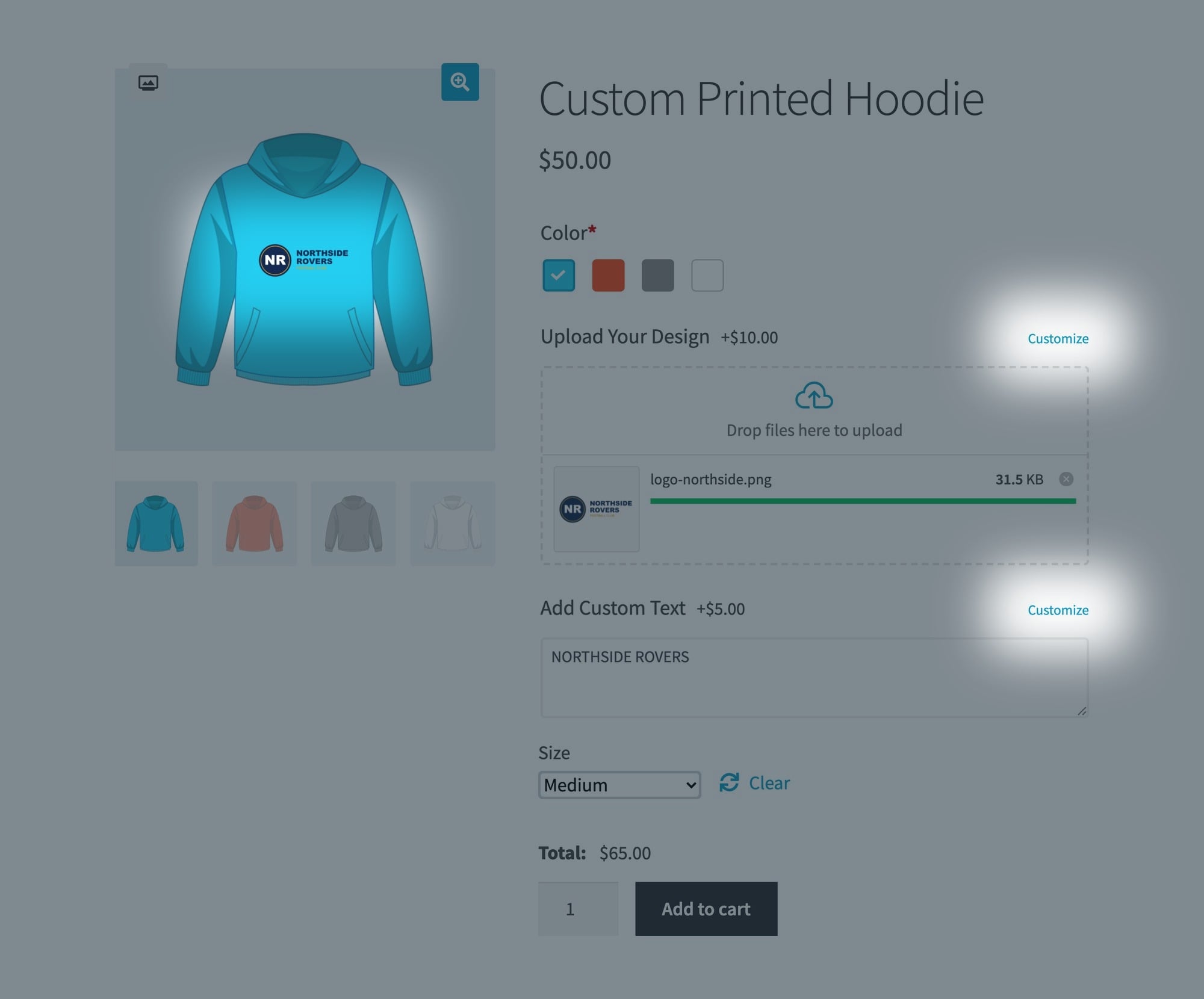
Yes to all three. You create a text field for the name and another for the squad number, then set a character limit and a price on each. For artwork you add a file upload field and choose the file types you accept and the maximum size. Every value and every file arrives with the order, so you know exactly what to print.
Can each shirt in a run carry a different name?
Not within a single cart line. The fields a customer fills in apply to the whole line, not to each shirt inside it. Clubs normally send the name and number list as an uploaded file or in a text area, which arrives with the order. If you want a separate name against each shirt, the customer adds each one to the cart on its own.
Can customers see their design before they buy?
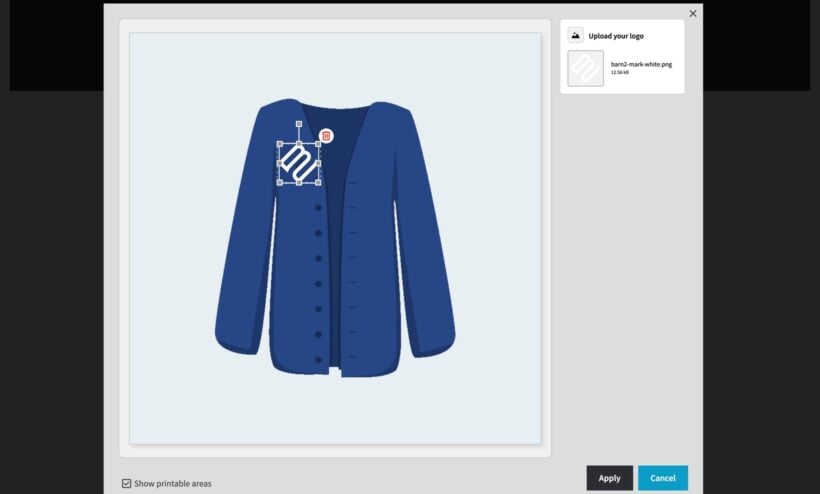
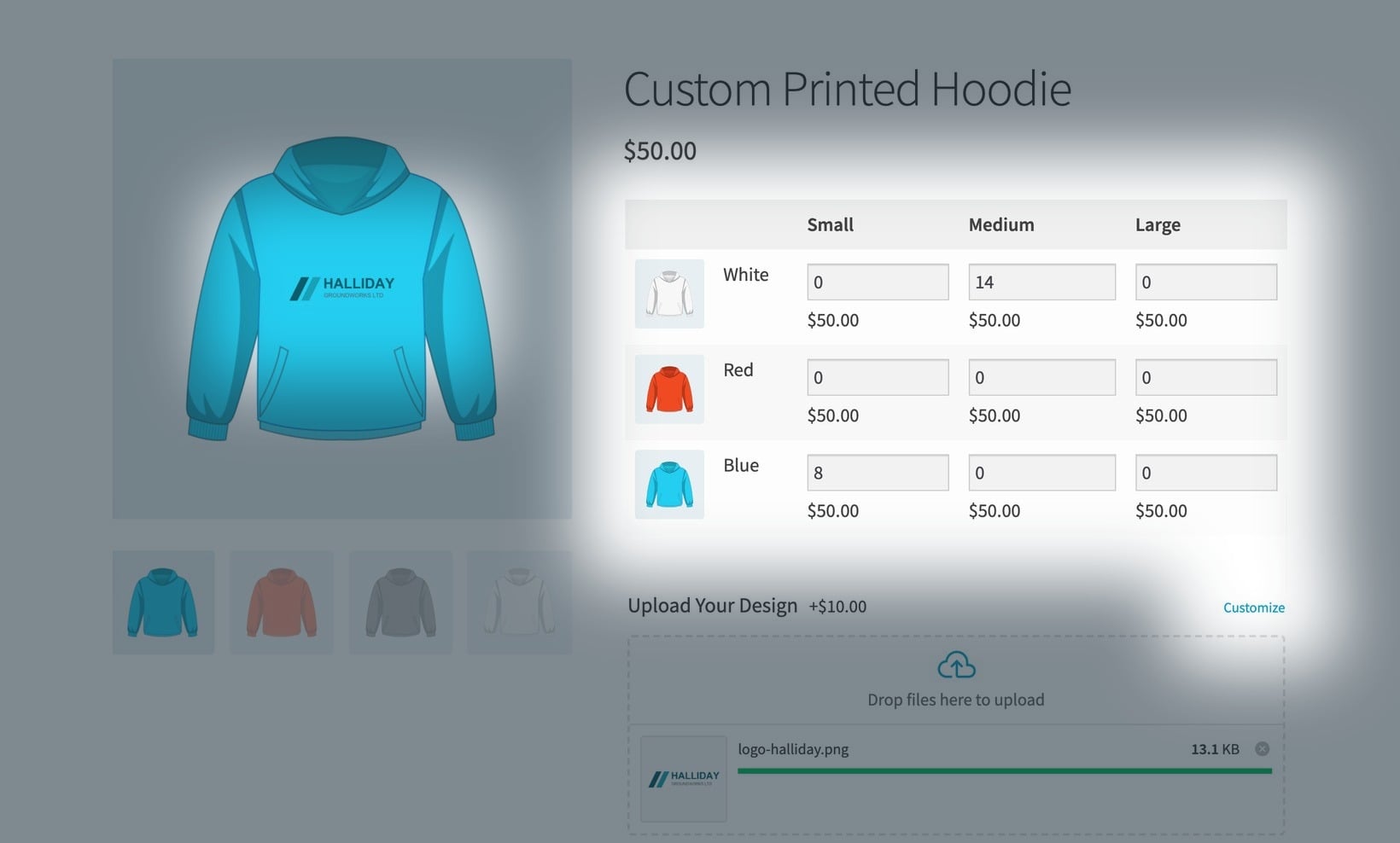
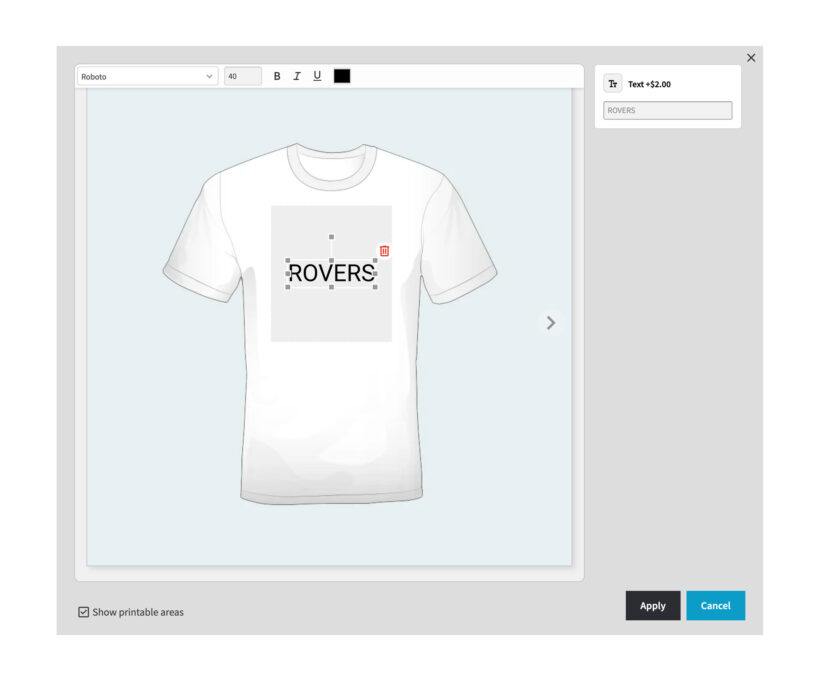
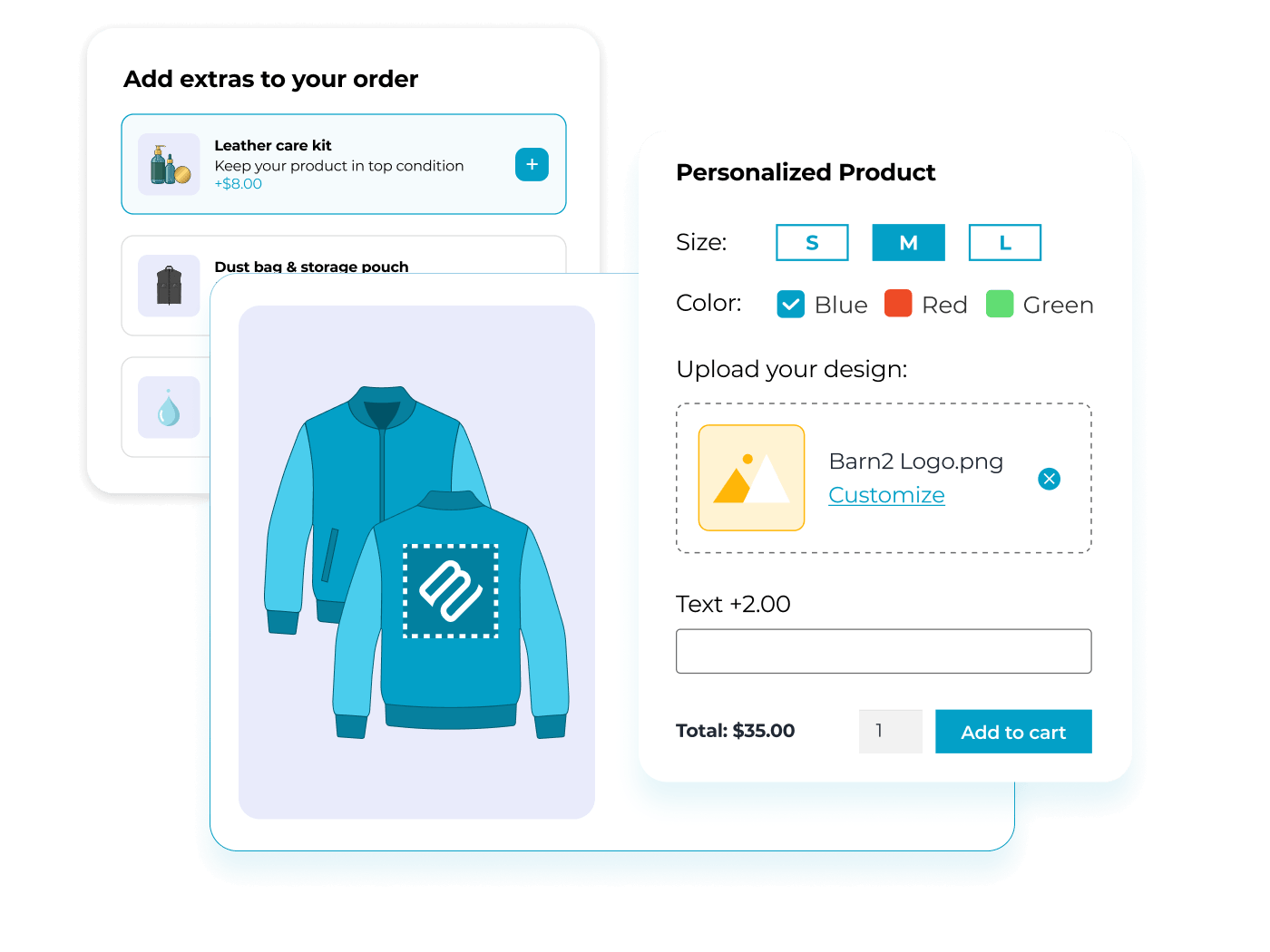
Yes. Our Live Preview add-on shows the logo or the text on the shirt, inside the area you mark as printable, and the shopper drags it into position. The preview follows them into the cart, so you and your customer both have the same picture of the finished order before anyone pays.
How does a club order team shirts in several sizes at once?
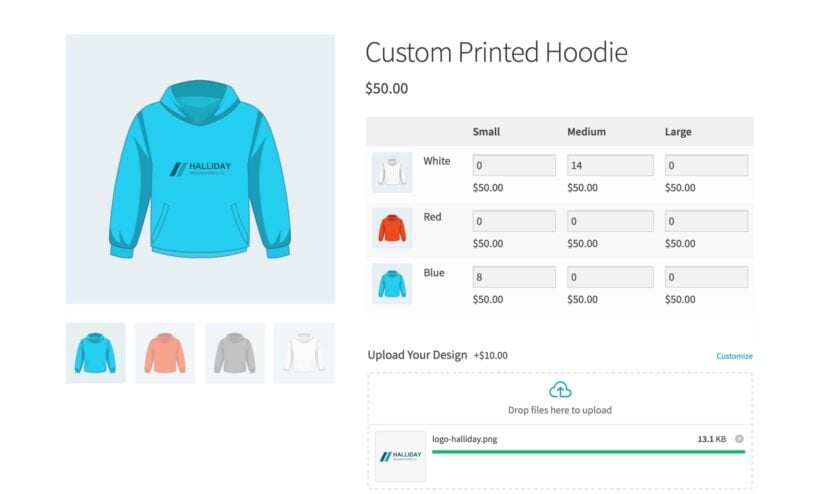
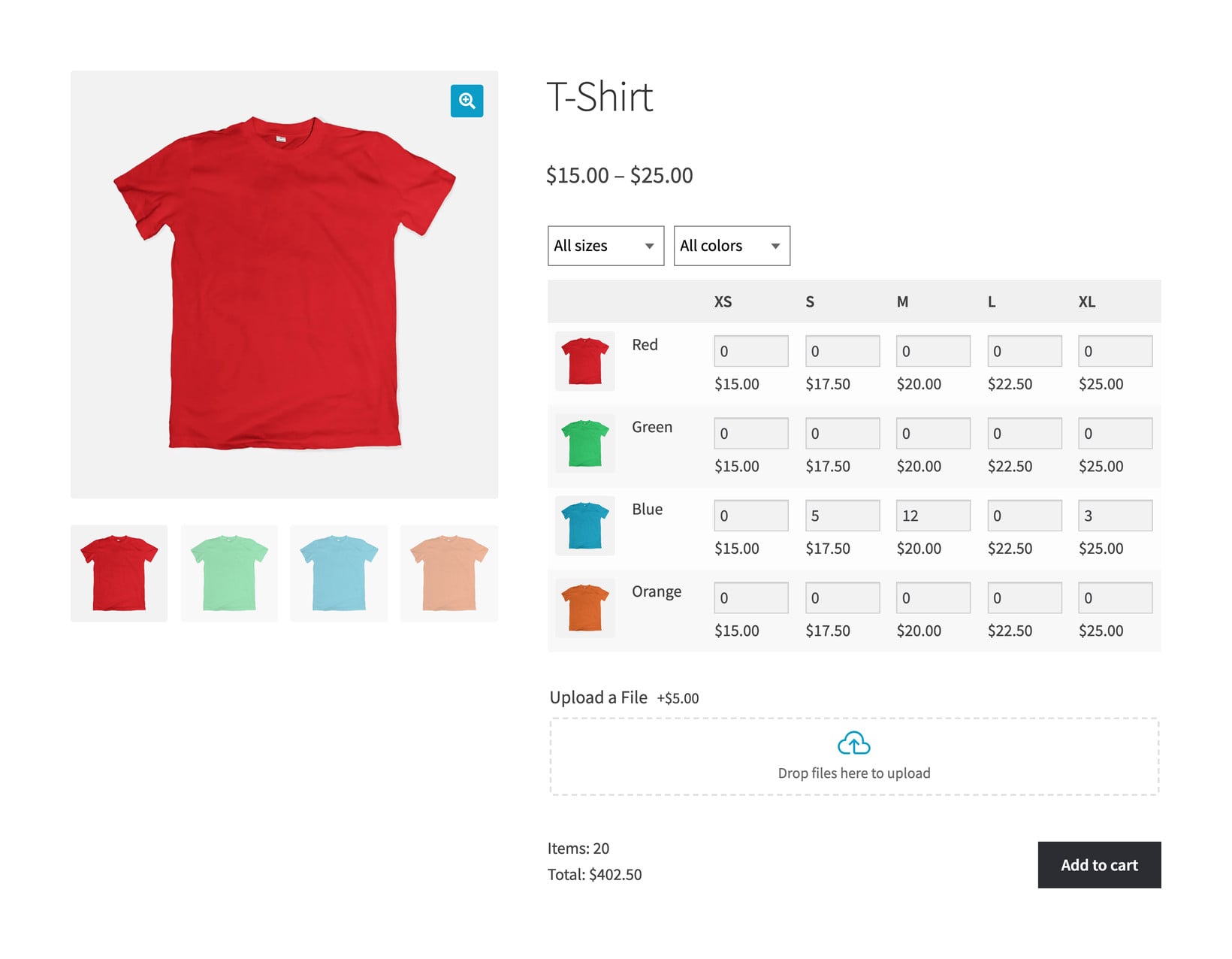
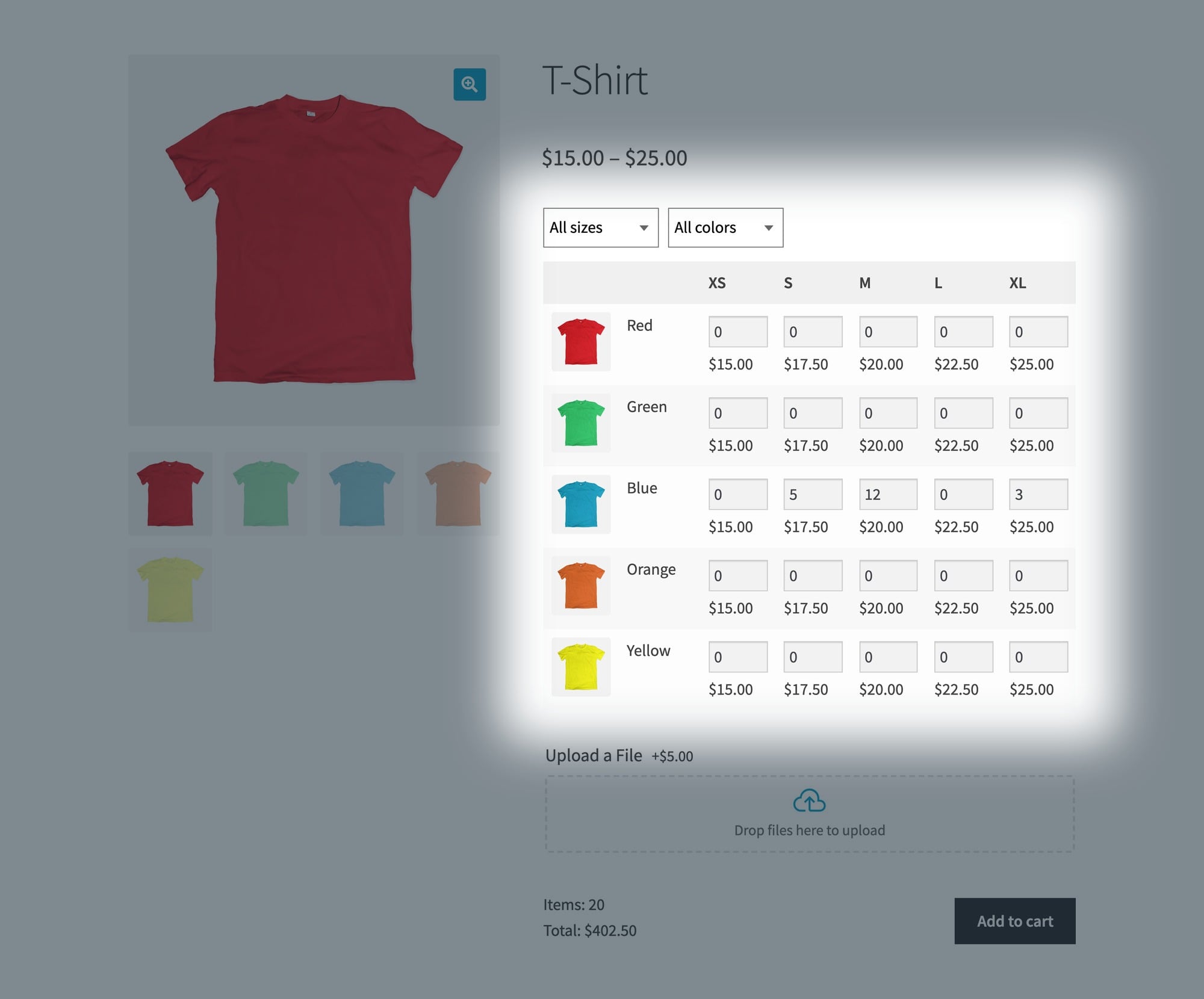
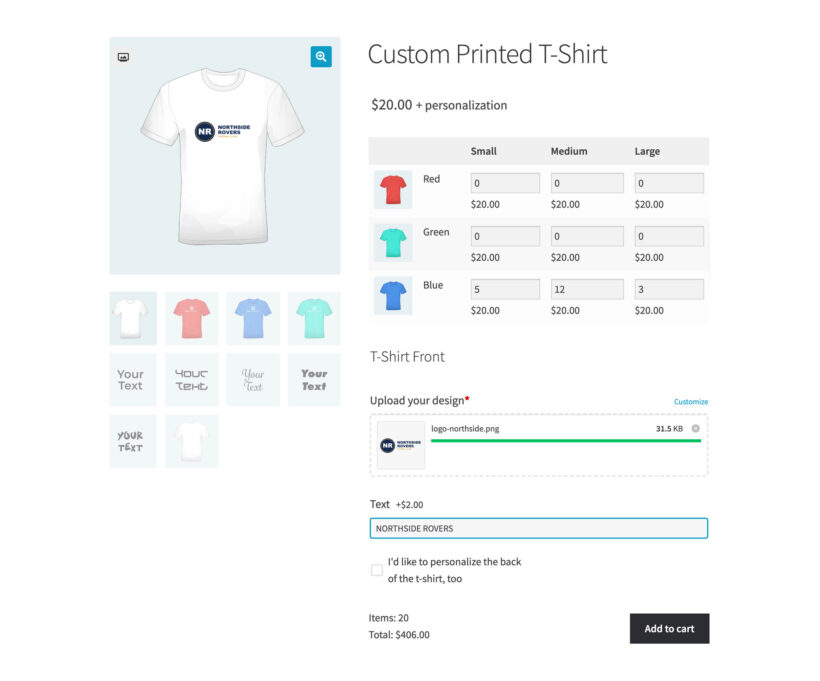
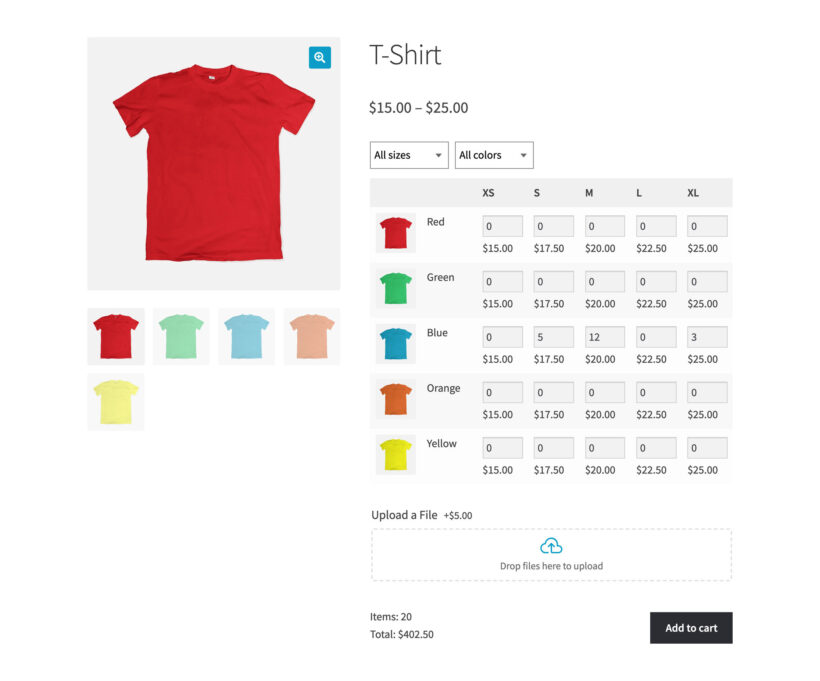
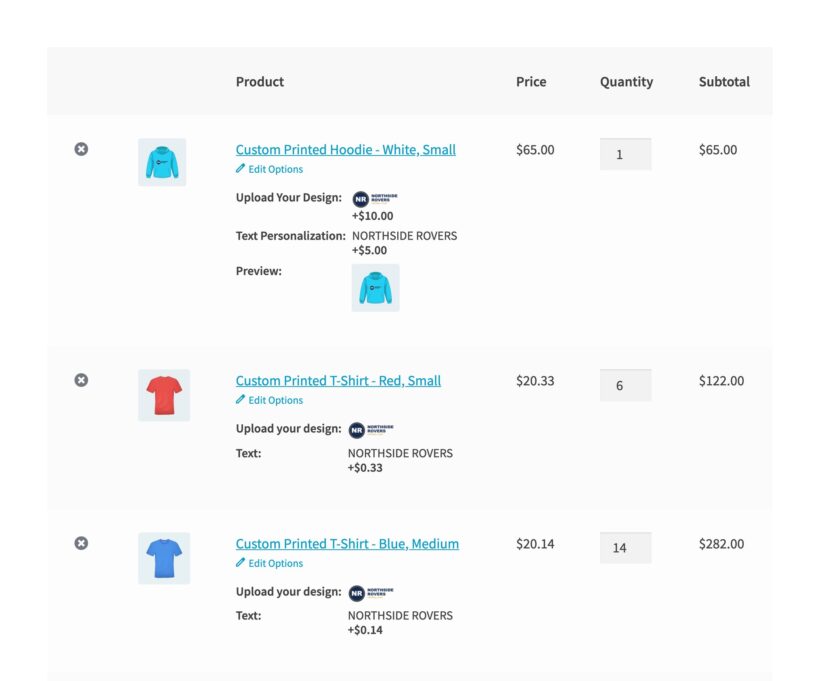
WooCommerce Bulk Variations replaces the size and color dropdowns with a grid of quantity boxes. A club types five against Small, 12 against Medium and three against extra large, then adds all 20 shirts to the cart in one click. The design fields appear under the grid, so the club fills them in once for the whole run. You get one order line per size, with the quantity against it and every design detail attached. Each line carries its own copy of a fixed option price, so a $2 name charge across three sizes comes to $6.
How do I charge a setup fee plus a per-unit rate?
You write it as a price formula. The bulkRate function drops the rate as the order grows, and the bulkPrice function swaps in a different price at each quantity break. For example, you can charge a $25 screen setup fee plus $8 a shirt, with the rate falling on bigger orders. Our bulk calculation examples show the formulas, and our AI bot writes them for you from a plain English description.
Can I give a discount on bigger clothing orders?
Yes, in two ways:
- A price formula in WooCommerce Product Options changes the price as the shopper types a quantity, so a shirt can drop to $9 each at 25 units. The new price appears on the product page before anything goes in the cart.
- Our WooCommerce Discount Manager plugin works differently: You set one quantity rule and apply it to a product, a category or your whole store, then the discount comes off in the cart.
Use a formula when the price depends on the design options the customer picks. Discount Manager is better when you want the same bulk discount across your whole clothing range.
Will you set up my design options?
Yes, free within 30 days of buying WooCommerce Product Options. Every license includes this service, and it covers up to five options with 20 choices, which is enough for a working t-shirt designer or workwear order form. After buying, you request it on our free setup page.
Will it work with my theme and other plugins?
WooCommerce Product Options works with any well-coded WordPress theme. We test it with a range of free and premium themes. You can add product options without bringing in a developer, adding code, or editing theme templates.
The theme compatibility page shows the themes we test with. If a theme conflict appears, our support team will help.
WooCommerce Product Options is fully compatible with all Barn2 plugins, and with most plugins from other companies. You can check the plugins we have tested with WooCommerce Product Options.
Does it work in my language?
WooCommerce Product Options is designed to work with any WordPress translation plugin such as WPML, WeGlot and TranslatePress. This makes it easy for you to translate the extra product fields into any language and use it on multilingual websites.
What are the minimum requirements for running the plugin?
WooCommerce Product Options is fully tested with the latest versions of WordPress and WooCommerce. We always recommend running the most up-to-date version, but we also support older installations:
- WooCommerce 7.2 or greater (tested to 11.0.1)
- WordPress 6.1 or greater (tested to 7.0.4)
- PHP 7.4 or greater (tested to 8.5)
- MySQL 5.7.8 or greater / MariaDB 10.3 or greater



Complicated Booking forms sorted
By Jeremy Opperman on
Plugin and Plugin support are great, I encountered a issue that support and developer fixed and updated very quickly. The mathematical equations and variables are easy to logically understand. Great plugin to solve complicated product options.