The best WooCommerce product add-ons plugins (and how to use them)


The best WooCommerce product add-ons plugin is WooCommerce Product Options, though the right choice depends on the kind of products you sell. I've compared the seven best product add-ons plugins below, with the pros and cons of each.
Core WooCommerce lets customers pick a variation or two, then add to cart. That's fine for a plain catalog, but it falls short the moment you want to sell personalized, made-to-measure or configurable products.
A WooCommerce product add-ons plugin closes the gap. It lets shoppers add custom text, upload a file, tick optional extras or choose from swatches, with each choice able to change the price.
I've compared the plugins on field types, conditional logic, pricing flexibility, ease of setup and price, so you can match one to what your store sells.
Quick verdict: The best WooCommerce product add-ons plugins
Short on time? Here are the picks, with the full reasoning further down.
- Best overall WooCommerce Product Options - the widest range of add-on field types, the most capable price calculator and an optional live preview.
- Best official extension WooCommerce Product Add-Ons - the first-party option from WooCommerce.com for simple, basic fields.
- Best free plugin Extra Product Options - free dynamic pricing, with YITH a close alternative.
- Best for lightweight performance Advanced Product Fields - fast, with custom formulas and a free version to try.
- Best for child-product add-ons WooCommerce Product Add-Ons Ultimate - lets you offer other products in your store as add-ons.
How we evaluated these product add-ons plugins
I compared each plugin on the factors that matter when you're customizing products. That means the range of field types on offer, such as text, file upload, checkboxes, swatches and date pickers.
It also means whether it supports conditional logic to show and hide fields. And it means how flexible the pricing is, from flat fees to percentage fees, quantity-based fees and custom formulas.
I also weighed up how easy each one is to set up, how well it's maintained and supported, and the price, including whether there's a free version to try first. The table below summarizes how the seven plugins stack up. Click any name to jump to its full review.
| Plugin | Field types | Conditional logic | Free version | Price | Best for |
|---|---|---|---|---|---|
| WooCommerce Product Options | 16+ | Yes | No | From $149/year | Comprehensive customization with live preview |
| WooCommerce Product Add-Ons (official) | Basic | No | No | $79/year | Simple add-ons from a first-party extension |
| Advanced Product Fields | 15+ | Yes | Yes | Free / Pro from $89 | Lightweight performance and custom formulas |
| WooCommerce Product Add-Ons Ultimate | 16+ | Yes | No | From $79 | Using other products as add-ons |
| YITH WooCommerce Product Add-Ons | Multiple | Yes (Pro) | Yes | Free / around $100/year | Budget-conscious stores |
| Extra Product Options | 10+ | Yes (Pro) | Yes | Free / Pro from $39 | Free dynamic pricing |
| WowAddons | 25+ | Yes | Yes | Free / premium upgrade | Built-in add-on analytics |
1. WooCommerce Product Options
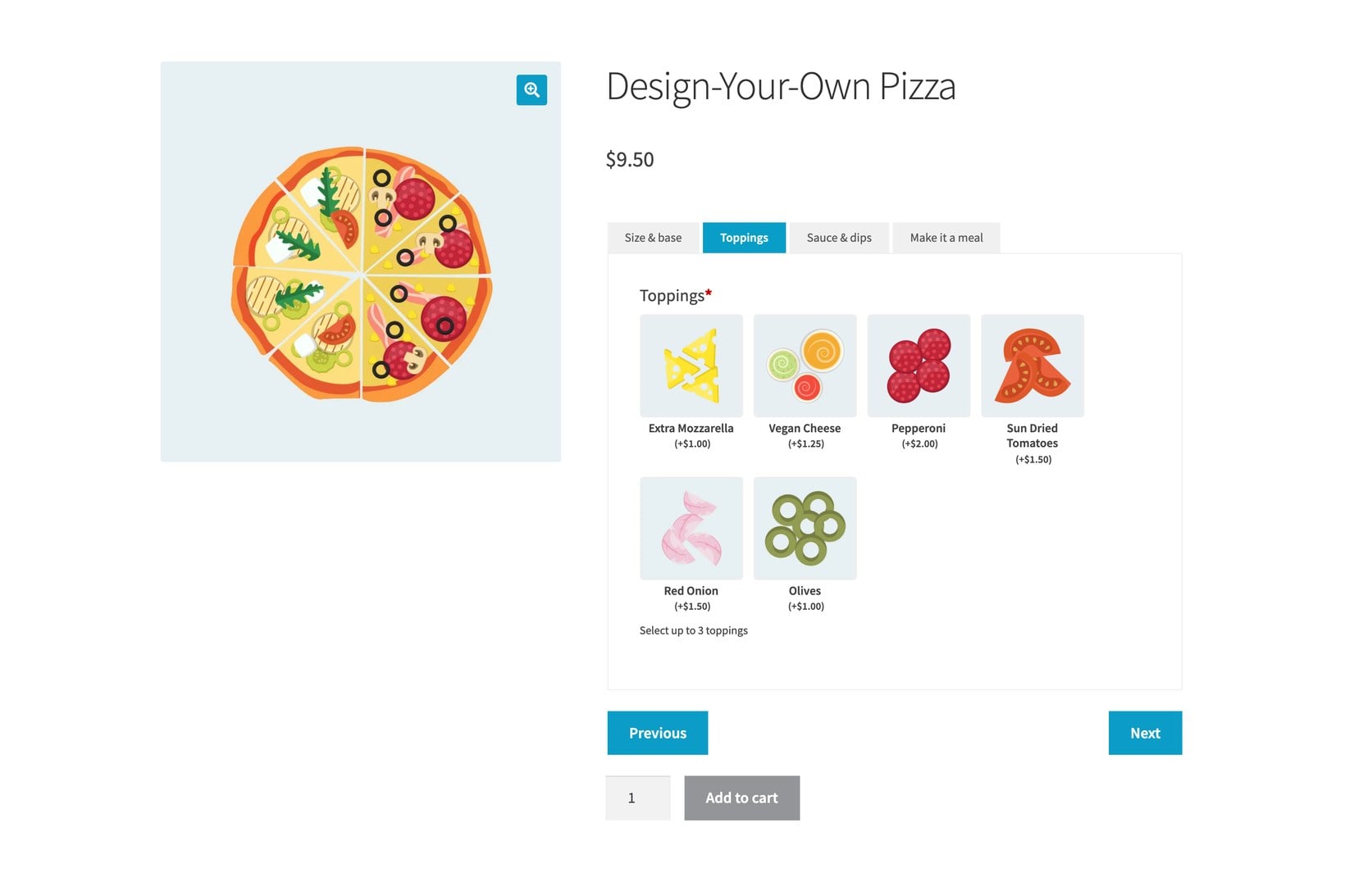
WooCommerce Product Options is our pick for the best product add-ons plugin overall. We built it to cover the widest range of use cases in one plugin, from simple checkboxes through to a WooCommerce measurement price calculator, using a visual drag-and-drop interface that doesn't need any code.
It's the plugin I recommend most often for stores selling anything customized, because it doesn't lock you into a single type of add-on.
One design choice worth knowing about: market-specific features like Live Preview sit in separate add-ons. That keeps the core plugin light, but it does mean that showing customers their uploaded image on the product is a paid extra rather than something built in.
Our own research into how nearly 700 live stores use the plugin found that two use cases dominate: custom and personalized products at 38%, and product configurators at 30%. A configurator might price a made-to-measure blind from a width measurement combined with a projection dropdown, using a price formula.
That price formula is the feature that sets it apart, and it's also the fiddliest part to set up. A dropdown or text choice needs a numeric value assigned to it before it can feed a calculation, which catches people out on a first complex build.
If all you need is a single custom field, this plugin is more than you need, and one of the lighter options below will do the job.
It comes with 16+ field types, including the ones many plugins leave out: file uploads, clickable image and text labels, color swatches and date pickers. You can apply options globally, to categories, or to individual products.
Custom field types
You can add custom text fields, dropdown menus, checkboxes, radio buttons, color pickers, date pickers, and more. This means you can offer a variety of options, from color and size to custom engraving and personalized messages.
Text input and file upload fields let you sell fully personalized products, such as custom-printed bowling balls, a sports logo on a t-shirt, hand-written greeting cards, or a jewelry monogram. The full range of field types includes:
- Text fields capture names and personalized messages.
- File uploads accept logos and custom designs.
- Checkboxes offer multiple option selections.
- Radio buttons provide single-choice options.
- Date pickers schedule delivery dates and appointments.
- Color swatches display product variations visually.
- Image buttons display add-on options as clickable images.
- Dropdowns let customers select one or more items from a list.
Global or per-product options
Add-ons can be applied globally, to categories, or to specific products. Global options save time when you manage a lot of products, whereas category or product-level add-ons give you finer control. This means you can keep consistency across similar items while still offering unique options where they're needed.
Support for product variations
Nearly all product add-ons plugins force you to set up the add-ons in their own interface, separately from variations. However, sometimes you want to display normal product variations as if they were add-ons.
The reason to do this is to take advantage of the features you get with variations, such as stock control, while displaying them in more interesting ways, like checkboxes, clickable images or color swatches. WooCommerce Product Options does both. You can create product add-ons directly in its interface, or you can display product variations as add-ons.
Flexible pricing and formulas
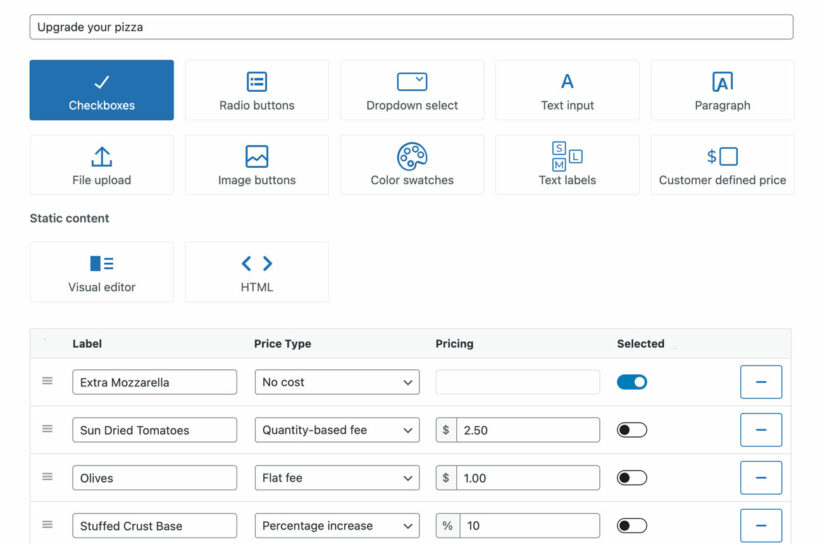
Depending on the type of business you're running, you might need to charge additional fees on each transaction. As well as adding a flat fee to each item, you can change the add-on price based on quantity or increase or decrease it by a certain percentage.
You can charge a flat fee regardless of how many products a customer orders. This is useful for service-based businesses. For example, if you sell washing machines or air conditioners, you might charge a flat fee on every purchase to cover installation.
Alternatively, you can charge a quantity-based fee, which multiplies the price by the amount selected, or a percentage of the total order value, such as a shipping and handling fee.
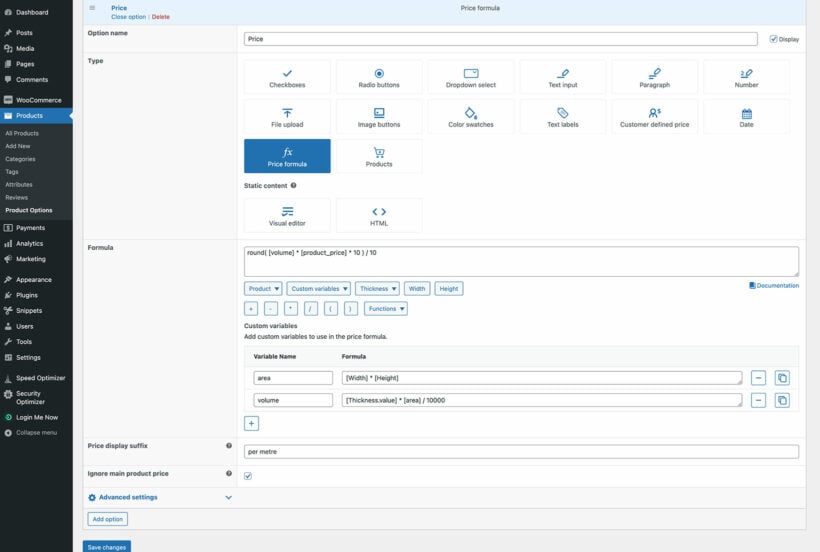
Beyond those, WooCommerce Product Options lets you create your own custom price formulas. You can create straightforward formulas or advanced ones. These are perfect for a measurement price calculator, selling by weight, and complex configurators. It's easily the most advanced price calculator plugin on the market and supports all types of product data, mathematical and logical functions, custom variables, and more.
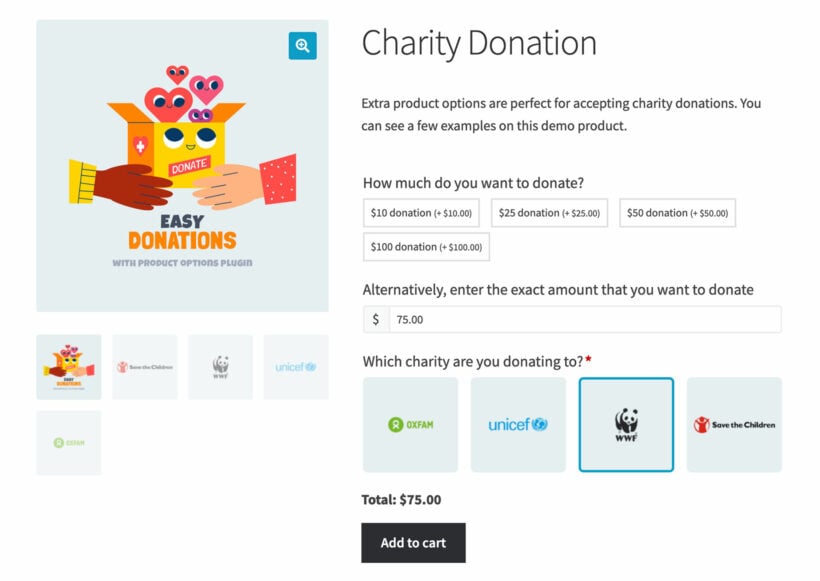
There's also a 'Customer Defined Price' field, which lets customers name their own price. This gives customers greater flexibility and transparency in the buying process.
One ideal use case is collecting tips at a restaurant or accepting donations for a charity. Giving customers the option to add an extra amount as a gratuity or donation can increase engagement and loyalty, while also benefiting a worthy cause. You get it alongside every other field type rather than as a separate plugin.
Conditional logic
Conditional logic is a powerful feature that helps you create a more customized experience for your customers. You can set up dependencies which display relevant product add-ons based on which other options, attributes and variations the customer has selected.
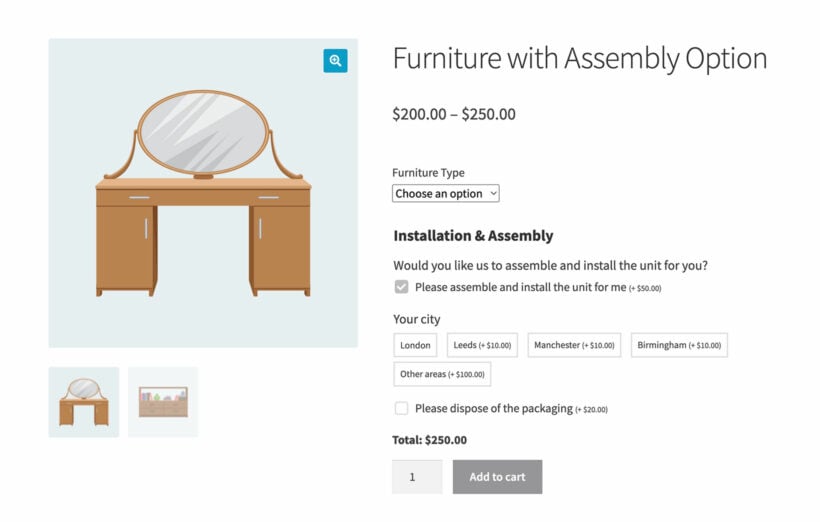
For instance, if you offer installation services as an add-on option, you might want to display additional fields for customers to select, such as their city and a request to dispose of the packaging. However, you wouldn't want to clutter up the page with these options for customers who don't require installation.
By making those fields conditional on the installation box being ticked, only the customers who require them will see them, making the checkout process smoother and more efficient.
File uploads and live preview
File upload fields let customers upload files directly to your website, which are then sent to the admin via the order confirmation email. This feature is particularly helpful for businesses that require customers to submit files for review or editing.
For example, a graphic design company can let customers upload images or design files that they want edited. Similarly, an editing and proofreading company can use file upload fields to accept document files that need to be proofread and corrected. This gives customers a convenient and secure way to submit their files with an order.
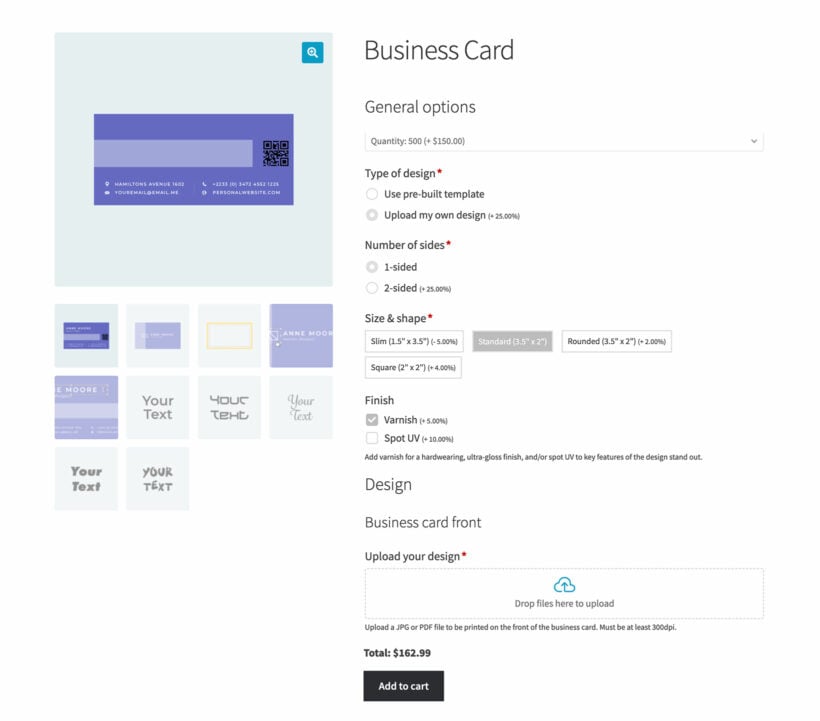
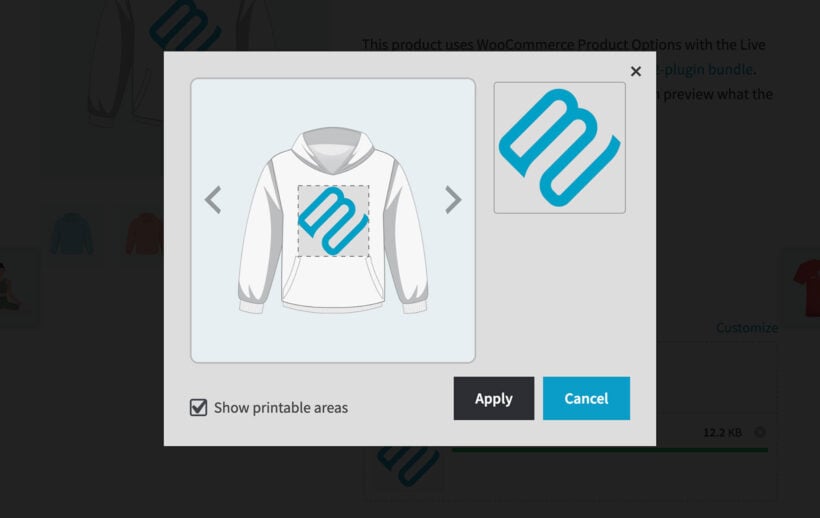
You can also add the optional Live Preview add-on, which shows customers their uploaded image and chosen options on the product before they buy.
Translation and quantity limits
WooCommerce Product Options is compatible with translation plugins like Weglot and WPML, so any add-ons you create can be translated into any language those plugins support.
Controlling the quantity of each add-on is also important. Setting a minimum and maximum quantity ensures that customers don't buy too much or too little of an item. The plugin offers two ways to set this:
- Min/max quantity - this applies to fields like checkboxes and clickable images. Set a minimum and maximum to control how many the customer can select before adding the product to the cart.
- Min/max character count - this applies to text input and paragraph field add-ons, so a gift-tag message stays the right length.

Pros and cons
- Ridiculously easy to use. There's a visual drag-and-drop interface to create product add-ons. You don't even need to read the documentation, although it's there if you need it.
- Lots of add-on styles. It comes with all the styles you expect, including more advanced ones like file uploads, text fields, and clickable image and text labels.
- Advanced features. You get options that not all plugins include, such as displaying product variations as add-ons, conditional logic, minimum and maximum quantities, and required fields.
- Plugin compatibility. It works alongside other plugins, such as WooCommerce Product Table, to display add-ons in other parts of your store.
- Optional live preview add-on. You can get the plugin on its own or with the Live Preview extension, so customers can see their uploaded images on the finished product.
- There's no free version, so unlike YITH or Extra Product Options you can't trial it on WordPress.org before buying.
- The file-upload field is a plain uploader. Customers can't crop, rotate or remove the background of an image they upload, which occasionally comes up for print-on-demand stores.
- The price formulas are the most capable here, but they have a learning curve, since each text choice needs a numeric value before it can drive a calculation.
Pricing: From $149 per year for a single site. The Live Preview add-on is optional.
2. WooCommerce Product Add-Ons (official)
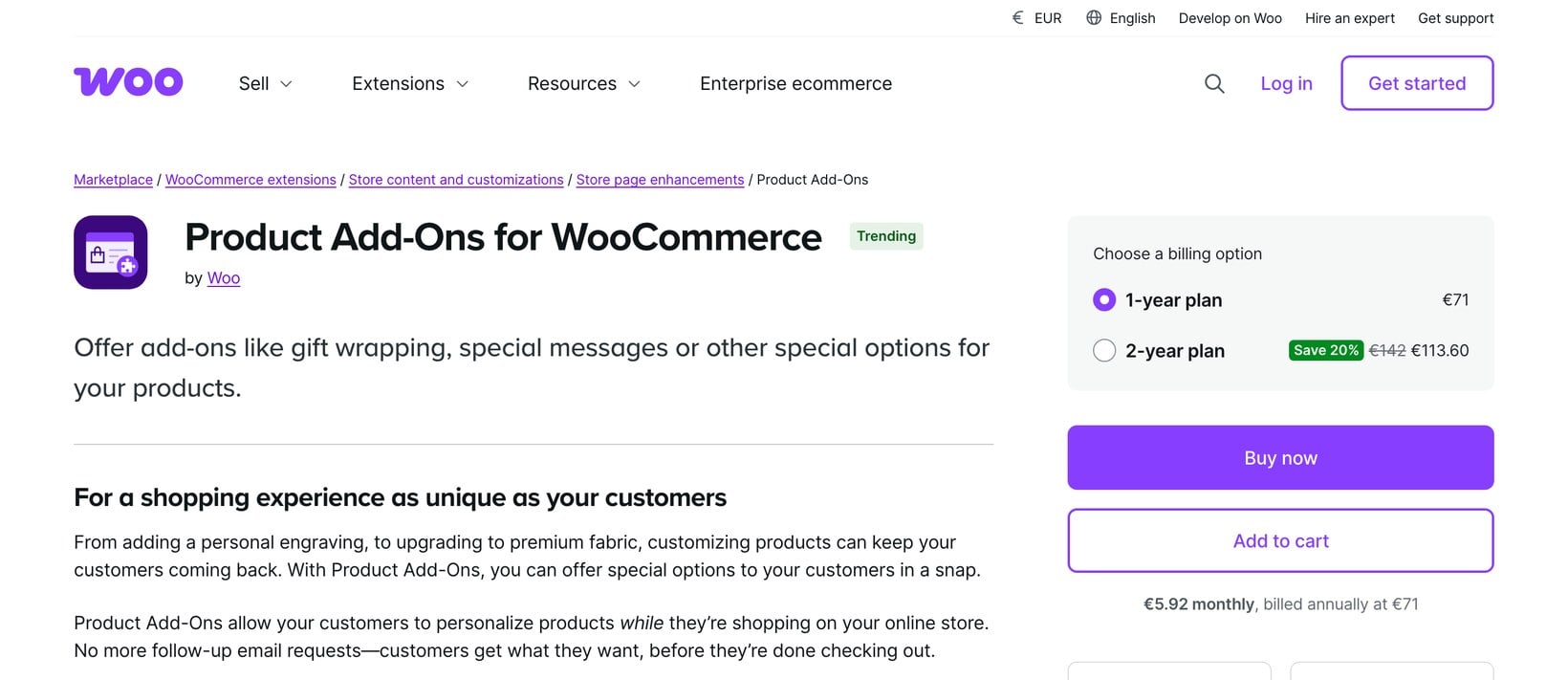
WooCommerce Product Add-Ons is the official paid extension from WooCommerce.com. It lets customers customize products as they shop, using dropdown menus, checkboxes, sample images and text fields. You can also apply flat fees, percentage fees and quantity-based pricing.
It's very popular, with over 100,000 active installs, but it averages just 3.4 stars on WooCommerce.com, and reviews often point at the missing conditional logic. You can't set minimum or maximum quantities either. For basic personalization from a first-party source, it's still a safe choice.
Pros and cons
- First-party extension. Compatibility with WooCommerce is guaranteed and maintained by Woo.
- Simple to set up. It handles basic personalization fields without much configuration.
- Multiple pricing methods. You can apply flat, percentage and quantity-based fees.
- No conditional logic to show or hide fields based on selections.
- You can't set minimum or maximum quantities on an add-on.
- A basic field set compared with dedicated plugins, and no free version.
Pricing: $79 per year.
3. Advanced Product Fields for WooCommerce
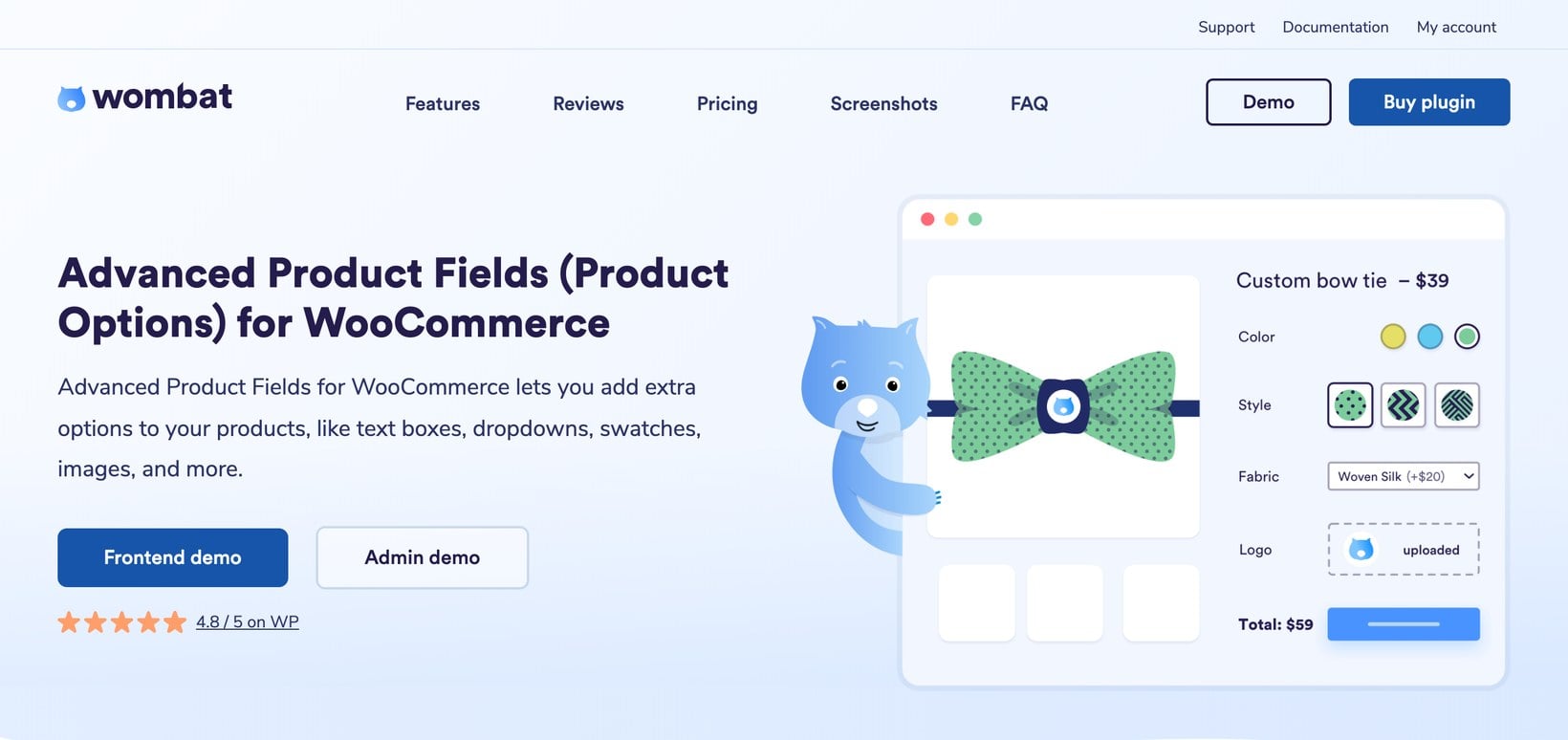
Advanced Product Fields for WooCommerce is an adaptable plugin that focuses on lightweight performance with custom formulas. You can add a wide range of options that go beyond the basic WooCommerce fields, from text boxes, dropdowns, checkboxes, radio buttons, images and color swatches to number fields.
Customers select their options and add them to the cart, and it's genuinely easy to use. It also offers conditional logic to show or hide specific fields based on certain criteria, which helps create a more streamlined page. It holds a 4.8-star average on WordPress.org, and there's a free version there, so you can try it before committing.
Pros and cons
- Lightweight and fast. There's a free version to try before you buy.
- Custom formulas. It offers price formulas and conditional logic in an easy interface.
- Good value. You get a solid range of field types for the price.
- The most powerful features, such as advanced formulas and lookup tables, are Pro-only.
- A smaller team and ecosystem than the biggest vendors.
- The interface is functional rather than polished.
Pricing: Free version available; Pro from $89.
4. WooCommerce Product Add-Ons Ultimate
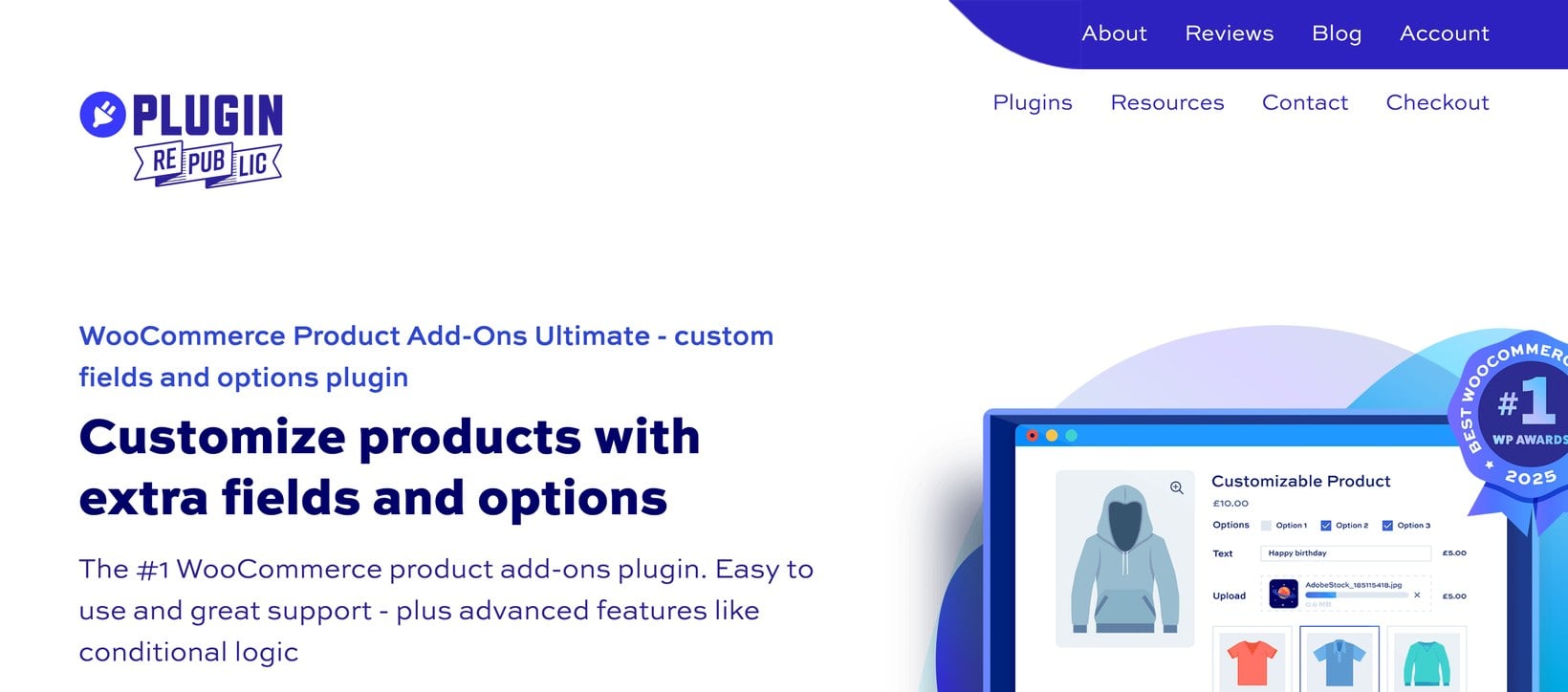
WooCommerce Product Add-Ons Ultimate lets customers personalize your products using 16+ field types, including checkboxes, radio buttons, text inputs and select fields. Its standout feature is child-product support, so you can use other products in your store as add-on fields.
You can display fields using conditional logic, create them per product or globally, and assign prices or build calculations based on customer input. It's straightforward for non-technical users while still giving developers room to work, and it carries a 4.8-star Trustpilot rating.
Pros and cons
- Child products as add-ons. You can use existing products in your store as add-on fields, which is handy for bundles.
- Plenty of fields. It has 16+ field types, conditional logic and price calculations.
- Flexible assignment. Fields can be created per product or applied globally.
- No free version to trial.
- The interface feels dated next to newer plugins.
- A smaller support team.
Pricing: From $79 for a single site.
5. YITH WooCommerce Product Add-Ons
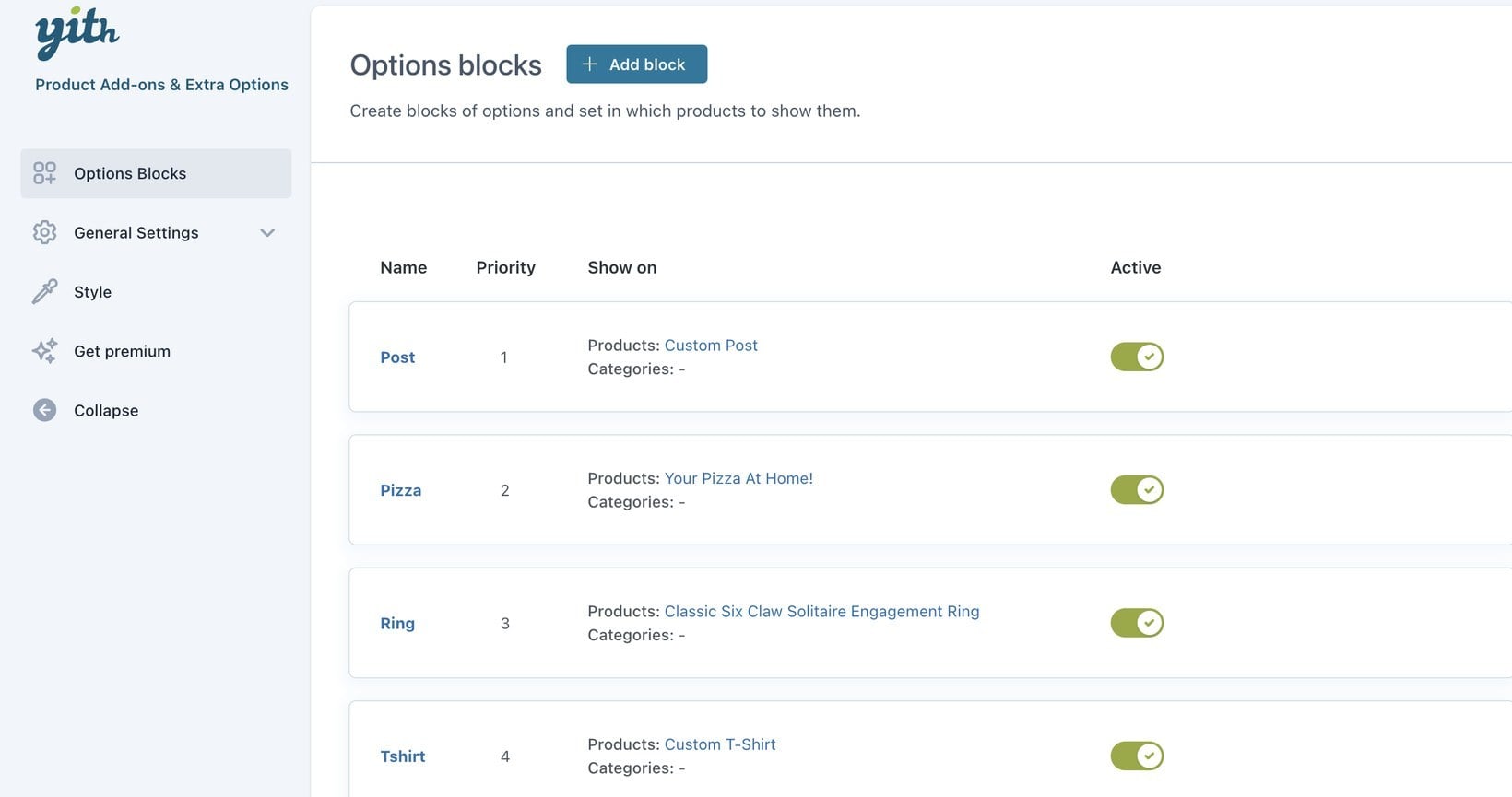
YITH WooCommerce Product Add-Ons is a freemium plugin with conditional logic. It lets you create groups of options and reuse them across all your items or for specific categories, which saves time when you manage a lot of products.
You can also set dependencies between options, so a field only appears once the customer selects the option it depends on. Text fields let customers enter a custom phrase or pick a predetermined one, which is useful for seasonal greetings on personalized products. YITH sells dozens of WooCommerce plugins, and this one steadily nudges you toward the paid version for the more useful fields.
Pros and cons
- Genuine free version. It's available to download from WordPress.org.
- Reusable option groups. You can apply them across products or categories.
- Established vendor. It's backed by YITH's large plugin catalog.
- Conditional logic and the more useful field types sit behind the premium version.
- The interface is busier and less intuitive than some rivals.
- Frequent upsells into the wider YITH ecosystem.
Pricing: Free version; premium from around $100 per year.
6. Extra Product Options by ThemeParrot
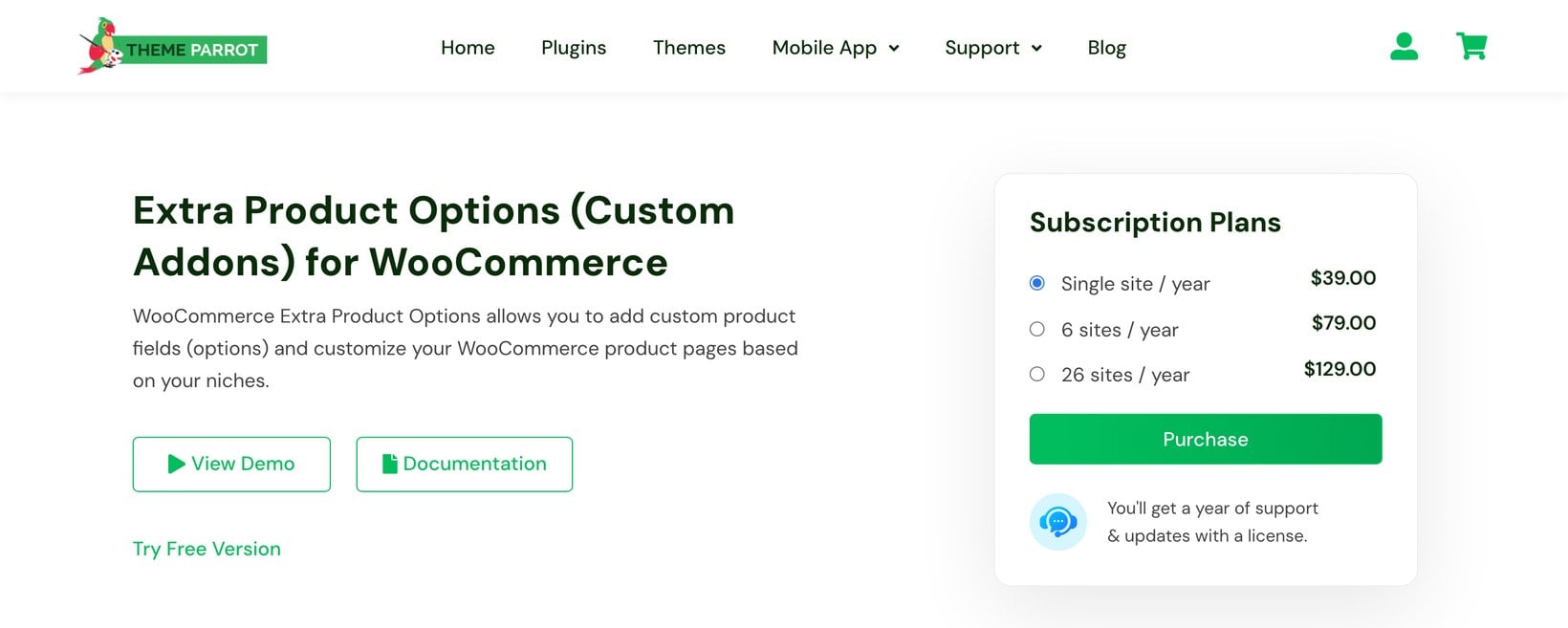
Extra Product Options for WooCommerce is a free plugin with dynamic pricing features. It offers a solid range of customization options, including checkboxes, dropdown menus and text fields.
The dynamic pricing feature lets you set individual prices for specific options, so you can build flexible pricing without paying for a premium suite. It also has easy section positioning, which keeps product pages tidy and easy for customers to navigate.
ThemeParrot also sells themes and a mobile app, so add-ons are one product in a wider catalog rather than its sole focus. It updates the plugin regularly to stay compatible with current WooCommerce versions.
Pros and cons
- Free dynamic pricing. The free version includes dynamic pricing built in.
- Per-option prices. You can set individual prices for flexible pricing.
- Tidy layouts. Section positioning keeps product pages easy to navigate.
- Fewer field types than the premium suites.
- Some options are reserved for the Pro version.
- A smaller vendor, so slower to add major features.
Pricing: Free version; Pro from $39.
7. WowAddons
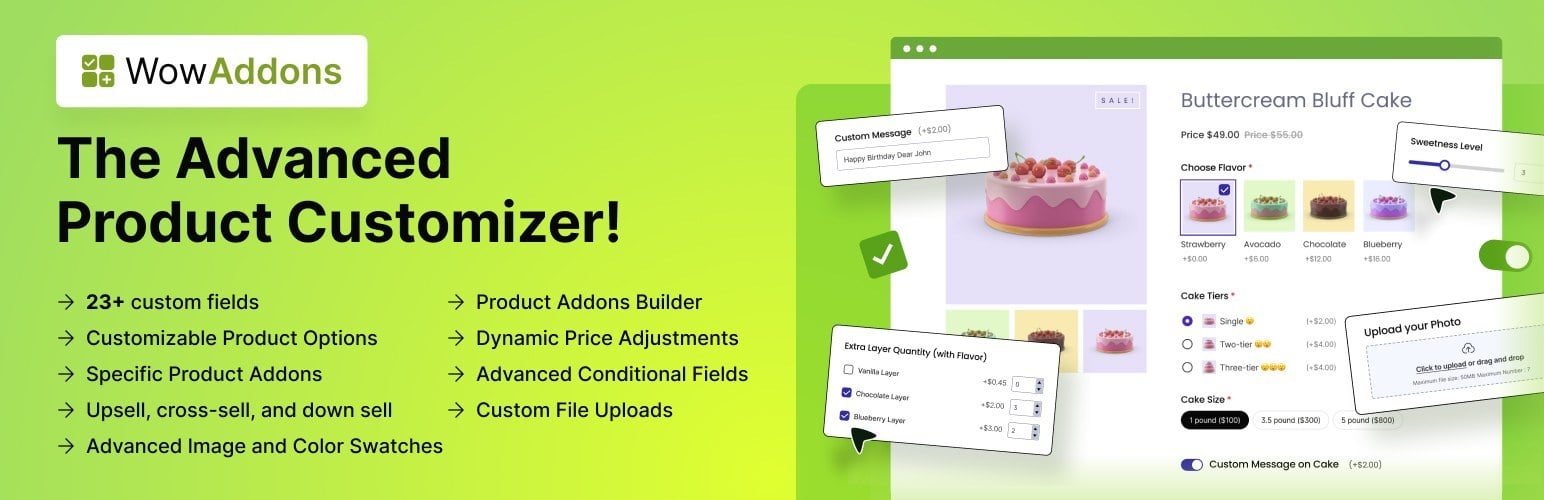
WowAddons by WPXPO is a product add-ons plugin built around a generous free tier. It offers 25+ custom fields, including text inputs, color swatches, image uploads, range sliders, date pickers and formula fields, so it covers most customization needs whether you sell jewelry, food, clothing or electronics.
Add-on prices are calculated dynamically from the customer's selections, and conditional logic shows or hides fields based on their input. It also has product-recommendation fields for upselling and a live dashboard that reports add-on sales and clicks, which is unusual at this price.
Everything is built with a drag-and-drop builder, and you can assign add-ons per product, per category or globally. WPXPO is better known for its WowStore and PostX block plugins, and WowAddons is a newer, fast-moving part of that suite.
Pros and cons
- Lots of fields. There are 25+ field types, including range sliders and formula fields.
- Built-in analytics. A live dashboard shows add-on sales and clicks.
- Generous free tier. Conditional logic and product-recommendation fields are in the free version.
- A newer plugin with a shorter track record than the established names.
- Some advanced options require the premium upgrade.
- Documentation is still catching up with the feature set.
Pricing: Free version; premium upgrade available.
What are WooCommerce product add-ons?
WooCommerce add-ons are extra options you attach to a product in a WooCommerce store. They can be gift wrapping, an extended warranty, a personalized message, or an accessory. Each one gives shoppers another way to tailor a purchase to what they want.
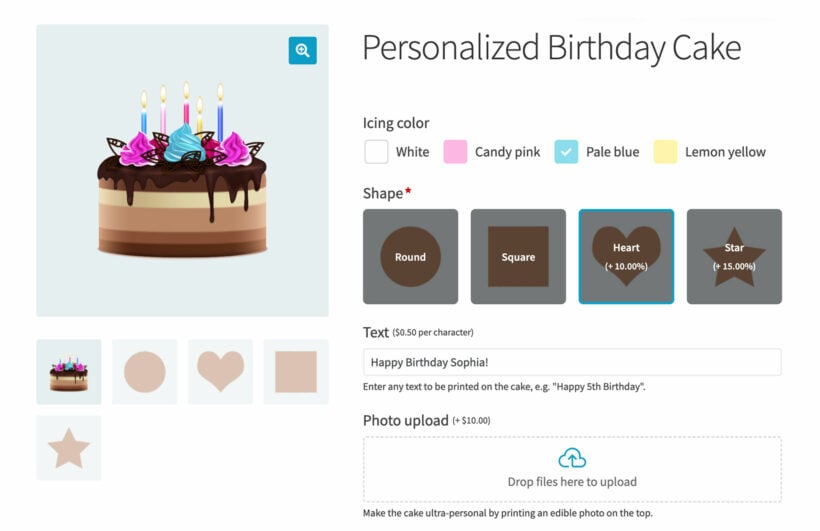
With product add-ons, you let customers pick the exact details they need, such as color, size, or material. That makes the buying experience clearer. It also lifts the odds of a sale, because the product now matches the shopper's intent.
Add-ons are more flexible than variations. With variable products you need a separate combination for every option, while add-ons let you offer custom text, uploads and extras on top of a single product. They also open the door to selling products you can't sell with WooCommerce alone, and to increasing your revenue by selling extras. Here are a few common uses:
- Add a special note to a pizza delivery box - custom text fields capture delivery notes and special requests. A customer can add a message to their pizza order.
- Custom engraved watches or jewelry - if you sell watches or jewelry, add-ons let you offer custom engraving services, with the customer's name or initials in a font of their choice.
- Additional notes for restaurant orders - if you run a restaurant or cafe, customers can add notes such as "No peanuts" or "Extra olives".
- Add-on services for products - if you sell a camera, you can offer an add-on service such as a one-hour photography tutorial for beginners.
- Gift wrapping options - gift wrapping adds checkbox options with an additional fee, and customers can add a personalized message.
There are several reasons to add extra product options as add-ons rather than variations:
- Easy to add and manageProduct add-ons are much easier to work with than variable products. Instead of creating a variation for every possible combination, you add each add-on individually.
- Flexible display optionsVariable products only display the options as dropdown lists. The best add-ons plugins come with built-in style options, including checkboxes, radio buttons, text fields, file uploads, clickable product images, and more.
- Custom productsYou'll be able to offer customized products to your customers, such as monogrammed jewelry, printed t-shirts or mugs, and personalized gift hampers.
Which product add-ons plugin should you choose?
The right plugin comes down to what you sell and your budget. Start by listing the field types you need, whether you need conditional logic, and whether you want a free version to trial first. Here's how I'd choose:
- For the most capable all-rounder, choose WooCommerce Product Options. It has the widest field types, the best price calculator and an optional live preview, which is why it's our top pick.
- To start for free, try Extra Product Options, with YITH WooCommerce Product Add-Ons as a close alternative.
- For a first-party WooCommerce.com extension covering basic fields, the official WooCommerce Product Add-Ons is the safe option.
- If performance and a light footprint matter most, Advanced Product Fields is a strong pick.
- If you need to offer other products as add-ons, WooCommerce Product Add-Ons Ultimate handles child products well.
If you're weighing up the closest all-rounders, our guide to the best WooCommerce product options plugins compares the same category in more depth. Whichever you pick, read the recent reviews on the plugin's WordPress.org page first. Remember that the cheapest option often lacks the field types or support that a store selling customized products ends up needing.
Frequently asked questions
Does WooCommerce have a built-in product add-ons feature?
No, core WooCommerce does not include product add-ons; you add them with a plugin. WooCommerce sells a first-party Product Add-Ons extension for basic fields, and third-party plugins such as WooCommerce Product Options add more field types, conditional logic, and live previews. Pick the one that matches the customization your store needs.
What is the difference between product options and product add-ons in WooCommerce?
The terms overlap. Product add-ons are extra paid or free choices, like gift wrap or engraving, that sit on top of a product. Product options is the broader idea of any custom field, including those add-ons plus dropdowns, swatches, and file uploads. A plugin like WooCommerce Product Options covers both in one interface.
Is there a free WooCommerce product add-ons plugin?
Yes. Several plugins offer a free tier, including YITH WooCommerce Product Add-Ons, Extra Product Options by ThemeParrot and WowAddons. Free versions usually cover basic fields and limited conditional logic. Paid plugins add advanced field types, pricing formulas, and support, which most stores selling customized products end up needing.
Can product add-ons calculate prices by measurement?
Yes, if the plugin supports custom price formulas. Instead of a flat or percentage fee, a formula can take a customer's entered width and height and work out the price from those numbers, which is how a made-to-measure product such as blinds, flooring or glass gets priced automatically.
Not every add-ons plugin offers this. Basic plugins only handle flat, percentage or quantity-based fees, so check for a dedicated formula field before assuming a plugin can do measurement pricing. Look for one that lets you combine width, height and other product data in a single calculation, rather than one fee type at a time.
If this is your main use case, read my guide to WooCommerce measurement price calculators before you choose, since it compares plugins specifically on formula support rather than the wider field-type range covered here.
Getting started with WooCommerce product add-ons
Product add-ons are one of the simplest ways to sell personalized, made-to-measure and configurable products, and to earn more from each order. Any of the seven plugins here will get you there; the difference is how far each one goes on field types, pricing and conditional logic.
If you want one plugin that covers the widest range of use cases, WooCommerce Product Options is where I'd start. If you'd rather try something free first, Extra Product Options and YITH are both worth a look before you upgrade.
What sort of add-on fields do you use to offer personalized products to your customers? Let us know by commenting below.
14 Comments
I seem to be having no luck trying to get Advanced Product Fields for WooCommerce showing the custom fields when I conditionally show them only on some of the product variations. I could not use woo commerce add ons because it would not allow me to add the fields to specific variations. any help would be appreciated. I have now tried 5 different plugins to try to get this to work.
Hi, Devina. Sorry to hear you're having difficulty with what sounds to be displaying variation-specific or conditional product add-ons by the Advanced Product Fields for WooCommerce plugin by Studio Wombat in the product table(s) on your site. So that we can better understand the issue and be able to assist you best, please could you describe how you're trying to implement this on your site in more detail by submitting a plugin support request via our Support Center. I look forward to hearing from you so we can investigate this further.
Hi,
Is it possible to add a stock number for each add-ons ?
Hi, Kévin. I'm afraid not. Stock numbers or SKUs are assigned to products or variations, rather than to add-ons (which are part of products or variations). If you need to assign a stock number or SKU to an add-on, you should add it as a product variation instead.
Is it possible to have a WooCommerece Product Table with a drop down field that contains quantity? Each item in the drop down would list quantity, description and price.
Hi, Carl. You can display a product quantity picker/selector in the add to cart column by setting the show_quantity option to "true". However, this isn't a dropdown list and is intended only for the quantity value rather than also include description and price.
So that we may better understand your concern, please could you describe it in more detail. You can also get in touch with us quicker and discuss this further via our Support Center. Thank you.
Is it possible when using the official Woo Product Addons with your pricing table to have variable product price update as addons are selected? If so do you have a demo of this? Thanks
Hi, Bob. Yes, when using WooCommerce Product Add-ons with WooCommerce Product Table, the displayed price gets updated every time an add-on is selected. You can see this in action and try it out in our front-end demo at https://wptcompatibility.barn2.com/woocommerce-product-add-ons/ . Let me know if you have any other questions via our Support Center. Cheers.
H it doesn't seem to be working for me, the price doesn't update if options are added on the pepperoni pizza
Hi, Bob. I'm sorry to hear it. Please could you go to our Support Center and fill up a Technical Issue form with your details so that we can investigate this as soon as possible. Thanks!