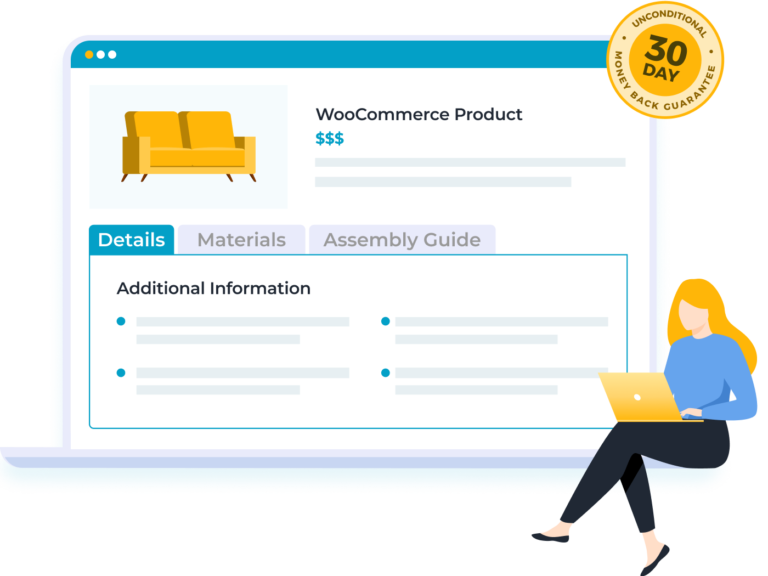
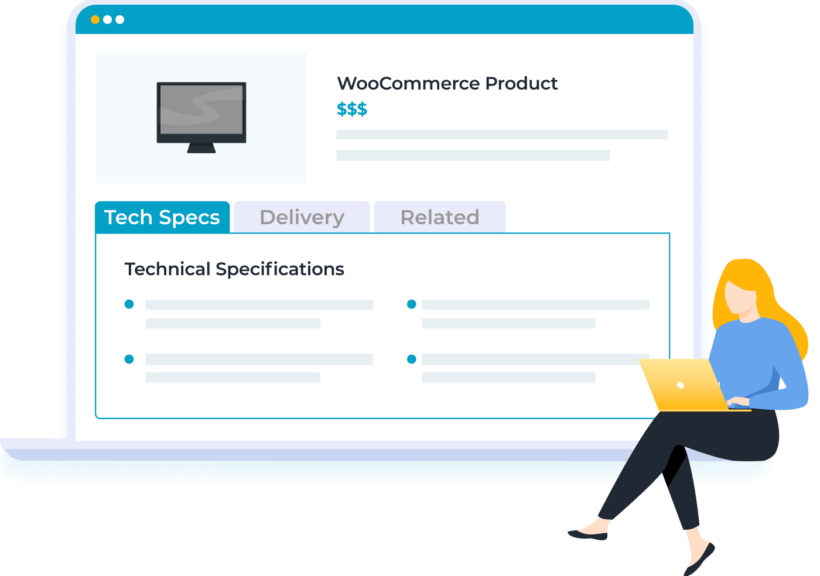
Boost your product pages by adding custom tabs containing extra information. Grow your sales by giving customers all the details they need - everyone wins 💪
Create global tabs, or add tabs to specific WooCommerce products, categories or tags.
Flexible tab content
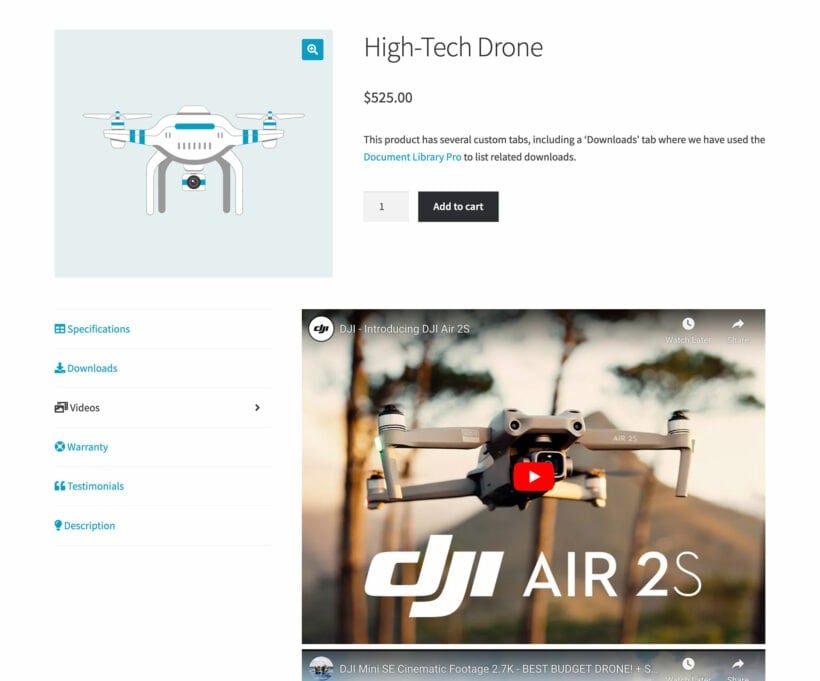
Add any type of content to your product page tabs - text, images, audio, video, shortcodes.
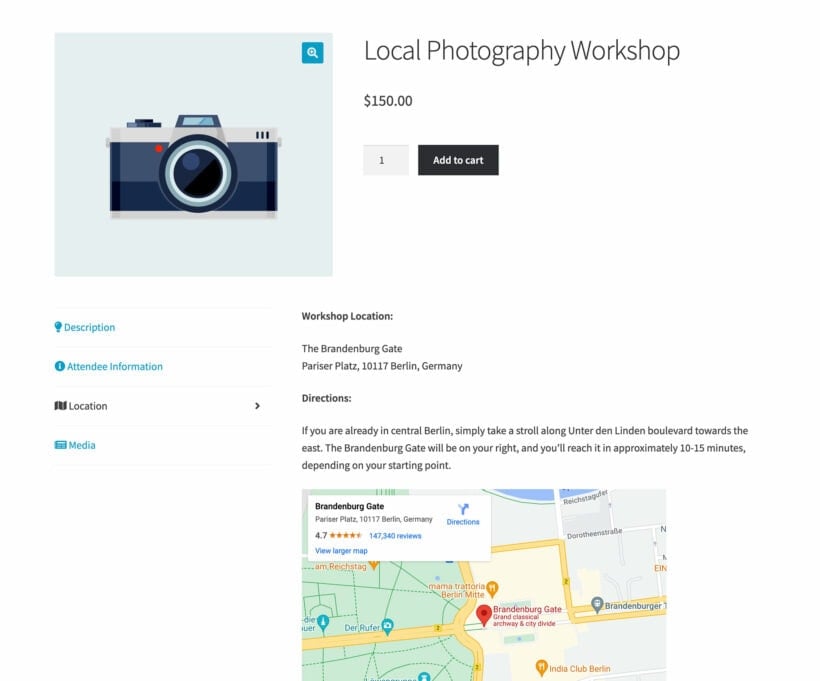
Use with other plugins to add contact forms, maps, social media feeds, chat windows, and more.
The tab manager seamlessly integrates with popular page builders such as Elementor.
Endless use cases
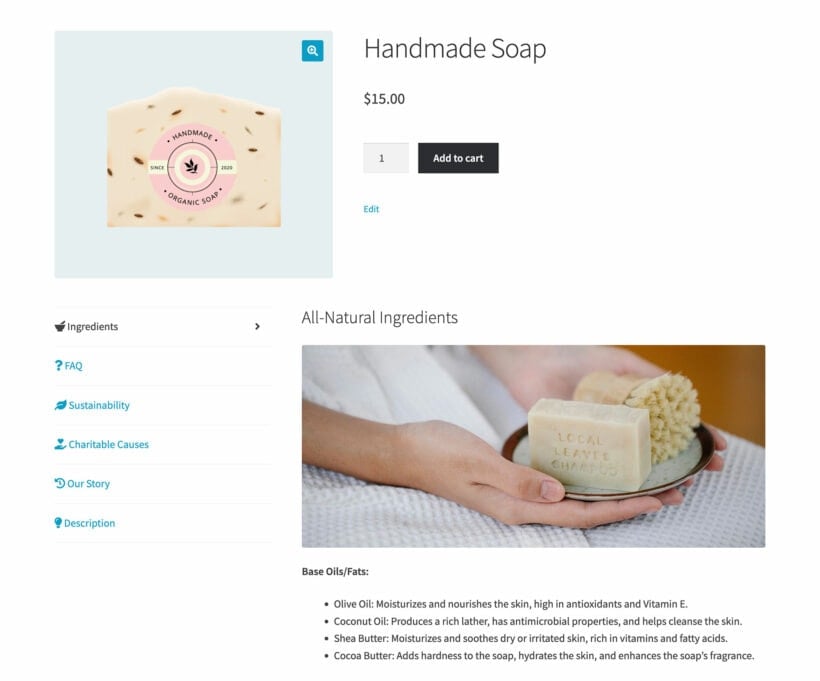
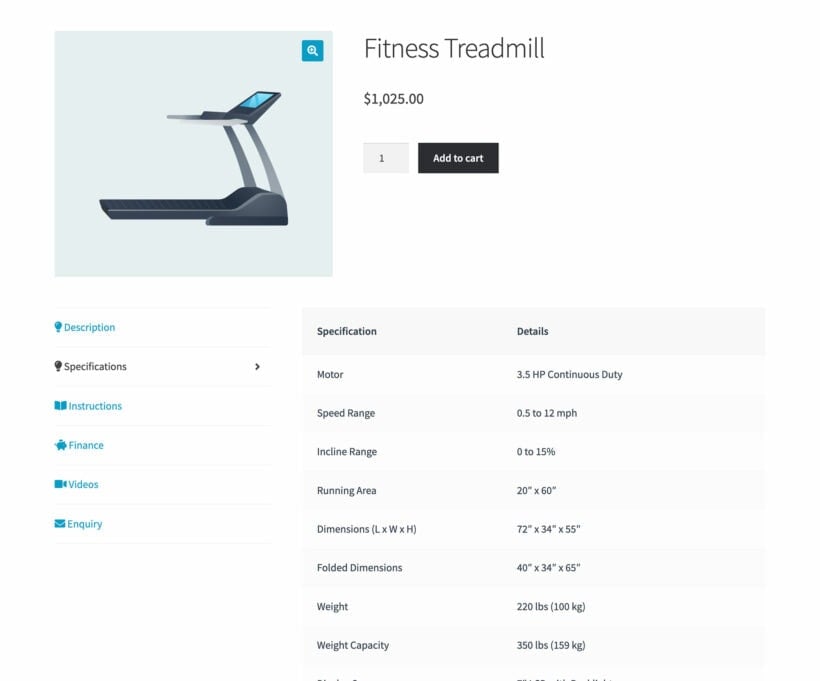
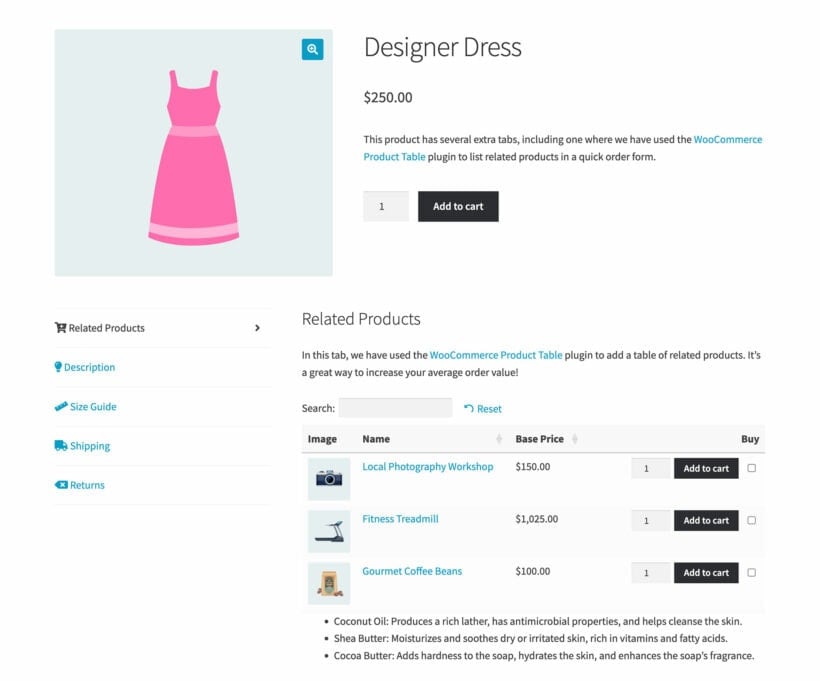
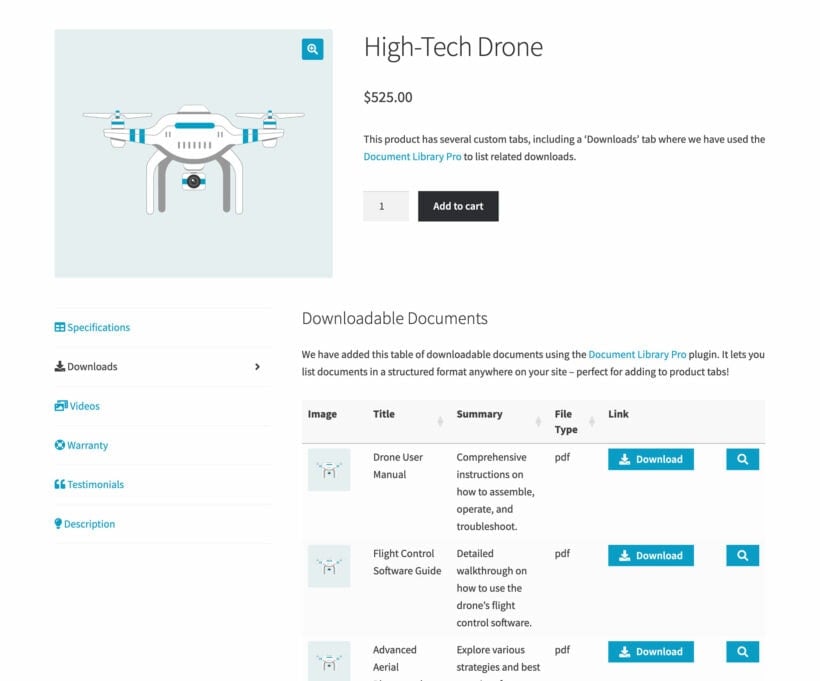
Add product specifications, instructions, galleries, size guides, downloads, and FAQ's.
Display promotions and upsell related products.
Enhance trust by adding company information tabs to the WooCommerce product page.
THE ULTIMATE CUSTOM PRODUCT TABS PLUGIN
It's the perfect way to add extra content without cluttering up the WooCommerce product page 🚀
Unlimited extra tabs
Any type of content
Custom icons and names
Show tabs per product, category or tag
Horizontal or vertical layout
Drag-and-drop re-ordering
Works with page builders
Translation ready
Add unlimited tabs
As many tabs as you like
Add as many extra tabs as you like to the WooCommerce product page, without changing the page layout.
Simple to set up
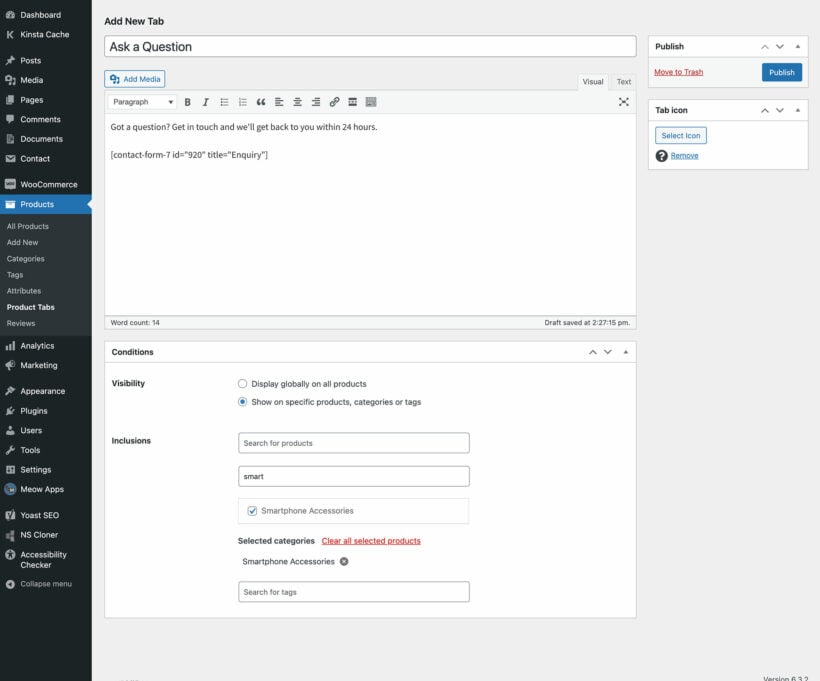
Just create the tab, add the content, and set the visibility.
Search engines can read tab content
The content of each product tab is output in the page's source code and is fully accessible to search engines. It loads with the rest of the page, so search engines won't see it as 'hidden'.
Unlimited content options
Use the WYSIWYG editor
Populate the extra product tabs with diverse content, from text to videos or maps.
Shortcodes are fully supported
Add shortcodes from your theme or page builder, WordPress contact form plugins (Gravity Forms, Contact Form 7, Ninja Forms, WS Form, etc.), gallery plugins, live chat or forum plugins, social media plugins, maps plugins, and anything else you can think of.
You have complete control over the name of each tab, and whether or not to add an icon to it.
Choose a default tab
Choose which tab is open by default when the product page first loads, for example to draw customers' attention to a 'Related Products' tab.
Drag-and-drop re-ordering
Re-order the tabs using drag-and-drop, or enter a number in the 'Priority' field. The tab with the lowest priority (e.g. '1') appears first.
Edit the default WooCommerce tabs too
Hide, rename or re-order the Description, Reviews and Additional Information tabs. They appear in the same drag-and-drop interface as your custom tabs.
Customizable tab visibility
Show a tab on every product
Create extra tabs which appear on all product pages.
Or choose where it appears
Display a tab on selected products, categories, or product tags only.
Add tabs while editing a product
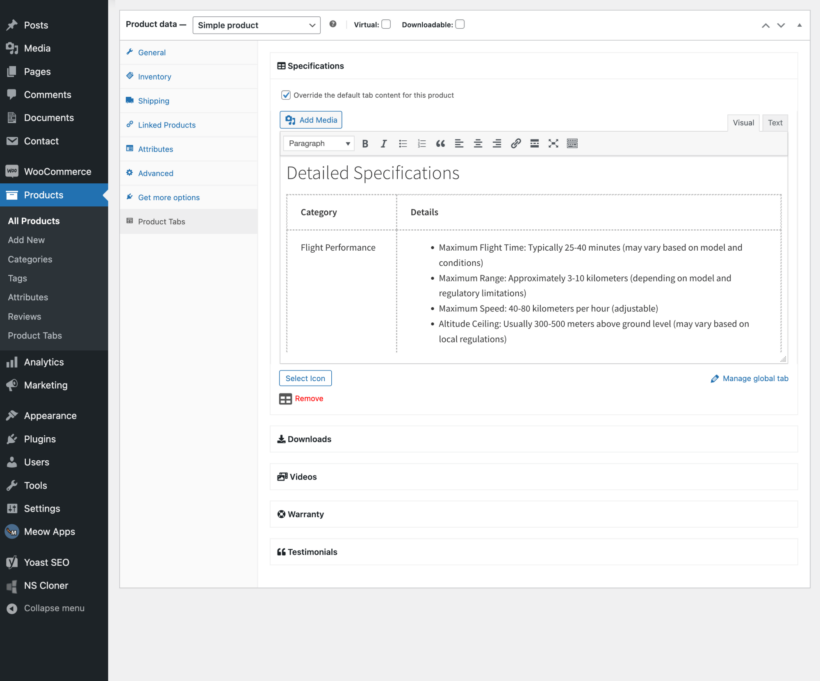
Add tabs directly to individual WooCommerce products from the product edit screen.
Horizontal or vertical tabs
Choose your layout
Choose between a horizontal or vertical tabbed layout for the extra WooCommerce product page tabs.
Matches your theme
The extra tabs are styled identically to the default tabs on the product page, so they always look right with your theme. To change the styling, use the product tab options in your theme, or custom CSS.
“WooCommerce Product Tabs definitely improved the way product information is organized. We had very few issues, and support was a PLUS! We highly recommend it for anyone looking for a great design option.”
Rachel Harrington - USA
★★★★★
“I've been using WooCommerce Product Tabs for 2 years now. It's an excellent plugin, very easy to use, attractively priced, and with a support team that's quick to respond and very helpful when they're needed.”
Rich Crouse - USA
★★★★★
“This WooCommerce tabs plugin works as described. I have nice clear tabs, that I needed for my WooCommerce products. Easy to install and manage! And support was kind and helpful!”
Anastasiya - Prints Come True
★★★★★
“I came across this plugin on YouTube and it appeared to do everything I wanted it to do in a sleek intuitive way. There are some learning curves since I'm new to WooCommerce but their support team have (and continue) to help where appropriate.”
All plans include free setup, updates and support. You can upgrade at any time and just pay the difference. If your annual license expires, the plugin will continue working on your site but you must renew to change settings or receive updates, new features or support.
How do I add a new tab to the WooCommerce product page?
It's easy to add extra tabs to your product pages. Just create the tab, add the content, and set the visibility. There are several options for this, which you can mix and match as needed:
Show the tab globally on all WooCommerce products.
Display the tab on selected products, categories, or product tags only.
Can I customize the icons and titles of my tabs?
Absolutely! You have complete control over the name of each tab, and whether or not to add an icon to it.
Can I edit the default tabs that come with WooCommerce?
WooCommerce itself comes with 3 tabs which appear on the product page depending on your settings:
Description - The main product description.
Reviews - This tab appears for products that have reviews enabled.
Additional Information - Extra product data such as attributes, if you have chosen to display these on the product page.
You can use the WooCommerce Product Tabs plugin to hide or disable any of these default tabs. In addition, you can rename or re-order the default product tabs, and hide the tab name. They all appear in the same editable drag-and-drop interface as your custom tabs.
How can I re-order the tabs on the WooCommerce product page?
Our WooCommerce tab manager plugin gives you full control over the order of the product page tabs. This includes the extra tabs that you create, plus the default tabs that come with WooCommerce itself.
To re-order the tabs, you can either use drag-and-drop or enter a number in the 'Priority' field. The tab with the lowest priority (e.g. '1') will appear first.
Can I add shortcodes within the tabs?
Yes, the custom product page tabs fully support shortcodes. For example, you can add shortcodes from:
Your theme or page builder.
WordPress contact form plugins (Gravity Forms, Contact Form 7, Ninja Forms, WS Form, etc.).
WordPress gallery plugins for inserting extra product images or video.
Live chat or forum plugins for inserting a customer support form into an extra tab.
Social media plugins for inserting social feeds into a product page tab.
Maps plugins to insert a Google Map showing your location.
And anything else you can think of!
Can search engines read tab content?
Yes - the content of each product tab is output in the page's source code and is fully accessible to search engines. The tab content loads with the rest of the page, so search engines won't see it as 'hidden' or de-prioritize it.
How can I customize the style of my tabs?
The styling of the extra WooCommerce product page tabs will be identical to the default tabs on the product page (e.g. the Description tab). This means that they will always look perfect with your theme. As a result, it wouldn't make sense to include styling options in the WooCommerce Product Tabs plugin.
Instead, you can customize the styling by changing the options for product tabs in your theme, or using custom CSS. Your changes will affect all the tabs on the product page, not just the custom ones.
Can I set a default tab?
Yes, you can choose which tab is open by default when the product page first loads. For example, maybe you have added a 'Related Products' tab which is the third tab. You can choose for this to be open by default to draw customers' attention to your other products in your ecommerce store.
Will it work with my theme and other plugins?
WooCommerce Product Tabs works with any well-coded WordPress theme. The tabs are styled identically to WooCommerce's own default tabs, so they look right in your theme. You do not need a developer to write code or edit theme template files.
WooCommerce Product Tabs is designed to work with any WordPress translation plugin such as WPML, WeGlot and TranslatePress. This makes it easy for you to translate the extra product fields into any language and use it on multilingual websites.
What are the minimum requirements for running the plugin?
WooCommerce Product Tabs is fully tested with the latest versions of WordPress and WooCommerce. We always recommend running the most up-to-date version, but we also support older installations:
WooCommerce 7.2 or greater (tested to 11.0.1)
WordPress 6.1 or greater (tested to 7.0.4)
PHP 7.4 or greater (tested to 8.5)
MySQL 5.7.8 or greater / MariaDB 10.3 or greater
What offers are available for WooCommerce Product Tabs?
Several offers are available if you are a nonprofit or wish to buy multiple plugins:
Charity discount - Registered nonprofits get 15% discount off.
2-plugin bundle - Get WooCommerce Product Tabs together with WooCommerce Quick View Pro at a reduced fixed price. Select the bundle in the pricing table above.
Multi-buy discount - Add any two or more Barn2 plugins to your cart and get 40% off automatically at checkout. The most expensive plugin stays at full price, and every other plugin is reduced by 40%. No coupon needed.
All Access Pass - For the best possible value, get our All Access Pass which gives you VIP access to our entire plugin suite including WooCommerce Product Tabs.
We use this plugin to add enquiries (email and whatsapp) and downloads tabs to products. This really helps to keep important info front and centre, without it getting lost within lengthy product descriptions. I also helps massively when changes are made to forms and downloads as they can be made in one simple interface instead of multiple edits to the actual products.
Mirjam
Super
Rated 5 stars
By Mirjam on
I used to have a different plugin but this one is so much easier. You can make general tabs for all products or only certain categories or per product. It easy to use.
Iris Van Dessel
Super. Highly recommended.
Rated 5 stars
By Iris Van Dessel on
I’ve been using the plugin for over two years now. What I find particularly interesting is that you can have different tabs, linked to different products, tags or categories. It’s also extremely easy to get started with. Highly recommended!
Beth Coleman
Shortcode for tab automation
Rated 5 stars
By Beth Coleman on
I appreciated Carl's help with my request. He went out of his way to find a solution. I'm glad I used Barn2's chat to request the help. Because I have the All Access Pass it would also be possible to raise a ticket, but I know the team now and Carl was available to help. It was areally great support experience.
Emily
Perfect plugin: simple, powerful, great support
Rated 5 stars
By Emily on
This plugin transforms the product page and allows you to pack in lots of information in a presentable, user-friendly way that's not intrusive. It's very easy to set-up and should you have an issue the support is excellent.
johan
Woocommerce Product Tabs
Rated 5 stars
By johan on
Great plugin so far. Easy to install, manage and change.
Miriam
Excellent Plugin, Support is super
Rated 5 stars
By Miriam on
I have been using another plugin for 2 years, stepped over to this one and it works great. Makes life a lot easier. First had a problem on mobile due to a conflict with the theme and this plugin, but thanks to the support this problem is solved as well.
Mark
Great plugin
Rated 5 stars
By Mark on
We have been using the WooCommerce Product Tabs plugin for some time now and it's really easy to use. The Barn2 support team is first class. Great plugin.
Rich Crouse
Excellent in Every Way
Rated 5 stars
By Rich Crouse on
I've been using the WooCommerce Product Tabs plugin for 2 years now. It's an excellent product, very easy to use, attractively priced, and with a support team that's quick to respond and thoroughly helpful when they're needed. I highly recommend the product and their team!




















Excellent Plugin!
By John Beardon on
We use this plugin to add enquiries (email and whatsapp) and downloads tabs to products. This really helps to keep important info front and centre, without it getting lost within lengthy product descriptions. I also helps massively when changes are made to forms and downloads as they can be made in one simple interface instead of multiple edits to the actual products.