













Is this a separate WooCommerce measurement price calculator plugin?
No. The WooCommerce measurement price calculator is a feature of our Product Options plugin. When you buy the plugin from the pricing table on this page, you'll receive WooCommerce Product Options with all its features including the measurement price calculator.
What can I sell with it?
You can sell almost any product where the price depends on a customer's measurements. Store owners use this type of setup for fabric by the meter, made-to-measure curtains and blinds, flooring and tiles by the box, concrete and topsoil by volume, coffee and bulk food by weight, printed banners by length, cut-to-size glass, made-to-measure clothing and services priced by area.
Will you set up my measurement price calculator?
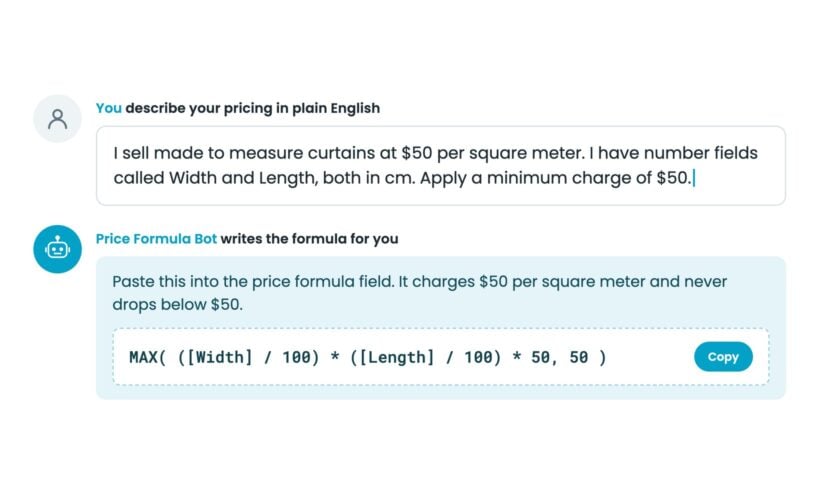
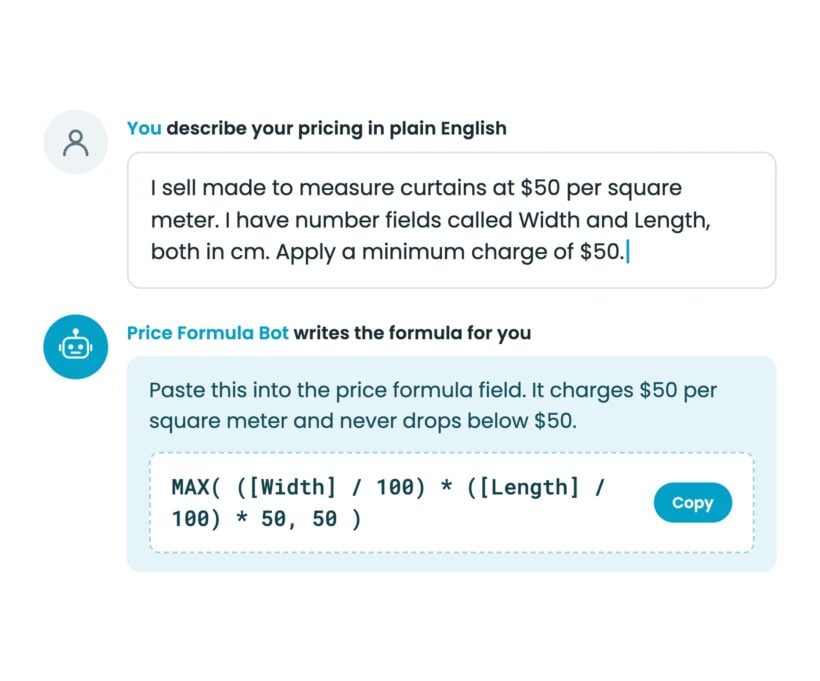
Yes, we set up your measurement price calculator free within 30 days of buying WooCommerce Product Options. Every license includes this service. Our free setup service covers up to 5 options and 20 choices, which gives you a working calculator. After buying, you request it on our free setup page. If you want to build it yourself, the Price Formula AI bot writes your formula from a plain English description.
Do I need to be good at math to use the WooCommerce measurement price calculator?
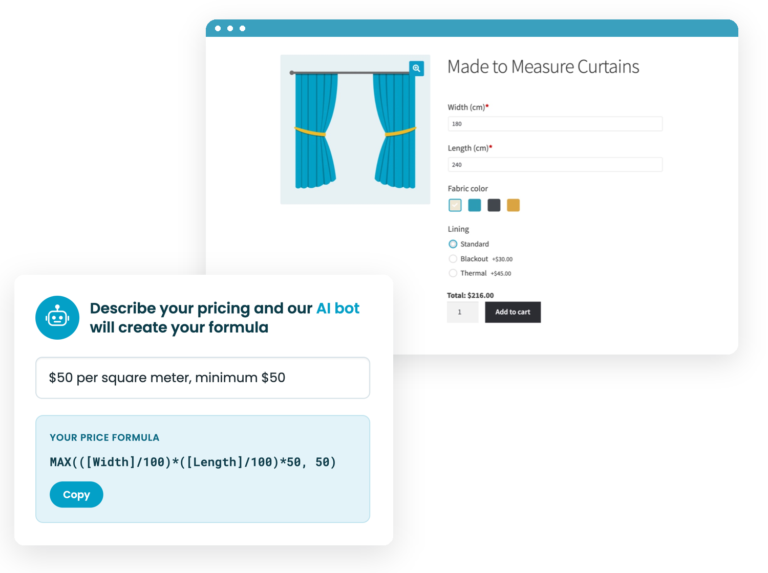
No. You describe your pricing rule in plain English, and the Price Formula AI bot writes the formula for you. Licensed customers can use the bot free inside the price formula field. If you would rather have us check the setup, every license includes our free setup service. You can also use our support team and documentation whenever you need help.
How do customers enter measurements in the WooCommerce measurement price calculator?
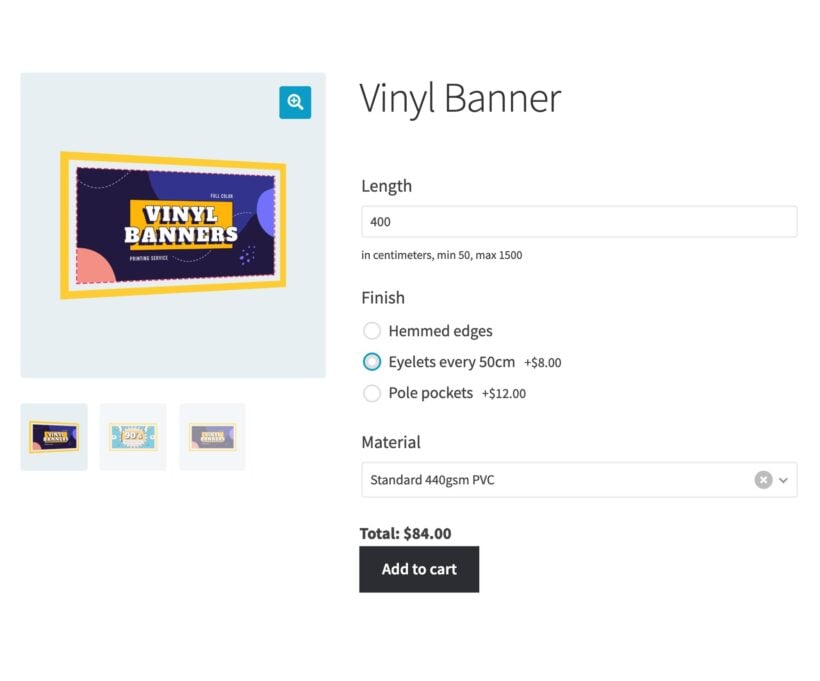
Customers can type their own measurements into number fields. You can also give customers preset sizes through dropdowns, radio buttons, image buttons or swatches. Each choice can carry its own numeric value for the calculation. You can sell products where customers type an exact width and height, or choose common sizes from a neat set of buttons.
How does the price appear on the product page?
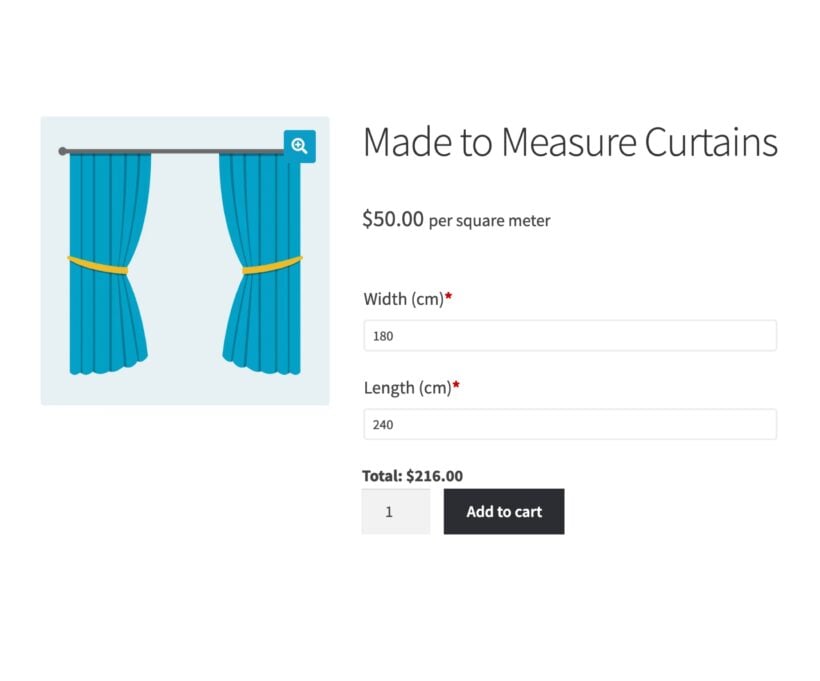
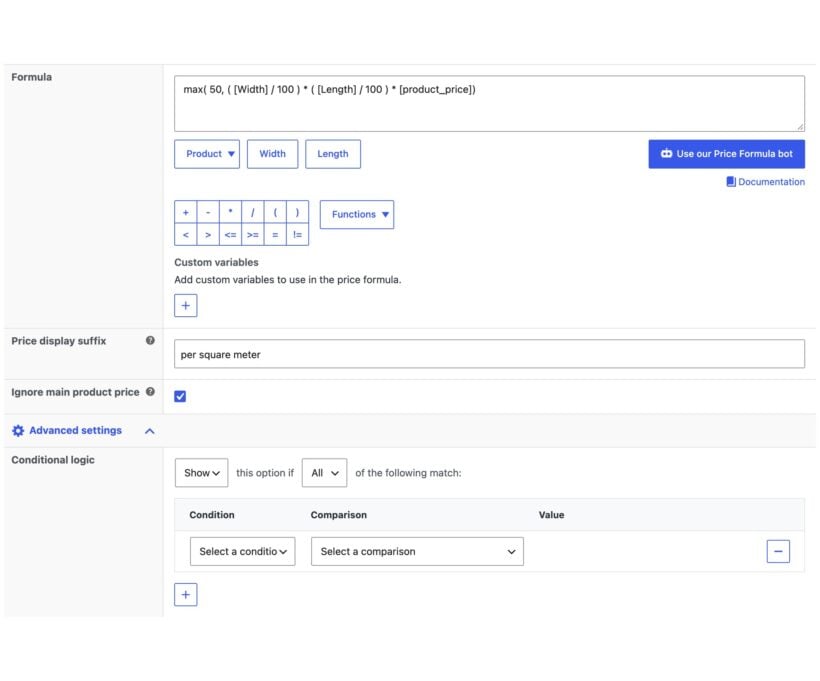
Customers see a live running total as they enter measurements and choose options. You can add a suffix such as per square meter, use the product price as a per-unit rate or hide the main product price. That makes the product page clearer for custom products where a fixed price would confuse customers.
Can I set a minimum charge, or round up to whole units?
Yes. You can set a minimum charge for small orders, round quantities up to whole boxes or rolls and offer cheaper rates for bigger orders. The formula field supports the same kind of math and logical operators you would use in a spreadsheet. The AI bot can write the formula for you.
Can I use the product's own weight and dimensions in the calculation?
Yes. You can use the WooCommerce product's own price, weight, length, width, height and quantity in the calculation. You can also use custom fields if you store extra product data there. For example, you might keep a material cost, waste allowance or production fee in a custom field and use it in the customer's price.
Can I limit the measurements customers enter?
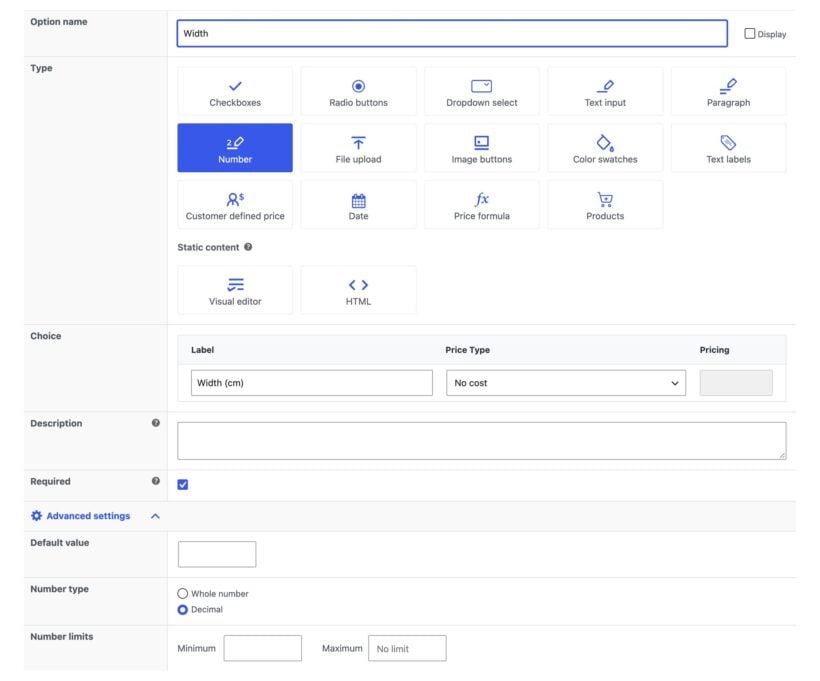
Yes. You can set minimum and maximum values for each measurement field. You can also choose whether customers enter whole numbers or decimals, and you can make fields required before customers add the product to the cart. This helps you avoid impossible orders, tiny orders that cost too much to produce and measurements outside your manufacturing limits.
Can customers choose other options as well as a size?
Yes. Customers can choose from the plugin's 16+ field types on the same product page as the WooCommerce measurement price calculator. You can add checkboxes, text fields, uploads, color swatches, image buttons and other options. You can also use conditional logic to show each option only when the customer needs it.
Where do the measurements appear after the customer orders?
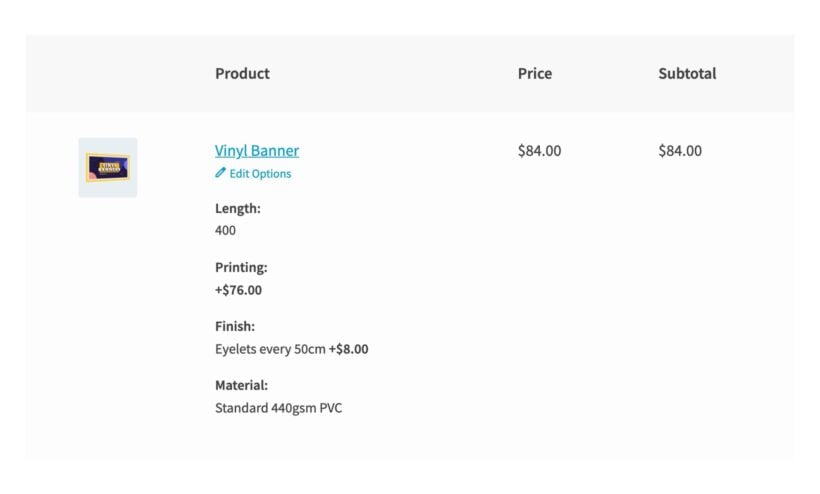
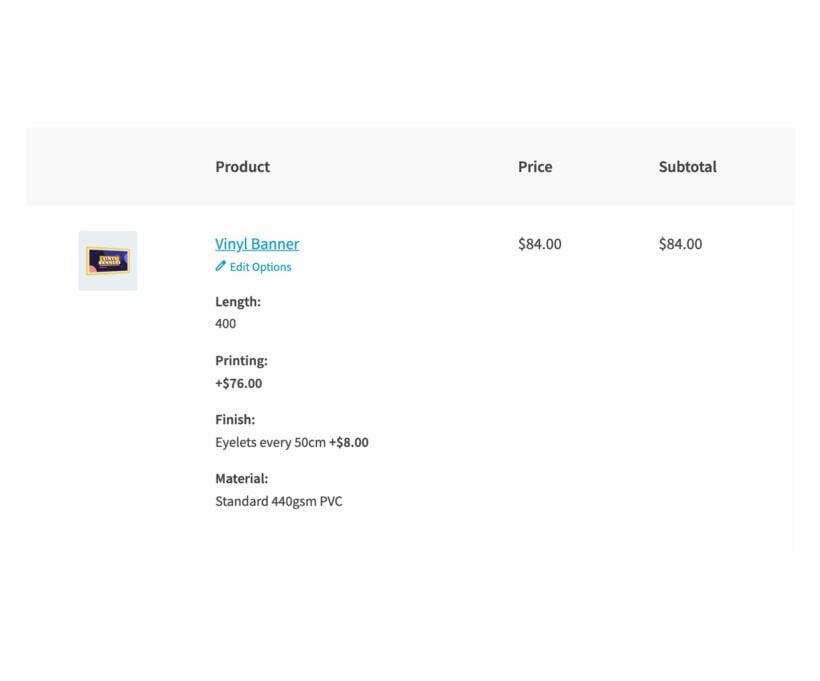
Customers' measurements appear in the cart, checkout, order details and order emails. You receive the information with the rest of the WooCommerce order, which means you know exactly what to cut, make, print or pack. You and your customer can both check the order before production starts.
Does the WooCommerce measurement price calculator work with variable products?
Yes. You can use the WooCommerce measurement price calculator on simple products and variable products. That means customers can choose a product variation first, then enter measurements and options on the same product page. You can use it for products where the base variation affects the price, size, material or production method.
Which units of measurement can I use?
You can use any units you want, because you name the fields customers see. Store owners commonly use cm, inches, feet, meters, yards, kg, pounds, liters, gallons, square units and cubic units. You can keep the unit label in the field name, the field description or the price suffix, depending on what makes the product page easiest to read.
Will it work with my theme and other plugins?
WooCommerce Product Options works with any well-coded WordPress theme. We test it with a range of free and premium themes. You can add product options without bringing in a developer, adding code, or editing theme templates.
The theme compatibility page shows the themes we test with. If a theme conflict appears, our support team will help.
WooCommerce Product Options is fully compatible with all Barn2 plugins, and with most plugins from other companies. You can check the plugins we have tested with WooCommerce Product Options.
Does it work in my language?
WooCommerce Product Options is designed to work with any WordPress translation plugin such as WPML, WeGlot and TranslatePress. This makes it easy for you to translate the extra product fields into any language and use it on multilingual websites.
What are the minimum requirements for running the plugin?
WooCommerce Product Options is fully tested with the latest versions of WordPress and WooCommerce. We always recommend running the most up-to-date version, but we also support older installations:
- WooCommerce 7.2 or greater (tested to 11.0.1)
- WordPress 6.1 or greater (tested to 7.0.4)
- PHP 7.4 or greater (tested to 8.5)
- MySQL 5.7.8 or greater / MariaDB 10.3 or greater






Complicated Booking forms sorted
By Jeremy Opperman on
Plugin and Plugin support are great, I encountered a issue that support and developer fixed and updated very quickly. The mathematical equations and variables are easy to logically understand. Great plugin to solve complicated product options.