The best WordPress restaurant plugins: table booking, menus and online ordering


Want to take online table reservations, display your menu, or accept food orders through your WordPress site? I'll walk you through the best WordPress restaurant plugins for 2026 - the ones genuinely worth your time, split into menu and ordering tools and table reservation tools.
Whether you run a cozy café, a bustling bistro, or an upscale fine dining restaurant, your website is the first place new customers go to learn about you. It's where they browse your menu, see photos, and - with the right plugin - order food or book a table.
I've researched and compared dozens of WordPress restaurant plugins, and I've grouped my recommendations into two groups - menu and online ordering plugins, and table reservation plugins - so you can quickly find the right one.
One heads-up before we start: this space is full of abandoned and mislabeled tools. Several "reservation" plugins are really generic appointment bookers with no concept of tables or covers, and a couple of popular names have been removed from the WordPress.org directory altogether. I've flagged all of that below so you don't waste time on a dead end.
Quick verdict: the best WordPress restaurant plugins
Short on time? Here are my top picks:
- Best for menus and online orderingWooCommerce Restaurant Ordering turns a WooCommerce site into a polished one-page food-ordering menu, with opening hours and delivery built in. See my full notes below on what it doesn't do.
- Best free all-in-oneWPCafe handles online ordering AND table reservations in a single free plugin, plus QR-code ordering.
- Best for table reservationsFive Star Restaurant Reservations is the only widely used plugin built specifically for restaurant table booking, with real floor-plan and party-size features.
- Best without WooCommerceRestroPress is a standalone, commission-free ordering system if you'd rather not run WooCommerce.
Evaluating these restaurant plugins
I didn't just collect every plugin with "restaurant" in its name. For each one I checked:
- Is it still maintained?When it was last updated and whether it's tested with current WordPress. I've dropped plugins that have been abandoned or removed from WordPress.org.
- Does it do the job?Whether it's genuinely built for restaurants, or a general-purpose tool being passed off as one - this matters most in the reservations category.
- Real-world ratingsActive install counts and review scores, including the negative reviews, not just the marketing.
- Trade-offsThe cons as well as the pros, including pricing and what's locked behind paid tiers.
What are WordPress restaurant plugins?
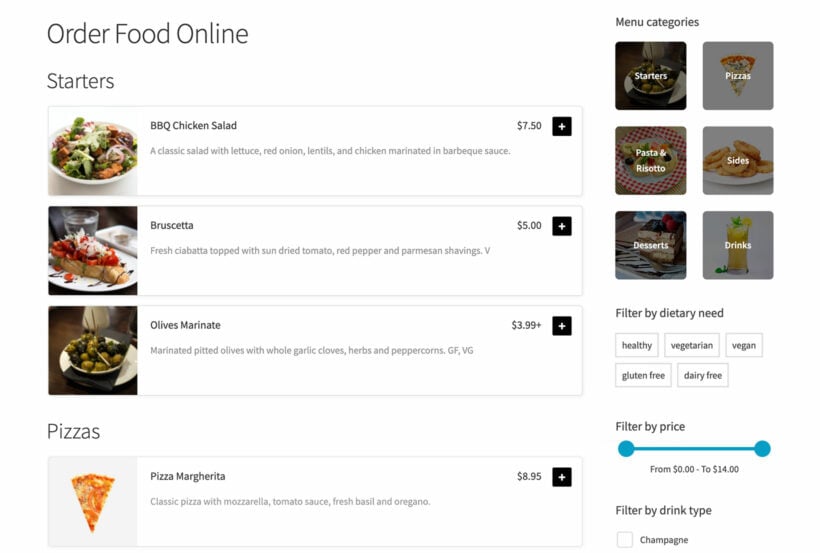
A restaurant plugin is an add-on for a WordPress website that adds features specific to running a restaurant. They fall into three main categories:
- Menu pluginsIt's really important to display your restaurant menu online. This reassures people they'll find something they like, making them more likely to eat with you.
- Online ordering and delivery pluginsRestaurants can significantly boost their revenue by letting customers order food online - to eat at the table, or for delivery or collection.
- Table reservation pluginsMost restaurants need a way for customers to book a table online: select an available time slot, enter the number of people, and reserve.
Combining reservations and menus
These categories overlap, so for the best results you'll often combine one plugin from each - a menu or ordering tool alongside a reservation tool.
Keep reading to discover the best plugins in each category.
Restaurant menu and online ordering plugins
Every food business should display its menu online - it reassures customers your food suits their tastes and dietary needs before they visit. Adding online ordering on top lets them order for delivery or collection, which is where the real revenue uplift comes from. For each plugin below I've noted whether it offers a read-only menu or full online ordering.
1. WooCommerce Restaurant Ordering - full online ordering
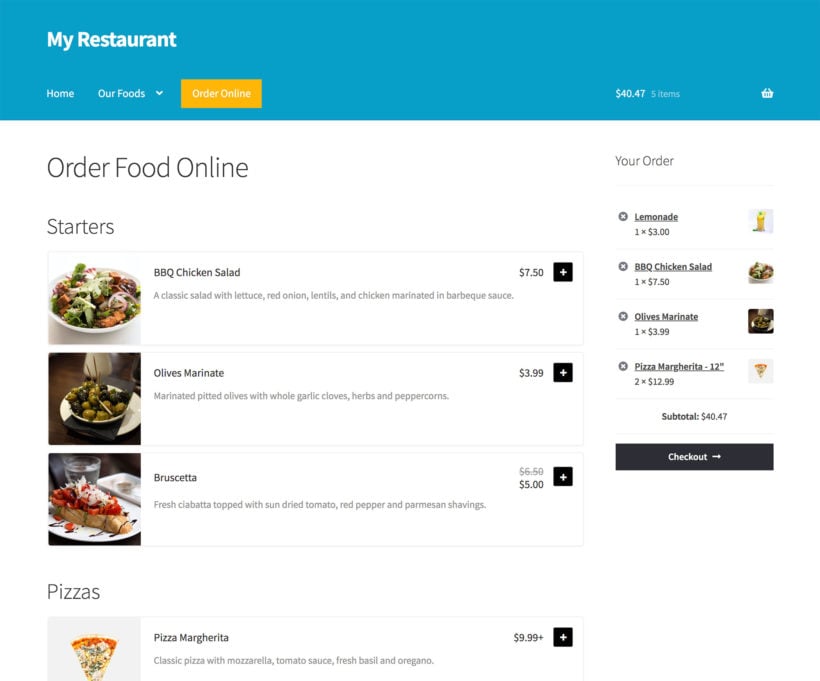
At the top of my list is WooCommerce Restaurant Ordering, which is one of our own plugins here at Barn2. It turns a WooCommerce store into a one-page food-ordering menu. Install it and it builds an ordering page with your products grouped by category, or drop an order form anywhere with a shortcode.
We built WooCommerce Restaurant Ordering during the pandemic, when we noticed how many restaurants were using our Product Table plugin to cobble together a food order form. They deserved a purpose-built ordering interface, so we made one focused squarely on the ordering experience.
Because it's designed specifically for restaurants, the restaurant touches are built in. You get opening hours with up to two sessions a day (lunch and dinner), open/closed messaging, one-click or quantity ordering, and several menu layouts. It works on top of the free WooCommerce plugin to handle delivery, collection, and dine-in orders with real payments.
What it does well:
- An auto-generated, mobile-friendly one-page ordering menu.
- Built-in restaurant opening hours that block ordering when you're closed.
- One-click ordering, or a quantity and options lightbox.
- Works with the free WooCommerce plugin for payments and order management.
The downside is that WooCommerce Restaurant Ordering only handles menus and ordering. You'll need to combine it with additional plugins for table reservations, plus some extras like selling pizza toppings and offering delivery time slots. Fortunately, WooCommerce Restaurant Ordering is fully tested with many complementary plugins, which I cover in the bonus section near the end of this article.
2. WPCafe - full online ordering and reservations
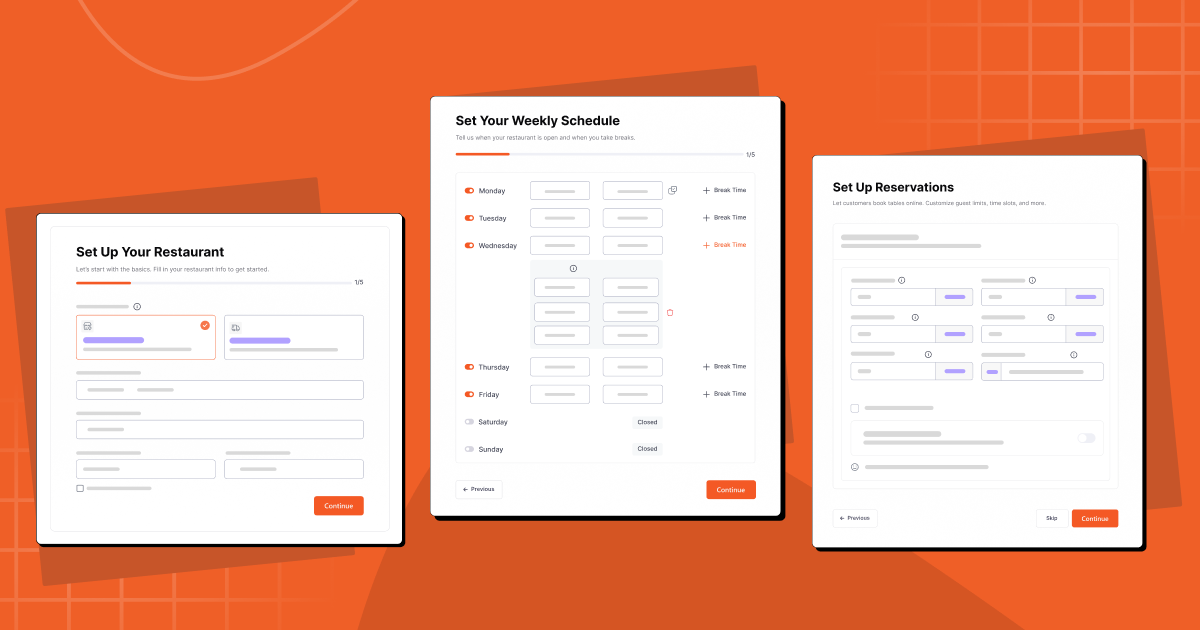
WPCafe (by ThemeWinter) is the strongest free all-rounder here, because it covers both jobs this article splits into two lists: online food ordering AND table reservations, in one plugin. It works with WooCommerce and adds menu layouts, food variations, delivery zones, QR-code ordering, and a visual table-booking layout.
With 6,000+ active installs and a 4.6-star rating, it's well established and actively maintained, with a recent major version 3.0 release. For a lot of restaurants it removes the need to stitch several plugins together.
The trade-off: the free version is generous, but the slicker layouts, multi-location, and some delivery features sit behind the Pro upgrade. As an all-in-one it's less specialized than a dedicated ordering plugin, so power users may still prefer a focused tool.
3. Food Menu Pro by RadiusTheme
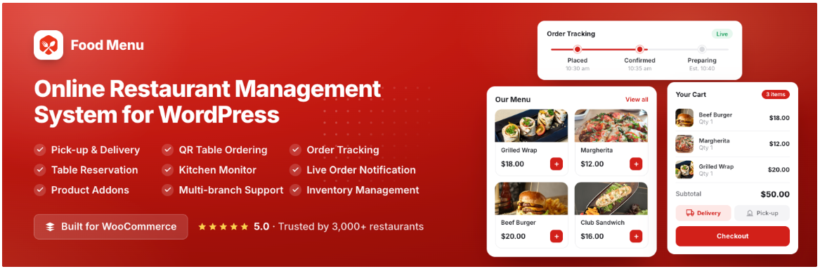
Food Menu Pro by RadiusTheme is an all-in-one restaurant plugin. It handles menu display, WooCommerce ordering, visual table reservations, and kitchen management in a single install. Trusted by 3,000+ restaurants, it works with Elementor and Gutenberg, no coding needed.
Its standout feature is the front-end staff dashboard, which lets kitchen staff monitor orders in real-time, track inventory, record waste, and update statuses without accessing WordPress admin.
Other features include:
- 20+ layouts: grid, list, slider, and isotope filter.
- Pickup and delivery with customizable time slots and weekly schedules.
- QR code table ordering for contactless dine-in.
- Product addons for extras like toppings and sides.
- Custom order statuses with email, SMS, and WhatsApp notifications.
- Timed products, order bumps, tipping, POS printing, and multi-location support.
The downside: the free version is basic — online ordering, table reservations, the dashboard are all Pro-only. But for restaurants wanting one plugin instead of three or four, it's hard to beat on features-per-dollar.
4. WooCommerce Food - full online ordering

WooCommerce Food is a premium plugin by Ex-Themes built for online food ordering on top of WooCommerce. Whatever type of restaurant you run, you can use it to create an online menu customers order from directly on your site.
You can display your menu as a grid, list, carousel, or table, all without code, and it supports menu groups, food add-ons, delivery zones, and time-based menus.
Here are its standout features.
- Customizable menus with prices, categories, and descriptions.
- Opening and closing hours that prevent orders when you're closed.
- Works with WooCommerce and its payment gateways.
- More than 20 menu layouts, with no coding required.
One limitation: it's premium only (from $69 on CodeCanyon) with no free version to trial, and as a CodeCanyon product, support and updates are tied to an active license.
5. Five Star Restaurant Menu - menu display, with optional ordering

The Five Star Restaurant Menu plugin creates an attractive, responsive menu that matches your site in minutes. Once installed, it adds a Gutenberg block and a shortcode you can place on any page.
A nice touch is the QR code feature, so in-house diners can scan and view your menu. It also adds full menu schema structured data, so Google can recognize and display your menu in search results.
Other features include:
- Unlimited menus and menu items.
- Photos and individual prices for each item.
- Includes an optional navigation sidebar.
- Displays well on phones and tablets.
On the downside, the free version is menu-display only - online ordering itself needs the paid Ultimate tier, which uses its own ordering engine rather than WooCommerce. Several reviewers mention needing custom CSS to fix theme styling conflicts.
6. RestroPress - full online ordering (no WooCommerce needed)
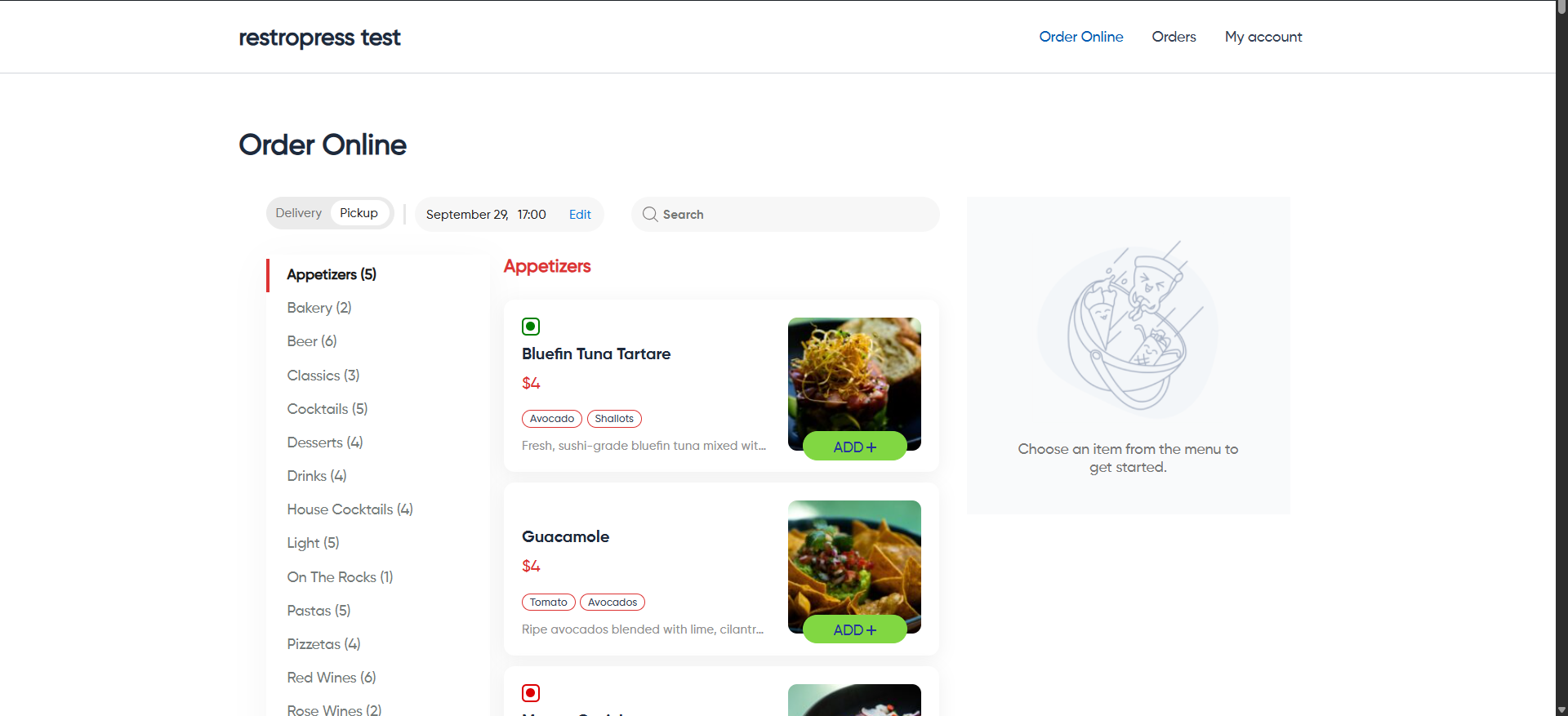
RestroPress is the best option if you'd rather not run WooCommerce at all. It's a standalone, commission-free food-ordering system with 1,000+ active installs and a 4.4-star rating from over 100 reviews.
The free core handles delivery and pickup, item add-ons and modifiers, a customer dashboard, and real-time order management. Paid extensions add QR dine-in ordering, driver and kitchen apps, and POS integrations like Square and Clover.
The limitation: because it's standalone, you don't get WooCommerce's huge ecosystem of payment gateways and extensions, and the most useful features (apps, POS, and advanced delivery) are paid add-ons.
7. Orderable - full online ordering
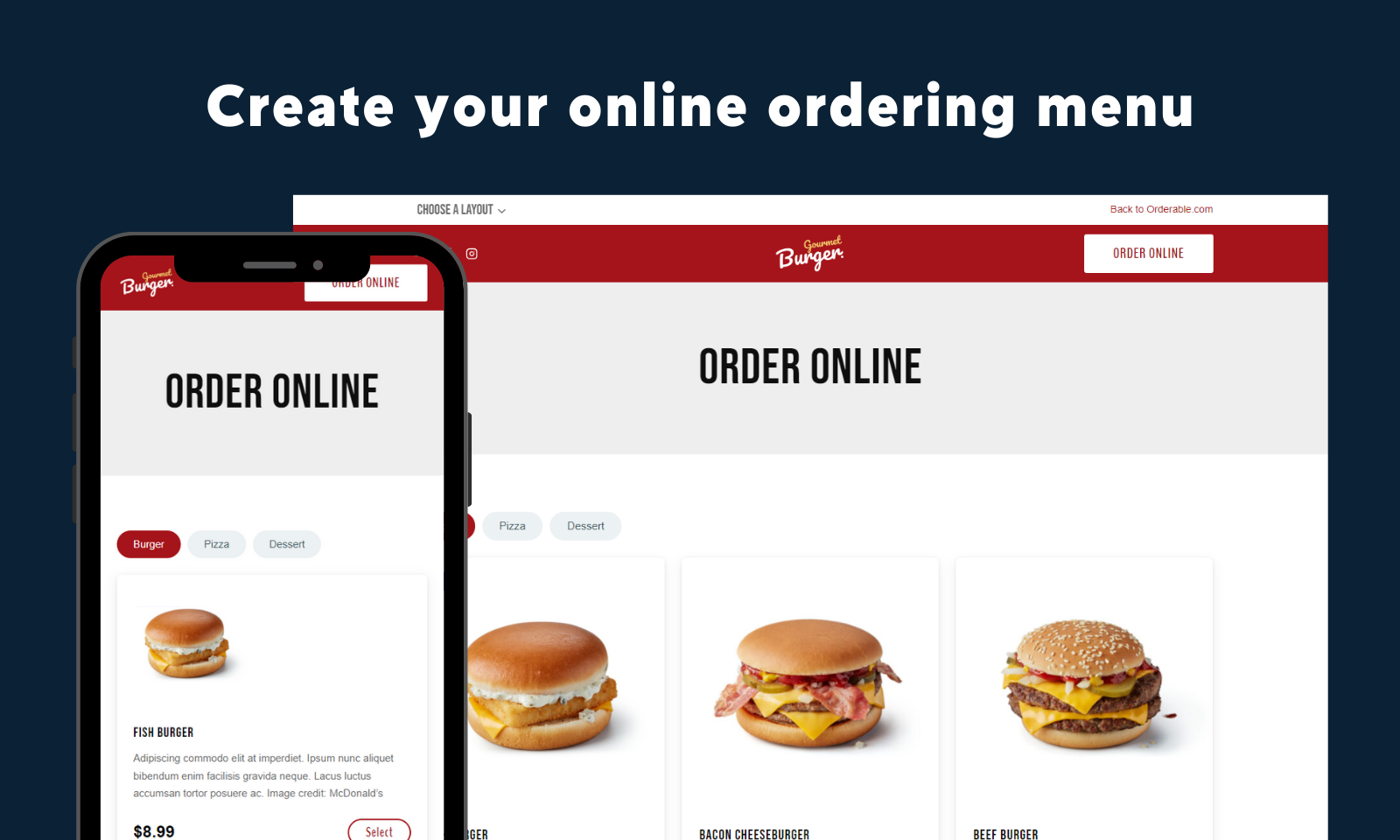
Orderable is a capable WooCommerce ordering plugin, and on features alone it's excellent. Its free core includes features that some rivals charge for. You get a live order view with sound alerts, receipt printing without a third-party service, delivery and pickup time slots, and opening-hours control. Pro adds QR table ordering, tipping, product add-ons, and SMS/WhatsApp notifications.
The reason it sits mid-list rather than at the top is ownership. Orderable is a StellarWP / Liquid Web product (it came from the same team as Iconic). Liquid Web has since wound down the StellarWP brand and shut Iconic down as a standalone product, folding several plugins into others.
Orderable survived that round and is still actively maintained, but it sits inside a company that has shown it will retire WooCommerce plugin lines at short notice. So factor in some longevity risk before you build your restaurant around it.
Worth knowing: the ownership uncertainty above, plus the fact that the most useful extras (table ordering, tipping, and add-ons) are Pro features.
8. WPPizza - full online ordering

WPPizza was designed for pizza delivery businesses, but it works for other food and drink too. It's a long-running plugin (going since 2013) that's still actively updated, with its own ordering system rather than relying on WooCommerce.
Its menu management handles product variations and add-ons - sizes, toppings, and prices - and the core plugin includes cash-on-delivery ordering, opening hours, tips, and order reports.
It also supports:
- Notifications for new orders.
- Discounts and tips.
- Multiple layout options.
The downside: the install base is modest (1,000+) and it's a one-developer project. There are no table reservations, and card payment gateways plus most useful extras (toppings, delivery by postcode, and coupons) are paid add-ons - the free version is cash-on-delivery only.
Related: How to sell pizzas online with custom pizza toppings.
9. Restaurant for WooCommerce - full online ordering
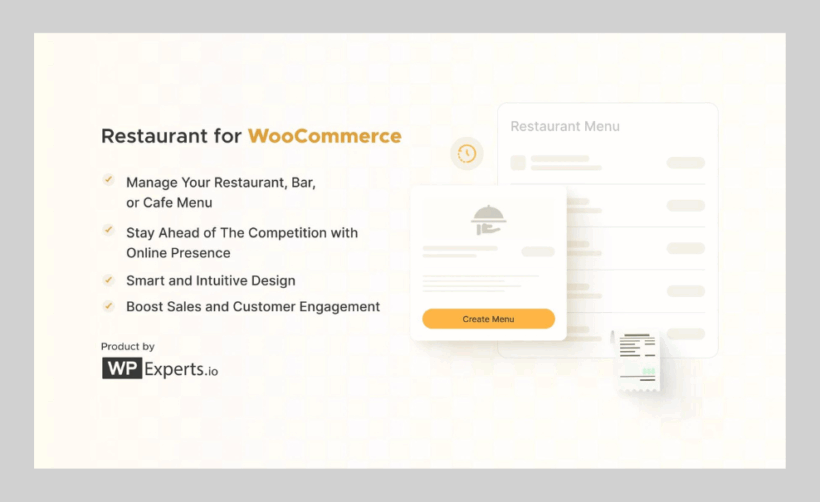
Restaurant for WooCommerce (by WPExperts) turns a WooCommerce store into a restaurant menu and ordering system, with drag-and-drop menu ordering, item modifiers, multiple menus, tipping at checkout, and QR-code table ordering.
It costs $12.42 per month or $149 a year.
Key features include:
- Multiple delivery options.
- A mini-cart widget with an order summary.
- Multiple menus for different occasions.
- QR-code table ordering.
Worth noting: this is the least proven option here - around 300 active installs and a 3.9-star rating, the lowest in this roundup. It's premium only with limited community feedback, so it's harder to know what you're getting than with the better-established plugins above.
10. Restaurant Menu by MotoPress - menu display, with optional ordering

The Restaurant Menu plugin by MotoPress showcases your menu with ingredients, portion sizes, and nutritional details, displayed as a list or grid. It uses its own built-in ordering engine (with free PayPal and cash-on-delivery) rather than WooCommerce, and you can add contact details and opening hours.
Other features include:
- Unlimited menu items.
- Detailed page templates.
- Shows item images and attributes.
The weak point: development has largely stalled - recent releases are security patches rather than new features. Core ordering extras (delivery, toppings, and menu cart) require paid add-ons at around $49 each, and the review base is small.
11. Restaurant Menu by GloriaFood - full online ordering and reservations

The Restaurant Menu plugin by GloriaFood embeds GloriaFood's hosted ordering system (now owned by Oracle) into your WordPress site, covering menu display, online ordering, and table reservations with no commission on orders. It's free to install, though some features (card payments, branded apps) are paid.
You can build categorized menus without code and update them in real time through GloriaFood's dashboard.
Other features include:
- Unlimited orders with no commission.
- Promotions and special deals.
- Configurable menu sections.
- Displays well on phones and tablets.
The drawback: because the menu and ordering live on GloriaFood's servers rather than in WordPress, customization and integration with other WordPress tools are limited. The WordPress plugin itself hasn't been updated in over a year (it's only tested up to an older WordPress version), and a common complaint is that it can't calculate delivery fees by driving distance.
12. Restaurant & Cafe Addon for Elementor - menu display only

If you build your site with Elementor and just need an attractive menu (not online ordering), the Restaurant & Cafe Addon by NicheAddons gives you 50+ Elementor widgets. These include menu lists, food grids, opening hours, a reservation form, and chef and team blocks.
Because it's a drag-and-drop Elementor extension, you can build and restyle your menu layouts visually.
Some key features include:
- 50+ restaurant widgets for Elementor.
- Menu, opening hours, and contact widgets.
- Drag-and-drop customization.
- Works with most themes.
The limitations: it's display only - there's no real ordering, cart, or payment engine. It depends entirely on Elementor, hasn't been updated in over a year, and has very few reviews, so it's best treated as a design add-on rather than a complete restaurant solution.
Restaurant table reservation plugins
A restaurant reservation plugin lets customers book a table online - choosing a date, time, and party size - while you manage incoming bookings, availability, and capacity from the WordPress admin.
Very few WordPress plugins are genuinely built for restaurant table booking. Many of the "reservation" plugins you'll see recommended elsewhere are general appointment schedulers - designed for salons, clinics, and consultants - with no real concept of tables, covers, or table turnover.
A few popular names (such as BookingPress) have even been removed from the WordPress.org directory. Below I've separated the genuine restaurant-booking tools from the general bookers you'd have to adapt.
1. Five Star Restaurant Reservations

Five Star Restaurant Reservations is the one plugin here built specifically for restaurant table booking, and it's the one I'd start with. The free version adds a clean booking form with party-size limits, a confirm/reject workflow, and email notifications.
The paid Ultimate tier is where the real restaurant features live: define your tables and sections, set seat counts, combine tables, upload a floor plan, and set different lunch and dinner capacities.
With 10,000+ active installs and a 4.7-star rating from over 200 reviews, it's by far the most established genuine restaurant-reservation tool. It's also been tested to work alongside WooCommerce Restaurant Ordering, so you can take bookings and orders on the same site.
Where it falls short: the genuinely useful table-management features (floor plan, capacities, deposits, and SMS) all sit in the paid Ultimate tier - the free version is just a basic booking form.
2. ReDi Restaurant Reservation

ReDi Restaurant Reservation is the other genuine restaurant-booking tool, built specifically for cafes, pubs, and restaurants. It offers real-time availability, instant or manual confirmation, per-weekday capacity, multiple opening periods, a waitlist, and a tablet "waiter dashboard." Like Five Star, it's compatible with WooCommerce Restaurant Ordering.
One caveat: reservations are processed through ReDi's external service (the ReservationDiary API) rather than stored entirely on your own site, so you depend on that service staying up. The free tier is capped at 100 guests a month, and several reviewers feel you really need a paid subscription for it to be usable.
3. WPCafe (if you want ordering too)
If you'd rather handle table reservations and online ordering with a single plugin, WPCafe - covered in the menu section above - does both, including a visual table-booking layout. It's the most convenient option if you don't want to run a separate booking plugin alongside your ordering one.
General booking plugins you can adapt
If neither dedicated tool fits, a couple of general booking plugins can be configured for table reservations. Just know they're not built for it, so there's no floor plan or table-turnover logic out of the box.
- LatePointLatePoint is a polished, hugely popular appointment scheduler (100,000+ installs and a 4.9-star rating). It's built around staff-and-service appointments rather than tables, but it's excellent at what it does if your "booking" is essentially a timed slot.
- YITH Booking and AppointmentYITH Booking and Appointment for WooCommerce is a flexible WooCommerce booking plugin that pairs well with WooCommerce Restaurant Ordering. Tables have to be modeled as bookable "resources," so setup is more involved, but it keeps everything inside WooCommerce.
Don't overlook OpenTable, Resy and Tock
Many established restaurants don't use a WordPress plugin for bookings at all - they embed OpenTable, Resy, or Tock, which come with their own diner networks that can send you new customers.
The trade-off is real: these platforms charge per-cover or subscription fees and own your customer data, whereas a WordPress plugin keeps both the bookings and the data on your own site. If you're a smaller or independent restaurant, a self-hosted plugin usually wins; if you rely on a booking network for discovery, a platform embed may be worth the fees.
The benefits of a WordPress restaurant plugin
Adding the right WordPress restaurant plugins to your site helps your business in several ways. Here are the main ones:
Customizable menus
A menu plugin is the ideal way to showcase your menu attractively on your website. You can present it with images, ingredients, nutritional facts, and allergen information to appeal to your customers' tastes. You can also update it whenever you like, adding or removing items and changing descriptions, prices, and categories to keep it fresh.
Optional online ordering
If you offer takeout meals and food delivery, customers can place orders for delivery or collection. That improves their experience and tends to increase both conversion rates and average order value, while encouraging repeat business.
Not every restaurant plugin allows online ordering, but you get it with my top pick, WooCommerce Restaurant Ordering. It works on top of the free WooCommerce plugin to add full ecommerce features, including products and online payments such as PayPal.
Easy to manage
You don't need to hire a developer to keep your site updated. With a restaurant plugin, you can change your menu and front end yourself in a few clicks.
Time and cost savings
Restaurant plugins save you time, letting you update your menu instantly instead of waiting on (and paying) a web developer. They save your customers time too: they can order from your website rather than calling or visiting, and options like cash on delivery can lift order values.
SEO benefits
A restaurant plugin can also help your search engine optimization (SEO). Search engines can index your menu more effectively and understand what you offer, which helps your visibility in search results and brings in more customers.
Bonus: complementary plugins for your restaurant site
WooCommerce Restaurant Ordering covers your menu and ordering, but a few extra plugins round out a full restaurant website. Here are the ones I'd pair it with - all tested to work alongside it.
WooCommerce Product Options - food add-ons and extras
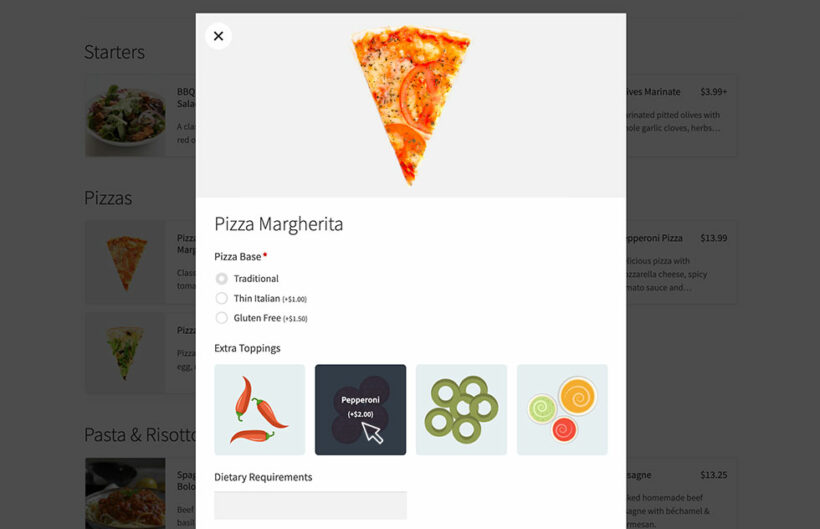
WooCommerce Product Options is another Barn2 plugin, and is widely used by restaurants. In fact, it's so popular with our WooCommerce Restaurant Ordering customers that we now offer the two together as a 2-plugin bundle, so you can save money by getting thm together.
WooCommerce Product Options lets customers customize their order with paid and free extras - pizza toppings, sides, cooking preferences, and "no onions" notes - using checkboxes, dropdowns, text fields, and image swatches. For anyone taking food orders with options, it's close to essential.
WooCommerce Fast Cart - faster checkout
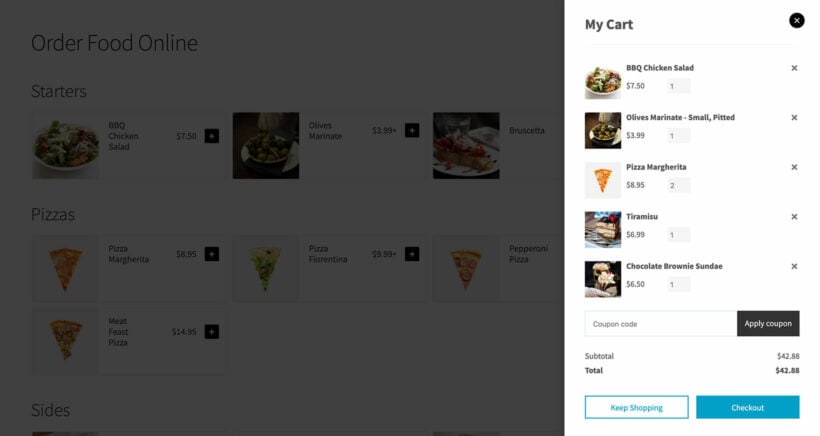
WooCommerce Fast Cart adds a slide-out cart and quick popup checkout, so customers can review their order and pay without leaving the menu page. It pairs naturally with Restaurant Ordering for a smooth, app-like ordering flow.
WooCommerce Opening Hours and Delivery Times - delivery slots
If you offer delivery or collection, WooCommerce Opening Hours and Delivery Times lets customers pick an exact delivery or pickup time slot at the checkout. It's the delivery-slot plugin I recommend in my guide to WooCommerce delivery slots.
Which restaurant plugins should you choose?
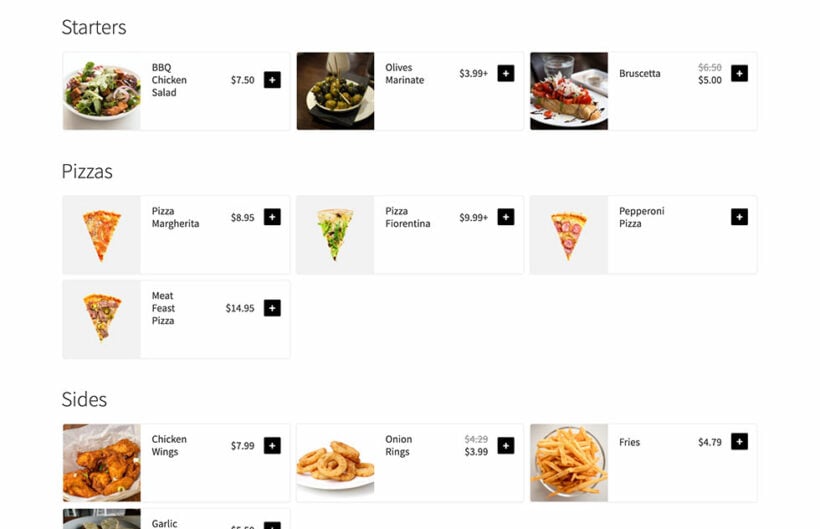
These days, diners expect to browse your menu, order food, and book a table online - fewer and fewer people want to pick up the phone. For most restaurants, you'll want two plugins working together.
- A menu or online ordering plugin - my top pick is WooCommerce Restaurant Ordering if you run WooCommerce, WPCafe for a free all-in-one, or RestroPress if you'd rather skip WooCommerce.
- A table reservation plugin - Five Star Restaurant Reservations is the best dedicated option, or let WPCafe handle both.
If you're only installing one plugin to begin with, make it your menu or ordering tool - that's the part customers use most, and you can add a reservation plugin once bookings pick up.
4 Comments
The options you’ve provided in this blog are truly impressive. In particular, the "Importance of WordPress Restaurant Plugins" section clearly explains what to consider when choosing a plugin for my restaurant, which I found extremely helpful.
Hi, Payal. Thank you for your feedback! I appreciate the kind words. Please let me know if you have any questions about WooCommerce Restaurant Ordering, WooCommerce Fast Cart, or our other plugins for WordPress and WooCommerce. You can also get in touch via our dedicated Support Center.
Just dont go anywhere near Calendarista - just shocking support, documentation and overly complex plugin trying to be everything to everybody & FAILING
Hi, Neil. Thanks for sharing your experience with that particular WordPress booking plugin. I'm sorry to hear of your disappointment. I hope you have a better overall experience in using the other plugins we've mentioned.