Best WooCommerce bookings and appointments plugins


As a business owner, you might offer bookable events or appointments which customers need to book ahead of time. While WooCommerce doesn't support bookings straight out of the box, you can easily achieve this with the right plugin. Keep reading to discover the best WooCommerce booking and WooCommerce appointment plugins, and how to choose between them.
As online booking and appointment scheduling becomes increasingly popular, WooCommerce has emerged as a go-to platform for selling bookable products. A wide range of WooCommerce booking plugins are available, so how can you choose the right one?
Below, I'll walk through the top WooCommerce bookings and appointments plugins and help you choose the right one for your store. Whether you're a small business owner, a freelancer, or a large enterprise, this guide will help you find the perfect WooCommerce bookings or appointments plugin. You'll discover plugins for:
- Selling bookable products and appointment slots with the official WooCommerce Bookings extension.
- Adding a simple date picker to any product with our own WooCommerce Product Options plugin.
- Knowing when you need a dedicated events plugin instead, for selling tickets to larger events.
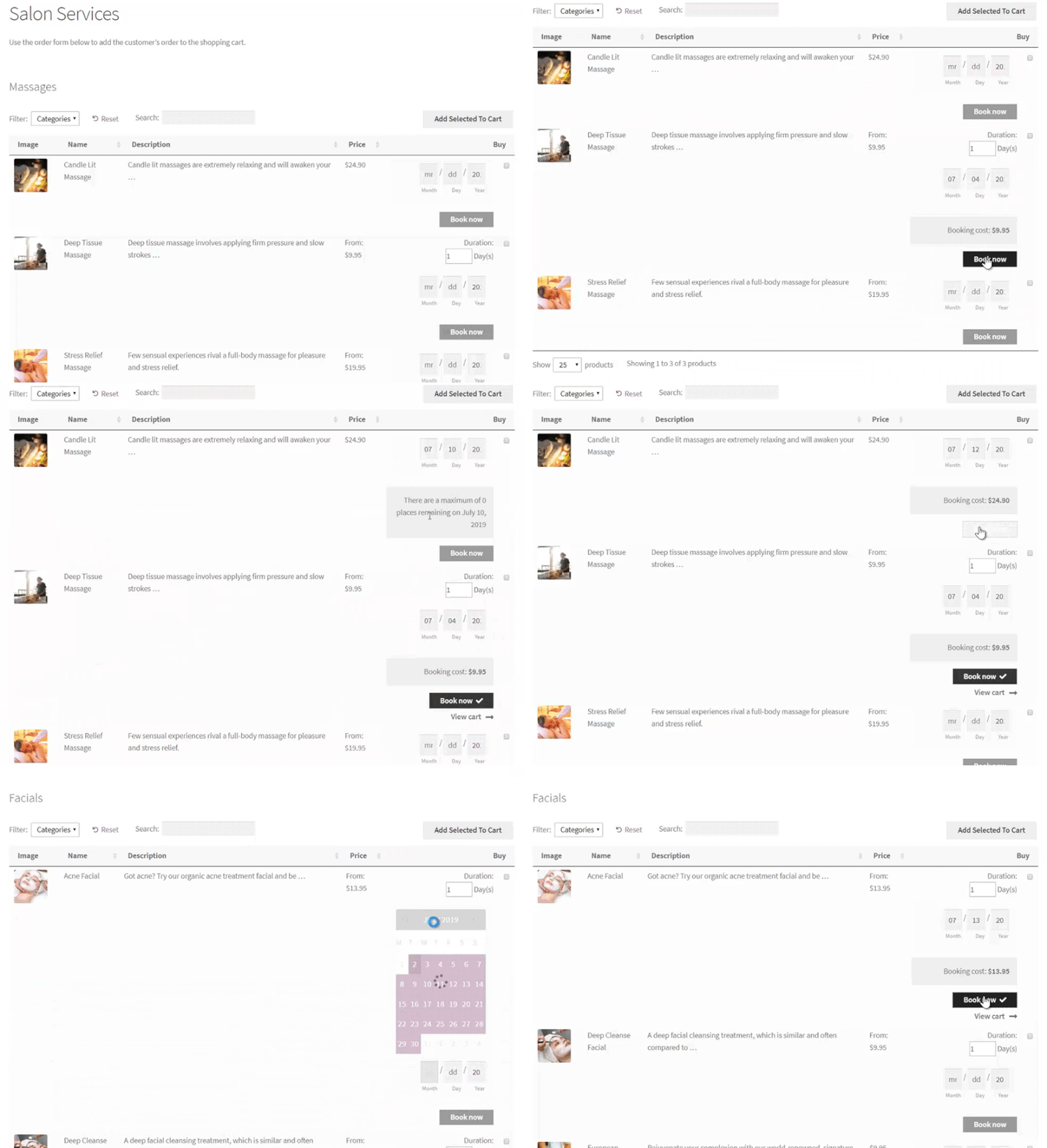
- Displaying bookable products in a searchable order form using WooCommerce Product Table.
But first, here are the different types of businesses that benefit from a WooCommerce booking plugin.
What is a WooCommerce bookings plugin?
Before we start, it's worth being clear about what a WooCommerce bookings plugin covers, because the term spans more types than you might expect. There are many different events you might want to take bookings for.
Put simply, a WooCommerce bookings plugin is any plugin which lets your customers book some sort of event online. This can be broken down further into two main categories:
- WooCommerce appointment booking plugins.
- Event booking plugins.
While both WordPress appointments booking plugins and events booking plugins are designed to enable users to schedule and book activities, there are some key differences.
WooCommerce appointment bookings
A WooCommerce appointments booking plugin is typically designed for businesses or individuals who offer services that require pre-booking. This might include consultations, meetings, or sessions with clients.
A WooCommerce bookings and appointments plugin allows customers to select a specific date and time for the appointment. This might be based on live availability, or the service provider can then confirm or reject the booking manually.
The bookable WooCommerce appointments plugin may also include features like calendar integration, email notifications, and payment processing.
Event bookings
On the other hand, an events booking plugin is designed for businesses or individuals who host events for multiple people. Common examples include training courses, conferences, workshops, or concerts.
The WooCommerce event tickets plugin allows customers to register for the event, select a ticket type, and make payment. The plugin may also include features like event calendars, customizable registration forms, and ticket management tools. It can help manage complex ticketing structures, track ticket sales, and ensure the smooth operation of events by managing capacity and seating arrangements.
Should I use an appointments or an events plugin?
As you can see, the decision of whether to use a WooCommerce appointment bookings plugin or an events plugin depends on the type of activity you're offering. The above definitions might help you to choose the best type of WooCommerce bookings plugin for your WordPress site. However, it's often difficult to apply general definitions to your exact situation.
To help you even more, here are some guidelines to help you choose which type of plugin is best suited for your needs:
Use a WooCommerce bookings and appointments plugin for:
- Services that require one-on-one interaction: If you offer services that require a one-on-one consultation, such as legal or medical consultations, coaching, or personal training, a WooCommerce appointments plugin would be more suitable.
- Activities that require a specific time and date: If you offer activities that require booking at a specific time and date, such as hair appointments or massages, an appointments plugin would be a good fit. This also applies to hotel booking websites and sites like Airbnb that rent out a particular space.
- Businesses with limited capacity: If you have a limited number of staff or time available to offer your services, a WooCommerce appointments plugin can help you manage your schedule more efficiently.
Use an events booking plugin for:
- Events with multiple attendees: If you're hosting an event that requires ticket sales for multiple attendees, such as a conference or a music festival, an events plugin would be the better option.
- Activities with multiple sessions: If you're hosting an activity that has multiple sessions, such as a course or a workshop, an events plugin would be more appropriate.
- Activities with different ticket types: If you're offering different ticket types for your activity, such as VIP tickets or group discounts, an events plugin would be a better choice.
In summary, a WooCommerce bookings and appointments plugin is best for one-on-one services or activities that require a specific time and date. In contrast, an events booking plugin is better suited for events with multiple attendees, sessions, or ticket types.
The rest of this article will cover both types of "WooCommerce bookings plugin". Each time, I will make it clear whether the plugin is suitable for taking bookings for appointments or events. That way, you can choose the right plugin for your needs.
What type of events can I use a WooCommerce bookings plugin for?
In the previous section, we established that there are different types of WooCommerce bookings plugins for appointments and larger events. To help to explain this, let's look at some popular use cases for each type of plugin.
Any business that requires bookings, appointments, or reservations of any sort can use a WooCommerce bookings plugin. Here’s a look at some of them, divided into the two categories.
Popular use cases for WooCommerce appointment bookings plugins
I recommend a WooCommerce bookings and appointments plugin to sell the following examples of WooCommerce bookable product. These all focus on selling individual bookable products and time slots, rather than events for larger numbers of people.
Selling rental products
If you run a business that rents out products such as cars, boats, Christmas trees, or rooms and apartments then you’ll need a WordPress booking plugin. This will help you to better manage booking products, customer bookings, and reservations.
This way, you won’t have to maintain a manual, paper-based booking system or collect payments in person. Instead, customers will be able to use an automated reservation platform to learn about your products and the available time slots. They can use your website to book their desired product, and pay online.
Selling appointments and booking slots
A WooCommerce bookings plugin can help doctors better manage their patients’ appointments, and track any cancellations in time to squeeze in more patients. In addition, customers will no longer have to respond to emails or phone calls to book appointments in WooCommerce.
Similarly, personal service professionals such as wedding photographers, gardeners, and birthday decorators will also be able to fulfil client needs and requirements more efficiently.
Various types of product that may require a date picker
Online teaching businesses can also benefit from using an online booking system to complement their online learning website. You’ll be able to hire teachers who could each set up their available hours to teach students.
A WooCommerce bookings plugin lets you create all sorts of bookable products including university courses displayed in WordPress, cooking classes, guitar lessons, or even dance instructions. Either set a price and charge your clients a flat rate or by the hour.
You can also use a WooCommerce bookings plugin to let customers choose a date and time for any other purpose. For example, if you sell gifts direct to the recipient then it makes sense to let customers choose the desired delivery date.
Popular use cases for WooCommerce event bookings plugins
A WooCommerce event tickets plugin is a useful tool for businesses and organizations that sell tickets to events. This includes concerts, sports games, theater productions, conferences and webinars. These usually involve multiple ticket types and venue capacity to manage, which is why a dedicated events plugin handles them better than the individual booking plugins in this roundup.
What are the top WooCommerce booking plugins for appointments?
Ok, so now we've looked at the different types of WooCommerce bookings plugins. We've divided them into two categories based on whether you're selling places for appointments or events.
Now it's time to find the best plugins for each type of booking! Here, we’ll step through the most popular WooCommerce bookings plugins and highlight their key features.
That way, you'll have everything you need to get started with WooCommerce bookings and appointments.
Short on time? Here are my top picks at a glance:
- Best overallWooCommerce Bookings - the official, purpose-built option for true availability-based bookings.
- Best simple alternativeWooCommerce Product Options - our own plugin, for when you just need a date picker on the product page without a full booking system.
- Best all-in-oneWooCommerce Bookings and Appointments - Google Calendar sync and recurring bookings without extra add-ons.
- Best for service appointmentsAmelia - the most polished booking interface for service businesses.
- Selling event tickets instead?That is a different job - see our guide to selling event tickets rather than the booking plugins here.
How I evaluated these plugins
I focused on plugins that are genuinely useful for WooCommerce bookings and, just as importantly, still actively maintained - several once-popular booking plugins have been abandoned, so I've left those off. For each one I looked at what it does, how well it fits the WooCommerce cart and checkout, its pricing, and how active its development and reviews are.
Where a plugin is one of ours, I say so, and I haven't ranked ours top by default - WooCommerce Bookings is the better pick for most stores that need full booking management.
One thing up front: none of these are truly free. WooCommerce itself is free, but every booking extension here is a paid add-on, and I haven't found a free plugin reliable enough to recommend for real bookings.
1. WooCommerce Bookings
The official WooCommerce Bookings extension enables your visitors to book appointments and reservations online – without making any phone calls. This way, you don’t have to mark dates on your calendar or maintain a paper-based booking system. Instead, your website will manage your bookings and online payments automatically.
Key features:
- You can define set options like fixed time slots for a guided tour or an appointment or let your customers choose a time that suits them best.
- It lets you set the minimum and the maximum number of participants allowed in a session. So, for example, you can choose to hold one-one-one appointments or allow multiple visitors to reserve a class.
- You’ll be able to control how appointments are confirmed and canceled on your WordPress website.
- It allows you to send reminder emails to your customers when they make a reservation when it is confirmed, and the day before the booking date.
- You can use a calendar to keep track of all your bookings and automatically sync all your booking dates with Google Calendar to view them on the go. This will work in your timezone.
- WooCommerce Bookings also integrates with WooCommerce Product Table - ideal for listing bookable products in a searchable, filterable table view. More on this later.
- Use WooCommerce to add payment gateways such as PayPal, Stripe, credit card, and so on.
- Integrates with multilingual plugins like WPML for multi-language sites.
Cons:
It's fairly bare-bones out of the box - extras like Google Calendar sync, deposits and staff management need separate add-ons. At around $249 a year it's a bigger commitment than some alternatives, and its public reviews are notably mixed.
2. WooCommerce Product Options
Not every store needs a full booking system. If all you want is for customers to pick a date on the product page, a dedicated bookings plugin can be overkill - it brings availability rules, calendars and admin screens you may never use. That's where our own WooCommerce Product Options plugin comes in - it's one of ours here at Barn2. It lets you add a simple date or date-and-time picker to any WooCommerce product, turning it into a bookable product in minutes.
A simple date picker is often the better choice when you just need the customer to choose a date and you handle the rest yourself. For example: letting a shopper pick a delivery or collection date, choosing a date for a made-to-order or personalized product, booking a one-off service where you confirm availability by hand, or adding a preferred date to an enquiry form. In those cases there's no need for live availability, staff calendars or double-booking prevention. You only need the date saved against the order.
Key features:
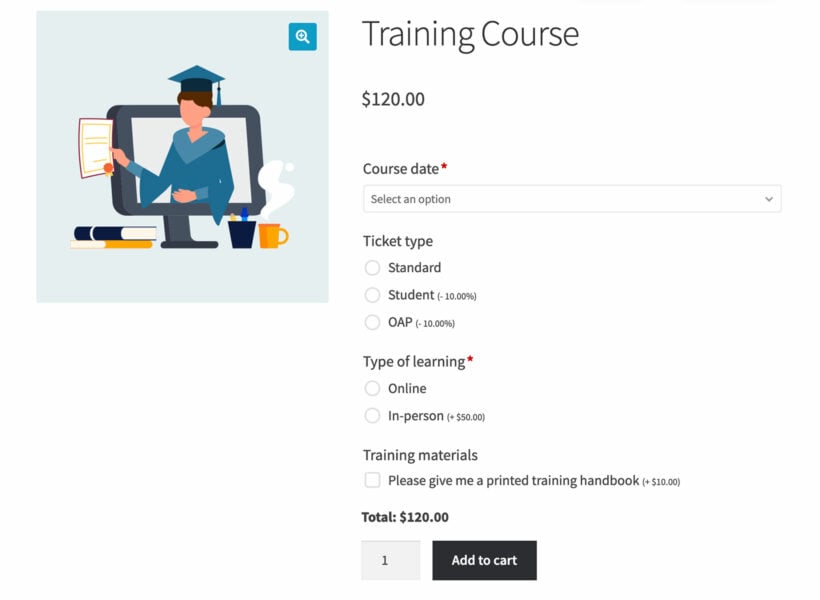
Here are some features of the date field in the WooCommerce Product Options plugin. Together, these can enhance your online store for bookings and appointments:
- Add a calendar field to any WooCommerce product or variation, so customers can select a date and time for their booking.
- Disable past dates or future dates in the calendar to only allow bookings for available dates.
- Prevent same-day bookings by marking the current day as unavailable.
- Disable specific weekdays, such as weekends, if you don't offer bookings on those days.
- Set the field as required to ensure customers select a date before adding the product to their cart.
- Change the date format to match your preferences or your customers' needs.
- Enter minimum and maximum date limits, manually or dynamically, to control the earliest or latest available dates for bookings.
- Mark specific dates as unavailable, such as when you have other bookings or are on holiday.
- Use conditional logic to dynamically show or hide the date field based on other options the customer selects.
- Add an extra fee to the product when the customer selects a date, with multiple date picker fields available to charge different fees depending on the date.
By using the WooCommerce Product Options plugin's date field, you can create a simpler, more customizable booking experience for your customers. And even better, you can do this without the need for a full WooCommerce bookings plugin.
WooCommerce Product Options comes with a full money-back guarantee. This lets you try it risk-free before committing to a more complex WordPress appointment plugin.
Limitations:
Keeping things simple means Product Options has limits. It can add a fee for a chosen date, but it can't build complex pricing from combinations of dates and times. There's no central bookings dashboard either - bookings just land on the usual WooCommerce Orders page - and it won't sync with external calendars like Outlook. If you need any of that, go with a full bookings plugin like WooCommerce Bookings (#1 above).
How to add a simple booking calendar to any product
Next, I'll explain how to use WooCommerce Product Options to add a date field to any simple or variable product.
- First, get the plugin and install it on your WordPress site.
- The setup wizard will open, prompting you to activate your license key.
- At the end of the setup wizard, click the button to start creating product options.
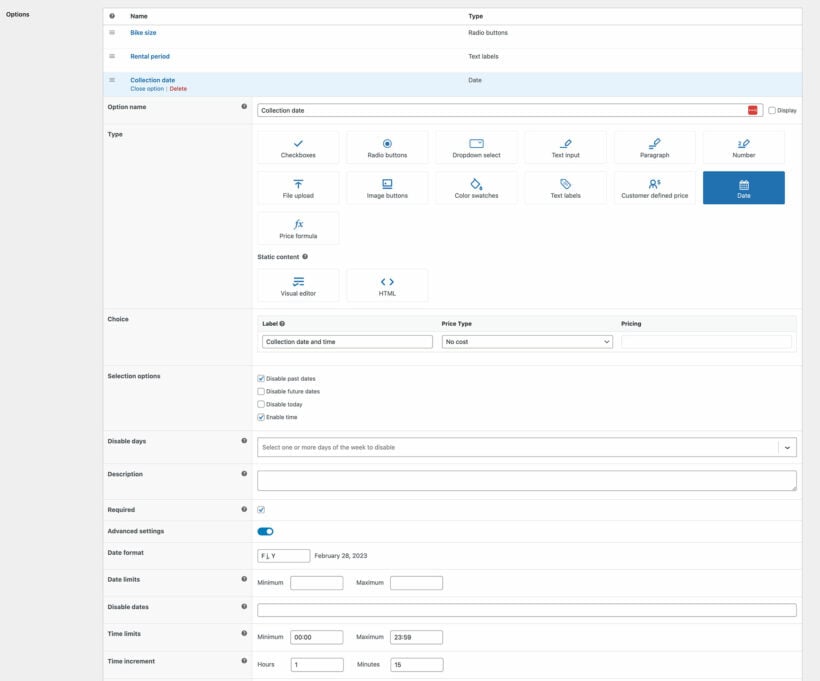
- In Products → Product Options, either create a new options group or edit the default one. Click 'Add Option'.
- Select the 'Date' option type and fill in the information about it.
Bonus: sell extras with your bookable products

The date field in WooCommerce Product Options makes it easy to sell appointments or other bookable time slots in WordPress. You can increase your average income per booking using it to sell extras at the same time.
For example:
- If you're selling massage appointments then you may want to offer optional extras, such as skincare products or massage oils.
- Similarly, if you're selling training courses then you could sell a training handbook and lunch.
- Even if you don't want to sell extras, you may wish to collect extra information from customers such as any special health needs or dietary requirements.
Related: The best WooCommerce Product Add-Ons plugins (and how to use them).
3. WooCommerce Bookings and Appointments
WooCommerce Bookings And Appointment turns any WooCommerce product into a flexible bookable product, making it perfect for scheduling time slots, accommodations, services, or events.
Key features:
- Sell bookings by the minute, hour, day, or month.
- Control availability by setting how many bookings are allowed per time slot.
- Define minimum and maximum booking durations.
- Allow customers to edit or cancel bookings within a set time frame before the appointment.
- Choose between auto-confirmed bookings or require admin approval.
- Send automated email notifications and reminders.
- Build advanced booking forms with custom fields for collecting additional customer information.
- Sync bookings with Google Calendar for easy schedule management.
- Manage staff members and assign bookings accordingly.
- Apply advanced pricing rules and flexible options.
- Automatically generate Zoom meeting links for virtual appointments, classes, or consultations.
Cons:
It's premium-only (around $149 a year) and has no independent WordPress.org rating, so you're relying on the vendor's own reviews rather than public feedback.
4. Bookings for WooCommerce
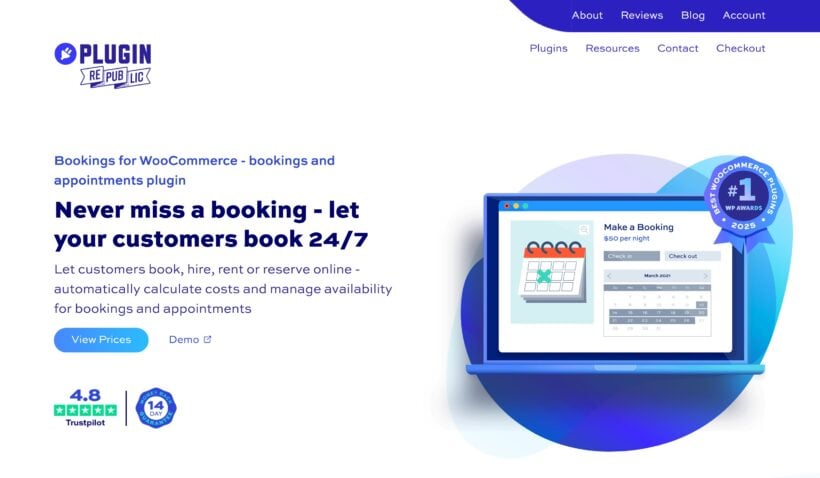
Bookings for WooCommerce by Plugin Republic turns any WooCommerce product into a bookable one, covering both date-based rentals and time-based appointments from a single plugin. It runs natively inside WooCommerce, so customers pick their dates or times on the product page, see the cost calculated automatically, and pay through the standard checkout with no redirects or third-party platforms. It holds a 4.8-star rating on Trustpilot and starts at $79 a year, with a lifetime license available from $199.
For appointments, the time slots feature divides a day into fixed-length windows. You can set any slot length in minutes, so 30-minute consultations, hourly lessons, or custom sessions all work, then define your opening hours and choose from five front-end selector views, including a dropdown, a visual grid, and a diary view. Per-slot pricing, multi-slot bookings, and a one-click whole-day option are all built in.
Key features:
- Sell date-based bookings by the day, night, or week, or time-based appointments by the hour or minute.
- Let customers choose their own dates and times, or keep control with fixed slots and required start days.
- Show real-time availability on a calendar date picker, with prices displayed per date and unavailable dates hidden.
- Prevent double-booking with per-unit quantity limits, buffer periods between bookings, and minimum or maximum durations.
- Apply flexible pricing rules: seasonal and weekend rates, duration discounts, flat rates, user-role pricing, and per-slot price caps.
- Sync availability with Google Calendar and with Airbnb, Booking.com, and VRBO via iCal, so your dates stay accurate everywhere customers find you.
- Manage everything from the WordPress admin with a per-product calendar, a global calendar across all products, manual bookings, and CSV export.
- Add a front-end availability search and a shop-page date filter, so customers can find free dates before they commit.
- Extend bookings with optional extras and upsells through Product Add-Ons Ultimate, or take deposits with the Deposits and Part Payments plugin.
It works with all themes and page builders, including block themes, and it's backed by a 14-day money-back guarantee and Plugin Republic's world-class support.
Cons:
A few revenue features sit in companion plugins rather than the core. Optional extras and upsells need Product Add-Ons Ultimate, and deposits need the Deposits and Part Payments plugin, so if you want everything in a single download that's worth factoring into the cost.
5. Amelia
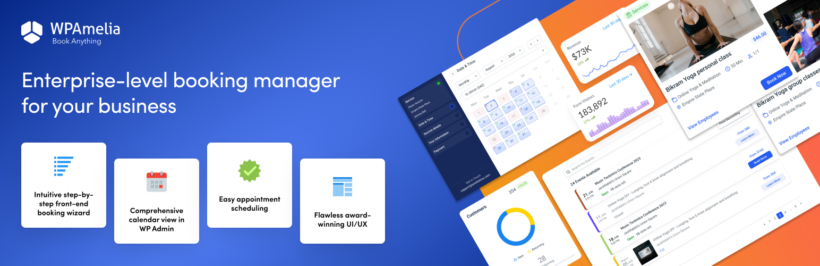
Amelia is a powerful WordPress booking plugin designed to create a flexible booking environment tailored to your specific business needs. With its intuitive and user-friendly interface, Amelia integrates smoothly with WordPress-powered business websites, as well as ecommerce websites built on Woo (WooCommerce). It enhances efficiency, customization, and overall booking experience, as it helps track and manage various types of appointments and events.
What sets Amelia apart is its extensive feature set, including appointment reminders, two-way calendar sync, online payment processing, packages of services, the cart feature for booking multiple services, and support for recurring appointments.
Key features:
Centralized appointment management directly from your WordPress website, from the admin area for you, and from the employee/user front-end cabinets for others (so they don't ever have to log in to your WP Admin).
- Smooth integration with Woo (WooCommerce).
- User-friendly booking form for clients.
- Flexible appointment scheduling, available 24/7.
- Online payment processing in case you decide to use it without WooCommerce.
- Appointment reminders to reduce no-shows.
- Two-way calendar sync with the calendar of your choice for accurate scheduling.
- Support for packages of services to offer bundled options.
- "Shopping cart" option that allows your clients to book multiple services before checking out.
- Ability to schedule recurring appointments.
- Customization options to match your brand identity.
- Extensive integrations include Google Calendar, Google Meet, Zoom, Elementor, Divi, WooCommerce, and more.
- Dashboard for business owners and managers to track key performance indicators (KPIs).
Cons:
It's a standalone scheduling system rather than truly WooCommerce-native, so it's a weaker fit if you want bookings handled inside the normal WooCommerce cart and order flow.
6. YITH Booking and Appointment for WooCommerce
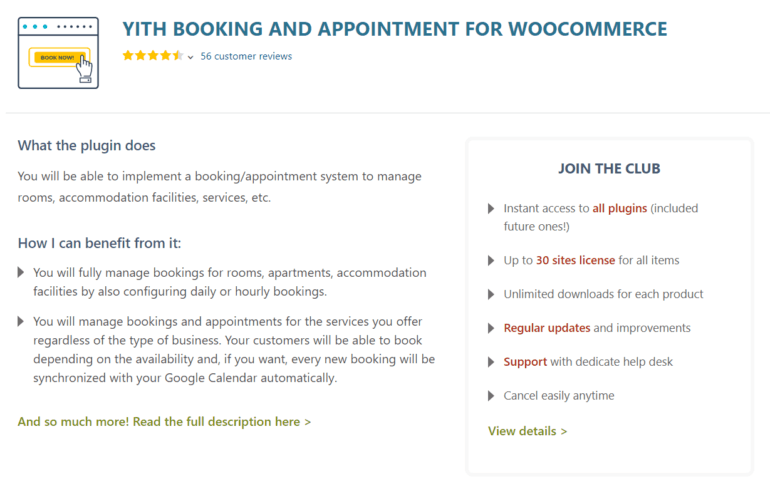
YITH WooCommerce Bookings and Appointments helps you create a simple and easy-to-use booking system for your WordPress business website. This WooCommerce booking plugin supports all sorts of e-commerce sites built on WooCommerce and lets you create various types of bookable products with different pricing options.
Key features:
- It enables you to easily manage bookings for apartments, rooms, and other living facilities by setting their daily or hourly booking rates.
- You’ll be able to set the minimum and the maximum number of days available for booking by individual visitors.
- You can set to approve reservations as soon as the customer confirms it or require approval from the admins.
- You can set the maximum period until when customers will be allowed to cancel their bookings.
- It enables you to manage appointments and bookings for services such as nail salon, physiotherapy sessions, or beauty parlors and sync your booking dates with Google Calendar.
Cons:
Availability checks can slow down on large catalogs, and the sheer number of settings can feel overwhelming when you're configuring more advanced booking rules.
7. Bookly
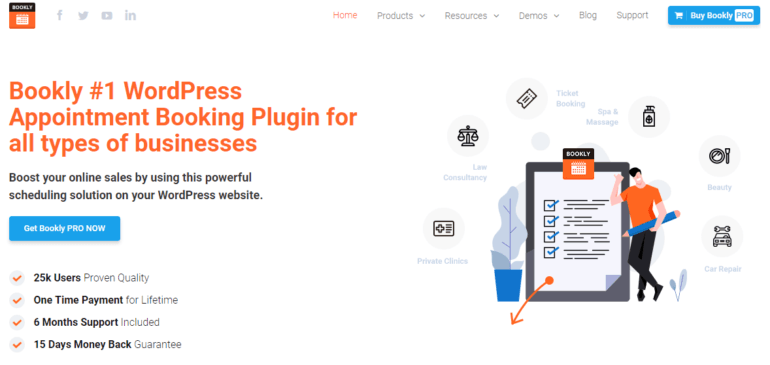
Bookly is a useful WooCommerce booking plugin that offers tight integration with WooCommerce. It lets your customers book appointments for all types of businesses including spas and massage, law consultancy, car repair, beauty, and private clinics.
Key features:
- It helps you save time by eliminating your manual scheduling system. It automates the entire booking process. This enables your customers to quickly book their appointments even on weekends.
- Bookly is easy to set up and lets you start receiving booking requests almost instantly.
- You’ll be able to include several employees in the booking schedule, enabling them to charge different rates and show their available time slots.
- You’ll be able to add an unlimited number of business services to your booking page and categorize them for easier management.
- It offers integration with Google Calendar which lets you organize multiple calendars of all of your employees or staff members.
Cons:
WooCommerce support is a paid add-on rather than built in, and features like Stripe, recurring bookings and Google Calendar sync are separate paid extensions that stack up in cost.
8. WooCommerce Appointments
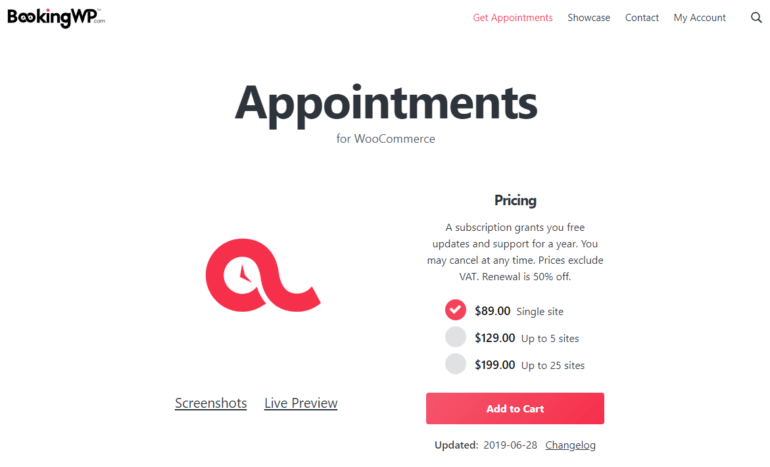
WooCommerce Appointments is a popular WooCommerce booking plugin that enables you to easily schedule and reserve bookings on your WordPress business site. It’s an ideal solution for companies that want to focus on their core business activities and leave the appointment scheduling tasks to the software.
Key features:
- It is easy-to-use, fast to install, and doesn’t require any coding skills or staff training.
- Its two-way Google Calendar sync feature lets you automatically synchronize bookings from your website with the Google Calendar and vice versa.
- You’ll be able to assign multiple employees to appointments, manage their calendars individually, and enable them to log in and display their available times.
- You can schedule appointments for multiple days for your customers or offer extended durations using add-on fields. Similarly, you’ll be able to extend duration by minutes or hours.
- This WooCommerce bookings and appointments plugin lets you determine the number of times visitors can schedule an appointment in advance. This way they won’t be able to book an appointment a few months (or a year!) in advance.
Cons:
It's premium-only with no public install or rating figures, and it ties you fully into WooCommerce with no standalone option.
9. WooCommerce Bookings by WooNinjas
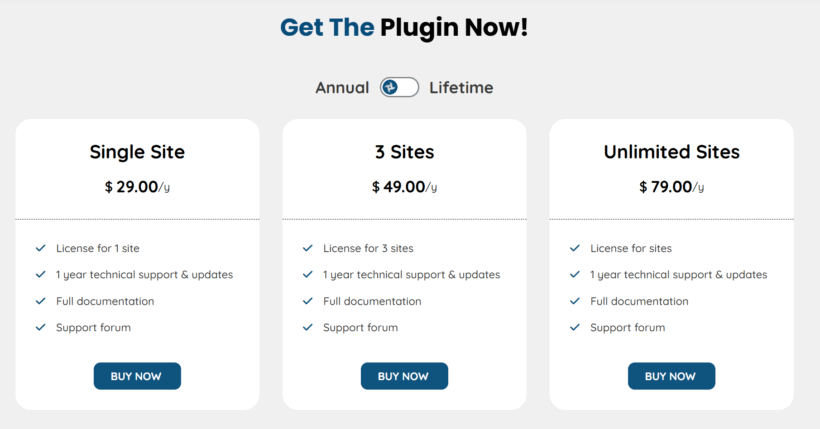
WooCommerce Bookings by WooNinjas transforms your WooCommerce store into a powerful booking platform, ideal for salons, clinics, rental services, and event organizers. It simplifies appointment scheduling, resource management, and booking processes with real-time availability and flexible configurations. Tightly integrated with your WooCommerce setup, it makes managing and accepting bookings effortless for both store owners and customers.
Key features:
- Updates availability in real time to avoid double-bookings and provide a smooth scheduling process.
- Supports different booking types including hotel stays, appointments, and virtual consultations, with custom fields for each.
- Allows staff, resources, and services to be assigned directly from product settings.
- Provides advanced scheduling controls such as days, times, blackout dates, and buffer periods.
- Supports both in-person and online bookings, with options for Zoom or custom meeting platforms.
- Enables flexible pricing structures including base rates, service charges, and per-person pricing.
- Syncs smoothly with Google Calendar and auto-creates Google Meet links for each booking.
- Integrates with Zoom to automatically generate links for virtual appointments.
- Displays all bookings for logged-in customers through a simple dashboard shortcode.
- Shows complete booking details on the cart, checkout, and customer dashboard for clarity and convenience.
Cons:
It's premium-only with a small user base and no independent reviews, so you're trusting the vendor's own testimonials rather than public ratings.
What if you need to sell tickets to events?
The plugins above are all built for individual appointments and bookable time slots. Selling tickets to larger events - concerts, conferences, workshops, theater shows - is a different job that needs a dedicated events plugin, with features like a central calendar and multiple ticket types. I've covered that separately, so if it's what you need, start here:
- How to sell event tickets in WooCommerce
- How to create a WooCommerce events page
- The best WordPress event list plugins compared
Bonus: show all your bookable products in one table
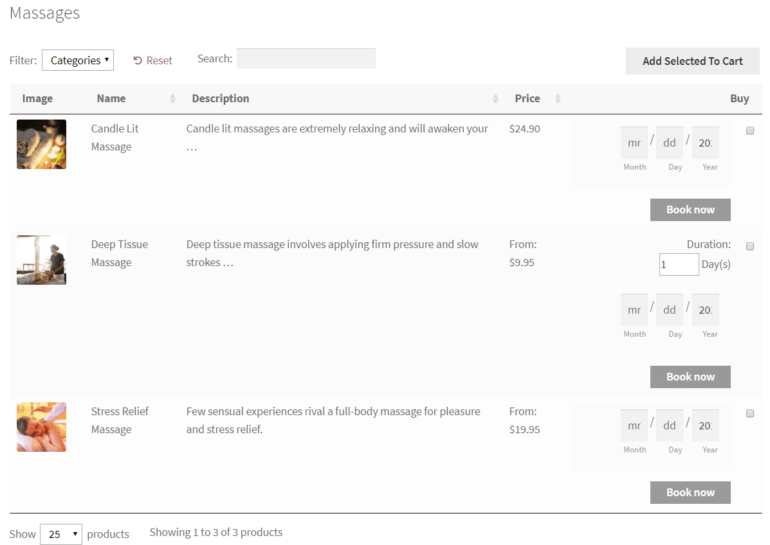
By default, customers have to open each product page to make a booking. If you'd rather list everything on a single page, combine your booking plugin with our own WooCommerce Product Table plugin. It shows all your bookable products in a searchable, filterable order form, with a booking calendar and add-to-cart button right in each row, so customers can browse, pick a date and book without leaving the page. It works with both WooCommerce Product Options and WooCommerce Bookings.
Which is the best WooCommerce bookings plugin?
Having a reliable WooCommerce bookings plugin allows you to easily accept, manage, and track customer and client bookings directly through your WordPress website. You can create bookable products the same way as you would in WooCommerce. Once you've created bookable products, you can set costs and availability and start accepting bookings right away!
These are our top recommendations for WooCommerce bookings and appointments plugins:
- WooCommerce Bookings - Use this if you want a fully featured bookings plugin with online availability and calendar management.
- WooCommerce Product Options - Use this if you just want a simple date picker on the product page, without the complexity of a full bookings plugin.
- Selling tickets to events instead? - See our separate guide to selling event tickets.
And remember, whichever bookings plugin you choose, you can use WooCommerce Product Options to add extra options to your bookable products. That way, you can collect extra information from clients as well as earn more money by selling upgrades and extras.
4 Comments
Hi Maria,
Thanks for your detailed article.
Those are good plugins you've listed!
I just wanted to extend that list with a new free booking plugin I've been working on: Wappointment
The idea behind it is for it to work for 90% of the users out of the box with the most vital booking features. (Frontend Booking Form, Email reminders, Backend Calendar, Calendar Sync) And then extend away with addons based on needs. We're only at the start of our journey, but I hope you'll check it out!
Cheers!
Hi, Ben. Thanks for the info about Wappointment. Please may I know if you've tested it with WooCommerce? I checked out the site and fail to find any mention of it working with WooCommerce and so may have missed it somewhere. Thanks!
Hi EJ,
Sure we actually have created an addon playing nice with WooCommerce.
https://wappointment.com/addons/appointments-for-woocommerce
Don't mind the price of the addon, it is actually free at the moment, you just need to contact us if you want to try it. But don't wait too much, cause we won't give it away for much longer :)
Hi, Ben. Thanks for your reply and the link to your plugin's add-on for using it with WooCommerce. I appreciate it and users can try/test our WooCommerce Product Table plugin together with yours on their sites.
If you guys would like to do the same yourselves, to test for compatibility, please let us know by getting in touch via our Support Center. I look forward to hearing from you.