Speed up WooCommerce filters without breaking SEO


WooCommerce product filtering performance depends on plugin architecture, not just server speed or caching. This guide explains why filters slow down as catalogs grow, compares index-based and query-based plugins, and shows how to configure fast, SEO-safe filtering.
Product filters that worked fine at 500 SKUs often crawl at 5,000. The usual fixes, such as adding a caching layer or upgrading hosting, only help so much. The real bottleneck is usually how the filter plugin queries your database.
WooCommerce spreads product data across multiple database tables. Every filter interaction requires joining those tables to find matching products. Add variable products and the row count multiplies fast.
There are two approaches to solving this. Index-based plugins precompute product relationships into dedicated lookup tables for fast retrieval. Query-based plugins run live database joins on every click. The architecture you choose sets the performance ceiling, regardless of other optimizations.
This guide covers why WooCommerce filtering slows down, which plugin architecture scales, how to set up WooCommerce Product Filters for performance, and how to avoid the most common pitfalls.
What advanced Product Filters are and why performance matters
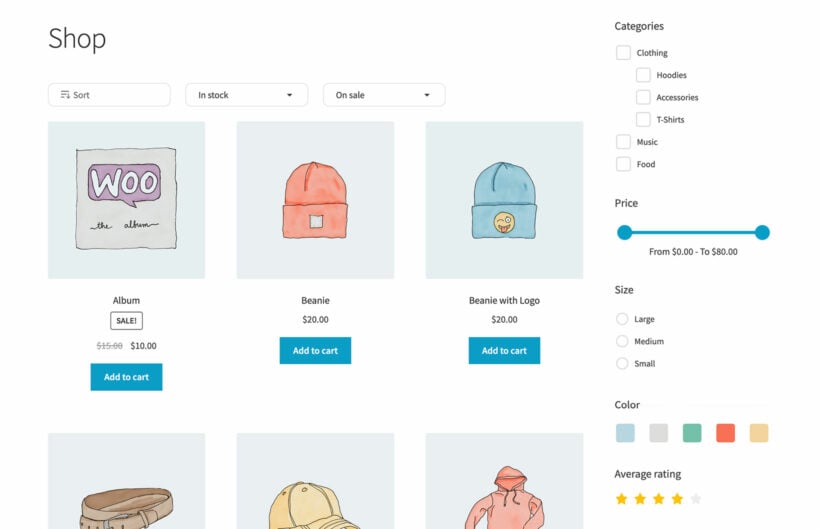
Advanced product filters let customers refine results by category, attribute (size, color), price range, ratings, and stock status. They go well beyond basic sorting by newest or price.
WooCommerce stores product data across several tables: post data in wp_posts, meta values in wp_postmeta, and taxonomy terms in their own tables. A filter for "blue, size M, in stock" requires joining all of these. Variable products make it worse. Each variation adds its own rows, so a t-shirt with ten color and size combinations adds ten times as many rows to scan.
PageSpeed scores won't show you this problem. They test initial page load, not filter interaction latency. A store can score well on PageSpeed and still deliver slow, frustrating filter responses.
As catalogs grow, the gap between query-based and index-based plugins widens. A query that takes 80ms on 500 products can take several seconds on 10,000 products with complex taxonomy joins. Slow filters lose customers directly.
Key performance factors that determine filtering speed
AJAX filtering and real performance costs
AJAX filtering updates the product grid without a full page reload. That reduces perceived latency and keeps users engaged. But AJAX only removes the page reload. The server still has to compute the results.
Speed depends entirely on what the server executes behind the scenes. A slow database query is still slow whether it arrives via AJAX or a full page request.
AJAX requests can update the browser URL without a reload. That preserves shareability, back/forward navigation, and proper analytics tracking. It also addresses a common SEO concern: filtered views can have clean, bookmarkable URLs.
Displaying product counts next to options, such as "Blue (23)", adds real computation overhead. Each count requires a separate calculation. On large catalogs with many filter options, this adds up.
AND vs OR query logic also matters. AND queries find products matching all selected criteria; OR queries find products matching any. AND creates intersection queries, which are more selective but structurally more complex.
Too many filter options slow the initial page render. I find that around five to seven filters covers most use cases without overloading the page. Use hierarchical structures that reveal child options progressively, or configure simplified filter groups for mobile.
Index-based vs query-based architecture
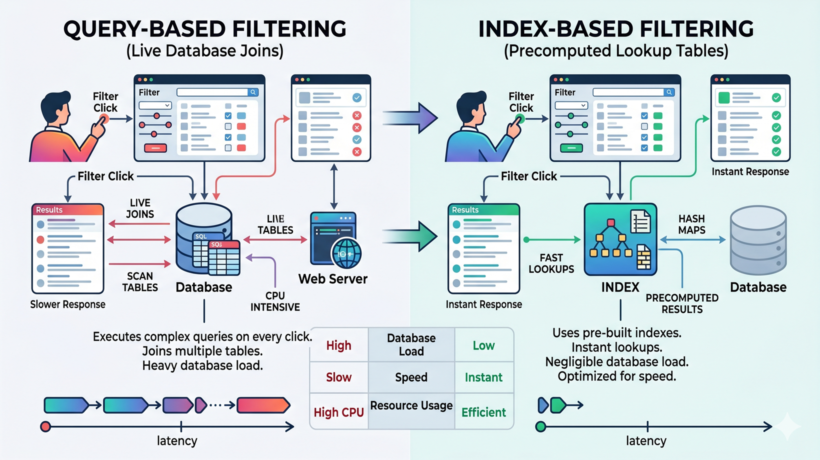
Index-based filtering precomputes product relationships into a dedicated table. Query-based filtering runs live database joins with every customer interaction.
Query-based plugins dynamically join wp_postmeta and taxonomy tables on each filter click. Performance degrades as catalog size grows. Most query-based plugins work adequately for stores under a few thousand products.
Index-based plugins like WooCommerce Product Filters precompute relationships into a custom index table. Filter clicks become ID lookups instead of complex joins. The difference is significant at scale.
Index-based systems scale well into tens of thousands of SKUs. Query-based approaches typically struggle past a few thousand products, depending on hosting and configuration. WooCommerce Product Filters' indexing system builds in the background via Action Scheduler in batches of 30 products, avoiding server spikes during indexing.
FacetWP also uses an index-based approach and performs well at scale. For enterprise-level catalogs with hundreds of thousands of products, Elasticsearch is worth evaluating as a cloud-based alternative.
SEO: URL handling and indexation
Every filter combination creates a unique URL that search engines can crawl. Without proper handling, this risks duplicate content issues across your catalog.
Best practice is to use canonical tags pointing filtered URLs back to primary category pages. The exception is when you're intentionally building SEO landing pages for specific filter combinations, such as a "men's blue running shoes" page.
AJAX filtering with URL updates balances UX and SEO well. Clean URL parameters like example.com/shop?color=blue are better for both analytics and user shareability than cryptic parameter strings.
If you want to use filter combinations to capture long-tail search traffic, you'll need a plugin or custom setup that generates and manages those landing pages properly.
Best performance-optimized Product Filters for WooCommerce
Plugin selection should prioritize architecture first. Architecture sets the performance ceiling; features determine what you can do within that ceiling. Here's a comparison of the main options.
WooCommerce Product Filters

Architecture: Index-based, using a custom database table with background indexing via Action Scheduler.
Best for: Stores with 1,000 to 50,000 products where speed is the priority.
Performance advantage: The custom indexing system precomputes all filter relationships. Filter clicks become fast ID lookups, even at 20,000+ products. Version 2.0 frontend optimizations reduced JavaScript bundle size and component re-renders.
Key features:
- AJAX filtering with URL updates for SEO and shareability.
- Automatic mobile slide-out drawer that defers rendering.
- 11 filter types including color swatches and custom fields (ACF support).
- Integration with WooCommerce Product Table for fast order forms.
Drawback: No free version for pre-purchase testing.
Zero fuss. Easy install. Simple setup. Fast and flawless performance.
BobVerified Customer, August 2025
Filter everything
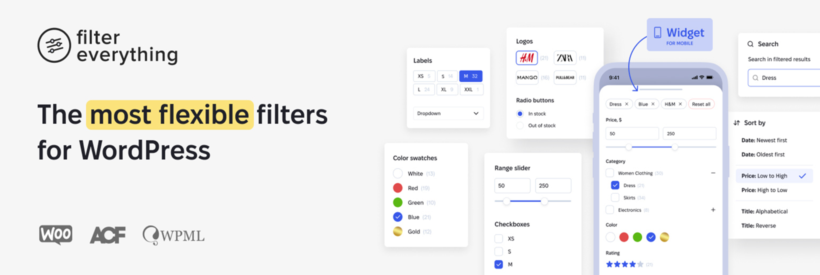
Architecture: Query-based, optimized for broader WordPress and WooCommerce content types.
Best for: Sites that need to filter multiple content types including posts, products, and pages.
Performance: Adequate for medium-sized catalogs. Not specifically optimized for large WooCommerce product sets.
A free version is available on WordPress.org, which makes it easy to test before committing.
Drawback: Less optimized for very large WooCommerce catalogs where query-based approaches hit limits.
Facetwp
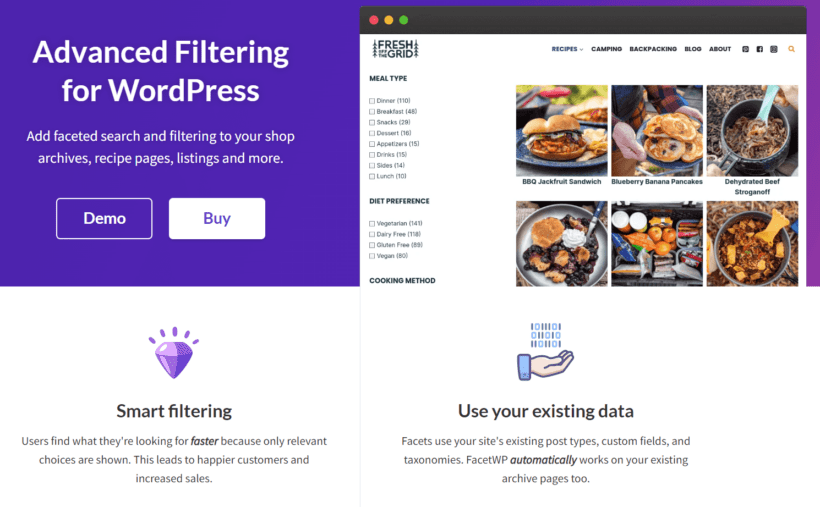
Architecture: Index-based, covering any post type and WooCommerce products.
Best for: WooCommerce faceted search is best for high-end stores with complex filtering needs or mixed content types.
Performance: Custom indexing maintains good performance at scale, comparable to WooCommerce Product Filters for WooCommerce use cases.
A free trial is available from FacetWP's website.
Drawback: Higher price point and potentially more features than straightforward product filtering requires.
How to set up WooCommerce Product Filters
WooCommerce Product Filters' proprietary indexing eliminates the database query bottleneck by precomputing product relationships. AJAX filtering updates results instantly without page reloads, and clean URL updates maintain SEO and shareability. The automatic mobile slide-out drawer reduces initial page weight, and filters hide zero-result options dynamically.
Prefer to watch? Here's WooCommerce Product Filters in action:
Create Product Filters
Purchase from Barn2's website, download the .zip from your account area, and follow the installation guide. The plugin automatically starts background indexing via Action Scheduler on activation.
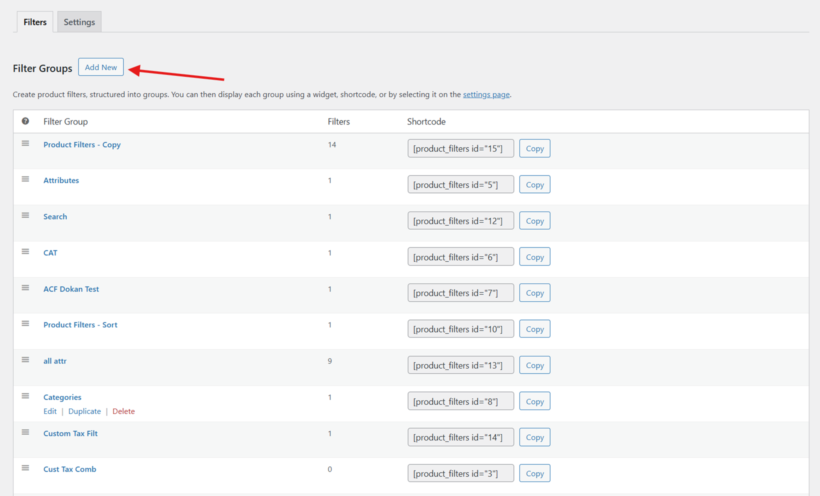
Once installed, follow these steps to create your first filter group:
- Go to Products → Filters → Add New. Name your group (for example, "Shop Filters").
- Click 'Add Filter' and choose your filter types: Category filter, Attribute (checkboxes, dropdowns, or color swatches), Price, Custom fields, Stock, and Ratings.
- Configure each filter: set the label, enable product counts if needed (adds computation but improves UX), and set defaults.
- Reorder filters by dragging, and put the most-used filters first.
- Save and display via widget, shortcode, or block on shop and category pages.
Read our tips on using WooCommerce Product Filters for more insight on getting the most from your setup.
Performance-optimized settings

Find these settings at Products → Filters → Settings:
- Filter mode: Use 'Apply instantly (AJAX)' for the fastest experience. For stores with many filters, 'Click button' mode reduces the number of requests per session.
- Product counts: Enable for better UX, but test the impact on large catalogs first. Counts add a calculation step per option.
- Mobile: Enable 'Click to reveal' for the slide-out drawer. This defers filter rendering until the customer needs it, reducing initial mobile page weight.
Common performance pitfalls and how to avoid them
Bulk imports during traffic peaks
Index-based plugins trigger reindexing during bulk imports. Large imports can strain server resources while the index rebuilds.
Solution: Schedule imports during off-peak hours. Monitor scheduled tasks at Tools → Scheduled Actions. On constrained hosting, import in smaller batches to avoid timeouts.
Caching conflicts breaking filters
Aggressive caching, whether from a dedicated plugin like FastPixel or your host’s built-in cache, can serve stale product counts or frozen filter results. Customers see incorrect availability data, and filters appear to stop working.
Solution: For WooCommerce Product Filters plugin specifically, follow the caching documentation and exclude these files from your caching rules:
/wp-content/plugins/woocommerce-product-filters/assets/build/wcf-frontend.js
/wp-content/plugins/woocommerce-product-filters/assets/build/wcf-frontend.css
Also disable Product Table caching if you're running filters alongside Product Table. For other filtering plugins, check their specific caching documentation as requirements vary.
Out-of-sync lookup tables
WooCommerce lookup tables desync after bulk imports. The result is incorrect filter counts or missing products in filtered results.
Solution: Go to WooCommerce → Status → Tools. Run 'Regenerate product lookup table' and 'Clear transients' after any large import, or whenever filter counts look wrong.
Server limitations
Underpowered servers create a hard ceiling on filtering performance, regardless of plugin architecture.
Minimum requirements: PHP 8.3 or later, 256MB memory (512MB as a rule of thumb for around 5,000+ products), and MySQL 8.0+ or MariaDB 10.6+.
Solution: Use Query Monitor to diagnose slow queries. Queries over 0.5 seconds typically indicate a problem worth investigating. For stores with several thousand products, managed WordPress hosting significantly reduces the performance ceiling issue.
Start improving your WooCommerce filtering performance today
WooCommerce filtering performance comes down to architecture. Index-based systems like WooCommerce Product Filters maintain speed as catalogs grow. Query-based plugins hit limits past a few thousand products.
Faster filters directly improve conversions. Customers who find products quickly are more likely to buy. Choosing index-based architecture now also prevents a painful plugin migration later when your catalog outgrows a query-based solution.
Implement the steps in this guide and consider WooCommerce Product Filters if performance at scale is your priority.
2 Comments
That’s a really insightful observation about the database joins. It makes total sense that’s where the slowdown happens – it's not just about speed, it’s about efficiency.
Thanks for the comment! You've hit on the core issue. Traditional filtering forces the database to scan every product-attribute relationship in real-time, which is incredibly taxing as a store grows.By optimizing those joins, we can provide an "instant" experience without sacrificing SEO. It’s all about balancing performance with search visibility! Glad you found the insights on database efficiency helpful. -Nikki