Best WordPress membership plugins (2026)


Looking to build a membership site in WordPress? I've compared the best membership plugins for WordPress, with real pros and cons for each.
While WordPress is great for publishing high-quality content online, it’s not designed to restrict user access on pages with “members-only” content. This means there’s no way to set up a paywall for your premium content or create membership tiers on your WordPress site using the default features. A membership plugin fixes that by adding the membership features WordPress is missing.
Below, I'll compare seven of the best membership plugins for WordPress and show where each one fits, so it's easier to decide on the right one for your business.
Quick verdict: the best WordPress membership plugins
In a hurry? Here are my top picks.
- Best free and most flexible Paid Memberships Pro is open-source, with unlimited members and tiers in the free core.
- Simplest way to lock content Password Protected Categories hides content behind a password, with no full membership system to set up.
- Best all-in-one MemberPress is the most complete membership and online-course platform.
- Best for communities Ultimate Member builds member profiles, directories and front-end registration for free.
- Best for WooCommerce stores WooCommerce Memberships ties membership access to your products.
Evaluating these membership plugins
I compared these plugins on what matters for a membership site. That means what you can restrict and how, whether they handle recurring payments and membership tiers, what the free version includes, how easy each is to set up, and what real users say in reviews.
I have also flagged where a plugin is really a content-locking tool rather than a full membership system, so you can match it to what you need.
Comparing the best WordPress membership plugins
Here is how the best membership plugins for WordPress compare at a glance.
| Plugin | Free version | Price from | Recurring payments | Best for |
|---|---|---|---|---|
| Paid Memberships Pro | Yes | $499/year | Yes | A free, open and flexible foundation |
| Password Protected Categories | No | $79/year | No | Locking content behind a password |
| MemberPress | No | ~$200/year | Yes | Full all-in-one membership and courses |
| Ultimate Member | Yes | Free + paid extensions | Via extension | Communities and member profiles |
| WooCommerce Memberships | No | $199/year | With Subscriptions add-on | WooCommerce stores |
| Paid Member Subscriptions | Yes | ~$99/year | Yes | A simple, free starting point |
| ARMember | Yes (Lite) | Paid annual | Yes | All-in-one on a budget |
| ProfilePress | Yes | $129/year | Yes | Membership plus registration forms |
What is a WordPress membership plugin?
A WordPress membership plugin lets you transform your ordinary WordPress site into a full-fledged membership platform. You can restrict content behind a paywall and let members pay you to access premium content.
In addition to this, using a WordPress membership plugin will let you build a community around your brand. Let’s say you want to offer members something more than just premium content after they subscribe to the membership plan. For this, you can create a WordPress forum so members can interact with one another and discuss topics of common interest.
Benefits of using a membership plugin
Here are the main benefits of using a membership plugin on your WordPress site:
- Restrict premium content behind a paywall. The major advantage of using a membership plugin on your WordPress site is that you’ll be able to restrict premium content behind a paywall. This way, if site visitors want to access the premium content, they’ll have to subscribe to a membership plan or subscription plan.
- Create online communities. If you want to create a community of like-minded individuals on your membership site, you will need to use a WordPress membership plugin. A membership plugin lets you create front-end forums, discussion boards, and groups to keep members engaged. This is also great if you want to “award” loyal members a higher role on your membership site. For instance, you can give the community moderator user role to loyal members.
- Manage payments. If you’re looking to offer subscription plans with either one-time payments or recurring payments, you will need to use a membership plugin. Most membership plugins come with payment options out of the box that give you full control over how payments are set up and managed on your membership site. If you make it easier for your audience to make payments, it increases the chances of them renewing their plan after their subscription period ends.
Types of content that can be restricted
With a membership plugin, you have all the features you need to restrict access to any type of content on your WordPress membership site.
Here are the types of content you can restrict with a membership plugin:
Blog posts
If your brand creates high-quality blog posts and only wants to show them to users who subscribe to a paid plan, you can do that using a WordPress membership plugin. For instance, you can create a “Guide to Digital Marketing” blog post and restrict it to users that have the “Members” role on your membership site. This way, if a regular site visitor tries to access the premium blog post page on your WordPress site, they’ll see a “Please subscribe” notification.
Podcasts
If you create podcasts and want to let specific users access them on your WordPress site, you can do this with a WordPress membership plugin. You can publish the podcast episodes on any page of your site and restrict the page behind a paywall. This way, users will have to pay the “Podcast subscription” fee before they can access the podcast episodes on your site.
Online lessons
You can create online lessons on your WordPress site and let students access them after they pay you a fee. Similar to publishing podcasts, you can create lessons and restrict pages that have the lesson content behind a paywall. This limits regular users from accessing the paid online lessons on your WordPress site.
Audiobooks
If you create audiobooks and want to sell them to your audience directly from your WordPress site, you can do this using a membership plugin. You can set up a “one-time fee” membership plan that people can subscribe to before giving them access to premium audiobooks on your WordPress site.
Recipes
If you run a food blog or want to sell recipe cards on your WordPress site, you can do this using a membership plugin. You can create a subscription-based service that charges members a small fee in order to access new recipes.
Difference between membership and LMS plugins
While you can use a membership plugin to restrict content behind a paywall, a learning management system (LMS) plugin is specifically designed to let you create online lessons.
An LMS plugin lets you create lesson modules on your WordPress site and only lets you restrict them behind a paywall. On the other hand, you can use a membership plugin to restrict any part or feature of your WordPress site.
In addition to this, LMS plugins (like LifterLMS or LearnDash) don’t offer the features to offer users free trials or special discount offers at the time of registration. While there might be some exceptions, LMS plugins are designed to sell your audience online courses more than letting them be a part of a membership program.
Here are the major differences between LMS plugins and membership plugins:
Create lessons and quizzes
LMS plugins are designed to let you create online courses or lessons for your students. You can design your online course and create a content flow that resonates well with your audience. On the other hand, a membership plugin doesn’t have many features that let you set up online courses the way LMS plugins do. However, you can still create lessons by publishing the online course content on your WordPress pages and restricting them behind a paywall using a membership plugin.
More learning features
Compared to membership plugins, LMS plugins primarily have more student and learning enhancement features such as student progress tracking, quizzes, and assignments. This can only be useful if you’re looking to create an online course website rather than a membership site that has recurring subscription plans.
Gamification features
Similar to learning features, LMS plugins also come pre-built with many gamification features such as the ability to award your students course completion certificates. While membership plugins don’t have such features, you can still “award” your members by creating leaderboards like a “Top Members” page and listing the most loyal members along with their achievements.
Choosing the right membership plugin
Most business owners have the same questions in mind when choosing a membership plugin such as "Is there a membership plugin for WordPress?", "What is the best free membership plugin for WordPress?" and "What is the easiest WordPress membership plugin?".
It can be challenging to decide on the right membership plugin for your brand, especially if this is your first time building a membership site. These are the major factors to consider when choosing the best membership plugin for WordPress.
Identifying your needs
The first thing you want to do is identify your brand’s needs when considering committing to a membership plugin. You want to think about the type of membership site you want to create and how to structure your membership plans. For instance, if you want to create multiple membership tiers with recurring payments, you will need to use a membership plugin that lets you accept recurring payments.
Similarly, you need to see if your membership plugin supports the payment methods your business uses. This is important as you want to easily integrate the membership plugin with your existing WordPress site without having to change it fundamentally.
Features to consider
Depending on your brand’s unique needs, there are a few features you’d want to consider when choosing a WordPress membership plugin:
Membership levels
If you’re looking to create multiple membership tiers and offer premium content based on the subscription plan a user subscribes to, you will need a membership plugin that lets you create multiple subscription levels.
Let’s say you want to create three membership tiers “Gold”, “Silver”, and “Bronze”, each with different prices. Users who are willing to pay you more can subscribe to the “Gold” membership level in exchange for access to all the premium content on your site while users with the “Bronze” membership level will have limited premium content to go through.
Payment integration
You will need to think about the payment methods your brand uses and if your membership plugin supports them. A capable membership plugin will allow payment integration with some of the most popular payment platforms such as PayPal, Stripe, and RazorPay.
Content restriction
Depending on what kind of content you’re looking to publish as membership content, you will need to use a membership plugin that gives you full control over how membership content will be restricted. For instance, if you have multiple membership levels, you will want to restrict membership content by membership levels or by user role.
Reporting and analytics
A big part of effectively managing a membership site and ultimately growing it is being able to view reports and analytics of your site’s performance. A solid membership plugin gives you access to reports and member data that can be crucial to the brand’s decision-making processes.
Customer management
You also want to have features that lets you easily manage your members the way you’d like to. For instance, you want to have the option to send customers automatic reminders that their subscription is about to expire.
Compatibility with other plugins and themes
The last and most important thing you want to consider when choosing a membership plugin is whether it works smoothly with your WordPress theme and design settings or not. You don’t want to end up with a broken WordPress website when first launching your membership program.
In addition to this, you also need to see if the membership plugin is compatible with other plugins your brand may use for important things such as email marketing, creating pop-up messages, or page builders. If the membership plugin you choose doesn’t work with your existing WordPress site’s features, it can be hard to migrate to new plugins or exhaust more of your brand’s budget towards purchasing new plugins and tools.
#1. Paid Memberships Pro

Paid Memberships Pro offers an “all in one” solution that’s designed to help you sell paid memberships. It’s the best all-around option for creating your brand’s membership site in WordPress.
Key features
Paid Memberships Pro gives you full control over how your membership site is set up.
Membership levels
For starters, you have the option to create unlimited membership levels with different pricing and content-accessing settings. This way, it’s easier to create a more diverse membership site that has content and pricing plans designed for all types of users. In addition to this, you can also create organizational membership programs and create “child” accounts or accounts that organizations can give out to their new employees. For instance, organizations can set up a parent-paying account and let their employees create child accounts to access the premium training content from your membership site.
Form builder and custom invoices
The great thing about Paid Memberships Pro is that it also lets you gather custom information from members. You can use the form builder to create a custom registration form. This is much easier than sending emails back and forth to WordPress users after they submit the registration form. You also have the option to customize the payment invoices you send to members as well as send re-subscription reminders to your members before their subscription period ends.
Integrations
On top of having the option to create flexible pricing rules for your membership plan, the Paid Memberships Pro plugin also smoothly integrates with some of the most popular payment gateways including Stripe, PayPal, Authorize.net, Braintree, and 2Checkout. This way, you can offer users multiple payment options for subscribing to your membership site.
Content restriction options
One of the highlight features of the Paid Memberships Pro plugin is its content restriction options. The capable plugin lets you restrict everything including your site’s pages, posts, blocks, and categories behind a paywall. You can also create a small preview of the restricted membership content for users who haven’t subscribed yet. This helps encourage regular site visitors to register and subscribe to your paid membership program.
Analytics and reporting
Paid Memberships Pro also gives you a detailed insight into the sales and revenue of your membership site. This way, you can better analyze the performance of your membership site and make changes accordingly. In addition to this, you can also view detailed site traffic data such as member visits, views, and logins. This can be useful for improving your brand’s marketing campaigns.
Customer management tools
Paid Memberships Pro also gives you advanced customer management tools. This makes it easy to manage and run your membership site, even if you’re not very tech-savvy. Using the plugin, you can add or remove members manually, import or export your entire member base data, and even create special “membership managers” user roles on your WordPress site.
Pros and cons
Pros:
- Easy to use, even for beginners who want to create their first membership site with WordPress.
- Flexible membership features that let you set up unique membership programs according to your brand’s requirements.
- You don’t need a separate plugin for accessing detailed reporting and analytics of your membership site.
- The core plugin features plus 33 add-ons are completely free to use.
Cons:
- Doesn’t offer features for setting up lesson modules or creating online courses.
- It left the WordPress.org plugin directory in 2024, so you download and update it from the vendor rather than from your dashboard.
- It leans heavily on separate add-ons, so building out features can mean installing and managing several of them.
- Advanced setups often need some code, and reviewers describe support as hit and miss.
Recommendation
The Paid Memberships Pro plugin is recommended for business owners that are looking for a single plugin to create a professional membership site on WordPress without having to touch a single line of code.
#2. Password Protected Categories
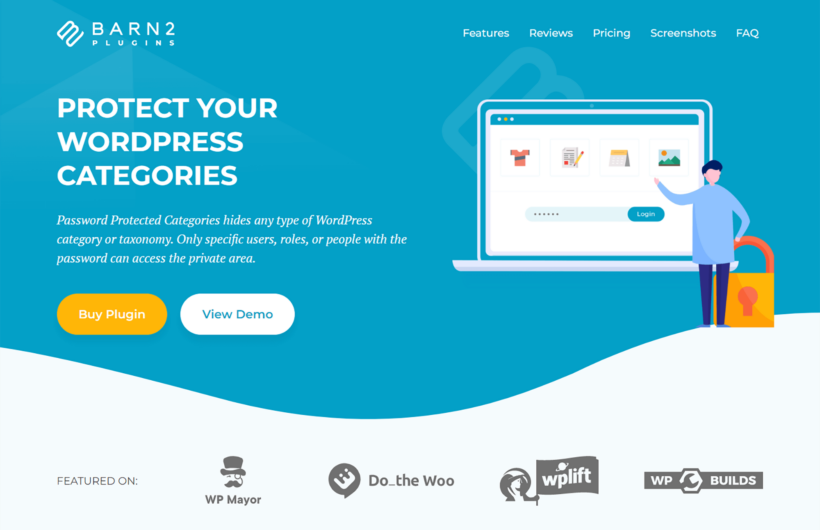
Password Protected Categories is not a full membership system, and that is the point. We make it, and I have included it here because it is the simplest way to lock specific content behind a password or a user role, without building a whole membership site. You restrict access in two ways: simple password protection, or user and role protection.
With simple password protection, you assign one or more passwords to the categories on your website. This way, you can hide entire categories from regular site visitors. For example, you can categorize all membership content under the Members-Only Content category and protect it with a password.
The other way is to create members-only pages that only selected, registered users can access. You can also use this method to show different content to different members. For example, users with the Beginner user role might see only basic-level content whereas users with the Advanced user role get access to all member content.
This is a simple alternative to using a fully featured membership plugin. It's way less overwhelming and lets you restrict access to content without all the flashy features of traditional membership plugins like content dripping, member management tools, and online course builders.
Key features
Password Protected Categories keeps things deliberately simple. Here is what it does.
Simple password protection
The Password Protected Categories plugin lets you add one (or more) passwords to a WordPress category. This makes it easy to restrict access to that category, its sub-categories, and all of its posts.
You can create a single password or multiple passwords for each category you want to protect. The benefit of creating multiple passwords for a category is that you can give out different passwords to different users. This is much more secure than using a shared password.
Once users log in, the Password Protected Categories plugin automatically directs them to the correct category based on their password.
User and role protected categories
Using the Password Protected Categories plugin, you can also restrict WordPress categories by user accounts and user roles. For example, if you’ve created a user role called Members for all registered members, you can choose to only show certain categories to those users.
Once users with authorized user roles log in to your WordPress membership site, they can view the protected categories.
Content restriction options
The Password Protected Categories plugin makes it easy to create hidden areas within your WordPress site. This makes it perfect for businesses that don’t want to create a traditional membership site. It's perfect for anyone that would like to make certain parts of their existing sites private. The plugin lets you protect specific categories using passwords or user accounts and user roles.
Integrations
The Password Protected Categories plugin works smoothly with a wide-range of WordPress and WooCommerce plugins. You can use it with pretty much any ecommerce or events calendar plugin that uses custom post types.
In addition to this, you can use it alongside a registration forms plugin like Profile Builder or Theme My Login to create registration and login pages for your membership site.
If you’d like to offer a free trial, you can use Password Protected Categories with the Expire Users plugin to revoke user access after a specified period.
Pros and cons
Pros:
- The simplest way here to lock content behind a password, with no member accounts required.
- Also restricts content by user and role when you do want logged-in access.
- Quick to set up, with fast, helpful support and plenty of documentation.
Cons:
- Not a full membership system: no recurring billing, no member dashboards, no drip content and no per-user paid accounts.
- Protected content can’t be unlocked over the REST API or by background processes, which blocks CSV imports and stock syncs.
- Protects standard categories only, not custom taxonomies, and you need a separate plugin for reporting and analytics.
Recommendation
Password Protected Categories is best for businesses that are looking for a simple and easy way to create a membership site in WordPress. It’s perfect for password protecting content and restricting access to content by user and user role. If you need recurring payments, tiers or a member dashboard, choose one of the dedicated membership plugins above instead.
#3. MemberPress

MemberPress is the most established all-in-one WordPress membership plugin, and the one I would start with for a serious paid-membership site. From a single plugin, you can protect content, create membership tiers, take recurring payments, drip out content and even sell courses.
Key features
Content protection and membership tiers
MemberPress uses access rules that can lock any post type, page, category, file or feed behind a membership. You can create unlimited membership levels with one-off or recurring pricing, and drip content out on a schedule.
Payments and built-in courses
It connects to Stripe, PayPal and Authorize.net for recurring payments, and includes its own course builder, so you can sell online courses without a separate LMS plugin.
Member management and integrations
MemberPress gives you member dashboards, detailed reporting, and integrations with email marketing and automation tools, so you can run the whole membership business from WordPress.
Pros and cons
Pros:
- The most complete all-in-one membership platform, with protection, tiers, recurring billing, drip content and courses built in.
- Highly rated on independent review sites (around 4.6 to 4.8 stars on G2 and Capterra).
- Backed by a large company that actively develops and supports it.
Cons:
- No free version: the entry plan is about $200 for the first year and renews at roughly double, and the cheapest tier adds a transaction fee.
- Reviewers report renewal charges without warning and refused refunds, and a lapsed licence can lock you out of the dashboard.
- Advanced setup and customization need some technical knowledge.
Recommendation
MemberPress is the best choice if you want one polished plugin to run a full paid-membership site or sell online courses, and you are comfortable with an ongoing annual cost.
#4. Ultimate Member

Ultimate Member is the go-to free plugin when your priority is a community rather than a paywall. Google’s own results name it the “best for communities” option, and it has over 200,000 active installs.
Key features
The free core builds front-end registration and login, customizable member profiles, member directories and role-based content restriction. Paid memberships, social login and other extras come from separate extensions, so it is more a community and profile builder than a billing platform out of the box.
Pros and cons
Pros:
- A capable free core for member profiles, directories and front-end registration.
- Very widely used, with over 200,000 active installs, and actively maintained.
- A strong fit for social networks, directories and community sites.
Cons:
- Recurring payments and many membership features need paid extensions.
- It has had notable security vulnerabilities in the past, so keep it updated.
Recommendation
Ultimate Member is the best free choice when you are building a community or member directory rather than a paywall, and you want rich profiles and front-end account management.
#5. WooCommerce Memberships

WooCommerce Memberships is the best option for creating a membership site if you need to sell other types of products online as well instead of just selling membership plans. The plugin lets you set up a WooCommerce store alongside selling membership programs to your target audience.
Key features
WooCommerce Memberships is different from the other recommended membership plugins in this roundup as it also fully integrates with WooCommerce. This means you can sell other types of products as well as membership plans to your audience. For example, you can sell apparel products and sell fashion design membership programs on the same site using one membership plugin.
Membership levels
WooCommerce Memberships makes it very easy to set up membership plans on your WordPress site with WooCommerce enabled. You can either set up a membership plan as a standalone product or grant membership access to your customers as a part of a product purchase. For instance, let's say a user purchases a “Laptop” product. You can automatically award them a membership plan that lets them access the “Downloads” section on your site.
Content restriction options
The great thing about WooCommerce Memberships is that it also lets you create advanced content restriction rules. In addition to this, you can also drip content or schedule when users can access specific content after subscribing to a membership plan. This makes it easier to create a more refined and engaging member experience on your e-commerce membership site.
Discount codes
The WooCommerce Memberships plugin also lets you set up discounts and members-only perks on your site. This way, you can reward your customers when they make purchases from your online store and encourage them to visit again soon.
Membership notes
The WooCommerce Memberships plugin also lets you add “membership notes” on your site. This way, you can easily communicate with registered members by sharing the notes with them via email.
Pros and cons
Pros:
- Smoothly integrates with all kinds of WooCommerce stores.
- Advanced features for restricting content based on membership levels or user roles.
- Functionality for setting up discounts and members-only perks.
Cons:
- Only works with WooCommerce. It isn’t designed for only WordPress sites as it’s a dedicated WooCommerce extension.
- Recurring billing, free trials and plan upgrades need the separate WooCommerce Subscriptions extension.
- It is an ecommerce extension first, so the membership side can feel like a secondary feature.
- Premium only, at $199 a year for a single site.
Recommendation
The WooCommerce Memberships plugin is recommended for business owners that are looking to expand their existing WooCommerce site and take it to the next level by introducing membership plans.
#6. Paid Member Subscriptions

Paid Member Subscriptions is a membership plugin option that offers a simple yet effective solution for setting up a membership site on WordPress-powered sites.
Key features
The Paid Member Subscriptions plugin is very easy to use. It helps you transform your ordinary WordPress site into a full-fledged membership site.
Membership levels
It gives you full control over setting up multiple membership tiers on your WordPress site. Using the WordPress admin panel, you can set up membership tiers as per your brand’s requirements.
Payment methods
The plugin also makes the process of setting up payment methods on your WordPress site. You can set up some of the most popular payment methods in a few simple steps. These include PayPal and Stripe.
Content restriction options
Paid Member Subscriptions lets you restrict content on your membership site in two ways. You can either restrict content based on the membership tier the user is subscribed to or based on their logged-in status. You can create advanced content restriction rules that let you protect premium content from unauthorized users and redirect them to the checkout page of your membership site.
Discount codes
The intuitive plugin also lets you create discount codes for your membership plans. This way, you can create promotional offers and incentivize your target audience to register for a paid membership plan. Prospective members can use the awarded discount codes when subscribing to a membership plan to get a price reduction.
Email notifications
In addition to all of these great features, the Paid Member Subscriptions plugin also lets you set up automatic email notifications. You can configure the plugin to trigger notifications based on certain events. For instance, you can send automatic emails to members when their subscription period expires or when they login to their membership accounts.
Pros and cons
Pros:
- Lets you set up a complete membership site in four simple steps. Free version available.
- Offers advanced membership features for restricting content and setting up membership plans.
- You can also offer a free trial period and create discount coupons using one plugin.
- 15 add-ons that let you extend the plugin’s features.
- Integrates with email marketing plugins and platforms like Mailchimp, community-building plugins like BuddyPress and bbPress, and affiliate programs.
Cons:
- Doesn't have LMS features such as certificate creation, quiz, and assignment creation, and setting up progress bars on your website.
- Recent reviews include recurring complaints about slow or unhelpful support.
- The free version is limited on payment gateways, and content restriction for custom post types can need extra setup.
Recommendation
Paid Member Subscriptions is the perfect solution for businesses that want to use a simple plugin to handle all aspects of their membership site on WordPress. The plugin offers four easy steps that cover everything from creating the membership site to accepting payments from your members.
#7. ARMember
ARMember is an all-in-one WordPress Membership Plugin for turning your existing WordPress site into a full-power membership platform.
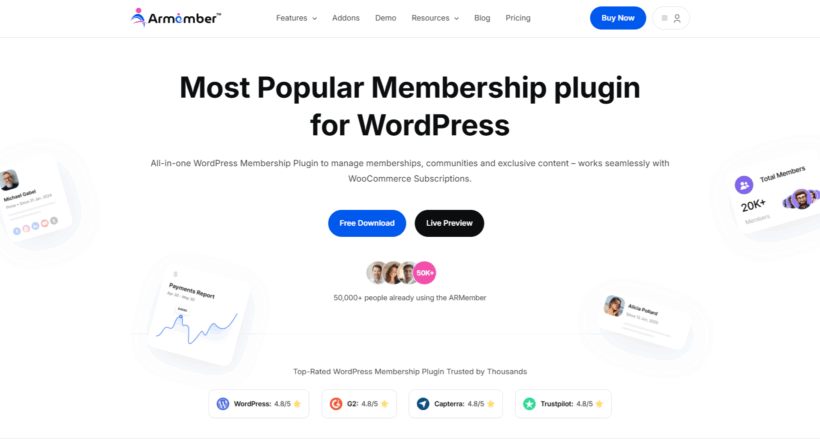
With ARMember, you have full control over the pricing rules of your membership plan. This means you can offer membership programs with one-time payments or set up recurring subscription payments on your membership site.
In addition to this, ARMember also comes pre-built with a lot of features for keeping your members happy. You can showcase public user profiles and award your members badges and achievements upon completing courses or membership programs.
Key features
The ARMember is one of the best membership plugins for creating a complete, full-power membership site.
Membership levels
It lets you create unlimited membership levels with recurring billing. With ARMember, you can create recurring memberships or one-time packages with flexible payment cycles of weekly, monthly, or yearly.
You can create and sell lifetime memberships, pay-per-post, parallel memberships, recurring, and group memberships too, as per your business model.
Content restriction options
ARMember's most standout feature, advanced content restriction, allows you to protect your premium content on every step. You can easily restrict content access of pages, categories, URLs, specific content area and user wise. You can also easily partially restrict content using shortcodes for pages, members or guests. All it takes is a simple toggle On/Off to restrict and protect your exclusive content in every way possible.
Form builder and custom invoices
The best thing about ARMember is that you don't have to buckle up multiple form builder plugins to create your custom registration and login page. ARMember comes with an in-built form builder which lets you create custom login forms and signup forms using a simple drag and drop live form builder.
Best of all, you can also generate downloadable invoices and PDFs automatically for every transaction ever made.
Integrations
On top of having powerful membership management features, ARMember also integrates with more than 20 payment gateways and a range of email marketing tools. Thus, you can easily automate your email marketing campaigns, automate members' communication and grow your audience.
Payment methods
This membership plugin smoothly connects and accepts payment via 21+ payment gateways. For a smooth, secure and global level transaction, it integrates with PayPal, Stripe, WooCommerce Payments, Mollie, Authorize.net and the list goes on and on.
Pros and cons
Pros:
- You can create a full-power membership site, online community and even online course, all in one place with ease.
- All-in-one membership solution with powerful content restriction and content dripping rules.
- A large library of free add-ons to extend its core features
- Awesome gamification elements and community boosting features as well such as membership profiles, directory templates and many more.
Cons:
- Some advanced features can be a little tricky for beginners; yet they can get used to it over time.
- The free Lite version was removed from WordPress.org in early 2025, so you now download it from the vendor site.
- Licences are annual despite some "lifetime"-style marketing, and the free tier only supports PayPal and bank transfer.
Recommendation
ARMember is the best-fit for your WordPress based business if you want a full-featured membership system without much technical fuss. It is a perfect membership solution for businesses and creators who want a user friendly and budget friendly membership plugin with powerful features.
#8. ProfilePress
ProfilePress is a WordPress plugin designed to simplify the creation of membership sites. It enables easy user management and content access control, making it ideal for online courses, subscription-based websites, and community platforms.
Key features
ProfilePress covers the core membership jobs from one plugin.
Membership levels and content restriction
You can design custom registration, login and profile forms, set membership levels, and restrict posts, pages, custom post types and categories. It processes payments via Stripe, PayPal or WooCommerce, and supports drip content.
Form builder and custom invoices
ProfilePress offers a powerful and intuitive drag-and-drop form builder, letting you design fully customized registration, login, and subscription forms that smoothly match your website. It also automatically generates professional invoices for paid memberships, with built-in support for taxes, discounts, and payment confirmations, making managing and tracking member payments effortless
Content restriction options
ProfilePress provides flexible content restriction tools, allowing you to control who can access your site’s content. You can restrict posts, pages, custom post types, categories, and media files based on membership levels, user roles, or individual users. The plugin also supports drip content, enabling you to schedule access to content over time, and lets you redirect unauthorized users to custom pages or messages. These features help you protect premium content and deliver a tailored experience for your members.
Analytics and reporting
ProfilePress provides analytics and reporting tools to track registrations, membership growth, revenue, and active users. You can also generate reports and export data to gain insights into member engagement and site performance
Customer management tools
ProfilePress provides tools to manage all your members from a central dashboard. You can assign roles, track membership status and payments, and send automated or manual emails for easy member management.
Pros and cons
Pros
- Easy-to-use drag-and-drop form builder for registration, login, and subscription forms
- Flexible membership level and content restriction management
- Supports major payment gateways like Stripe, PayPal, and WooCommerce
- Automated email notifications and custom invoices
- Analytics and reporting tools to track members and revenue
Cons:
- Some advanced features require a premium license
- It may be overwhelming for absolute beginners due to the many options
- Its WordPress.org rating is a polarised 3.1 stars, with recurring reports that updates break profile pages or themes.
- The membership features were added on top of what began as a simple user-avatar plugin, which some long-time users dislike.
Recomendation
ProfilePress is one of the most powerful and versatile WordPress membership plugins available. With its intuitive form builder, flexible membership management, capable content restriction, and smooth integrations, it’s perfect for anyone looking to create a professional, scalable membership site, whether for online courses, subscriptions, or community platforms.
Other membership plugins worth knowing
A few more membership plugins are worth a mention. Note that MemberMouse and Wishlist Member are both now owned by the same company as MemberPress, so the market is consolidating.
MemberMouse
MemberMouse is a long-running membership plugin aimed at subscription businesses, with strong tools for managing members, upgrades and one-click upsells.
Wishlist Member
Wishlist Member is used on over 100,000 sites and was rebuilt in its 3.0 release. It handles recurring payments and content protection across most page builders and themes.
WP-Members
WP-Members is a free, no-frills membership and user-registration plugin. It restricts content by login status and adds custom registration fields, which suits simple gated-content sites on a budget.
Frequently asked questions about membership plugins
What is the best WordPress membership plugin?
For a free, flexible foundation, Paid Memberships Pro is the best place to start. For a full premium all-in-one, MemberPress leads, and Ultimate Member is best for communities.
Is there a free WordPress membership plugin?
Yes. Paid Memberships Pro, Ultimate Member and Paid Member Subscriptions all have genuinely useful free versions. The all-in-one plugins like MemberPress are premium only.
Which plugin is best for selling online courses?
MemberPress includes its own course builder, so it can sell courses without a separate plugin. For more advanced courses, pair a membership plugin with a dedicated WooCommerce LMS like LearnDash.
What is the difference between a membership plugin and an LMS?
A membership plugin locks content and handles payments and access. An LMS is built specifically for structured courses, with lessons, quizzes and progress tracking. Many sites use both together.
I only need to lock a few pages. Do I need a full membership plugin?
No. If you just want to hide some content behind a password or a login, a content-restriction tool like Password Protected Categories is simpler and quicker than a full membership system.
Which is the best membership plugin for WordPress?
Creating a membership site yourself can be intimidating. But, if you use the right plugins, the whole process becomes intuitive and easy to understand, even for less tech-savvy business owners.
I've covered the best membership plugins for WordPress above and what each one is good at. The right choice comes down to what you want your membership site to do.
To recap:
- For a free, open and flexible foundation, start with Paid Memberships Pro, which is where I would begin for most sites.
- If you do not need a full membership system and just want to lock content behind a password, our own Password Protected Categories is the simplest option.
- For a full premium all-in-one or online courses, MemberPress is the one to beat.
- If you are building a community rather than a paywall, Ultimate Member is the free pick.
- If you run a WooCommerce store, WooCommerce Memberships ties access to your products.
The right plugin depends on how much you need. For a full membership site, start with MemberPress or the free Paid Memberships Pro. If you only need to lock content behind a password, our own Password Protected Categories is the simplest way to do it.
2 Comments
nice job - i need info this too - i run a football pool and i want to change it to non-paid membership site, free for my boyz, and i will play with "WP-Members Membership Plugin" . . . the only one that offers a free version - just a basic setup, all of nothing to the site
thanks again for your work - i do appreciate it - best of luck to you
ps - your popup is so annoying
Hi, Lar. Thanks for your feedback. I'm glad this info is helpful. All the best with using the WP-Members Membership Plugin on your football pool's site. Sorry to hear you find the popup on our Password Protected Categories sales page annoying. I'll relay your comment to our developers. Cheers.