Best WooCommerce product filter plugins: Comparison guide


Without good filters, customers have to scroll through your whole catalog to find what they want, and many give up before they buy. WooCommerce product filter plugins fix that, helping shoppers narrow down to the right products quickly and lifting sales as a result.
The best WooCommerce product filter plugins help customers find products quickly, which cuts the time they spend searching and lifts conversions. With so many options available, though, it can be hard to choose the right one.
I'll compare the top plugins below so you can find the one best suited to your store. In my experience, most owners want an easy-to-use, feature-rich but no-nonsense product filter.
Quick verdict: the best product filter plugins
Short on time? Here are my picks by use case.
- Best overallWooCommerce Product Filters (our own plugin) is purpose-built for products and stays fast on large catalogs.
- Best for huge or complex sitesFacetWP is the developer favorite for advanced faceted filtering.
- Best free optionBeRocket and HUSKY both have genuinely useful free versions.
- Best for SEO filter pagesPremmerce generates clean, indexable filter URLs.
What are WooCommerce product filter plugins?
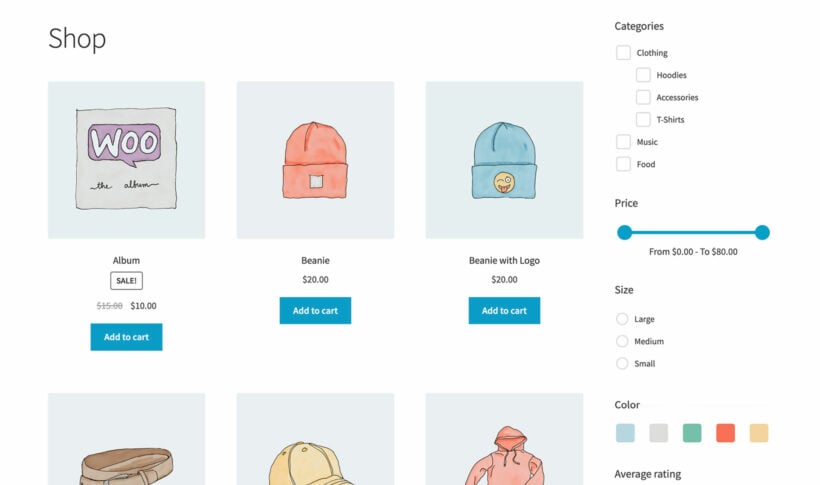
WooCommerce product filter plugins are tools that help customers narrow down product searches. These plugins reduce browsing time by filtering catalogs based on specific criteria. WooCommerce filter plugins allow filtering by price, category, attributes, and stock status.
Product filter plugins work by creating dynamic queries that instantly update product listings. When a customer selects a filter option, the plugin queries your database and displays matching products without requiring a full page reload when AJAX is enabled.
The technology behind these plugins involves database indexing and query optimization. Most modern filter plugins use custom indexes to ensure fast performance even with thousands of products. This approach differs from standard page reloads because AJAX filtering provides instant results, improving the overall shopping experience.
Why use product filters?
Product filters can help customers sift through hundreds and thousands of products and zero in on the ones that match their needs and interests.
Think of it this way: if customers have the option to narrow down their search, they'll be able to find the products they're looking for much faster. This means they can add them to the cart and proceed to the checkout page instead of spending hours browsing your product catalog.
In other words, filtering can improve the user experience, increase product views, and ultimately, boost conversions in your store. Proper filtering systems can make a significant difference in how quickly customers find and purchase products.
Not a fan of reading? Watch the video we made about these plugins instead!
Essential features in product filter plugins
Before diving into specific plugins, it's important to understand the key features that make a product filter plugin effective. These capabilities determine how well your filters will serve customers and impact your store's performance.
AJAX filtering technology
AJAX filtering is a technology that updates results without page reloads. It prevents page reloads by loading data asynchronously in the background. This creates significant performance benefits, especially for stores with large catalogs.
When customers apply filters, AJAX technology fetches results instantly. The page content updates dynamically while maintaining the user's scroll position. This smooth experience keeps customers engaged and reduces bounce rates.
Page builder compatibility
Product filter plugins must work with popular page builders like the WordPress block editor, Elementor, and Divi. Compatibility ensures filters integrate smoothly with your existing design. Most quality plugins maintain consistent styling across different builders.
Full compatibility means filters inherit your theme's design automatically. Plugins should support both shortcodes and widgets for flexible placement. This versatility allows you to add filters anywhere on your site.
Mobile optimization
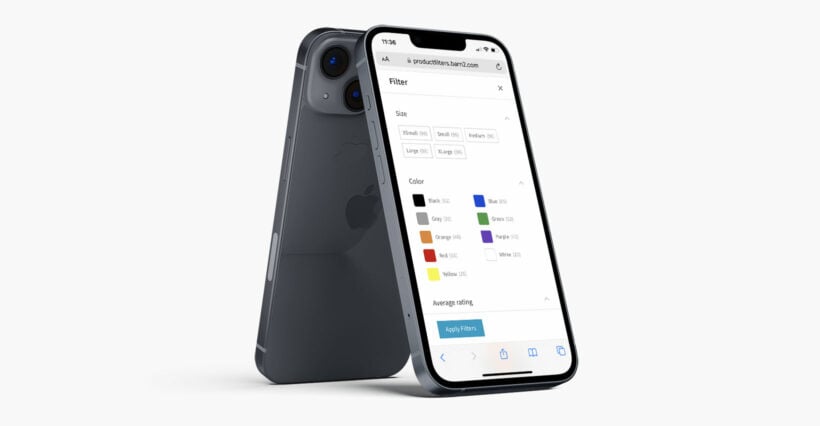
Mobile commerce continues to grow rapidly, making mobile-optimized filters essential. Filter plugins must provide responsive designs that work perfectly on smartphones. Mobile filtering requires special consideration for touch interfaces and screen sizes.
Effective mobile filters often use slide-out panels or collapsible sections. Separate desktop and mobile configurations allow optimal experiences on each device. Responsive design ensures filters remain functional and attractive across all screen sizes.
Comparing these filter plugins
I compared each plugin on its WordPress.org or marketplace rating and install count, the range of filter types it supports, and how it performs on large catalogs. I also looked at whether it shows filters on the product page or only at the cart, and how actively it's maintained.
I can also speak from direct experience here. We build WooCommerce Product Filters ourselves, so this is our own plugin and I've listed its real cons too. We originally built it after testing the alternatives for our Product Table customers and finding most of them too buggy or slow to recommend, so I know this category well.
Last updated for 2026: re-checked every plugin's current rating, price and status; dropped four that are weak or no longer on WordPress.org, and added FacetWP, Premmerce, annasta and Search & Filter Pro.
The best WooCommerce product filter plugins
Here are the best WooCommerce product filter plugins I'd recommend, each with real pros and cons and the kind of store it suits best.
Product filter plugins compared
Here's an at-a-glance comparison before the full reviews. Ratings are from WordPress.org where the plugin is listed there.
| Plugin | Rating | Price | Free version | Best for |
|---|---|---|---|---|
| WooCommerce Product Filters | n/a | $79/yr | No | Large, attribute-heavy WooCommerce stores |
| FacetWP | n/a | From $99/yr | No | Large or developer-built sites |
| HUSKY | 4.6 | Free / ~$42 | Yes | Budget, highly configurable filtering |
| BeRocket | 4.7 | Free / ~$44 | Yes | A generous free version |
| YITH AJAX Product Filter | 3.5 | Free / ~$100/yr | Yes | Stores already using YITH |
| Filter Everything | 4.6 | Free / ~$49 | Yes | Filtering content beyond products |
| Search & Filter Pro | 4.5 | Free / from $49/yr | Yes | Mixed or custom content |
| JetSmartFilters | n/a | From $43/yr | No | Crocoblock and page-builder sites |
| Premmerce | 3.5 | Free / ~$70/yr | Yes | SEO-friendly filter pages |
| annasta Filters | 4.8 | Free / ~$79 one-time | Yes | A polished free product filter |
| WooCommerce Product Table | n/a | $99/yr | No | Filters plus a structured table layout |
1. WooCommerce Product Filters by Barn2
I'll be straight with you here: WooCommerce Product Filters is our own plugin, so I'm biased, but I haven't glossed over the cons below.
We built it after running into serious quality problems with the filter plugins already on the market. Many of our Product Table customers wanted to pair it with an external filter plugin, and several of those had integrated with Product Table. But they were buggy enough that we were fielding constant support requests and couldn't recommend any of them in good conscience.
So we built our own, with the two priorities the others kept getting wrong: reliability and performance on large catalogs. It handles 10,000+ products without slowing down, thanks to custom indexing.
It also only ever shows valid filter options, so if every blue t-shirt is out of stock the Blue option disappears rather than leading customers to an empty result. Setup takes about five minutes, and our step-by-step documentation covers it.
Premium · $79/yr · by Barn2 (that's us)
Pros
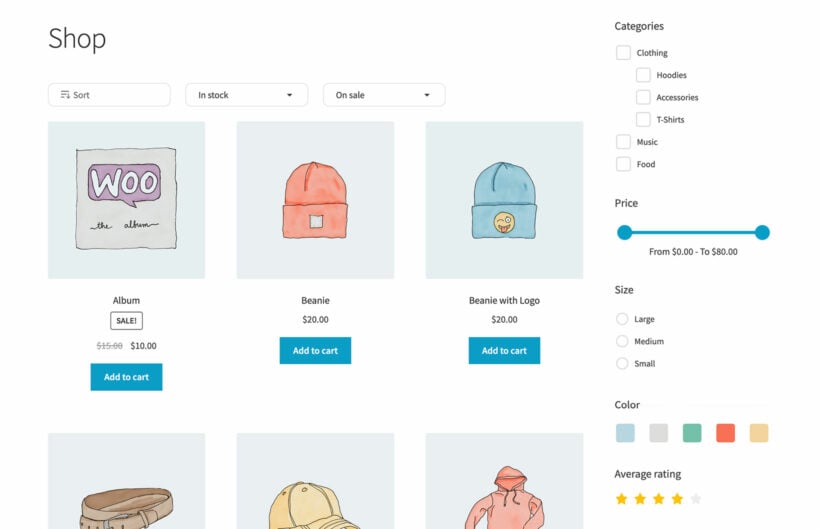
- Purpose-built for WooCommerce, so it filters by category, attribute, color, tag, custom taxonomy, price, rating, stock status and on-sale items out of the box.
- Custom indexing keeps filtering fast on large catalogs, where several rivals here slow down.
- Only shows valid, relevant filter options, hiding terms with no matching products.
- Horizontal or sidebar layouts, swatches and AJAX or apply-button modes, and it pairs with Product Table for B2B order forms.
Cons
- Premium only, with no free version.
- Support response times can lag at busy periods, which a few reviewers have flagged.
- Filters only render where the plugin detects a product listing, so some page-builder layouts need the shortcode or the builder's own module.
- Multiple selections within one filter group use OR logic; there's no AND logic inside a single group.
2. FacetWP
FacetWP is the plugin developers reach for when filtering has to be fast and flexible across a big or unusual site. It is a general faceted-search engine rather than a product-only tool, with its own index table for speed and facet types ranging from sliders to geolocation.
Premium · from $99/yr · by FacetWP
Pros
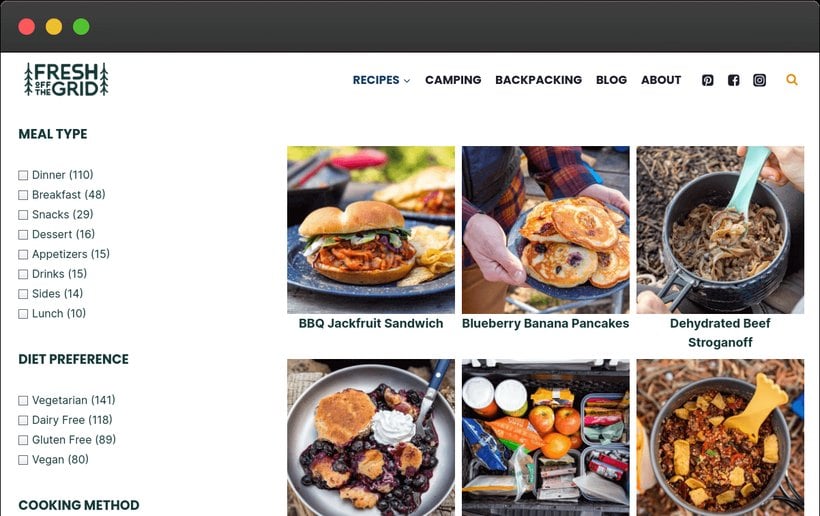
- Filters any content type, not just products, so it suits stores that also list recipes, properties or directory entries.
- Custom index table keeps faceted filtering fast even on very large sites.
- Many facet types (checkboxes, sliders, date ranges, search and proximity) with dynamic result counts.
- Deep integrations with Elementor, Bricks, Divi, Oxygen, ACF and Meta Box.
Cons
- Not purpose-built for WooCommerce products, so a simple store filter takes more configuration and often a developer.
- Steeper learning curve than a plug-and-play product filter.
- No free production version and no refunds; the trial is dev or staging only, capped at two facets.
- Pricing starts at $99 a year, which is steep for a small shop.
3. HUSKY - Products Filter for WooCommerce
HUSKY (formerly WOOF) is the most popular free filter plugin in this list, with over 90,000 active installs. It is endlessly configurable, which makes it a favorite of budget-conscious developers, though that flexibility comes with a fiddly, dated admin.
★★★★☆ 4.6 · 90,000+ installs · by realmag777

Pros
- A capable free version on WordPress.org, with a low one-time fee for the PRO add-ons.
- Filters by category, attribute, tag, custom taxonomy and price, with AJAX and dynamic product counts.
- Many element types (checkboxes, swatches and sliders) and a large library of add-ons.
- A big user base, so there are plenty of community answers and tutorials.
Cons
- Performance can degrade on large catalogs, with reviewers reporting 5+ second filter loads.
- The 'in stock' filter has been reported showing backorder and negative-stock products.
- The admin is complex and dated, and there's no easy per-category filter setup.
- The paid tier is sold through CodeCanyon, with the usual marketplace support limits.
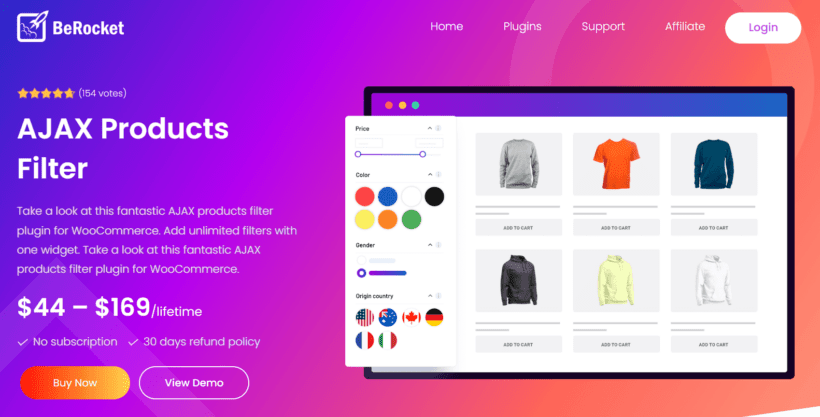
4. Advanced AJAX Product Filters by BeRocket
BeRocket has one of the more generous free versions here, which is why it sits on 50,000+ installs. It covers the everyday filter types well and is a sensible starting point if you want AJAX filtering without paying upfront.
★★★★★ 4.7 · 50,000+ installs · by BeRocket
Pros
- A genuinely useful free version with custom taxonomies, attributes and color filters.
- Slider and image layouts, with AJAX filtering on shop and category pages.
- Actively maintained, with regular releases.
- Affordable premium tiers when you outgrow the free features.
Cons
- Performance can dip on large catalogs without some tuning.
- Conflicts with themes that run their own product query (such as Enfold).
- Support and documentation are on the thin side for advanced setups.
- The more advanced layouts and options are paywalled.
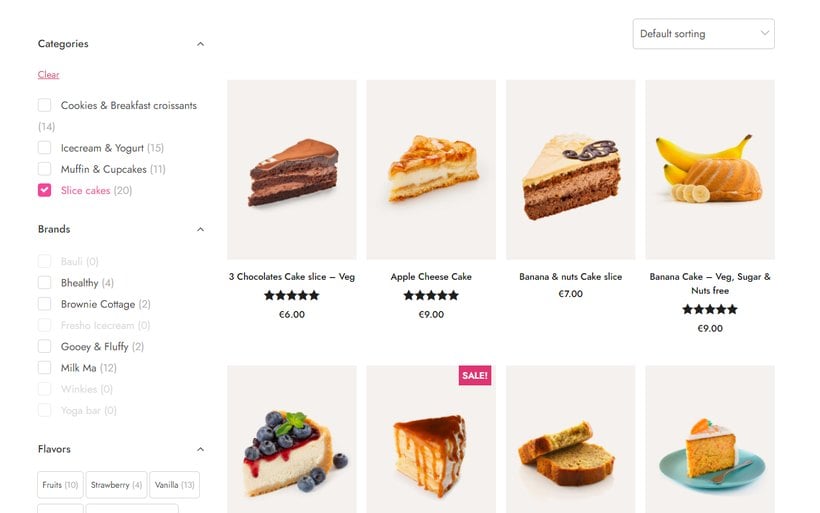
5. YITH WooCommerce AJAX Product Filter
The YITH WooCommerce AJAX Product Filter is a familiar name and an easy pick for stores already in the YITH ecosystem. It is reliable enough for small catalogs, though its rating is the most polarized in this roundup.
★★★☆☆ 3.5 · 80,000+ installs · by YITH
Pros
- Filters by attribute, category, tag, price and rating, with swatches and labels.
- Adaptive filtering that hides unavailable terms as customers narrow their choices.
- Mobile modal layout and unlimited filter presets in the premium version.
- Fits neatly alongside other YITH plugins if you already use them.
Cons
- Repeated reports that it slows the site or overloads the database on bigger catalogs.
- Free-version support is widely criticized as slow or absent.
- Reliability bugs across versions, from filters not displaying to white screens.
- Intrusive in-dashboard upsell ads in the free version.
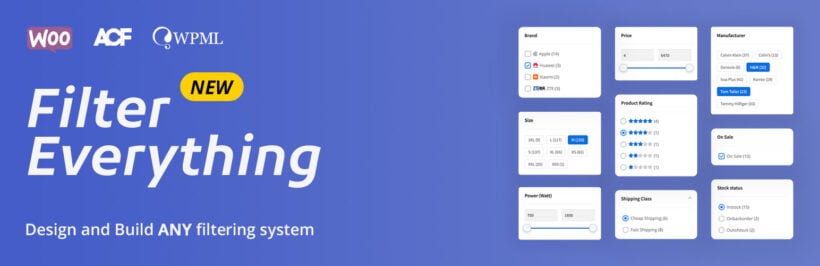
6. Filter Everything
Filter Everything stands out by filtering any WordPress content, not just WooCommerce products. If your site mixes products with posts, listings or custom post types, that breadth is genuinely useful; if you only sell products, it is more than you need.
★★★★☆ 4.6 · 50,000+ installs · by Stepasyuk
Pros
- Filters products and any other post type or custom field, including ACF and Meta Box.
- If you want to filter content beyond products, that flexibility is a real advantage.
- SEO-friendly filter URLs and page-builder compatibility (Elementor, Divi and Gutenberg).
- A free version on WordPress.org, with a one-time PRO purchase.
Cons
- Not purpose-built for products, so for a simple store filter it adds bloat and configuration.
- Steep learning curve, with several reviewers calling it unintuitive.
- The free version is heavily gated and mostly limited to archive pages.
- Some reports of it not working with certain themes, including Divi.
7. Search & Filter Pro
Search & Filter Pro is a long-established faceted search and filter builder with a big free version. Like Filter Everything, it filters any content, which is its strength for directories and listings and its weakness for a plain product shop.
★★★★☆ 4.5 (free version) · 50,000+ installs · by Designsandcode

Pros
- Filters across any post type and taxonomy, so it suits property listings, job boards and blogs as well as shops.
- If you need search plus filtering on mixed content, it does both in one tool.
- A drag-and-drop form builder for assembling filter forms.
- A capable free version with 50,000+ installs and a long track record.
Cons
- Not purpose-built for products, so a WooCommerce store filter needs more setup than a dedicated plugin.
- Building a working filter means configuring forms, queries and templates.
- Performance can degrade on large catalogs with many filters.
- Pro is a yearly subscription, and updates stop when it lapses.
8. JetSmartFilters
JetSmartFilters by Crocoblock is the pick for sites built with a page builder, especially anything already using JetEngine. It adds filter widgets you drop straight into Elementor, Bricks or Gutenberg and style visually.
Premium · from $43/yr · by Crocoblock

Pros
- Filter widgets for Elementor, Bricks and Gutenberg that you build and style visually.
- Works hand-in-hand with JetEngine for filtering dynamic and custom content.
- A wide range of filter types, including date range, alphabet and search.
- Affordable as a standalone, or bundled in the wider Crocoblock subscription.
Cons
- Realistically needs a page builder and often the broader Crocoblock ecosystem.
- Performance can degrade on large catalogs.
- Steep learning curve; the suite is powerful but fiddly to configure.
- No free version, and no WordPress.org listing to gauge ratings.
9. Premmerce Product Filter
Premmerce Product Filter is worth a look if SEO is a priority, because its standout feature is generating clean, indexable landing pages for filter combinations. It is purpose-built for WooCommerce, with a free version to start.
★★★☆☆ 3.5 · 2,000+ installs · by Premmerce

Pros
- SEO-friendly filter URLs and automatic landing-page generation for filter combinations.
- Built-in caching and lazy loading to speed up filter loads.
- Filters by price, category, tag, attribute, stock, sale and rating, with swatches in premium.
- A free version on WordPress.org, with annual or lifetime premium licenses.
Cons
- Polarized reviews, with a third of them one-star and repeated support complaints.
- Multilingual (WPML and Polylang) support is reported as unreliable.
- Some reports of site crashes and the premium version failing after purchase.
- Products only, so it can't filter posts or custom content.
10. annasta Filters for WooCommerce
annasta Filters is the highest-rated dedicated filter plugin in this list and a fast-rising newcomer. It has an unusually capable free version and a one-time premium license, which is a refreshing change from annual subscriptions.
★★★★★ 4.8 · 2,000+ installs · by annasta

Pros
- A strong free version covering taxonomy, attribute, price, stock, rating and meta filters.
- AJAX filtering with infinite scroll, plus shareable URL-based filtered links.
- Collapsible, hierarchical filters and an off-canvas sidebar, with dynamic counts.
- Premium is a one-time payment rather than an annual renewal.
Cons
- Products only, so it isn't a general content filter.
- A smaller install base than the mainstream plugins, so less battle-tested at scale.
- Premium pricing isn't published openly; you see tiers via the in-dashboard upgrade page.
- The free version is limited to a single filter preset.
11. WooCommerce Product Table by Barn2
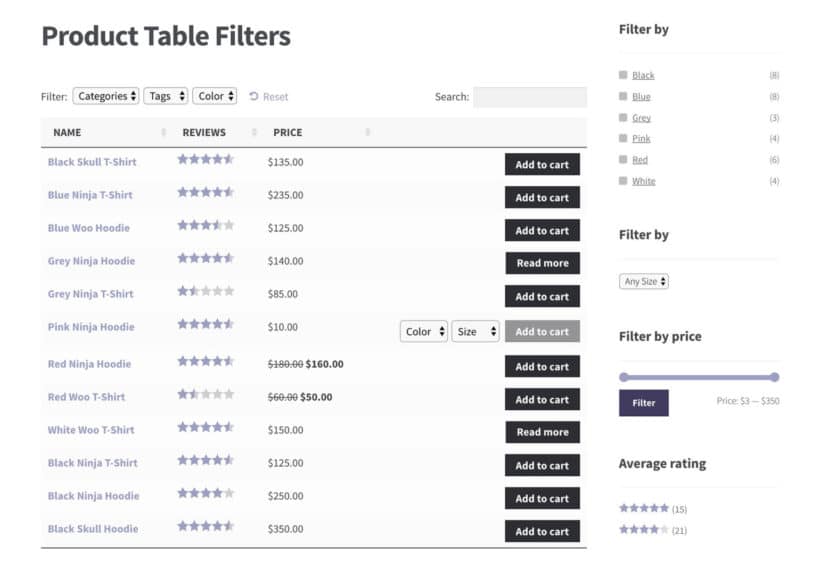
Last, a different angle on filtering from us. WooCommerce Product Table is primarily a table plugin, not a sidebar filter, but it earns a place here because it pairs a structured, sortable product table with built-in filter dropdowns and widgets.
Instead of a grid with filters down the side, your customers get a compact table they can search, sort and filter, which is ideal for B2B order forms, wholesale catalogs and large product lists. It also works alongside WooCommerce Product Filters when you want both the table layout and advanced filtering.
Premium · $99/yr · by Barn2 (that's us)
Pros
- A unique angle: products in a searchable, sortable table with filter dropdowns above it and filter widgets in the sidebar.
- Ideal for B2B, wholesale and quick order forms where customers buy in bulk.
- Filter by category, tag, attribute or custom taxonomy, with a built-in instant search box.
- Works alongside WooCommerce Product Filters for a table plus advanced filtering.
Cons
- It's a table layout first, so it's not a drop-in replacement for a standard sidebar filter.
- Best suited to specific use cases like order forms rather than every shop.
- Premium only, with no free version.
- Disclosure: this is also our plugin, so weigh that against the independent options above.
Choosing the right filter plugin
Selecting the right WooCommerce product filter plugin depends on several factors specific to your store's needs. These are the key considerations that matter most.
Premium vs free
Free plugins work well for stores with under 100 products and basic filtering needs. When you need AJAX functionality, large catalog support, or advanced features like color swatches, premium plugins become necessary. Premium plugins typically cost between $49-$129 per year.
Consider the return on investment when choosing between free and premium options. Stores with larger catalogs or complex product variations often find premium features worth the investment.
Performance requirements
Large catalogs with over 1,000 products require plugins with custom indexing. AJAX filtering becomes essential for stores with multiple filter options. Page load speed impacts both user experience and SEO rankings. Use a performance optimized plugin like WooCommerce Product Filters, which has built-in indexing to reduce load on your server.
Compatibility
Theme compatibility affects how filters appear and function. Page builders like Elementor or Divi require specific plugin support. WooCommerce version compatibility ensures continued functionality after updates.
Check compatibility with other essential plugins in your stack. Some filter plugins conflict with caching or optimization plugins. Test compatibility on a staging site before committing to a plugin.
Feature requirements
Basic stores need category, price, and attribute filters. Advanced stores benefit from custom taxonomy and custom field filters. Visual options like color swatches improve the shopping experience for fashion stores.
Mobile-specific features matter more as mobile commerce grows. Consider whether you need features like saved filter combinations or filter analytics. Match features to your specific product types and customer behavior.
Tips and tricks to set up product filters
Here are some tips and tricks you can use to set up product filters in WooCommerce:
Use personalized filters instead of popular ones
Our first pro tip is to use personalized filters instead of using popular filters. The idea is to personalize product filters for the types of products you sell instead of using the same filters everyone else is using.
For example, let's say you sell pre-built computers, laptops, and computer parts. A gamer looking for a laptop would appreciate a filter for RAM or Processor. Similarly, if you sell clothes, your customers might be more interested in filters like Bestselling, Color, and Size.
Speak your customer's language
Avoid using complicated words and jargon when simple terms will do just fine.
For example, if you're selling the same dress in multiple colors, you might internally have them stocked with names like Cerulean or Mauve. However, it might be better to use the terms Blue-Green and Light Purple on the front-end for customers.
Show relevant filters
Customize your product filter settings to only display the filters that are relevant to the products in view instead of an exhaustive list of store-wide filters on every page.
Let's say you sell crockery. If a customer is viewing the Dinnerware product category page, they should only see product filters that are relevant to dinnerware. There's no reason to show product filters for drinkware, serving bowls, or table linens on the Dinnerware product category page.
The best way to filter WooCommerce products
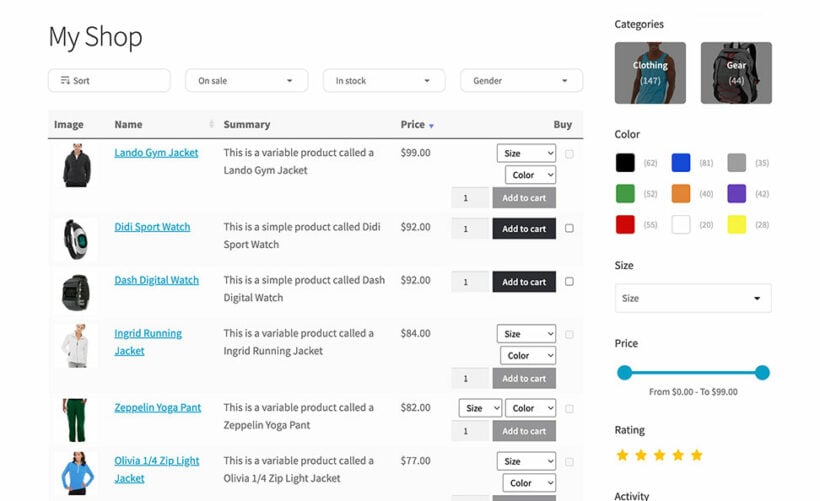
With so many options available, it can be challenging to choose the best WooCommerce product filter plugin. As a store owner, you want to choose one that fulfills your business requirements perfectly and lets you create more user-friendly WooCommerce product pages.
WooCommerce Product Filters provides the perfect balance of features, performance, and ease of use. The plugin's ability to handle large catalogs while maintaining fast load times sets it apart from competitors.
For stores needing both advanced filtering and a table layout, combining WooCommerce Product Filters with WooCommerce Product Table creates the ultimate shopping experience. This combination works particularly well for B2B stores, wholesale operations, and any site where customers need to compare multiple products quickly.
If you're still weighing it up, here's the short version:
- For most stores, our own Product Filters is the best all-rounder.
- For very large or developer-built sites, FacetWP is worth the extra setup.
- For a free start, BeRocket and HUSKY are the strongest.
- For SEO-friendly filter pages, Premmerce leads.
- To filter products inside a structured table, pair Product Filters with Product Table.
Frequently asked questions
What is the best WooCommerce product filter plugin?
It depends on your store. For a product-built plugin that stays fast on large catalogs, our own WooCommerce Product Filters is the pick. FacetWP suits complex sites needing advanced faceted filtering, BeRocket and HUSKY have useful free versions, and Premmerce is built for indexable filter URLs.
Is there a free WooCommerce product filter plugin?
Yes. Several plugins in this guide offer useful free versions. BeRocket and HUSKY both have free tiers, and Filter Everything is free on the WordPress plugin directory. Free tiers usually limit the number of filters, so check the free plan covers the features you need.
Can you filter WooCommerce products by category?
Yes. Most product filter plugins let customers filter by category alongside price, attributes such as size or color, and stock status. WooCommerce Product Filters supports category filtering and custom taxonomies. A WordPress category filter lets shoppers narrow a catalog by category, then refine with other filters at the same time.
4 Comments
Informative article (Y) In my opinion, the product "Dynamic AJAX Product Filters for WooCommerce" should be counted.
Hi Sarah, Thank you so much for your kind words! I'm thrilled to hear you found the article informative.
Thanks for your suggestion suggestion! We are always looking for ways to keep our guides as comprehensive as possible, so I truly appreciate you sharing your favorite with us!
I'll be sure to pass this along to our content team to keep in mind for our next update of the post. Have a great day!
Why is FacetWP not tested? In my opinion this is by far the best filter plugin.
Hi, Kees. FacetWP was not included in this article because the primary focus is on product filters related to WooCommerce. FacetWP is specifically designed to target common custom post types in WordPress. For more in-depth information on FacetWP, we have dedicated articles available at the following links.
This one: Using FacetWP to add filter widgets to your post tables
Or, this one: Using FacetWP to add filter widgets to the document library
If you have any other questions, please don't hesitate to reach out to our Support Center. Have a great day!