12 best WooCommerce product options plugins (2026)


Looking for the best WooCommerce product options plugin? Product options let you sell customizable products and paid add-ons. I've compared the top plugins for the job, with real pros and cons for each.
WooCommerce doesn't let customers add custom options to a product out of the box, so you need a plugin. The challenge is choosing one. There are dozens of WooCommerce product options plugins, ranging from simple free field builders to advanced configurators with their own price formulas.
My top pick is WooCommerce Product Options, which adds unlimited custom fields, conditional logic and dynamic pricing to any product.
Quick verdict: the best WooCommerce product options plugins
Short on time? Here are my picks by use case.
- Best overallWooCommerce Product Options combines the widest range of field types, the most advanced price formula and live previews in one plugin.
- Best free pluginExtra Product Options for WooCommerce by ThemeHigh gives you 19 field types at no cost.
- Best for made-to-order pricingWooCommerce Product Add-Ons Ultimate handles calculation fields and per-character pricing.
Evaluating these product options plugins
I compared these WooCommerce product options plugins on the range of field types they offer, how flexibly they handle pricing, and whether they support conditional logic.
I also weighed how easy each one is to set up, its real reviews, how actively it's maintained, and the value of its free version against its paid tiers. A couple of well-known names have closed down recently, so anything no longer available has been left off the list.
Why add WooCommerce product options to your store?
WooCommerce itself has an option to display multiple versions of a product as variations. Variable products allow customers to easily find their preferred products by selecting a product variation on the product page.
Variations work well for basic choices, but they fall short for complex customization, which is where product options plugins come in. Letting customers personalize a product also lifts your sales and average order value. There are two main reasons variations alone aren’t enough:
1. Variations only ever appear as dropdowns

With variations, you're stuck with dropdowns as your only display option. That's no use for certain types of products, for example:
- Selling clothes - It's better to allow customers to click on color swatches and size labels than to select from boring dropdowns.
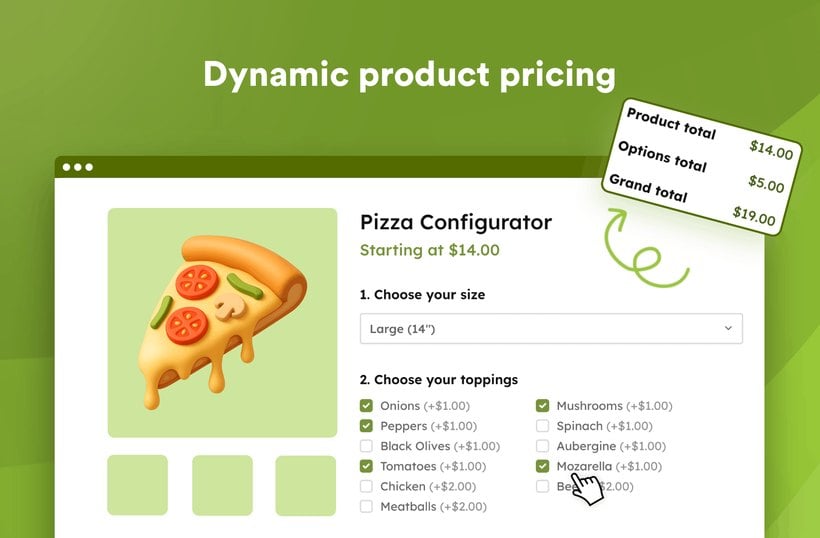
- Pizza builders - Customers need to tick multiple toppings, not just select from a dropdown.
- Customizable products - If you're selling engraved pens or watches with customizable straps and cases then you need much more flexibility, such as text fields and more visual options.
With the best WooCommerce product options plugin featured below, you can display product variations in more exciting ways such as checkboxes, radio buttons, color swatches and clickable image thumbnails.
2. Variations are difficult to set up and manage
For product add-ons and customizable products, you would have to create and manage variations for each possible combination. The number of combinations multiplies each time you add a variation. This can take a lot of time to create and maintain over time.
While our top WooCommerce product options plugin featured below can display product variations, it also has a user-friendly interface for creating options without needing to use variations at all. This is an excellent time-saver if you have lots of variations to manage.
Key features in product options plugins
These plugins let you add a range of input types to suit different kinds of customization.
- Text fields - Collect custom messages and engraving details.
- Checkboxes - Enable multiple add-on selections for services or extras.
- Radio buttons - Restrict choices to single options like size or color.
- File uploads - Allow customers to submit custom designs and logos.
- Conditional logic - Shows or hides options based on customer selections.
- Dynamic pricing - Adjusts product costs automatically based on selected options.
Most also let you charge extra for add-ons, and they slot into your existing WooCommerce setup. Which one you need comes down to your product types and your budget.
The best WooCommerce product option plugins for your store
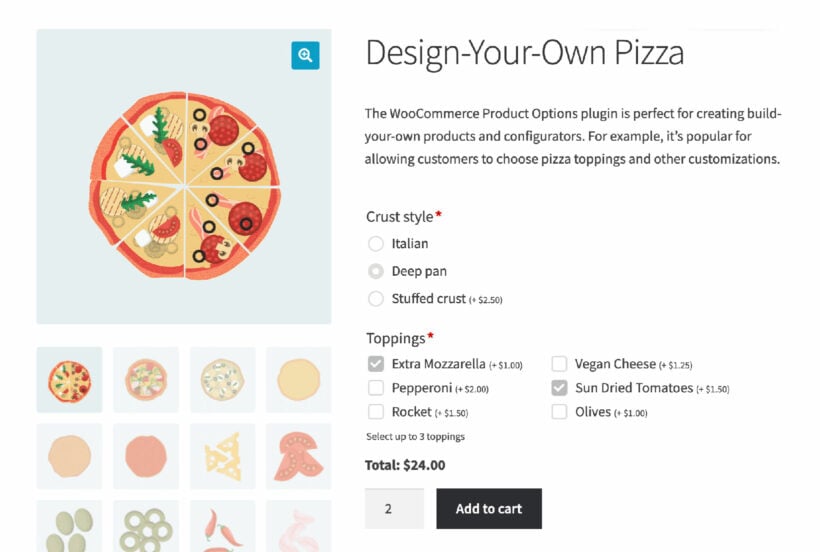
Since product add-ons are not a default feature in WooCommerce, you will need a WordPress or WooCommerce plugin to add them.
There are several WooCommerce product options plugins on the market. To make your decision easier, we've gathered a list of the top plugins, starting with the best.
Quick plugin comparison
Here's how the 12 plugins compare at a glance.
| Plugin | Best for | Key strength | Price |
|---|---|---|---|
| WooCommerce Product Options | Most stores | Widest features + price formula | $79+/yr |
| WooCommerce Extra Product Options (EPO) | Premium power users | Established market leader | $69 |
| Product Add-Ons Ultimate | Made-to-order pricing | Calculation fields | $79+/yr |
| Advanced Product Fields | ACF-style builders | Clean field builder | Free + Pro |
| Acowebs WCPA | Generous free tier | Free conditional logic | Free + Pro |
| Extra Product Options (ThemeHigh) | Tight budgets | Best free option | Free + Pro |
| PPOM | Category-level options | Free dynamic pricing | Free + Pro |
| YITH Product Add-Ons | YITH users | Broad feature set | From €70/yr |
| WowAddons | Personalized products | Lightweight builder | Free + Pro |
| Flexible Product Fields | Simple custom fields | Data on cart + emails | Free + Pro |
| Product Add-Ons (Woo) | Basic add-ons | Official extension | €69/yr |
| PH Product Add-Ons | Live cost breakdown | Cost transparency | $79/yr |
1. WooCommerce Product Options by Barn2
We built WooCommerce Product Options after running into the limits of the other plugins on the market. They had too few field types, price formulas that couldn't handle real made-to-measure pricing, and no way to show a customer a live preview of what they were designing. So we set out to do all of it in one plugin.
The feature I'm proudest of is unusual. As well as building options directly in the plugin, you can take your existing variable products and display their real variations as checkboxes, swatches or image buttons. Most options plugins make you rebuild everything from scratch, ignoring the variations you've already set up.
The price formula is also the most advanced of any plugin here, which is why made-to-measure stores rely on it for glass cutting, blinds and awnings.
★★★★★ 4.92/5

WooCommerce Product Options is a versatile plugin that adds unlimited customizable fields to any product. The plugin supports conditional logic, dynamic pricing, and live preview functionality.
Whether you want to offer physical product add-ons like pizza toppings or services such as installation of technical equipment, WooCommerce Product Options enables you to do all this quickly and easily.
Pros
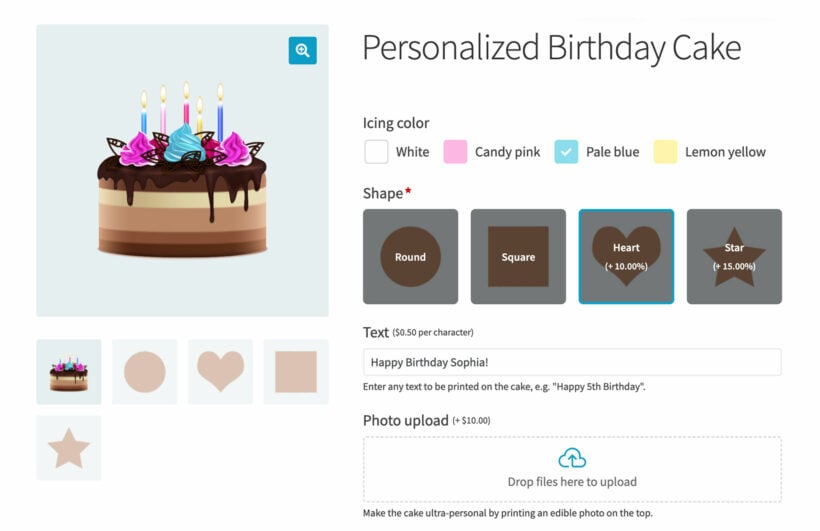
- WooCommerce Product Options supports 15+ field types for product customization. Field types include checkboxes, radio buttons, and clickable image selectors. The plugin enables file uploads, text inputs, and color swatch options.
- Either create options in the plugin's intuitive interface, or select existing product variations to display in eye-catching ways.
- You can add pricing to each option or even create your own custom price formulas and measurement price calculators. This is the most advanced price calculator available in any WooCommerce product options plugin.
- There are advanced options such as smart conditional logic and minimum/maximum quantities.
- The plugin has been optimized for speed so your site won't go down in Google's search engine rankings.
- It has a money-back guarantee, so you're assured of a refund in case the product options don't work the way you want them to.
- It works smoothly with our other plugins, including WooCommerce Product Table and Quick View Pro.
- Unlike most product options plugins, you can also get it with the Live Preview add-on. This lets customers upload image files and preview exactly what the finished product will look like.
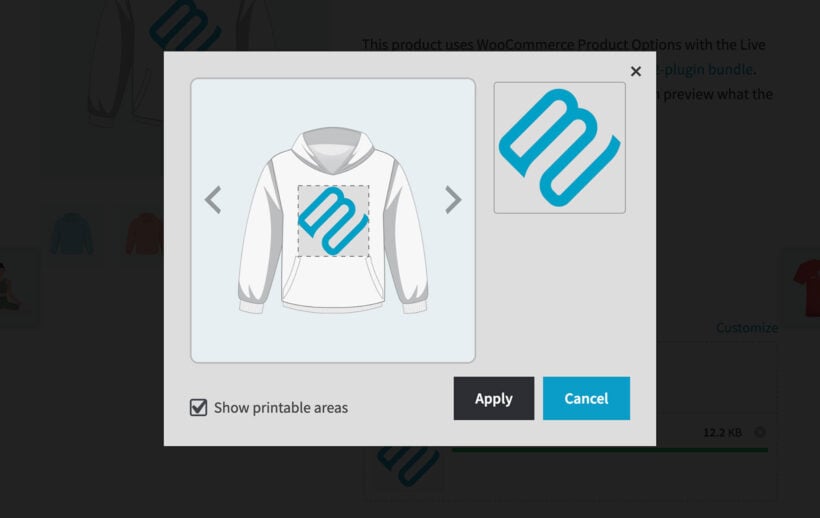
Here is a closer look at what it does.
Create any product option you want
You can create a wide variety of product add-ons for the front end of your store, from gift wrapping and custom messages to product upgrades and delivery services.
You can create global product options to apply to all products or create them for specific products, thereby retaining flexibility. This way, you can sell extra products, increase your average order value, and improve user experience.
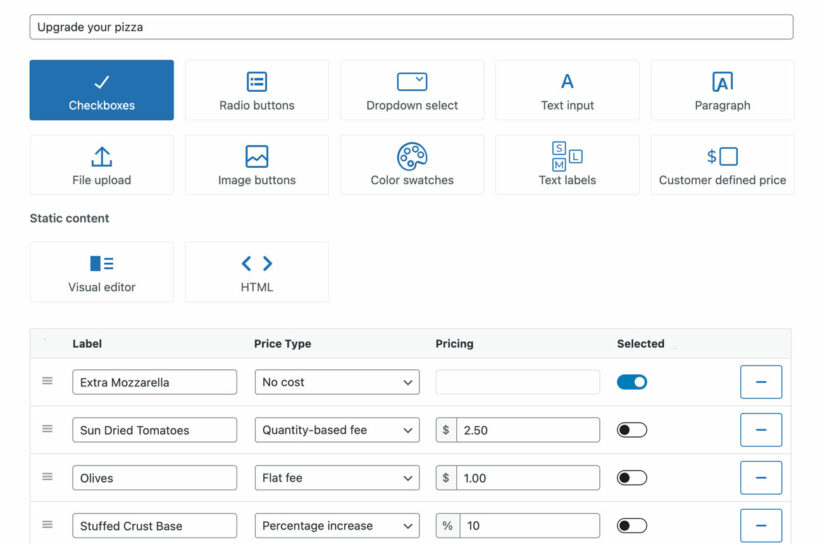
Flexibility over custom product field types
With WooCommerce Product Options, you get to enrich your customer's visual experience when they're sorting through product add-ons.
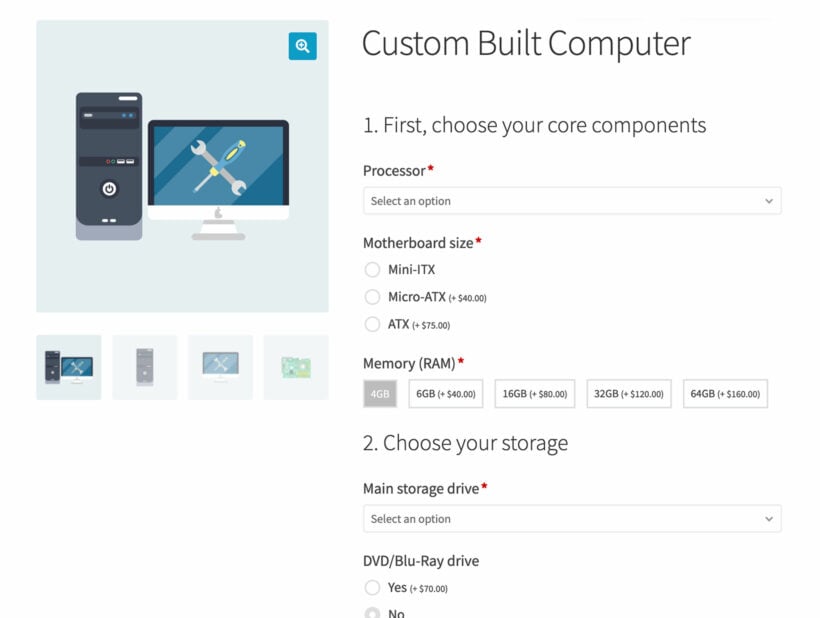
In addition to the standard dropdowns, you can add and display extra fields such as checkboxes, text, radio buttons, color and image swatches, and more. This lets you add as many custom product add-ons as you like to the product page.
Create custom options or use product variations
Unlike all the other product options plugins in this list, WooCommerce Product Options provides 2 ways of creating the fields:
- It has a user-friendly interface for creating product options, without needing to use variations.
- You can select existing product variations and display them in a range of styles. This is useful if you need to use the product options which features that are specific to variations, such as stock management.
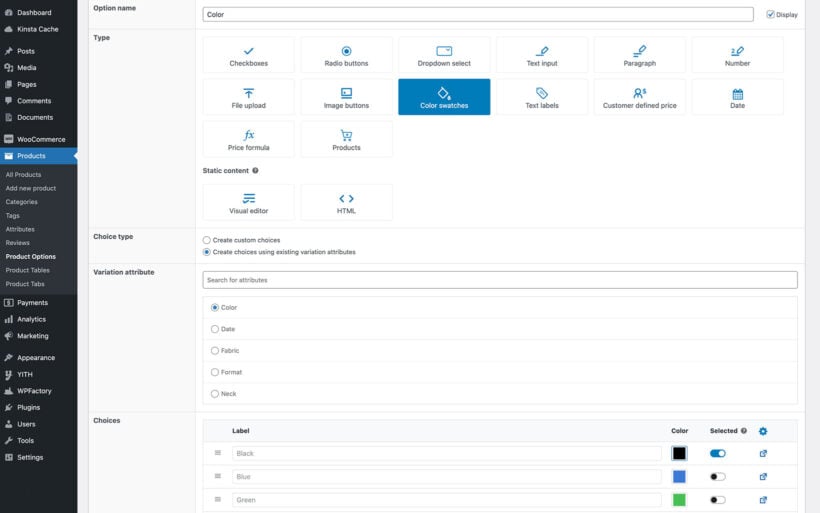
Allow customers to configure products their way
You can offer customizable products with WooCommerce Product Options. With its built-in product configurator, this WordPress plugin allows you to collect customer input to deliver custom products to your customers via input fields.
If you sell t-shirts with printed text, you can allow customers to define the text they want to be printed on their t-shirts. The same goes for engraved jewelry or watches with customizable straps and cases.
This lets you cater to customers with unique styles, and even let them design their own products.
For products with a lot of options, you can present them as tabs, a popup, or a step-by-step sequence so the product page stays tidy instead of becoming one long list. Customers can also edit their chosen options from the cart, so a change of mind doesn't mean starting again.
Selectively display custom options
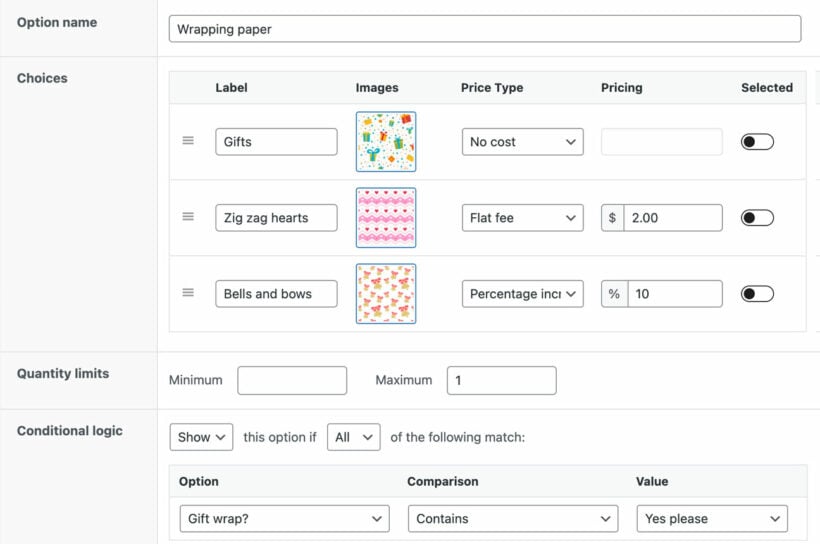
WooCommerce Product Options has advanced conditional logic that lets you show or hide additional options depending on selected custom options.
It also wraps these capabilities in an easy-to-use interface, so you don't have to worry about going through a learning curve. That's not all, there's a lot more to come in future releases, such as a date picker for holidays, events, etc.
Cons
- Native WooCommerce product attributes can't be dropped into the price formula, so the most advanced calculations take some setup.
- The file-upload field is a plain uploader, with no built-in cropping or background removal.
- A few reviews mention occasional bugs after an update, though support is hands-on at fixing complex builds.
2. WooCommerce Extra Product Options by ThemeComplete
WooCommerce Extra Product Options by ThemeComplete is the established premium leader in this category, with mathematical price functions, repeatable elements and reusable templates.
★★★★★ 4.87/5 | Developed by ThemeComplete

Pros
- The most-bought premium options plugin on CodeCanyon, with over 36,000 sales and a 4.87-star average.
- Deep feature set: per-option fees, math-based price calculations, file uploads, swatches and conditional logic.
- Reusable templates and repeatable elements keep large catalogs consistent.
Cons
- The huge settings area has a real learning curve, and reviews mention it can feel overwhelming at first.
- CodeCanyon support runs for six months unless you renew, and complex setups can need developer help.
- It's a one-time $69 purchase, but ongoing support and updates are a separate cost.
3. WooCommerce Product Add-Ons Ultimate by Plugin Republic
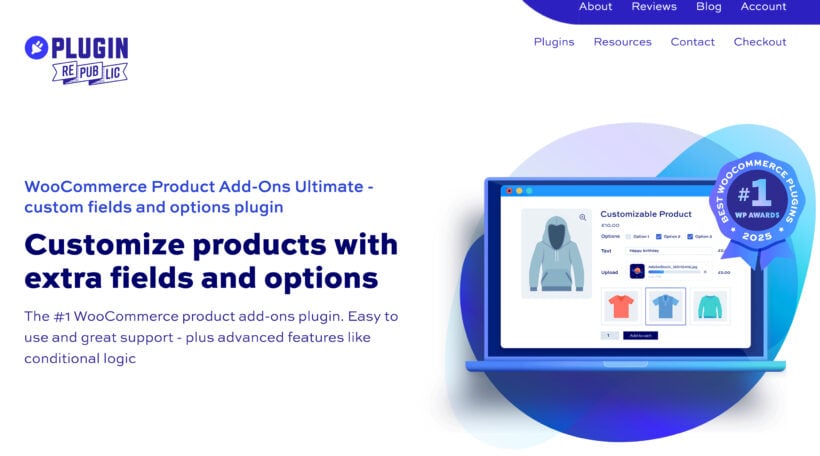
WooCommerce Product Add-Ons Ultimate is one of the most feature-complete add-ons plugins, with 20+ field types, granular conditional logic and formula-based pricing.
★★★★★ 4.8/5 | Developed by Plugin Republic
Pros
- More than 20 field types, including calculation fields for per-unit, per-character and area-based pricing.
- Child-product fields let you offer existing products as add-ons, keeping their stock and SKUs intact.
- Actively maintained by an independent UK developer, with responsive, hands-on support.
Cons
- Fields can break on themes that omit the standard WooCommerce hooks, so check yours first.
- Pages with lots of fields, conditions and calculations can slow down.
- There's no free version on WordPress.org, so you can't trial it before buying (14-day refund instead).
4. Advanced Product Fields by StudioWombat
Advanced Product Fields by StudioWombat is the most popular dedicated options plugin among the free WordPress.org choices, with a clean, ACF-style field builder.
★★★★★ 4.8/5 | Developed by StudioWombat
Pros
- The field builder is modeled on Advanced Custom Fields, so it feels familiar and tidy rather than bolted onto WooCommerce.
- Pro adds formula, percentage, quantity and per-character pricing for real configurators.
- Lightweight and HPOS-compatible, with more than 50,000 active installs.
Cons
- The free version is widely called too limited, with file uploads, swatches and dynamic pricing all locked to Pro.
- Support draws mixed reviews, with several users reporting slow or unhelpful replies.
- A few reviews flag bugs and lag behind new WooCommerce versions on more complex forms.
5. Acowebs Product Addons (WCPA)
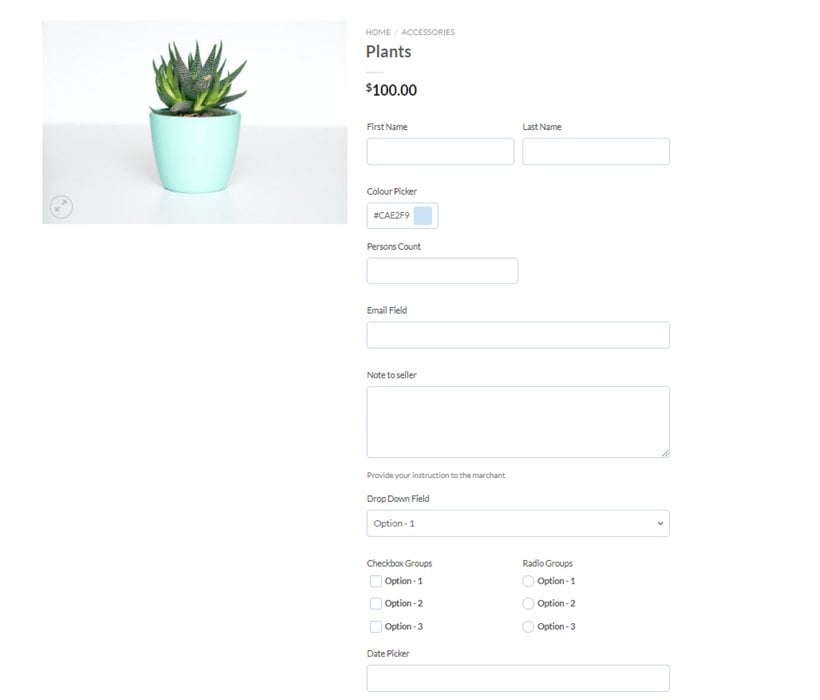
Acowebs Product Addons is a well-established options plugin with an unusually generous free version, used on more than 30,000 stores.
★★★★★ 4.9/5 | Developed by Acowebs
Pros
- The free version already includes 12+ field types and conditional logic, which most rivals charge for.
- Pro adds custom price formulas, file uploads with cloud storage, multi-step forms and dynamic SKUs.
- Both annual and one-time lifetime licenses are available, which suits stores that dislike recurring fees.
Cons
- Coupons don't apply to fixed-price add-on fees, which is a problem if you run discounts on customized products.
- Reviewers report add-on details not always showing in order emails or the admin order screen.
- Support can be slow on the free tier, with help mainly during limited live-chat hours.
6. Extra Product Options for WooCommerce by ThemeHigh
Extra Product Options for WooCommerce by ThemeHigh is the strongest free option here, with 19 field types and a 4.9-star average across 200+ reviews.
★★★★★ 4.9/5 | Developed by ThemeHigh

Pros
- A genuinely capable free plugin, with 19 field types and conditional logic at no cost.
- Frequently updated, with over 30,000 active installs and a very high rating.
- You can choose whether options appear before or after the add-to-cart button.
Cons
- The free version lacks image swatches, so you can't offer the most visual selection styles.
- Advanced pricing and the more visual field types need the premium upgrade.
- It's better suited to straightforward fields than to complex made-to-measure configurators.
7. PPOM by Themeisle
PPOM (Product Addons & Custom Fields) is a long-running plugin from Themeisle, with a generous free tier and category-level option sets.
★★★★☆ 4.5/5 | Developed by Themeisle
Pros
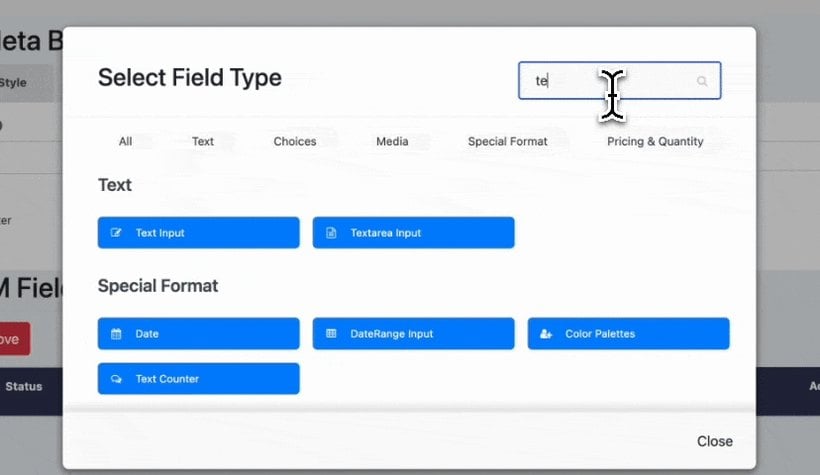
- The free tier includes dynamic per-option pricing and basic conditional logic, which many rivals lock away.
- Pro offers 30+ field types, file uploads, swatches and a repeater for duplicating field groups.
- You can apply option sets at category level and reuse them across many products, with WPML support.
Cons
- Support is the most common complaint in low-star reviews, especially on the free tier.
- Conditional logic is repeatedly reported as buggy, so test it carefully before launch.
- Several reviewers had the plugin break after an update, and the Pro price has risen sharply.
8. YITH WooCommerce Product Add-Ons & Extra Options
YITH WooCommerce Product Add-Ons & Extra Options is a broad, well-known options plugin from a large WooCommerce vendor, with both regular and sale prices for options.
★★★★☆ 4.2/5 | Developed by YITH

Pros
- A wide range of field types and settings, including regular and on-sale option prices.
- Backed by YITH, an established vendor with a big plugin catalog and free version on WordPress.org.
- Role-based options and conditional logic for more advanced setups.
Cons
- The settings page is cramped and has a steeper learning curve than tidier rivals.
- The premium version is pricier than several stronger options here.
- The free version's rating is modest, with reviewers citing complexity and the occasional bug.
9. WowAddons by WPXPO
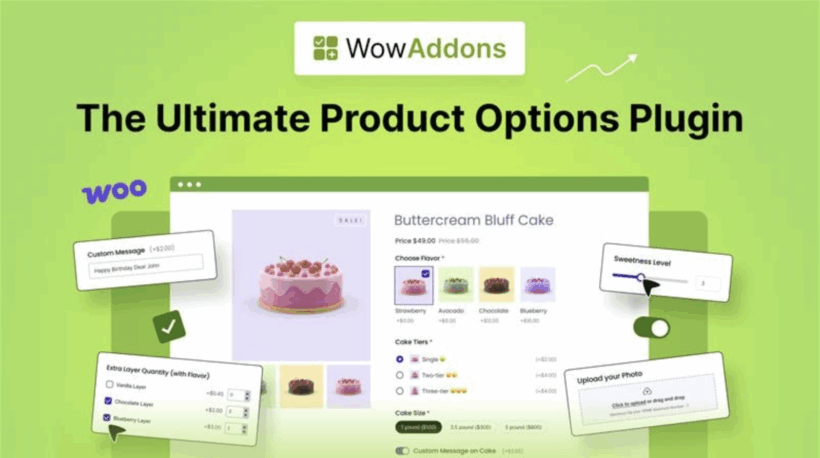
WowAddons by WPXPO is a lightweight options plugin with a drag-and-drop builder, ideal for personalized products like custom apparel and gifts.
★★★★★ 5/5 | Developed by WPXPO
Pros
- A clean drag-and-drop builder with text fields, file uploads, checkboxes and dropdowns.
- Conditional logic and fixed or percentage-based add-on pricing.
- Lightweight and actively maintained, with a 5-star average on WordPress.org.
Cons
- A smaller user base than the category leaders, so it's less battle-tested at scale.
- The most useful field types and pricing options sit behind the premium version.
- Documentation is lighter than the bigger vendors offer.
10. Flexible Product Fields by WP Desk
Flexible Product Fields by WP Desk is a tidy field builder from an established vendor, with around 18 field types in the free version.
★★★★☆ 4.5/5 | Developed by WP Desk
Pros
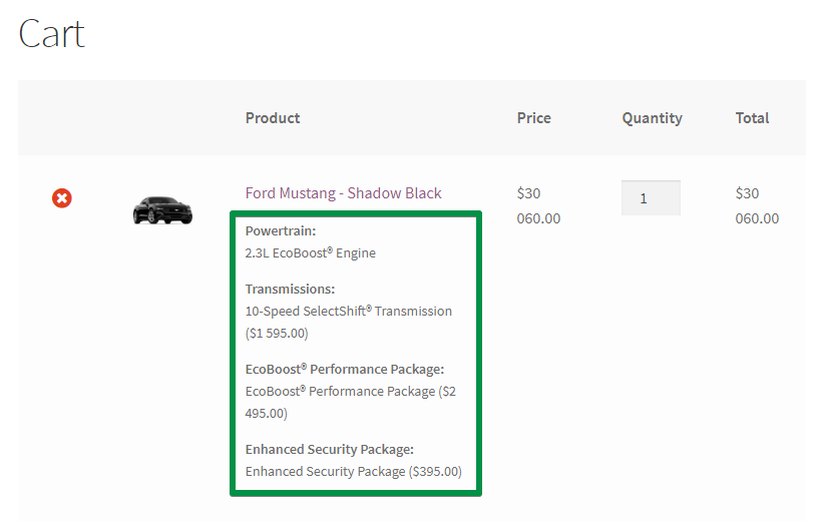
- A generous free tier for static fields, with field values carried through to the cart, emails and order screen.
- Pro adds conditional logic, per-field pricing, file uploads and date pickers.
- Made by WP Desk, a long-running vendor with a focus on WooCommerce extensions.
Cons
- Most of the commercial features, including conditional logic and pricing, are Pro-only.
- Reviewers report occasional reliability and compatibility bugs.
- Support draws some criticism even on the paid plans.
11. Product Add-Ons (official WooCommerce)
Product Add-Ons is the official WooCommerce extension for basic product options, like gift wrapping, custom messages and simple personalization.
★★★☆☆ 3.4/5 | Developed by Woo

Pros
- It's the official first-party extension, maintained by Woo and tested against new WooCommerce releases.
- Simple to set up for basic add-ons, with global or per-product option groups.
- Options display on the product, cart and checkout pages.
Cons
- Its 3.4-star rating is the lowest here, with reviewers finding the interface dated and limited.
- Field types are mostly text and checkboxes, with no image swatches or advanced visual options.
- It lacks the conditional logic and price formulas that the leading plugins offer.
12. PH WooCommerce Product Add-Ons by PluginHive
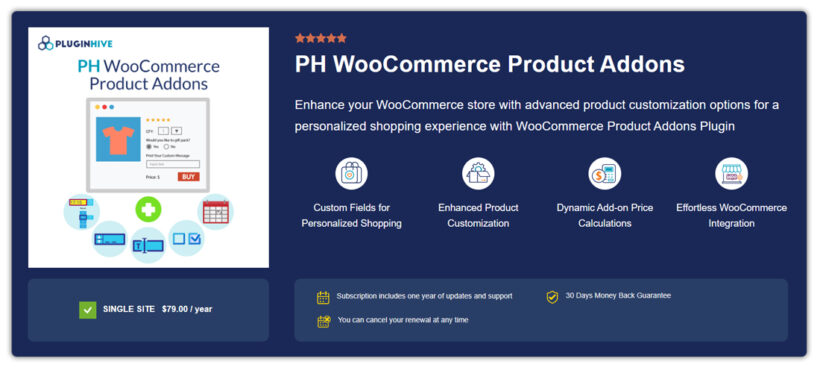
PH WooCommerce Product Add-Ons by PluginHive adds custom fields with flexible pricing and a live cost breakdown on the product, cart and checkout.
★★★★★ 4.85/5 | Developed by PluginHive
Pros
- Multiple field types, including text boxes, dropdowns, file uploads and color selectors.
- Flexible pricing based on input length, quantity, a fixed amount or a percentage.
- A live breakdown shows selected add-ons and their costs through to checkout.
Cons
- It's premium-only with a small public review base, so social proof is thin.
- The feature set is narrower than the category leaders.
- Multi-language support is limited to English and French.
How to choose the best WooCommerce product options plugin
Here are some tips when choosing the best WooCommerce product options plugin for your store.
When selecting a WooCommerce product options plugin, consider these compatibility factors:
- Theme compatibility - Test plugin with current theme before committing.
- Plugin conflicts - Check compatibility with caching plugins and page builders.
- Performance impact - Choose plugins optimized for speed and minimal database queries.
1. Make sure the plugin won't slow down your site
You wouldn't want to add a WooCommerce product options plugin that slows down your ecommerce store.
Speed is a key factor in SEO and the experience of users on your site. Google prefers websites that load quickly. So if yours is slow, it may be ranked lower, and new customers will likely not find your website on Google.
To determine the plugin's speed, you can have it run a demo website and compare the speed before and after installation.
Also, the professionalism in the design of the website selling the plugin can be a good first indicator, but it is always good to test it just to be sure.
2. Depth of features
The more features a plugin offers to enhance the way you offer setup and display product options, the better.
Having more features gives you flexibility in setting up these options and displaying them. Some of the plugins we mentioned in this guide have advanced features, such as displaying certain options only after a customer performs a specific action (conditionally), which is an added bonus.
3. Your budget
It is also important to consider your budget because most of these plugins are not free. At the same time, the cheapest option or free version is not always the best option.
When looking for a premium WooCommerce product options plugin, identify the one that best suits your store and is within your total price range. Also, make sure to purchase from vendors that offer a money-back guarantee so that you can get a refund if the plugin doesn't work the way you want it to.
4. Integrations with other plugins
The WooCommerce product add-ons plugin you choose should work well with other plugins installed in your store. This way, they can complement each other, and you don't have to worry about removing one to accommodate another.
Quick plugin picker based on your needs:
For most stores: WooCommerce Product Options - the widest feature set and price formula
For tight budgets: Extra Product Options for WooCommerce by ThemeHigh - the best free plugin
For made-to-order pricing: WooCommerce Product Add-Ons Ultimate by Plugin Republic
Add custom product options to your WooCommerce store easily
Product add-ons will enable you to sell add-ons and customizable products on your WooCommerce store. You can boost sales and increase your average order value while giving your customers a personalized experience. This isn't available in the default WooCommerce install. With dozens of plugins to choose from, picking the right one can be challenging.
WooCommerce Product Options stands above the rest because it blends a depth of features, ease of use, and flexibility in a single solution.
To deliver the best experience for you and your customers, WooCommerce Product Options lets you:
- Easily create a wide variety of product add-ons, whether it is physical products or services.
- Use created product options store-wide.
- Easily collect customer input to develop custom products for them.
- Add price fields for your product add-ons.
- Use multiple product option field types, including text, color and image swatches, and so on.
- Selectively display product options using conditional logic.
- And much more!
For most stores, WooCommerce Product Options gives you the widest range of field types and the most advanced price formula in one plugin.
4 Comments
When deciding to compare your plugin with competing alternatives, it’s crucial to ensure the comparison is reliable, objective, and useful for users. This means evaluating features, performance, and usability under fair and consistent conditions, avoiding biased or unverified claims. Instead of relying on assumptions, test competing plugins firsthand, using real-world scenarios to highlight genuine differences. Be transparent about both strengths and weaknesses—acknowledging where competitors excel builds credibility, while clearly demonstrating your plugin’s advantages helps users make informed choices. Additionally, keep the comparison updated to reflect the latest versions and market changes, and always back up claims with verifiable data or reputable sources. A well-researched, honest comparison not only guides potential users effectively but also reinforces your plugin’s reputation as trustworthy and professional.
Hi Mike. Thanks so much for your detailed and constructive comment.
You’ve raised excellent points, and we completely agree—comparisons should be as fair, transparent, and up-to-date as possible. Our goal is always to provide users with honest insights based on hands-on testing and real-world use cases. Acknowledging where competitors do well doesn’t weaken our message—it strengthens it by showing we're confident in our own plugin’s strengths while being respectful of the wider ecosystem.
We really appreciate your perspective, and we’ll absolutely keep your suggestions in mind as we continue to improve our comparison content.
Hi,
Creating an article objectively reviewing a bunch of plugins is a good idea ... unless you place you own plugin at the top of the list ... revealing that it was the only goal of the article. ... so clumsy ...
Hi, Nicolas. Thanks for your comment, which I'm relaying to our marketing team for consideration. Would it be less clumsy to place our plugin at the end of the list?