WooCommerce product personalization: How to sell engraved, monogrammed and custom gifts


WooCommerce product personalization lets shoppers add their own text, images, or design files to a product before checkout. Common examples include names, monograms, photos, engravings, and custom artwork.
The simplest way to enable it is the WooCommerce Product Options plugin. It supports text fields, file uploads, image uploads, and conditional logic. An optional Live Preview add-on lets customers see the finished product before buying.
Below: Full setup, the plugins worth comparing, and the SKU types this works best for.
What is a WooCommerce product personalization plugin?
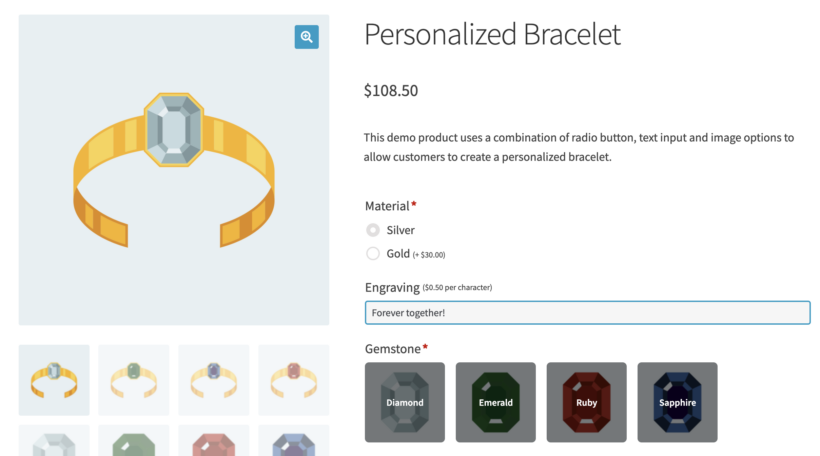
A WooCommerce product personalization plugin allows customers to add personalization options to the products in your store. This can include things like custom text and images. Alternatively, it might include designs that the customer can add to their products to make them unique. The best plugins also allow customers to see live previews of their uploaded designs.
Using a WooCommerce personalization plugin vastly increases the flexibility of the types of products you can sell. That's because customers can personalize products to their liking instead of selecting from a list of pre-defined options. This can be especially useful for products that are often given as gifts, such as t-shirts, mugs, or phone cases. By allowing the customer to add their own personal touch, it can make a gift more meaningful and special.
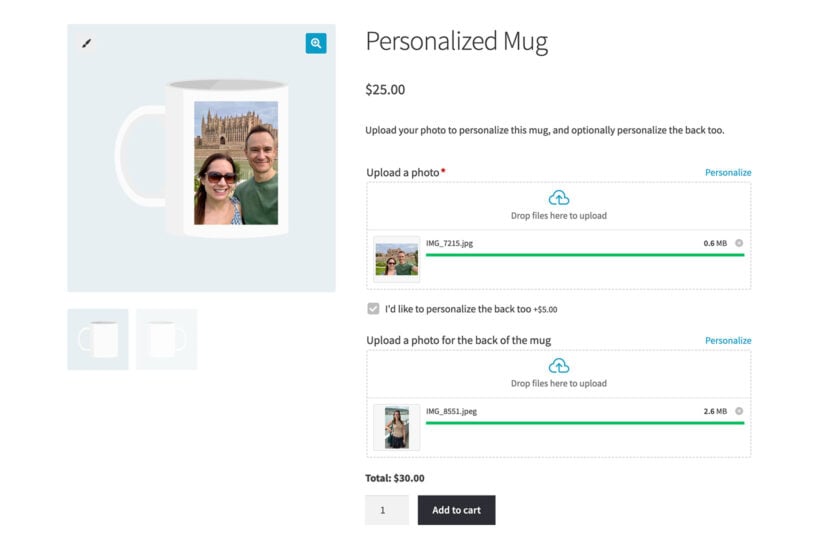
Why you should consider using a WooCommerce product personalization plugin on your store:
- Improved customer satisfaction: Customers who are able to personalize their products are often more satisfied with their purchases. This can lead to increased customer loyalty and repeat business.
- Increased product uniqueness: With a WooCommerce personalization plugin, you can offer customers a wide range of options for personalizing their products. This can make your products stand out from competitors and make your store more unique.
- Easy to use: WooCommerce personalization plugins are designed to be user-friendly, both for the customer and for the store owner. This makes it easy to set up and manage customizable products on your WooCommerce store.
- Increased flexibility: With a WooCommerce personalization plugin, you can easily add and remove personalization options for your products. This allows you to easily adjust your product offerings based on customer feedback and changing market trends.
In addition to being a great customer experience tool, Woocommerce product personalization plugins can also help boost sales on your WooCommerce store. Customers are often willing to pay more for personalized products. Offering a wide range of personalization options can encourage customers to make a purchase.
Overall, a WooCommerce product personalization plugin is a valuable tool for any online store that offers personalized products. It can help improve the customer experience, boost sales, and set your store apart from competitors.
Best WooCommerce product personalization plugins ([2026])
There are dozens of personalization plugins on the market. Most are built for one specific use case, so the right choice depends on what you're actually selling.
I've tested and researched the main options to save you the same work. The table below covers the five plugins that genuinely stand out, with a note on who each one suits.
| Plugin | Description | Best for |
|---|---|---|
| WooCommerce Product Options (by Barn2) | Adds flexible personalization fields to any WooCommerce product. Supports file uploads, text inputs, dropdowns, color swatches, and conditional logic. Pairs with an optional Live Preview add-on so customers can see uploaded artwork on the finished product. | Gift and sentimental personalization, engraved or printed items, and stores that need conditional logic without a separate extension. |
| Official WooCommerce Product Add-Ons | The vendor-supported add-ons plugin from Woo. Covers text fields, checkboxes, file uploads, and basic price adjustments. Conditional logic is not built in and requires a separate third-party extension. | Stores that want a basic, vendor-supported solution and don't need conditional logic. |
| Customily Product Personalizer | A subscription-based personalizer focused on print-on-demand. Generates real-time previews and print-ready files automatically. Connects directly to providers like Printful, Printify, and Gooten. | Visual print-on-demand workflows where the live preview drives the order spec. |
| Smart Customizer for WooCommerce | A web-to-print tool that lets customers upload artwork, add text, and design across multiple print areas. Outputs print-ready PDF, SVG, or PNG files. Includes a 30-day free trial, then paid plans from around 9 EUR/month. | Smaller stores running web-to-print on a tighter budget. |
| Fancy Product Designer | A drag-and-drop canvas editor for WooCommerce. Customers can layer text, images, and graphics directly onto product mockups. One-time license rather than a subscription. | Full visual canvas design for apparel, mugs, and other print products. |
The rest of this article focuses on WooCommerce Product Options because it's the most flexible all-rounder. If you're running a print-on-demand store or need a full design canvas, one of the other plugins might fit better.
What sells well as a personalized product
Some product categories see a real lift from personalization. Others don't. Before you invest time setting things up, it helps to know which patterns reliably convert. In our own analysis of 693 stores using the plugin, custom and personalized products were the single biggest use case, at 38%.
I find that gift and sentimental products are where personalization genuinely earns its keep. Here are the SKU patterns that work, with the fields you'll typically need for each:
- Monogrammed apparelText field for initials with a character limit. Add Live Preview so shoppers can see the result and pick a font before checkout.
- Engraved jewelleryText field with a strict character limit, since small surfaces fill up fast. Add Live Preview, which includes a built-in font picker.
- Custom-printed gifts (mugs, phone cases, t-shirts)File upload with Live Preview so customers can see their photo or artwork on the product. Add a text field for an optional caption.
- Greeting cards and stationeryParagraph field for the message and a file upload for any photos the customer wants printed inside.
- Photo-on-product (canvas, blanket, mug)File upload paired with Live Preview, plus an optional text field for a caption or name.
- Personalized food (cakes, hampers)Text field for the message on the cake or gift tag. Add a paragraph field for dietary notes or allergy information.
The pattern is the same across all of these. Keep the number of fields short and set sensible character limits. Use live preview wherever the artwork is the actual deliverable.
WooCommerce Product Options - the best plugin for product personalization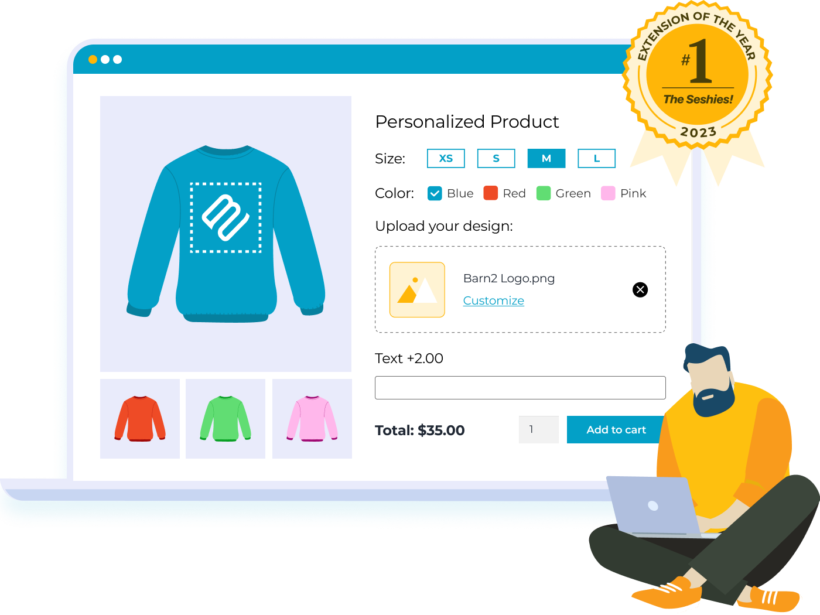
The WooCommerce Product Options plugin is a powerful tool that allows you to offer a wide range of personalization options to customers. With this plugin, you can easily add text fields, file uploads, checkboxes, and more to your products. This will allow customers to personalize their products to their liking.
One of the main benefits of using the WooCommerce Product Options plugin from Barn2 is its flexibility. With this plugin, you can set different prices for different personalization options. You can easily adjust these prices as needed. This allows you to offer a wide range of options without having to create separate products for each one. As well as charge different prices for different personalization options. This is especially important if the costs of personalization differ (for example - printing an image in colors versus black & white).
Another benefit of the WooCommerce Product Options plugin from Barn2 is its user-friendliness. The plugin is easy to set up and use. This makes it fast for customers to personalize their products and for you to manage the options in your store.
It's available either standalone or as a bundle with a "Live Preview" add-on. Get the bundle if you want customers to be able to preview how their uploaded images will look on the finished product.
We built it for the configurator side of personalization, where shoppers build a product from set options and upload their own artwork, rather than designing on a blank canvas. For names, monograms, engravings and photo uploads, that configurator approach is all most stores need.
Tutorial: How to create personalizable products
In this section, I'll walk you through how to set up product personalization with WooCommerce Product Options. Our primary example is a personalized birthday cake. It covers the patterns you'll use most often: a short text field, a strict character limit, and Live Preview.
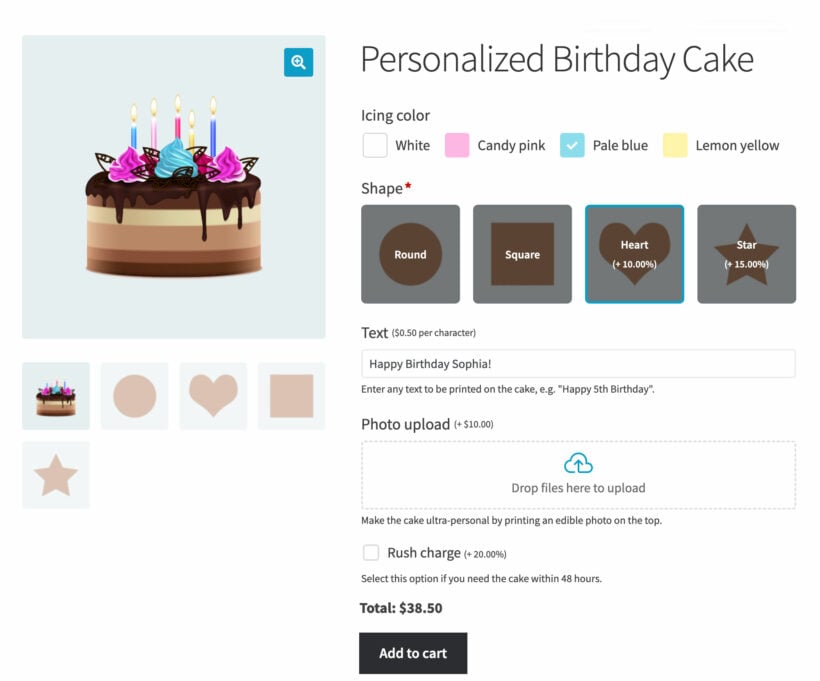
Step 1: Install the plugin and open the settings
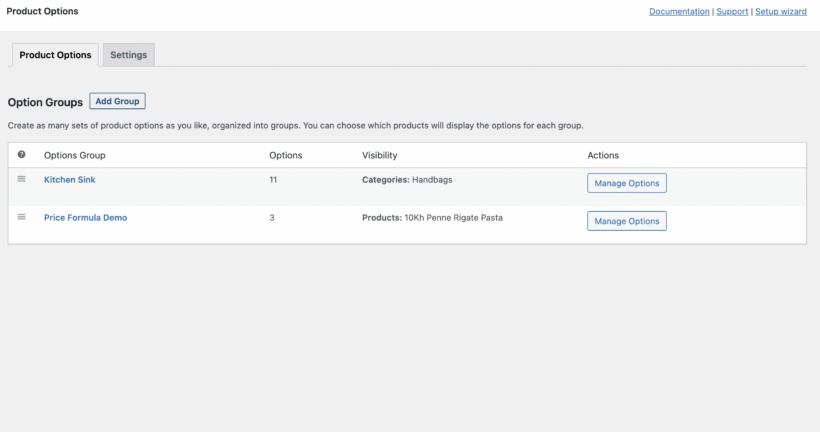
After installing the plugin, run the setup wizard and enter your license key. Then go to Products → Product Options in the WordPress admin.
Need a hand getting set up? See Installing WooCommerce Product Options for the full installation steps.
Step 2: Add a new option group
Click the 'Add Group' button to start a fresh group. You can also edit the empty group that the plugin creates for you on first install.
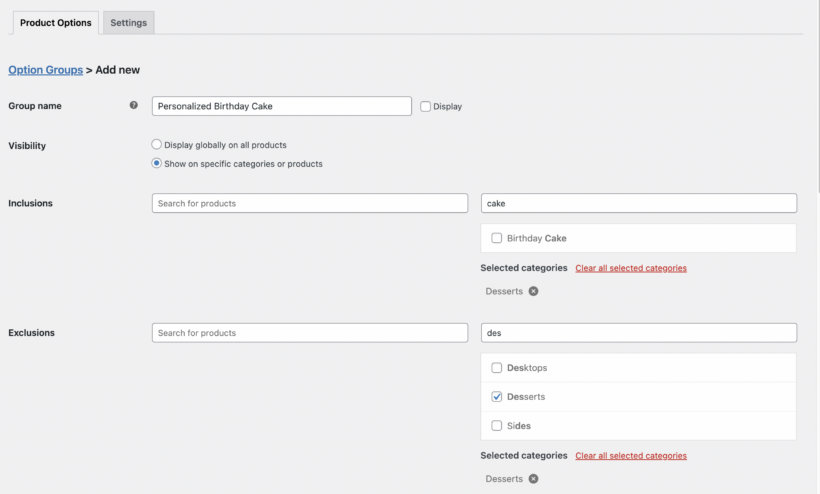
For the full walkthrough on groups and fields, see Creating product options.
Step 3: Choose where the personalization options appear
Use the visibility settings to control which products show the group. You have three options:
- Restrict to a few products or categories. For a personalized cake, I'd select the 'Cakes' category so the option only shows for those products.
- Show the group on every product in your store.
- Use the exclusion settings to hide the group on specific products or categories.
You can also restrict groups by user role, which is handy for VIP or wholesale options.
Want more detail on combining rules? See Creating product options for the full visibility logic.
Step 4: Choose your personalization settings
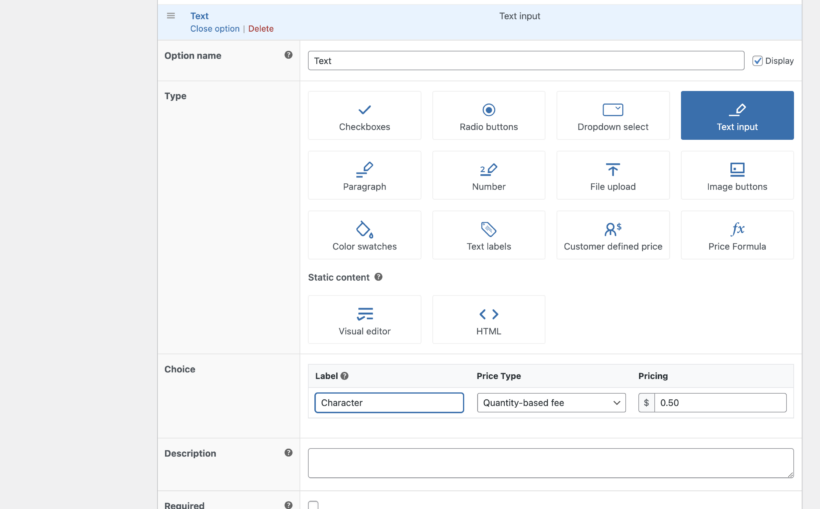
Give your option a clear name like 'Birthday Cake' or 'Monogram'. Then choose the field type. Most personalization use cases need one of these:
- TextSingle-line input. Use this for initials, names, and short engraving messages.
- ParagraphMulti-line input. Use this for longer messages on greeting cards or gift tags.
- File UploadLets customers upload a photo or artwork. Pair this with Live Preview for printed gifts.
- Radio ButtonSingle-choice selector for things like a font style or a finish (silver, rose gold, gold).
- CheckboxMulti-choice selector. Useful for optional add-ons like a gift box or extra wrapping.
- Color SwatchesVisual color picker. Cleaner than a dropdown when the choice is genuinely about color.
For the cake, select 'Text' and set a maximum character length of 20 in the Advanced section. That stops customers entering more letters than will fit on the surface. You'd use a text field for the message and a paragraph field for any dietary notes.
You can also mark the field as required and use conditional logic to show extra options only when relevant. For example, you might add a 'Personalize this cake' checkbox that reveals the personalization fields when ticked.
Want to set up dependent fields? See How to add conditional logic to your product add-ons.
Step 5 (optional): Set up Live Preview
If you bought the WooCommerce Product Options bundle, you'll also have the Live Preview add-on. This lets customers see exactly how their text or uploaded artwork looks on the finished product.
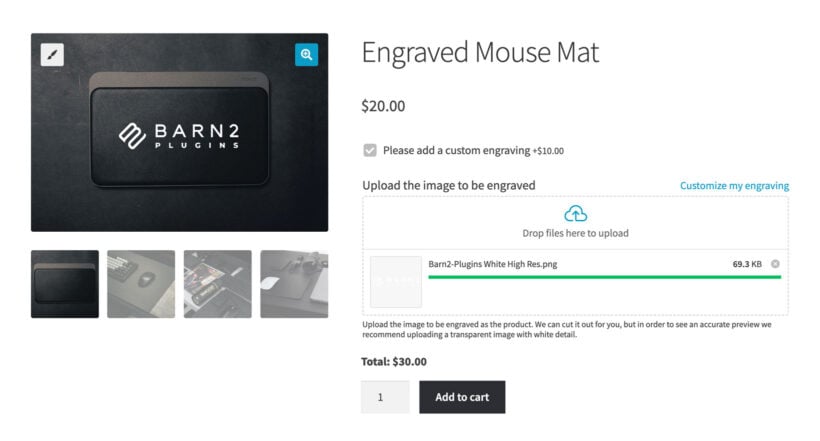
Live Preview is automatically enabled for every file upload field. You can also turn it on for text and paragraph fields. To set it up, edit each product image in the Media Library and click the 'Set printable areas' button.
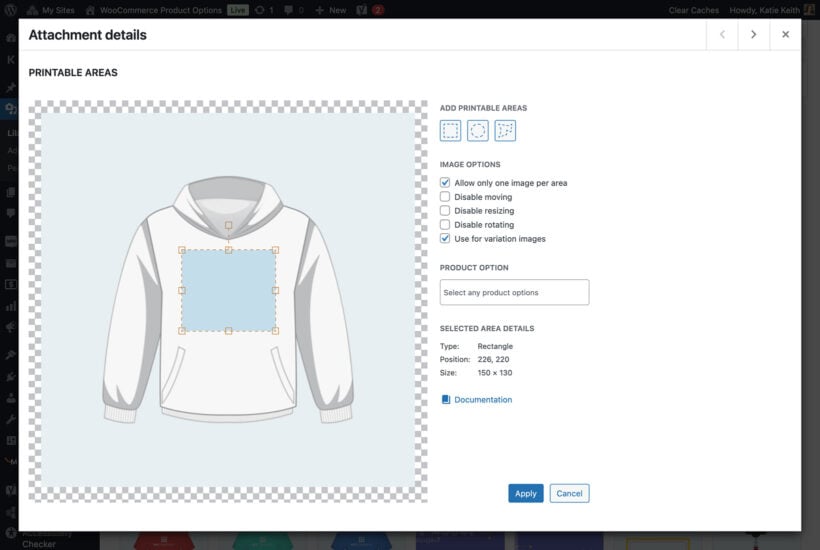
The printable area defines where the customer's text or image can appear. Live Preview also includes a built-in font picker, which is handy for monograms and engravings.
For the full Live Preview setup, see Using the WooCommerce Live Preview add-on.
Displaying personalizable products in your store instead of individual pages
The WooCommerce Product Options plugin automatically displays the personalization choices on the individual product pages. This is useful if clients like to purchase a single item at a time. It gives them lots of room to configure the product.
For products with fewer personalization options, it's often a good idea to let customers add personalized options directly on the main shop page. This is especially useful if you sell a variety of personalized items that customers frequently purchase together. You can do this by using WooCommerce Product Options alongside its sister plugin, WooCommerce Product Table:
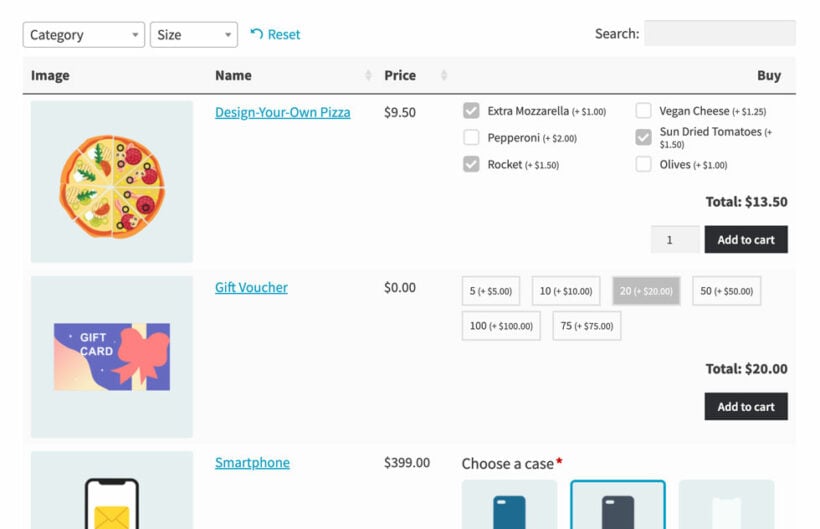
As you can see from the screenshot, WooCommerce Product Table lists products in a fast and flexible order form. Your customers can personalize products inside the table. At the same time, they can order multiple products and variations with one click. Overall, it offers a much faster way to shop.
Frequently asked questions
Can I add a text field for monogramming a product in WooCommerce?
Yes. WooCommerce doesn't include a text field for monogramming by default. The WooCommerce Product Options plugin adds one in a few clicks. You can set a character limit, mark the field as required, and charge extra per character if needed. It works with simple and variable products.
Does WooCommerce have a built-in product personalization feature?
No. WooCommerce supports product variations out of the box, but those are fixed pre-set options like size or color. They don't let customers enter their own text, upload artwork, or preview a finished design. For real personalization, you need a dedicated plugin such as WooCommerce Product Options.
What is the difference between WooCommerce product add-ons and product personalization?
Add-ons are extra paid options chosen from a list, like gift wrap or installation. Personalization lets customers contribute their own input, such as a name, photo, or engraving message. Some plugins handle both. The official WooCommerce Product Add-Ons plugin focuses on add-ons and lacks built-in conditional logic for complex personalization.
Can customers see a live preview of their personalized product before buying?
Yes, with the right plugin. The Live Preview add-on for WooCommerce Product Options overlays uploaded images and typed text on the product photo. The preview updates in real time. You can define printable areas on each product image. Customers can then move or resize their artwork before adding to cart.
How do I limit how many characters a customer can enter for a personalized message?
In WooCommerce Product Options, edit the text or paragraph field and open the Advanced section. Enter a value in the 'Maximum Length' field, for example 3 for a monogram or 20 for an engraving. Customers will see an error if they exceed the limit when adding to cart.
Can I charge extra for a personalization option?
Yes. WooCommerce Product Options offers eight pricing types for personalization fields. Options include a flat fee, a percentage of the base price, a quantity-based fee, or a per-character price for text. The extra cost appears on the product page, in the cart, and on order emails.
Start offering product personalization on your WooCommerce store
In conclusion, the WooCommerce Product Options plugin makes it easy to personalize products with custom options. You can add options to your products to allow customers to fully personalize their items. This might be images, additional text, file uploads, or something else.
It only takes a few minutes to set up. All you do is create products as usual, and then add the personalization options.
The WooCommerce plugin is 100% free of charge. WooCommerce Product Options come with a full 30-day money-back guarantee. It also comes with full support and documentation. Give it a try and see how it can benefit your business.