9 best WooCommerce t-shirt designer plugins in 2026

Looking to sell custom t-shirts online? A WooCommerce t-shirt designer plugin lets customers personalize apparel with text, images, and colors before purchasing - and I'll show you the best ones to transform your store.
T-shirt design companies don't have the same needs as other ecommerce stores. Because customers have different design preferences, you need a plugin that lets them take part in the design process. A WooCommerce t-shirt designer plugin does exactly that, letting customers personalize apparel by uploading images, adding text, choosing colors and previewing the design before they buy.
These plugins let visitors add their own text, colors, images and clip art, resize and rotate elements, and watch a live preview update as they go. I'll cover the 9 best options below, with the pros and cons of each.
Short on time? Here's the quick verdict on the best WooCommerce t-shirt designer plugins:
- Best all-rounder for most storesWooCommerce Product Options lets customers upload artwork, add and style text and pick colors, with a live preview.
- Best full design canvasLumise gives customers a true drag-and-drop canvas with templates and clipart, for a one-time price.
- Best for 3D and virtual try-onZakeke adds a visual customizer with 3D previews and try-on.
- Best for print-on-demand fulfillmentCustomily generates print-ready files and connects to POD suppliers.
Evaluating these t-shirt designer plugins
I looked at how much design freedom each plugin gives customers (uploads, text and fonts, colors, clipart, drag-and-drop, 3D), how easy it is to set up, and the quality of the print-ready output. I also checked recent reviews and how actively each tool is maintained, and I've listed clear pros and cons for every option so you can match one to your store.
Quick comparison: WooCommerce t-shirt designer plugins at a glance
| Plugin | Best for | Pricing | Free version | Full design canvas |
|---|---|---|---|---|
| WooCommerce Product Options | Uploads plus text, font and color customization | Premium | No | Partial |
| Lumise | Full drag-and-drop canvas, one-time price | Premium | No | Yes |
| Zakeke | Visual customizer with 3D and virtual try-on | SaaS plus transaction fee | Trial | Yes |
| Customily | Print-on-demand workflow and print-ready files | SaaS plus per-item fee | Trial | Yes |
| Design 'N' Buy | End-to-end web-to-print workflow | Premium | No | Yes |
| Product Add-Ons (by WooCommerce) | Basic personalization fields, official | Premium | No | No |
| Fancy Product Designer | Advanced features (steep learning curve) | Premium | No | Yes |
| Product Designer (FantasticPlugins) | Templates and print-ready output | Premium | No | Yes |
| Product Designer (PickPlugins) | Budget option with templates and QR codes | Freemium | Yes | Yes |
Product customization boosts your business
When customers design their own products, the shopping experience changes in ways that directly affect your bottom line. Letting them create their own design builds an emotional connection that goes beyond a standard purchase.
Personalized products make customers feel more connected to the brand and products. A Shopify report found that around 36% of shoppers prefer buying from stores that offer product customization options. This connection translates into real business benefits.
Customers are more likely to purchase a product they have personalized. The ability to create something unique increases conversion rates, as shoppers invest time and creativity into their designs. Once they've customized an item, they're emotionally invested in completing the purchase.
Customization can justify higher prices and increase revenue. Studies by Medallia and McKinsey indicate consumers are willing to pay more for personalized offerings, with Medallia finding 61% of consumers would spend more for personalized experiences. This pricing power directly improves your profit margins without requiring additional marketing spend.
Customers are less likely to return a product they have customized. Return rates for personalized items drop significantly compared to standard products, reducing your operational costs and improving customer satisfaction. When someone designs their own t-shirt, they know exactly what they're getting.
I've found that offering customization options also generates valuable word-of-mouth marketing. Customers love sharing their unique designs on social media, essentially providing free advertising for your store while showcasing the creative possibilities your platform offers.
Essential t-shirt customization features
T-shirt designer plugins typically include these core features:
- Text input - Allows customers to add text with options to customize font, size, color, and alignment.
- Image upload - Enables users to upload logos or graphics to be printed on apparel.
- Color and size selection - Lets customers choose options with visual swatches or image previews.
- Clip art integration - Provides libraries of pre-designed graphics.
- 3D previews and AR - Offers immersive customization experiences.
- Live preview - Shows real-time updates as customers make changes.
Best WooCommerce t-shirt designer plugins
If you're looking to give your customers flexible options when designing t-shirts on your site, these WooCommerce plugins will go a long way. When used efficiently, these tools will help you earn more from your online t-shirt design business.
Either watch the video below, or read on for the full breakdown.
1. WooCommerce Product Options
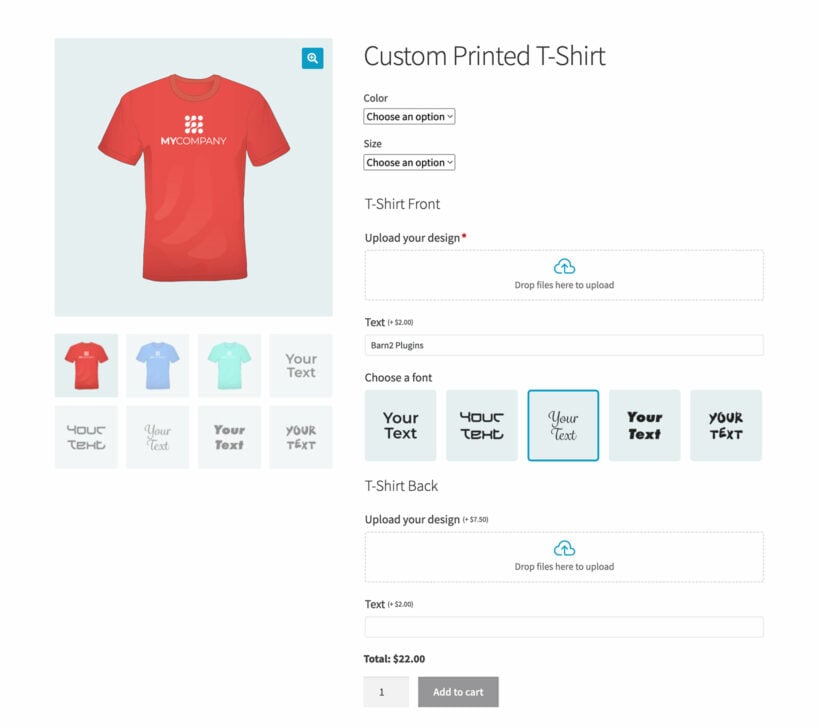
WooCommerce Product Options is one of our own plugins here at Barn2. It adds custom fields to your product pages so customers can upload artwork, add and style text, choose fonts and colors, and move and resize their design with a live preview.
It strikes a good balance for most t-shirt stores, especially when customers are uploading a design they already have. It isn't a full Photoshop-style editor, though. If you need customers to remove image backgrounds or draw artwork from scratch, one of the dedicated design canvases below will suit them better.
It's my top pick for a web-to-print or print on demand store.
Customers don't have to manually send you any details about their design preferences because the entire customization process is fully automated.
WooCommerce Product Options includes features that improve user experience and increase sales. The plugin makes it simple to add custom fields and options to any product, giving customers complete control over their designs.
Key features
Key customization features:
- File upload fields - Allow customers to add logos to front and back.
- Color swatches - Let customers choose t-shirt colors instantly.
- Text fields - Enable custom text with font selection.
- Live previews - Show the finished design.
- Conditional logic - Display relevant options based on selections.
- File upload fieldsThese fields allow customers to upload different logos and images on the front and back of their t-shirts. You can add as many file uploads as you like. This is ideal if you allow customers to add their design to multiple locations on the t-shirt, such as the front, back, sleeves, or even the t-shirt label.
- Radio button fields and color swatchesCustomers can choose where designs should be placed on their t-shirts and how prominent they should be. All they need to choose their preferred t-shirt colors is to switch between any of the color swatches you enable on the backend.
- Text fields and font optionsNo doubt, your site visitors want to add custom text to their t-shirts. WooCommerce Product Options allows them to do this easily. They can even choose text fonts using a dropdown, or by clicking on an image of the typeface. Check out our guide on adding text fields to products for more details.
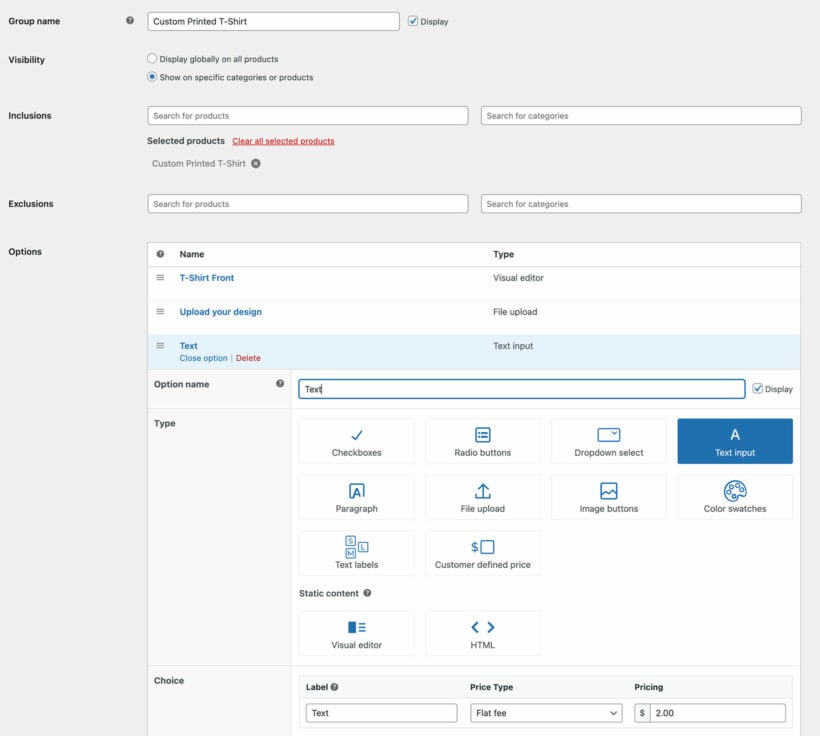
- Easy setup with option groupsManage your store with ease by creating a cluster of product options called groups. These groups allow you to add multiple options to specific products or categories at the same time. You can also exclude certain products or categories.
- Create custom options or use variationsEither create options directly in the plugin, or select existing variations to display in eye-catching ways. For example, I'd recommend setting up the size and color options as product variations so that you can use other features like WooCommerce's built-in stock control. You can then select these in WooCommerce Product Options and display them as color swatches, radio buttons, etc.
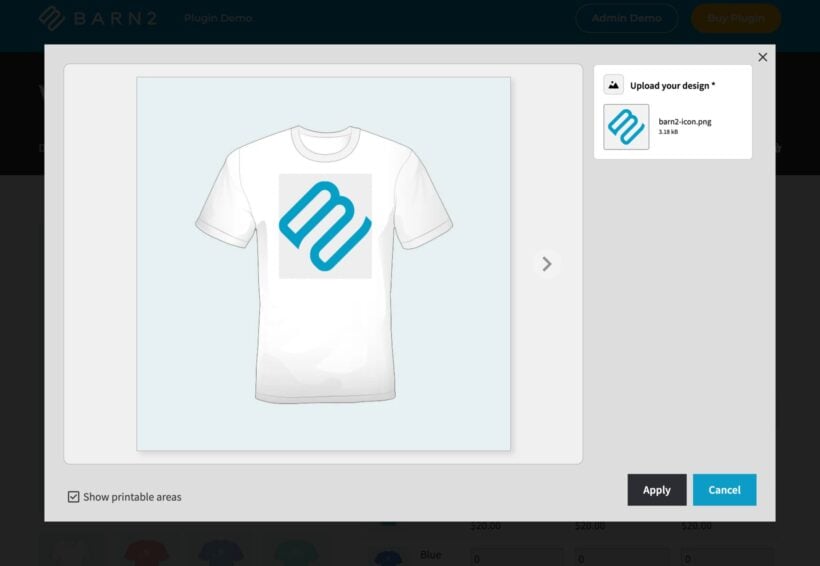
- Live PreviewsYou can provide live previews of how the finished t-shirt (or other item of clothing like hoodie) will look with the customer's printed image. The new WooCommerce Image Preview add-on makes this incredibly powerful:
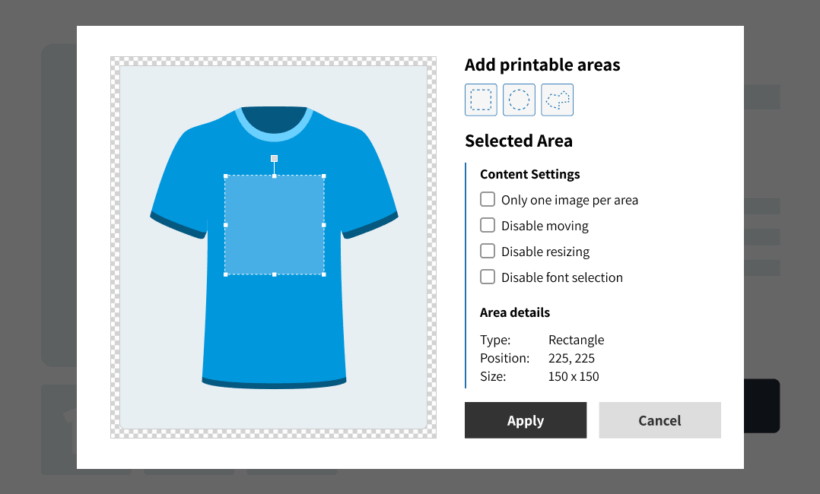
- Conditional logicKeep the t-shirt designer page clean by only showing certain fields based on the customer's other selections:
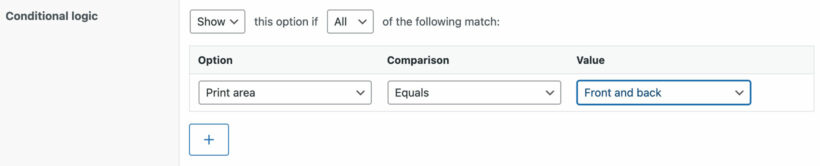
The live preview itself comes from a separate Image Preview add-on, not from core Product Options. We built it that way on purpose, to keep the main plugin lightweight for the many stores that don't need a preview.
To learn more about the WooCommerce Product Options plugin, watch this video:
- Pros Real design features (font choice, color, move and resize) with a live preview, fully automated so no manual order emails, and easy to set up.
- Cons Not a freeform drawing canvas - customers can't remove backgrounds or draw from scratch - and there's no free version.
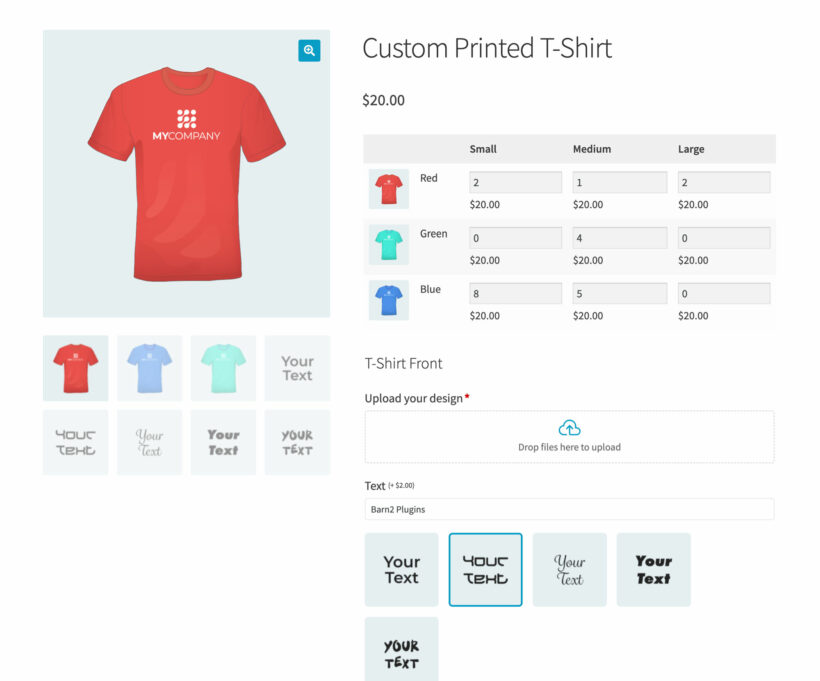
It also pairs neatly with WooCommerce Bulk Variations. If you sell each design across lots of sizes and colors, add WooCommerce Bulk Variations (also ours). It shows every size and color in a quick-buy grid, with the design options from Product Options underneath:
2. Lumise Product Designer
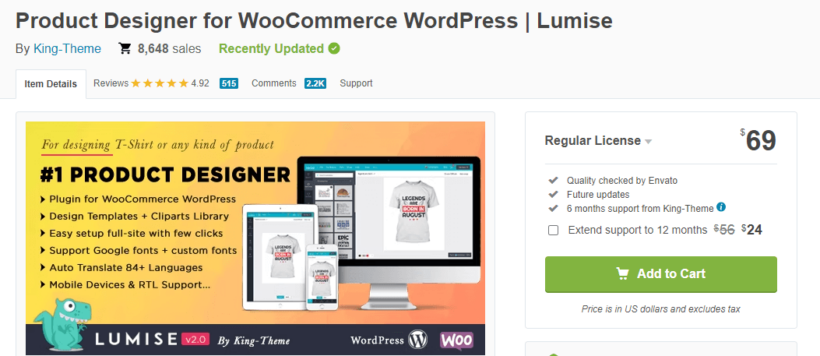
Lumise is a user-friendly design plugin with template systems and layer management. It runs the whole flow from design to checkout. It allows customers to design different kinds of products, including t-shirts. The plugin is packed with features that make designing easy.
Key features
- Prebuilt templatesLumise allows you to create your templates for products and sell them to customers using its design templates system.
- Design flexibilityCustomers can use free internet resources with Lumise's connector. You can also access the latest Google fonts and can upload custom fonts. With layers, you can easily arrange elements.
- Smooth workflowThis plugin allows you to take orders without stress because customers can design products, add them to a cart, edit the cart, and checkout easily.
- Multi-device and multilingual supportCustomers can easily access the plugin if they use a laptop or mobile device. Lumise also supports several languages. The translation is done from the admin panel, and you can insert translated texts there.
The plugin allows customers to export and import designs and crop images. It also comes with free resources and images that users can work with.
- Pros A true drag-and-drop canvas with templates, clipart, layers and Google Fonts, sold for a one-time price rather than a subscription.
- Cons Support is the standard CodeCanyon model rather than a dedicated team, and like any canvas designer it adds weight to your product pages.
3. Zakeke Interactive Product Designer
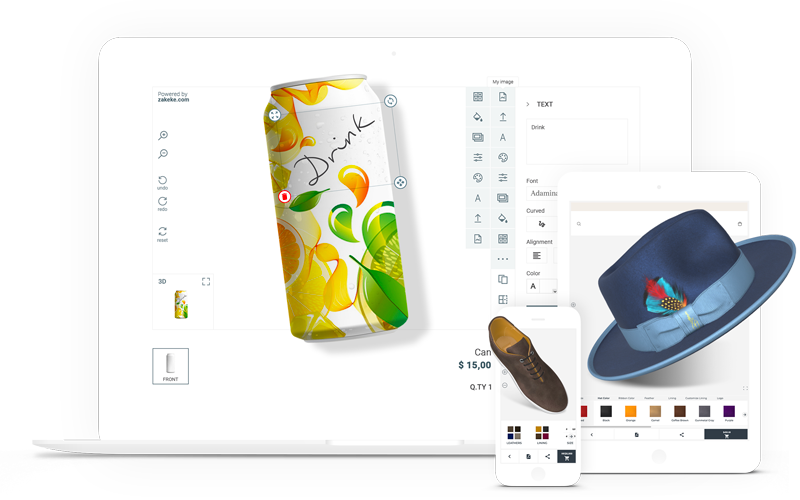
Zakeke is a cloud-based visual customizer that connects to WooCommerce through a free plugin. Customers add text, clipart and uploads on a live canvas, and it stands out for its 3D previews, augmented reality and virtual try-on, which work well for apparel. It also generates print-ready files automatically.
- Pros A polished visual designer with 3D, AR and virtual try-on, automatic print-ready files, and strong reviews (4.7 stars on WordPress.org).
- Cons It's a subscription with a per-order transaction fee on top, the entry tier limits how many products you can customize, and costs can climb as you scale.
4. Customily Product Personalizer
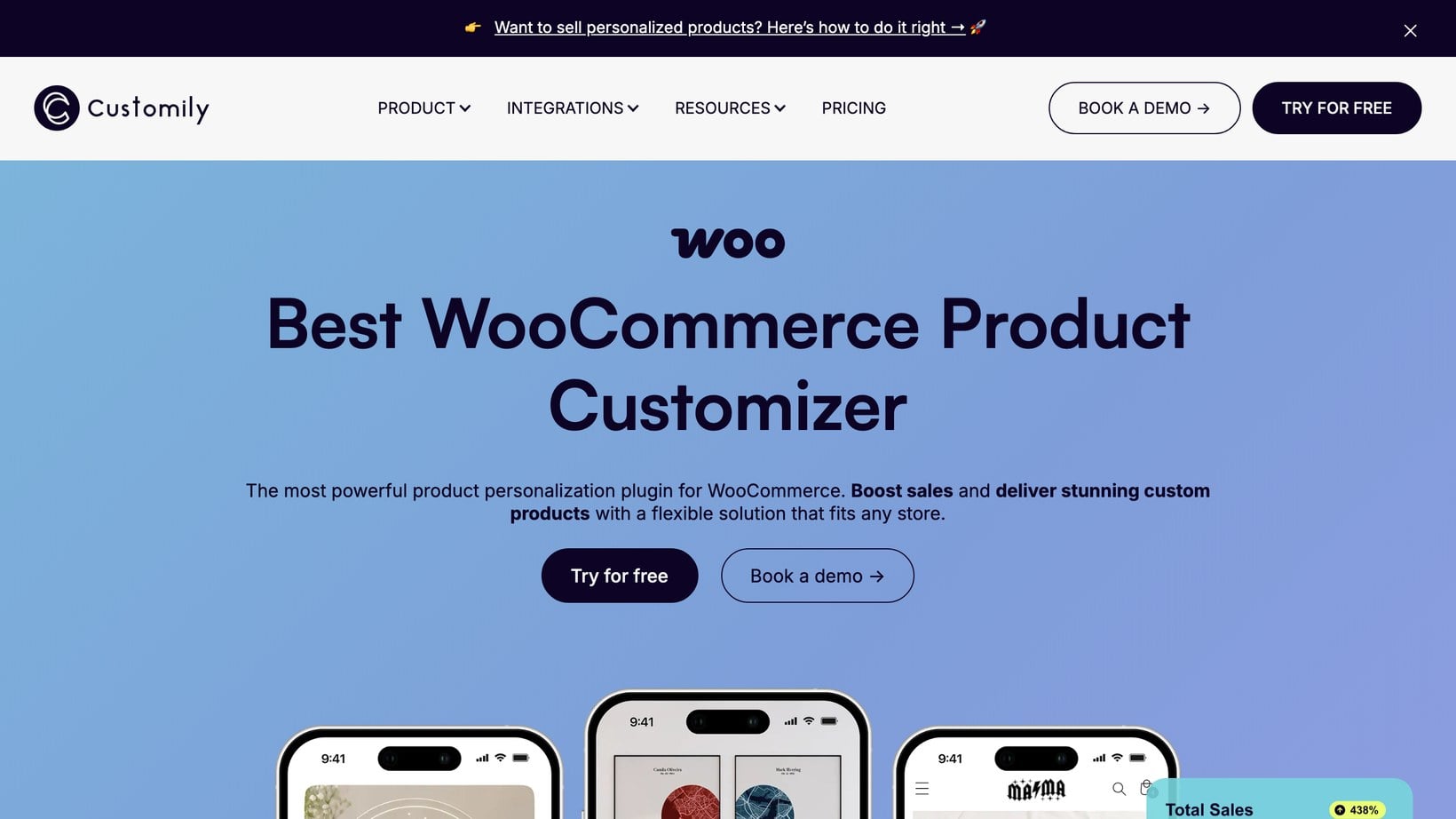
Customily is a personalization platform built around print on demand. Customers personalize the t-shirt with a live, realistic preview, and Customily generates the print-ready file automatically and can send it straight to a fulfillment provider. It's the strongest fit if your end goal is hands-off printing and shipping.
- Pros Realistic live previews, automatic print-ready files, and tight print-on-demand integrations for fully hands-off fulfillment.
- Cons A subscription with a per-item fee on top, a steeper learning curve, and more setup than a simple personalization plugin.
5. Design 'N' Buy
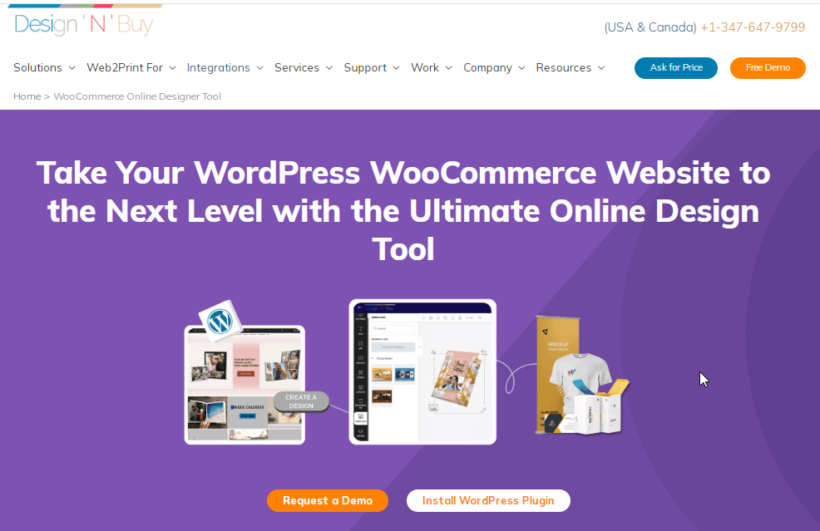
Design 'N' Buy is a web-to-print solution that manages the complete customization workflow. It handles design, printing, and delivery on a single platform.
This powerful WooCommerce t-shirt designer plugin allows you to design, print, and sell personalized products in no time. With Design 'N' Buy, your clients get to personalize and order their t-shirts using their mobile phones or computers. You can manage your t-shirt print business from design to print and delivery on a single platform.
All you need to get started is to install and activate the DesignO WooCommerce plugin, add your products, and then set the elements your clients can customize.
Key Features
- Time-saving templatesYou can create new templates and assign preset ones to products so that customers can make personalized designs.
- Manage your workflowFrom your DesignO dashboard, you can monitor and process customers' orders in real-time and easily and quickly assign jobs to the production team.
- Instant salesOnce you add a product to your store, the customize button appears on your store's front end, and customers can start customizing the product immediately so that you earn from it.
With the impressive capabilities of Design 'N' Buy, you can attract more customers and boost your business.
- Pros An end-to-end web-to-print system that handles design, printing and delivery in one platform, with a real order workflow for the production team.
- Cons It's aimed at established print businesses, so it's heavier to set up, and its WordPress.org plugin has a small install base and mixed reviews - check current feedback before committing.
6. Product Add-Ons (by WooCommerce)
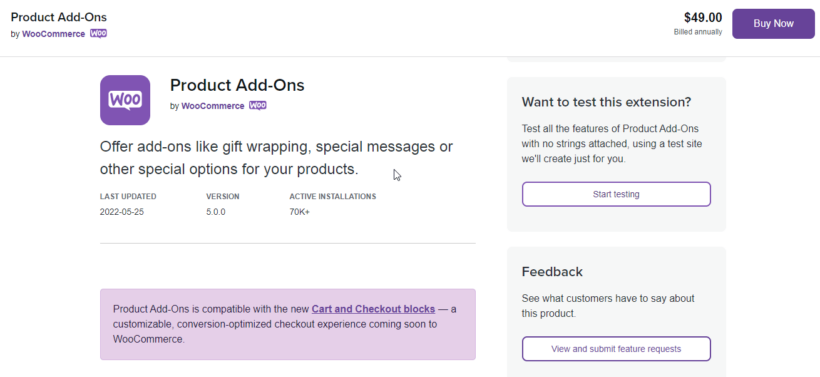
Product Add-Ons is an official WooCommerce extension for adding extra options. It eliminates back-and-forth communication by collecting design preferences during checkout.
If your goal is to give your customers a design experience that makes them return repeatedly, you should try Product Add-Ons. With this WooCommerce plugin, your customers can complete their orders in one shopping experience without the back and forth of follow-up emails.
Key features
- Text and color customizationsYou can allow customers to add personalized texts to t-shirts using different fonts and styles. They can also choose their preferred t-shirt color.
- Image-based selectionsYou can improve customers' experience by showing them pictures of items. Pictures help customers see the exact thing they want to buy before paying.
- Dropdown and checklistCustomers can choose from a range of options using a dropdown. Checkboxes also keep the customization simple.
Once you set up add-ons, they'll appear immediately on your product pages. To get started, you can download the free version or upgrade to the premium version to enjoy more features.
- Pros The official WooCommerce extension, so it's guaranteed to stay compatible, and it covers basic personalization fields like text, dropdowns and file uploads.
- Cons It's not a design canvas - there's no live visual preview - the file-upload field can't restrict file types or sizes, and reviewers find it basic for the price (3.4 stars).
7. Fancy Product Designer
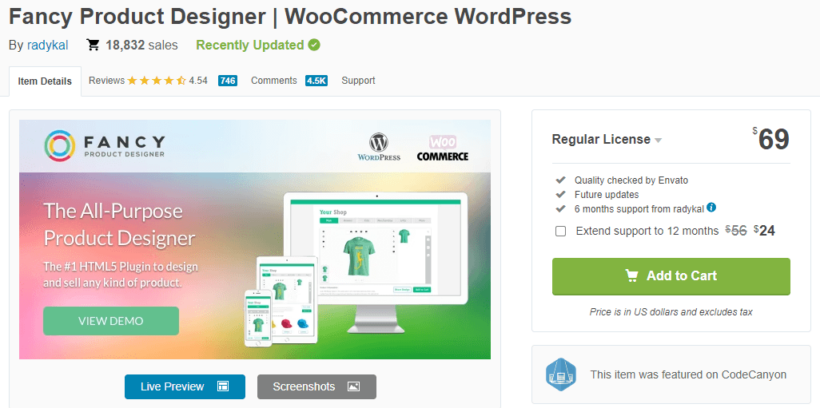
Fancy Product Designer is a feature-rich customization plugin with extensive capabilities. It offers advanced design tools but requires significant setup time.
This plugin lets your customers design and customize any type of product. The customization and upload interface is interactive, and the functions and features are suitable for a wide range of products.
While this plugin has a huge number of features, it is very difficult to use. There's a steep learning curve and you need to invest a lot of time into figuring out how to get the most out of it.
Key features
- Several customization optionsCustomers can upload media from different sources and devices in JPG, SVG, or PNG formats. They can also change colors using the color picker or from preset colors. They can add text effects and change image size, position, opacity, and more.
- Multiple layout optionsYou can customize the interface elements or choose from pre-designed layouts as an admin. You can also modify the Product Designer's actions to suit your needs.
- Multi-device and multilingual supportThe plugin works across devices and can be translated into any language.
- Pros A genuinely powerful canvas with advanced image-editing tools, multiple views and a one-time price.
- Cons I've found it incredibly difficult to use - the options are scattered and the interface is poor - so it's only worth the effort if you specifically need its advanced editing.
8. Product Designer for WooCommerce
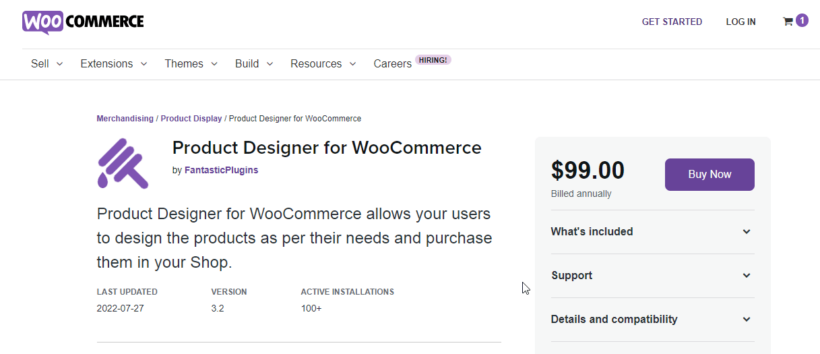
Product Designer for WooCommerce is a plugin with pre-designed templates and customization tools. It includes 16 templates and supports multiple file formats.
Like the other plugins I've covered, Product Designer for WooCommerce allows customers to personalize their t-shirts as well. By clicking on the customize product button on the Single Product Page, customers are directed to the Product Designer page, where they can add images, text, shapes, and clip art to their products.
Key features
- 16 pre-designed templatesThe plugin comes with several product templates on which customers can build their designs. You can edit each product template to suit your needs.
- Save and download designsUsers logged in to their accounts can save designs and make their purchases later. They can also download their designs after making a purchase.
- Add product attributesUsing the assigned fields, you can include options for customers to choose attributes like product color, gift wrap messages, and size.
- Printable filesYou don't need to convert the designs to print format because the output files are programmed to be print-ready.
- Pros A true canvas designer with 16 ready-made templates and 300 DPI print-ready output, kept compatible with current WooCommerce.
- Cons Its marketplace rating is low (2.5 stars), with reviewers reporting that templates don't work reliably and support can be slow - test it carefully before relying on it.
9. Product Designer (PickPlugins)
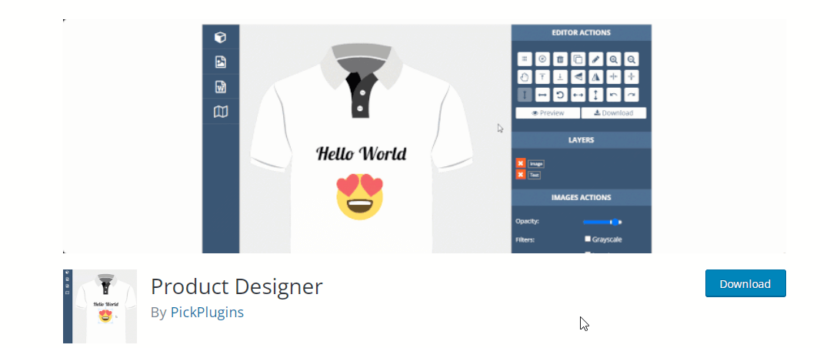
Product Designer is a versatile plugin with unique features like QR code integration. It supports multi-side design and unlimited template creation. This plugin offers user-friendly design tools that allow customers to personalize several products.
Product Designer is packed with excellent features that give customers a satisfactory design experience. Customers can upload their images or access stock images from the website for their design. They can also add clip art, text, and other elements to their designs and preview or download designs before placing orders. You can download the free version here.
Key features
- Add custom fonts and quotes to designsYou can upload popular quotes at the backend that users can choose to display on their products. Users can access over 50 Google fonts and other tools to enhance text appearance.
- Design on any sideProduct Designer allows customers to design on any side of the product. They can design products' front, back, left, right, top and bottom.
- Create unlimited templatesWith this plugin, you can create different design templates for your products. Customers can choose based on their preferences and edit the templates if needed.
- Add codes to designsAn outstanding feature of this plugin is that it allows you to add QR codes and barcodes to your designs.
Product Designer is a WooCommerce t-shirt designer plugin that can be used independently. It can also work with several ecommerce platforms. However, it works best when integrated with WooCommerce.
- Pros A budget-friendly designer with multi-side design, unlimited templates, custom fonts and an unusual QR-code feature, plus a free version to try.
- Cons It's modestly rated with a small install base, and it's less polished than the leading canvas designers, so it suits simple needs rather than a high-volume store.
Frequently asked questions
Is there a free WooCommerce t-shirt designer plugin?
Yes. Product Designer by PickPlugins has a free version, and Zakeke and Customily offer trials. Free tools cover basic customization. Premium plugins like WooCommerce Product Options add file uploads, live previews, and conditional logic.
What is the best WooCommerce t-shirt designer plugin?
It depends on how much design freedom your customers need. WooCommerce Product Options suits most stores with uploads, text, fonts, and colors. Lumise gives a full drag-and-drop canvas. Zakeke adds 3D previews and virtual try-on.
Can customers upload their own design to a WooCommerce product?
Yes. A plugin such as WooCommerce Product Options lets customers upload logos to the front, back, and sleeves. They can also add text and pick colors before they buy.
Does WooCommerce have a built-in t-shirt designer?
No. Core WooCommerce has no design canvas or personalization fields. You add this with a dedicated plugin. It lets customers customize apparel with text, images, and colors, then preview the result before checkout.
Which t-shirt designer plugin should you choose?
The right plugin comes down to how much design freedom your customers need and how you fulfill orders:
- For most stores WooCommerce Product Options is the easiest balance - uploads, text, fonts and colors with a live preview - and where I'd start.
- For a full design canvas Lumise gives customers true drag-and-drop design from scratch for a one-time price.
- For 3D and virtual try-on Zakeke is the most visual option, if you can absorb the subscription and transaction fees.
- For hands-off print-on-demand Customily generates print-ready files and sends them to your supplier.
Whichever you pick, if you sell each design across many sizes and colors, add WooCommerce Bulk Variations so customers can order them all from one grid.
4 Comments
Need to make it easy for customers see what a River Rock (proof) three different sizes will look like on our Woo commerce site. Four different fonts
1-484-322-5145
Hi, Rick. Thanks for your interest in WooCommerce Product Options. You've come to the right place - what you'd like to achieve is possible via our plugin. You can add/create/display product options to set font sizes and font face/type, which can then display the result as an image preview. You can get in touch via our dedicated Support Center to discuss your needs in more detail.
We do more business in person than online, but good information for those marketing online.
Cheers!
Cameron
Hi, Cameron.
Thanks for dropping by!
I'm happy that you found these information helpful. Feel free to share this to anyone you know who might need it.
Cheers!