













How does WooCommerce Live Preview work?
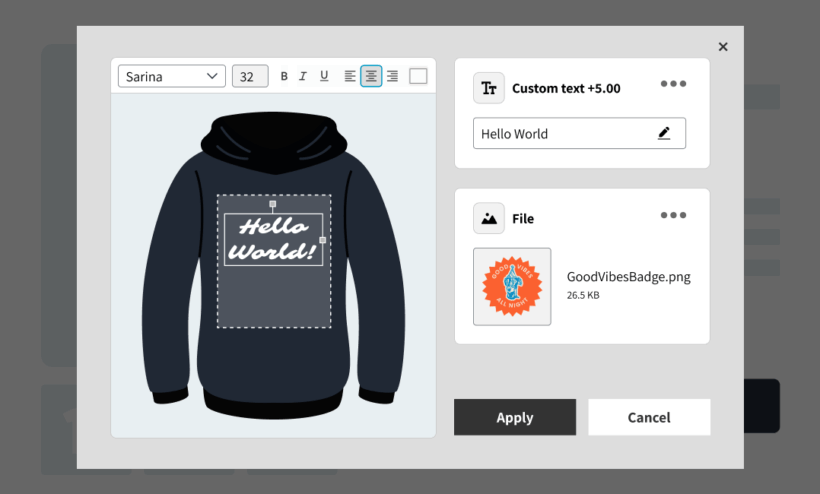
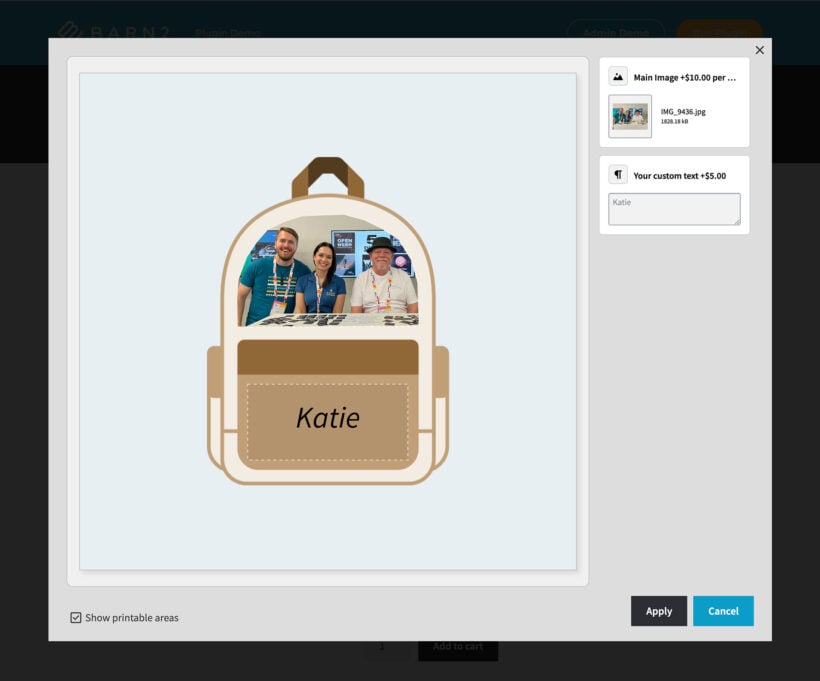
Live Preview allows customers to see their uploaded images and text displayed on the product image in real time. They can drag, resize and position elements directly within a preview window before adding the product to the cart.
In the WordPress admin, you can control how customers interact with the live preview. For example, you can set the printable area(s) for each image. You can also choose which product options will display live previews, which fonts are available, and whether customers can move or resize the previewed content.
Is WooCommerce Live Preview a standalone plugin?
No. Live Preview is an add-on for WooCommerce Product Options and is not available separately.
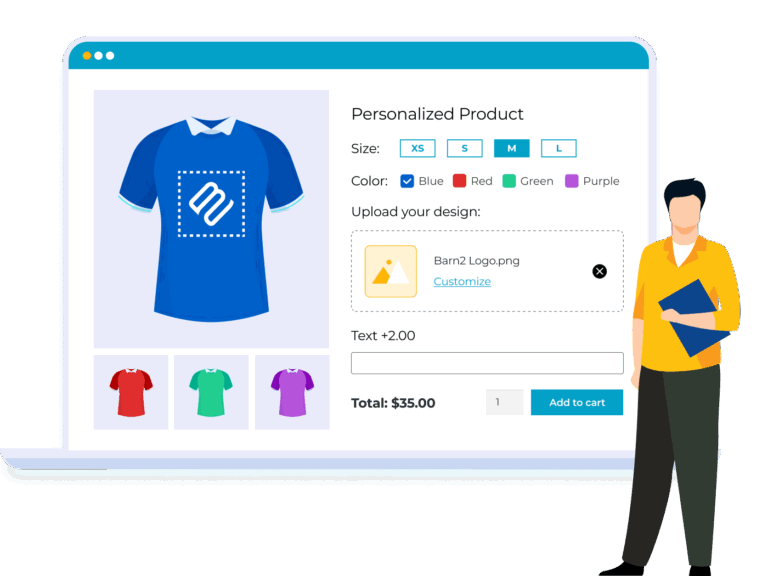
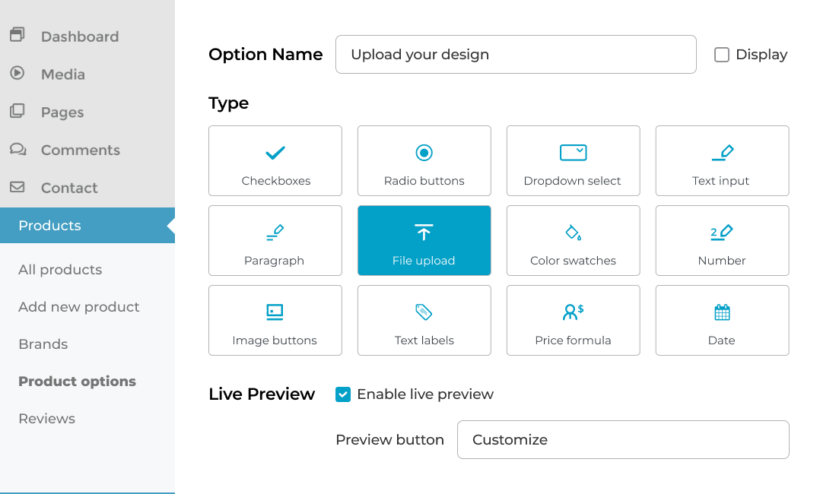
Use WooCommerce Product Options to create your product options (e.g. to add file upload and text fields), and Live Preview to display customers' images and text over the product image.
Live Preview is included in the Product Options + Live Preview bundle.
What does WooCommerce Product Options include?
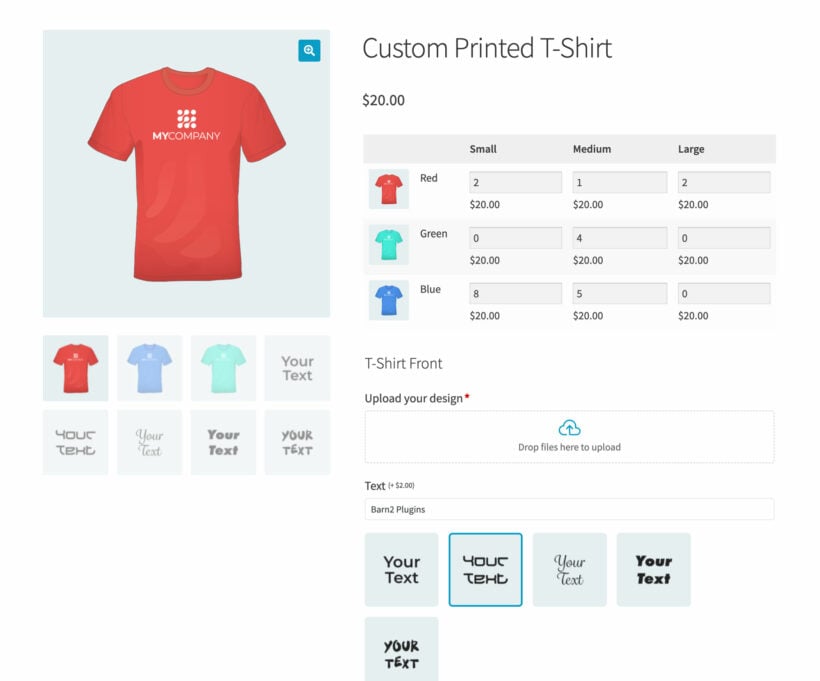
WooCommerce Product Options - the parent plugin for Live Preview - lets you add 16+ field types to products including checkboxes, radio buttons, dropdowns, file uploads, text and paragraph fields, date/time pickers, color and image swatches, and product add-ons.
It also includes flexible pricing options, custom price formulas, required fields, min/max rules, and powerful conditional logic to show or hide options based on customer selections.
All of these features work with the Live Preview add-on, which allows customers to preview the content they have added to your file upload and text fields.
Can I set the printable areas on each image?
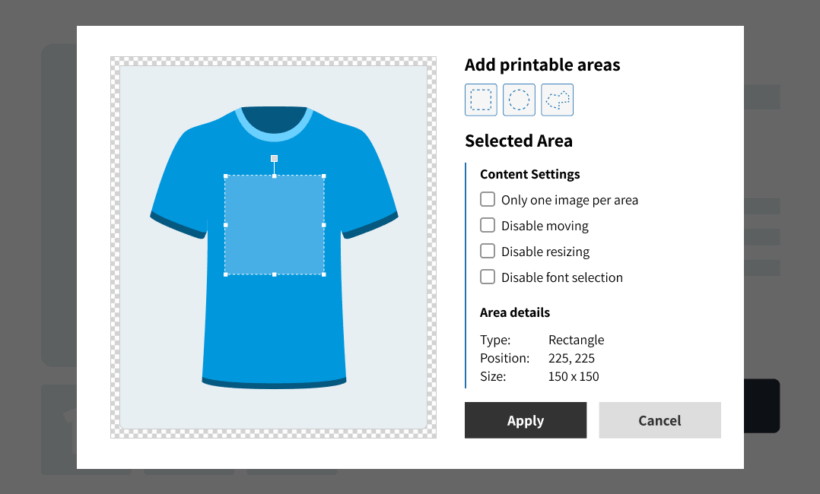
Printable areas define where uploaded images or text can appear on the product image. You can create square, circular, or custom-shaped areas, resize and reposition them, and link them to specific option fields.
The options for setting printable areas appear in the WordPress Media Library for each image.
Can customers add multiple images or text entries to one product?
Yes. You can do this by adding multiple printable areas to a product image. Customers can then use the live preview customizer to choose which of their images or text will appear within each printable area.
Can I offer separate previews for different sides of a product?
Yes. You can either use multiple product images, each with its own preview, or a single image with multiple printable areas. Each printable area can be linked to a specific file upload or text field.
For example, there are two ways to enable separate previews for the front and back of a personalized t-shirt:
- Separate file upload fields for the front and back - Add separate images of the front and back of the t-shirt, assign one printable area to each image, and link each one with the appropriate file upload field. The file upload fields for the front and back will have separate live previews.
- Single image showing both the front and back - Create one file upload field that supports multiple files, and add multiple printable areas to the product image. In the live preview window, customers can choose which of their images and text will appear on the front and back.
Can customers edit images inside the live preview?
Customers can reposition and resize uploaded images and text. You can disable the ability for customers to reposition and resize images if needed.
WooCommerce Live Preview does not support advanced image editing, such as background removal or cropping. Instead, customers should prepare their images before uploading it. You can make this easy for them by providing helpful information about the required file size etc. in the file upload field's description.
Can I customize fonts in the preview?
Yes. Customers can choose from fonts provided by your theme. You can expand the selection by adding a Google Fonts API key in the settings, or disable font selection entirely.
Can I control file uploads?
Yes. You can set maximum file sizes, limit the number of files that can be uploaded, and restrict allowed file types. You can also make the file upload field required before the product can be added to the cart.
It's also possible to charge per uploaded file if needed.
Can I control the text customers can enter?
Yes. Text and paragraph fields support required rules, minimum and maximum character limits, and optional character-based pricing.
Can I charge extra for product personalization?
Yes. The plugin provides flexible pricing for file uploads, text fields, paragraph fields, and other option types.
Available price types include:
- No cost - The option does not affect the product price.
- File count - Charge a fixed amount per uploaded file.
- Character count - Charge a fixed amount per character entered in text or paragraph fields.
- One-time fee - A flat fee added once per product, regardless of quantity. (For example, the same amount will be added regardless of the number of files or amount of text entered.)
- Quantity-based fee - A fixed amount multiplied by the product quantity. (For example, if the customers orders a quantity of 2 then the fee will be doubled.)
- Percentage increase - Increases the main product price by a set percentage.
- Percentage decrease - Reduces the main product price by a set percentage.
You can also set minimum and maximum character limits for text fields and control how many files customers can upload.
Can I customize the text of the preview link?
Yes. You can change the text of the link that opens the live preview globally in the settings, or customize it individually for each file upload, text, or paragraph field.
Can I use conditional logic to show or hide options?
Yes. WooCommerce Product Options includes conditional logic, allowing you to show or hide option fields based on other selections.
For example, you could add a “Customize this t-shirt” checkbox which reveals personalization fields only when selected, keeping the product page clean and uncluttered.
Does the preview appear on the cart and checkout?
If you're using the classic WooCommerce cart and checkout, preview images and text will be displayed alongside the product so customers can check their customizations.
The newer WooCommerce cart and checkout blocks can't currently display preview images, although the images will still be included in the order-related emails. We will add support for the block cart and checkout if WooCommerce makes this possible in future.
Will it work with my theme & other plugins?
We have tested WooCommerce Product Options and WooCommerce Live Preview plugin with a range of free and premium themes and are confident they will look great with your theme. Our plugin support includes helping with theme-related conflicts.
They are fully compatible with all Barn2 plugins, and most plugins from other companies. We have published a list of plugins we have tested with, although they will work with most other plugins too.
Does it work in my language?
WooCommerce Product Options and Live Preview are designed to work with any WordPress translation plugin such as WPML, WeGlot and TranslatePress. This makes it easy for you to translate the extra product fields and live preview into any language and use it on multilingual websites.
What are the minimum requirements for running the plugin?
WooCommerce Product Options and Live Preview are fully tested with the latest versions of WordPress and WooCommerce. We always recommend running the most up-to-date version, but we also support older installations:
- WooCommerce 7.2 or greater (tested to 10.6.1)
- WordPress 6.1 or greater (tested to 6.9.4)
- PHP 7.4 or greater (tested to 8.5)
- MySQL 5.7.8 or greater / MariaDB 10.3 or greater