8 best WordPress PDF library plugins for 2026


A WordPress PDF library plugin puts your PDFs on a page where visitors can search, filter and download them. I've compared the eight best options for 2026, with real pros and cons for each.
WordPress keeps your PDFs in the Media Library, which only people with dashboard access can open. Visitors never see that screen, so a collection of PDFs you have uploaded, policies, reports or data sheets stays invisible until a WordPress PDF library plugin publishes it on a page.
The eight WordPress PDF library plugins below split into two groups. Five of them build a browsable library that visitors search and filter. The other three display one document on a page, which isn't the same thing.
Quick verdict: The best WordPress PDF library plugins
- Best overall A searchable front-end library with table, grid and folder layouts, and access control down to a single document, using Document Library Pro.
- Best free library Grid and list layouts built on your existing media folders, with FileBird Document Library.
- Best for files in cloud storage Two-way sync with Google Drive, Dropbox and OneDrive, using WP File Download.
- Best for sharing files securely Expiring links, download limits and encrypted filenames, with Filr.
- Best for showing one PDF A polished reader with page navigation and watermarks, using PDF Embedder.
How I evaluated these WordPress PDF library plugins
I compared the eight PDF plugins on five points:
- Whether the library appears on the front end, or only tidies the WordPress admin.
- How visitors narrow it down, through search, filters, sortable columns or folders.
- Whether the search reads the words inside each file, or only the title and description.
- How you restrict access, and whether a reader needs a WordPress account to get in.
- What it costs for one site, and whether a free version exists.
Every PDF library WordPress plugin here is actively maintained by its developers. Prices below are the list price for a single site in US dollars.
WordPress PDF library plugins compared
The table sums up how the eight plugins compare. I go through each one in detail underneath.
| Plugin | What it does | Searches inside files | Restricts access | From |
|---|---|---|---|---|
| Document Library Pro | Searchable front-end PDF library | Yes | Role, user, password | $149/year |
| WP File Download | File manager plus front-end list | Yes | Role, user group, user | $49/year |
| Filr | Secure file sharing | Not documented | Role, username, email | $49/year |
| FileBird Document Library | Library built on media folders | No | No built-in option | Free |
| CatFolders | Admin folders plus a file list | No | Role, in the admin | Free |
| EmbedPress | Embeds one document | No | Password per embed | Free |
| PDF Embedder | Displays one PDF | Within that file | Role, on premium | Free |
| Embed Any Document | Embeds one document | No | No built-in option | Free |
1. Document Library Pro
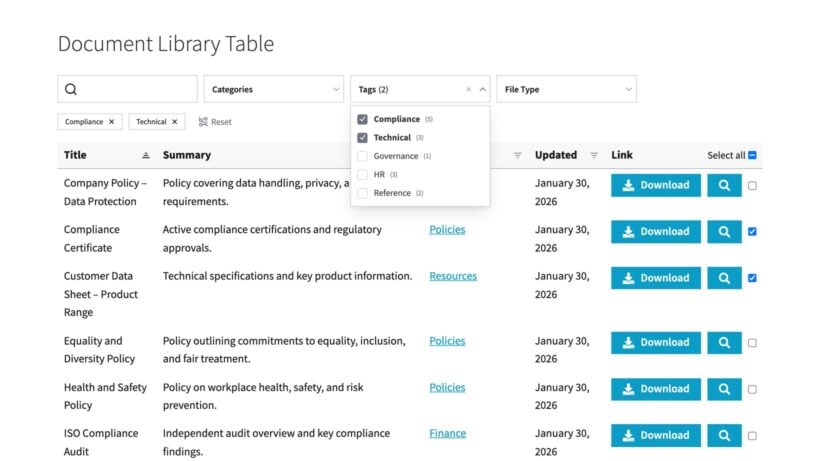
We built Document Library Pro after discovering that most people were using our table plugin, Posts Table Pro, to list documents. Posts Table Pro had no PDF download buttons and no preview, so we designed a plugin around documents instead. Document Library Pro is now rated 4.99 out of 5 and is used on over 13,000 websites. This includes nonprofits, government, healthcare, business and education websites all around the world.
Each PDF becomes a document with its own title, description, custom fields and categories. You get sortable columns, filter dropdowns on your own data and a page per file. Pick a table, a tiled grid or collapsible folders. Several libraries can run on one site, on a single license.
The search box reads the text inside your PDF files. For example, councils keep at least five years of minutes online and the filenames are just a date, so it's important that the search looks inside the actual file.
For non-public libraries, you can control access to a whole library, a category or a single document either by role, by user or by a simple password. The simple password protection is useful for clients and partners who don't have a WordPress account.
In our own analysis of live libraries using Document Library Pro, PDFs appear in 95% of them, the table layout is about seven times more common than the grid, and 82% put a search box inside their PDF library.
Document Library Lite is free on WordPress.org and covers a simple searchable PDF library.
Document Library Pro pros and cons
- Pros: You get table, grid and folder layouts, plus search inside file contents. Your own custom fields and taxonomies work as columns and filters. It also handles access control per document, bulk import, version control, auto-expiring documents, a front-end upload form and download counts.
- Cons: If you only want to organize media files inside the WordPress admin, then a free folder plugin will do it. The PDF preview uses the browser's own viewer. The plugin displays documents rather than selling them, so you'll need a different option if you want to sell access. It's also the most expensive plugin on the list as it's popular with larger organizations rather than small hobbyist websites.
Pricing: Essentials from $149 a year, Advanced from $199 a year, both for one site.
As you can see, there are plenty of reasons why we believe Document Library Pro is the best WordPress PDF library plugin. However, there are several others to choose from, which I'll cover next.
2. WP File Download
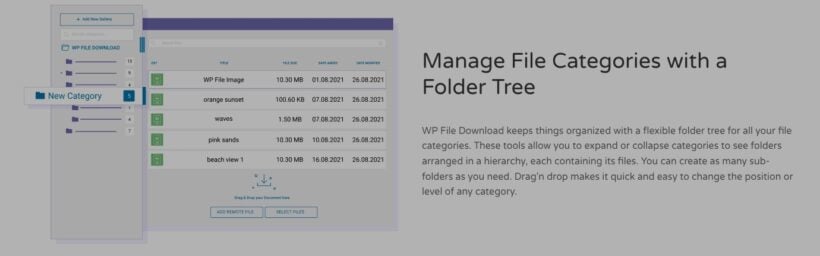
JoomUnited's WP File Download is a WordPress file manager first. Most of it happens on the admin screen: A folder tree, drag and drop, bulk operations, versioning, permissions and download statistics. The front end is a file list you drop into a page, with five themes, search, filters, preview and zip downloads.
Its full-text search indexes document contents in the background when you upload. A search then returns files whose text matches, not only their titles. Document Library Pro is the only other plugin here that reads file contents.
The cloud add-on is the real reason to pick it. It syncs two ways with Google Drive, Dropbox, OneDrive, Amazon S3 and Nextcloud. Files edited in Dropbox or Google Drive stay current on your site without anyone re-uploading them.
Access control is thorough, covering user groups, individual users and per-role permissions for front-end download, preview and upload. It can even create a private category per logged-in user. All these protection options depend on people having a WordPress account - a client or contractor has to be registered before they can open anything. For simpler password protection without an account, consider Document Library Pro instead.
Nearly half the live PDF libraries we've audited run more than one library, usually one per department or audience. WP File Download lets you do that with file categories.
WP File Download pros and cons
- Pros: You get full-text PDF search inside files, two-way cloud sync with five services, unlimited sites on every license, strong admin file management, and front-end upload by role.
- Cons: It organizes files in folders rather than documents with their own data. You can't build columns and filters from your own fields. There's no free version on WordPress.org to try first, and everyone accessing restricted PDF files needs a WordPress login.
Pricing: $49 a year for the plugin, or $69 a year including the cloud and social locker add-ons. Both cover unlimited sites.
3. Filr
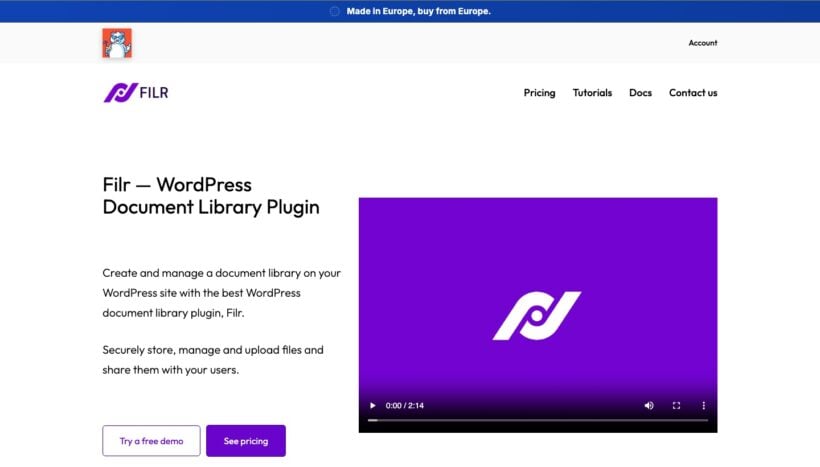
Filr, from Chill Media Labs, is built around file sharing rather than library display. You upload files, set who can open them, and drop a library table onto a page with a shortcode. Visitors can sort, filter and search it.
Unlike the other plugins here, Filr can expire a file after a set number of downloads as well as on a set date. That suits tenders, draft documents and anything you send out once. It also encrypts filenames, protects the upload directory and can wrap multiple files in a password-protected zip.
Restrictions work by email address as well as username and role. Like Document Library Pro, you can share with someone outside your organization without creating an account for them.
It's the newest and smallest plugin in this list, with just 700 active installs and 17 reviews averaging 4.6 out of 5.
For a library you expect to run for years, I'd pick one of the first two. For a tender pack that has to stop working next month, I'd install Filr.
Filr pros and cons
- Pros: You get expiry by date or download count, restriction by email address, encrypted filenames, password-protected zips, a front-end uploader, and a free version to try.
- Cons: It has a small user base compared with everything else here. You can't search inside the text of PDF files. The library table is plainer than a purpose-built document library, with fewer layout options.
Pricing: $49 a year for one site, $89 for three and $299 for unlimited. Lifetime licenses run from $149 to $699.
4. FileBird Document Library
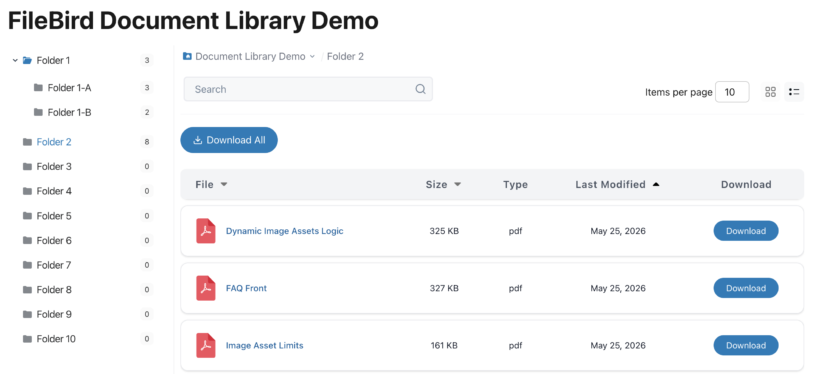
If you already use FileBird to organize your media library into folders, FileBird Document Library turns those same folders into a public document gallery. It's a separate free plugin from NinjaTeam and it needs FileBird 5.0 or higher installed alongside it.
The free version gives you grid and list layouts, folder icons and titles, sorting by name, date or size, a download button and switchable sections. That's a good deal if you're on a strict budget.
The Pro add-on brings the front end closer to a file explorer, with a multi-level folder tree, breadcrumbs, sidebar navigation, a configurable search scope and extra metadata columns for things like external links.
Because it's built on media folders, a document is a file rather than a post. You work with the PDF file's own properties rather than fields you define yourself. This suits a straightforward set of downloads more than a catalog you want to filter several ways.
You may not need folders at all. In the live libraries we've audited, only a quarter use them. The rest get people where they're going with a search box and filter dropdowns.
FileBird Document Library pros and cons
- Pros: It's free, actively updated, and reuses folders you've already set up. It supports a long list of file types, and the Pro folder tree is the closest thing here to Windows File Explorer.
- Cons: You install two plugins and keep them in step. It can't search inside file contents. There's no built-in way to restrict who sees a document either, so you'll need a membership plugin to create a private PDF library.
Pricing: Free, with Pro from $39 a year for one site, $69 for five and $199 for unlimited.
5. CatFolders
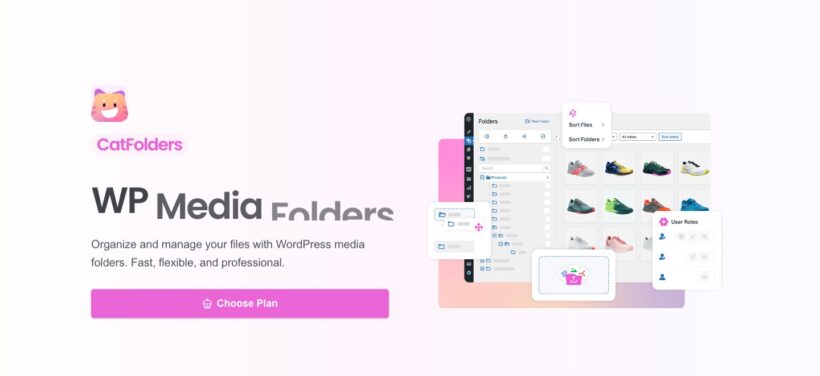
CatFolders is the other well-known media folder plugin, and like FileBird it has grown a front-end side. Its Document Gallery lists PDFs from your folders on a page, so visitors can see and download what you've organized.
The admin side is the stronger half. Folders have colors and themes, you can drag files between them and sort by size or date. The folder picker shows up inside Elementor, Divi and the block editor when you're inserting media.
With 6,000 active installs it's a smaller PDF plugin than FileBird, and its 22 reviews average 4.3 out of 5. The front-end gallery reads as an addition to an admin tool rather than the point of the product.
I'd only choose CatFolders where tidying the admin is the real aim and the public file list is a bonus. If publishing is the aim, one of the first four WordPress PDF plugins on this list will serve you better.
CatFolders pros and cons
- Pros: You get a free version, clean folder management, good page builder integration, user role controls on who manages which folders, and a lifetime license option.
- Cons: The front-end gallery is thinner than a purpose-built library, with no search inside files and no visitor-facing access control. Pro starts higher than FileBird or Filr.
Pricing: Free, with Pro at $79 a year for one site, $99 for five and $199 for unlimited. Lifetime licenses run from $159 to $699.
6. EmbedPress
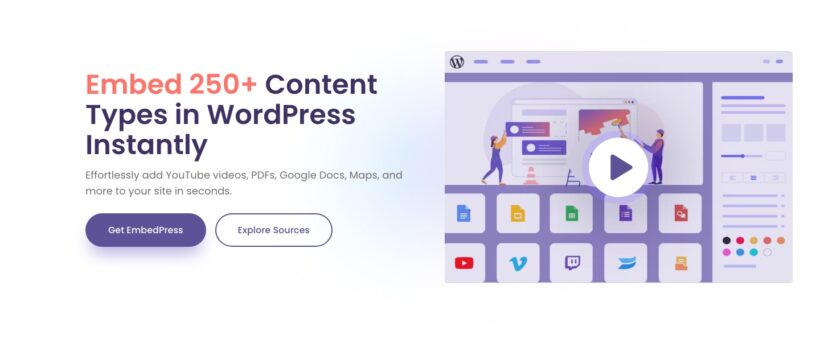
EmbedPress embeds more than 250 types of content, from YouTube and Google Maps to PDFs and Google Docs. Its PDF handling includes a 3D flipbook view, which suits a brochure, an annual report or anything you'd rather people leafed through than took away with a download button.
This is the best maintained of the three PDF embed plugins, with 100,000 active installs, 307 reviews averaging 4.8 out of 5 and the most frequent releases. If your site already embeds video and maps, adding PDFs through the same plugin saves you running a second one.
EmbedPress won't produce a browsable PDF library - one embed shows one document. Use one of the searchable library plugins if your users need to search through multiple PDF files.
Pro tip: If you like the embedding from EmbedPress but also need a searchable PDF library, then I recommend using it alongside your Document Library Pro. Simply embed the PDF into the single document page provided by Document Library Pro. The PDFs appear in the search table and when people click through, they will see the embedded version.
EmbedPress pros and cons
- Pros: It handles documents and 250+ other content types in one plugin, with a 3D flipbook view for PDFs, a generous free version and frequent releases.
- Cons: It embeds single documents rather than building a library. The pricing page runs several overlapping offers at once, which makes the real cost hard to pin down.
Pricing: Free, with Pro listed at $69 a year for one site and $199 a year for unlimited, usually discounted.
7. PDF Embedder
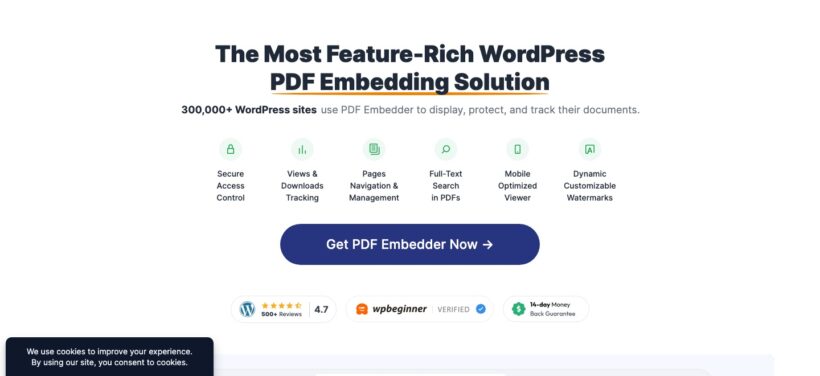
PDF Embedder does one thing better than any of the other PDF plugins I've reviewed. Its viewer gives you page navigation, continuous scrolling, clickable links, a mobile full-screen mode and a search box that works within the open document.
The premium tiers suit people who want a PDF reader without letting people download the file. You get download protection, dynamic watermarks that stamp the viewer's details onto the page, and per-file view and download counts. For a report you want people to read but not redistribute, that's better than a download button.
With 300,000 active installs, this is the most widely used PDF plugin in this comparison. Like the other embedders, it displays individual files and isn't a searchable PDF library plugin. We cover the wider category in our guide to WordPress PDF viewers.
PDF Embedder pros and cons
- Pros: You get the best reading experience here, search within the open document, watermarks and download protection, per-file tracking, and a capable free version.
- Cons: It shows one PDF at a time, with no listing, filtering or library view. The four premium tiers are priced by site count. Agencies move up them quickly.
Pricing: Free, with premium from $59 a year for one site up to $259 a year for 100, frequently on offer.
8. Embed Any Document
Embed Any Document takes a different route to the same result. Instead of rendering files itself, it passes them to Google Docs Viewer or Microsoft Office Online. This means that it handles Word, Excel and PowerPoint as comfortably as PDF files.
That makes it the easiest way to embed a mixed set of office documents directly into WordPress site your without converting anything first. The paid version adds viewers for files already hosted in Google Drive, OneDrive or Box. You can embed a file from where it already lives.
It's maintained, with a release in August and 50,000 active installs, though its 4.2 average across 92 reviews is the lowest here. The premium version is sold through CodeCanyon rather than the developer's own site, with six months of support rather than 12.
I'd use it where the files already live in Google Drive or OneDrive and you want them rendered from there.
Embed Any Document pros and cons
- Pros: It's free, it handles Word, Excel and PowerPoint as well as PDF, and the paid version is a one-time payment with viewers for Google Drive, OneDrive and Box.
- Cons: Your documents pass through Google or Microsoft to be rendered, which some organizations won't allow. It displays individual files and not a searchable document library. It also has the lowest review ratings of all the PDF plugins in this comparison. Support is offered for six months rather than the usual 12.
Pricing: Free, with the Plus version at $39 as a one-time payment.
Which WordPress PDF library plugin should you choose?

There are two main types of WordPress PDF plugin: Searchable PDF libraries, and plugins that embed individual PDFs. If a visitor needs to look through more than a handful of PDFs, you need the first category. For a single PDF on a single page, an embedder does the work and the free version is usually enough. For the best of both worlds, use Document Library Pro to create the searchable PDF library, and PDF Embedder to display the PDFs on the single document pages.
Beyond that, the best PDF plugin depends on your specific requirements:
- For a public or restricted library where people search, filter and sort by information you control, choose Document Library Pro.
- If your files live in Google Drive, Dropbox or OneDrive and you want them to stay there, WP File Download is the better fit. It only works if everyone who opens a restricted file has a WordPress account.
- To control how long a file stays available, and who can open it from outside your organization, Filr handles expiry and email-based access that nothing else here offers. If you have no budget, install FileBird Document Library for a folder-based gallery, or Document Library Lite for a searchable table. To tidy the Media Library and publish a simple file list from it, CatFolders covers both.
- For a single document, use PDF Embedder for PDFs you want read rather than downloaded, EmbedPress if you embed other media too, and Embed Any Document for office files. Many sites run a library and an embedder together. The library page lists the documents. A PDF viewer on an Elementor page then displays whichever one a reader picks.
Frequently asked questions about WordPress PDF library plugins
Can WordPress create a PDF library without a plugin?
WordPress can't do this in any usable form on its own. You can upload PDFs to the Media Library and link to each one by hand from a page, but visitors get a static list with no search, no filters and no sorting. Every link also has to be updated manually when a file changes.
Which WordPress PDF library plugin searches inside PDF files?
Document Library Pro searches the text inside PDF, Word, Excel, PowerPoint and OpenDocument files. WP File Download indexes file contents too. PDF Embedder searches within a single open document rather than across a library. Our guide to WordPress PDF search walks through the setup.
Is there a free WordPress PDF library plugin?
Yes. FileBird Document Library and Document Library Lite both publish a working library for nothing, and CatFolders includes a free file list. The paid versions add things like folder trees, access control and search inside file contents.
How do I restrict a PDF library to certain people?
Document Library Pro restricts a whole library, a category or a single document by user role, by a specific user or by a password that needs no account. WP File Download and Filr both restrict by role and user, and Filr can also share with a specific email address. A reader without a WordPress account is the case worth checking before you buy.
How many PDFs can a WordPress PDF library hold?
There's no fixed limit, but a library of a few hundred files or more depends on how the plugin loads them. A library that loads documents only as you scroll stays fast with thousands of files. A plugin that renders every row at once will slow the page down.
Building your WordPress PDF library
Most of the libraries we see belong to organizations that have to publish: Councils, charities and health bodies with archives people are expected to search years later. More than 1 in 10 employees spend over four hours a week looking for internal documents, and an internal library solves the same problem for staff.
If that's your position, I'd start with Document Library Pro. Our document library tutorial walks through the setup, including how to password protect a library.
The cloud version builds the same library on a site that doesn't run WordPress. If you want to sell documents rather than publish them, WooCommerce Product Table and Posts Table Pro list downloadable products in the same table layout, with buy buttons instead of download buttons.
4 Comments
Our website was built using hostinger website builder. How can I use your wonderful plugin somehow integrated on our websit that is not wordpress?
Hi Abraham. Thank you for your comment. Unfortunately, our plugin is specifically built to run on WordPress and isn’t compatible with other platforms. It's not possible to integrate it into a non-WordPress site, as it relies on WordPress functionality to operate. If you ever consider migrating to WordPress in the future, we'd be happy to help you get set up.
We have a quarterly Magazean for the association. I am trying to find a way that the PDF files can be searched. Not just the titals or descriptions, but the contents of the PDF. Can Document Library Pro offer that?
Hi James! We recommend using Document Library Pro with the SearchWP plugin to be able to search the contents of downloadable files such as PDFs and Word Documents. Should you have further questions, please reach us via our Support Center anytime. Cheers!