WordPress nonprofit resource library: 5 real organizations share how they built theirs

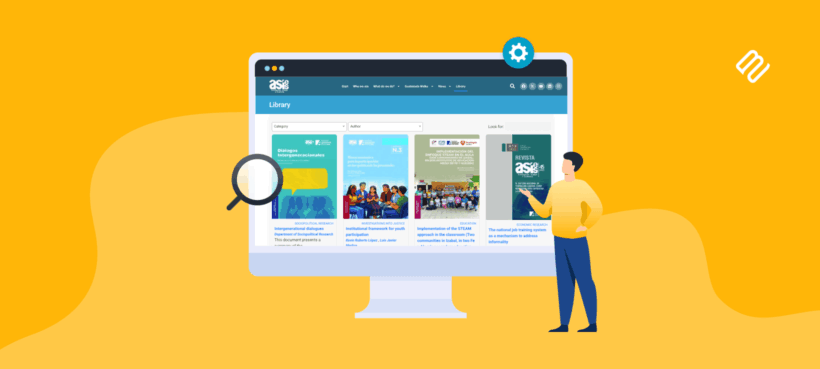
Five real organizations share how they use Document Library Pro to build a WordPress nonprofit resource library that serves their communities better.
When Barn2 audited the websites using Document Library Pro, a pattern emerged. A disproportionate number of customers weren't e-commerce stores or developers. They were charities, nonprofits, research institutions, and healthcare organizations. Small teams with tight budgets, doing important public-interest work.
That makes sense when you think about it. These organizations have valuable resources that people need, but something often gets in the way of people finding them. A messy resource page. Files scattered across multiple locations. No way to search or filter. No access controls.
This article tells five of those stories. Each one shows a different way to build a WordPress nonprofit resource library, and each one solved a problem that many organizations will recognize. You can also watch the video version where several of these organizations share their experiences in their own words.
Children's Mental Health Ontario: a nonprofit resource library that became a lifeline
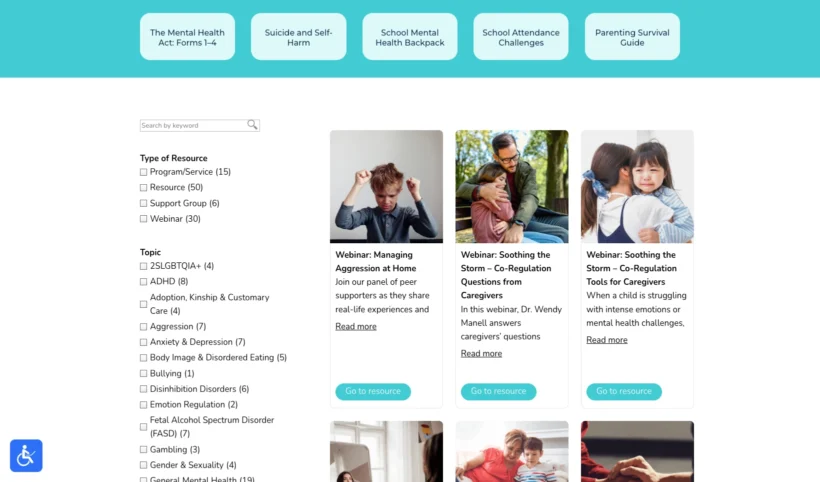
Children's Mental Health Ontario (CMHO) runs a program called Parents and Caregivers for Mental Health. It supports families raising children with mental health challenges through webinars, peer support, and a trusted resource hub. You can read the full CMHO case study for more detail on their setup.
Taylor Salisbury is the Communications Specialist who built their WordPress nonprofit resource library. The problem she faced wasn't a lack of resources. CMHO had plenty of them. The problem was that the page they lived on was, in Taylor's words, "very laundry-list style."
For parents already dealing with a lot, a disorganized resource page isn't just inconvenient. It adds stress to an already difficult situation. Taylor wanted to make the experience as easy as possible, so families could find what they needed without friction.
She set up Document Library Pro alongside a filtering tool called FacetWP and turned that wall of links into something searchable and filterable. But the real standout came from an unexpected use case.
CMHO has volunteer peer support facilitators. These are parents who have been through their own journeys and now help other families. With the new resource library, they can filter by topic, copy the URL with those filters applied, and send it directly to a family. When the family opens the link, the relevant resources are already selected for them.
It honestly has been so helpful for our team being able to support those families. And then as well for the families just finding us organically looking for resources themselves. It's been life changing, actually.
Taylor SalisburyCommunications Specialist, CMHO
For a nonprofit that got funding specifically to purchase the plugin, with no developer budget and a small team, the impact was significant. Taylor also noted that CMHO applied for Barn2's 15% nonprofit discount, which helped make it affordable.
Since launching, CMHO has seen a significant uptick in website traffic to the resource page, plus overwhelmingly positive feedback from families and volunteers.
Imerman Angels: building a WordPress resource library for cancer support
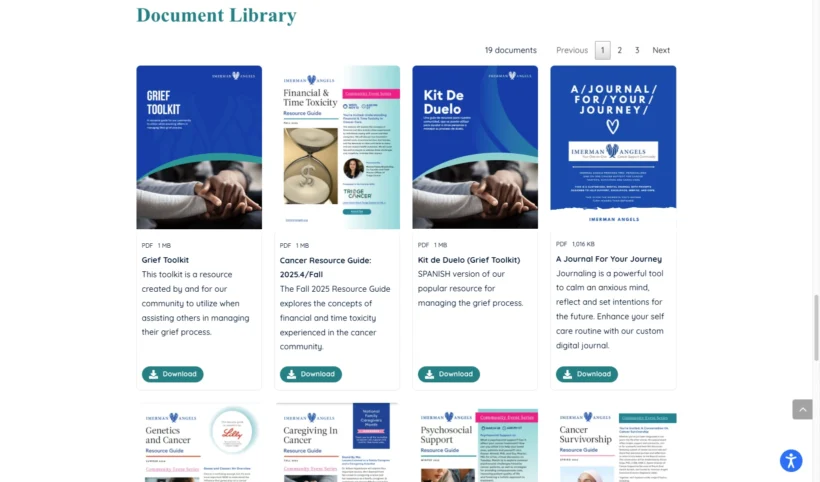
Imerman Angels is a cancer support nonprofit based in Chicago. They match cancer fighters, survivors, previvors, and caregivers with someone who has been through the same experience. Over the years, they had built up a substantial collection of resources, including grief toolkits, seasonal guides, and information for different cancer types. The full Imerman Angels case study covers their journey in more detail.
The problem? Those documents were scattered across multiple locations. Outdated links were being shared publicly. And there was no way to track how many times files were being downloaded.
Rick Garmon, Director of Programs, described it plainly: they ended up with files in various locations, no central home, and no visibility into what was actually being used. For an organization whose entire purpose is making sure people in crisis can access support, that matters.
After researching options, the team chose Document Library Pro and learned how to create a WordPress nonprofit resource library with an attractive grid layout, cover images, download buttons, and pagination. Everything now lives in one place, with download tracking so they know which resources people actually use.
Document Library Pro solved all of our problems, and did so in an attractive, highly customizable and intuitive interface. We highly recommend it for anyone in search of a turn-key solution.
Rick GarmonDirector of Programs, Imerman Angels
Rick also praised Barn2's support team, noting they were responsive both before and after purchase, and receptive to suggestions for future improvements.
The Schumacher Institute: giving research a proper home
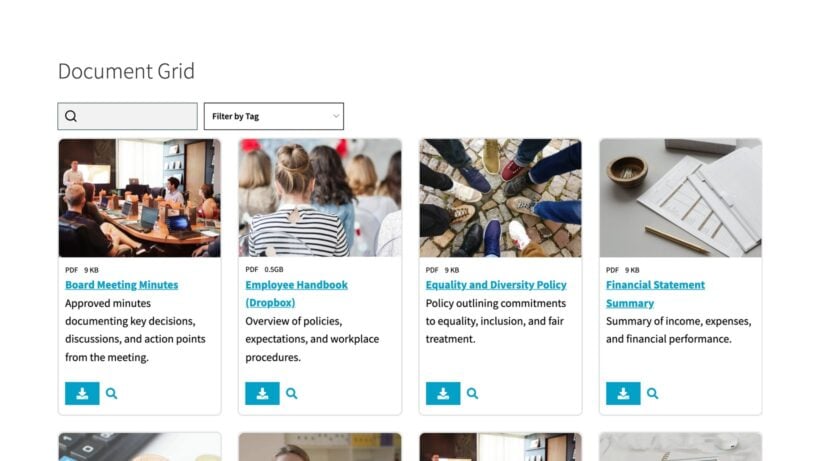
The Schumacher Institute is a UK-based charity and think tank with around 270 fellows worldwide. They range from senior academics to early-stage researchers and artists, all working around systems thinking and sustainability. The institute also maintains EF Schumacher's legacy, which has been influential in the environmental movement since the 1970s. See the full Schumacher Institute case study for more background.
Ian Roderick looks after most of the website. Like many people managing organizational websites, he isn't a full-time developer. He's just the person who ended up being responsible for it.
The institute needed to give fellows and the public access to a growing collection of discussion papers, research, and policy documents. They had been using a basic plugin before, but Ian described it as clunky. When Document Library Pro came up, the interface caught his attention.
The interface of Document Library Pro looked good. It seems to do the job nicely. Up and running straight away.
Ian Roderick
There was also an unexpected benefit. Switching plugins gave the team a useful opportunity to audit existing files and clear out anything outdated. When your documents finally have a proper home, you also have a reason to ask: what should actually be in here?
Ian's setup includes both public-facing research papers and internal policy documents, serving two audiences from one WordPress nonprofit resource library. His recommendation was straightforward: he has never had any problems or hiccups with it.
Boris Hoekmeijer: WordPress document libraries for healthcare clients
The first three organizations all manage their own content. The next two are agencies building WordPress nonprofit resource libraries for clients.
Boris Hoekmeijer has been building WordPress websites since 2010. He runs iSpace Design from the Netherlands and specializes in healthcare organizations. He purchased a developer license to use Document Library Pro across multiple client sites. The full healthcare case study explores how he uses access restrictions across both projects.
Client 1: 15 years of admin documents, finally organized
Boris's first client had been storing over 15 years of administrative documents on a personal computer. Invoices, bank records, internal files - everything in one place, but that place was a single laptop. She needed it accessible to multiple team members, organized, and secure.
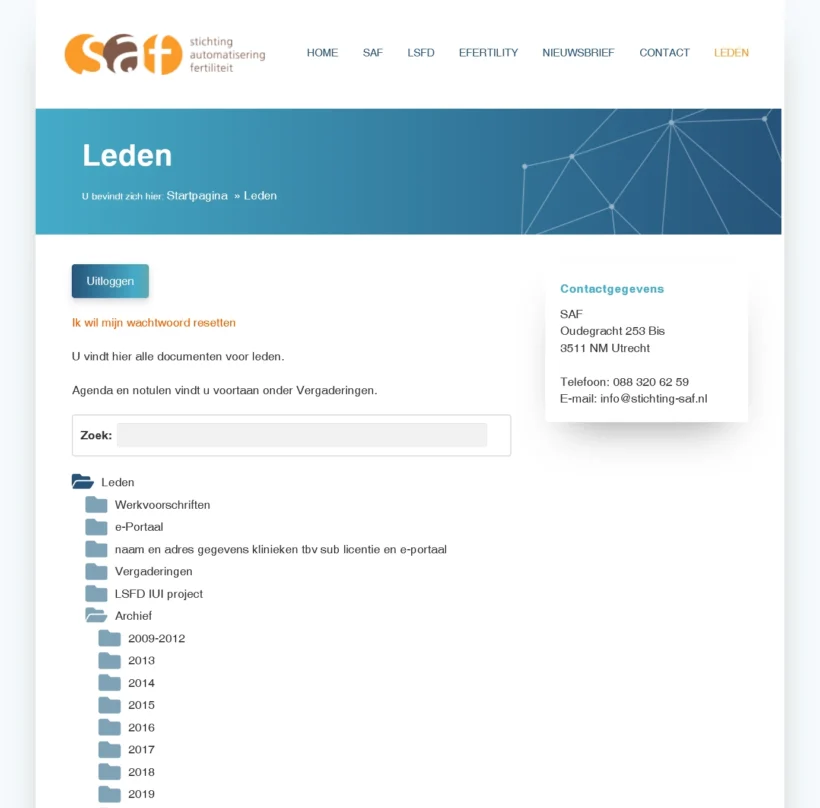
Boris set up Document Library Pro with a structured folder system organized by year, plus access restrictions so only authorized members could view and download files. The client is still working through uploading around 1,000 documents, and she prefers doing it herself from the front end, one at a time.
Boris did encounter one challenge with the built-in upload form's handling of subfolder hierarchy. He solved it by building a custom upload form using Gravity Forms. That kind of flexibility is part of what makes WordPress useful for these situations.
Client 2: public brochures and private medical protocols
Boris's second healthcare client uses the plugin differently. They provide pregnancy-related information, with public brochures available to everyone and a members-only section containing medical protocols and patient information restricted to healthcare professionals. Two audiences, one plugin, different access levels for each.
It's the best one I've come across, which is why I purchased it in the first place. It's the one I will always use until I come across something better - but I haven't found that yet.
Boris HoekmeijeriSpace Design
For agencies that regularly build sites for nonprofits and healthcare organizations, a developer license makes the WordPress nonprofit resource library setup a repeatable part of the toolkit.
4th Wave Solutions and ASIES: a searchable nonprofit resource library for Guatemalan research
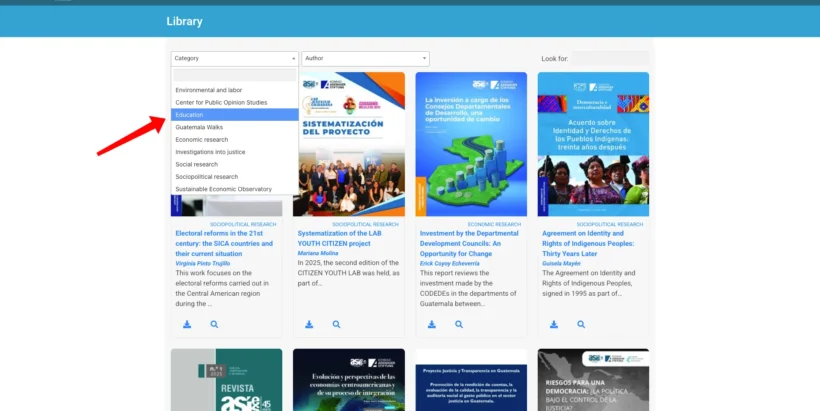
4th Wave Solutions is a web development agency that builds WordPress sites for organizations across Latin America. One of their clients is ASIES, a Guatemalan research institution that produces a large volume of policy papers, institutional reports, and academic studies. The full ASIES case study goes deeper into the technical setup.
The challenge was straightforward but significant. Hundreds of documents with no way for visitors to search or filter through them. And no appetite for complex custom development.
William Maas from 4th Wave Solutions described the need clearly: for organizations that publish a large number of reports and institutional documents, having a structured digital library is essential. A well-organized repository improves usability and helps make valuable content easier to discover.
Document Library Pro provides a practical way to build a structured digital library without building a complex system from scratch - a very useful tool for institutions that need to manage and present a large collection of publications online.
William Maas4th Wave Solutions
With Document Library Pro, the ASIES publications section became a proper searchable WordPress nonprofit resource library, filterable by category and keyword. There was also an unexpected bonus. The cleaner structure improved how documents showed up in search engines. Research that had been effectively invisible became findable.
From the team's side, the editorial staff at ASIES can now upload and categorize publications themselves, with no developer needed.
What makes a WordPress nonprofit resource library work
Five organizations, five different problems. But the same pattern keeps showing up. Small teams with limited budgets, doing important work. And a website that needed to actually deliver for the people it serves.
A WordPress nonprofit resource library doesn't need to be complicated. It needs to be searchable, organized, and easy for non-technical staff to maintain. That is what each of these organizations built, and what made the difference for the communities they serve.
Taylor from CMHO summed it up well:
Our teams are small and limited... being able to leverage something like this that's already been packaged up and it's sort of plug and play - I would absolutely recommend it.
If any of this sounds familiar, whether you are running an organization like these or building for one, check out the full setup tutorial for Document Library Pro that walks through the entire process. Nonprofits using WordPress can also apply for a 15% discount on any Barn2 plugin. And if your nonprofit isn't on WordPress, the same resource library is now available as a cloud version you can build once and embed on a Squarespace, Wix or custom site, with the same 15% discount for registered nonprofits.
2 Comments
Güzel bir yazı olmuş, teşekkürler. Özellikle insightful yaklaşım hoşuma gitti.
Thank you so much! I’m really glad you found the approach insightful and that the article resonated with you.