Introducing WooCommerce Wholesale Pro 2.5: Custom registration forms for B2B stores

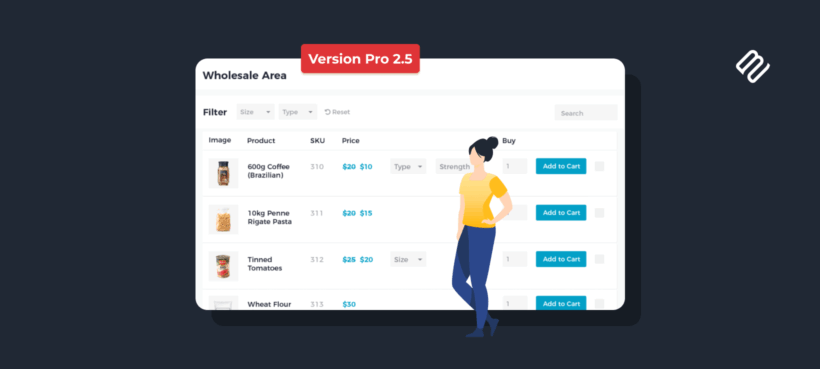
With version 2.5 of WooCommerce Wholesale Pro, you can now build a real B2B registration form (file uploads, conditional fields and more) without bolting on a separate forms plugin.
If you run a wholesale store on WooCommerce, the registration page is where most of the friction sits. You want enough information to vet a new B2B customer while keeping the process straightforward for them.
That usually means a company name, VAT number, proof of tax status and credit terms. Every extra field is another thing for the applicant to fill in, and another thing for your team to chase if it's missing.
Until now, WooCommerce Wholesale Pro let you add up to 10 extra text fields to the registration form. That was enough for a basic application.
Anything more complex meant reaching for an external form plugin. You might use it for a file upload, a dropdown of business types, or fields that only appear when the applicant ticks a box.
That approach works, but it splits your wholesale setup across two plugins. With version 2.5, all of it comes back into Wholesale Pro itself.
Here's what's new in this release:
- Seven field types in the registration form builder, including file upload, dropdown, radio buttons, checkbox and section heading.
- A conditional-logic engine that shows or hides fields based on the applicant's answers to other questions.
- Field mapping that saves registration data straight into the matching WooCommerce user profile and billing fields.
Keep reading to learn more about these new features. I'll also provide worked examples of B2B applications you can now build inside Wholesale Pro, from tax-exempt buyers to credit-account requests.
The limits of the old registration form
The previous version of the wholesale registration form was deliberately simple. You picked which of the standard fields to show, such as email or billing address, and then added up to 10 custom text fields underneath for anything else you wanted to collect.
That covered most of what a small wholesale store needs. However, it wasn't sufficient for three common situations:
- You needed a file upload, for example a VAT certificate or a copy of a reseller permit.
- You wanted the form to react to the applicant's answers, so an "Are you tax-exempt?" question only revealed the tax-ID field if they said yes.
- Or maybe you wanted the data the applicant typed to be saved against the real WooCommerce user profile, so their name appeared as their account name.
Our previous advice was to use a forms plugin like Gravity Forms with its User Registration add-on, or Profile Builder. That worked. However, the downside was that you ended up managing your wholesale registration in one tool and the rest of your wholesale settings in another. With version 2.5 you can do everything directly from inside Wholesale Pro.
New wholesale registration form field types
The form builder in Wholesale Pro 2.5 now supports a range of new field types. You can mix and match as many as you need, drag them into the order you want, and mark any of them as required:
- Single-line textThe standard short-answer field, useful for company name, VAT number, trading name, business website and industry.
- EmailValidates the entry as a real email address. Handy when you want a separate contact email for accounts payable that's different from the main login email.
- Radio buttonsOne-choice-from-many. The classic use is a business-type question (Sole Trader, Partnership, Limited Company or Other) or any straight Yes/No answer.
- CheckboxSingle toggles for things the applicant has to agree to or opt into, such as terms and conditions, marketing consent or "shipping address same as billing".
- DropdownLets the applicant pick from a list, which keeps the form short when the choices are long. Years trading, number of employees, or which warehouse to ship from are all good fits.
- File uploadAccepts one or more files in a single field. An applicant can attach a VAT certificate, a copy of their business license and a tax-exemption letter all at once.
- Section headingA label that visually groups related fields under a clear title, for example 'Business Information', 'Billing Address' or 'Primary Contact'. The registration form just reads more naturally when it's divided into sections.
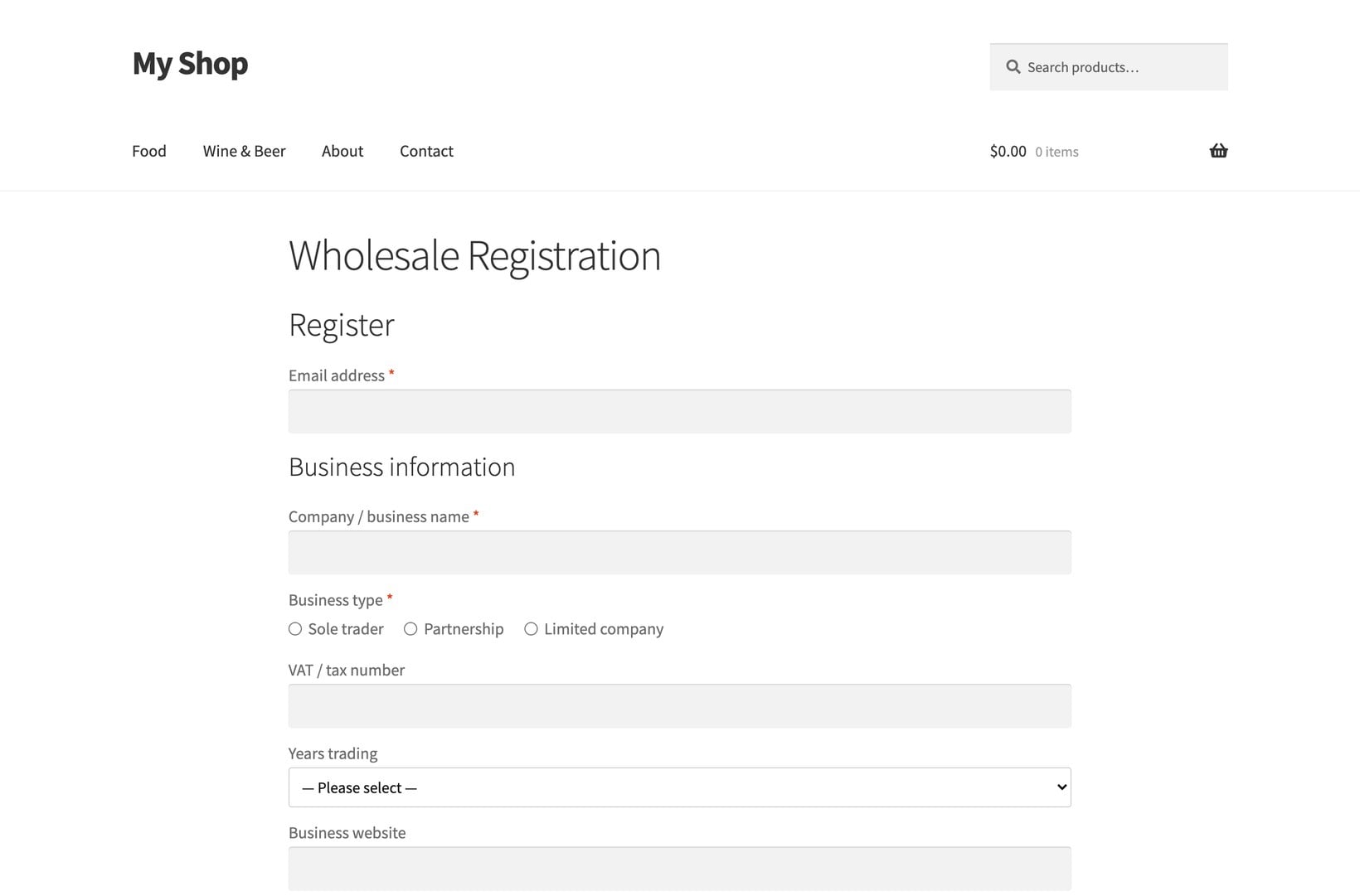
Each field has its own settings for the label, the help text shown underneath, whether it's required, and which user role the applicant is being registered against.
Conditional logic to show fields only when they're relevant
Conditional logic was the main thing missing from the original wholesale registration form. A long, intimidating registration form is one of the most reliable ways to lose a B2B sign-up. The easiest way to shorten it is to only show each field to the applicants who really need to fill it in.
Version 2.5 adds a conditional-logic engine to the form builder. For any field, you can set one or more rules that decide whether it appears, based on what the applicant has entered or selected in another field. A few examples of what you can build with this:
- A 'Shipping address same as billing' checkbox that hides the entire shipping address section when ticked.
- An 'Are you applying for credit terms?' Yes/No question that only reveals the credit-references and accounts-payable contact fields if the answer is Yes.
- A 'Country' dropdown that only shows the VAT Number field for EU applicants and the EIN field for US applicants.
- A 'Business Type' radio that asks for a company registration number when the applicant picks Limited Company, but skips it for Sole Trader.
The benefit for the applicant is a form that looks short and only asks for the information that applies to them. The benefit for you as the merchant is cleaner data, with no half-filled fields that didn't apply.
For wider use of the same idea on the checkout side, see our guide to conditional checkout fields.
Map registration fields directly to the WooCommerce user profile
The third major addition is field mapping. Every field on the wholesale registration form can now be mapped to a corresponding field on the WooCommerce user profile, using the same standard fields that WooCommerce uses for billing, shipping and account information.
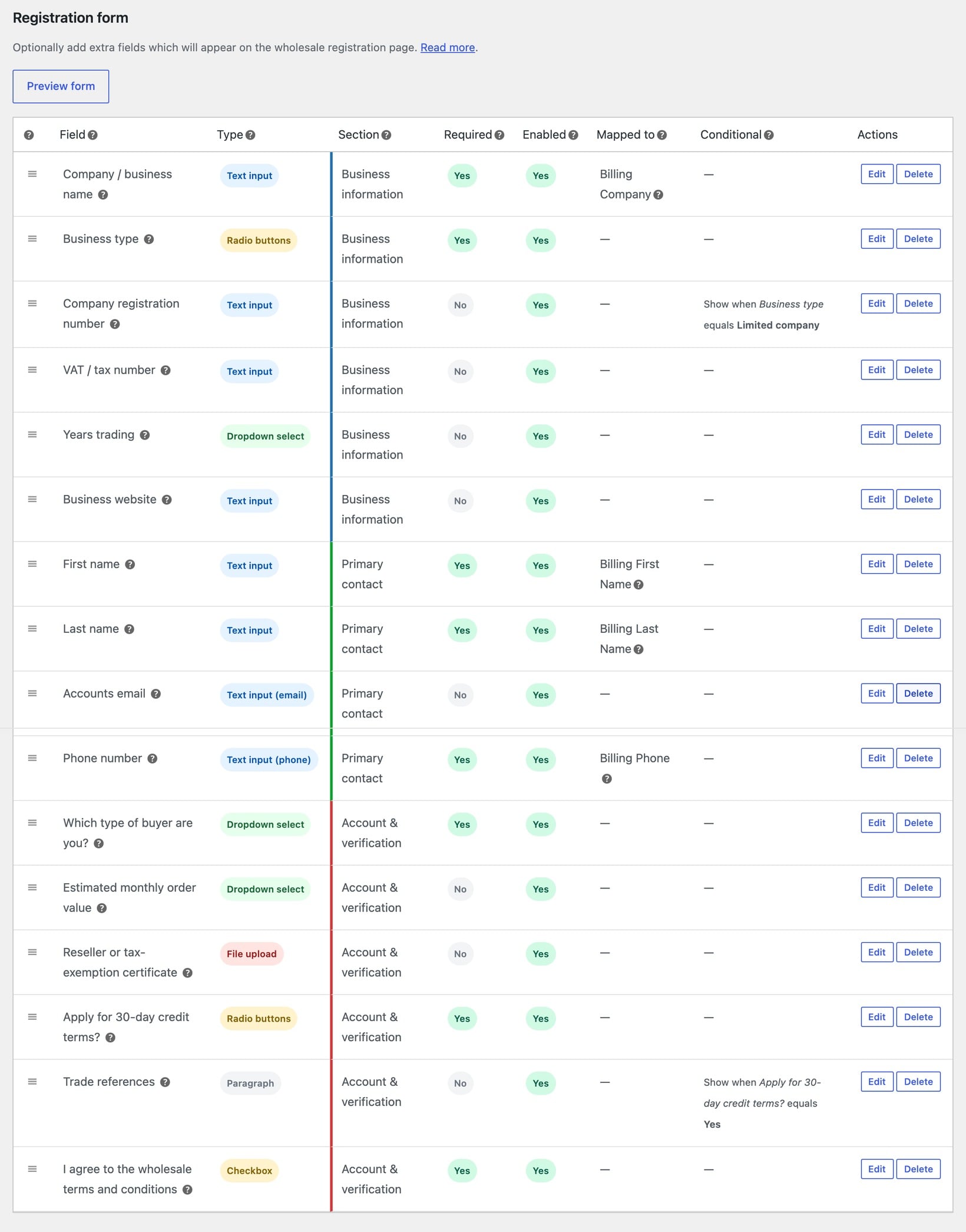
This sounds like a small technical change, but it solves a long-standing annoyance with custom registration data. Previously, anything you collected through the custom fields was stored as separate registration meta. The applicant's name was on the registration form, but their WordPress display name and the billing 'First name' and 'Last name' on their order screen stayed blank until someone manually copied them across.
With version 2.5 you can map:
- First name and last name to the real user name fields, so the applicant's account uses their real name straight away.
- Company name to the WooCommerce billing company field, so it appears on every order they place.
- Billing address line 1, city, postcode and country to the billing address fields on the user's account.
- Shipping address fields to the shipping address fields, so the wholesale customer's first order ships to the address they signed up with, with no second data-entry step.
- Phone number to the billing phone, so your team has it on every order without needing to look it up in a separate registration record.
Any unmapped fields still save as registration meta. You don't lose anything by mapping the fields you care about and leaving the rest alone.
Types of wholesale registration forms you can now build

Here are some of the B2B applications that were difficult or impossible with the old text-only form. All of them can now be built inside Wholesale Pro:
- A tax-exempt buyer applicationSingle-line fields for the business name and tax ID, a file upload for the signed tax-exemption certificate, and a checkbox confirming the certificate is current. Conditional logic only shows the tax-ID field when the applicant ticks 'Yes, we hold a current exemption certificate'.
- A VAT-registered EU wholesale applicationA country dropdown, a VAT number field and a file upload for a copy of the VAT registration certificate. The VAT number field only appears when the applicant picks an EU country.
- A reseller permit applicationA radio asking which state the applicant resells in, a file upload for the reseller permit, and an expiry-date text field. The expiry date is required so you can chase the customer for an updated permit before it lapses.
- A credit-account applicationA Yes/No radio asking 'Do you want to apply for 30-day credit terms?'. If Yes, the form reveals fields for trade references, an accounts-payable contact, and an upload slot for the applicant's most recent company accounts.
- A trade-show lead captureA short form with the company name, contact name, business type dropdown, and a checkbox for 'I'd like a follow-up call within 24 hours'. The follow-up checkbox controls whether a phone-number field appears underneath.
- A multi-role wholesale storeA dropdown letting the applicant pick which kind of buyer they are (Distributor, Retailer, Educational or Government). Different file-upload requirements appear for each, and the applicant is registered against the matching wholesale role with the right pricing tier.
For more context on how registration fits with the rest of the wholesale workflow, see our guide to enabling and approving user registrations and the pillar guide to custom WooCommerce registration form fields.
Getting started with WooCommerce Wholesale Pro 2.5
If you're already running Wholesale Pro, version 2.5 installs as a standard plugin update from your WordPress dashboard. After the update, you'll see a notice with a button to activate the new registration form.
Clicking it migrates your existing fields into the new form builder. From there you can add new field types, drag fields into a different order, and layer on conditional logic and field mapping.
The old form keeps working until you activate the new one, so there's no rush and nothing to rebuild from scratch.
If you're building a new wholesale store, start by installing the plugin and setting up your wholesale roles and pricing. Then design the wholesale registration form around the information you really need to approve a B2B customer.
Keep the form as short as you can on the surface, and use conditional logic to reveal the deeper fields only when they apply. Map every field you can to the matching WooCommerce profile field so your team isn't doing data re-entry later.
WooCommerce Wholesale Pro gives you role-based pricing, a custom registration form, the wholesale order form, login redirects and email notifications in one plugin. With version 2.5, the wholesale registration form can now do the job a separate forms plugin used to do.