The 8 best product popup plugins for WooCommerce

Looking for the best WooCommerce product popup plugins to offer customers more information about your products? I've compared the 8 best options below, with the pros and cons of each.
A WooCommerce product lightbox provides a quick way for customers to learn more about any product in your store. You can use it to display extra product information. And it also allows you to display product options or the "Add to Cart" button on the general shop page.
By doing this, shoppers can select multiple product options and send products to their cart without having to visit individual product pages or the shopping cart. This improves store navigation and the overall shopping experience.
You can also use product popups to showcase related products after a customer adds a specific product to their popup cart. This applies to upsell and cross-sell products as well.
Irrespective of the type of product popup you're looking to add to your store, you can learn how to do so using any of the 8 best product popup plugins in this article. I'll also share top tips on how to use product popups to increase your conversion rates and average order value.
If you just want the quick answer, here are my top picks for each type of product popup:
- Best overallQuick View Pro lets customers view and buy products from an on-page popup.
- Best for related productsFast Cart shows a cart and upsells after Add to Cart.
- Best for popup messagesWooCommerce Popups turns default store notices into popups.
- Best for general popupsCommerceGurus Popups builds marketing popups designed for WooCommerce.
- Best for product optionsProduct Options adds variations and add-ons inside the popup.
- Best for newsletter signupsMailOptin captures email subscribers in a popup.
- Best for FOMO popupsNotificationX shows recent-sales social proof.
- Best for discount popupsAhoy displays targeted discounts and upsells.
What is a WooCommerce product popup (and why do you need one)?
When talking about WooCommerce product popups, different WordPress users and store owners often mean different things. For example, some marketers refer to a newsletter popup with information about different products.
Just to be clear, in the context of this article, a WooCommerce product popup can be any of 4 items.
Quick view information popup
When scrolling through a shop page or category page, customers often want to learn more about certain products before making a purchase decision. By adding a quick view information popup to your site, they can easily view product info for multiple products and choose from different buying options on the same page.
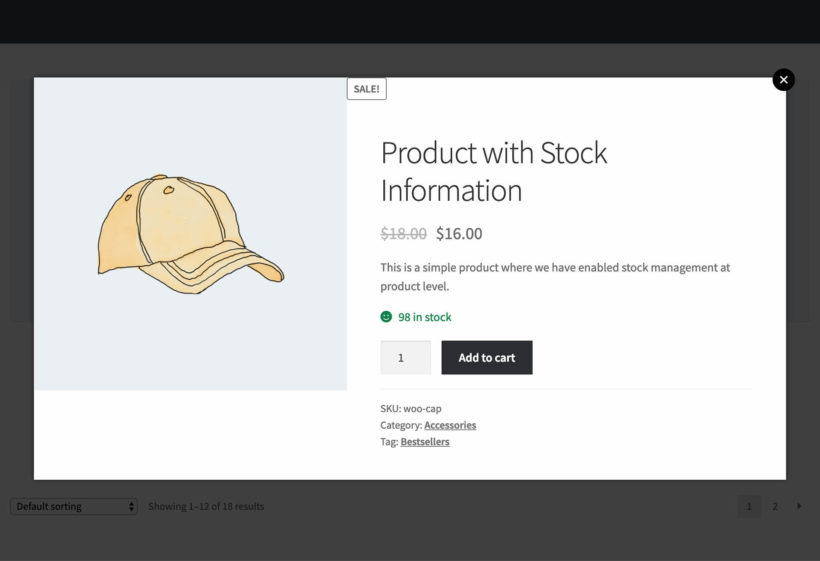
Allowing them to do this without going to individual product pages boosts your store navigation experience. This means buyers will be able to add more products to their shopping cart more quickly. Store visitors can launch this type of quick view information popup using a button or link.
And it's not restricted to shop pages or category pages with product listings only. You can also add a quick view popup within a blog post or in the sidebar. In essence, this type of WooCommerce product popup is a way of displaying the product page within a lightbox or modal popup.
Skip to the section on how to add a WooCommerce product popup to create this type of popup.
Related products popup
This type of WooCommerce product popup allows you to display related products after a buyer adds an item to the cart. In this case, clicking the Add to cart button launches a fast cart upsell popup.
Customers will be able to complete checkout within this popup. And you can also use it to recommend related products to boost your average order value and conversion.
Skip to the section on how to create a related products popup to add this type of popup to your store.
Product options popup
Certain products come with extra options that a customer can select from. For example, they can choose the device color, RAM size, and storage size in an electronic store.
A product options popup allows the buyer to quickly combine multiple customization options and tweak their order before adding the product to their cart. This popup type works well with product variations.
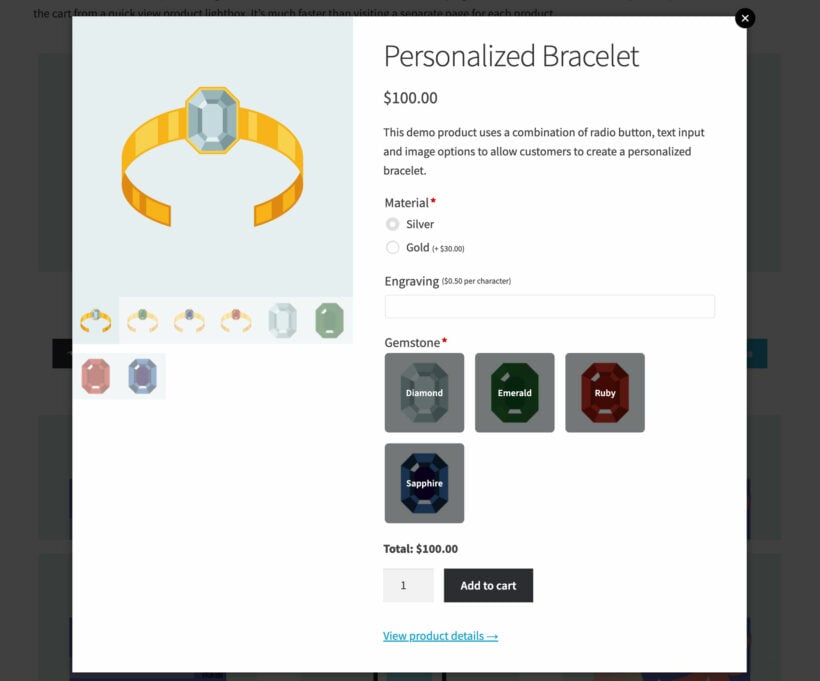
To create this type of popup, jump to instructions on how to add product options popups in WooCommerce.
Newsletter signup popup
Looking to turn your one-time store visitors to repeat customers? A newsletter signup popup is an ideal solution here. You can use this type of WooCommerce product popup to convince your store visitors to subscribe to your mailing list.
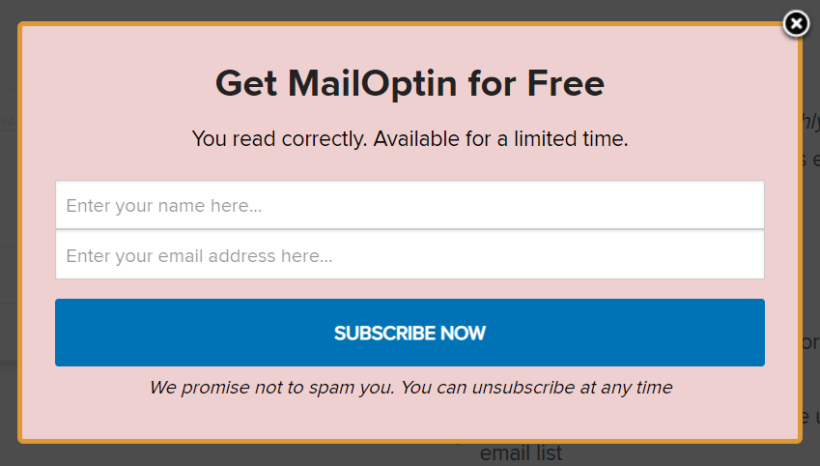
After signing up, you can then send these subscribers all the latest news about your products and best offers. Done right, this could prove helpful in gaining both new and returning customers.
If you'd like to add this type of popup to your store, I highly recommend using MailOptin. It's a powerful WordPress lead generation plugin for sending automated emails to your newsletter subscribers. I'll talk more about this later in the article.
8 best WooCommerce product popup plugins
These plugins do different jobs, so I've picked the best one for each popup type rather than ranking them head to head.
How we evaluated these plugins
For each plugin, I looked at the popup types it covers, how easy it is to set up and its WooCommerce compatibility. I also weighed up its price, its reviews and how actively it's maintained.
1. WooCommerce Quick View Pro
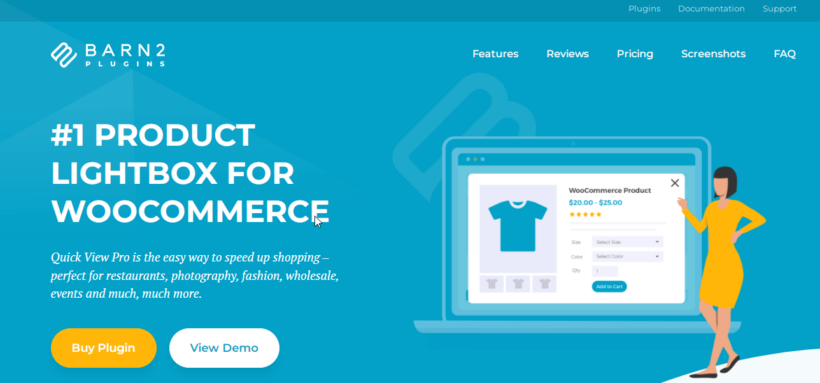
Quick View Pro is our own product popup plugin, built to display product information in a quick view lightbox. You can use it to add a WooCommerce product popup to different locations on your site.
We first built Quick View Pro for Product Table users who wanted a quick view button in their tables, since no existing quick view plugin worked with it. We also added things most quick view popups skip, like text-only or image-only layouts and showing the product's full description in the popup.
Its standout features include:
- Complete popup controlYou get to choose the products or product categories to display the popup, button design, link and hover effects. You can also add the popup anywhere on your site using a shortcode.
- Image gallery lightboxThis is ideal for showcasing multiple images of products and product variations. Quick View Pro also includes a zoom feature for examining products in finer detail.
- Plugin integrationIt also combines with other tools, including our own WooCommerce Product Table. You can browse products in a sortable table and open each one in a popup.
Pros: Works with all product types, speeds up the order process and is very easy to use. You can add popups anywhere on your site with a shortcode, show an image gallery lightbox with zoom, and open products straight from a sortable table.
Cons: It's a premium plugin with no free version, and to show products in a sortable table you'll need to pair it with our separate WooCommerce Product Table plugin. If your theme already has its own quick view, you'll need to turn that off first or the two can fight over the same click. And product pages designed in a builder like Divi or Avada show the standard product layout in the popup rather than your exact builder design.
Setting it up takes a few minutes. After installing the plugin, you enable quick view on your shop and category pages from WooCommerce → Settings → Products → Quick view, then choose which product details to show in the popup. For the full walkthrough, including product tables and Gutenberg blocks, see my guide to WooCommerce quick view plugins and setup.
2. WooCommerce Fast Cart
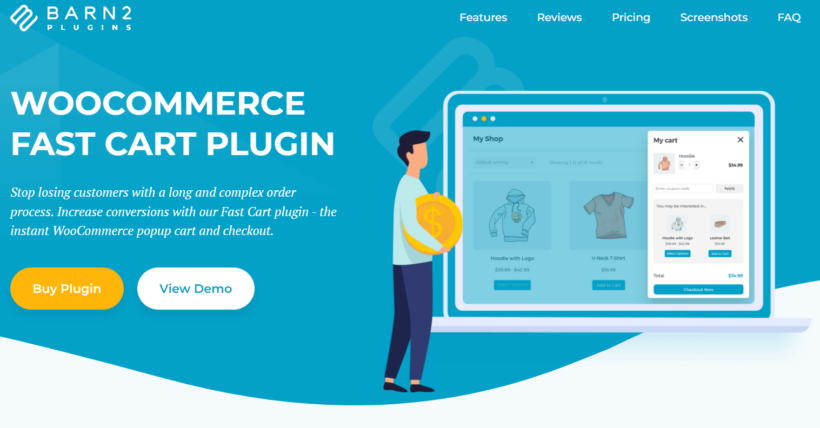
Another interesting way to use WooCommerce product popups is to display shopping carts within them. After clicking Add to Cart, a fast cart popup appears and customers can complete checkout without going to another page. It makes sense to also showcase related products in this popup.
Our own WooCommerce Fast Cart is the best cart popup plugin for achieving this. As well as displaying upsell products, it speeds up checkout significantly.
Pros: Customers can complete checkout inside the popup and see upsell products there, which speeds up checkout and lifts average order value.
Cons: It's a premium plugin, and it's a cart popup rather than a product-information popup, so for quick view product details you'd pair it with Quick View Pro above. There's no built-in free-shipping progress bar, so a 'spend a bit more for free shipping' nudge inside the popup needs a separate plugin and a small snippet.
Follow this tutorial to learn how to create a related products popup with Fast Cart.
3. WooCommerce Popups: Cart, Add to Cart, Checkout Notices to Popups
Sometimes the smallest changes make the biggest difference in user experience. With the Popup Notices for WooCommerce plugin, you can replace the default WooCommerce messages with clean, modern popups that feel more intuitive and engaging.
Instead of showing notices in the usual static banners, this plugin displays them in real-time popups, like when a product is added to the cart or a coupon is applied. It's quick, clear, and helps customers stay focused on what they’re doing without missing important updates.
You can customize how and where the messages appear, whether it’s the bottom corner, center screen, or somewhere else that fits your store’s style. It’s a simple upgrade that adds polish to your store and makes every interaction feel smoother.
Pros: Replaces default WooCommerce notices with clean, modern popups, and lets you control where and when each message appears.
Cons: It's a premium WPFactory plugin focused on turning WooCommerce notices into popups, so it isn't a quick view or product-information popup tool.
4. CommerceGurus Popups

Created by CommerceGurus, makers of the Shoptimizer WooCommerce theme, CommerceGurus Popups is a popups solution built specifically for WooCommerce stores. You can create multiple personalized popups for different groups of customers to reduce cart abandonment, capture more emails and lift average order value.
It's built with native HTML and vanilla JS with zero third-party requests, so the output stays lightweight and fast. You can trigger popups on load, scroll, click, exit intent or dwell intent, and target customers by behavior such as whether they're existing customers and their cart value.
Pros: Lightweight with no third-party requests, with several display triggers including on load, scroll, click, exit intent and dwell intent, plus targeting by customer type and cart value.
Cons: It's a premium marketing-popup tool for email capture and promotions, so it won't show product details or quick view popups.
5. WooCommerce Product Options
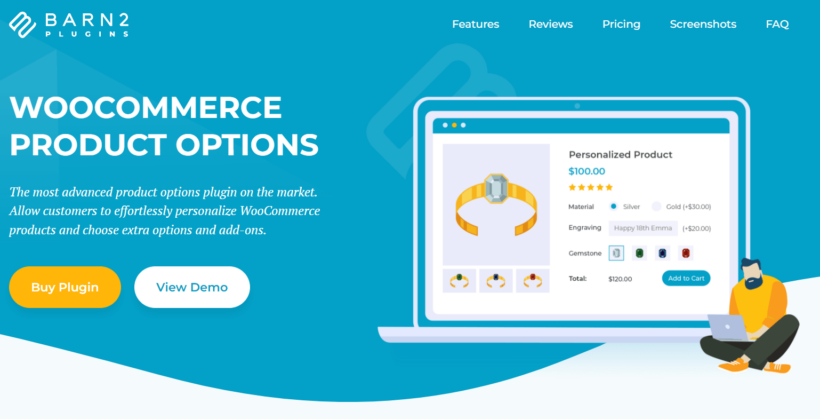
It also makes sense to allow store visitors to select product variations and extra options within a WooCommerce product popup. For all variable products, WooCommerce Quick View Pro automatically displays product variations with the popup. This requires no extra settings.
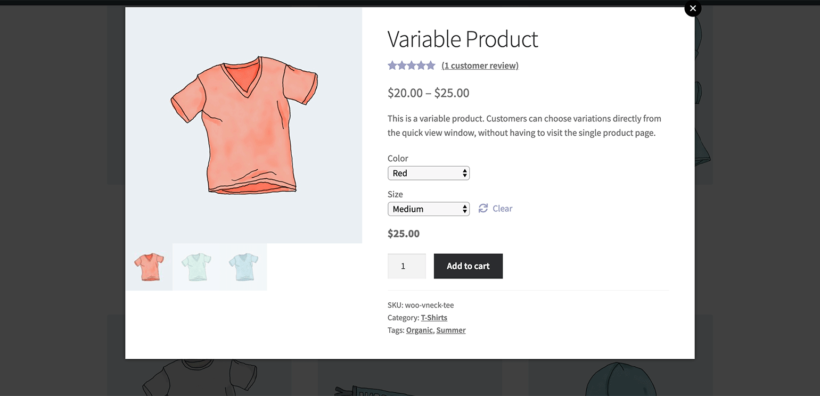
But for more flexibility, you can add other types of product options to the WooCommerce product popup using our WooCommerce Product Options plugin. This lets shoppers further customize products before adding them to the cart.
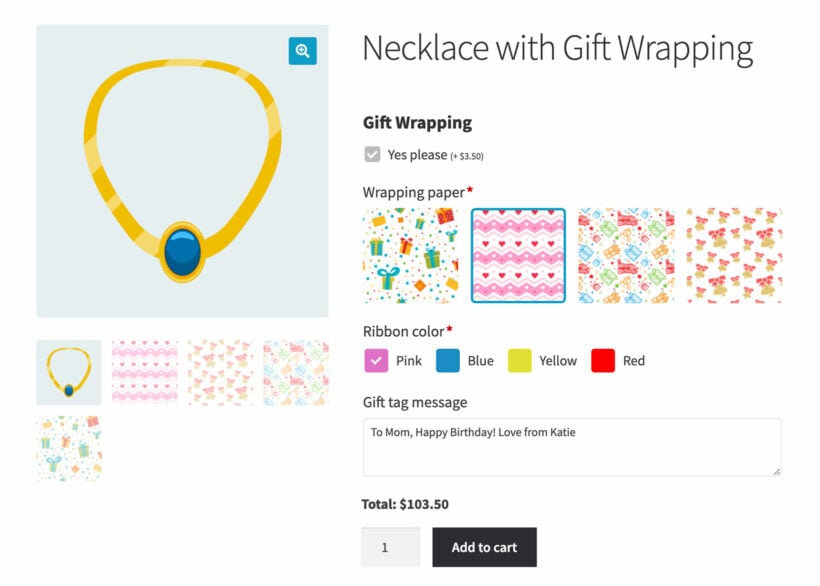
Check out this article on how to add multiple extra product options in WooCommerce. Once you're done, install WooCommerce Quick View Pro (#1 in this article) and the extra options will appear in the product popup.
Pros: Adds variations and extra options like image swatches, text fields and conditional logic, which appear inside the popup once you pair it with Quick View Pro.
Cons: It's a premium plugin, and it adds the options rather than the popup itself, so you'll need Quick View Pro to display them in a popup.
6. MailOptin
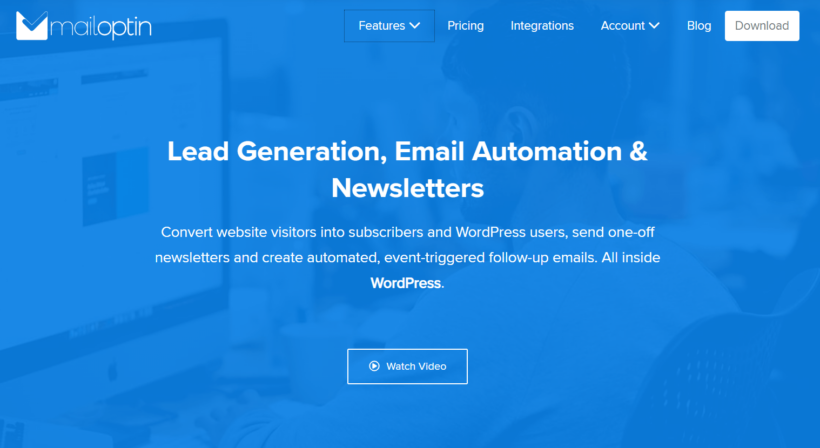
Newsletters are a great tool for turning your store's one-time visitors into subscribers, and ultimately repeat customers. With the help of MailOptin, you can keep your prospective buyers updated about your latest products and discount offers.
The plugin works well for all WooCommerce stores. You can add new WooCommerce customers to your Mailchimp email list, so they get the latest news about updates to the products they purchased and other interesting store deals.
You can also create advanced rules to send other types of event-triggered follow-up emails.
It also integrates well with several other third-party email marketing providers like AWeber, Campaign Monitor, and Hubspot. You can display your newsletter popups in a lightbox popup, notification bar, sidebar widget, and other strategic site locations.
Pros: Captures newsletter signups in lightbox popups, notification bars and sidebar widgets. It also connects to Mailchimp, AWeber, Campaign Monitor and HubSpot.
Cons: It's a lead-generation and newsletter tool, not a product-information popup, and the most useful features are in the paid version.
7. NotificationX
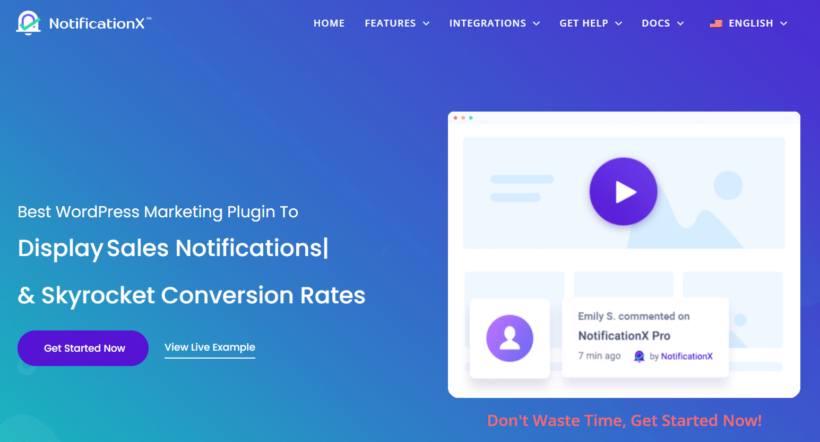
One sales strategy that has become increasingly popular in ecommerce stores is social proof marketing. Store owners add sales notification popups to product pages to achieve the Fear Of Missing Out (FOMO) effect on their store visitors.
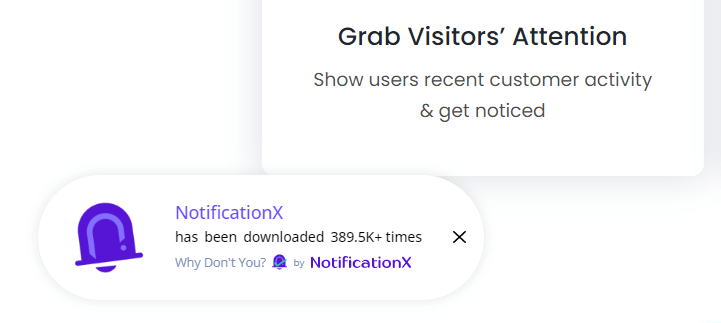
This type of popup displays the number of people who recently bought the product which the customer is currently viewing. It typically includes text like "James just bought Ninja T-Shirt - 1 hour ago."
You can also indicate the number of people presently viewing that particular product. Doing this can get a prospective customer to make a purchase decision faster, especially for products in limited stock.
Pros: Adds social-proof and FOMO sales notifications that can nudge shoppers toward a faster purchase decision.
Cons: It shows social-proof and FOMO notifications rather than product details, and the free version is limited, so most stores will want the paid plan.
8. Ahoy
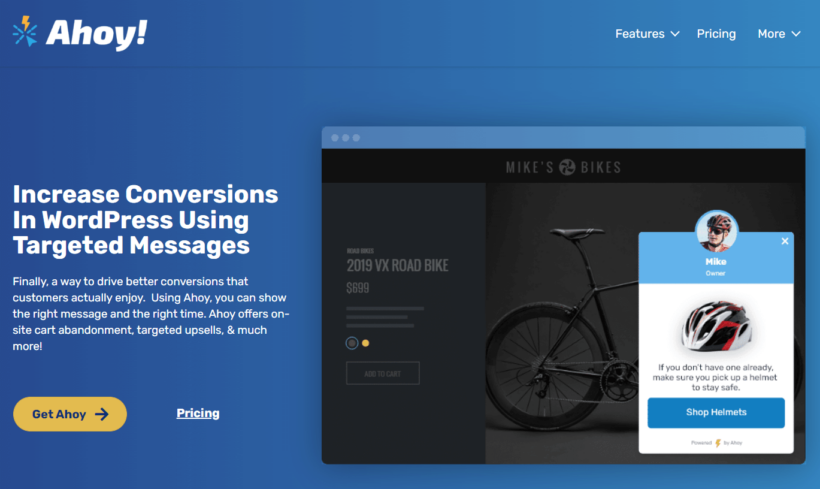
Looking to boost your store's conversion and reduce cart abandonment significantly? Then product discounts and well-targeted messages may be your best bet! Ahoy helps you to add personalized discounts, upsells, and cross-sells to specific WooCommerce products.
You can use the plugin to target different customers based on cart total, user roles, product category, and product page content. It also integrates well with digital products like Gravity, Ninja Forms, Easy Digital Downloads, and other tools based on WooCommerce.
Pros: Targets discounts, upsells and cross-sells by cart total, user role and product category, and integrates with tools like Gravity Forms, Ninja Forms and Easy Digital Downloads.
Cons: It's a premium tool aimed at discounts and targeted messages, so it isn't the right choice if you specifically want a quick view product popup.
Which is the best WooCommerce product popup plugin?
There's no single best product popup plugin. The right choice comes down to the kind of popup you want to add to your store.
Quick View Pro is the best fit if you want shoppers to view full product details and buy from an on-page popup. You can also pair it with WooCommerce Product Table to open any product straight from a sortable table.
For showing a cart with upsells after Add to Cart, go with Fast Cart. Pair Product Options with Quick View Pro when you need selectable variations and add-ons inside the popup.
To turn default store notices into tidy popups, choose WooCommerce Popups, while CommerceGurus Popups suits broader marketing popups. MailOptin is the pick for newsletter signups, NotificationX for FOMO social proof, and Ahoy for targeted discount popups.
Got a question about adding a product popup, or stuck on the setup? Let me know in the comments below and I'll help you out.