The founder story behind WooCommerce Product Options


We recommended somebody else's product add-ons plugin for years before we built WooCommerce Product Options. I'll tell you what happened in between and what I'd do differently.
Barn2 started in 2009 as a web design studio in a converted barn in South West England, building WordPress websites and WooCommerce stores for clients. We transitioned into a plugin company in 2016. By 2022 we'd spent years watching store owners try to add options to their products, so we knew where they got stuck. And WooCommerce Product Options was the result.
As CEO and product manager for WooCommerce Product Options, I wrote the specification myself, right down to the capitalization of the setting labels. Keep reading to learn why we stopped recommending the official add-ons plugin, how that specification came together, the mistake we made at launch, and the feature I'm proudest of.
Why we stopped recommending the official product add-ons plugin
Our WooCommerce Product Table plugin has a buy column that shows variations, quantity pickers and add to cart buttons. Customers kept asking whether their product options could appear there too. So we built an official integration with the WooCommerce Product Add-Ons plugin, and we got to know that plugin extremely well.
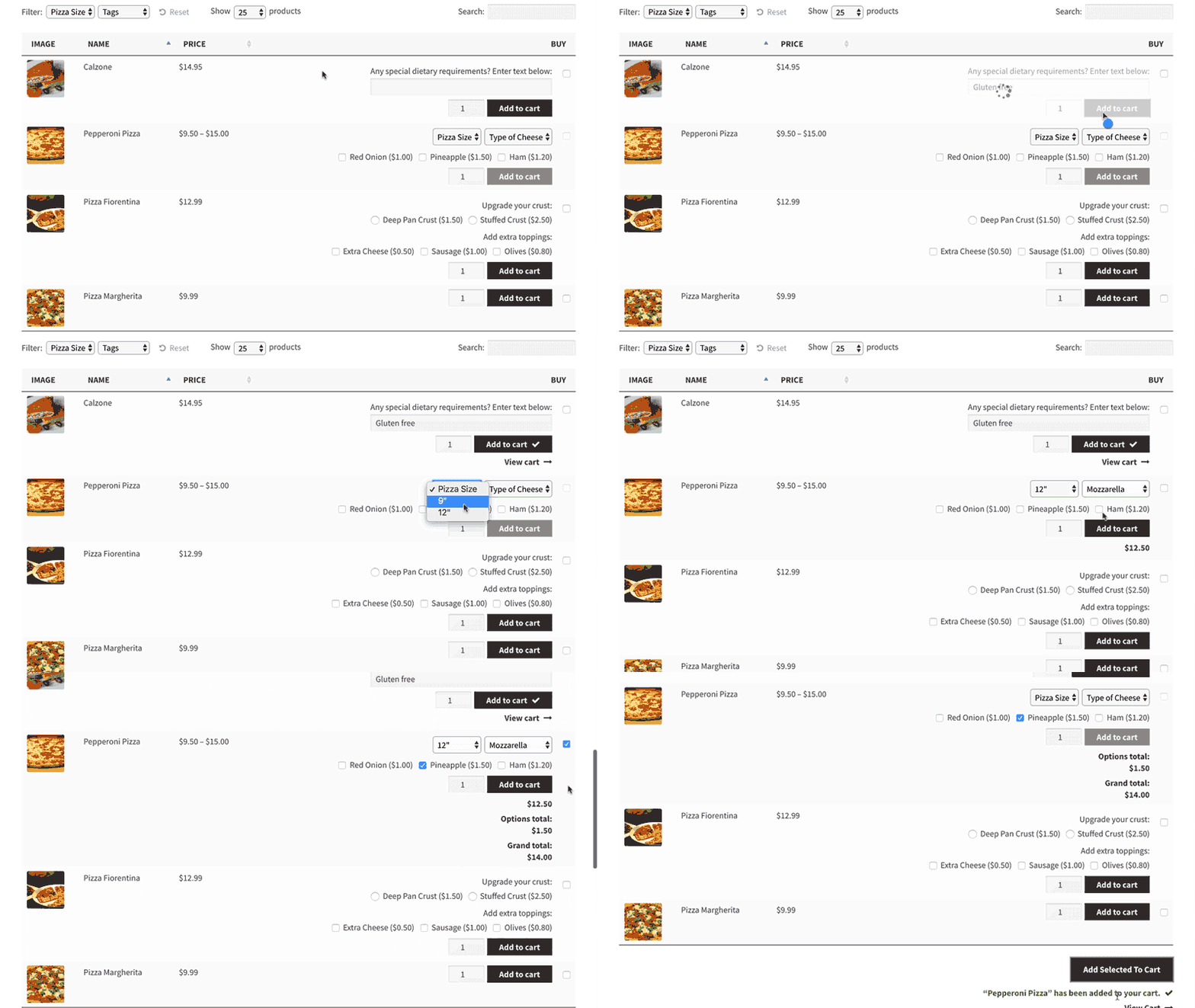
It wasn't good enough. The add-on plugin's interface was hard to use in the back end, and its features were basic. Our customers kept asking us for things it simply didn't do like clickable image choices, conditional logic, advanced pricing, minimum/maximum quantities, and more than one way to display a long list of options.
Every product add-ons plugin needed its own integration with Product Table, and we could only realistically build and support one. That left customers choosing between the table layout they wanted and the options plugin they wanted.
Because the official plugin's updates arrived without warning, we had to pull developers onto an emergency fix each time one broke the integration. It simply wasn't good enough, either for us or our customers. The number of support requests about this was simply ridiculous.
Why we built our own WooCommerce Product Options plugin
I decided to build our own Barn2 product add-ons plugin for two reasons:
- We wanted to control the roadmap ourselves: When our customers asked for a feature, we wanted to build it rather than request it from another company. In particular, we wanted to fill the massive gaps in the feature set of the official plugin.
- We also wanted to guarantee compatibility with Product Table, which is very difficult when we can only control half of the integration.
So in early 2022, we got to work.
How the specification came together
I researched the market, talked to customers about their goals, and wrote a detailed requirements document covering every admin page and every front-end requirement. Our senior developer Domenico wrote the original code. I tested each milestone against the brief as it arrived.
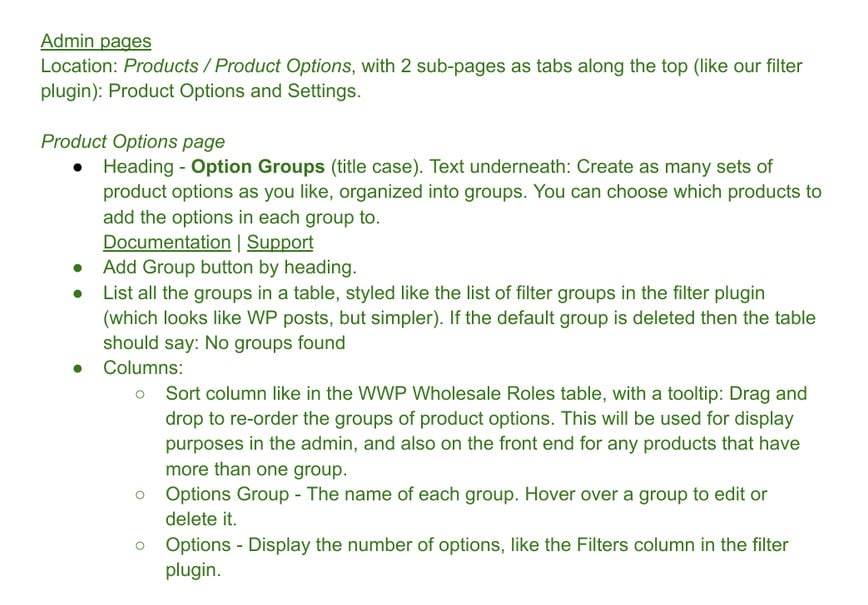
My developers learn quickly that if the capitalization and full stops in the plugin settings don't exactly match what I specified, I'll point it out and won't let them get away with it! Domenico had learned this the hard way years before building WooCommerce Product Options, which made the testing process much easier 😅
The options builder was the hardest thing to specify because there weren't any interfaces in WordPress or WooCommerce core that we could use for inspiration. As the owner of a plugin company, I firmly believe that the UI of our plugins should look like native WordPress and WooCommerce and should never look bolted on. When I'm planning a new plugin or feature, I always look to core for the page elements that we can base our own UI on. Unfortunately nothing suitable was available in this case. Instead, I based it on Advanced Custom Fields, which solves a similar problem: Building a set of fields, each with its own type and settings, without the screen becoming unreadable. That same approach later went into WooCommerce Discount Manager.

What took longer than we expected
Every plugin takes longer to develop than planned. I don't know if that's a limitation of me as project manager or an unavoidable part of software development!
This particular project had hundreds of combinations to test. In the admin settings it had to show and hide based on the option type selected. The minimum and maximum quantity feature make sense for some option types and not others, while others had their own version like character counts. We also worked through which pricing method pairs with which setting, one by one.
WooCommerce Product Options was officially launched in September 2022. Since we had a smaller team back then I did all the marketing myself, including the launch post and creating large numbers of blog posts to support the plugin.
If I could change one decision, it would be launching with more features. When launching a WordPress plugin, it's important to launch with the features that the majority of customers expect and not spend too long adding additional features. However, we might have gone too far in keeping version 1 minimal.
Too many early customers asked for a refund because specific features they needed weren't there yet. If we'd added more features before launch, then the early refund rate would have been lower. However, there were benefits to launching early. It gave us a chance to get real customer feedback and add the features that were the most important to them.
The 82 extra features our customers asked for
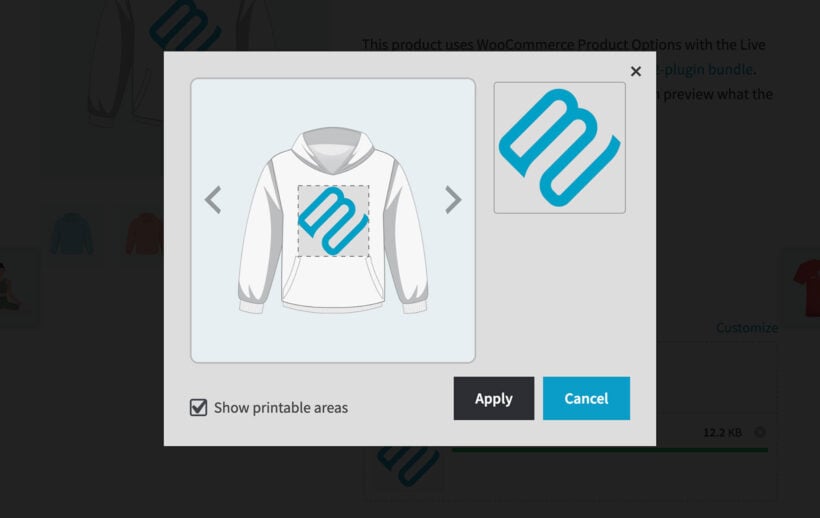
Since launch, we've added 82 features to WooCommerce Product Options, every one of them in response to a customer request. The most-wanted ones give a good picture of how people use their product add-ons:
- Live preview of text and uploaded imagesCustomers see their own wording or artwork on the product before they order, through the WooCommerce Live Preview add-on.
- A quantity for each choiceThe customer picks how many of each choice to add, which suits pick-and-mix boxes, sample packs and party kits.
- Options that depend on the chosen variationDifferent options appear for different variations of the same product.
- Formulas that read other fieldsA price worked out from measurements, quantity and the choices the customer has made.
- Editing options from the cartCustomers change a gift message or an add-on without starting the order again.
None of those were on my original specification, and yet they turned out to be important for customers. In particular it turned out to be quite incredible just how many people wanted the live preview feature. My YouTuber Sam and I do an "Ask Barn2 Anything" live stream every month and each time someone in the comment would request it. We initially held back because it was such a complex feature. However, our senior developer Luigi discovered a realistic way to approach the project and we're incredibly proud of our live preview add-on.
The price formula, and the bot that writes it
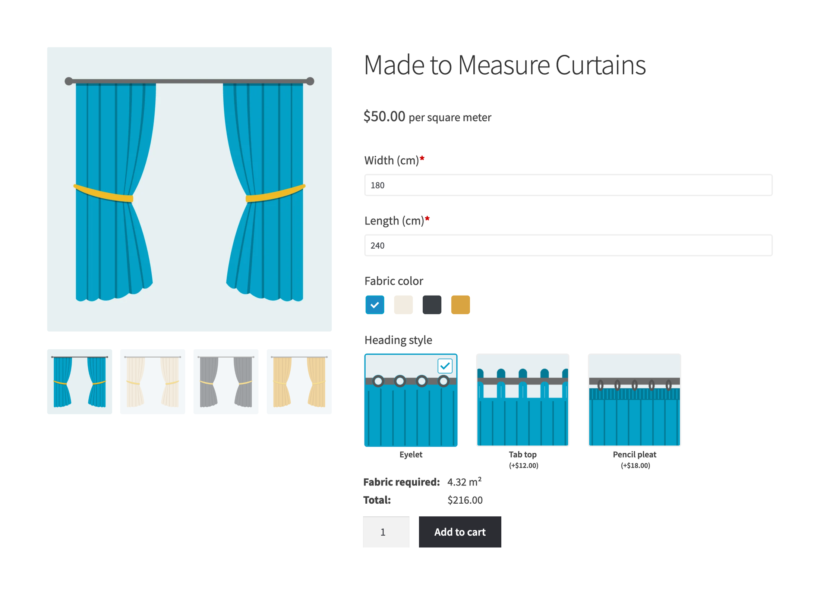
While the live preview is great, the feature I'm most proud of is our price formula: You build the pricing much as you'd build a formula in a spreadsheet. It supports every logical and mathematical operator you need, and custom variables let you break a long calculation into separate pieces instead of one unreadable line.
For example, Richard Fewings sells made-to-order replacement stove glass and prices it from the dimensions a customer types in. He rebuilt his company's whole Excel pricing model, materials, staff time, packaging, wastage and margin, as a formula on the product page.
Instead of just having this one hugely long formula, you can bust out sections of the formula into its own variable.
Richard FewingsReplacement-Glass.com
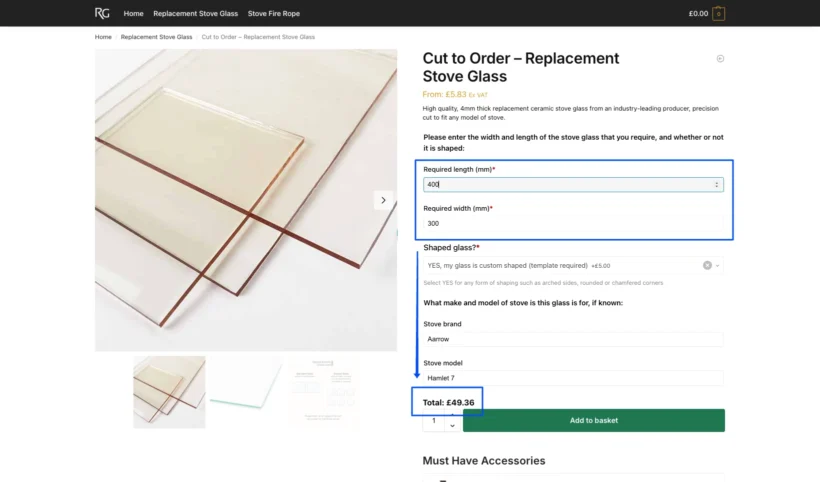
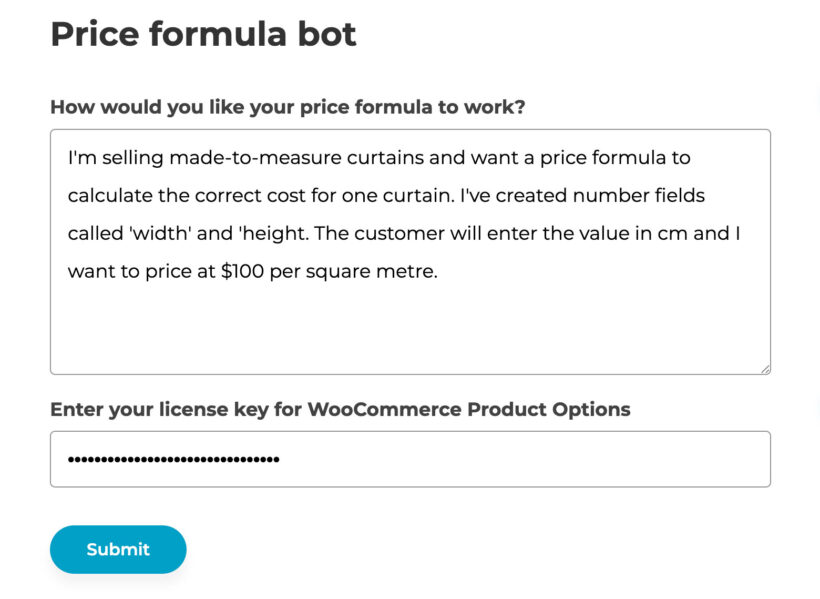
Formulas take more learning than anything else in the plugin. We built the price formula AI bot for exactly that reason. I'm against adding AI to a plugin for the sake of it. However, merchants want to charge by measurement, set a minimum charge, price by quantity and add fixed fees, and almost none of them want to become formula experts first. Describe the pricing you need in plain English, and the bot writes the formula for you to paste in.
Why I care about the customer experience
I firmly believe that an e commerce website should reflect the way a shopper's mind works. Shoppers should not have to adapt their process to the website - it should be the other way around. This was really important for the development of WooCommerce product options because of the way the options are presented.
WooCommerce's default is a text dropdown. A customer buying a rug picks "Crimson red" from a list of words, when what they want to do is look at the colors and click the one they want.
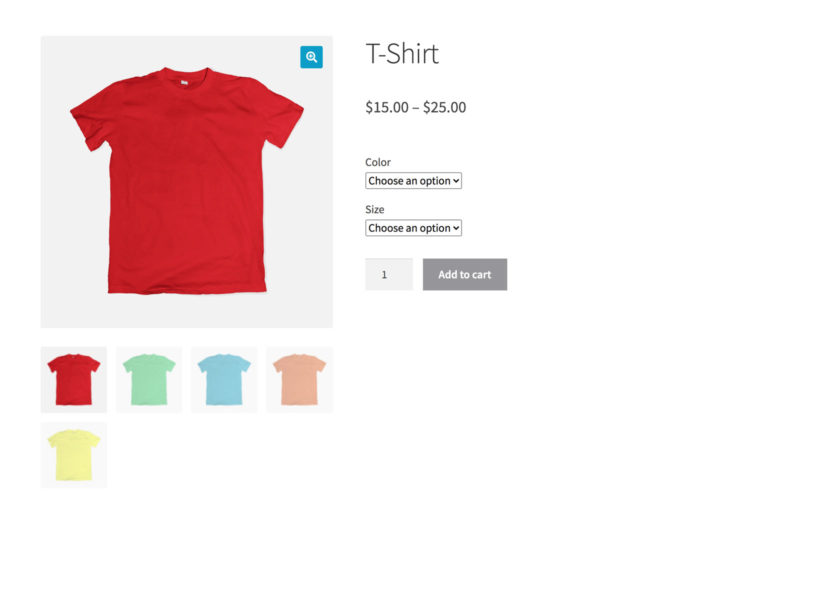
People think about color visually, so a swatch or a clickable image removes a step of mental work that nobody should have to do.
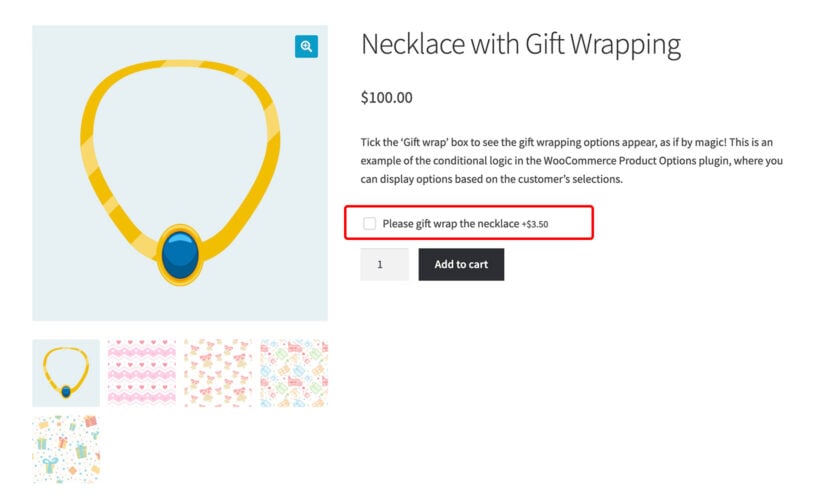
The same goes for hiding options until they're relevant. Conditional logic was in the specification from the start for that reason. For example, instead of cluttering up a product page with gift wrap options that most people don't want, you can use conditional logic to let customers tick a "Gift wrap" box which reveals hidden options.
Final thoughts
I think WooCommerce Product Options is now the most advanced product configurator plugin on the market. This month, it reached half a million dollars in lifetime sales which seems incredible when I think back to how it started.
We got there because customers kept telling us what was missing. The plugin originally shipped with a decent builder and a good set of field types, and we've continued expanding it since then. The formulas, the live preview and the per-choice quantities were all our customers' ideas and I'm glad we listened to them.
If you're selling customizable products and fighting your current setup, tell us what you want to do. That's how the last 82 features got built.