Best Iconic WP alternatives for WooCommerce stores


Looking for the best Iconic WP alternatives for WooCommerce? Here's how to replace each Iconic plugin with an alternative that does the same job.
If you're wondering "What happened to IconicWP?" then you're not alone.
The WooCommerce community recently learned that the IconicWP brand is no more. Their website has been taken offline, and their plugins have either been discontinued or merged into Kadence's Store Kit.
We worked closely with Iconic over the years and they have always been one of our favorite WooCommerce extension brands. We did a lot of work with them to integrate our plugins so that our customers could mix and match between the Iconic and Barn2 suites.
Now the Iconic brand no longer exists. We're hearing that some of their customers are looking for replacements. Below, I've gone through every Iconic plugin and suggested an Iconic alternative. Where Barn2 has a direct alternative, I've explained how it covers the same use case. Where we don't, I've recommended what I'd genuinely use instead.
Flux Checkout alternative
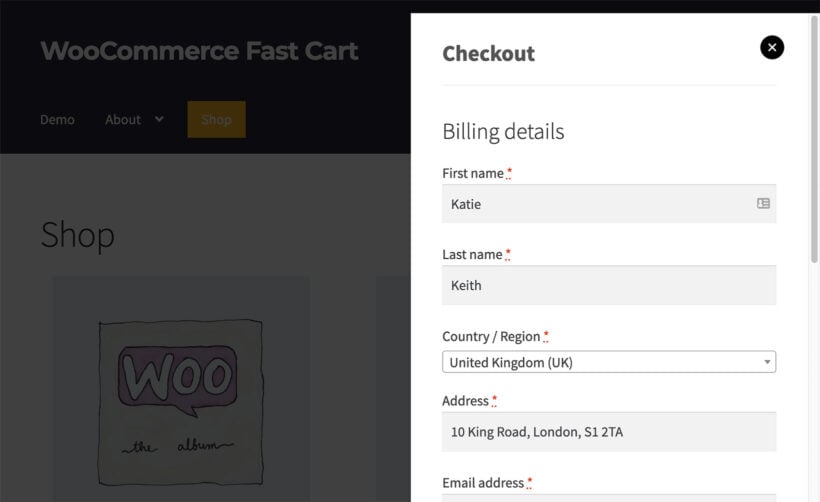
Flux Checkout replaced the standard WooCommerce checkout with a WooCommerce one page checkout or multi-step layout.
The closest Barn2 alternative is WooCommerce Fast Cart. It speeds up checkout by showing the cart and full checkout inside an on-page popup. Customers complete the entire purchase without navigating through separate pages. Like Flux Checkout, this significantly speeds up and improves usability of the WooCommerce checkouts. It can make a big difference to your conversion rate.
Show Single Variations alternative
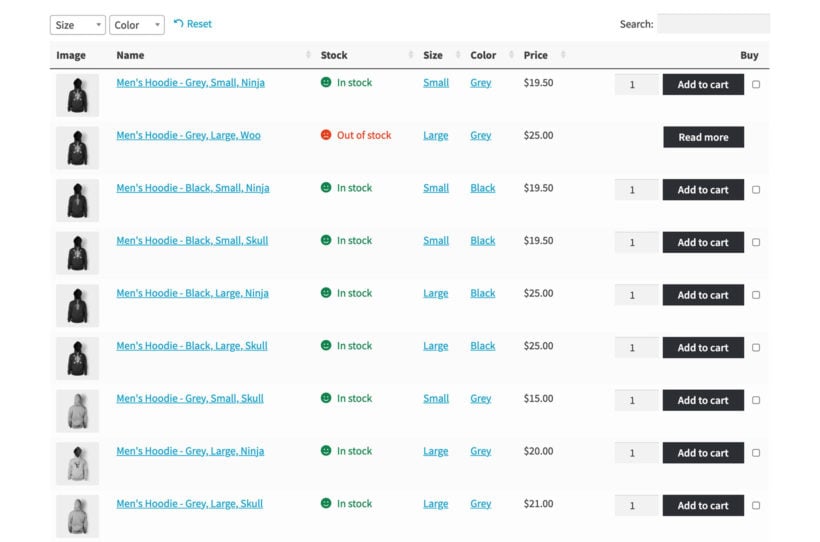
Show Single Variations displayed each WooCommerce variation as its own product on shop and category pages.
In the short term, our WooCommerce Product Table plugin does this. It has an option to list each variation on its own row of the table.
I'm also pleased to share that we're adding the exact same feature to our WooCommerce Product Filters plugin very soon. You'll be able to show variations as individual products on your existing shop and category pages, without changing the underlying layout.
WooCommerce Attribute Swatches alternative
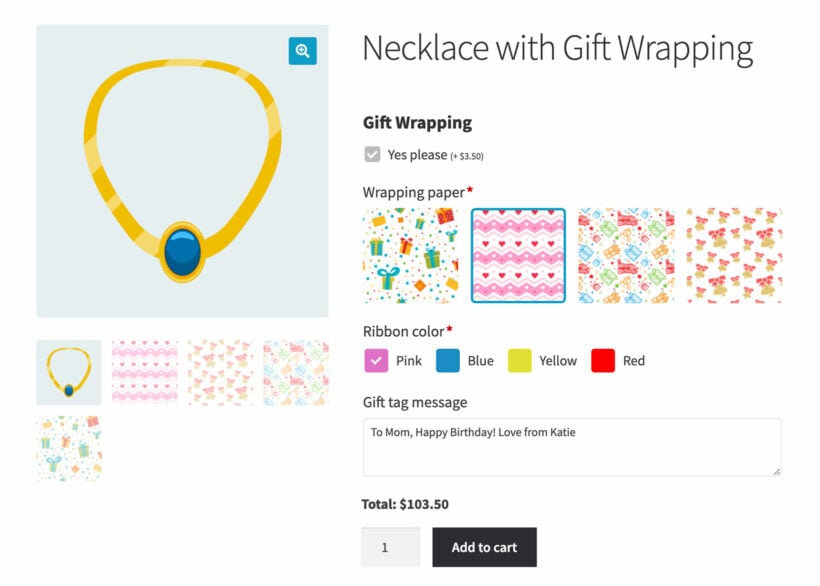
Iconic's Attribute Swatches plugin replaced variation dropdowns with color, image, and text swatches.
Our WooCommerce Product Options plugin does exactly the same thing. You can either create swatch options directly inside the plugin, or pull in your existing product attributes and variations. Either way, customers see clear color, image, or text swatches on the product page.
WooCommerce Product Configurator alternative
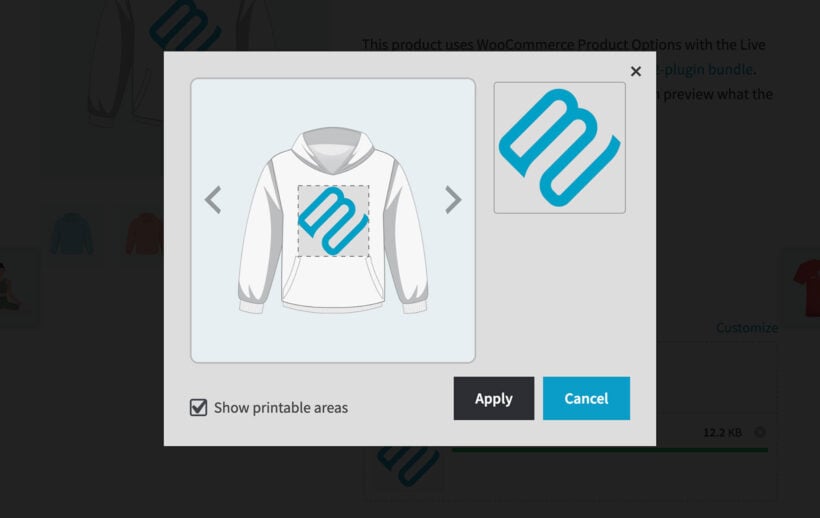
Product Configurator was Iconic's layered image product builder. Customers stepped through options and saw their choices stack visually on the product image.
For now, our WooCommerce Product Options plugin offers a Live Preview add-on. Customers can type their own text or upload an image, which then appears over the product image in real time.
I find this works really well for personalization, monograms, and uploaded photos. We're also actively working on full layered images, just like the ones in Iconic's Product Configurator. I'll share an update when that's released.
Iconic Sales Booster alternative
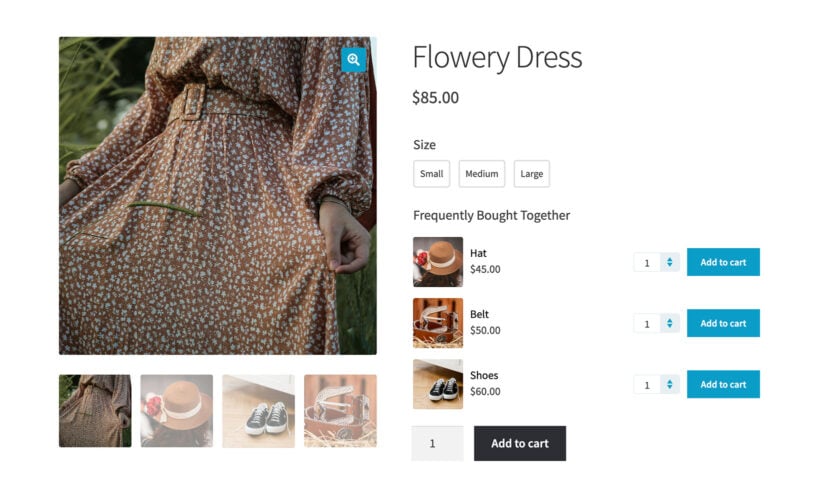
Sales Booster handled cross-sells, frequently bought together items, and order bumps.
Our WooCommerce Product Options plugin includes a Products option type. It lets you display related or frequently bought together items above the Add to Cart button. In my experience, this converts far better than the default WooCommerce related products section.
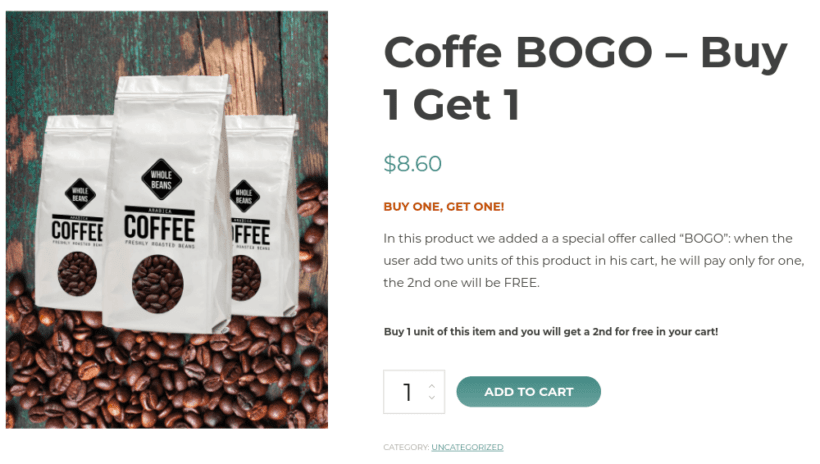
For deeper sales tactics, our WooCommerce Discount Manager creates a wide range of deals to encourage customers to add more to their cart.
WooCommerce Quick View alternative
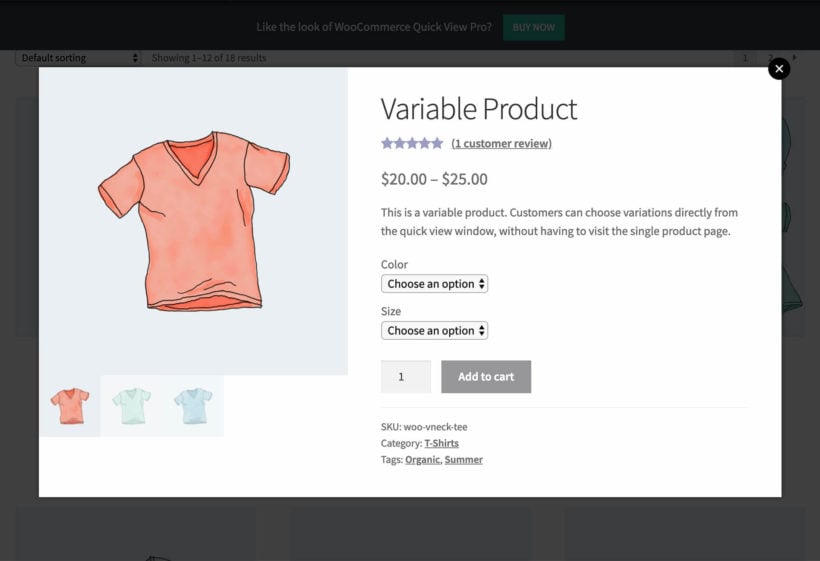
Iconic's Quick View plugin added a WooCommerce product lightbox to product listings.
WooCommerce Quick View Pro is an exact replacement. It does the same job, with the same kinds of layout and trigger options.
WooCommerce Bundled Products alternative
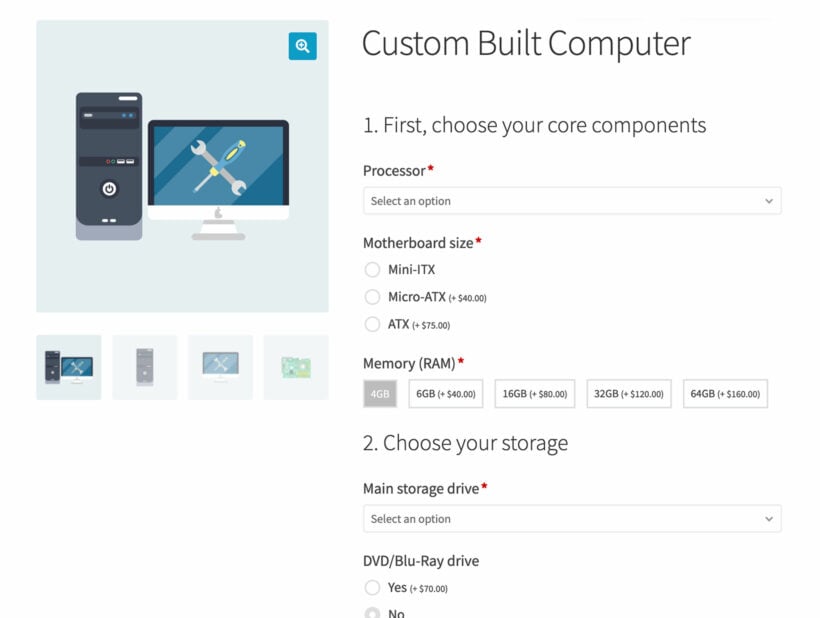
Iconic Bundled Products let store owners group products together in a build-your-own-bundle flow.
You can build the same thing with our WooCommerce Product Options plugin. It supports multi-step bundle builders where customers pick from a range of options and related products as they go.
We're also adding new layouts very soon. You'll be able to display the build-your-own-bundle process inside tabs, toggles, and accordions for a more guided customer experience.
Add Pages to the My Account Area alternative
This Iconic plugin let you add custom pages and tabs to the WooCommerce My Account area.
We don't have a Barn2 alternative for this one. Instead, I'd recommend YITH WooCommerce Customize My Account Page. It covers the same use case, including the popular setup of using WooCommerce Product Table to show a customer's previously ordered products as a tab inside their account.

Powerful Delivery Scheduling (Delivery Slots) alternative
Delivery Slots let customers pick a delivery or collection date and time at checkout.
There's no Barn2 alternative for this. My recommendation is Opening Hours by Simba Hosting. It's a standalone plugin that handles delivery and collection scheduling really well, with proper time slot limits and date controls.
WooThumbs alternative
WooThumbs enhanced the WooCommerce product gallery with zoom, video, sliders, and multiple images per variation.
We don't have a Barn2 alternative for this either. For most stores, the WooCommerce built-in gallery does a decent job for images alone. If you want to add video, I'd combine it with the free WPC Product Video for WooCommerce plugin.
Image Swap alternative
Image Swap added gallery-style hover image swap effects to shop and category pages.
No Barn2 alternative here. The free WooCommerce Product Image Flipper plugin does the same thing.
Also worth checking your theme settings before installing anything new. Many modern WooCommerce themes include this as a built-in feature.
WooCommerce Custom Fields for Variations alternative
This plugin let you add custom data fields to individual product variations.
There are two scenarios here, and the right alternative depends on what you're using the fields for. I cover this in more detail in our guide to WooCommerce custom fields for variations.
- Admin-side data onlyIf the fields just hold extra information to display on the product page, use the free WC Fields Factory plugin.
- Customer inputIf customers will enter the data themselves (personalization text, uploaded images, custom options that flow through to the order), WooCommerce Product Options is the stronger choice. It's purpose-built for collecting customer input per product and per variation.
What about Orderable?
Orderable was Iconic's restaurant and local ordering plugin. Strictly speaking it sits separately from the main Iconic plugin range, and at the time of writing, the Orderable site is still online.
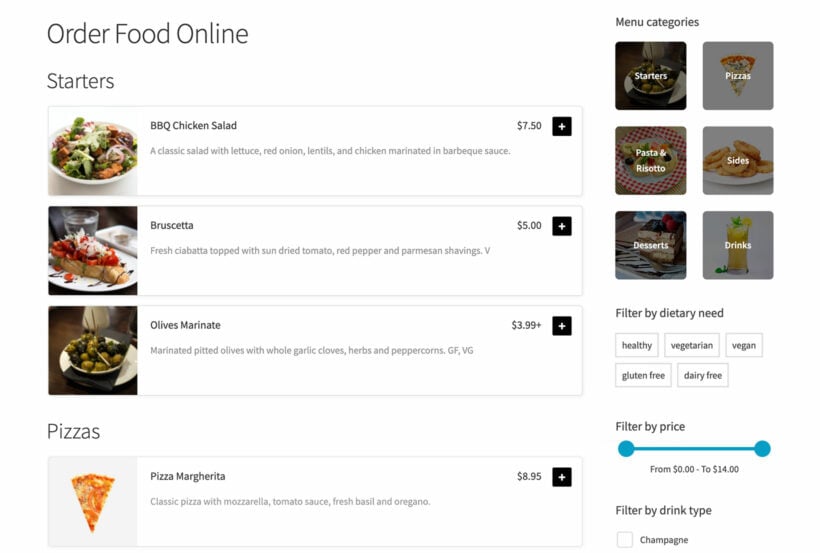
If you're looking for a more independent alternative, our WooCommerce Restaurant Ordering plugin is worth a look. It turns your menu into a one-page ordering interface with quantity selectors and add-to-cart buttons, which is exactly what most local food businesses need.
One easy way to get most of these replacements at once
You'll notice that several of the Iconic plugins above are replaced by the same Barn2 plugin - especially WooCommerce Product Options, which covers attribute swatches, product configurator, sales booster, and bundled products use cases.
If you're using more than one of our Iconic alternatives, then our All Access Pass often works out cheaper than buying the individual plugins separately. It gives you every Barn2 plugin in one license, plus any new plugins we release while your license is active.
It's worth a look if you're rebuilding an Iconic-heavy stack, or if you want one license that covers your current and future WooCommerce needs.
Final thoughts
I'm genuinely sorry to see the Iconic brand go. They were one of the best WooCommerce extension companies around, and a lot of stores were built on their plugins. Hopefully this guide gives you a clear path forward if you're switching to Iconic WP alternatives.
If you're not sure which plugin replaces a specific feature you relied on, drop us a line and we'll happily help you work it out.