Document Library Pro 4.0: Find documents faster

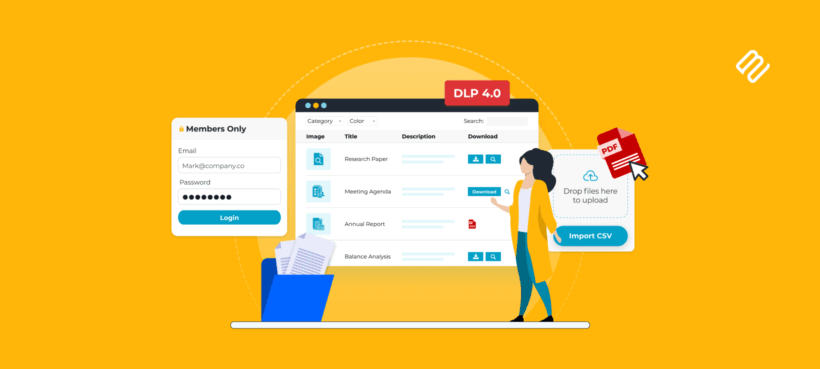
Today I'm pleased to announce that Document Library Pro 4.0 is out now. It is the biggest rebuild the plugin has ever had, with a new front end, a new indexing engine, a more modern design, and much better ways for people to find the documents they need.
Document libraries usually start with a simple need: You want people to find the right policy, report, form, spreadsheet, or presentation without browsing through folders. That becomes harder once a site has hundreds of documents.
Version 4.0 uses the same new engine that shipped in Posts Table Pro 4. Your existing design and template choices carry over, but the front end has been rebuilt around a much stronger set of library tools. You get search inside files, multi-column sorting, multi-select filters, filter counts, infinite scroll, and shareable library URLs.
What's new in Document Library Pro 4.0
The headline features are file content search, a refreshed library design, a faster engine, better filters, and shareable URLs. The free Lite edition is unchanged.
Search inside document files
Until now, the plugin could search the information you entered into WordPress. That included the document title, description, categories, and custom fields.
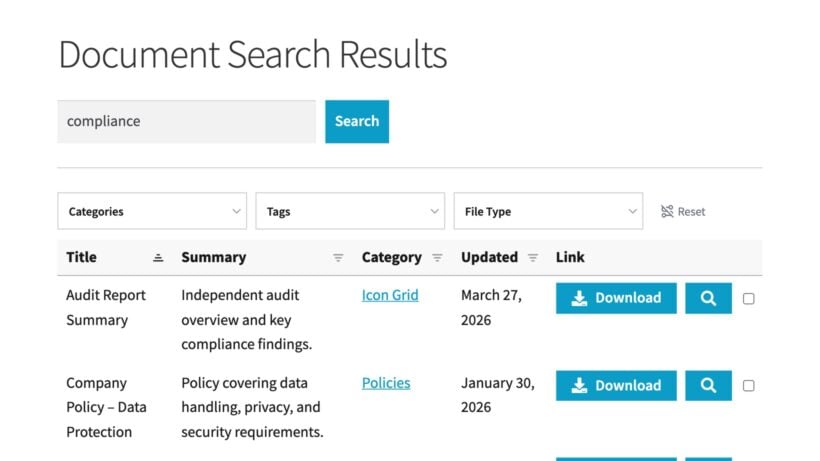
Version 4.0 can now search the words inside the documents themselves. It works with PDF, Word, Excel, PowerPoint, and OpenDocument files. It is included in the Advanced plan, so you do not need SearchWP. I recommend testing this on a staging site first if your library contains lots of uploaded files.
This does not work with scanned documents or image-only PDFs. Those files need OCR first, because WordPress cannot read words that only exist inside an image. However, most PDF files on WordPress sites are exported from Word or Google Docs, so their words are already searchable. As a result, the vast majority of sites using Document Library Pro will benefit from the new PDF search.
This is the feature I am most excited about in 4.0. A visitor can now search for a phrase inside a policy, a number inside a spreadsheet, or a title buried in a presentation.
A modernized library design
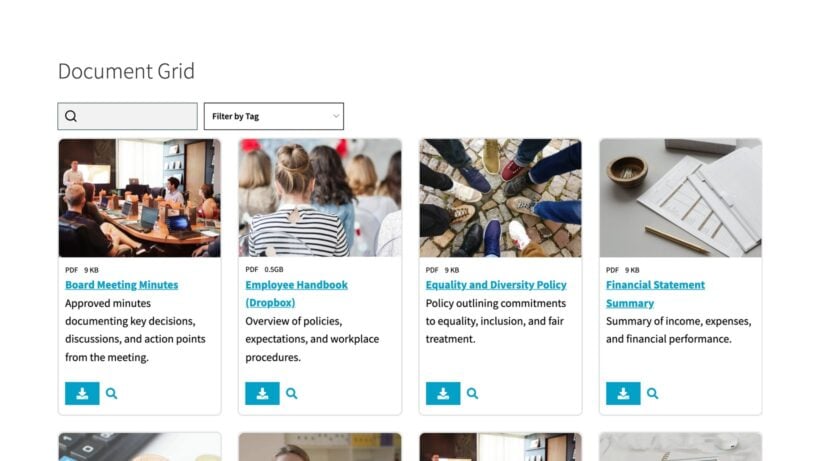
The default library styling has been refreshed, so Document Library Pro looks cleaner and more current as soon as you update. There is no new design switch to find. The new styles apply automatically once you move to the new front end.
I know design changes can make site owners nervous, especially if you have already spent time adjusting colors, spacing, and typography. Those choices are not lost, and all the existing template choices and customization options have carried over.
The new design suits image-led libraries, data-dense tables, and compact internal directories. If you use a grid or tiled layout, those template choices continue to work as before.
A faster engine under the hood
The biggest technical change is the rebuilt back end. Document Library Pro now uses a new indexing system which pre-computes the information each library needs.
That means faster loading, faster searching, and faster filtering. You will notice this most on bigger sites, especially if your library contains thousands of documents.
This is the same engine we developed for Posts Table Pro 4, adapted for the document library use case. It also gives file content search a much stronger base.
New filtering and sorting features
Version 4.0 also adds several features for narrowing a library once the page has loaded. They are useful when visitors know roughly what they need, but still need help reducing a long document list:
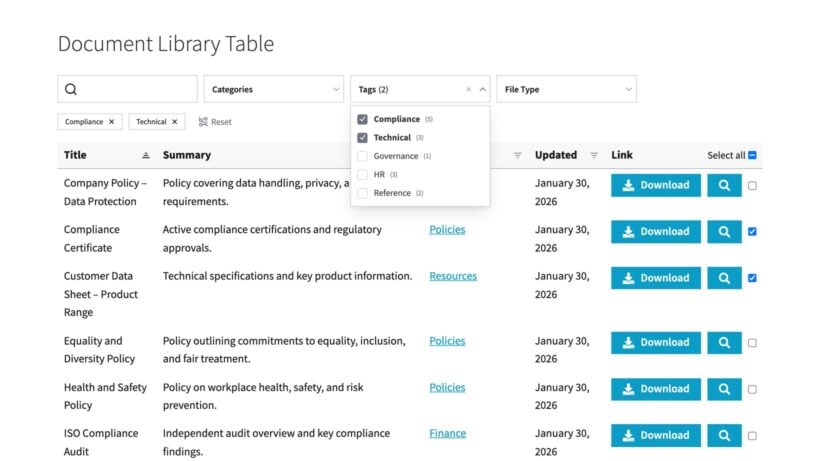
- Multi-column sortingVisitors can order the library by several columns together, for example by document type and then by date.
- Filters in two locationsFilters can sit above the library in drop-down menus, or live directly in column headings as inline controls.
- Multi-select filtersEach filter can accept several values at once, so visitors can choose multiple departments, topics, or file types.
- Active filters displayA summary of the applied filters appears above the library, which makes the current document list easier to understand.
- Filter countsEach filter option shows how many documents match before the visitor clicks.
These features are especially helpful when you use Document Library Pro as a searchable database for more than one audience.
Infinite scroll, shareable URLs, and container height
Infinite scroll
Infinite scroll is a new pagination mode for table layouts. Instead of clicking numbered pages, visitors can keep scrolling while Document Library Pro loads more documents.
This suits browsing behavior in a resource archive, meeting pack library, or media directory. However, numbered pagination is still a good choice when people need a specific page of results.
Shareable URLs
The library URL changes to include the active search, filters, sorting, and page. This means someone can save a filtered view as a bookmark and come back to it later.
I have used this more often than I thought I would. Support can give a customer a link that opens one precise document list. A team can pass around a directory that already shows one department.
Container height
There is also a new setting for fixing the height of the library container. The default is 70vh, and you can enter any CSS length unit. calc() works too.
This is useful when the document library needs to fit into a set page layout. For example, you may want a directory to sit beside other content.
How to update to Document Library Pro 4.0
Because this is such a large update, it is worth checking how the new front end interacts with your site setup. Most existing customizations continue to work as they did before. The main exception is custom JavaScript that was built for the previous jQuery DataTables library.
- Update Document Library Pro from the WordPress dashboard as usual.
- Because of the size of the update, your site continues using the legacy library until you decide to change over. I suggest making this change on a staging site first. Go to Documents → Settings → Advanced and untick 'Frontend library'.
- On the same Advanced tab, click 'Clear cache'. If you skip this, visitors may still receive the previous output and the library can appear the same.
- Review the Advanced and Search tabs, then enable the new options you want to use. File content search is only available in the Advanced plan.
- Test the document library on the front end. Check search, filters, sorting, pagination, responsive behavior, and custom code.
If you manage a very large library, I would test search and filtering with real visitor tasks. Try the terms people are likely to search for, as well as the titles you know are in the library.
Final thoughts
Document Library Pro has been among Barn2's best-liked plugins for many years, and version 4.0 moves it forward in a major way. The new file content search will be the headline feature for many people, but the faster engine and better filtering are just as important.
Run the update from the dashboard, review the settings, and choose the features that suit how your visitors use documents. Thank you to the Barn2 team who worked on this release, and to the customers whose feedback helped us decide what to build next.