The 10+ best WooCommerce upsell and cross-sell plugins (2026)


One of the best ways to encourage customers to buy more from you is by setting up WooCommerce upsell and cross-sell opportunities. When done right, this can subtly nudge customers towards spending more without affecting their shopping experience.
In this article, I'll show you how to set up upselling, product bundles, and cross-selling on your WooCommerce store, with the 13 plugins I'd consider in 2026. We'll look at some best practices and examples along the way to help you get a practical understanding of how to get started.
Quick verdict
- Best for product-page upsellsWooCommerce Product Options displays recommended products above the add-to-cart button as paid options, where customers can't miss them.
- Best for funnel-based upsellsWPFunnels builds visual order-bump and post-purchase upsell funnels with a Gutenberg-native canvas and built-in revenue tracking.
- Best free optionUpsell Order Bump Offer for WooCommerce is actively maintained (94% rating from 115 reviews, last release May 2026) and adds checkout-page bump offers without a paid upgrade.
Let's start by going over the key business benefits of upselling, product bundles, and cross-selling.
What are the benefits of upselling, cross-selling, and product bundles?
The goal of all three is the same: get customers to buy more in a single visit, which lifts your average order value and customer lifetime value. The differences are in how each works.
Upselling
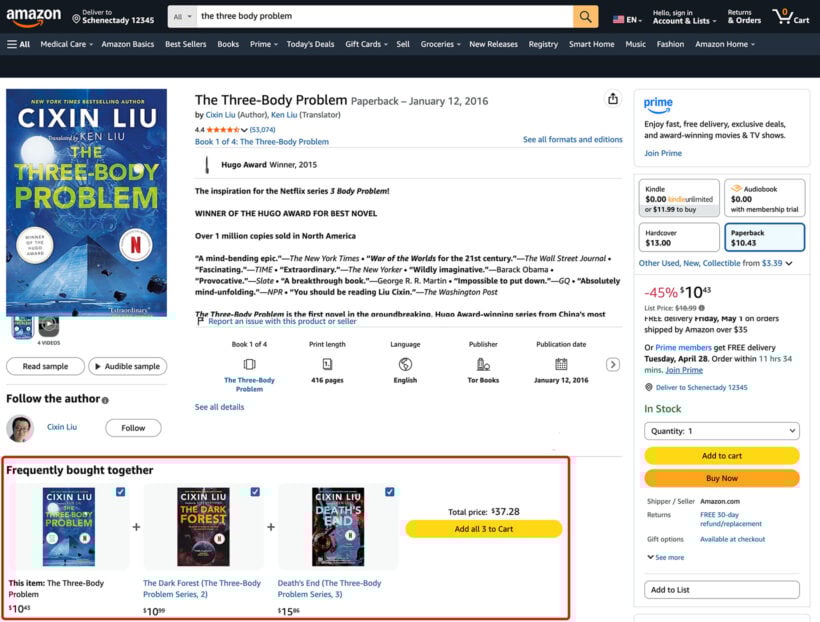
Upselling is when you recommend a higher-priced alternative to what the customer is already looking at. For example, if a customer is interested in a white chiffon blouse, you might show them similar blouses by different brands and designers at a slightly higher price. Amazon does this with hardcover-vs-paperback recommendations.
Cross-selling
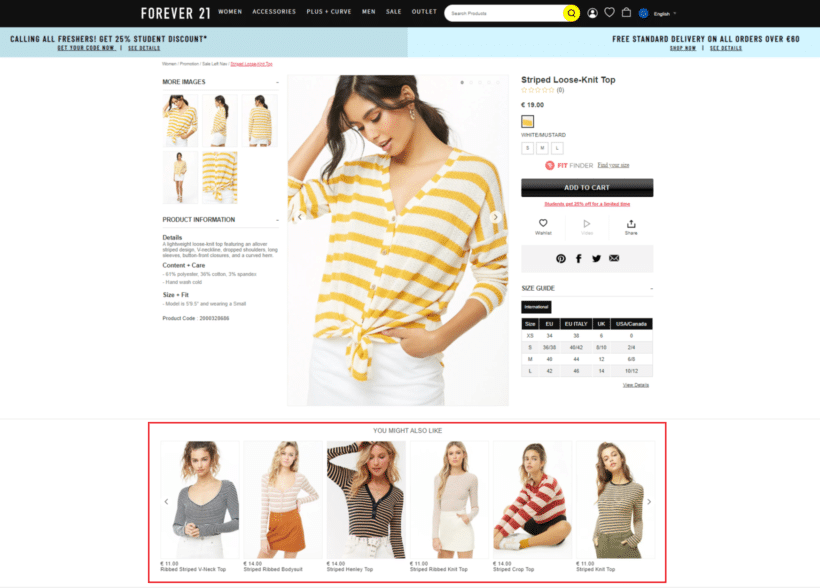
Cross-selling is when you recommend related (or complementary) products based on what's already in the cart. Following our example, if a customer added the chiffon blouse, you might show them a Frequently bought together section or a Complete the look section with pants, skirts, or jeans. See our cross-selling examples guide for more.
Product bundles
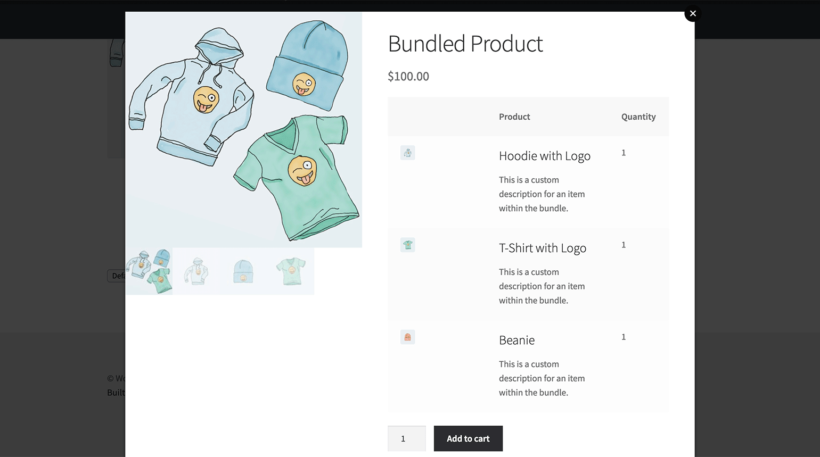
A product bundle packages multiple items together at a price that feels better than buying them separately. Bundles can lean upsell (the whole A Song of Ice and Fire series instead of one book) or cross-sell (a hardcover plus a related Blu-ray).
How we evaluated these upsell and cross-sell plugins
I compared each plugin against the factors that decide whether it really works for upselling and cross-selling. The main ones are where the offer appears (product page, cart, checkout, or post-purchase), how flexible the targeting rules are, and how cleanly it integrates with the rest of your stack.
Vendor health also matters: active install count, release frequency, support responsiveness, and recent direction. A plugin that hasn't shipped a release in a year gets flagged, even if the core product still works.
At-a-glance comparison
| Plugin | Upsell type | Free version | Best for |
|---|---|---|---|
| WooCommerce Product Options | Product-page upsells | No | Showing recommended products above the add-to-cart button |
| YITH Frequently Bought Together | Cross-sell popup | No | Showing related products after add-to-cart |
| WooCommerce Fast Cart | Mini-cart cross-sells | No | On-page popup cart with upsells under the cart items |
| Related Products Pro for WooCommerce | Related, upsells, and cross-sells | No | Bulk managing product suggestions across a large catalog |
| UpsellWP | Product-page add-ons | No | All-in-one upsell rules with custom add-on fields |
| StoreOne | Bundles and FBT | Yes | All-in-one growth toolkit with modular activation |
| WowRevenue | Bundles and discounts | Yes | Buy X get Y, mix-and-match, and bulk discount campaigns |
| Checkout Add-Ons for WooCommerce | Checkout-page extras | No | Gift wrapping, insurance, tips, or rush handling at checkout |
| WooCommerce Quick View Pro | Lightbox cross-sells | No | Quick-view lightbox with inline add-to-cart from category pages |
| One Click Upsell Funnel | One-click post-purchase | Yes | Post-purchase upsells without re-entering payment |
| Upsell Order Bump Offer | Checkout bump offers | Yes | Bump offers shown directly on the checkout page |
| WPFunnels | Visual funnel builder | Yes | Multi-step order bump and one-click upsell funnels |
| ConvertForce | Gutenberg popups | No | Exit-intent and time-delay upsell popups built with WP blocks |
The top WooCommerce upsell and cross-sell plugins to get more sales
Store owners often take a pushy, aggressive approach which drives prospective customers away. The key to effective upselling and cross-selling is to do it subtly. Here, we'll share thirteen WordPress plugins that you can use to set up WooCommerce upsells and cross-sells the right way.
1. WooCommerce Product Options
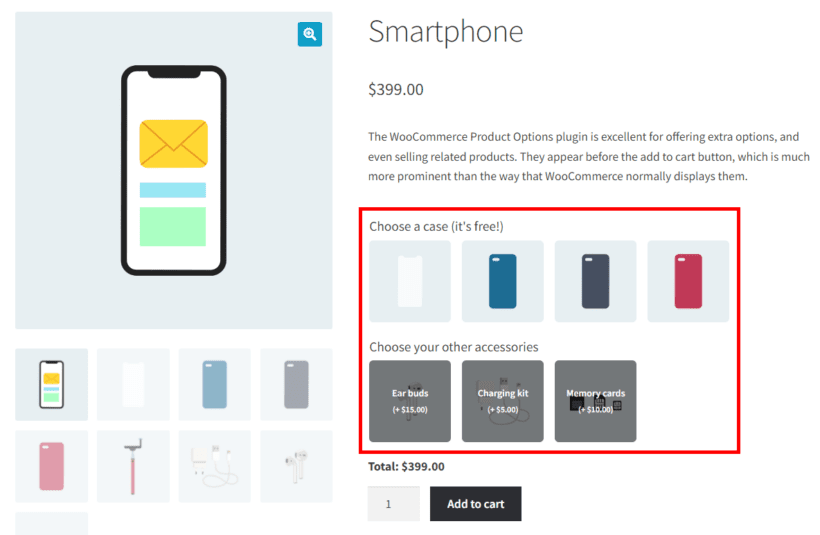
Our top recommendation for product-page upsells is WooCommerce Product Options. The default WooCommerce cross-sells are hidden at the bottom of the page, where customers rarely scroll. WooCommerce Product Options solves this by displaying related products above the add-to-cart button, where the customer is actively making decisions about the product they're buying.
In the example above, a smartphone is upselling phone cases and accessories above the add-to-cart button. Every customer is prompted to decide on these extras, instead of just the item they originally came for. You can either manually select individual products and give them a heading like "Frequently bought together", or select an entire category and let the plugin choose for you.
Pros:
- Displays recommended products above the add-to-cart button, where customers can't miss them.
- Manual product selection or category-based auto-population, depending on your preference.
- Conditional logic to show different upsells based on selections.
- Doubles as a full product options system (extras, modifiers, dietary tags, and file uploads) for stores that need more than upsells.
Cons:
- Premium-only with no free tier.
- Designed for product-page upsells; pair with a dedicated funnel plugin (covered below) if you need post-purchase one-click upsells.
Best for: stores that want to display recommended products on the product page itself, ideally as paid add-on options.
2. YITH WooCommerce Frequently Bought Together
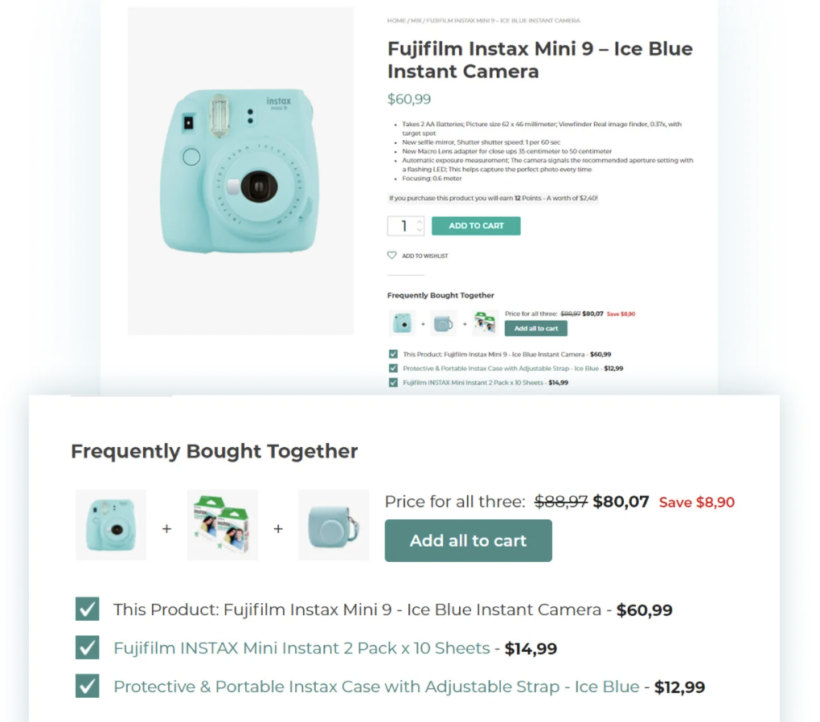
YITH have a cross-selling plugin called Frequently Bought Together. It's a good way to sell customers products that are related to their purchase. If a customer adds a paintbox to their cart, you can show them brushes, palettes, and easels: products that other customers frequently bought together with the paintbox.
Pros:
- Familiar "frequently bought together" UX modelled on Amazon.
- Established YITH support and update channel.
- Compatible with simple, variable, and grouped product types.
Cons:
- Single-purpose plugin focused on the FBT use case only.
- Premium-only; YITH's typical pricing model applies.
Best for: stores wanting the classic Amazon-style "frequently bought together" cross-sell on product pages.
3. WooCommerce Fast Cart
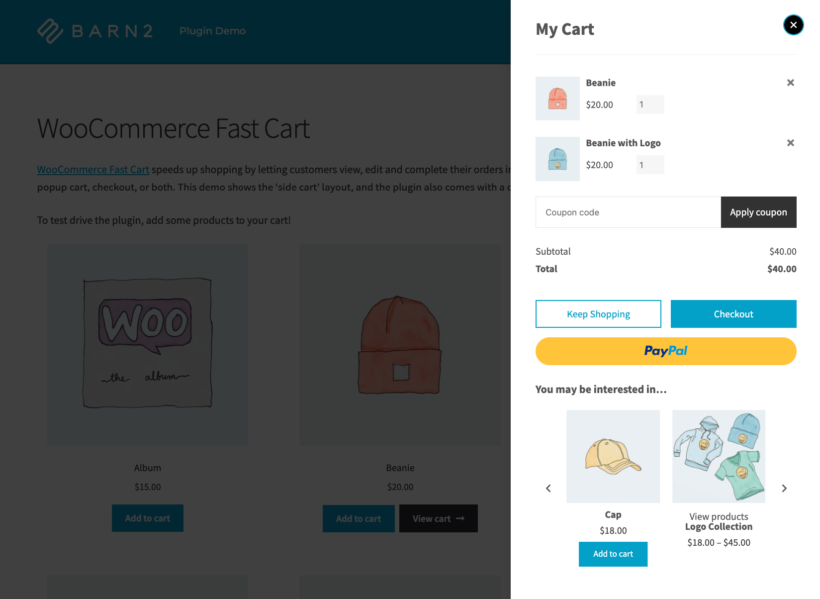
Our WooCommerce Fast Cart plugin replaces the multi-page cart and checkout with a quick on-page popup. When customers add a product, the cart opens automatically (or they click a floating cart icon). They immediately see their cart items with cross-sells and upsells underneath in a 'You may also be interested in...' section.
Customers can click an upsell to add it instantly, apply coupon codes, and check out without leaving the popup. The result is a faster checkout that draws the eye to related products. Fast Cart works with the standard WooCommerce cross-sell setup and integrates with PayPal, Stripe, and other major gateways.
Pros:
- Keeps customers on the menu page through cart and checkout; cross-sells appear right below the cart items.
- One-click add-to-cart for upsell items without leaving the popup.
- Compatible with the standard WooCommerce cross-sells/upsells configuration.
Cons:
- Premium-only with no free tier.
- Not a dedicated upsell-rule engine; you set upsells through standard WooCommerce, then Fast Cart surfaces them in the popup.
Best for: mobile-heavy stores that want their cross-sells to appear inside the cart popup instead of buried at the bottom of a separate cart page.
4. Related Products Pro for WooCommerce
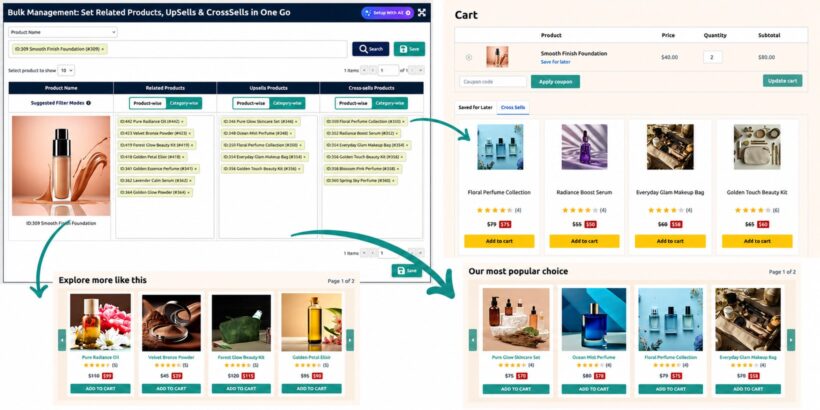
Related Products Pro for WooCommerce gives you control over related products, upsells, and cross-sells from a single dashboard. You can manage product suggestions by product or category, bulk edit them for large catalogs, and choose which AI-generated suggestions to use.
The plugin also includes save-for-later, Frequently Bought Together offers, and an AJAX slider for displaying more product recommendations without affecting page load speed.
Pros:
- Manage related products, upsells, and cross-sells product-wise or category-wise from one dashboard.
- AI-driven product suggestions with ChatGPT, with control over which suggestions to use.
- Bulk edit product suggestions, making it easier to manage large catalogs.
- Includes save-for-later, Frequently Bought Together offers, and an AJAX slider for product displays.
Cons:
- The broad settings and controls may take first-time users a little time to learn.
Best for: large WooCommerce stores that want to manage product recommendations, cross-sells, and upsells with less manual effort.
5. UpsellWP All-in-one WooCommerce Upsell Plugin

UpsellWP is a dedicated upsell plugin that adds custom fields and add-on offers to product pages. You can set up upsell or cross-sell offers with percentage or fixed-amount discounts, and place them before or after the add-to-cart button. The interface is no-code, suitable for both beginners and more advanced users.
Pros:
- Dedicated upsell-rules engine with multiple discount types.
- Field placement control (before or after add-to-cart) so upsells appear where they convert best.
- No-code setup suitable for both beginners and advanced users.
Cons:
- Premium-only; pricing on the vendor site.
- Smaller user community than the official Automattic or YITH options.
Best for: stores that want a dedicated upsell-rules system on the product page without using WooCommerce Product Options.
6. StoreOne
StoreOne is an all-in-one WooCommerce growth toolkit. You activate only the modules you need, keeping the plugin lightweight. For upselling, it includes a Product Bundle module (fixed bundles or mix-and-match with custom pricing) and a Frequently Bought Together module that automatically recommends related products.
You can target upsells sitewide or by category, and the modules combine bundling, cart promotions, and structured product layouts in a single dashboard.
Pros:
- Modular activation: enable only the features you need to avoid bloat.
- Product bundles plus Frequently Bought Together in a single plugin.
- Fixed bundles or mix-and-match combinations, both supported.
Cons:
- Newer plugin with a smaller install base than the established options.
- The "all-in-one" framing means some modules will be redundant if you already run other dedicated plugins.
Best for: stores looking for a single growth-toolkit plugin rather than stitching together separate ones for bundles, FBT, and cart promotions.
7. WowRevenue
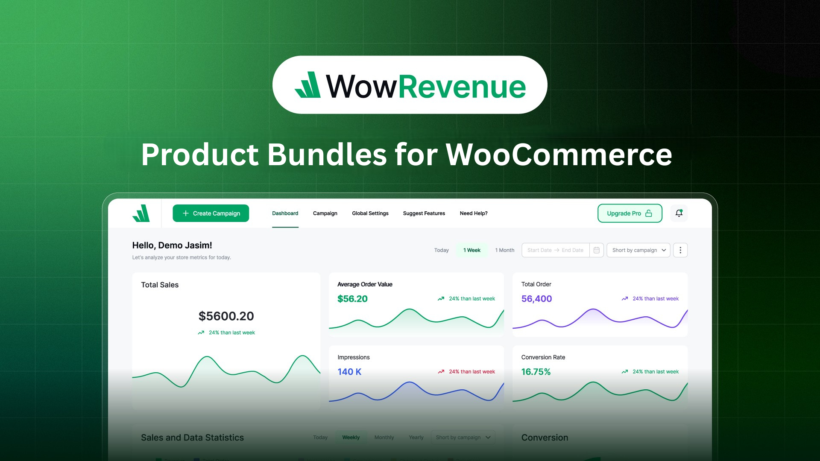
WowRevenue is a WooCommerce product bundle plugin with enhanced upselling features. It covers five campaign types in one plugin: bundles, frequently bought together, buy X get Y, mix-and-match, and bulk discounts.
You can run these offers across product pages, cart, checkout, and the thank you page, with ready-made templates to speed up campaign setup. The breadth makes it a strong choice if you want one plugin handling everything rather than running separate plugins for each campaign type.
Pros:
- Five distinct campaign types (bundles, FBT, buy X get Y, mix-and-match, and bulk discounts) in one plugin.
- Ready-made templates speed up campaign setup.
- Offers can run on product pages, cart, checkout, and thank you page.
Cons:
- Newer entrant with limited independent review signal.
- Premium-only; pricing on the vendor site.
Best for: stores that want one plugin covering bundles, FBT, and discount campaigns rather than running separate plugins for each.
8. Checkout Add-Ons for WooCommerce
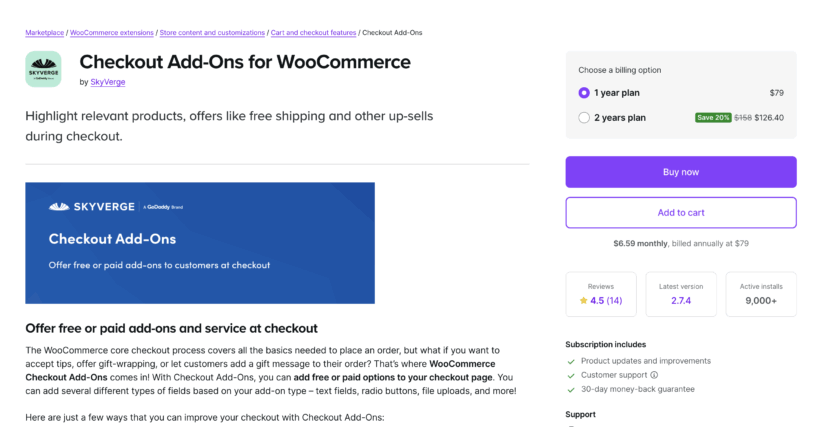
Checkout Add-Ons for WooCommerce is the official Automattic extension for offering optional checkout extras, either free or paid. Typical uses: gift wrapping, shipping insurance, rush handling, tips, gift messages, or branded items like stickers.
You can create text boxes, radio buttons, checkboxes, or file uploads, so the add-on can match whatever your store needs. It's the cleanest way to add small value-boosting options without disrupting the standard WooCommerce checkout flow.
Pros:
- Official Automattic extension; clean integration with the WooCommerce checkout flow.
- Multiple field types (text, radio, checkbox, and file upload) cover most checkout add-on use cases.
- Free or paid extras; useful for tips and gift messages alongside priced upsells.
Cons:
- Focused specifically on checkout-page extras; doesn't handle product-page upsells or post-purchase flows.
- Premium-only; pricing on woocommerce.com.
Best for: stores wanting to offer small value-add extras at checkout (gift wrapping, insurance, rush handling, and tips).
9. WooCommerce Quick View Pro
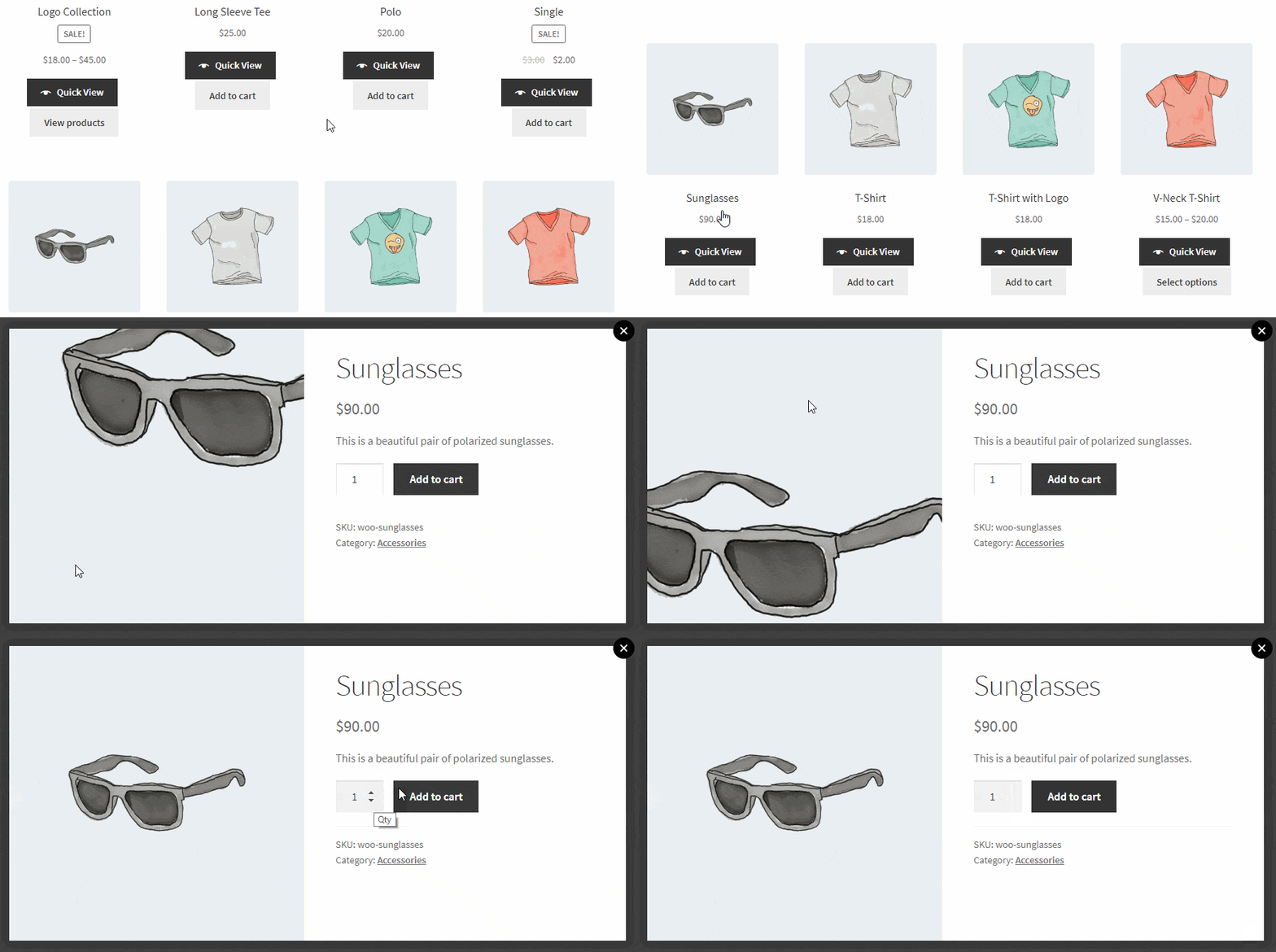
Our WooCommerce Quick View Pro plugin lets customers buy from the shop or category pages without clicking through to single product pages. Each related product gets a Quick View button that opens a lightbox with the recommended products, and any attached cross-sells appear in the lightbox too.
Use Quick View with Fast Cart
Quick View Pro pairs naturally with WooCommerce Fast Cart. Fast Cart shows cross-sells inside the popup cart, and Quick View adds a button to each one so customers can view details, select variations, and add them without closing the popup.
It also integrates with the Product Bundles extension and WooCommerce's default cross-sells.
Related: Read our complete guide on Quick View for WooCommerce.
Pros:
- Lets customers buy from shop and category pages without leaving them.
- Quick View button on each related product lets customers explore cross-sells without losing context.
- Pairs with Fast Cart for a single-screen browse-and-buy experience.
Cons:
- Premium-only with no free tier.
- Cross-sell behavior depends on you setting cross-sells in standard WooCommerce; it surfaces them, but doesn't create the rules.
Best for: stores with large catalogues where customers benefit from browsing and adding to cart from category pages without page reloads.
10. One-Click Upsell Funnel
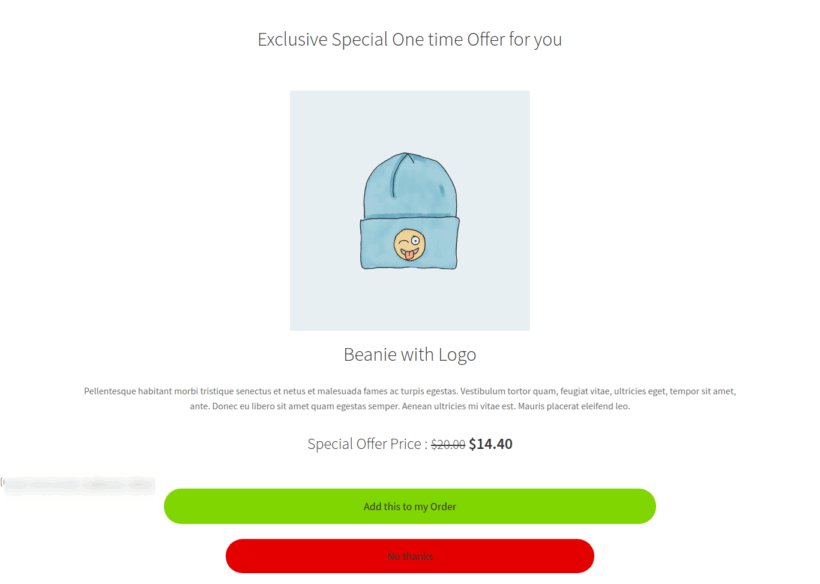
One Click Upsell Funnel by WP Swings is a free plugin that offers upsells, cross-sells, order bumps, and frequently bought together deals on the cart, checkout, and thank-you page. Customers accept offers with one click without re-entering payment details.
It works with Elementor, Divi, and Gutenberg, includes performance tracking, and comes with pre-built funnel templates. The plugin rates 4.5/5 from around 98 WP.org reviews and last shipped in April 2026.
Pros:
- Genuinely free WP.org plugin with active maintenance (April 2026 release).
- One-click acceptance for post-purchase upsells, with no payment re-entry.
- Works across cart, checkout, and thank you pages.
Cons:
- Pro upgrade required for advanced funnel features and templates.
- WP Swings' marketing prompts can feel pushy inside the admin for free users.
Best for: budget-conscious stores wanting to test post-purchase upsell funnels before committing to a paid funnel builder.
11. Upsell Order Bump Offer for WooCommerce
This second plugin from WP Swings displays upsell and cross-sell offers directly on the checkout page, showing complementary or upgraded products before the purchase completes.
The free version covers basic bump offers. The pro version adds Smart Skip (hides offers customers already own), offer upgrades for existing items, and multiple order bump funnels. It's the strongest free option in this list, with a 94% rating across 115 WP.org reviews and a release shipped in May 2026.
Pros:
- Strongest free WP.org signal in this list: 94% rating from 115 reviews, last release May 2026.
- Checkout-page bumps convert well without redirecting the customer.
- Pro tier adds Smart Skip and multi-bump funnels for stores that need more sophistication.
Cons:
- Free version covers basic bumps only; advanced funnel features require Pro.
- Like the One-Click Upsell Funnel above, WP Swings' admin upsell prompts can feel pushy.
Best for: stores wanting checkout-page bump offers without paying for a full funnel builder.
12. WPFunnels – Funnel Builder for WooCommerce
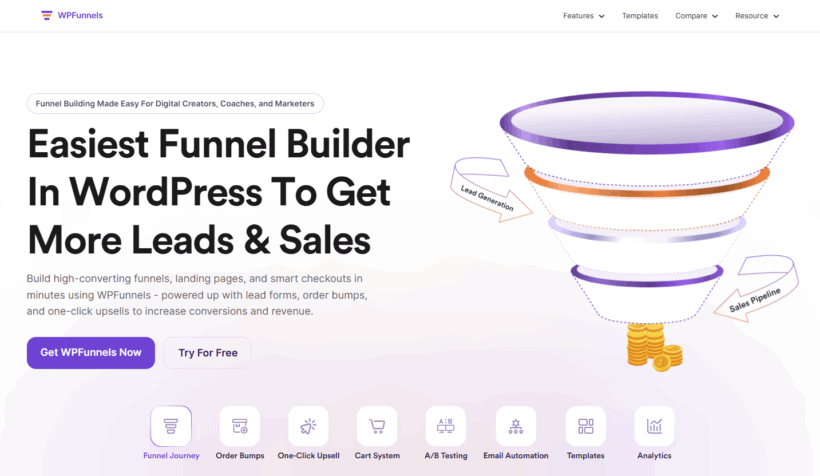
WPFunnels adds order bumps on the checkout page, suggests related products, and shows one-click upsell and downsell offers after purchase. The standout is a visual funnel canvas where you map each step from checkout to upsell to thank-you page, with control over when each offer fires.
Multi-step flows connect checkout, upsell, downsell, and thank-you pages. Ready-made templates cover product launches, bundles, and promotions. Built-in tracking shows which offers generate revenue, all inside WordPress with no external dashboard.
Pros:
- Visual funnel canvas for designing checkout-to-thank-you-page upsell flows.
- Supports one-click upsells, downsells, and order bumps in the same builder.
- Built-in revenue tracking shows which offers convert and which don't.
- Ready-made templates for common scenarios (product launches, bundles, and promotions).
Cons:
- Most useful funnel features sit behind the paid plan.
- Steeper learning curve than the simpler bump-only plugins.
Best for: stores wanting a proper visual funnel builder for post-purchase one-click upsells and multi-step flows.
13. ConvertForce
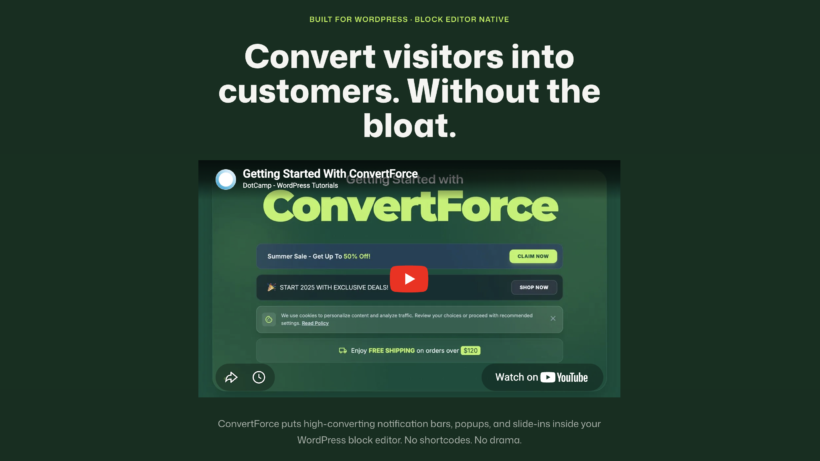
ConvertForce is a Gutenberg-native popup and notification bar plugin. You design upsell offers using the same block editor you use for pages and posts, with native blocks like images, headings, buttons, and columns. No separate popup-builder UI to learn.
Triggers include exit-intent, scroll, time delay, and click, plus targeting rules for where each campaign appears. Because everything is built with Gutenberg, popups inherit your theme's typography and styling automatically, so they feel like a native part of the store rather than a bolted-on widget.
Pros:
- Built natively with Gutenberg; popups inherit your theme's typography and styling.
- Wide range of triggers (exit-intent, scroll, time delay, and click) and targeting rules.
- No separate popup-builder UI to learn if you already use the block editor.
Cons:
- Newer entrant; smaller user base than established popup builders like OptinMonster or Popup Maker.
- Premium-only; pricing on the vendor site.
Best for: stores that already work in the Gutenberg block editor and want upsell popups that match their theme natively.
14. Yayboost
YayBoost makes it easy to add smarter upsell and cross-sell opportunities to your WooCommerce store. Its Frequently Bought Together feature uses your store’s order history to identify products that customers commonly purchase together, then displays those products as recommendations on your product pages. Customers can add the recommended items to their cart with a single click, making it a simple way to increase order value without disrupting the shopping experience.
You can also use YayBoost’s Free Shipping Bar to encourage customers to spend a little more to unlock free shipping, while Stock Scarcity, Live Visitor Count, and Purchase Activity add social proof and urgency to product pages. There’s also an Exit-Intent Popup for offering discounts to visitors who are about to leave.
Pros:
- Automatically recommends products based on purchase history.
- One-click add-to-cart for Frequently Bought Together products.
- Free Shipping Bar can encourage customers to increase their order value.
- Includes urgency and social-proof features such as Stock Scarcity and Purchase Activity.
- Exit-intent popups can help recover visitors who are about to leave.
- Free version available.
Cons:
- It's a broader sales-boosting plugin rather than a dedicated upsell funnel builder.
Some advanced options require the Pro version.
Best for: WooCommerce stores that want to combine Frequently Bought Together recommendations with other AOV and conversion-boosting tools in one plugin.
Which WooCommerce upsell plugin should you use?
Most stores will combine two or three of these plugins. Here's where I'd start, and what to add when:
- WooCommerce Product Options: the strongest pick for product-page upsells, showing recommended products above the add-to-cart button as paid options.
- YITH Frequently Bought Together: add for the classic Amazon-style FBT cross-sell after add-to-cart.
- WooCommerce Fast Cart: add for a conversion-boosting popup cart that surfaces cross-sells inside the cart itself.
- Related Products Pro for WooCommerce: consider for large catalogs where you want to bulk manage related products, upsells, and cross-sells from one dashboard.
- UpsellWP: consider as an alternative to WooCommerce Product Options if you want a dedicated upsell-rules engine.
- StoreOne: consider if you want one growth-toolkit plugin rather than stitching together separate ones for bundles, FBT, and cart promotions.
- WowRevenue: consider for bundles, FBT, and discount campaigns running across product pages, cart, checkout, and thank you page.
- Checkout Add-Ons for WooCommerce: add if you want optional checkout extras like gift wrapping, insurance, or tips.
- WooCommerce Quick View Pro: add for large-catalog stores where customers benefit from browsing and adding to cart from category pages.
- One Click Upsell Funnel: the free starting point for post-purchase upsells without re-entering payment.
- Upsell Order Bump Offer: the strongest free option for checkout-page bump offers.
- WPFunnels: the strongest pick for a proper visual funnel builder with one-click upsells and downsells.
- ConvertForce: add if you already build pages in Gutenberg and want upsell popups that match your theme natively.
Have you used WooCommerce upsell and cross-sell methods to grow your average order value? Let us know in the comments section below.