13 best WooCommerce variation swatches plugins


Discover how to transform product variations with the best WooCommerce variation swatches plugins, tried and tested.
WooCommerce variation swatches let you replace standard dropdown menus with visual selectors for product options on your store. Instead of using basic dropdown lists for choices like colors or sizes, you can display clickable images, color blocks, or text labels. These visual options help customers quickly select product variations and better understand what they're buying.
The key benefits of variation swatches include:
- Better product visualization, helping customers see exactly what they're buying.
- Faster product selection, as customers can click visual elements rather than scroll through variation dropdowns.
- Higher conversion rates as customers can make decisions more confidently.
Below, I compare the top WooCommerce variation swatches plugins, with pros and cons for each, to help you pick the right one for your store.
Quick verdict: the best WooCommerce variation swatches plugins
Short on time? Here is where each pick fits.
- Best overall (swatches plus options) WooCommerce Product Options displays your variations as swatches and adds product options, custom fields and pricing on top.
- Best free dedicated plugin Variation Swatches for WooCommerce by Emran Ahmed is the most popular free option.
- Best free alternative WooCommerce Variation Swatches by GetWooPlugins is an equally popular, polished free pick.
- Best for page-builder users ShopEngine bundles swatches into a full Elementor store builder.
- Best focused free pick Swatchly is a lightweight, swatch-only plugin.
Key features of a good WooCommerce variation swatches plugin

Before you commit to one of the plugins below, it helps to know what makes a good swatches plugin. Here's what I focused on while testing each option:
- Swatch types supported. The best plugins offer color, image, label and radio button swatches. Some only do one or two types.
- Shop archive page support. Some plugins display swatches on the product page only. Others also show swatches on shop, category and search pages.
- Customization depth. Look for control over swatch shape, size, hover effects and tooltips.
- Theme and page builder compatibility. Some plugins integrate with Elementor or Divi. Others work with classic themes only.
- Mobile responsiveness. Swatches need to look good and stay tappable on phones.
- Advanced features. Conditional logic, min/max quantities and dynamic pricing aren't standard. They appear only in the most flexible plugins.
- Pricing model and active development. Some plugins are free, some are freemium, some are paid only. Check that the plugin is being actively maintained too.
Evaluating these plugins
I looked at each plugin against what matters for swatches: how easy they are to set up, how they look on the front end, and which extra features they offer.
I've ordered the plugins by overall flexibility and ease of use. Where a competitor does a specific thing better than my top pick, I say so in the writeup.
Two of the plugins here, WooCommerce Product Options and WooCommerce Product Filters, are our own. I've included them because they genuinely fit the use case, and I've flagged where other plugins do specific things better.
13 WooCommerce swatches plugins compared
There are several WooCommerce variation swatches plugins available, so I've compared them in detail. Most are well coded and high quality, so choose the one that fits your store best and gives you the most flexibility.
Here's a table comparing the main features of the plugins I tested. You can read the full explanation below.
| Plugin | Swatch types | Free version | Best for |
|---|---|---|---|
| WooCommerce Product Options | Color, image, text, button + more | No | Swatches plus full product options and pricing |
| Variation Swatches for WooCommerce (Emran Ahmed) | Color, image, text, button, dual-color | Yes | The most popular free dedicated swatches plugin |
| WooCommerce Variation Swatches (GetWooPlugins) | Color, image, text, button | Yes | A polished, widely used free option |
| ShopEngine | Color, image, text | Yes | Elementor builder users |
| ShopLentor Variation Swatches | Color, image, label | Yes | WooLentor ecosystem users |
| Variation Swatches by RadiusTheme | Color, image, text, radio | Yes | Refined tooltips and descriptions |
| Variation Swatches and Photos | Color, image, text | Yes | Photo-led swatches |
| Variations as Radio Buttons for WooCommerce | Color, image, text, radio | No | Radio-button style layouts |
| WowStore | Color, image | Yes | Gutenberg block stores |
| WPMozo Variation Swatches | Color, image, text | No | Simple premium-only setup |
| Swatchly | Color, image, text | Yes | A focused, free dedicated plugin |
| Variation Swatches by ThemeHigh | Color, image, text, radio | Yes | A generous free tier |
| Product Variations Swatches | Button, color, image | Yes | One-off lifetime pricing |
1. WooCommerce Product Options

⭐️ Rating: 4.94 out of 5 ⭐️
This is our own plugin. I've ranked it first because of its breadth, and I point out below where competitors do specific things better.
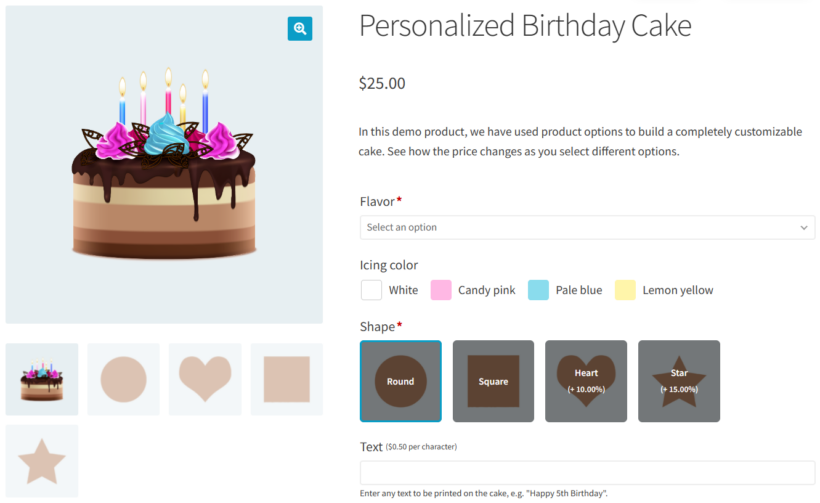
The WooCommerce Product Options plugin lets shoppers customize products before adding them to their cart. It's our number one WooCommerce swatches plugin because it does everything a dedicated swatches plugin does, and more. As well as displaying your real variations as color, image or text swatches (with labels, and the option to use them in price formulas), it can also build swatches directly in the plugin without you creating variations at all. Do that and you unlock built-in pricing options like percentage increases that normal variations don't offer, plus it is easier to manage and includes a wide range of other product add-on field types for the money.
What stood out: the plugin offers two distinct paths for swatches. You can convert existing variations into swatches, or you can build swatches as standalone options without touching variations. No other plugin in this list gives you both paths.
Key features
- Multiple variation swatch styles: Replace the product variation dropdowns with eye-catching color swatches, text swatches, or even image swatches.
- Huge range of option types: As well as creating WooCommerce variation swatches, you can list other types of field including file upload fields, text input, checkboxes, radio buttons, and more.
- Flexible pricing: Charge extra fees when customers select specific items from the variation swatches. This can include basic price increases, percentage price changes, or even advanced price formulas.
- Conditional logic: Smart conditional logic dynamically shows and hides your variation swatches based on which other options the customer selects.
- Min/max quantities: Control how many swatches your customers can order by setting minimum and maximum quantities on each one.
- Create options using variations or directly in the plugin: Display existing attributes and variations as swatches, or build the options inside the plugin. The latter unlocks features that aren't possible with real variations, including min/max quantities and selecting multiple attributes from one set of swatches.
- Works with other popular WooCommerce plugins, including WooCommerce Product Table and WooCommerce Quick View Pro. You can display the variation swatches in product tables and quick view lightboxes.
Pros
- Most flexible plugin in this roundup. Handles swatches, add-ons, conditional logic and dynamic pricing in one tool.
- Lets you build swatches without needing real product variations.
- Active development and dedicated Barn2 support.
Cons
- Only worth it if you want those extra options, field types and pricing features. If all you need is simple color or image variation swatches, a dedicated free plugin will do the job for less.
- The wider feature set means a slightly steeper learning curve than a single-purpose swatches plugin.
Best for
Stores that want flexible swatches alongside other product options, conditional logic, or custom pricing. If you only need basic color swatches on a small store, see Swatchly or one of the free options below.
2. Variation Swatches for WooCommerce (by Emran Ahmed)
⭐️ Rating: 4.8 out of 5 ⭐️
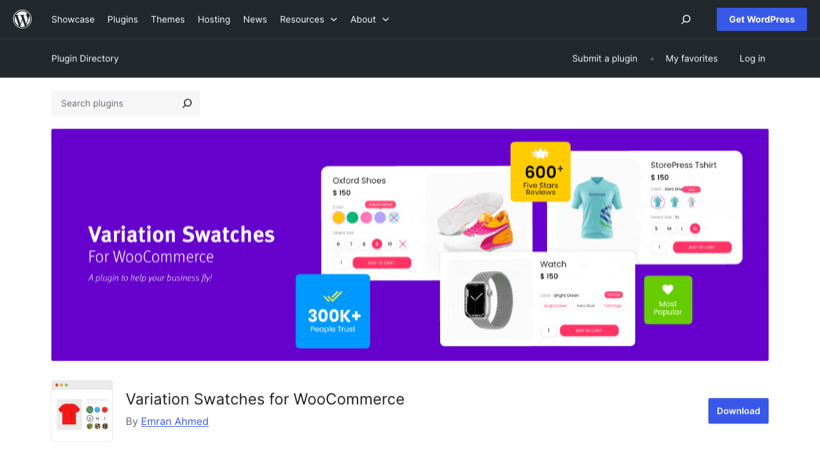
Variation Swatches for WooCommerce by Emran Ahmed is the most popular dedicated swatches plugin on WordPress.org, with over 300,000 active installs and a 4.8-star rating.
What stood out: the free version is unusually generous, covering color, image and button swatches out of the box, with a clean setup that auto-detects your attributes.
Key features
- Color, image, text, button, radio and dual-color swatches.
- Tooltips with shape and size controls.
- Shop and archive-page swatches (Pro).
- Out-of-stock handling to blur or hide unavailable options.
Pros
- The most widely used and best-reviewed free dedicated swatches plugin.
- A genuinely useful free tier, with Pro for advanced features.
Cons
- Advanced features (archive swatches, dual-color, extra styling) need the Pro upgrade.
- It only does swatches, so it will not handle add-ons or custom pricing.
Best for
Most stores that want a reliable, free dedicated swatches plugin with the option to upgrade later.
3. WooCommerce Variation Swatches (by GetWooPlugins)
⭐️ Rating: 4.8 out of 5 ⭐️
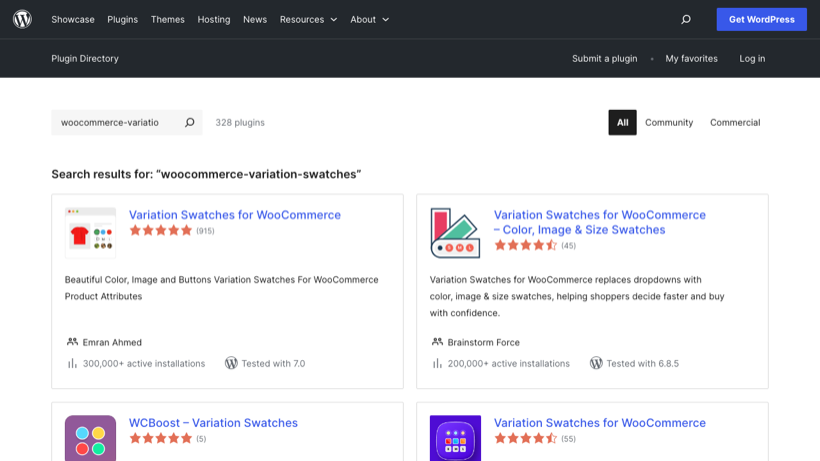
WooCommerce Variation Swatches by GetWooPlugins is the other genuine market leader, with around 300,000 active installs and millions of downloads.
What stood out: it is polished and lightweight, with a tidy admin and swatches that look good on the default WooCommerce themes without much tweaking.
Key features
- Color, image, text and button swatches.
- Tooltips and custom swatch shapes.
- Auto-converts existing attribute dropdowns into swatches.
Pros
- Hugely popular and well maintained, with a strong free version.
- Lightweight and quick to set up.
Cons
- The most advanced features sit behind the Pro version.
- Swatches only, with no product-options or pricing features.
Best for
Stores wanting a clean, popular free swatches plugin as an alternative to Emran Ahmed's.
4. ShopEngine

⭐️ Rating: 5 out of 5 ⭐️
ShopEngine is a complete WooCommerce builder add-on featuring a versatile Variation Swatches Module.
ShopEngine's Variation Swatches Module lets you easily add attributes to your product. You can customize and show off your product's color or size variations. You can add radio images, labels, and colors into the product variation option fields. This helps your customers find their desired product quickly.
What stood out: the swatches module only makes sense alongside the rest of ShopEngine's builder feature set. As a standalone swatches solution, it's not the leanest pick.
ShopEngine offers a free version. There's also a Pro version with multiple pricing tiers.
Pros
- Comes with a full WooCommerce builder, so good value if you'd use the other features.
- Active development and frequent updates.
Cons
- Heavy if all you need is swatches. You'll install a lot of features you won't use.
- Fewer swatch types than some focused competitors. No conditional logic.
Best for
Stores that want a wider WooCommerce builder alongside their swatches. Skip ShopEngine if you only want swatches, because the extra modules add unnecessary bloat.
5. ShopLentor Variation Swatches
⭐️ Rating: 4.4 out of 5 ⭐️
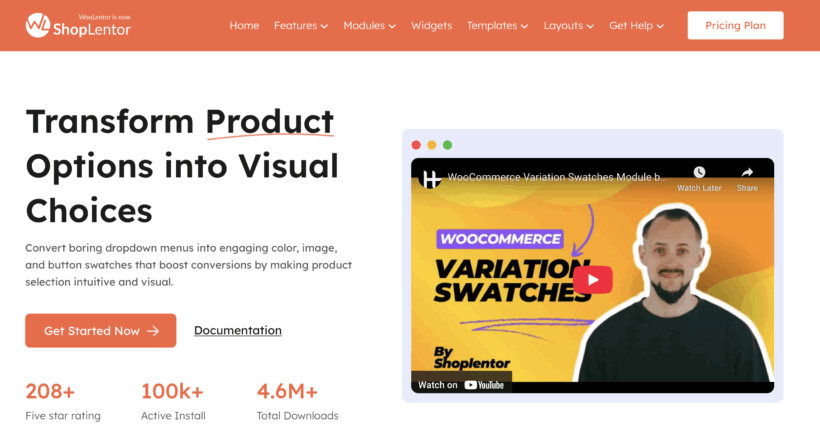
The ShopLentor Variation Swatches module replaces standard WooCommerce dropdowns with engaging and interactive swatches. Instead of text-based options, shoppers see colors, labels, or images that make it easier to choose the right variation.
What stood out: ShopLentor packages the swatches as one module in a larger add-on. If you're already using the WooLentor ecosystem this is a natural fit. If you're not, you'll need to install the full package to get just the swatches.
Key features
- Multiple swatch types: color, text labels, or images.
- Tooltips and hover effects to enhance user interaction.
- Custom styling options for swatch shapes, sizes and styles.
- Mobile-responsive design.
Pros
- Comes bundled with a wider Elementor-friendly ecosystem.
- Good styling flexibility with tooltips and hover effects.
Cons
- You need the full WooLentor add-on to get the swatches module.
- No advanced pricing, conditional logic or min/max quantity features.
Best for
Stores already using WooLentor and Elementor who want swatches as part of a wider toolkit.
6. Variation Swatches by RadiusTheme

⭐️ Rating: 4.8 out of 5 ⭐️
Variation Swatches for WooCommerce by RadiusTheme is a freemium plugin offering a good range of free features and active support.
What stood out: the tooltip feature is more refined than most. You can display custom images and rich descriptions for each swatch, rather than just a label.
Key features
- Showcase product variation select fields as radio, images, colors, and labels.
- Display the variation swatches in rounded or squared shapes.
- Tooltip feature shows custom images and textual descriptions of products and their variations.
- Customize the background with images and colors, plus the border colors of the swatches.
Pros
- Strong free tier with most basic features included.
- Best tooltip feature in this roundup.
Cons
- No advanced pricing, conditional logic or min/max quantity features.
- Several similarly-named plugins on WordPress.org can cause confusion when searching.
Best for
Stores that want to choose the shape of their swatches, and that particularly value the tooltip feature.
7. Variation Swatches and Photos

⭐️ Rating: 3.5 out of 5 ⭐️
Variation Swatches and Photos is a simple plugin that replaces the default dropdown fields on variable products.
What stood out: setup is straightforward, but the plugin shows its age. There's no shop-page support, and the styling controls are minimal.
Key features
- Showcase image and color swatches to represent variation options.
- Choose between text, color and image variation swatches for WooCommerce.
Pros
- Easy to set up if you only need very basic swatches.
Cons
- Lowest rating in this roundup. Reviews flag a lack of features and infrequent updates.
- No conditional logic, no min/max quantities, no advanced pricing.
Best for
Stores that want very simple swatches and don't need anything beyond the basics. Most stores will find one of the other free options below a better fit.
8. Variations as Radio Buttons for WooCommerce

⭐️ Rating: 5 out of 5 ⭐️
Variations as Radio Buttons for WooCommerce by Extendons makes product options easier to view by replacing dropdowns with visual swatches.
What stood out: it's the only plugin in this roundup that's officially sold on WooCommerce.com. That adds a layer of vendor accountability. The shop-page preview is also nicely handled.
Key features
- Swatches as colors, images, text, or radio buttons.
- Different swatch sizes and shapes (round or square).
- Preview product images by clicking or hovering on swatches.
- Options to hide, blur, or cross out out-of-stock variations.
- Tooltips and borders for a polished look.
- Swatches for all products or only selected ones.
Pros
- Sold on WooCommerce.com, with associated vendor checks.
- Strong shop-page preview support.
Cons
- No advanced pricing, conditional logic or min/max quantities.
- Paid plugin, no free version.
Best for
Stores that prefer to buy from WooCommerce.com and want clickable swatches on both product and shop pages.
9. WowStore

⭐️ Rating: 4.9 out of 5 ⭐️
The WowStore WordPress store builder plugin features a WooCommerce Variation Swatches add-on, plus a Name Your Price field.
What stood out: WowStore is similar to ShopEngine in being a wider store-builder bundle. You're really buying the wider toolkit, not just swatches.
Key features
- Color and image swatches on single product and archive pages.
- Tooltips for attributes.
- Wider WooCommerce store-builder feature set.
Pros
- Good value if you'd use the wider store-builder features.
- Active development.
Cons
- Overkill if you only want swatches.
- Fewer swatch customization options than some focused competitors.
Best for
Sites that need a wider store-builder toolkit and also want swatches. Avoid it if you only want swatches.
10. WPMozo Variation Swatches
⭐️ Rating: No reviews at the time of writing ⭐️
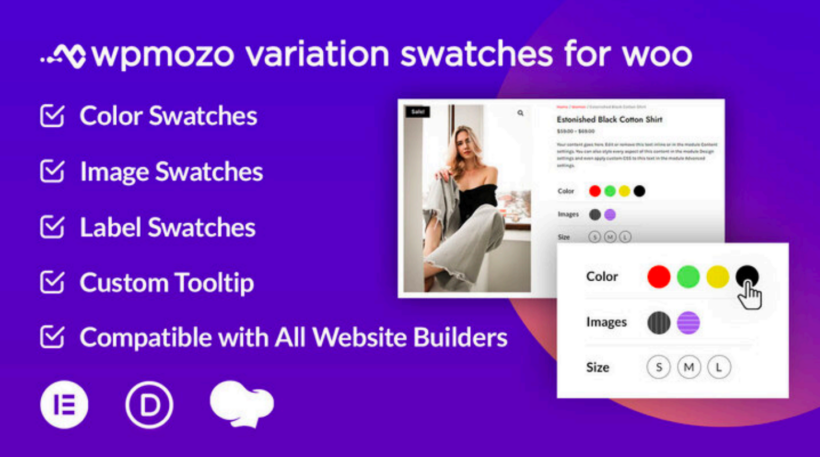
The WPMozo Variation Swatches for Woo plugin makes it simple to display attribute swatches on product pages.
What stood out: WPMozo has no reviews on WordPress.org at the time of writing, so adoption is low. That makes it harder to recommend confidently for a new store.
Key features
- Display product colors, sizes, and views from multiple viewpoints.
- Hover tooltips with text and product images.
- Display the variation swatches on the product and shop pages.
- Inline and Separate layouts for arranging the swatches.
- Styling options to match your brand.
Pros
- Inline and Separate layout choice is unusual at this price point.
Cons
- No reviews on WordPress.org at the time of writing.
- No advanced pricing, conditional logic or min/max quantity features.
Best for
Stores that want a smaller vendor and the layout choice. Avoid it if you want a track record or advanced features.
11. Swatchly

⭐️ Rating: 4.4 out of 5 ⭐️
The free Swatchly plugin lets you display variation swatches on your online store.
What stood out: the auto-convert option saves a lot of time. The plugin can turn every variation dropdown on your site into a swatch in a single click. That's unusual for a free plugin.
Key features
- Free variation swatches plugin for WooCommerce.
- Add multiple types of swatches to your variable products: label, color or image.
- Auto-convert all default WooCommerce variation dropdown menus into swatches.
- Override global swatch settings for each product individually.
Pros
- Free, with no upgrade nag for the basics.
- Auto-convert feature is genuinely useful on stores with many variable products.
Cons
- No premium support, so you're relying on the WordPress.org forum if you get stuck.
- No advanced features like conditional logic or dynamic pricing.
Best for
Stores looking for a free solution that don't need premium support or advanced features.
12. Variation Swatches by ThemeHigh

⭐️ Rating: 4.9 out of 5 ⭐️
Variation Swatches for WooCommerce by ThemeHigh is a fully responsive plugin designed to help create an interactive shopping experience.
What stood out: ThemeHigh's free version is one of the cleanest in the roundup. The admin interface is uncluttered and the defaults work out of the box.
Key features
- Simple setup for variation swatches.
- Choose from color, image, radio button, or label button swatches.
- Customize how swatches look on the front-end.
Pros
- Clean admin UI and sensible defaults.
- Free tier covers the basics well.
Cons
- Confusable with several other similarly-named plugins.
- No advanced pricing, conditional logic or min/max quantities.
Best for
Creating simple variation swatches in WooCommerce without needing extra field types or conditional logic.
13. Product Variations Swatches for WooCommerce

⭐️ Rating: 4.7 out of 5 ⭐️
The Product Variations Swatches for WooCommerce offers a basic solution for displaying variation swatches.
What stood out: stripped-back and quick to configure. You get the global attribute control without much else.
Key features
- Customize the display of your store's global product attributes easily.
- Get control over the look and design of your variation swatches.
Pros
- Free.
- Very simple setup if you only need basic attribute swatches.
Cons
- Minimal feature set.
- No advanced features at all.
Best for
Stores wanting a free, minimal swatches plugin and nothing more.
Further reading: How to add WooCommerce additional variation images to your products.
Bonus: WooCommerce Product Filters for swatch filters

⭐️ Rating: 5 out of 5 ⭐️
This is also our own plugin. WooCommerce Product Filters solves a different problem from the plugins above, so I've placed it in its own bonus section rather than the main numbered list.
WooCommerce swatches aren't only for displaying on product pages. You can also use them as product filters. The benefit is that customers can click on an image, text label, or color swatch to refine the product catalog by their selection.
The WooCommerce Product Filters plugin handles this. It comes with:
- Attribute color swatches and image filters based on an attribute, category, or taxonomy.
- Text labels (like a tag cloud) for categories, attributes, taxonomies, and tags.
- Swatch-based filters in your shop's sidebar and above the list of products.
- Mobile-friendly slide-out filter panel.
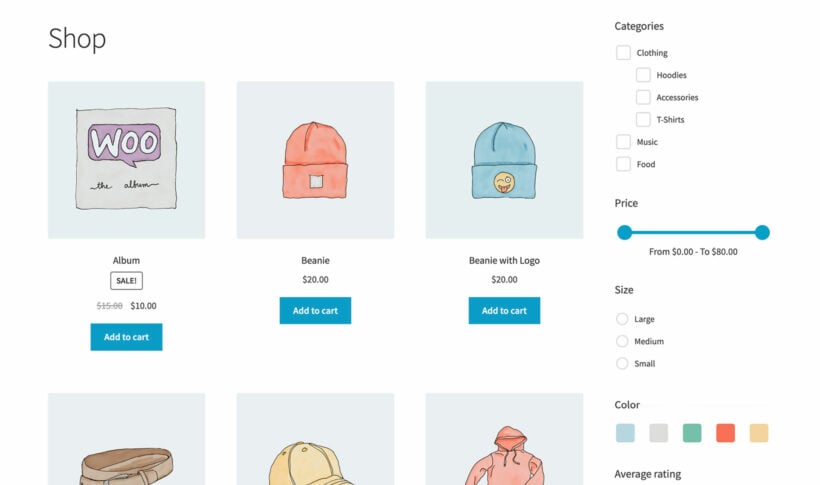
It is a premium plugin, and it filters products by swatches rather than displaying swatches on the product page, so it complements a swatches plugin rather than replacing one.
You can use WooCommerce Product Filters on its own, or pair it with any of the plugins above. Swatches on product pages plus swatches on shop and category filters covers the full customer journey.
Adding variation swatches to a WooCommerce product
Once you've picked a plugin, adding swatches takes only a few minutes. The exact steps differ by plugin, but most work the same way. Here's the workflow using WooCommerce Product Options, with notes on how it differs from a typical variations-based plugin.
Method 1: Build swatches as standalone product options
This is the most flexible path because you don't need to set up real WooCommerce variations.
- Install and activate WooCommerce Product Options.
- Open the product you want to add swatches to.
- Scroll to the Product Options panel and add a new option of type 'Color swatches', 'Image swatches' or 'Label swatches'.
- Add each swatch value with its color, image or label. Set any pricing adjustments for each one.
- Save the product. The swatches appear on the product page in place of the dropdown.
The big advantage is flexibility. You can apply min/max quantities, conditional logic and dynamic pricing to swatches that aren't tied to real variations.
Method 2: Use swatches on real product variations
If you already have variable products with attributes, you can convert those attribute dropdowns into swatches.
- Open the variable product in WooCommerce.
- Make sure the relevant attribute (for example, 'Color' or 'Size') is set up under Products → Attributes.
- In WooCommerce Product Options, enable the 'Use existing attributes' setting for that attribute.
- Choose the swatch type (color, image, label) and assign a value to each attribute term.
- Save. The product page now shows swatches instead of the default dropdown. Stock and price still tie back to your real variation data.
This method is best when you already have inventory tied to variations. The standalone option method (above) is better when you want flexibility beyond what real variations support.
Frequently asked questions about WooCommerce variation swatches
Do variation swatches work with WooCommerce block themes?
Most modern swatches plugins work with both classic and block themes. The exception is some older free plugins that target the legacy WooCommerce templates. Always check the plugin's compatibility notes for block themes before buying.
Can I show variation swatches on shop and category archive pages?
Yes, but only with some plugins. WooCommerce Product Options, WowStore, Variations as Radio Buttons and a few others support shop archive display. Simpler plugins limit swatches to the single product page only.
Will variation swatches slow my site down?
Well-coded swatches plugins add minimal overhead. The risk is heavier bundles like ShopEngine and WowStore, which add many unrelated features at the same time. If performance matters, pick a focused plugin and avoid all-in-one bundles.
Which is the best variation swatches plugin for clothing stores?
Clothing stores benefit most from color and image swatches with shop-page support. Our top pick is WooCommerce Product Options because it covers both. If budget is a constraint, Swatchly's free tier handles color swatches well.
Choose the right variation swatches plugin for your store
Adding product variation swatches to WooCommerce is one of the simplest ways to improve the shopping experience. It makes it easier for customers to differentiate between options and select what they want quickly. The right plugin depends on your store's needs:
- For maximum flexibility and advanced features, pick WooCommerce Product Options.
- For the best free dedicated plugin, pick Variation Swatches for WooCommerce by Emran Ahmed or WooCommerce Variation Swatches by GetWooPlugins.
- For shop-page filter swatches alongside product-page swatches, pair the above with WooCommerce Product Filters.
- If you want a wider store-builder toolkit, look at ShopEngine or WowStore.
My top recommendation for most stores is WooCommerce Product Options. It gives you swatches plus a wider toolkit for product customization. It comes with a 30-day money-back guarantee, so you can try it on your site without risk.