How Shopify supports both B2B and B2C models

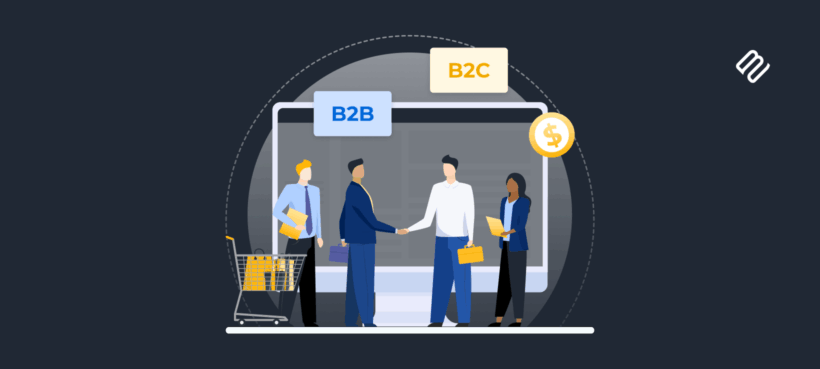
Is Shopify B2B or B2C? The short answer: it handles both from a single platform, though your setup options range from strategic app combinations to full enterprise solutions.
If you're asking whether Shopify supports B2B or B2C, you're probably at a crossroads. Maybe your retail store is thriving and wholesale customers have started asking about bulk pricing. Or perhaps you're launching fresh and want to serve both audiences from day one. Either way, you need clarity before committing time and money to the wrong setup. Here's what I find interesting about this question: most merchants assume they need to choose one model or the other.
That's simply not true anymore. Today's B2B buyers expect the same smooth experience they get as consumers. And many successful B2C brands discover that their best customers want to buy in bulk. The real question isn't whether Shopify can do both (it absolutely can). What matters is which setup makes financial and operational sense for your specific situation.
In this guide, I'll walk you through three main approaches: using your existing store with strategic apps, upgrading to Shopify Plus for enterprise features, and running separate stores for distinct operations. By the end, you'll know exactly how to add B2B capabilities without breaking your existing retail operations or your budget.
How Shopify handles B2B and B2C from one platform
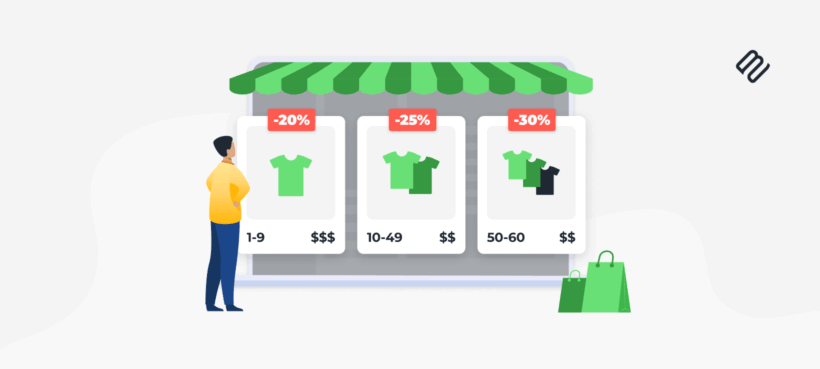
B2C (Business-to-Consumer) means selling products directly to individual end users for personal use. B2B (Business-to-Business) means selling products to other businesses rather than individual consumers. The fundamental difference comes down to scale: B2B focuses on bulk orders while B2C targets individual purchases. But scale isn't the only difference. B2C purchases tend to be emotional and impulse-driven.
A customer sees a product they like, adds it to cart, and checks out in minutes. B2B transactions involve multiple stakeholders, ROI calculations, and approval chains. The decision cycle stretches from days to weeks. Shopify's core architecture treats B2B and B2C as permission layers on the same catalog, not separate systems. Your products, inventory, and order management stay unified regardless of who's buying. Think of it as a unified commerce engine where B2B and B2C are configuration layers rather than separate platforms. Here's how the two models differ on Shopify:
- Order values - B2C averages the price of a few products, while B2B buyers order in bulk with higher cart totals.
- Checkout experience - B2C gets streamlined one-page checkout while B2B needs company fields and purchase orders.
- Payment processing - B2C uses instant Shopify Payments while B2B often requires Net 30/60 terms (available natively only on Plus).
- Customer accounts - B2C uses individual accounts while B2B needs company profiles with multiple users.
The unified admin panel means you manage both audiences from one dashboard. Retail customers see lifestyle photos and standard pricing. Logged-in wholesale buyers see bulk pricing tables and trade terms. This eliminates the headache of managing duplicate inventories or reconciling sales data across multiple systems.
Three ways to set up B2B on Shopify
Now that you understand how Shopify handles both audiences from one platform, here's how to actually set it up. I'll cover three methods, starting with the most cost-effective approach that works for the majority of stores.
Method 1: Basic Shopify with strategic apps (recommended)
You can replicate the most important B2B features on a standard Shopify plan by using a strategic stack of apps. This approach gives you powerful capabilities at a fraction of Plus pricing. Total cost: Your current plan ($39-$399/month) plus around $50-100 monthly in strategic app subscriptions. This handles the majority of B2B needs: volume discounts, customer-specific pricing, minimum order quantities, and basic wholesale features.
It's perfect for retailers adding wholesale, businesses testing B2B demand, and anyone not ready for Plus pricing. The big advantage is that you keep everything simple with one admin, unified inventory, and a single source of truth for all sales data. For a deeper look at setup steps, check out our guide on how to set up wholesale on Shopify.
Volume discount and pricing apps
B2B buyers expect automatic bulk discounts without entering coupon codes. That's a non-negotiable expectation in wholesale. If a buyer has to hunt for discount codes or email you for pricing, they'll simply go elsewhere.
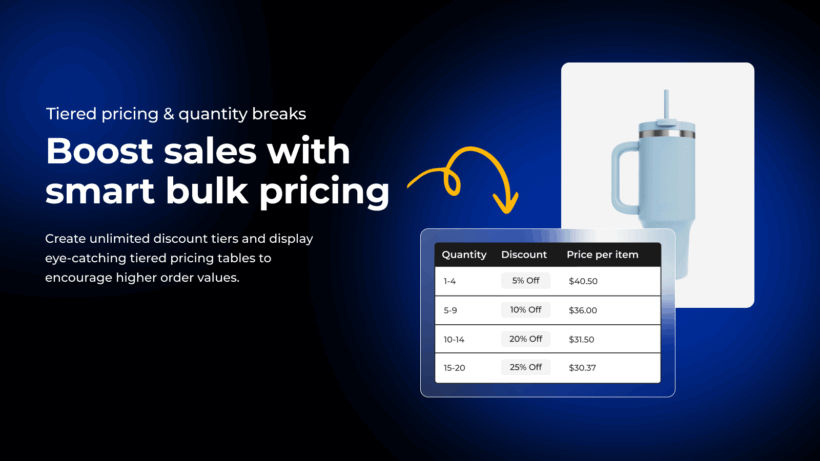
Barn2 Bundles & Bulk Discounts (free plan available, paid plans from $12.99/month) displays tiered pricing right on product pages. Wholesale buyers instantly see their savings at different quantity thresholds. Without needing guesswork, nor back-and-forth emails.
- Shows tiered pricing directly on product pages so wholesale buyers know they'll save 20% at 50 units.
- Set up quantity price breaks in minutes with no more manual quote calculations.
- Mix-and-match bundles let wholesale buyers combine variants. They can order 25 blue and 25 red shirts to hit the 50-unit discount threshold.
- Built on Shopify Functions, it works with your existing discounts without hitting stacking limits that break checkout.
- Customizable design options let you match your store's branding perfectly.
For more details on setting up quantity discounts on Shopify, check out our complete guide.
Customer segmentation apps
You need a way to identify wholesale customers and apply appropriate pricing automatically. Customer Fields (starts at $4.99/month) adds customizable B2B registration forms to your store. It automatically tags wholesale accounts upon approval for instant access to B2B pricing. The app also captures tax ID numbers, business licenses, and resale certificates during signup.
Wholesale lock apps
Protecting your B2B pricing from retail visitors maintains a professional appearance. Locksmith (starting at $12/month) hides prices or entire catalogs from non-wholesale visitors. It shows "Login for pricing" messages that wholesale buyers expect to see and creates password-protected pages for exclusive B2B product lines.
Wholesale catalog apps
For merchants needing more than basic features, a complete B2B portal provides the full experience. SparkLayer (starts at $49/month) offers quote requests, quick reorder, and saved shopping lists. It includes net terms, purchase orders, and company account management. This option works best for established B2B operations ready to invest in premium features.
Payment terms and minimum order apps
Offering delayed payment options and enforcing bulk order minimums are standard B2B expectations. Invoice Falcon (free up to 50 invoices/month, paid plans from $9.99/month) creates professional invoices with payment terms. Note that manual follow-up is still needed for collections. True automated net terms remain a Plus advantage, so apps provide workarounds but not full automation. MinMaxify (starts at $10/month) enforces wholesale minimums per product or cart total, preventing undersized B2B orders.
Method 2: Shopify Plus for enterprise B2B

Is Shopify Plus required for B2B?
No, but it's designed for large, complex wholesale operations that have outgrown app-based solutions. Plus costs $2,300 monthly minimum and includes:
- Company accounts with organizational hierarchies and multiple buyer roles.
- Customer-specific price lists managed natively without third-party apps.
- Flexible payment terms built into checkout, including Net 30, Net 60, and custom arrangements.
- Multi-user company profiles where buyers can have different permission levels.
- Custom catalogs that show different products to different customer segments.
When should you consider upgrading?
Consider Plus when you have 100+ wholesale accounts, need multi-user company profiles, require custom payment terms, or manage complex approval workflows. The tipping point usually comes when wholesale exceeds roughly $1M annually or managing accounts with apps becomes too expensive and complex.
Stay on standard plans if your B2B needs are simple discounts, you have a small wholesale customer base, and you don't need approval workflows. The app stack I described earlier handles these scenarios at a fraction of the cost. Most merchants asking "is Shopify B2B or B2C" don't need enterprise features right away.
Method 3: Barn2 B2B Shopify App (Coming Soon)
Running separate Shopify stores for B2C and B2B is often suggested, but in practice it creates unnecessary complexity. Inventory syncing, duplicated apps, fragmented reporting, and higher costs usually outweigh the benefits. For most merchants, this approach is difficult to scale and prone to errors.
There is also a growing gap between basic app-based setups and Shopify Plus. Many merchants need more than a patchwork of individual apps, but are not ready to commit to a $2,300/month enterprise plan just to unlock B2B features.
This is exactly the gap we are working to close.
At Barn2, we are currently building a dedicated Shopify B2B app designed to add a professional wholesale layer on top of a standard Shopify store, without splitting catalogs, inventory, or customer data.
The goal is simple: to provide the accuracy, control, and usability B2B merchants need, while keeping everything inside a single Shopify store.
What this approach is designed to solve
Many existing B2B apps struggle with reliability, outdated implementations, or poor ordering experiences. Merchants frequently report pricing sync delays, rounding errors, checkout conflicts, and confusing workflows that lead to costly order mistakes. A significant portion of online B2B orders still contain errors, often caused by fragile pricing logic or clunky order forms.
This upcoming app is being built around a few core principles:
- Role-based pricing without affecting retail prices
Assign wholesale roles to customers and apply global, product, variant, or market-level pricing rules. Retail pricing remains untouched, while B2B buyers always see the correct wholesale prices instantly. - Accurate bulk and tiered pricing
Built-in tiered quantity pricing with clear price break tables and savings displayed throughout the storefront, cart, and mini cart. Pricing is calculated using modern Shopify APIs to avoid sync delays and inconsistencies. - Professional front-end order form
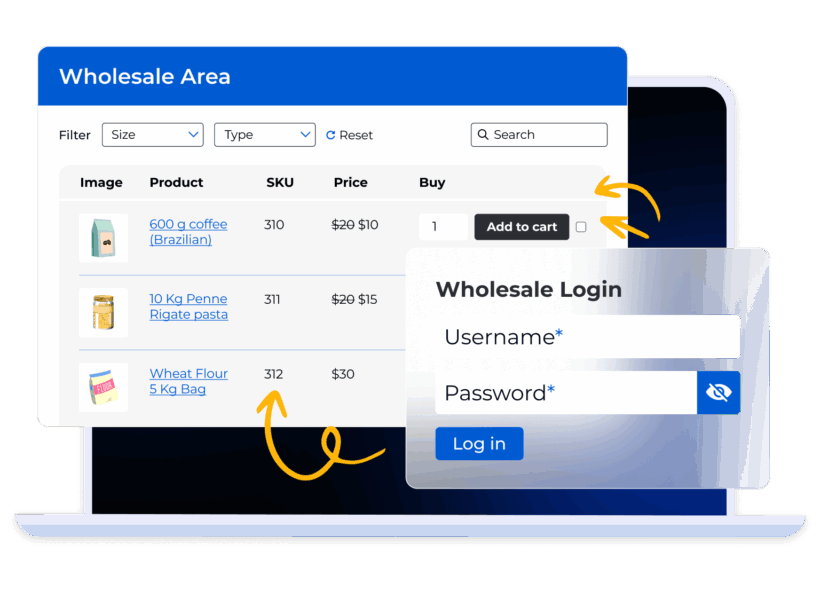
A fast, table-based order form optimized for large and repeat wholesale orders, reducing friction, speeding up ordering, and minimizing costly mistakes. - Controlled B2B access and registration
Dedicated wholesale registration forms with approval workflows, document uploads, and automatic role assignment. Wholesale pricing and add-to-cart buttons can be hidden from non-approved users, with clear alternate messaging. - Quantity rules and order minimums
Enforce minimum quantities, increments, and order value rules that reflect real wholesale workflows, including mix-and-match logic across products or variants. - One store, one inventory, one source of truth
No duplicated catalogs, no inventory sync tools, no parallel reporting. Retail and B2B orders live in the same admin, with clear segmentation and basic analytics for tracking wholesale performance.
Who this is for
This approach is aimed at merchants who:
- Are adding wholesale to an existing Shopify store
- Want accurate pricing and fewer order errors
- Need more structure than individual apps provide
- Are not ready or willing to move to Shopify Plus
- Want a solution that scales cleanly as B2B grows
The app is still in development, but we are already collecting early interest from merchants who want to be notified at launch and help shape the roadmap. If B2B is part of your Shopify strategy, this is a path worth watching.
Choose the right Shopify setup for your business today
Whether you choose apps, Plus, or separate stores, your inventory and customer data stay unified on Shopify. Your ideal configuration depends on where you are today and where you're heading tomorrow. The question "is Shopify B2B or B2C" misses the point. It's both, and you can configure it for your specific needs.
The beauty of Shopify's unified platform is that you're never locked in. Start with your current plan plus strategic apps. Test the B2B waters without a massive investment. Upgrade to Plus only when volume and complexity justify the investment. Many successful wholesale operations run on standard Shopify plans for years before considering an upgrade.
Most stores don't need Shopify Plus to run both B2B and B2C successfully. The right combination of apps can handle wholesale pricing, customer segmentation, and order minimums at a fraction of the cost.
Katie KeithFounder & CEO
Ready to add B2B capabilities to your Shopify store? Start with Bundles & Bulk Discounts from $12.99/month and show wholesale buyers exactly what they'll save on bulk orders.