New lead capture popup for Document Library Pro

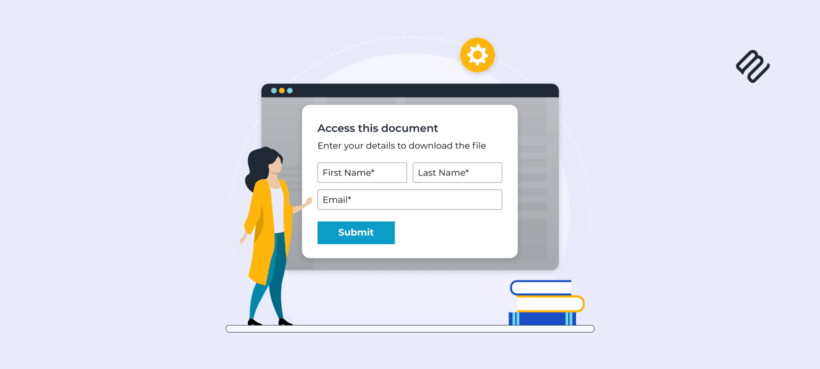
Collect email addresses before users download documents with the new lead capture popup in Document Library Pro.
Document Library Pro now includes a built-in lead capture form that appears before users download files from your document library.
This release is designed for businesses that share valuable resources - such as brochures, whitepapers, price lists, reports, or member-only files - and want to collect contact details before granting access.
Require an email address before downloading documents
When lead capture is enabled, clicking a document download button opens a popup form.
Users must enter their details before the download button becomes available. After submitting the form, they can immediately access the file.
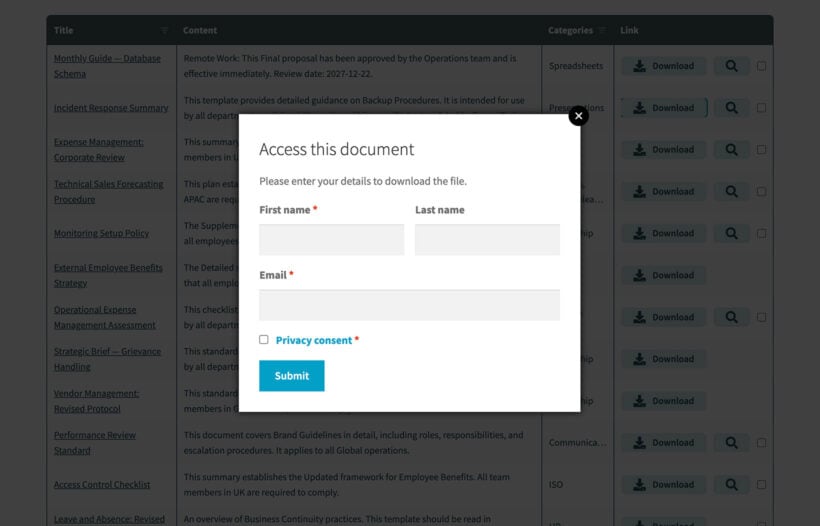
This makes it easy to turn your document library into a lead generation tool while keeping the user experience smooth and professional.
Use cases and ideas
Lead capture works well anywhere you want to share documents, but also want to capture people's contact information for marketing or security purposes. It can support many different workflows, depending on what your documents are for and what happens after someone downloads them.
Marketing downloads and email follow-ups
If you publish downloadable resources to attract new customers, lead capture lets you collect email addresses without sending users to a separate landing page. For example:
- Whitepapers, guides, and reports that educate potential customers.
- Case studies and success stories that support sales conversations.
- Templates, checklists, and other downloadable tools.
- Webinar slides and supporting materials.
Once you start collecting leads, you can follow up personally, add them to your nurture sequence using your preferred tools, or simply review which resources are generating the most interest.
B2B sales resources and gated pricing documents
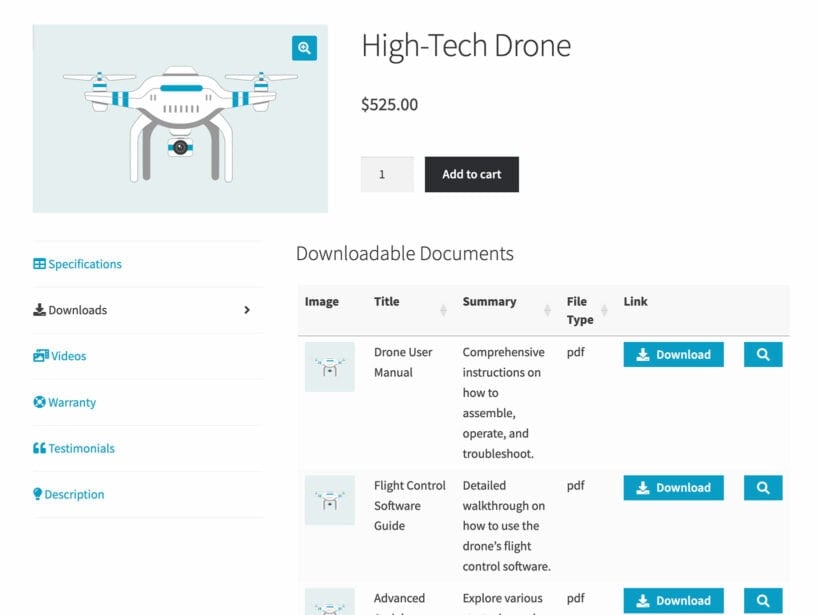
Many businesses use document libraries to share information that is valuable to prospects, but not something they want fully public. Lead capture is ideal for:
- Price lists, rate cards, and product catalogs.
- Technical specification sheets and compliance documents.
- Supplier information packs and onboarding documents.
- Datasheets for high-value products where sales involvement is expected.
Instead of letting these documents be downloaded anonymously, you can capture a name and email address and route the lead to the right person.
Training, course materials, and internal resources
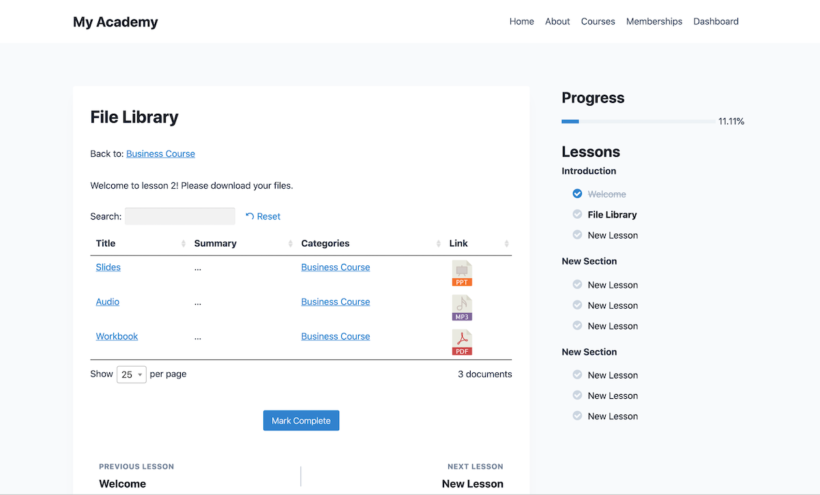
If you use Document Library Pro to share learning resources, lead capture can help you monitor interest and control access, especially when content is shared beyond your immediate audience. For example:
- Handouts and worksheets for training programs.
- Course resources, reading lists, and reference materials.
- Employee documents, policies, and internal templates.
- Partner resources, brand assets, and marketing materials.
You can also bypass lead capture for logged-in users, which is useful if you want members, staff, or existing customers to download instantly while still capturing leads from new visitors.
Events, conferences, and downloadable handouts
Lead capture is a practical way to turn event content into ongoing lead generation:
- Conference slide decks and session resources.
- Event brochures and downloadable schedules.
- Sponsorship packs and exhibitor information.
- Post-event resource hubs with recordings and PDFs.
This helps you measure interest after the event and makes it easier to follow up with people who engaged with specific materials.
Downloads that need a light-touch gate
Sometimes you do not need full gated content or a membership setup, you just want a simple barrier that reduces low-quality traffic and captures basic contact details. Lead capture provides that middle ground for:
- Free resources that you still want to track.
- Download pages that attract bots or scraper traffic.
- Documents that are fine to share, but not completely anonymously.
- Situations where you want fewer clicks than a dedicated opt-in landing page.
Fully customizable form and privacy consent
You have complete control over the text displayed in the popup form, including:
- Heading and introduction text.
- Field labels.
- Submit button text.
- Confirmation message.
An optional privacy consent checkbox can be enabled, with fully customizable wording. The privacy link connects to your site’s WordPress privacy policy page, helping you stay compliant with data protection regulations.
Works with any email marketing platform
Each submission is sent to your chosen recipient email address.
For automated workflows, you can connect the lead capture form to other tools such as CRMs and email marketing platforms. You can easily set this up using integration plugins such as WP Fusion or automation tools like Zapier. Because it does not rely on a single built-in integration, you can integrate with any provider that is supported by these tools.
How to enable lead capture
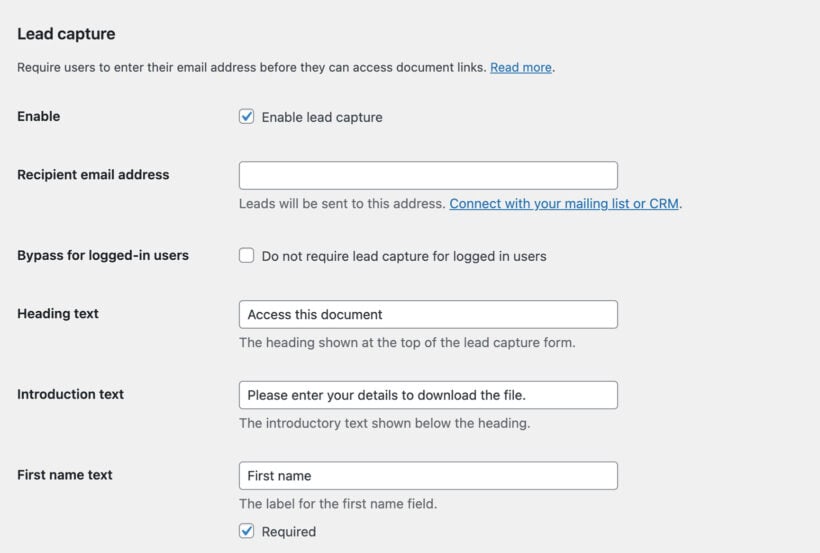
Setting it up takes a few minutes:
- Go to Documents → Settings → Lead capture.
- Tick “Enable lead capture”.
- Enter the recipient email address for notifications.
- Customize the form text and privacy consent settings.
- Save your changes.
From that point onwards, all document downloads will trigger the lead capture popup.
Start capturing leads from your document library
The lead capture feature is available in the Advanced plan of Document Library Pro - version 3.1 and above.
Existing customers can read the changelog and update from their WordPress dashboard. New customers can purchase Document Library Pro here and start turning their document library into a powerful lead generation tool.
Documentation is available if you need help configuring the new feature.