Our new WooCommerce wholesale suite: 5 features a trade store needs

A WooCommerce wholesale suite is a set of plugins that adds trade prices, buyer approval and bulk ordering to your store. Our new five-plugin wholesale bundle includes everything you need.
Out of the box, WooCommerce gives every customer the same price and the same checkout, so a trade store has to add its wholesale features. Which plugins you need depends on how you sell. For example, a candle maker supplying 20 gift shops has different problems from a parts distributor with 4,000 SKUs.
Here are the five features that come up on nearly every wholesale store:
- Wholesale prices and user roles.
- Registration and approval for trade buyers.
- A one-page wholesale order form.
- Minimum orders and case quantities.
- Volume discounts.
To help stores with this, we've released a new five-plugin bundle which covers all fine, providing a complete wholesale suite for your store.
What is a WooCommerce wholesale suite?
A WooCommerce wholesale suite is a group of plugins that work together to add a trade area to a WooCommerce store, alongside the retail side.
Most standalone B2B plugins focus on wholesale pricing alone. In reality, the typical store needs far more than this, and the solution is often to mix and match plugins from a comprehensive suite of wholesale plugins. After all, pricing, approval, ordering speed and quantity rules are four separate problems, so most stores solve them with two or three well-integrated plugins rather than one.
Our WooCommerce Wholesale Pro plugin runs the trade area on 5,000+ sites. When we classified 1,000 of them by industry, we discovered that food and drink was the largest category, with 17.7% of stores. Homeware came second, then health and beauty. You'll find the full ranking in our wholesale business examples study.
What's included in Barn2's suite of wholesale plugins?

We believe the best WooCommerce wholesale suite is our five-plugin wholesale bundle, which covers all five features with one license key. You can mix and match the plugins based on your store's exact requirements:
- WooCommerce Wholesale Pro - Our core wholesale plugin. Use it for wholesale roles and registration, role-based pricing, and wholesale tax payment and shipping.
- WooCommerce Product Table - Display products to your wholesale buyers in quick B2B-friendly order forms, speeding up the purchasing process.
- WooCommerce Discount Manager - Boost your average B2B order value by rewarding buyers for purchasing in higher quantities.
- WooCommerce Quantity Manager - Control how much your wholesale buyers can purchase with flexible quantity minimums and increments.
- WooCommerce Bulk Variations - Replace variation dropdowns with bulk variation grids, making it much faster to add multiple variations at once.
We build all five plugins in this wholesale suite in-house of Barn2 and ensure they work perfectly together. For example, the quantity messages advising buyers of the minimum quantity appear within the wholesale order form, and the correct bulk discounts are shown when buyers add variations from the grid.
Real-life wholesale store examples
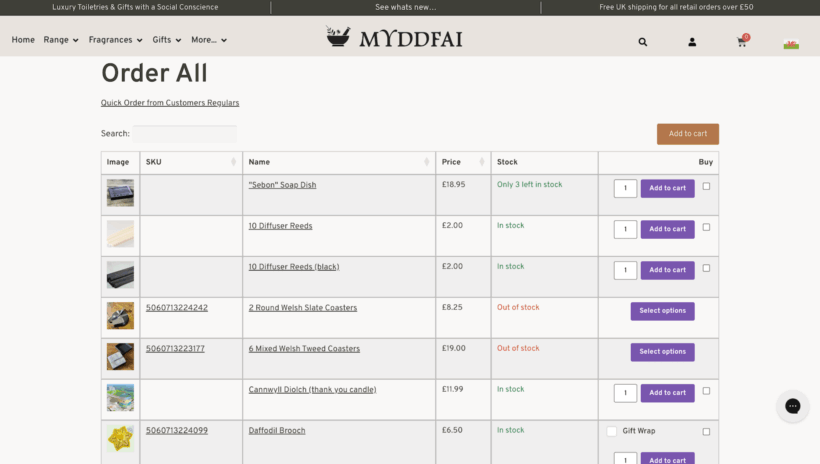
MYDDFAI is a Welsh social enterprise selling toiletries and home fragrance. It runs retail and trade from one bilingual site, where trade customers get their own prices automatically. Staff take phone orders through a product table rather than the normal shop pages, and the rebuild cut the site from more than 60 plugins to our All Access Pass.
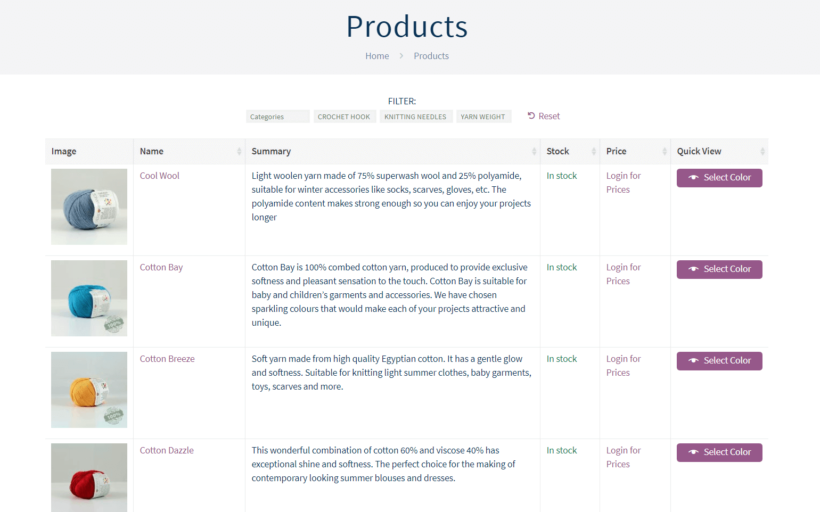
Yarn Gate sells premium yarns to trade buyers who order color by color. Its buyers register for an account, then order from a one-page table. A quick view popup opens the color picker on the same page. They add shade after shade without losing their place in the list.
Next I'll tell you more about what you get from each wholesale plugin in the suite.
Wholesale prices and user roles
Wholesale pricing is the most important feature by far. After all, you need a way to tell trade buyers apart from the public and charge a different price per group.
WooCommerce Wholesale Pro does that with unlimited user roles. For example, you might have one role for retailers, one for distributors and one for tax-exempt buyers abroad. Set a percentage discount for each role across the store or by category, or set exact wholesale prices on every product and variation.
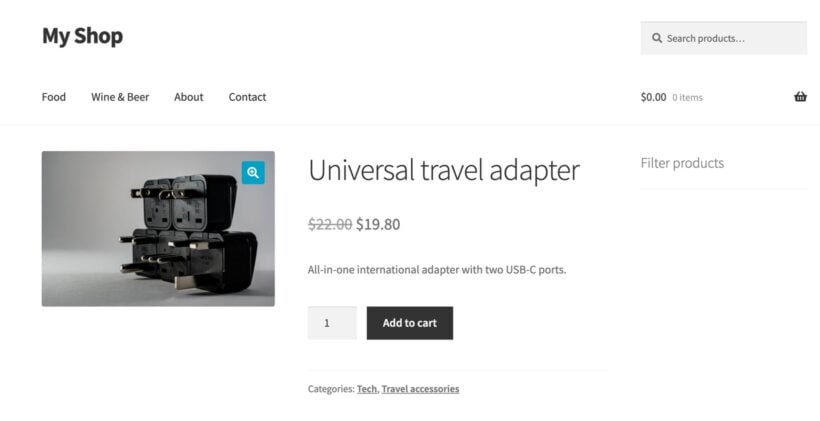
Each role also gets its own checkout rules. Trade buyers can see prices excluding tax while shoppers see the gross price. They can pay by bank transfer instead of PayPal, and get shipping rates that suit a pallet rather than a parcel.
If you sell only to the trade, you can hide prices until login and leave the catalog public. Search engines and AI crawlers still index your products, so buyers can find the range and then apply for an account. Manufacturers who sell through approved distributors use this setup a lot, because each distributor sets its own retail price.
Registration and approval for wholesale buyers
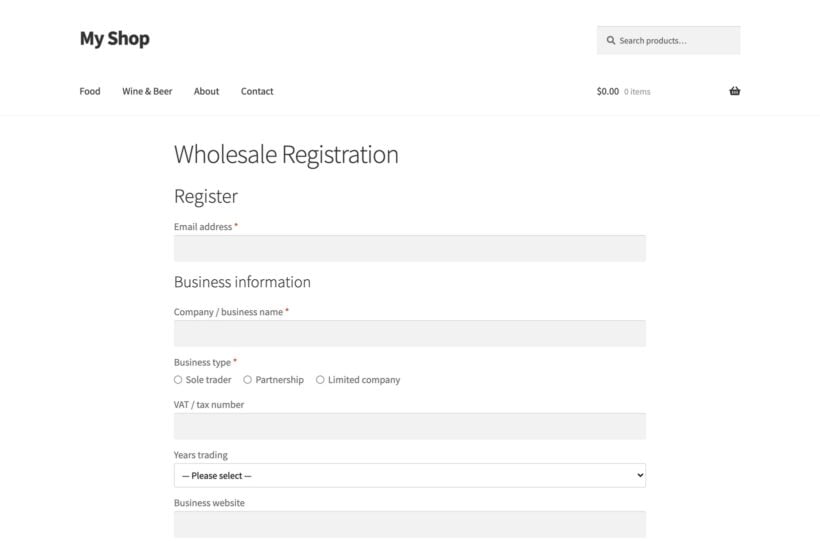
In that study of 1,000 wholesale stores, 45% put a visible trade link on the home page and the rest keep the entrance private. Either way, most of them vet a buyer before giving them trade prices. A registration form collects what you need up front and holds the application until you approve it.
Wholesale Pro has a drag-and-drop form builder for this. Ask for a company name and a tax ID, add a file upload for a reseller permit or a VAT certificate, and hide any question until the buyer's earlier answer makes it relevant.
Stores place the trade account link in the main menu or the footer, or keep the page hidden and email it to buyers they've met at a trade show.
A one-page wholesale order form
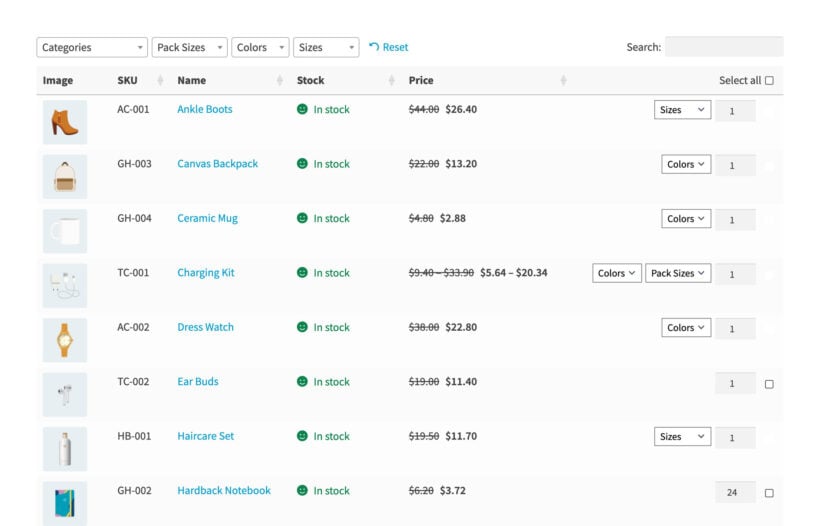
Trade buyers reorder the same lines every few weeks and they shop by SKU. Clicking through a separate page for every product slows down an order of 30 lines.
A wholesale order form puts the whole catalog on one page. Our WooCommerce Product Table plugin adds a searchable, filterable table with a quantity box on each row, so buyers add 30 lines to the cart in one click. About half the stores that buy Wholesale Pro buy Product Table as well. That's why we have now put them together in a single bundle.
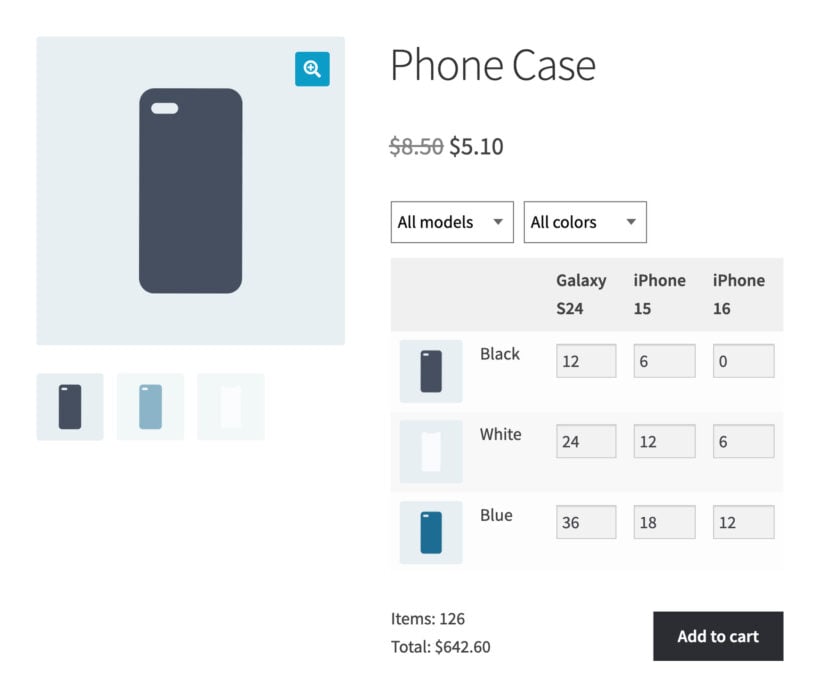
Stores selling apparel or anything else with a size-by-color range need a second view. WooCommerce Bulk Variations turns the variation dropdowns into a grid, so a buyer orders six smalls, 12 mediums and four larges in one go. There's a full guide to building a variations form if you want the setup steps.
Volume discounts for trade buyers
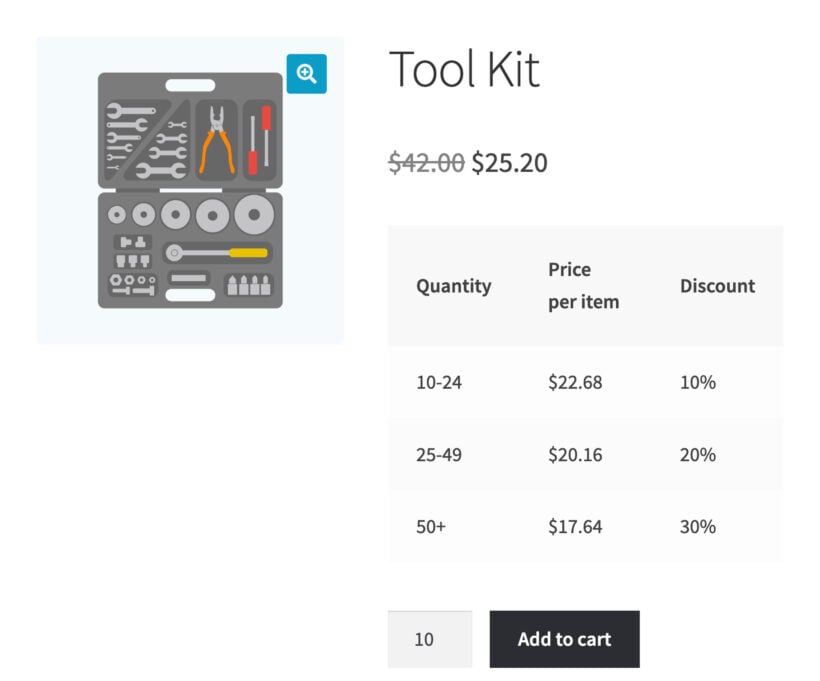
Bulk discounts are one of the most requested features across our whole plugin range. For example, you can drop the unit price at 24 units, again at 48 and again at 96.
WooCommerce Discount Manager adds those tiers and shows them on the product page as a table. Buyers can see the next price break before they pick a quantity. WooCommerce Wholesale Pro applies the trade price first, then Discount Manager's quantity tiers come off the top of it. A discount set for one individual customer overrides the role price.
Minimum orders and case quantities
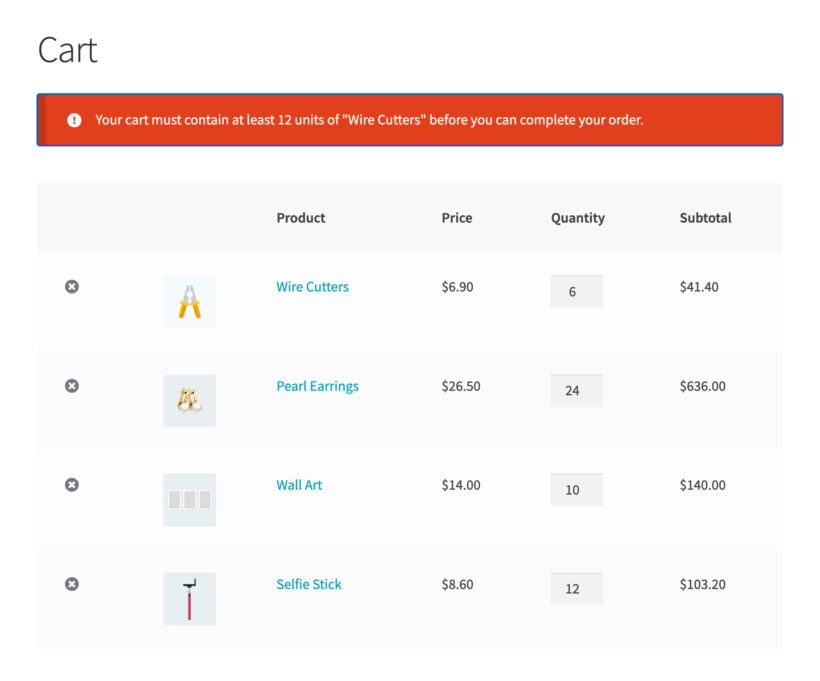
A trade discount only pays off above a certain order size, and you need your free shipping threshold to stay profitable. For both reasons, plenty of wholesale stores set a minimum order.
Our WooCommerce Quantity Manager plugin sets minimum and maximum quantities, case sizes such as steps of 12, and minimum order values. Apply a rule to the whole store, a category, a product or a single variation, and the most specific rule wins.
You can also limit the rules to your wholesale roles. Trade buyers then have to order a full case, while retail customers can still buy one.
Frequently asked questions about wholesale suites
Can I run wholesale and retail in the same WooCommerce store?
Yes, and we recommend it. Wholesale Pro shows trade prices to logged-in wholesale roles and leaves the retail store alone.
Is there a free WooCommerce wholesale plugin?
Yes. Wholesale Essentials for WooCommerce is our free plugin on WordPress.org. It covers wholesale roles and percentage-based trade pricing.
Do wholesale customers have to see prices excluding tax?
No. You choose that for each role, and most stores show net prices to trade buyers and gross prices to the public, and you can switch tax off entirely for exempt roles.
How many plugins does a wholesale store need?
It depends on how your buyers order. Trade pricing and registration come from one plugin, then you add an order form, quantity rules or volume discounts as your orders get bigger.
Which WooCommerce wholesale suite to choose
Start with what your buyers do today. If you only need trade prices and a way to approve accounts, WooCommerce Wholesale Pro on its own is enough, and you can add the rest later. Only buy the full suite today if you need at least two of the plugins immediately.
Add WooCommerce Product Table as soon as you need a faster way to place wholesale orders. Add WooCommerce Bulk Variations if you sell lots of variations, WooCommerce Quantity Manager for case sizes and order minimums, and WooCommerce Discount Manager if you want to encourage bigger purchases. For maximum results, get the entire suite and watch how the plugins combine to create the ultimate WooCommerce wholesale experience.