WooCommerce Product Table 5.0: Faster tables, faster orders

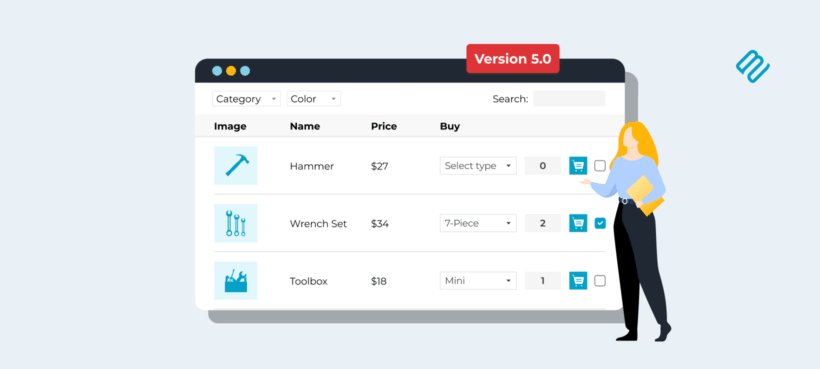
WooCommerce Product Table 5.0 is here, with a redesigned table, a faster engine, and a long list of new features for filtering, sorting, and sharing your product tables.
Tens of thousands of online stores use WooCommerce Product Table to list their products in a searchable, filterable order form. People use it for quick order forms, product catalogs, wholesale ordering, restaurant menus, and technical catalogs where customers buy on specification data rather than photos.
Today I'm pleased to announce that WooCommerce Product Table 5.0 is now available. It's the biggest update we've ever shipped for this plugin. We rebuilt our tables from the ground up with three goals in mind. We wanted a more modern look, much faster performance on large catalogs, and a simpler setup experience for our users.
This is the third and final plugin to move to the new table engine, after Posts Table Pro 4 and Document Library Pro 4.0. Both have been out in the wild for months now, so this one arrives with a lot of real-world mileage behind it.
What's new in WooCommerce Product Table 5.0
Version 5.0 is a major rebuild of our WooCommerce table plugin. It introduces a redesigned table layout, a new indexing engine for faster performance, and a set of new features for filtering, sorting, pagination, and sharing.
The headline changes are multi-column sorting, multi-select filters, infinite scroll, shareable table URLs, and inline column filters. All your existing template choices and design controls are still there too, so you can keep tailoring the look exactly how you want it.
New to WooCommerce Product Table? You can try the demo to see it in action.
A modernized table design
The first thing you'll notice is that the table itself looks more modern out of the box. The default styling has been refreshed to feel cleaner and more current.
You don't need to change a single setting to get the new look. Once you switch to the new tables, the new styles take effect automatically.
All your existing template choices and customization options have been carried over. So if you've spent time tailoring colors, spacing, or typography on your current table, none of that work goes to waste. You can keep what you have, or use the new design as a starting point.
The flexibility is the same as before. You can build image-led tables for gift shops, data-dense tables for technical specs, compact tables for wholesale price lists, or spacious tables for a small catalog. Whatever you're selling, the design bends to fit it.
A faster engine under the hood
The biggest change in version 5.0 is one you can't see directly. We've rebuilt the back end with a new indexing system that pre-computes the data your tables need. This makes a real speed difference on larger catalogs.
The result is faster load times, faster search, and faster filtering. The bigger your catalog, the more noticeable the improvement. Stores with thousands of products are where this really pays off.
Tables also lazy-load by default in version 5.0. The previous limitations that came with lazy loading, around filtering, sorting, and pagination, no longer apply. You get the speed benefit without losing any features 🚀
New filtering and sorting features
A big chunk of the version 5.0 work went into giving people more control over how customers find what they need. Here's what's new:
- Multi-column sortingCustomers can sort by more than one column at a time. This is useful when two fields matter together, like category and price, or brand and stock level.
- Filters in two locationsPlace filters above the table as drop-downs, or inside each column heading as inline filters. Pick whichever fits your layout.
- Multi-select filtersEach filter now accepts multiple values at once. Customers are no longer limited to one choice per filter.
- Searchable filter dropdownsEach dropdown has its own search box, so a filter with hundreds of categories or attribute terms is still quick to use.
- Active filters displayA clear summary of the currently applied filters appears above the table. Customers always know exactly what they're looking at.
- Filter countsEach filter option shows the number of matching products beside it. Customers can see what's worth selecting before they click.
Together, these changes make the table much more usable for customers working through a big catalog. If you need more filter styles than this, WooCommerce Product Filters still works alongside the new tables.
Infinite scroll, shareable URLs, and container height
Three additional new features round out the new release.
Infinite scroll
There's a new pagination mode that loads more products as the customer scrolls down the page. It's an alternative to the traditional numbered pages, and it works particularly well for browsing-style tables where customers are scanning rather than searching for something specific.
Shareable table URLs
Each table now generates a unique URL that reflects its current state. The URL captures the active search, filters, sorting, and pagination.
This solves the most requested thing on our WooCommerce Product Table feature request list. Because the URL changes as the customer filters and pages through the table, the browser back button now behaves the way people expect. Someone can also bookmark a filtered view, or you can send a customer a link to exactly the right list of products.
Container height control
A new setting lets you fix the height of the table container. The default is 70vh, but you can use any CSS length unit, and calc() expressions are supported too. It's handy when you need the table to fit a specific space in your page layout.
How to update to WooCommerce Product Table 5.0
If you're an existing customer, update as follows:
- Update to version 5.0 from your WordPress dashboard.
- Due to the size of the update, you will remain on the legacy tables until you choose to activate the new ones. I recommend doing this on a staging site before going live. To enable the new tables, go to Products → Product Table → Settings → Advanced and untick the 'Frontend library' option.
- Still on the settings page, look through the other new features and pick the ones you want to enable (inline filters, infinite scroll, multi-select filters, and so on).
- Test thoroughly on the front end to ensure everything still works as expected. Pay particular attention to add to cart buttons, quantity boxes, and variation dropdowns.
In general, any customizations you've made to the legacy tables will continue working with the new ones. The exception is specific JavaScript customizations you might have made to the jQuery DataTables library, so please test these carefully.
Final thoughts
WooCommerce Product Table is our bestselling plugin of all time, and version 5.0 is the rebuild it deserved. Update from your dashboard, take a look through the settings page, and pick the features that fit your store.
Thanks to everyone on the Barn2 team who worked on this release, and to the customers who shared feedback along the way. I think you're going to love it!