Setary is now a complete WordPress bulk editor plugin


WordPress sites accumulate posts, pages, and custom records fast. Editing them one by one is genuinely painful. But now there's an easier way.
WordPress sites grow quickly. Before long, you have hundreds of blog posts, dozens of landing pages, and custom post type records that all need periodic updates. The native WordPress admin makes that harder than it should be.
Today we're excited to share that Setary, a sister product of ours here at Barn2, has relaunched as a complete WordPress bulk editor plugin. It covers every standard post type: posts, pages, media, and any custom post type registered on your site. If you already use Setary to bulk edit WooCommerce products, nothing changes for you. The new features are already waiting in your dashboard, at no extra cost.
Setary isn't just for WordPress and WooCommerce, either. It's also available as a Shopify app, so store owners on Shopify can bulk edit their products with the same spreadsheet interface.
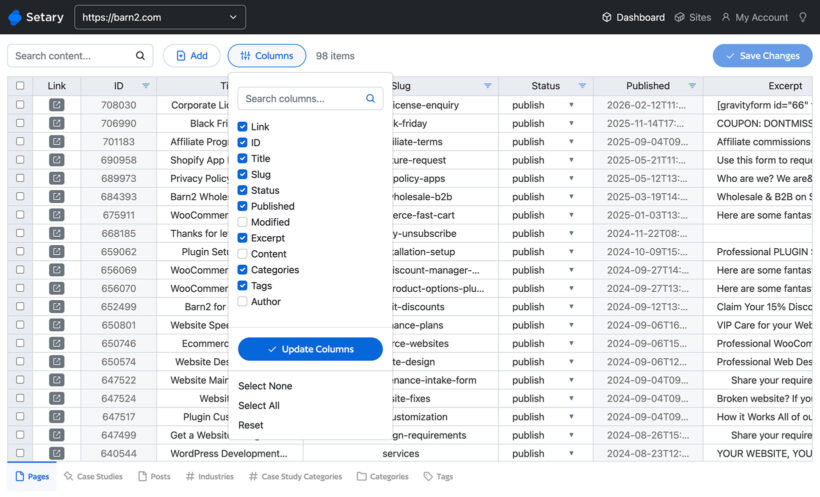
This post explains what's new, who gets it automatically, and what you can now bulk edit with Setary across a much wider set of WordPress content types.
Why WordPress's built-in bulk editor falls short
A WordPress bulk editor plugin lets you select multiple posts or pages and update their fields simultaneously, without opening each one individually.
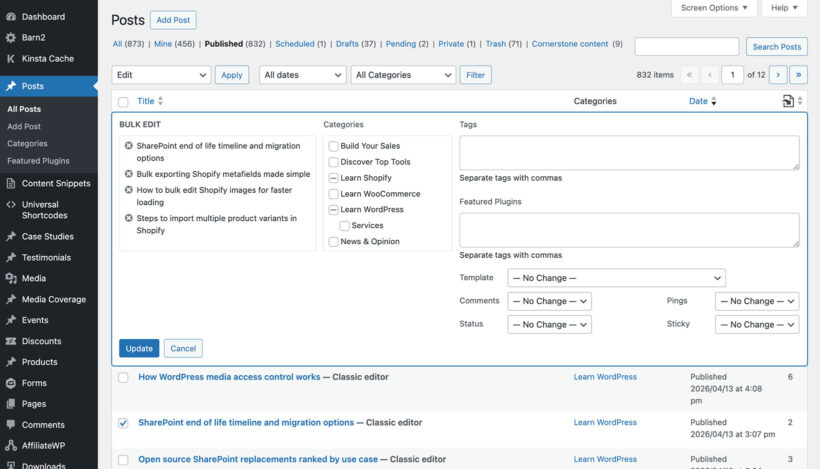
WordPress ships with a basic bulk edit panel. It covers status, category, tags, and author. That's roughly it. Custom fields, SEO metadata, and anything added by a third-party plugin are simply not there.
For sites with more than a few dozen posts, that limitation adds up fast. Changing a category across 200 products or posts, or updating a custom field on every product page, becomes a genuinely tedious manual task. The native tools were never designed for that kind of content management at scale.
For a step-by-step walkthrough of what WordPress's native tools can do, see our guide to how to bulk edit WordPress. This post is about going further.
What Setary does now
Setary is a WordPress bulk editor plugin that presents your content as an editable spreadsheet. You pick a post type from the tabs at the bottom of the dashboard, and your content loads as rows and columns. Every row is a record. Every column is a field. You edit directly in the grid.
Previously, you could only use Setary to bulk edit WooCommerce products. It now supports every standard WordPress post type: posts, pages, and media, plus any custom post type registered on your site, whether that's products, events, listings, courses, or something bespoke.
All data fields are editable. That includes title, content, status, date, slug, and featured image. It also includes custom fields added by plugins like Advanced Custom Fields, Pods, or Yoast SEO.
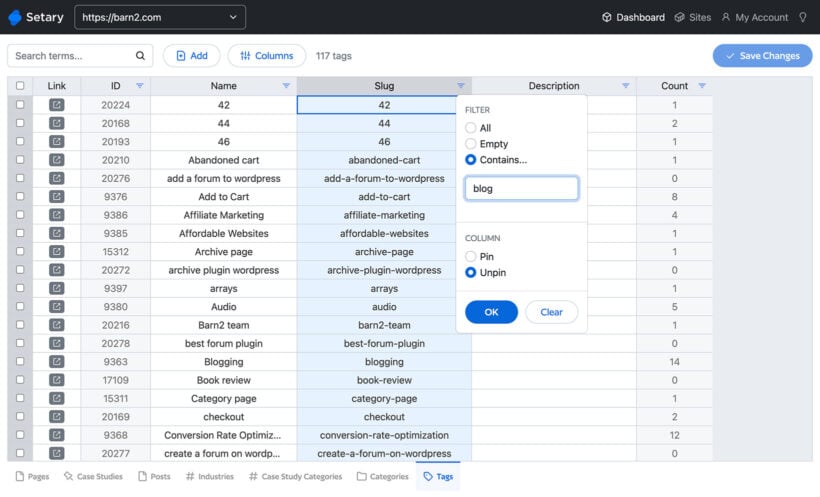
Taxonomies are fully supported too. Categories, tags, and any custom taxonomies registered by plugins can be applied or changed across multiple records at once. Changes apply instantly across multiple rows. No saving one record at a time.
Who already has access
If you're already a Setary customer using it for WooCommerce products, you don't need to do anything. The new post type tabs are already in your dashboard.
Navigate to the Setary editor and look at the tabs along the bottom. You'll see your additional post types listed there alongside Products.
You'll keep the same price with no new subscription tier. The expanded WordPress bulk editing features are part of your existing plan.
We wanted existing Setary customers to open their dashboard and find the new features already there, with no upgrade prompt or paywall. That felt like the right way to launch this.
Katie KeithFounder and CEO
What you can bulk edit with Setary
Here's where transforming Setary into a full WordPress bulk editor makes a real difference. Below are the content types you can now manage from yjr spreadsheet editor.
WooCommerce products
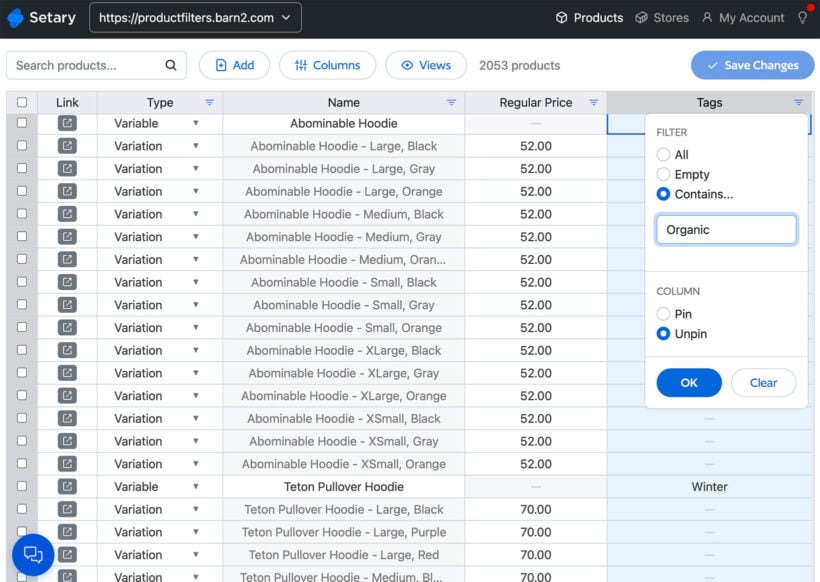
This is where Setary started. You can bulk update prices, stock levels, descriptions, SKUs, categories, and product attributes across hundreds of products in a single session.
Posts and pages
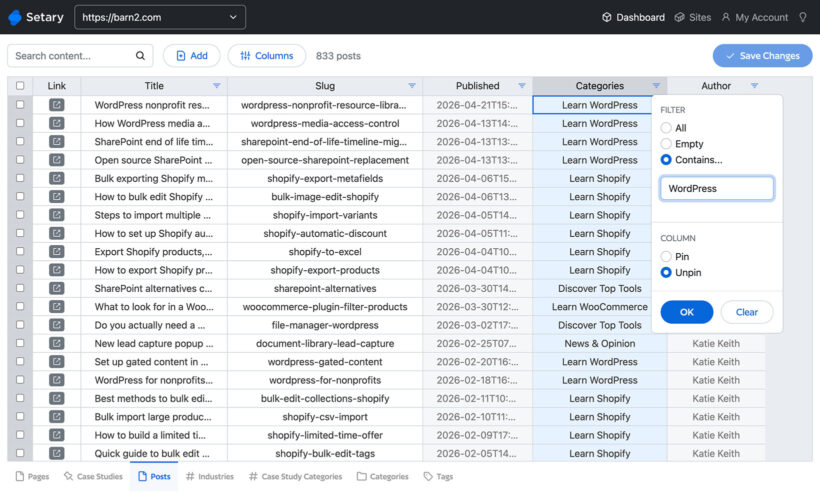
- Update publish dates, authors, categories, tags, and SEO meta fields across dozens of blog posts at once. This is useful when restructuring a content archive or reassigning posts after a team change.
- Change page templates, parent pages, or custom fields on landing pages in bulk rather than clicking through each one.
Custom post types
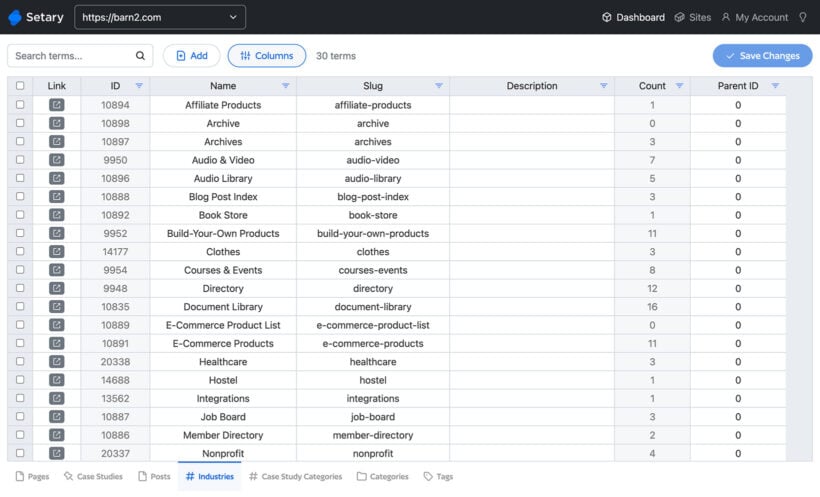
This is where Setary's new scope can make the biggest difference, as you can use it to edit absolutely any content type in WordPress. Examples include:
- Events (registered by plugins like The Events Calendar)Update event dates, venues, or organizers across multiple events at once.
- Courses and lessons (registered by LMS plugins like LearnDash)Bulk update course status, instructor custom fields, or lesson order.
- Properties or listingsUpdate location, price, or availability fields across a whole property portfolio in one session.
- Staff or team membersUpdate job titles, departments, or custom taxonomy assignments across a full staff directory.
- Testimonials or reviewsRepublish, re-categorize, or update custom rating fields in one go.
- Portfolio itemsReassign categories, update client names in custom fields, or change visibility status across a full portfolio.
How to use Setary with Barn2 Plugins
When testing the new Setary for WordPress features, I was amazed with just how useful it is in allowing people to bulk edit the features of a large number of Barn2's plugins.
Posts Table Pro
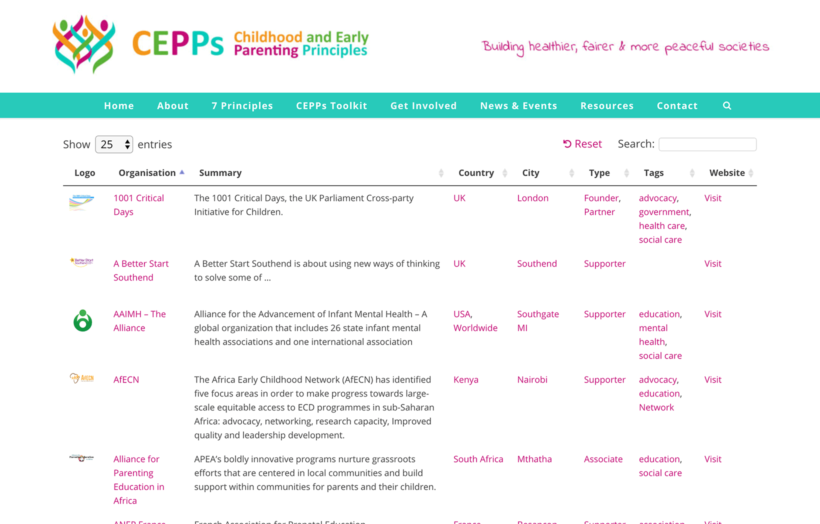
Our WordPress table plugin lists any type of content in a searchable table. People use it to create a wide range of table - based layouts, including WordPress resource libraries, audio libraries, video galleries, member directories, real estate directories, and so on.
Since Posts Table Pro only handles the display of data, customers often ask us how to import this data to their WordPress database in the first place. Setary is perfect for this.
WooCommerce Wholesale Pro
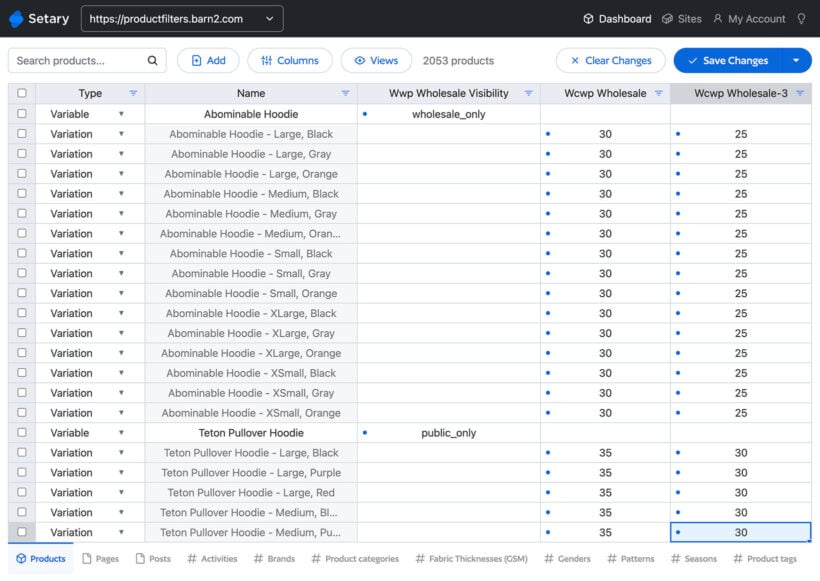
Our WooCommerce wholesale plugin lets you add a hidden B2B area to any WooCommerce store. Setary allows you to set product-specific visibility, plus pricing for each wholesale role, in bulk.
Document Library Pro
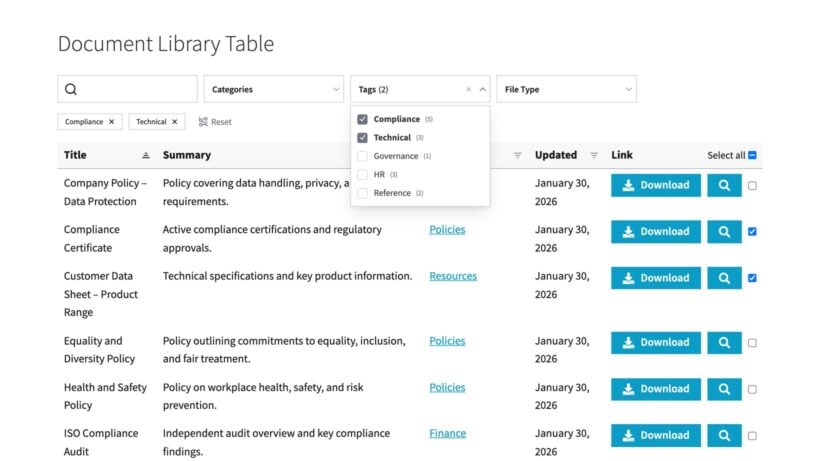
Our Document Library plugin already comes with a built-in CSV import. For faster document updates, you can use the Setary spreadsheet to add and edit multiple documents at once.
WooCommerce Lead Time
Our plugin to display product lead times and waiting times has a feature to set the lead time per product. Setary allows you to set these lead times in bulk instead of having to edit each product individually.

Frequently asked questions
Does Setary work with custom fields added by other plugins?
Yes. Setary reads and displays custom fields registered by any plugin, including Advanced Custom Fields, Pods, and meta fields added by SEO plugins. You can edit those fields in bulk from the spreadsheet view.
Do I need a new subscription to access the WordPress bulk editing features?
No. If you already subscribe to Setary for WooCommerce product editing, the new post type features are included at no extra cost. They appear automatically as tabs in your Setary dashboard.
Can Setary bulk edit custom post types?
Yes. Setary supports any post type registered in WordPress, including custom post types created by themes or plugins. Each post type appears as its own tab in the Setary spreadsheet editor.
Start bulk editing your WordPress content today
If your WordPress site has more than a handful of posts, pages, or custom records that need periodic updating, a dedicated bulk editor saves real time. The native WordPress tools simply weren't built for it.
Setary is free to try. You can connect it to your site and start editing any post type from a spreadsheet without any configuration overhead.
If you'd like to understand what's possible with WordPress's own built-in tools first, the guide to how to bulk edit WordPress covers that clearly.