SharePoint alternatives compared by use case


Discover the best SharePoint alternatives by use case, so you can skip straight to the section that matches what you're really trying to solve.
Most organizations don't use all of SharePoint. They use two or three features heavily, and the rest gather dust. That's worth remembering when you start evaluating SharePoint alternatives.
SharePoint's license looks free inside Microsoft 365. In practice, pricing ranges between $5 and $30 per user per month. For a 1,000-user deployment, that's $60,000 to $360,000 annually, before you account for implementation, customization, training, and add-ons.
To make things worse, SharePoint Server 2016 and 2019 reach end of extended support on July 14, 2026. After that date, there'll be no security patches, no bug fixes, or compliance updates. If you're running those versions then you need an alternative plan, fast.
The good news is that no single tool needs to replace everything SharePoint does. The right question is: what part of SharePoint are you actually replacing?
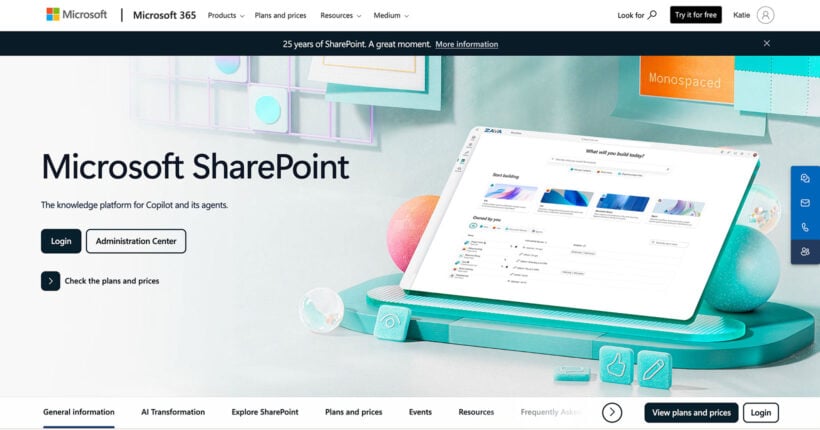
What is the best alternative to SharePoint?
The honest answer is that there isn't one. Instead, there are four categories of alternatives to choose from. The right one depends on which SharePoint features your team actually uses.
SharePoint bundles four distinct functions that the alternatives market can split into separate categories:
- Document managementFile storage, access control, and document publishing.
- Intranet and employee communicationsCompany news, portals, and employee engagement.
- Knowledge baseWikis, team documentation, and institutional memory.
- Real-time collaborationCo-editing, file sharing, and project coordination.
Use this as your starting point.
Deciding whether to stay in the Microsoft ecosystem (SharePoint Online, Viva, Loop) or leave entirely? The FAQ at the end covers the three migration paths.
Document management alternatives for SharePoint
Document management means file storage, access control, version history, and controlled publishing. These four tools cover the range from enterprise compliance to lightweight cross-platform libraries.
| Tool | Best for | Pricing | Deployment |
|---|---|---|---|
| Document Library Pro | Any website needing a searchable document library without enterprise complexity | $149/year Essentials, $199/year Advanced (per site, unlimited users) | WordPress plugin or cloud version (embed in any platform) |
| Box | Enterprise file storage with compliance needs (SOC 2, HIPAA) | Business Starter from $8/user/month, Business from $24/user/month | Cloud SaaS |
| M-Files | Compliance-heavy orgs needing metadata-driven document organization | Essentials from €65/seat | Cloud, hybrid, or on-premises |
| Confluence | Atlassian teams needing structured docs alongside Jira | Free up to 10 users, paid from $5.42/user/month | Cloud SaaS |
Box offers granular permissions and mature retention policies, built specifically for regulated industries. Business Starter covers small teams up to ten users with 100GB storage. The Business plan adds unlimited storage, SOC 1/2/3 compliance, and 1,500+ integrations.
M-Files organizes documents by metadata instead of folders. The same document can appear in multiple logical contexts without duplication. Essentials starts at €65/seat, with Enterprise pricing available on request. It's a strong fit for legal, financial, and compliance-heavy environments.
Confluence is the natural fit if your team already uses Jira. Rovo AI improves search across connected Atlassian tools. Confluence is less suited for pure file storage - it's better for living documents and structured team knowledge, which is why it also appears in the knowledge base section below.
Document libraries as a lightweight alternative
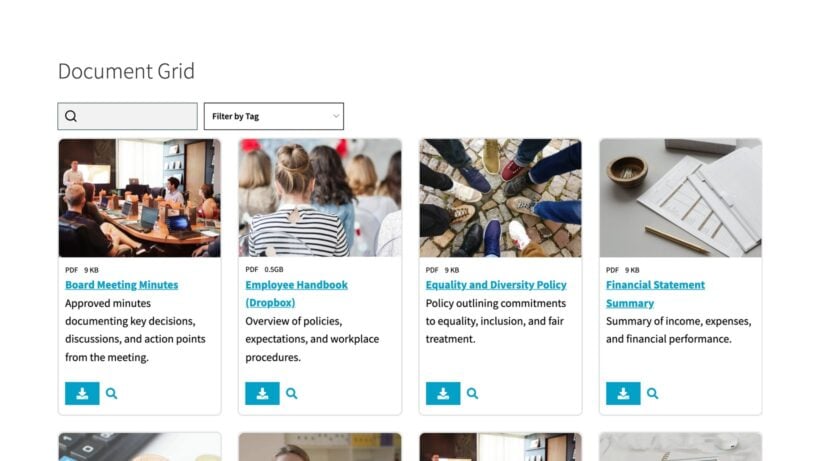
Not every organization needs enterprise-grade document management. If your main need is giving members, staff, or the public access to a library of documents, a purpose-built document library is often the fastest path forward, whatever platform your site runs on. For a side-by-side breakdown of the leading options, see the document library software tools compared.
Document Library Pro creates searchable, filterable document libraries that work on any platform. With the cloud version you build the library once, then embed it on a Squarespace, Wix or Google Sites page, or have us publish it as a standalone site on your own domain. If you already run WordPress, there's a plugin you install on your own site instead. It's trusted by nonprofits, healthcare organizations, councils, and membership bodies.
It has a free tier too: Document Library Lite is also available as a free document library WordPress plugin which is a good starting point for smaller libraries.
Key features
- AJAX-powered instant searchQuickly find documents by keyword.
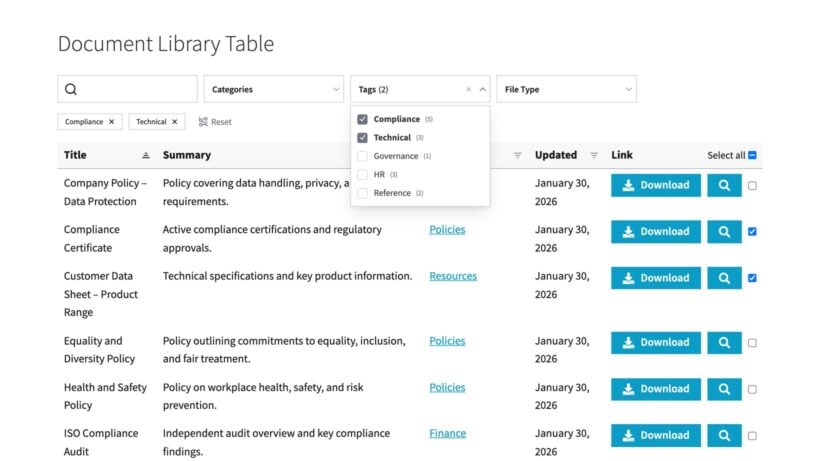
- Filter dropdowns by category, tag, or custom fieldNarrow down the list of documents to find them more easily.
- Role-based access controlControl which members of your organisation can access the documents - either globally or by category.
- Auto-expiring documentsSet expiry dates when outdated documents will automatically be removed from the library.
- Version controlComplete version control system for documents including version numbers and rollbacks.
Pricing is $149/year for Essentials and $199/year for Advanced - both per site, with unlimited users and no monthly per-seat fees. A 15% nonprofit discount is available.
One thing I find particularly useful is that no migration is required. Files can stay on SharePoint, OneDrive, Google Drive, or Dropbox while Document Library Pro provides the front-end display layer. Alternatively, if you want to leave SharePoint completely, you can bulk upload your documents to the library and store them there.
If your job to be done is giving 500 members access to 50 policy documents without managing 500 Microsoft 365 licenses, a document library like Document Library Pro is a much simpler route, whatever platform your site runs on.
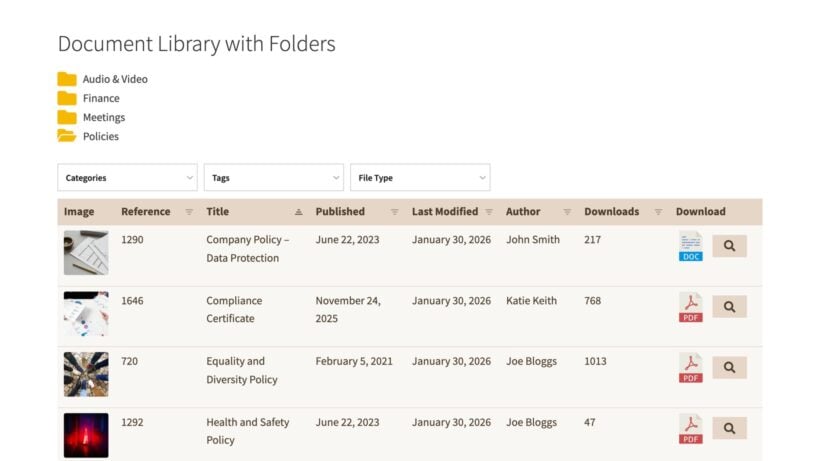
Is Document Library Pro an intranet?
Document Library Pro comes with built-in access controls. This means that if you don't want your documents to be public, you can easily restrict them so that only internal contacts can access them. Either make your entire library public, or show different categories to different types of user.
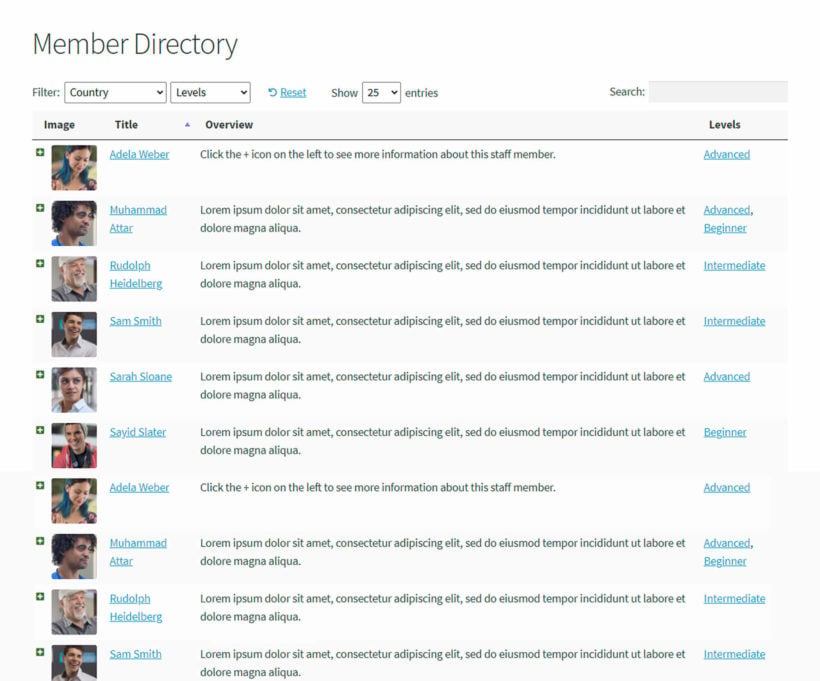
In this way, you can use Document Library Pro as an intranet. Just bear in mind that its sole purpose is allowing people to access and download resources. You can use it for many purposes such as sharing internal documents, policies, procedures or even creating a staff database of contact details. You can also create front-end forms so that employees can submit documents to the library. However, if your internet needs other features such as an internal messaging facility, then you may need one of the other SharePoint alternatives which are described below.
Intranet and employee communications alternatives
Simpplr's 2025 State of IC and Intranet report found that 91% of organizations have some form of intranet. That doesn't mean it's working. SharePoint intranets are a common source of the gap between having an intranet and actually using one.
Here are the best SharePoint alternatives for fully featured company intranets:
| Tool | Best for | Pricing | Deployment |
|---|---|---|---|
| Blink | Frontline and deskless workers | Core from $4.50/user/month | Cloud SaaS, mobile-first |
| Simpplr | AI-driven intranet with automated content governance | Enterprise pricing (contact sales) | Cloud SaaS |
| MangoApps | Unified intranet + employee app | Enterprise pricing; under 500 employees from $99/month for 25 users | Cloud SaaS |
Blink is a mobile-first app with a news feed, forms, and messaging - built for workers who don't sit at a desk. If your SharePoint intranet problem is that field staff never open it, Blink is designed specifically for that scenario. Core plan starts at $4.50/user/month, Pro from $6/user/month.
Simpplr uses AI to flag stale content and suggest updates automatically. It's best for mid-to-large organizations that want a maintained intranet without assigning a full-time editor. Pricing is enterprise (contact sales), with discounted rates for organizations of 500 employees or more.
MangoApps combines intranet, employee app, and document sharing in one platform. It positions itself as an "integrate or replace" option for SharePoint. That makes it a reasonable choice for organizations that want a single tool rather than several stitched together.
Knowledge base and wiki tools as alternatives to SharePoint
A knowledge base captures institutional knowledge - how we do things, team processes, and internal documentation. Document management handles file storage, access control, and publishing - where our files live. Many organizations conflate the two when shopping for a SharePoint replacement, which leads to buying the wrong tool.
| Tool | Best for | Pricing | Deployment |
|---|---|---|---|
| Confluence | Knowledge management for Atlassian teams | Free up to 10 users, paid from $5.42/user/month | Cloud SaaS |
| Notion | Flexible all-in-one workspace for startups and creative teams | Free tier, Plus from $10/user/month | Cloud SaaS |
Confluence is the most widely referenced SharePoint alternative for knowledge management. Jira integration lets development teams link project docs directly to tickets. The free tier covers up to ten users. Confluence appears here rather than only in the document management section because its primary value is structured knowledge sharing, not file storage - see Atlassian's pricing page for plan details. If you want strict document management then Document Library Pro is better.
Notion combines notes, databases, wikis, and project boards in a flexible workspace. The free tier is generous for individuals and small teams. Notion is less structured than Confluence - which is either a strength (adaptability) or a weakness (lack of governance) depending on your team's size and culture. It's best suited to startups and creative teams. Notion's Plus plan starts at $10/user/month.
How Google Workspace compares for real-time collaboration
If your core frustration with SharePoint is collaboration friction - slow syncing, clunky co-editing, check-in/check-out workflows - then Google Workspace directly addresses that problem.
| Feature | Google Workspace | SharePoint |
|---|---|---|
| Document co-editing | Real-time, visible cursors, simultaneous editing | Check-in/check-out model, syncing delays |
| File storage | Google Drive (30GB–5TB pooled per user, by plan) | SharePoint document libraries + OneDrive |
| Pricing | Starter $7.29/user/month, Standard $14.58/user/month | Bundled with Microsoft 365 (see intro for real cost) |
Google Docs' real-time co-editing with visible cursors is the biggest UX contrast with SharePoint's check-in/check-out approach. This makes it an excellent SharePoint alternative. Teams that spend their day writing, reviewing, and commenting will feel the difference immediately.
The Business Starter plan comes in at $7/user/month with 30GB pooled storage. Business Standard is $14/user/month with 2TB pooled storage, both on annual commitment.
Google Workspace is the best fit for organizations that prioritize collaboration speed over governance depth, or teams already working inside Gmail and Google Drive.
For teams replacing SharePoint's task tracking and project views specifically, Monday.com and Asana are closer equivalents.
Which SharePoint alternative is right for you?
No single tool replaces all of SharePoint. The right alternative depends on whether your core need is document management, intranet, knowledge base, or real-time collaboration.
If you only use SharePoint for one or two functions, a purpose-built tool will almost certainly cost less and get higher adoption. I find that's the pattern with most of the organizations we hear from.
For organizations that mainly need a document library, Document Library Pro is the lowest-friction option, on WordPress or any other platform - especially if the goal is to avoid per-user licensing costs entirely. You can use it to share any of the resources with your organisation that you previously shared using SharePoint. The built-in version control and advanced access controls give you total flexibility.
Still unsure whether to stay or leave the Microsoft ecosystem? The FAQ below covers the three migration paths.
Frequently asked questions
Is SharePoint being discontinued?
No. SharePoint Online continues as part of Microsoft 365 with no announced end date. However, SharePoint Server 2016 and 2019 reach end of extended support on July 14, 2026. After that date there will be no security patches, bug fixes, nor compliance updates. Organizations running on-premises versions of those products need a migration plan before that deadline.
Are there free or low-cost SharePoint alternatives?
Yes. Several options are available at little or no cost:
- Document Library Pro at $149/year per site, unlimited users.
- Confluence free for up to ten users.
- Notion with a generous free tier for individuals and small teams.
- Google Workspace from $7/user/month.
Should you stay in the Microsoft ecosystem or switch?
The final decision when seeking the best SharePoint alternative is whether or not to keep your other services within Microsoft. There are three paths worth considering:
- Upgrade to SharePoint OnlineStay within Microsoft 365 and move from on-premises to the cloud version.
- Migrate within MicrosoftMove to Viva, Loop, or Teams for specific use cases while staying in the Microsoft ecosystem.
- Leave for a third-party toolSwitch to a purpose-built alternative that matches your actual use case.
The effort gap between staying and leaving is smaller than most teams expect. Both paths require content audits, permission remapping, and workflow reconstruction.
Stay if deep Microsoft 365 integration matters across your organization and you have a dedicated IT team to manage it.
Leave if adoption is low, IT resource is limited, cost pressure is real, or you only use SharePoint for one or two functions that a purpose-built tool handles better.
Of course, you can continue using Microsoft for features such as email while moving to other solutions for your intranet or document management.