5 best WooCommerce live preview plugins for custom products


Looking for the best WooCommerce live preview plugins to show customers exactly what their personalized products will look like? I'll compare five options so you can pick the right solution for your store.
A live preview plugin and a quick view plugin are easy to confuse, so it helps to be clear on the difference. A live preview plugin overlays customer-uploaded text and images onto your product images in real time. If someone uploads their baby's photo for a custom mug, they see that photo on the mug before buying. A quick view plugin does something completely different: It opens a popup with standard product details like price and description.
Many WordPress plugins labeled "preview" are really quick-view tools. These won't show personalized text on your shirt, or a logo on your tote bag. When choosing a plugin, make sure you're getting genuine WooCommerce live preview capabilities.
Why does this matter? Mobile shoppers abandon carts when they can't visualize their customization. Picture this: your customer uploads their company logo for branded merchandise but can't see how it will look. They leave. The same happens with personalized gifts. Someone wants their baby's name on a blanket, types it in, but sees nothing. That uncertainty kills sales.
Below, I cover the five best WooCommerce live preview plugins, with the pros and cons of each.
Quick verdict: the best WooCommerce live preview plugins
Short on time? Here are my top picks:
- Best overallWooCommerce Product Options + Live Preview is the best all-rounder for live preview of both customer text and uploaded images.
- Best for 3D and print-on-demandZakeke if you need 3D, augmented reality or built-in print-on-demand fulfilment.
- Best for layered visual configuratorsWP Configurator for products built up from several visual selections.
How I evaluated these plugins
I compared them on a few things:
- The kind of live preview each one offers - a preview of your set options versus a full design canvas.
- How easy it is to set up.
- The pricing model - a one-off license, a subscription or per-order fees.
- Whether it's actively maintained.
1. WooCommerce Product Options + Live Preview
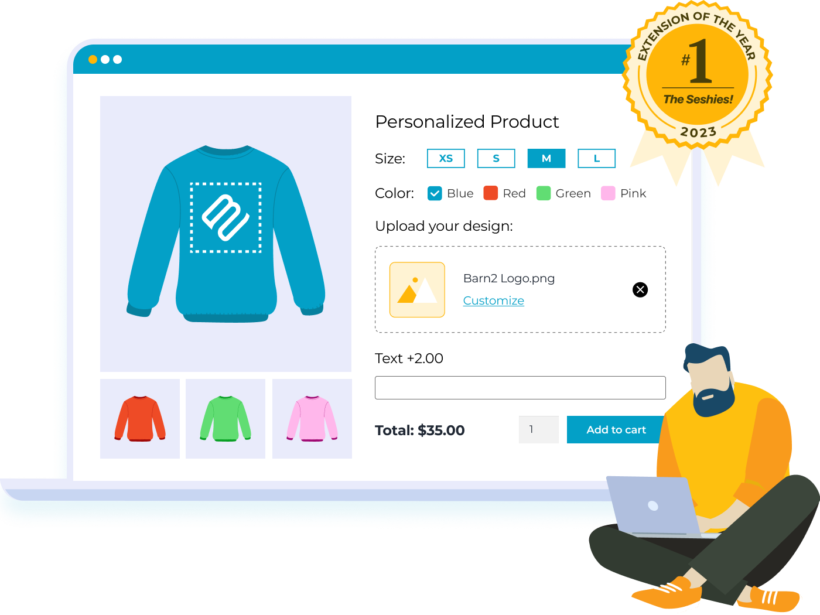
WooCommerce Product Options with its Live Preview add-on is the best all-rounder on this list, and it's our own plugin. It lets you add a wide range of option types with a live preview of both customer text and uploaded images, and layered image previews are coming soon.
After testing Fancy Product Designer, I found it incredibly confusing - a huge range of features most personalization stores will never use. That's why we built the Live Preview add-on: to give those stores something simpler that does exactly what they need, without the clutter.
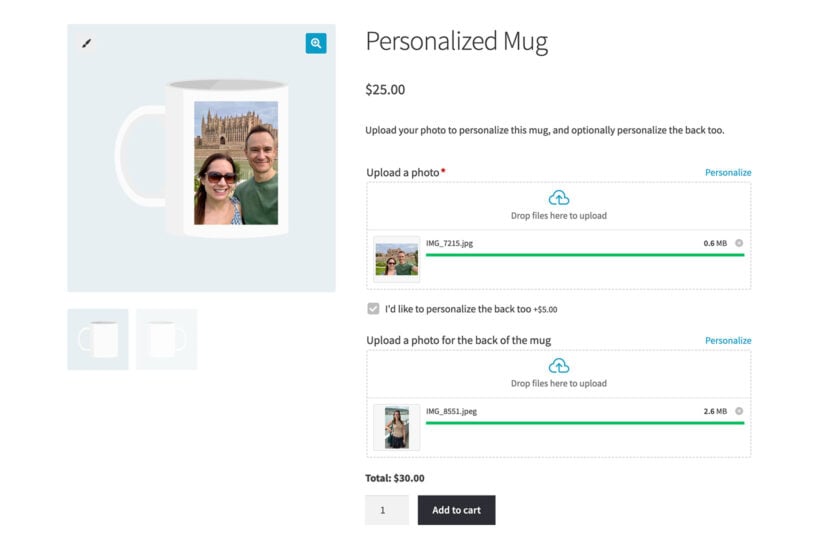
The add-on enables real-time overlay of customer text and uploaded images onto designated printable areas. When customers complete their first field, a live preview window auto-opens. They can resize, move, and rotate their uploads within the areas you define. Setting up takes under 15-30 minutes for most stores.
The Linked Option feature handles multi-view products elegantly. You can link specific text fields to corresponding product images. Front text appears on the front image, back text on the back image. This works brilliantly for a WooCommerce t-shirt designer plugin where customers want different designs on each side.
Pricing
The bundle price starts at $199 for a single site. This includes both WooCommerce Product Options and the Live Preview add-on. There are no usage caps, no render limits, and no transaction fees. I find this straightforward pricing refreshing compared to live preview WordPress plugins that charge per order.
Key features
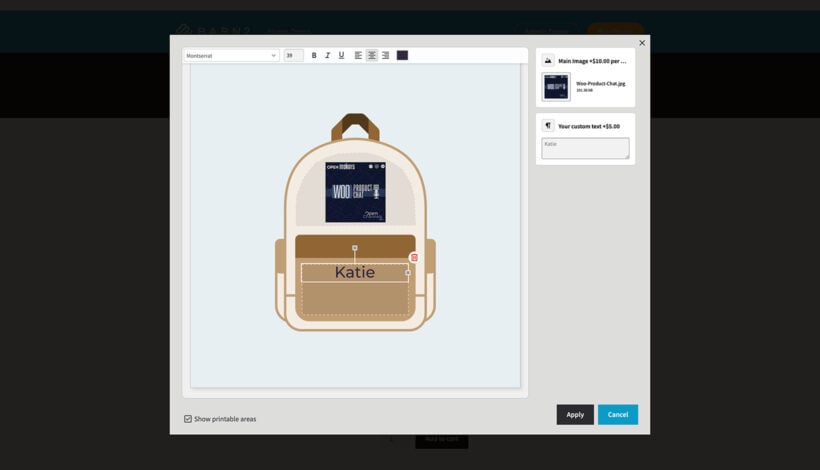
- Printable areas mark exactly where customer text and images appear. You can use rectangles, circles, or custom shapes and outlines.
- Copy printable areas across product images to save setup time on similar products.
- Control maximum upload sizes and restrict where overlays can appear.
- Customers can move, resize, and rotate their uploads within printable areas. Or you can restrict these controls to maintain design standards.
- Text customization includes font selection, sizing, and color choices via Google Fonts integration.
- Preview images appear in the cart and checkout so customers can confirm their design.
- Mobile-optimized from the ground up, which matters when most shoppers browse on phones.
Limitations
It previews your options live, but it isn't a full design canvas. Customers can move, resize and rotate their uploads and choose fonts and colors for text, but they can't freely draw or lay out a design from scratch. In practice, most stores don't need that, and a full canvas designer is overkill unless you specifically require it.
If you do need full visual design freedom, Fancy Product Designer offers it, and if you need built-in print-on-demand fulfilment, Zakeke is the better fit. It also doesn't include image editing like background removal, so it's best to ask customers to edit their files before uploading.
Best for
Stores selling customizable products like mugs, shirts, and signs who need reliable live preview without overcomplexity. Agencies appreciate the comprehensive documentation and predictable licensing costs. Users get a complete product personalization solution where Product Options provides the foundation and Live Preview brings it to life.
The WooCommerce Live Preview add‑on drew me to Barn2; the videos, reviews, and outstanding support sealed it. They offer a well‑rounded lineup of complementary plugins and resources that help me build a high‑quality site and a great customer experience.
Dan Ryan Neffmandalafy.com
2. Fancy Product Designer
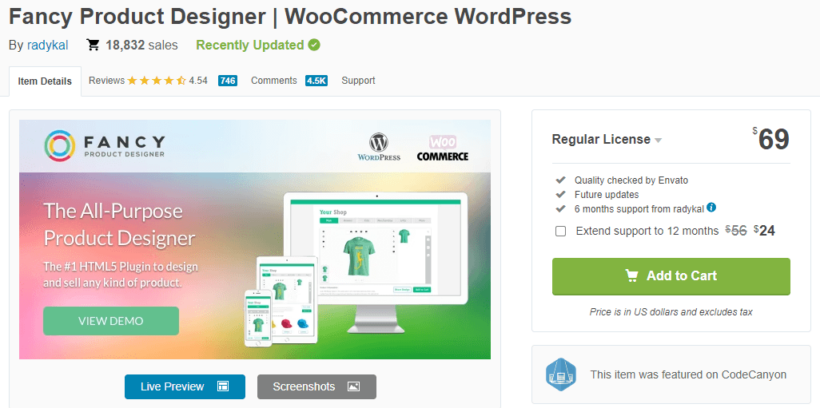
Fancy Product Designer is a comprehensive product customization platform with a visual editor. Customers can design products using layers, text, images, and design elements. It supports multiple file formats including PNG, SVG, JPG, and PDF for both uploads and exports. The plugin includes design template libraries and clipart collections that customers can use as starting points for their creations. The only problem is that it's very difficult to use with a steep learning curve.
Pricing
A single-site Regular License is a one-time CodeCanyon purchase of around $59, which includes six months of support. An Extended License is available for higher-volume commercial use.
Key features
- Multi-layer design interface with drag-and-drop editing.
- Advanced image editing capabilities including filters and effects.
- Dynamic pricing lets you charge extra for materials, colors, texts, and images.
- Export options include PDF, SVG, and print-ready formats.
- Customizable design interface can match your store branding.
- Social media integration allows customers to upload from Facebook and Instagram.
Limitations
The biggest thing to know is that Fancy Product Designer is being wound down. The developer has moved active development to a new SaaS platform called Chamevo, direct support has been scaled back, and some services have already been switched off. It still works today, but it's no longer a forward-looking choice.
The basic plugin also has limited support without an upgrade. Community feedback points to challenges with setup complexity and mobile performance. One user noted it's time-consuming to configure and offers too many choices for customers, which can overwhelm rather than help. This has also been my personal experience when trying to set up this plugin - it has a lot of advanced features, but isn't intuitive and takes a very long time to master.
Best for
Print-on-demand businesses requiring advanced editing capabilities and print file generation. Stores needing comprehensive design tools with clipart libraries and template options will appreciate the depth here. If you're happy for customers to prepare their images prior to upload then you'll avoid a lot of headaches by using WooCommerce Product Options instead.
3. Zakeke Product Customizer
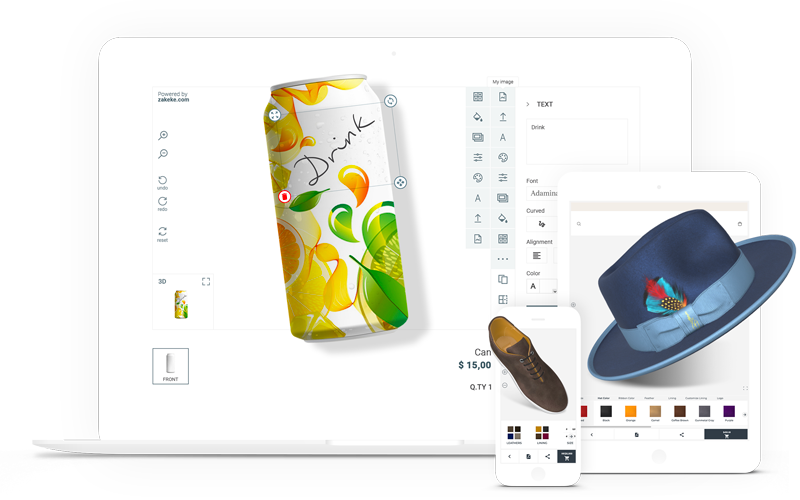
Zakeke Product Customizer is a cloud-based SaaS platform with 2D and 3D preview capabilities. It provides a visual editor for text, images, and design elements with real-time rendering. The standout feature is augmented reality preview for supported products, letting customers see how items look in their real environment before buying.
Pricing
Self-provisioned plans start at $39.90 per month or $408 billed annually. On top of that, Zakeke charges a percentage fee on each customized product sold. This typically ranges from 1.7% to 1.9% depending on your plan, with a minimum per charge and cap per order.
Key features
- 3D product preview and rotation capabilities for applicable products.
- AR view and virtual try-on lets customers visualize products in their environment.
- Automatic generation of production-ready print files.
- Multi-language and multi-currency support for over 50 currencies.
- Integration with tools like OrderDesk, Printful, and Zapier.
Limitations
Customers have noted that Zakeke can feel overpowered and expensive. The percentage-based fees add up quickly for high-volume stores. What starts as affordable monthly pricing can become significant with transaction fees included.
Best for
Stores requiring 3D visualization or AR features for specific product categories. Businesses comfortable with SaaS operational models and recurring costs. International stores benefit from built-in multi-language and multi-currency support.
4. WP Configurator

WP Configurator is a visual product customizer that shows real-time previews as customers make selections. It uses a layer-based system where customer choices for colors, components, and textures update product images instantly. This approach works particularly well for products where customers build up their design through multiple selections rather than uploading a single image.
Pricing
The Professional bundle costs $299 per year. This includes access to all add-ons, including custom image upload and custom text upload. While this is one of the higher annual costs, it includes everything without separate purchases.
Key features
- Real-time visual preview updates as customers make product selections.
- Layer-based rendering stacks customization elements onto base product images.
- Multiple product views create a 360-degree style experience.
- Custom Text add-on for personalized text with live preview.
- Custom Image Upload add-on for customer logos and designs.
- Eight professional skins to match different brand styles.
- Unlimited configurations, layers, and views with no restrictions.
Limitations
The annual cost is higher than most alternatives on this list, and the cheaper tiers gate features like custom upload and text behind add-ons. Setting it up takes work too, since you prepare and align a separate image layer for each option. Stores with simple text and image overlay needs might find the layer-based approach more complex than necessary.
Best for
Products requiring visual layer-based customization like apparel, accessories, furniture, and promotional items. Stores wanting professional presentation with unlimited product configurations.
5. Plugin Republic Image Preview for Add-Ons Ultimate

Image Preview for Add-Ons Ultimate is a solid alternative if you're already invested in Plugin Republic's ecosystem. The main difference from Product Options is that text and image preview come as two separate paid extensions on top of the core Add-Ons Ultimate plugin. That means buying and managing several plugins to get what Product Options does in one. If you're starting from scratch, that makes Product Options the simpler and usually cheaper route, but if you already run Add-Ons Ultimate, Image Preview slots in naturally. It provides live image overlay features for stores already using Plugin Republic's ecosystem. It supports positioning uploaded images in front of or behind the base product image for transparency effects. This layering approach works well for products where logos need to sit naturally on fabric or surfaces. The plugin integrates with their Advanced Uploads extension for image cropping and dimension control.
Pricing
Image Preview is an extension for Plugin Republic's Add-Ons Ultimate, so you'll need the core plugin too. You can buy the plugins individually or save with the bundle.
Bought separately, a single-site setup for both text and image preview starts at $197 + VAT per year:
- The Add-Ons Ultimate base plugin starts at $79 + VAT per year for a single site, or $119 + VAT for Pro (up to 5 sites).
- The Image Preview extension costs $59 + VAT per year for a single site, or $99 + VAT for Pro.
- The Text Preview extension costs $59 + VAT per year for a single site, or $99 + VAT for Pro.
Alternatively, the Product Add-Ons Ultimate Bundle packages the core plugin and five extensions together - including both Image Preview and Text Preview - from $169 + VAT per year for a single site. That works out cheaper than buying the three plugins separately, and it's a single purchase rather than three.
One-time lifetime licenses are also available. The core plugin starts at $199 + VAT, and the full bundle starts at $399 + VAT for a single site.
Key features
- Image positioning creates layered effects without complex image editing software.
- Controls for image dimensions and cropping ensure uploads fit your product areas.
- File upload restrictions for formats, sizes, and counts are configurable per field.
- Integration with Add-Ons Ultimate's conditional logic and pricing rules.
Limitations
Image and text previews are handled by separate extensions that sit on top of the core Add-Ons Ultimate plugin, rather than being built into a single product. If you'd rather not manage multiple plugins, that modular approach is worth bearing in mind - though the bundle keeps it to one purchase and one license. Setting up the overlays is also fairly manual: you position each image layer per product, and transparency only works if your base product image is a transparent PNG.
Best for
If you're already invested in the Add-Ons Ultimate ecosystem, this integrates naturally with your existing setup.
Choose the right plugin for your store

The right WooCommerce live preview plugin depends on what you're really selling. Each option excels in different scenarios.
- WooCommerce Product Options (our own plugin) works best when you need both reliable text and image personalization that performs well on mobile. The complete bundle has a predictable price with no per-transaction fees eating into margins.
- Fancy Product Designer suits stores where customers need full design freedom with clipart libraries and advanced editing tools, though it's being phased out in favor of the developer's new SaaS platform.
- Zakeke shines when you want customers to see products in 3D or AR before purchasing, though the ongoing costs need careful consideration.
- WP Configurator excels for products with multiple customizable parts that benefit from layer-based building and visual selection.
- Plugin Republic fits if you're already using Add-Ons Ultimate and are willing to combine 3 separate plugins.
Before choosing, run through this checklist:
- Match the custom product designer plugin to your business requirements and budget. Annual costs, transaction fees, and add-on purchases all factor in.
- Verify the preview features meet your specific needs. Text overlay, image uploads, multi-view, layer building, and full design editing are all different capabilities.
- Test on real mobile devices before launch. Many modern WooCommerce live preview plugins are responsive, but desktop browser emulation doesn't catch everything.
- Check if customers can save designs and return later. Some plugins offer this as a core feature, others as premium add-ons, and some don't support it at all.
- Look for free demos to try before you buy. Testing with your real products reveals compatibility issues documentation won't mention.
- Confirm how preview images appear in cart and checkout. This affects fulfilment and customer confidence at the final purchase stage.
Get started with WooCommerce live preview today
Your specific requirements determine the right WooCommerce live preview plugin choice. Consider product complexity, customization setup type, budget, and how much technical setup you can handle. A mug shop has different needs than a furniture customizer.
For text and image overlay personalization, WooCommerce Product Options provides reliable rendering with printable area controls and precise customization placement without technical complexity. The bundle pricing delivers exceptional value when you consider you're getting a complete product customization platform rather than just a preview plugin. You won't face unexpected costs as your order volume grows.
Most importantly, live preview shows customers exactly what their personalized product will look like. That confidence converts browsers into buyers and reduces returns from customers who didn't get what they expected.
Ready to add live preview to your store? Get started with the Product Options + Live Preview bundle.