Top 25+ must-have WooCommerce plugins


If I was starting a new online store with WooCommerce today, then these are the plugins I would install every single time, no matter what I’m planning to sell.
Today I’m going to share with you a hand-curated list of the top 25 WooCommerce plugins you need to effectively run a web shop. Obviously with thousands of options available it’s nearly impossible to choose what’s best, so I hope our list will serve as a great starting point. It will act as a “base layer” for you to build upon.
There are 5 main areas I’ll focus on:
- Payments and checkout
- Design and customization
- Page design
- Marketing
- Inventory and shipping
There are also 3 additional categories I want to highlight towards the end as “honorable mentions”.
Every plugin mentioned is linked in its section below, including some affiliate links. I want to be clear that we weren’t paid upfront by any company to include their product, and we only include plugins we genuinely believe are the best in their class.
Now obviously, as a plugin company, Barn2 develops and sells WordPress plugins. More specifically, we have developed over 15 plugins just for WooCommerce. Today, I’ll be mentioning a few of our plugins wherever we genuinely believe it’s the best tool for the job. However, there are plenty of competitor plugins on this list too. And don’t worry, I made sure to include quite a few free plugins for those of you on a budget.
With all of that said, here’s the full list. You can either watch the video, or read the transcript below.
The must-have essentials
There are 28 plugins below, but you don’t need all of them on day one. If you only set up a handful to start, make it these:
- Take paymentsWooPayments or Payment Plugins for Stripe to accept card payments.
- Speed up checkoutWooCommerce Fast Cart to replace the slow multi-step checkout with a popup.
- Help shoppers find productsWooCommerce Product Filters for fast, filterable product search.
- Keep pages fastWP Rocket for caching and performance.
- Get found in searchYoast SEO for on-page SEO.
How I chose these plugins
This isn’t a ranked “best plugin” shootout. It’s my list of the top 25 WooCommerce plugins, grouped by the job each one does. I picked them on a few simple things:
- Whether the plugin fills a gap WooCommerce leaves open out of the box.
- How well it’s maintained and rated.
- Whether there’s a free version or a fair price.
- How well it fits a normal store setup.
Some are essential for every store. Others are optional extras that earn their place as you grow, and I’ve flagged which is which. There are free options throughout for anyone on a budget.
Payments and checkout plugins
First up is payments and checkout optimization. When you want to sell anything online, it’s critical that people are able to pay for your products, ideally without any hassle or confusion. So for this category, I’m sticking with the basics.
For the main payment gateway, I would go with Stripe, but don’t bother with Stripe’s own plugin, instead, there are 2 integrated options you should consider.
1. WooPayments

The first one is WooPayments. Built in partnership with Stripe, it’s designed to integrate closely with your WordPress website. It does this by displaying all your transaction data, deposit records, Capital loan details, and other information right within your site’s dashboard. This means you don’t need to leave your site’s admin interface to perform common business tasks.
If you sell your products to customers in multiple countries, you can use the multi-currency features in WooPayments to receive payments in various currencies. It can also give your customers a choice of currencies to pay in.
It’s available in a large number of countries, with some notable exceptions being India, Brazil, Mexico, and Malaysia.
- ProsNative to WooCommerce and set up in minutes inside your dashboard, no monthly fee, and it supports cards plus Apple Pay and Google Pay.
- ConsReviews are polarised (3.2 stars), driven by reports of held payouts and frozen accounts, there’s a fee on each dispute, and it’s only available in around 40 countries.
2. Payment Plugins for Stripe WooCommerce

Alternatively, you can try Payment Plugins for Stripe WooCommerce. This is the highest rated plugin to integrate Stripe on your site, it offers all the same benefits as WooPayments, with the backing of over 200 5-star reviews. The same company also makes a plugin to accept Paypal if that’s something you need as well.
Both plugins are easy to install using the WordPress plugin directory, just search for and install either plugin, as you would with any other free option on this list.
- ProsGenuinely free with every feature included (cards, Apple Pay, Google Pay, ACH and Buy Now Pay Later), 4.8 stars from nearly 300 reviews, and responsive support.
- ConsSome users report it slows down checkout pages, and webhook and live-mode setup can be fiddly to get right.
3. WooCommerce Fast Cart
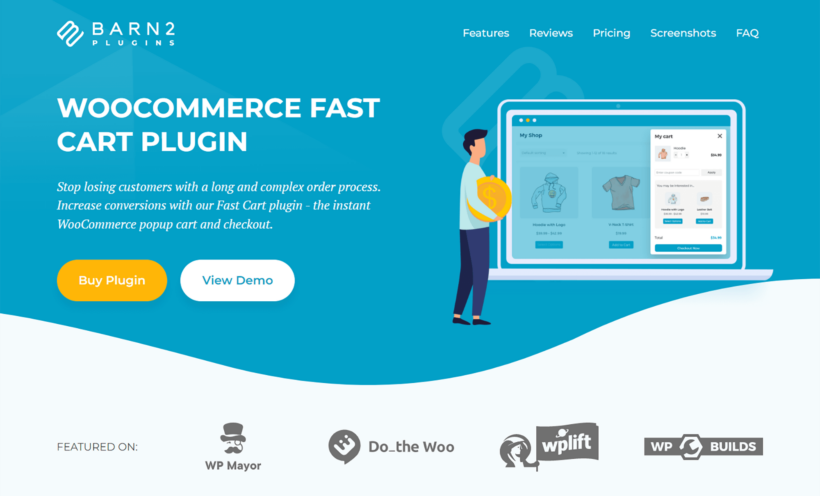
If you’re happy with your payment gateway options, but still want to have a slick and professional checkout experience, then give our own WooCommerce Fast Cart a try.
This is one of the best plugins for simplifying the WooCommerce checkout process. The plugin adds a popup checkout mechanism to your existing WooCommerce store, and you can set it up in minutes. You can choose from the popup and floating cart options and can further customize them to fit your store’s design. Even though the cart hosts multiple elements, the design is simple and straightforward to avoid any distractions from the checkout process.
To increase the order value, you can enable upsells by cross-selling related products in the popup cart. One example of an effective cart cross-sell could be displaying shoe cleaning products when the customer has a pair of shoes in their cart.
With the WooCommerce Fast Cart plugin, you can set up one-click checkouts to further accelerate the checkout process. Fast Cart also supports popular payment gateways such as PayPal, Stripe, Amazon, Braintree, and more. You can select the one you want, and your users will be able to place orders without leaving the product page in just a few clicks.
- ProsTurns the multi-step checkout into a quick popup you can set up in minutes, with one-click checkout, cross-sells and support for the major gateways.
- ConsThere’s no built-in free-shipping progress bar (you’d add a third-party plugin), and on an already-slow, plugin-heavy store it can’t make checkout faster than the store already is.
4. Bookings for WooCommerce
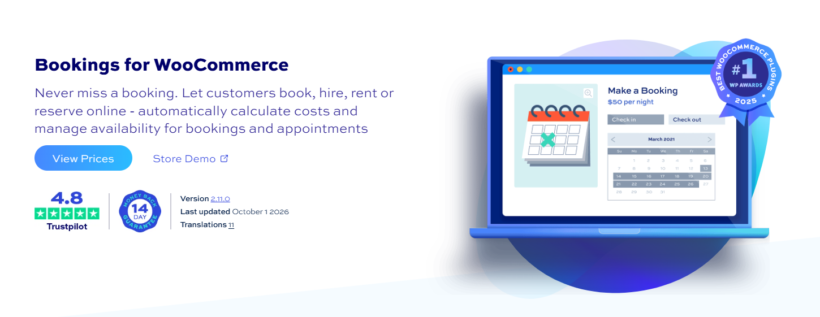
If you take bookings, rentals, or appointments, Bookings for WooCommerce by Plugin Republic turns any WooCommerce product into a bookable one. Customers pick their dates from a calendar on the product page, see the cost calculated automatically, and pay through the standard WooCommerce checkout.
It handles daily, overnight, and weekly bookings, plus time slots for appointments by the minute or hour. You set how many bookings each date or slot can take, so you don’t get double bookings. You can also add buffer periods between rentals to allow turnaround time.
Pricing is flexible too. You can set seasonal rates, different prices by day of the week, discounts for longer stays, and user role pricing. Availability syncs with Google Calendar, Airbnb, Booking.com, and VRBO, and a bookings dashboard shows occupancy, revenue, and upcoming bookings in one place.
- ProsCovers rentals and appointments in one plugin, syncs with Airbnb, Booking.com, VRBO, and Google Calendar, and offers a lifetime license alongside annual plans from $79/year.
- ConsPremium only, with no free version.
5. Currency Switcher for WooCommerce by WPExperts
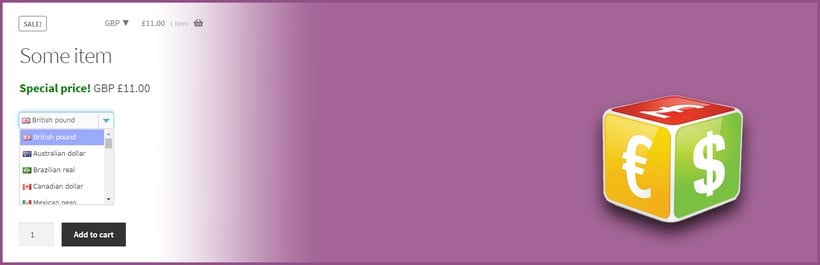
Let your customers browse and pay in their preferred currency with Currency Switcher for WooCommerce. It integrates smoothly with WooCommerce, showing up-to-date exchange rates and converting product, cart, and checkout prices automatically.
You can set which currencies to offer, customize the switcher’s design to match your store, and ensure accurate conversions so international buyers feel confident. Useful for boosting trust, reducing friction in checkout, and increasing sales across borders.
- ProsFree core with automatic exchange rates, geo-detection and 190+ currencies, and it’s simple to set up.
- ConsSupport is the main gripe in low reviews, and payment is settled in your base currency, so the displayed and charged amounts can differ unless your gateway supports the currency.
6. PeachPay

Another option is PeachPay. This free WooCommerce plugin that offers a payment gateway can connect with Stripe, Paypal, or 20 others. And it eliminates the usual multi-step checkout hassle by loading the checkout window right on the product page.
While first-time users need to enter their necessary information to complete the order, the process is still faster and simpler than the default WooCommerce process. Meanwhile, returning customers can check out with just one click.
If you are looking to minimize cart abandonment rate, and increase conversions, then this plugin is definitely worth looking into.
- ProsFree, loads the checkout right on the product page, connects to Stripe, PayPal and around 20 others, and offers one-click checkout for returning customers.
- ConsA small install base for a payments plugin, recurring bug reports, and a past history of extra shopper fees that dented trust.
7. RMA Return Refund & Exchange For WooCommerce Pro
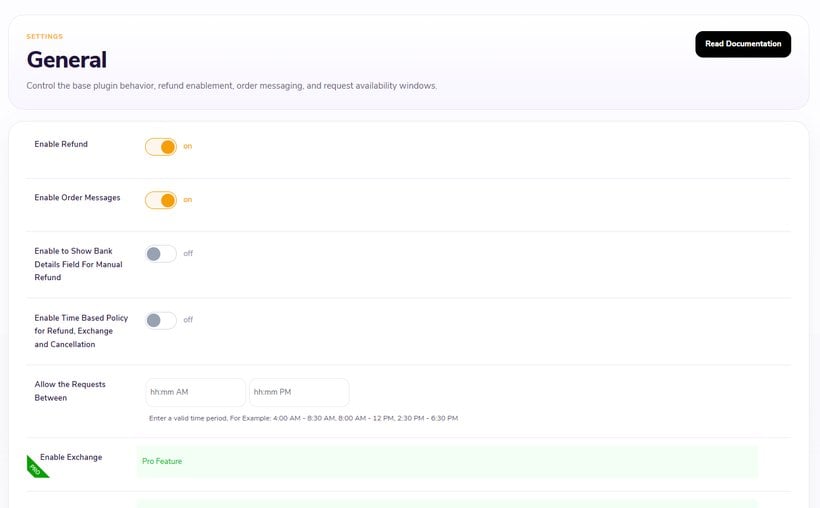
With RMA Return Refund & Exchange for WooCommerce Pro, store owners can create an ideal return management system that includes managing returns, refunds, exchanges, and cancellation requests.
WooCommerce store owners have full control over restricting and managing invalid requests. Businesses can also create their own custom shipping labels by utilizing the WooCommerce returns plugin.
Enjoy features like WhatsApp & SMS notifications for customers, keeping them informed of the return or exchange process. Merchants, on the other hand, can have overall insight into the refunds, returns, exchanges, and cancellations across the website.
Merchants can make the most of the compatibilities with Terra Wallet, Product Bundles, Booking for WooCommerce, Integration for Return Ship Label with ShipStation & ShipRocket, WhatsApp, and many more.
- ProsA full returns, refunds, exchanges and cancellations system with WhatsApp and SMS notifications, and a free lite version to start with.
- ConsReviewers report display problems outside standard themes and inconsistent support; the Pro version starts at $89/year.
Design and customization plugins
Next we’re moving on to our second category, design and customization for WooCommerce.
This category could easily be its own guide, as there is so much to cover. In any case, here are the top picks we’d recommend always having installed.
8. WooCommerce Social Login by SkyVerge
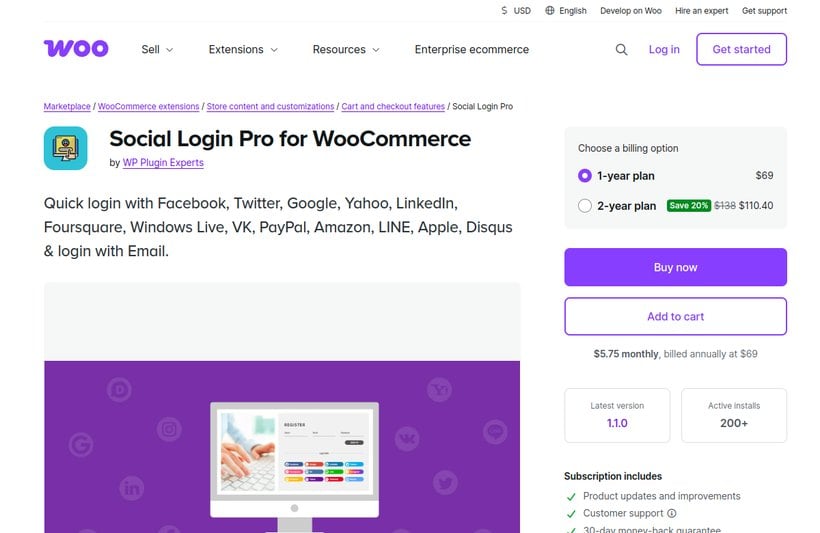
Every customer is sick and tired of having to create new accounts for every website or service they interact with, but the benefits of having customers login to your website are too numerous to ignore. So by giving customers the option to login or create their account via their main social media profiles, they’ll be much more likely to sign up in the first place.
WooCommerce Social Login by SkyVerge makes account creation easy and secure. Customers can log into your site using their Facebook, X (Formerly Twitter), Google, Amazon, LinkedIn, PayPal, Disqus, or VK accounts instead of creating new user account credentials.
The only downside is that it’s a paid plugin, so I also have a free option for you to consider.
- ProsLets customers log in with Facebook, Google, Amazon, LinkedIn, PayPal and more, from a well-established developer.
- ConsPremium only (around $99/year), prone to caching and cookie conflicts, and a few providers have been dropped over time.
9. Nextend Social Login and Register (Free option)

Nextend Social Login is a very highly rated and free WordPress plugin. It also lets your visitors register and login to your site using their social profiles.
It integrates with your existing WordPress login and registration form. Existing users can add or remove their social accounts at their WordPress profile page. The only real limitation is that for free, customers can use Facebook, Google or X (formerly Twitter), as the only 3 options, but I suspect that will be enough for more than 90% of users.
- ProsIt’s free for Facebook, Google and X, holds 4.9 stars from 440+ reviews, and slots into the standard WordPress login.
- ConsYou have to create each provider’s app credentials yourself, and caching plugins or newer PHP versions can break the login redirect.
Page design plugins
Now for page designers. First of all, I am not talking about themes, like Shoptimizer or Astra, but you’re welcome to check out our analysis of the 6 fastest themes. And I’m also not going to get into full page builders like Elementor or Divi. Instead, I have chosen plugins that work within the WordPress core and have free versions for basic page customizations.
10. ShopLentor

ShopLentor is a versatile WooCommerce plugin designed to simplify the creation of a functional and attractive eCommerce website. With over 100,000 active installations, this plugin demonstrates its reliability and popularity among users. However, its effectiveness lies in consolidating multiple features into one tool, reducing the need for additional plugins.
ShopLentor allows users to easily design attractive websites using over 125 Elementor widgets and 62 Gutenberg blocks without requiring any coding knowledge.
The plugin includes advanced features like product comparison, wishlist, quick view, and WooCommerce email automation, making it a versatile tool for enhancing store functionality. Additionally, the popup builder lets you create engaging popups for lead generation and special offers.
Plus, there's a free version available, offering flexibility to enhance your site without extra cost. If you're looking for even more customization options and advanced features, you can easily upgrade to the pro version.
- Pros90,000+ installs, 125+ Elementor widgets and 60+ Gutenberg blocks, plus a free version with extras like wishlist and quick view.
- ConsReviewers report breakage after updates, persistent dashboard upsells, and bloat from loading so many widgets at once.
11. Spectra

Built on top of WordPress core, Spectra is a more professional addition to the WordPress block editor, Gutenberg. It comes with layouts as well as dozens of handy blocks that can be used to create pages with a lot more flexibility and functionality than the options available in the WordPress core. It’s compatible with all themes, and is mobile friendly, which is key for SEO performance. And speaking of which, spectra is fast, and they claim that it won’t slow down your site.
There is a free and a pro version, and thankfully both are feature rich and easy to use. You’re welcome to completely redesign your store and product pages from scratch, or you can optionally add the CartFlows plugin, which includes some free page templates which you can use to get started. This was not my idea, I have to give credit to the Rank Math SEO channel for this workaround.
- ProsFrom Brainstorm Force (the team behind Astra), with 1 million+ installs, 4.7 stars and a genuinely capable free block library.
- ConsThe editor can lag on complex pages, and some panels now overlap with what modern Gutenberg does natively; Pro starts at $69/year.
12. ProductX

ProductX was the first Gutenberg WooCommerce Blocks plugin, and it remains a popular option of its kind. It’s similar to Spectra as it works smoothly with Gutenberg, but adds a plethora of new blocks and layouts. There are also free and paid page templates, to create entire pages with just one click.
The plugin boasts awesome reviews from happy users, and is fully compatible with all major themes and plugins.
- ProsA capable Gutenberg WooCommerce blocks plugin with one-click page templates and both free and paid versions.
- ConsA much smaller user base than rivals like Spectra, plus reports of a spammy upsell and a builder that takes some learning.
13. WooCommerce Product Filters (essential)

I firmly believe that no online store is complete without filtering and search options. As always, there are a multitude of choices available (I even made a top 10 video just for filter plugins!). So shop around if you feel like it, but I’m more than comfortable recommending our WooCommerce Product Filters plugin.
You can let customers narrow down products by category, attribute, color, tag, custom taxonomy, price range, ratings, stock status, and sale items.
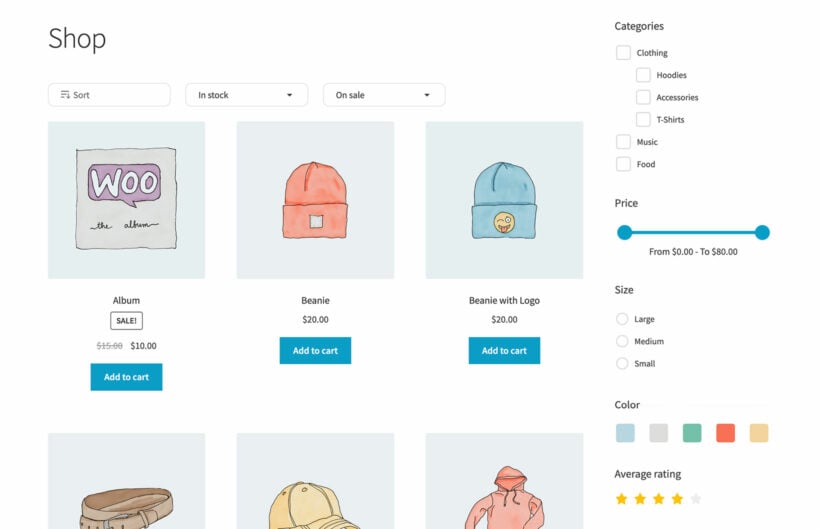
But it doesn't stop there. You get multiple styling options for those filters too - dropdowns, checkboxes, radio buttons, visual tag clouds or even image and color swatch filters for a more engaging experience.
When it comes to layout, you can display the filters above the product listings or tuck them into sidebar widgets. There are visibility controls as well, letting you hide filters until clicked or allow toggling them open and closed. You can even optimize for mobile with a slick slide-out filter panel.
Under the hood, it offers both instant AJAX filtering or a traditional "Apply Filters" button mode after making selections. No matter which you choose, you'll have a high-powered filtering system running in just 5 minutes!
- ProsAJAX filtering by category, attribute, color, price, rating and more, several filter styles, and you can set it up in about five minutes.
- ConsWithin one filter group selections use OR logic only, there’s no built-in sorting by attribute, and support can be slower at busy periods.
14. Product Options (optional)
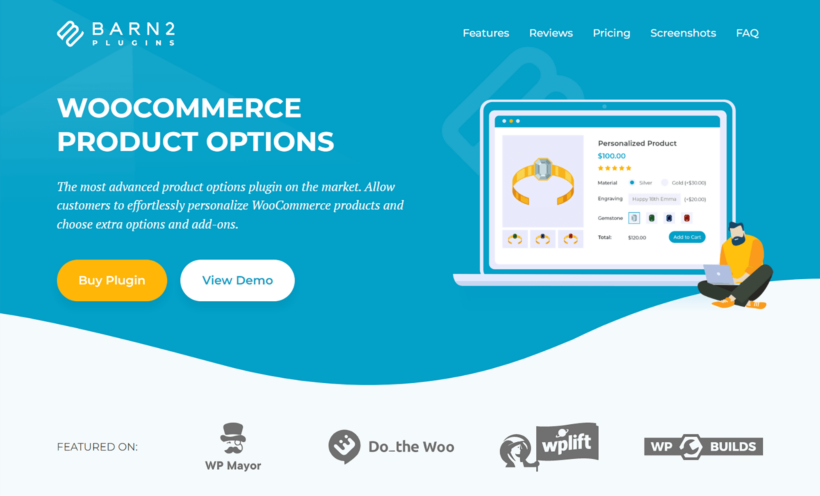
Now for some optional, but still very useful plugins, that nearly every online store could benefit from. Up first, is a product add-ons plugin, this is for creating and displaying variable product options such as size and color. In this niche I’ll recommend both a premium option, and a free one.
The premium plugin is WooCommerce Product Options, which we also make. This plugin is packed with features including 16 custom product option types that can be used by customers to order the exact thing they’re looking for. From basic stuff like color swatches and checkboxes, to pricing calculators and custom image upload fields, you can use the plugin to offer endless customization and upsell opportunities. For example, you could offer gift wrapping for a small fee, and you can even let the customer specify which wrapping paper to use.
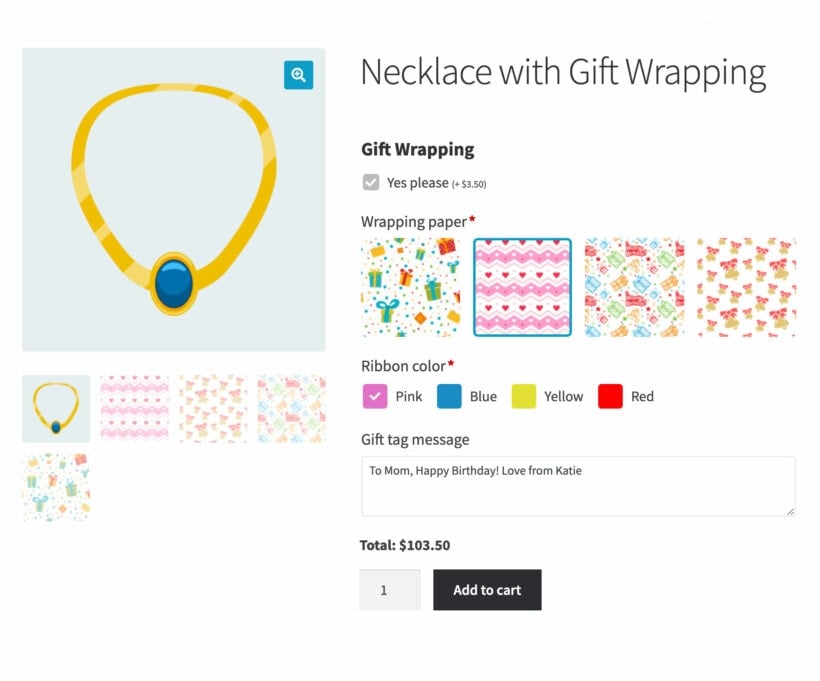
- Pros16 option types from swatches to file uploads and a pricing calculator, conditional logic, and real upsell options like paid gift wrapping.
- ConsWooCommerce’s native product attributes can’t be dropped straight into the price formula, and complex configurators take some setup; premium only.
15. Variation Swatches for WooCommerce (Free option)
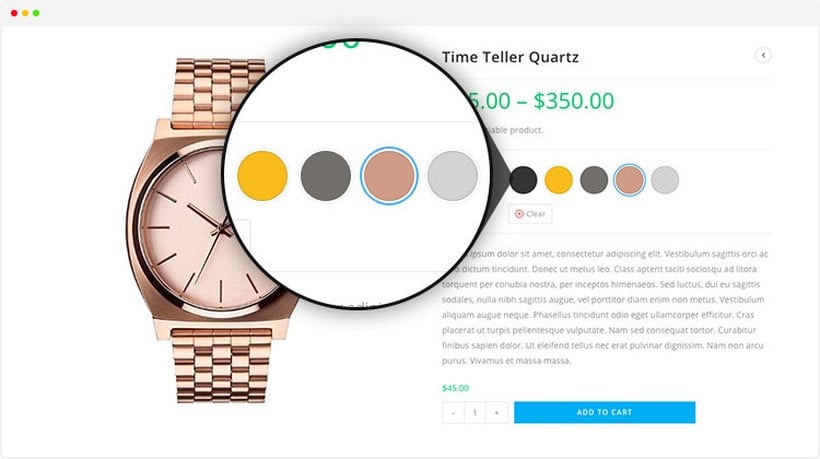
If you need something free, while it does lack a lot of great features, the Variation Swatches for WooCommerce plugin is a nice alternative and in my opinion, is a bare minimum requirement for any store offering variable products.
- ProsFree, turns variation dropdowns into color and image swatches, with 300,000+ installs and 4.8 stars.
- ConsSome users report it slows the site, and per-product swatch customization is locked behind Pro (from $49/year).
16. Quick View Pro (optional)
The final plugin in this category is also optional, but again, comes highly recommended. And that’s WooCommerce Quick View Pro.
Give shoppers the ability to preview a product in a WooCommerce product lightbox, without loading the entire product page, which is a waste of time, and can be a major distraction for shoppers who just want to compare the features of one product against another.
Quick View Pro is lightweight and can be purchased as a part of a discounted bundle along with Fast Cart, which we talked about earlier.
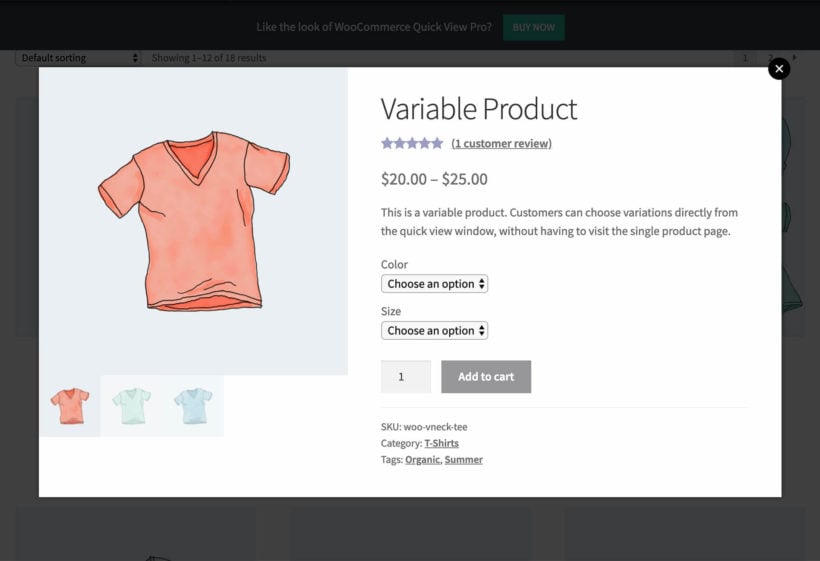
- ProsLets shoppers preview a product in a popup without loading the full page, with multiple layouts, and it bundles with Fast Cart.
- ConsIt can clash with a theme’s own quick view (you disable theirs first), and page-builder product layouts may not render perfectly inside the popup; premium only.
Marketing plugins
Now for marketing.
There are many ingredients to success in ecommerce, but none more critical than getting your products in front of customers, and converting their attention into sales.
Of course, this could easily be its own guide, so I’ve done my best to narrow down the endless selection to just 4 plugins (and don’t worry, I’ll cover SEO at the end).
17. WooCommerce Discount Manager
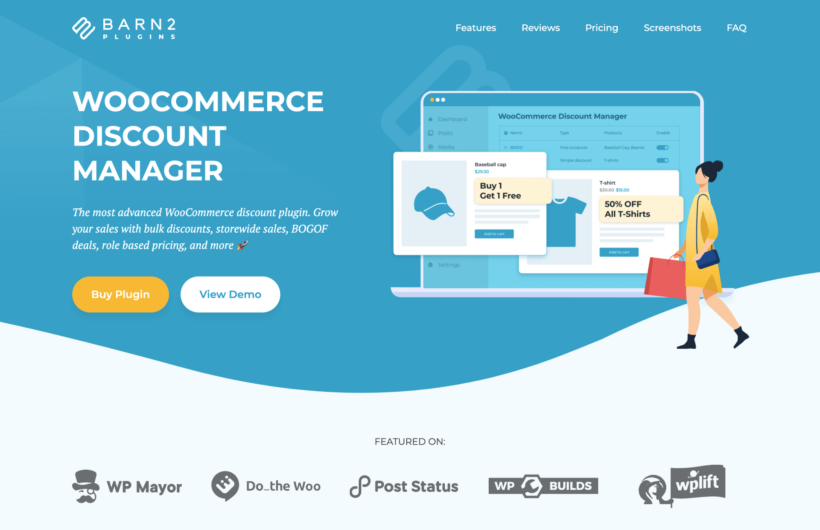
Dynamic pricing rules aren’t really a thing in WooCommerce. There’s limited options to even create discounts or sales, and you can forget about planning a sale in advance or creating unique offers like “buy one get one free” or “buy 3 for $20”.
To do this, you need a plugin, and while free options exist, their best features are locked behind a paywall, so in this case, I’m going to recommend our own solution.
WooCommerce Discount Manager is an “all in one” discount solution for Woo stores
- There are 6 types of discounts you can create, including free giveaway offers and bulk discounts.
- You can set storewide discounts or limit offers to categories, and of course, single products.
- You can also limit a discount to selected users or roles (this is great for wholesale stores).
- It's possible to set up and schedule offers ahead of time which makes big events like Black Friday and Christmas a breeze.
- And you can set up sale banners and badges to be displayed on your product pages for promotional purposes.
- ProsSix discount types including BOGO and bulk pricing, scheduled offers, user and role targeting, and on-page sale banners and badges.
- ConsBulk and spend-based discounts apply at the cart, so the product page still shows the base price; premium only.
18. AffiliatePress

If you love the idea of affiliate marketing but want something more reliable, easy to use, budget friendly, and WooCommerce native than the old school tools like AffiliateWP, we can easily recommend you to go for AffiliatePress.
AffiliatePress is a newer, WooCommerce-native affiliate plugin. This plugin gives you a more modern and conversion ready affiliate system with powerful features to launch, grow, and automate your affiliate program with zero coding.
The plugin offers advanced commission, referral, and coupon-based tracking for more accurate affiliate reporting. Also, you can create multiple smart commission structures to reward your affiliates the way you want. To promote the affiliate program, AffiliatePress supports unlimited creatives, personalized landing pages, and generates unique QR codes.
- ProsA modern, WooCommerce-native affiliate system with commission tiers, QR codes and a free tier.
- ConsA newer, lower-visibility product with no public WordPress.org listing or verified install count yet, and promo pricing that’s higher at renewal.
19. Retainful - Cart Abandonment recovery

Cart Abandonment is a huge problem for ecommerce merchants, but you can mitigate your losses with the right email sequence.
Retainful is the (self-proclaimed) best email marketing plugin for WooCommerce to automate your email campaigns, and increase your sales. It’s easy to create and launch email campaigns with their pre-built email workflow templates.
These include:
- Abandoned cart recovery emails – Helps you recover abandoned carts.
- Order follow up emails – Automate your woocommerce follow up emails.
- Thank you emails with Next Order coupon – Drive repeat purchases.
- Win back emails – Re-engage with inactive customers through automated follow-ups.
- Welcome emails – Create a great first impression by welcoming your first time buyers.
- Referral / Refer-a-friend campaign – Drive word-of-mouth sales.
- and more….
It’s free to install and use, with a number of features, such as email capture pop-ups, that are only available in the pro version.
- ProsA free plan for 500 emails a month, with ready-made abandoned-cart, win-back and welcome email sequences.
- ConsIt’s really an email-marketing service with a WordPress connector, pricing scales by contact count, and this exact listing is being retired in favor of a newer plugin.
20. AffiliateWP
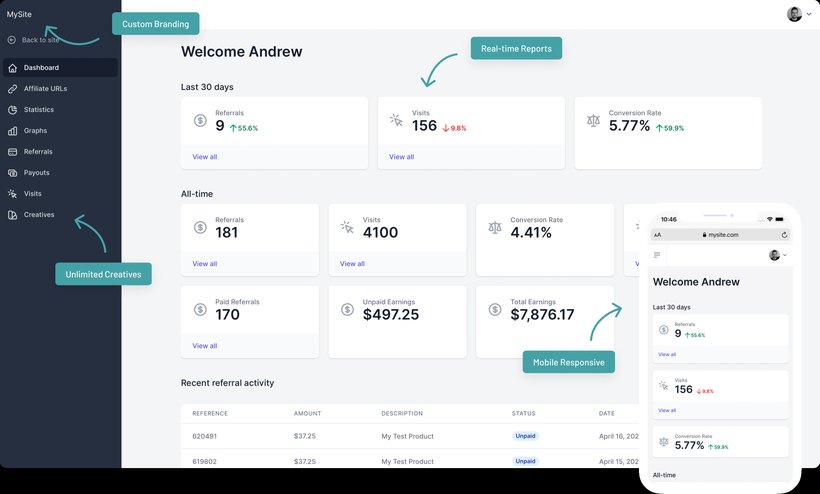
The great news is that you don’t have to do all the hard work of marketing your products on your own. For a share in revenue, you can have independent affiliates recommending your products and sending people to your store.
Here at Barn2 we have an extensive list of affiliates. Many of them have earned thousands, or even tens of thousands of dollars just because they recommend our plugins on their websites, blogs etc.
To keep this process running smoothly we use AffiliateWP. We’re happy to recommend them because of how much money our business has earned as a result of the affiliate program.
Its top features include customizable affiliate registration and login forms, comprehensive tracking of referrals and commissions, integrations with popular payment gateways like PayPal and Stripe, and detailed reporting so you can monitor your program's performance. You can set up one-time or recurring referral commissions, as well as manage coupons and creative assets for your affiliates to promote your products.
- ProsA mature, well-supported affiliate platform with detailed tracking, gateway integrations and recurring commissions.
- ConsPremium only and pricey (from $299/year), you absorb the payout fees, and the affiliate dashboard is basic to restyle.
21. YITH Wishlist

Having a wishlist is an incredibly valuable tool for any online store. With the YITH Wishlist plugin, customers can easily save their favorite products to reference later or share with friends and family. It's perfect for making wish lists for birthdays, holidays, and special occasions.
But wishlists aren't just convenient for shoppers - they also benefit merchants. When customers share their wishlists on social media, it essentially acts as free advertising by exposing your products to their networks. Plus, wishlists keep people engaged and drive more sales when they ultimately purchase those items.
With over 400,000 active installations, the YITH Wishlist plugin is clearly a trusted solution in the ecommerce space. There’s a free version, with the option to upgrade for additional features and priority support.
- ProsFree, lets customers save and share products, 400,000+ installs, and shared wishlists double as free promotion.
- ConsThe free version nags with admin upsells, the default UI looks dated, and the wishlist query string can attract heavy bot crawling.
Inventory and shipping plugins
Out of the box, WooCommerce does support some basic inventory and shipping calculation features, but they are fairly limited and full of gaps. Which is why I’m including these next few plugins. For those of you just getting started, this may be less applicable to you, but as you grow and scale your operations, inventory and shipping plugins will become the backbone of your business.
22. Setary Bulk Editing
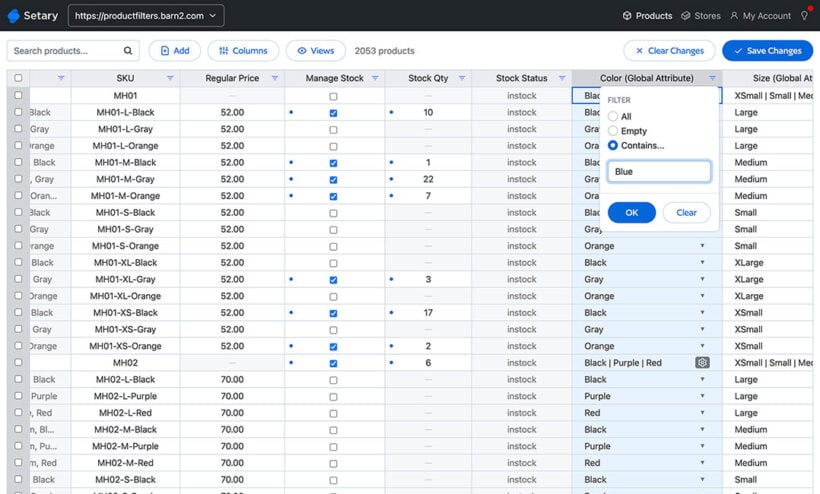
Once you have more than a few products, you'll start to find that it takes a long time to update them manually. For example, changing product prices becomes very time-consuming and inefficient.
The solution is to use Setary, the best bulk edit tool for WooCommerce. Setary is an inventory management app that sits outside your WordPress site, rather than a plugin. It provides a spreadsheet-style bulk editing interface which you can use to quickly update many products at once. It also has bulk actions for making changes to selected products even faster.
Setary takes all the pain out of managing large numbers of products. You'll wonder how you ever managed your store without it!
- ProsSpreadsheet-style bulk editing for WooCommerce products with filters and bulk actions, far faster than editing products one by one.
- ConsIt’s a separate web app rather than a plugin, so it sits outside your WordPress dashboard and runs on a monthly subscription.
23. ATUM WooCommerce Inventory Management and Stock Tracking
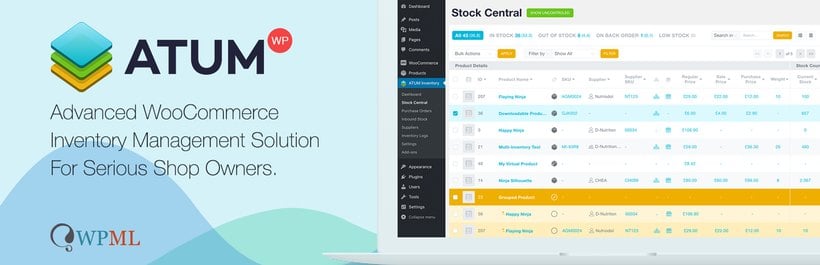
For online store owners in need of powerful stock management, ATUM is a standout solution for WooCommerce. This free inventory management tool offers an intuitive dashboard and "Stock Central" interface that provides complete control over product inventory, suppliers, SKUs, locations, weights, and pricing.
The user-friendly layout integrates cleanly with the WordPress admin, making it easy to quickly edit all aspects of your WooCommerce stock. ATUM's dashboard displays key business statistics and allows customization of widgets for personalized insights.
Developed by Stock Management Labs, a team with over 25 years of combined inventory expertise, ATUM aims to optimize time and resources so merchants can focus on growing their ecommerce business.
With its intuitive design, deep feature set and developer pedigree, ATUM is a powerful inventory solution for serious online store owners.
- ProsFree core with a powerful Stock Central dashboard covering suppliers, SKUs and locations, and a 4.7-star rating.
- ConsA steep learning curve for a small store, and the genuinely advanced features (multi-inventory, purchase orders) are paid add-ons on a subscription.
24. WooCommerce PDF Invoices & Packing Slips

The next plugin provides a much needed solution for order confirmation, and it’s also free!
To simplify order fulfillment, the WooCommerce PDF Invoices & Packing Slips plugin automatically generates PDF invoices and packing slips to include with WooCommerce order confirmation emails sent to customers. While it comes with a basic built-in template, additional premium templates are available from WP Overnight.
Key features include the ability to download or print invoices and packing slips directly from the WooCommerce order admin for individual orders or in bulk.
Customers also have the convenience of accessing and downloading their order invoices from the website's My Account area. The plugin assigns sequential, custom-formatted invoice numbers to keep orders organized.
With flexible templating, efficient bulk processing, and customer invoice access, this PDF invoice solution provides professional order documentation to enhance your WooCommerce store's operations and customer experience.
- ProsIt’s free, auto-attaches PDF invoices and packing slips to your order emails, and is 5-star rated across 1,800+ reviews.
- ConsLayouts can break after major updates, and credit notes, proforma invoices and custom templates need the paid extension.
25. Advanced Shipment Tracking for WooCommerce
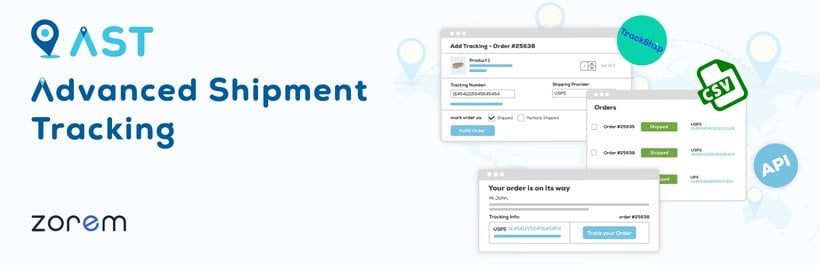
The last plugin for this category pertains to shipping. This recommendation may not be perfect for every case, as shipping solutions vary a lot based on location and what kind of products you sell. However, it’s a great starting point regardless.
Advanced Shipment Tracking is a free plugin that optimizes the WooCommerce order fulfillment workflow. Key features include renaming the "Completed" order status to "Shipped", adding a "Partially Shipped" status, and easily adding tracking info when editing orders.
The plugin lets you include multiple tracking numbers per order from over 300 predefined shipping providers. When adding tracking, you can fulfill orders and send shipping details to customers via a customizable tracking widget in emails and their account page.
For further efficiency, Advanced Shipment Tracking offers shipment tracking API integration with third-party services. You can also import tracking numbers in bulk via CSV for orders from warehouses or dropshippers.
By automating shipping updates, reducing customer inquiries, and providing transparent order tracking, this plugin simplifies the post-purchase experience for customers while saving you time and effort.
- ProsFree, adds tracking numbers from 300+ carriers, a customer tracking widget in emails and accounts, and bulk CSV import.
- ConsReviewers report features moving behind the Pro paywall over time and a slower newer tracking UI; Pro starts at $129/year.
Highly recommended honorable mentions
Before we finish, I wanted to give a shout-out to some honorable mentions. I left these plugins out of the earlier categories, but they still deserve a place on this list.
Notifications
26. SMS Alert Order Notifications – WooCommerce
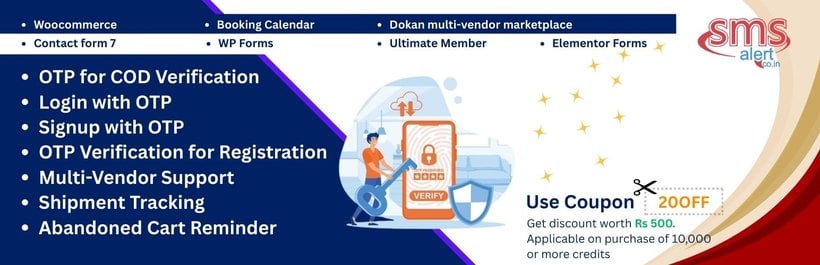
For enhanced notifications I recommend SMS Alert Order Notifications for WooCommerce. This performs the basic, but very handy job of setting up and sending SMS notifications to customers regarding their purchases. It’s free, and comes highly rated based on user feedback.
- ProsFree plugin that sends order-status SMS updates to customers, highly rated, with a handy OTP option.
- ConsOTP can block checkout if your SMS credits run out, you’re tied to the vendor’s own SMS gateway, and non-India rates run higher than some global providers.
Speed Optimization
Every site needs to be optimized for speed, and in ecommerce this is even more crucial, as it can mean the difference between making sales or losing them!
27. WPRocket

There are plenty of options, but we’ve had great success with WPRocket. This is a premium plugin, but for the low price tag, it’s 100% worth it to ensure your pages maintain the fastest loading times possible.
- ProsPremium caching that’s effective with almost no configuration, a strong reputation and frequent updates.
- ConsNo free version or public trial, renewals jump to full price, and image optimization needs the separate Imagify plugin; from $59/year.
SEO
I know, I know, SEO is part of marketing, so why didn’t I talk about it earlier? Well I didn’t want to get too far off track as I have been focusing mainly on WooCommerce specific plugins.
But let’s face it, every site needs to utilize Search Engine Optimization to rank well online.
28. YOAST SEO

Yoast SEO is our pick as it features a WooCommerce SEO addon. This allows merchants to optimize product pages, descriptions, and other ecommerce content for better visibility in search engines.
The plugin enables editing key metadata like titles and descriptions to align with target keywords. It also provides content analysis guidance to follow on-page SEO best practices across product listings and other commerce pages.
Just note that proper configuration of the general WordPress SEO settings is required before fully utilizing the ecommerce-specific features.
- ProsThe most-used WordPress SEO plugin (10 million+ installs), free core, with a WooCommerce SEO add-on for product pages.
- ConsThe admin is heavy with upsell prompts, and WooCommerce SEO is now part of a roughly $179/year bundle rather than a cheap add-on.
29. CrawlWP
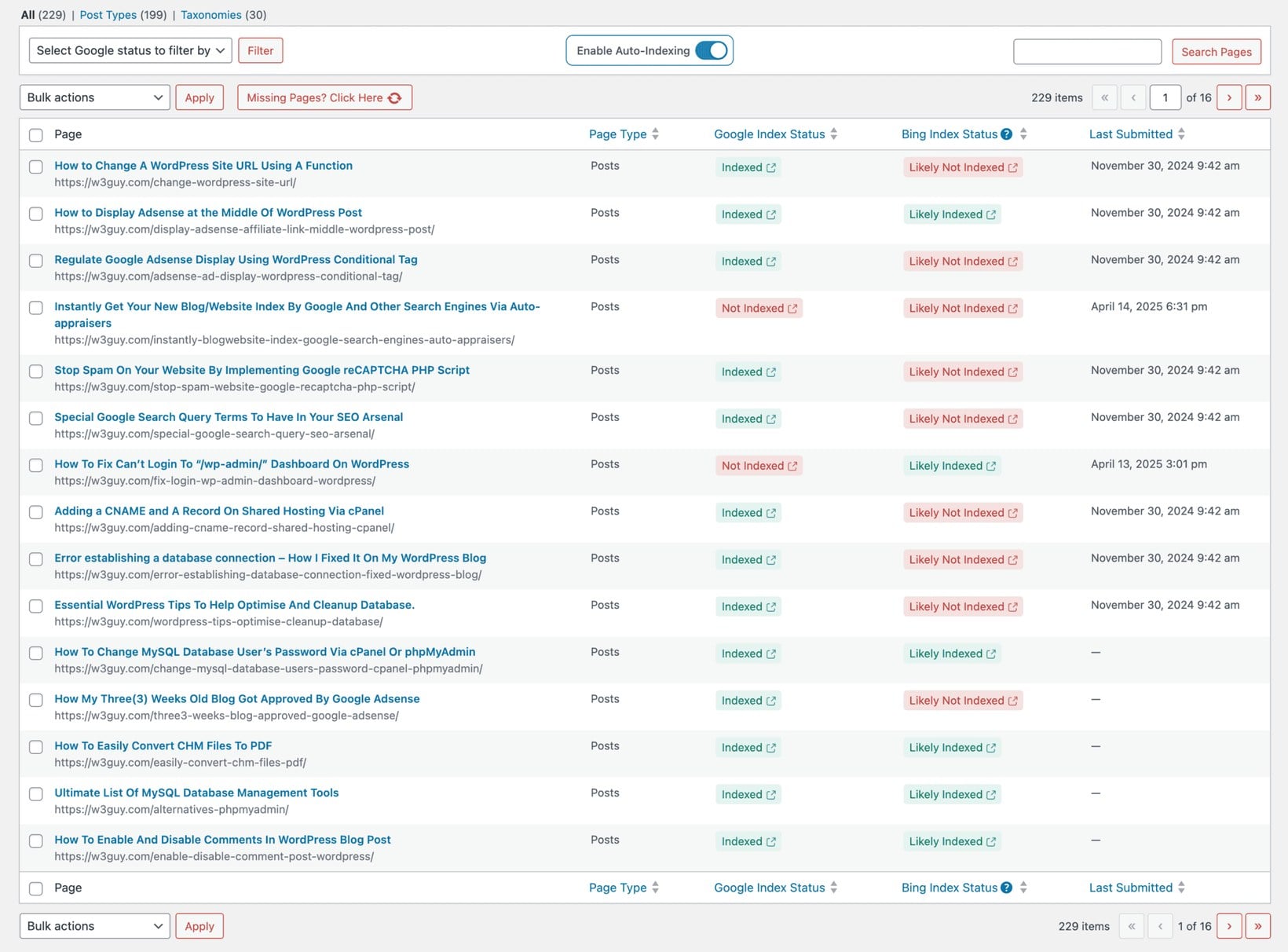
A new product won’t bring in search traffic until Google and Bing have indexed it, and left to chance that can take days or even weeks. CrawlWP speeds this up by notifying the search engines the moment you add or update a product, so your latest listings get crawled sooner.
It also brings your Google Search Console and Bing Webmaster Tools data into the WordPress dashboard. You can check the index status of any product or post, plus its clicks, impressions, keywords and average position, without opening a separate tab. That makes it easy to spot listings that aren’t ranking and take action to improve your WooCommerce SEO.
There’s a reporting option too, emailing you a daily, weekly or monthly summary of your store’s search performance, including which pages were recently indexed or dropped. If organic search is a big channel for your store, it’s a useful way to keep an eye on indexing without logging into Search Console every day.
- ProsTells Google and Bing to crawl new and updated products quickly, and brings Search Console data into your dashboard; free Lite version.
- ConsIndexing setup can be fiddly, using Google’s Indexing API for normal pages is a gray area, and it’s a younger plugin; Pro from $59/year.
Conclusion
That’s my run-through of the top 25 WooCommerce plugins I’d install on a new store, from payments and checkout through to page design, marketing, inventory and SEO.
Which ones you need depends on where your store is:
- Just starting out? Set up a payment gateway, WooCommerce Fast Cart for a faster checkout, WP Rocket for speed and Yoast SEO to get found.
- Selling variable or personalized products? Add WooCommerce Product Options and Variation Swatches, with WooCommerce Product Filters and Quick View Pro to help shoppers browse.
- Running promotions or an affiliate program? WooCommerce Discount Manager handles sales and BOGO offers, and AffiliateWP or AffiliatePress run your affiliate scheme.
- Scaling up? ATUM and Setary take the pain out of managing stock and bulk-editing products.
If I had to pick just two to start with, they’d be our own WooCommerce Fast Cart and WooCommerce Product Filters.
Thank you so much for reading! I hope you found a better solution for your store’s needs. Please let me know what you thought about the list in the comments.