Best Woocommerce multi currency plugins - Review

Are you looking for a way to accept multiple currencies from customers worldwide? One solution to this problem is using WooCommerce multi-currency plugins. Discover how you can use Woocommerce multi-currency to accept payments regardless of your customer's location!
If someone is visiting your online store from another country, the plugin can auto-detect their geoip address and automatically convert the prices of the products to their local currency. This makes it easier for customers to understand how much a product costs and makes the shopping experience more convenient for them.
In this review, I'll take a closer look at the best WooCommerce multi currency plugins available, so you can decide which one to choose for your store.
If you want the short version, here are my top picks by use case:
- Best overallFOX – Currency Switcher is the most complete dedicated switcher, with true per-currency checkout.
- Best free optionYayCurrency lets customers check out in their own currency for free.
- Best for established storesAelia Currency Switcher is the most mature, full-featured option.
- Best if you use WooPaymentsWooPayments has free multi-currency built in.
- Best if you also need translationWPML bundles a capable currency engine with full site translation.
Key things to compare in a WooCommerce multi currency plugin
The biggest difference between these plugins is whether customers can pay in their chosen currency, or whether the plugin only shows a converted price and still charges them in your base currency. I weighed that first, along with how each one is rated and maintained, its price and free tier, automatic location switching, and exchange-rate and rounding control.
Here's how the main options compare, then I'll cover each one in detail.
| Plugin | Free version | Pay in their currency | Auto switch by location |
| FOX – Currency Switcher | Free (2 currencies) | Yes | Yes |
| YayCurrency | Yes | Yes | Paid |
| Aelia Currency Switcher | No | Yes | Yes |
| WooPayments multi-currency | Yes | Yes (settles in base) | Yes |
| CURCY by VillaTheme | Free (2 currencies) | Yes | Yes |
| WPML + WooCommerce Multilingual | Yes | Yes | Yes |
| Currency Switcher by WP Wham | Yes | Display only | Yes |
| Currency Converter Widget | No | Display only | Yes |
FOX – Currency Switcher Professional for WooCommerce

Best for: Stores that want the most control over multi-currency pricing and checkout.
Formerly known as WOOCS, FOX – Currency Switcher is the most feature-rich dedicated switcher, with around 50,000 active installs. It auto-switches by GeoIP and genuinely lets customers check out and pay in their chosen currency, rather than just showing a converted price. You can set the exact prices shown in each currency, pull rates from several providers, and restrict which payment gateways appear per currency.
Pros: It offers true per-currency checkout, GeoIP detection, per-currency rounding and fixed prices, plus frequent updates with active security patching.
Cons: The settings screen is cluttered, and some users report a real performance hit on larger stores, so check your page speed after setup. The free version is capped at two currencies, with the premium plan around $32 as a one-off.
WooPayments multi-currency
Best for: Stores already using WooPayments that want free, native multi-currency.
If WooPayments is already your payment processor, multi-currency is built in for free with nothing extra to install. It auto-switches by location, updates rates automatically, supports custom rounding, and charges customers in their selected currency at checkout.
Pros: Free, native and the lowest-effort option if you're already on WooPayments, with geolocation and automatic rates out of the box.
Cons: It only works if WooPayments is your gateway, not Stripe direct or PayPal. And while customers pay in their currency, your store still settles in its base currency with a conversion fee, so it isn't true multi-currency banking.
WPML

Best for: Stores that need full site translation as well as multiple currencies.
The WordPress Multilingual (WPML) plugin is a user-friendly tool that enables website owners to create multilingual websites. It was first launched in 2007 and is now the most widely used multilingual plugin with around a million websites using it.
For currency, WPML pairs with its free WooCommerce Multilingual and Multicurrency add-on, which handles 200+ currencies, GeoIP switching and automatic exchange rates - a capable engine in its own right. WPML is a translation product first, though, so it's really only worth the full stack if you also need to translate your store.
With WPML, you can translate all website content, including pages, posts, menus, custom post types, and theme and plugin texts, into multiple languages.
WPML also provides a simple API that makes it easy to manage translations without coding knowledge.
The plugin supports over 45 languages out of the box and is compatible with popular WordPress plugins and themes, such as WooCommerce, Yoast SEO, and Contact Form 7.
WPML also offers different translation options, like manual translation, automatic translation, and professional translation services.
Key features
With WPML, you can:
- Add new languages to your WordPress site effortlessly.
- Allow users to switch between languages at their convenience.
- Translate your WordPress back end, including categories, tags, and navigation menus, into other languages.
- Easily translate your posts, pages, and custom post types, ensuring your entire site is multilingual.
WPML comes with 3 different paid plans. Firstly is the Multilingual Blog charged annually at $39. This is the basic option for multilingual WordPress blogs and comes with unlimited standard translation controls.
Secondly, the Multilingual CMS plan is charged $99 and 90,000 translation credits, and finally the Multilingual Agency plan.
This plan is charged $199 annually and comes with 180,000 translation credits plus all the features in the Multilingual Blog and CMS plans.
Pros: A capable free currency engine in its own right (200+ currencies, GeoIP and automatic rates), and the tightest pairing of currency with full site translation.
Cons: It's a translation product first, with currency as an add-on, so for currency alone it's heavy and overkill. Reviews regularly mention performance and a confusing interface, and the strongest features sit behind the paid WPML license.
YayCurrency - WooCommerce Multi-Currency Switcher
Best for: Stores that want a clean, well-supported plugin with free checkout-in-currency.
Developed by YayCommerce, YayCurrency for WooCommerce is a useful plugin to display product prices and pricing plans in multi-currency for your store.
Offering more than 160 currencies to convert, this plugin helps your store reach customers from any country. It not only auto-detects the GeoIP of your customers but also auto-exchange rates for different currencies if your customers switch.
It has a drag-and-drop feature which makes it easy to set up. This plugin also provides a shortcode to insert the switcher anywhere in your store, including the navigation bar, header, footer widget and shop page
Additionally, you can customize the switcher to show flags, currency symbols, and currency codes to enhance the shopping experience.
Key features
- With +160 currencies, you can easily add and configure the format of each currency.
- Can custom rounding when converted to other currencies to reduce the cash loss for your store.
- Support to modify the time to automatically re-calculate the exchange rate or manually exchange.
- Allow checkout in multi-currency with many payment methods.
- Compatible with over 40 WooCommerce plugins.
- Easy to translate your entire store into other languages because this plugin integrates well with 5+ multi-language plugins.
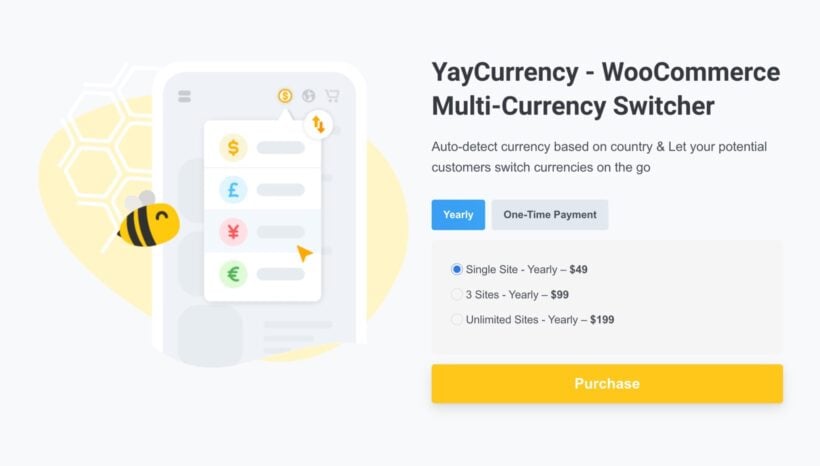
This WooCommerce currency switcher comes with free and paid versions. You can download the free version at the WordPress repository. With the paid version, YayCurrency offers 3 plans: Single Site - Yearly – $49 / 3 Sites - Yearly – $99 / Unlimited Sites - Yearly – $199.
Pros: The best-maintained option here, with free checkout-in-currency, custom rounding and per-gateway control even on the free tier.
Cons: The features most people associate with multi-currency - automatic GeoIP switching and auto-updating exchange rates - are both Pro-only, so free users set rates manually.
CURCY - WooCommerce Multi-Currency by VillaTheme

Best for: Budget stores wanting free GeoIP switching and pay-in-currency on a couple of currencies.
CURCY is a popular plugin that enables online merchants to accept and display prices in multiple currencies on their WooCommerce stores. It also helps online store owners display prices in different currencies.
This is generally important because customers from different parts of the world may have different currencies, and displaying prices in their local currency can make it easier for them to shop.
Key features
- Country selection for each currency: Choose which countries correspond to each currency, including selecting all, using a country-currency mapping tool, manually adding or removing countries, or removing all countries.
- Payment in multiple currencies: Allow your customers to pay using different currencies by enabling this option.
- Mandatory currency for checkout page: Force customers to select a specific currency at the checkout by making it mandatory.
- Currency change based on billing/shipping address: Change the currency based on the customer's billing or shipping address.
- Price formatting options: Use WooCommerce Multi Currency to format the product price displayed on the front end.
- Exchange rate API selection: Choose from VillaTheme.com, Google Finance, Yahoo Finance, and other APIs as they become available to update the exchange rate.
This WooCommerce Multi-Currency widget is billed at $32 per year.
Pros: The most generous free tier on the core mechanics - free GeoIP detection and pay-in-currency - plus the largest install base of the dedicated switchers.
Cons: Support is the recurring complaint, and there have been reports of the wrong currency being sent to PayPal and Apple Pay, so test your gateways carefully. The free version is capped at two currencies.
Currency Converter Widget by Country Currency Switcher

Best for: Stores that just want a simple, lightweight way to show prices in local currencies.
Currency Converter Widget by Country Currency Switcher is a premium plugin for WooCommerce that enables online store owners to display prices in multiple currencies on their websites.
With this widget, customers can easily convert the prices of products from the store's default currency to the customer's local currency.
In addition, the plugin is easy to install and configure, and it works smoothly with WooCommerce, which is a platform that helps people set up online stores. Once the plugin is installed, the online store owner can choose which currencies they want to display and set up the open exchange rates.
Key features
- Easily add and display unlimited currencies on your website.
- Automatically detect the customer's country and switch to the appropriate currency for them.
- Convert product shipping, discounts, taxes and tax exemptions, and other prices to the selected currency.
- Allow or hide payment gateway(s) based on the specific currency being used.
- Display currencies by language for a smooth user experience.
Currency Converter Widget by Country Currency Switcher costs $49 billed annually and covers an unlimited number of sites. Generally, all plans come with a 14-day money-back guarantee and include one year of support and updates.
Pros: Simple and lightweight, with automatic location detection and hands-off rate updates for browsing in local currencies.
Cons: It's display-only, so checkout always charges in your store's base currency, and there's no free version (around €51 a year) with only a handful of public reviews.
Aelia Currency Switcher for WooCommerce
Best for: Established or larger stores that want a mature, fully supported tool.
Aelia provides a WooCommerce multi-currency plugin that allows you to display prices and accept payments in multiple currencies. It is also known as the next best Woocommerce product for currency conversion.
This currency conversion plugin is a solution for businesses that want to cater to customers from different countries and offer the convenience of shopping with native currency options.
With the Aelia plugin, you can automatically detect a visitor's IP address and display prices in their local currency all in real-time. It also supports over 200 currencies and offers the ability to set custom exchange rates.
Aelia provides compatibility with other popular WooCommerce plugins and themes, as a result, it easily integrates into your existing e-commerce store.
Additionally, you can display different currencies based on the user's role or location, giving you more flexibility in pricing strategies.
Key features
- Your customers can save their desired currency using this tool.
- The tool automatically replaces trade rates using Open Exchange Rates, WebServiceX, or Yahoo! Finance (more providers coming soon).
- It allows the manual setting of alternate prices instead of updating them automatically.
- This tool enables adding prices in all currencies for products and coupons without relying on an exchange rate.
- Users can accept a currency for a product and automatically converts prices into other currencies.
- The tool detects visitors' countries through geolocation and adjusts currency use accordingly.
- It offers available payment method filters depending on the selected currency.
The plugin also comes with a simple API that allows you to switch currencies and exchange rates easily. Furthermore, you can add or remove several currencies, set custom exchange rates, and choose from various display options.
Additionally, the Aelia plugin works well with popular e-commerce themes and plugins. It makes it easy to integrate into an existing store. This makes it easier to set up shopping rates and reduces the learning curve for users.
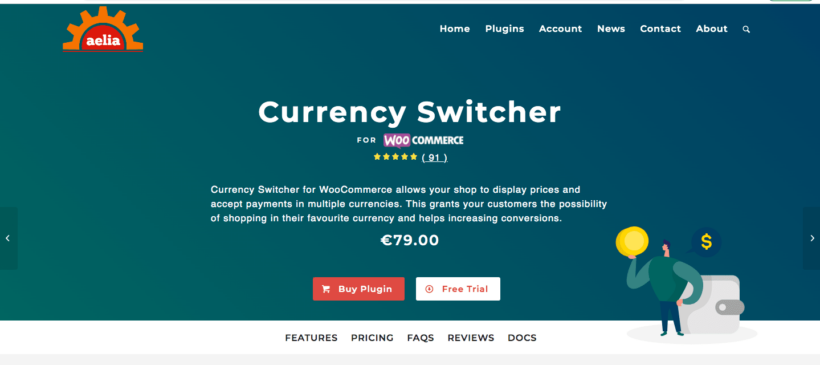
The Aelia Currency Switcher for WooCommerce comes with a 14-day trial of the free version. After this, it costs $80/€70.
Pros: The most mature, full-featured option - GeoIP, true pay-in-currency, automatic rates, advanced rounding and 100+ gateways - with a strong support reputation.
Cons: There's no permanent free version (€79 a year after a trial), and the documentation is pitched at developers rather than beginners, so setup has a steeper learning curve.
Currency Switcher for WooCommerce by Worksforweb

Best for: Technical, budget-conscious stores wanting a free, highly configurable display switcher.
If you're running a WooCommerce store and want to accept payments in multiple currencies, this Currency Switcher is a great choice.
The Currency Switcher plugin converts conversion rates to the local currency of your customer. So, if someone is shopping from another country, the plugin can convert the price of a product to their local currency, making it easier for them to understand how much it costs.
This plugin is important for online stores, especially those that sell their products to people all over the world, not just in one country.
By displaying the prices of products in multiple currencies, your online store attracts customers from different parts of the world. Once this is in place, your customers can shop easily from the store.
Key features
This add-on allows you to:
- Generally, you can add as many currencies as you need. You can also select the currency from a list to add it to the Currency switcher for your online store.
- The plugin allows for manual or automatic exchange rate settings for each currency, using Cryptocompare and Free Converter aggregators. Additionally, the Pro version features automatic exchange rate updates available for a certain period, and users can choose to receive email notifications about the last exchange rate values.
- Offer customers the ability to check out in their preferred currency, even if it isn't included in the list of supported currencies ("AUD, BRL, CAD, CZK, DKK, EUR, HKD, HUF, ILS, JPY, MYR, MXN, NOK, NZD, PHP, PLN, GBP, SGD, SEK, CHF, TWD, THB, USD"). This feature is also useful for converting a given currency into a different PayPal currency to avoid conversion fees.
- Design a Currency Switcher that is both functional and visually appealing with the available options, including Simple, Rotating, and Floating types of switchers, as well as customizable position and color settings for all elements of the switcher.
- Lastly, the Currency Switcher for WooCommerce plugin comes with a user-friendly interface that makes it easy to customize the design and display of the currency switcher. You can choose from different styles, layouts, and positions for the currency switcher. You can also customize the currency symbols, currency names, and exchange rates.
The Currency Switcher for WooCommerce plugin costs $79 annually and comes with:
- 1-year extension updates
- 1-year support
- 30-day money-back guarantee
This popular add-on enables you to accept and display prices in multiple currencies on your WooCommerce store.
Pros: Free and highly configurable, with many exchange-rate sources, crypto support, per-product pricing and rounding control.
Cons: It's fundamentally a display converter - it even reverts to your base currency at checkout - so it's not built for true charge-in-local-currency. Reviews also flag occasional update-reliability and wrong-currency reporting issues.
Which WooCommerce multi currency plugin should you choose?
There's no single best WooCommerce multi currency plugin - it depends on whether you need customers to pay in their own currency, and on your budget.
For the most control and true multi-currency, I'd start with FOX – Currency Switcher, keeping an eye on page speed. If you'd rather not pay, YayCurrency gives free checkout-in-currency, while CURCY adds free GeoIP if you can live with its support caveats.
Larger stores that want a mature, fully supported tool should look at Aelia, and if you're already on WooPayments its built-in multi-currency is the easiest free route. Choose WPML only if you also need translation, and if you just want shoppers to see local prices without changing how you get paid, the display-only options will do.
Final thoughts
Multi-currency is one of the simplest ways to make an international store feel local, but the plugins vary more than they look. Settle the display-versus-pay question first and the list narrows quickly. Whichever you choose, run a few test orders through every payment gateway before going live.