How to customize the My Account page in WooCommerce

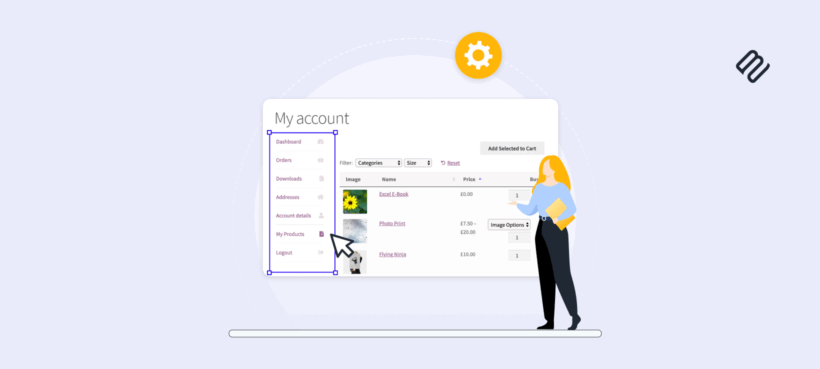
The way you set up your WooCommerce account page shapes the post-purchase experience. With the right plugin, you can add custom tabs, exclusive content, and reorder links without writing code.
You're probably aware that your standard WooCommerce installation doesn't have a user-friendly way to add multiple pages or tabs to your My Account page.
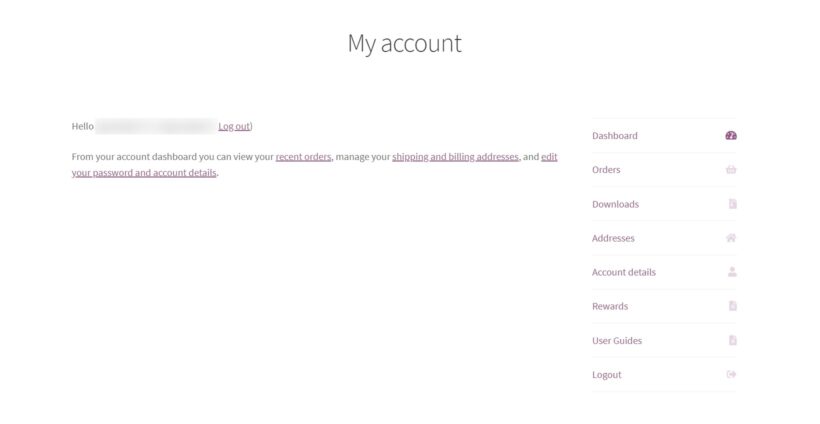
If you're a store owner, the last thing on your mind is learning how to code to customize this area.
Customizing your WooCommerce My Account page doesn't have to be an ordeal. The right plugin makes the whole process simple. You can give customers up-to-date information, answers to their questions, and incentives to come back.
In this article, I'll show you why customizing the My Account page matters. Then I'll walk you through how to do it using a free plugin from the WordPress.org repository.
Why customize the My Account page in WooCommerce?
The out-of-the-box WooCommerce My Account page can feel uninspiring.
Your goal is to give customers outstanding service. That means putting the answers and resources they need within easy reach. FAQ content, instruction guides, and warranty details all belong here.
You don't want customers jumping through hoops to find answers. Customization solves this.
For example, you can add user guides, warranty information, or post-purchase upsells. You reduce after-sale friction so customers don't have to email support.
You can also personalize the experience. The default My Account page doesn't segment content by user role. With a customization plugin, you can show different tabs to different customer groups.
For example, if you run a membership site, members can see content that non-members don't. This keeps the account area relevant for each visitor.
So now we know why it's worth customizing your My Account page in WooCommerce. Next, let's look at the overall benefits.
By customizing the WooCommerce account page, you'll get the following benefits:
Reduced returns
If you add product instructions or guides to the account page, customers know exactly how to use the product. This reduces returns.
Physical products usually ship with paper guides. Add those same guides as downloads on the My Account page for easy access. Customers feel confident and are less likely to ask for a refund.
Opportunity for further sales
You can use the My Account page to offer existing customers coupons and discounts. Returning customers cost less to retain than new ones cost to acquire.
Add coupon shortcodes inside a custom tab. Customers will check back to see what new offers are available.
Increased loyalty
There are several ways customizing your My Account page builds loyalty.
First, easy-to-find information makes customers' lives easier after purchase. They don't need to contact support. Support contacts are expensive.
Second, exclusive coupons in the account area make loyal customers feel valued. They keep coming back.
Fewer customer service inquiries
A richer account page reduces support tickets. Customers find their own answers.
Add user guides for each product. Add an FAQ tab. Customers enjoy their product without needing to reach out.
Now that we know the benefits, let's add extra content to the My Account page using a free plugin.
Edit the My Account page with a free plugin
We're about to walk through how to customize the My Account page. The free plugin I recommend is SysBasics Customize My Account for WooCommerce.
What is SysBasics Customize My Account for WooCommerce?
The SysBasics Customize My Account for WooCommerce plugin lets you add custom tabs to the My Account page. You can create as many tabs as you need.
Here are the major benefits:
- Free, on WordPress.org. Install and update it like any other WordPress plugin.
- Visual tab management. Reorder, rename, and hide tabs from a settings page.
- Custom content per tab. Add HTML, shortcodes, or full WordPress pages inside each tab.
- Role-based visibility. Show or hide tabs based on user role for membership or wholesale stores.
Now let's walk through how to use the plugin to customize your My Account page.
How to customize the My Account page
Here are the steps to add a new tab.
Step 1: Install the plugin
Install the plugin from your WordPress dashboard:
- Go to Plugins → Add New.
- Search for 'Customize My Account for WooCommerce' by SysBasics.
- Click 'Install Now', then 'Activate'.
With the plugin installed, we can move on to adding a tab.
Step 2: Add your new account tab
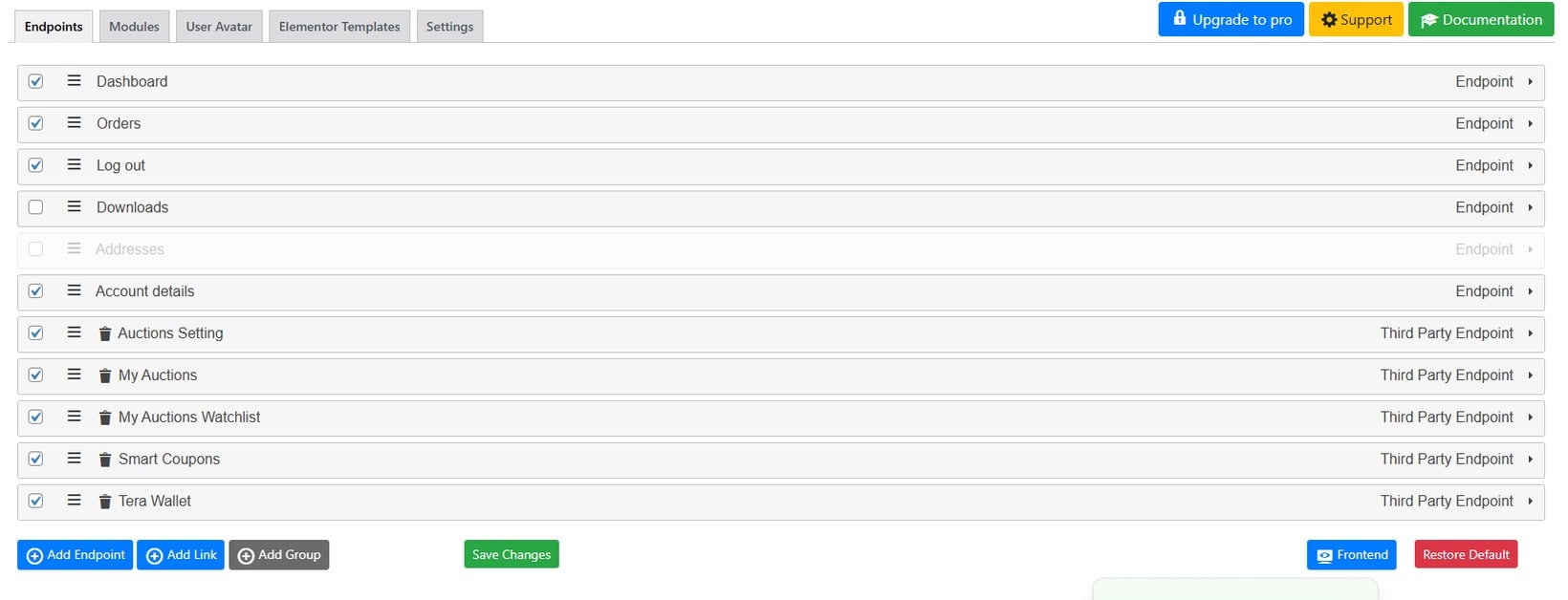
To add a new tab to the My Account area, take the following steps:
- Go to WooCommerce → My Account in the WordPress dashboard.
- Click 'Add New Endpoint' (or 'Add Tab', depending on the plugin version).
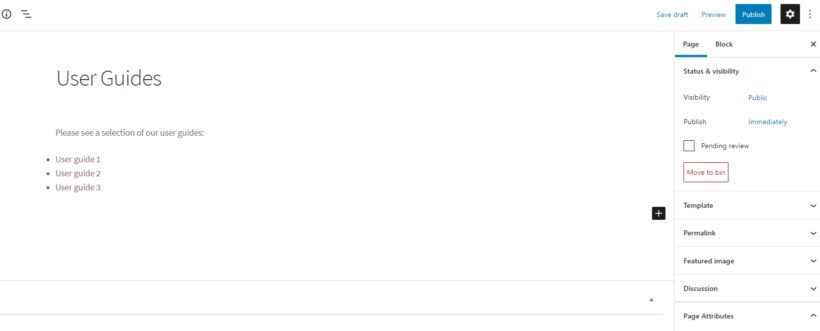
- Name your new tab (for example, 'User Guides') and add the content. You can use plain text, HTML, or shortcodes.
- Set the position of the tab in the menu order field.
- Click 'Save'. Your new tab now appears on the front-end My Account page.
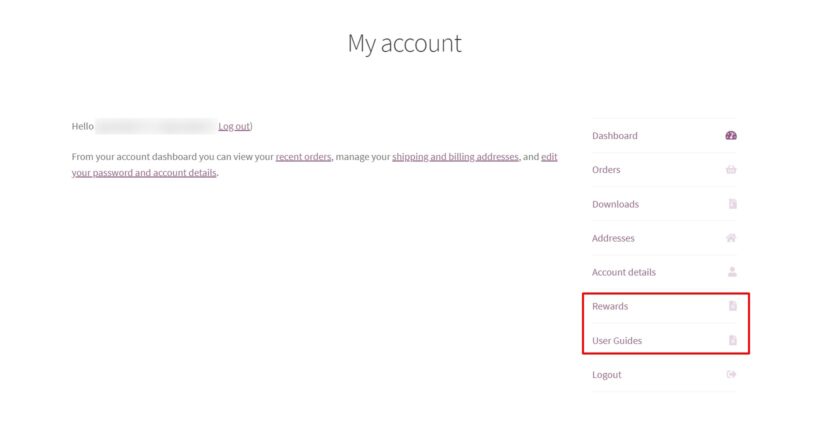
That's it. Your new tab is live in the My Account page.
Repeat these steps for each new tab. Watch how customers interact with them and adjust the content over time.
The buying experience gets noticeably smoother for your customers.
Bonus: Display previously purchased products
One way to make the My Account page truly useful is to show each customer's previously purchased products.
This lets customers reorder without friction. They find past purchases in one place.
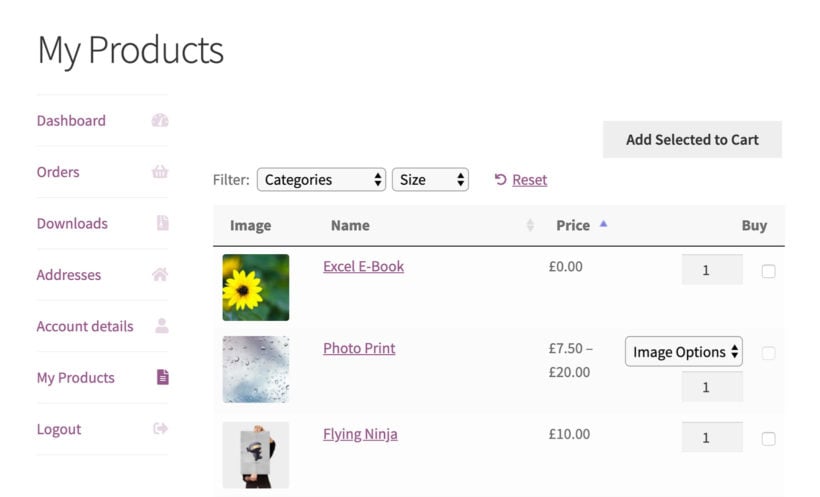
To do this, you can use WooCommerce Product Table. The plugin can automatically list each logged-in customer's previously purchased products.
To find out how to add this useful page to your My Account area, read our previously purchased products guide.
Improve your WooCommerce My Account page today
You just customized your My Account page. The free SysBasics Customize My Account plugin makes a real difference to the customer experience without costing anything.
The sky's the limit. Create and customize as many tabs as you like. Your customers now have a one-stop place for everything they need.
Give the Customize My Account for WooCommerce plugin a try and see what your customers think.